The Science of Audio Encoding: Technical Aspects


Free Download Mp4Gain
picture

The Science of Audio Encoding: Technical Aspects

The Science of Audio Encoding

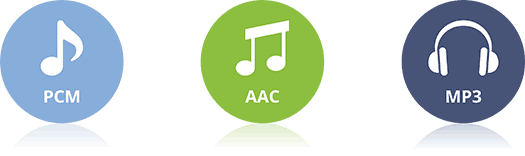
Audio encoding is the process of converting analog sound into digital data. This data can then be stored or transmitted in a variety of formats, such as WAV, MP3, or AAC.

There are two main types of audio encoding: lossless and lossy. Lossless encoding preserves all of the original sound data, resulting in high-quality audio but large file sizes. Lossy encoding removes some of the original sound data, resulting in smaller file sizes but lower sound quality.

The process of audio encoding can be divided into three main steps: sampling, quantization, and compression.

Sampling

The first step in audio encoding is sampling. In this step, the analog sound signal is converted into a series of discrete values. The number of times per second that the sound signal is sampled is called the sample rate. Higher sample rates result in more accurate representations of the original sound signal, but they also result in larger file sizes.

Quantization

The second step in audio encoding is quantization. In this step, each sample value is rounded to the nearest integer value. The number of bits used to represent each sample value is called the bit depth. Higher bit depths result in more accurate representations of the original sound signal, but they also result in larger file sizes.

Compression

The third and final step in audio encoding is compression. In this step, the digital audio data is compressed to reduce its file size. There are a number of different compression algorithms that can be used, each with its own advantages and disadvantages.

The most common compression algorithms for audio encoding are:

  • MP3: MP3 is a lossy compression algorithm that is widely used for storing and transferring audio files. MP3 files are typically much smaller than WAV files, while still providing good sound quality.
  • AAC: AAC is another lossy compression algorithm that offers better sound quality than MP3. AAC files are typically slightly larger than MP3 files, but they offer a noticeable improvement in sound quality.
  • FLAC: FLAC is a lossless compression algorithm that offers similar sound quality to WAV, but with much smaller file sizes. FLAC files are a good choice for people who want the best possible sound quality without sacrificing file size.

Final Words

Audio encoding is a complex process that involves converting analog sound into digital data. The quality of the audio that is encoded can be affected by a number of factors, including the sample rate, bit depth, and compression of the audio file.

If you are looking for the best possible sound quality, you should use a lossless audio format such as WAV or FLAC. However, if you need to store or transfer audio files over a network, you should use a lossy audio format such as MP3 or AAC.



Free Download Mp4Gain
picture


Mp4Gain Main Window
picture


Mp4Gain Features
picture


Free Download Mp4Gain
picture

10 Common Audio Formats: Which Format Should I Choose?

10 Common Audio Formats: Which Format Should I Choose?

Audio Formats
Audio Formats

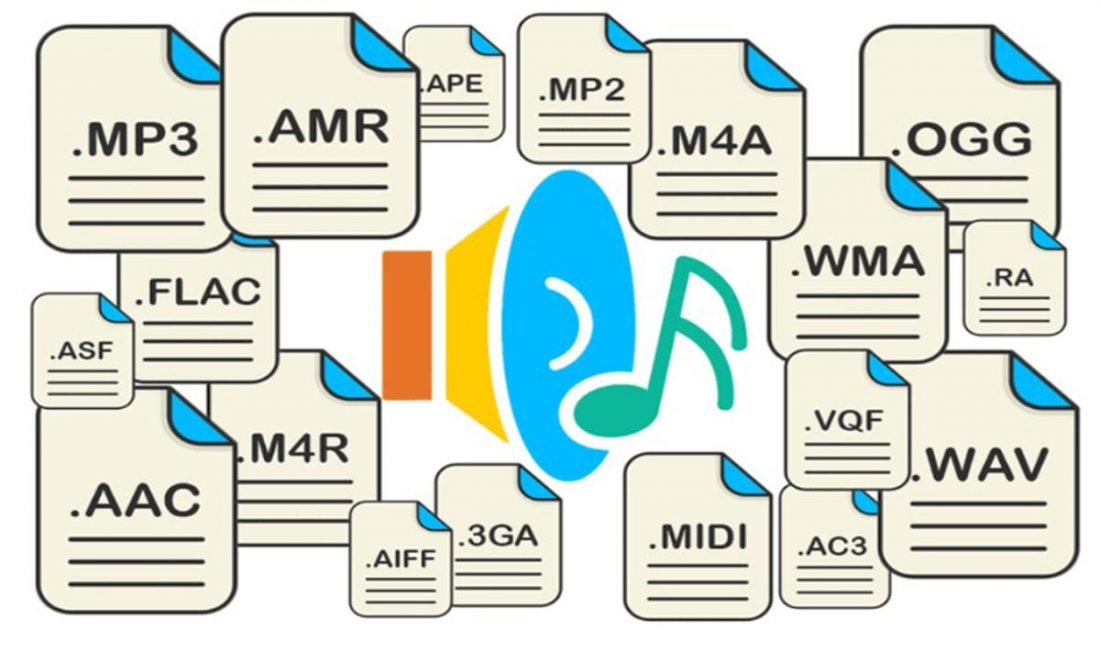
Audio files come in various formats and sizes, in addition to our common MP3, there are AAC, FLAC, OGG, WMA, etc.

Audio Formats
Audio Formats

Why are there so many different audio standards? What format is the best? What should you choose when saving audio files?

In fact, all audio formats can be divided into 3 categories, and once you understand the characteristics of each of these 3 types, you can choose one of the three, and then choose a further subdivided category according to your specific needs.

Comparison of audio formats – operation, equipment – Introduction to 10 common audio formats: which format should I choose?
uncompressed audio format
The uncompressed format preserves the original audio waveform. The so-called original audio waveform refers to the result after the sound is captured and converted to a digital signal for storage. Raw audio waveforms are stored without any post processing. From the results, such an audio file will consume a lot of space. For 24-bit (24-bit) 96 KHz audio, you need about 34 MB of storage space per minute.

Uncompressed audio format: PCM
PCM is short for Pulse-Code Modulation, which is a technical method of simulating sound using digital signals. The sounds that we can hear in nature exist in the form of physical sound waves, and in order to simulate this sound wave with a digital signal, scientists decided to sample it and record it with another wave, which is what we call a pulse.

Therefore, digital audio has two basic concepts: sample rate and bit depth. The so-called sampling rate refers to the speed of how many times the sound is sampled. The so-called bit depth refers to the space occupied by a single sample. In uncompressed formats, the product of the sample rate, bit depth, and audio duration is the space occupied by the digital signal that represents the audio content.

PCM is a format commonly used on CDs and DVDs, but its derivative LPCM is often used in practice. LPCM is short for Linear PCM, which is Linear Pulse Code Modulation. Most PCM files in use today are actually LPCM files, so there is no need to differentiate between them.

Uncompressed audio format: WAV
WAV is short for Waveform Audio File Format, which is a standard audio format developed by Microsoft and IBM in 1991.

Many people think that WAV is an uncompressed audio format, but this is not entirely true. In fact, WAV is a “wrapper” type format, a common format developed by Microsoft to use audio for various platforms. So it is possible for WAV to contain compressed audio, but this is rarely the format of choice when using compression these days.

All the Audio Format Differences: Which One Should You Use?

All the Audio Format Differences: Which One Should You Use?

All the Audio Format

Three classifications of audio formats

All the Audio Format

Characteristics and differences of different audio formats

Which audio format is right for you?

You already know MP3, but what about AAC, FLAC, OGG or WMA? Why are there so many audio file formats and is there any best audio format?

Comparison of audio formats

Audio files come in various types and sizes. While we’re all probably familiar with MP3, what about AAC, FLAC, OGG, or WMA? Why are there so many audio standards? Is there a better audio format? Which ones are important and which ones can be ignored?

All audio formats are divided into three main categories, and once you know what the categories mean, you can choose the format within the categories that best suits your needs.

uncompressed audio format

Uncompressed audio consists of actual sound waves that have been captured and converted to digital format without any additional processing. So uncompressed audio files tend to be the most accurate, but take up a lot of disk space: about 34MB per minute for 24-bit 96KHz stereo.

Audio file format: PCM

PCM stands for Pulse Code Modulation, a digital representation of the original analog audio signal. Analog sounds exist as waveforms. To convert a waveform into digital bits, the sound must be sampled and recorded at specific intervals (or pulses).

This digital audio format has a “sample rate” (how often the samples are made) and a “bit depth” (how many bits are used to represent each sample). There is no compression involved. Digital recordings are almost accurate representations of analog sounds.

THE MOST COMMON FORMATS FOR MUSIC AND OTHER AUDIO FILES, AND HOW THEY ARE RELATED TO EACH OTHER

THE MOST COMMON FORMATS FOR MUSIC AND OTHER AUDIO FILES, AND HOW THEY ARE RELATED TO EACH OTHER

Music Formats


And for the direct competitors of the universal MP3 format, they can count on a lot today.

Music Formats

Due to continuing inconsistencies in home storage of the WAV format, it was eventually discontinued. But for professional studios, he says, the basics of the job. Especially when recording live vocals or instruments. Just convert the recorded material from WAV to MP3 at the final stage.

music format

However, music can be represented in some other popular formats nowadays. For example, many times (especially the Internet) they use these data types like OGG, AIFF, AMR, etc. But the real competitor of MP3 has become the newest and best audio FLAC etc. Of course, for MP3 you can convert all parameters to the maximum, but the playback quality of FLAC represents much higher. Also, it is a single file and the separation occurs directly on the track due to the player or startup software. In other words, listeners see each track individually, but can switch between playback tracks. For the MP3 format, this also seems possible to merge multiple tracks through it, thus creating a single file. But here it is in this version fast switching between tracks will not be possible (normal fast forward should be used, that’s all).

However, not everything is bad. The fact that music or audiobooks are all popular formats today allows them to be easily converted, even keeping the original parameters of the audio material. Based on this, and for sound processing and conversion and audio editors, almost all programs call converters. Any program of this type (MP3 editor or converter) detects the original and final type of audio files, is unambiguous and can produce direct and reverse transformations. Let’s explain this specific example.

WAVE THEORY AUDIO EDITOR FOR MP3 FILES
Many types of software are used in audio processing today. First, look at the narrow application of so-called audio editors. The most prominent representatives of these can be called giants Sony Audio Forge, Sintrillium Cool Editing Pro, which was later acquired by Adobe and renamed Audition, Acoustica Mixcraft, ACID Pro and many others.

mp3 editor

The principle on which they operate is that, for convenience, all MP3 audio programs have a typical waveform, as originally used for WAV files. This method determines the appearance and opportunity enough to edit any type of conventional audio material in WAV format. Other than that, the fact that you can do basic copy, cut, paste, etc. E., it’s just a matter of getting the frequency characteristics and bitrate changes, not to mention using a lot of extra effects that plug into VSTs via DirectX or a generic host bridge studio thing.

In its simplest form, the conversion can be done using the standard file menu, which contains the line “Save As…” (Save As…) or the export function present in MP3 format. Thus, all the process is reduced to just the final selection of the format (MP3 here as an example) and activation of the recording mode. In this case the conversion will be done automatically saving the current configuration parameters and the frequency characteristics. I don’t like the original version? ?Nothing is easier than changing the format to MP3, pre-specified with higher settings. However, one thing needs to be considered here: if the raw material is of such poor quality that special remediation or even professional tools will not work for audio it is necessary to use Repairs here, the intervention of various filters, etc. D. For the layman, it will cause great difficulties.

As is clear, there is absolutely no difference between the audiobooks we are dealing with: MP3, music or just recorded voice or noise. By the way, audiobooks are supposed to have a much lower sound quality by default. This is understandable, since the file has to take up minimal space and, in general, the perceived sound characteristics of speech are not that important. Finally, is this a professional recording of a particular set of albums?

However, if you use some standard operations, even without specific knowledge, it’s fine to achieve good results, especially since there are such built-in templates, based on any application for specific operations. Of course, it will be very difficult for the first time to achieve a perfect sound, but if you study the plan and understand how it works, it will work like clockwork, and as a result, it will take a lot of time.