10 Common Audio Formats: Which Format Should I Choose?


Free Download Mp4Gain
picture

10 Common Audio Formats: Which Format Should I Choose?

Audio Formats
Audio Formats

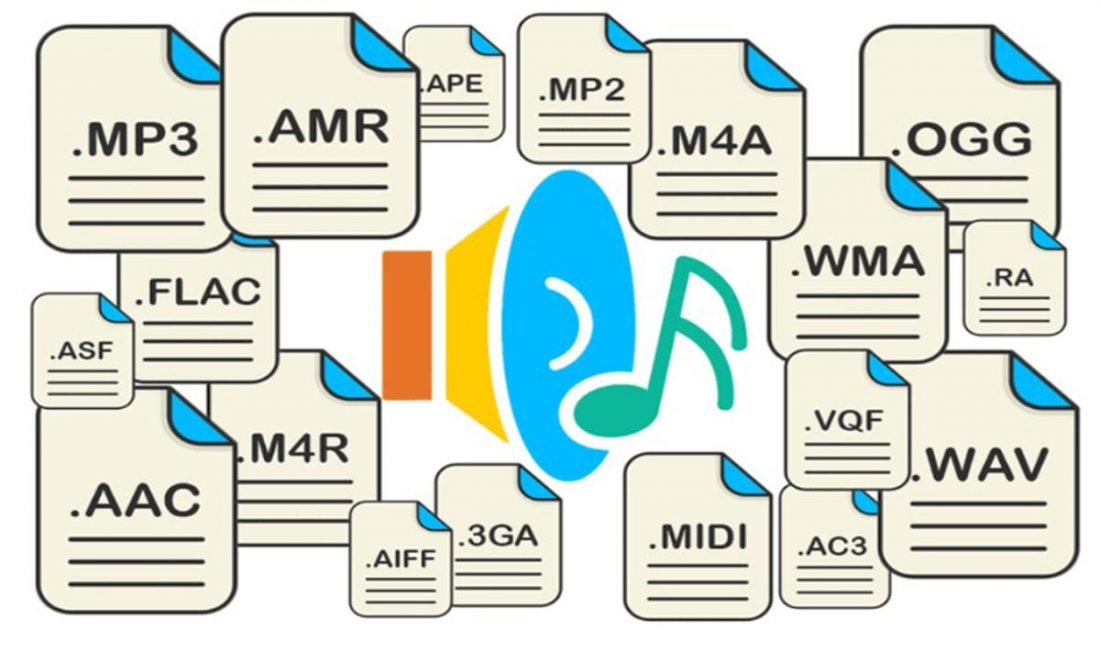
Audio files come in various formats and sizes, in addition to our common MP3, there are AAC, FLAC, OGG, WMA, etc.
Audio Formats
Audio Formats

Why are there so many different audio standards? What format is the best? What should you choose when saving audio files?

In fact, all audio formats can be divided into 3 categories, and once you understand the characteristics of each of these 3 types, you can choose one of the three, and then choose a further subdivided category according to your specific needs.

Comparison of audio formats – operation, equipment – Introduction to 10 common audio formats: which format should I choose?
uncompressed audio format
The uncompressed format preserves the original audio waveform. The so-called original audio waveform refers to the result after the sound is captured and converted to a digital signal for storage. Raw audio waveforms are stored without any post processing. From the results, such an audio file will consume a lot of space. For 24-bit (24-bit) 96 KHz audio, you need about 34 MB of storage space per minute.

Uncompressed audio format: PCM
PCM is short for Pulse-Code Modulation, which is a technical method of simulating sound using digital signals. The sounds that we can hear in nature exist in the form of physical sound waves, and in order to simulate this sound wave with a digital signal, scientists decided to sample it and record it with another wave, which is what we call a pulse.

Therefore, digital audio has two basic concepts: sample rate and bit depth. The so-called sampling rate refers to the speed of how many times the sound is sampled. The so-called bit depth refers to the space occupied by a single sample. In uncompressed formats, the product of the sample rate, bit depth, and audio duration is the space occupied by the digital signal that represents the audio content.

PCM is a format commonly used on CDs and DVDs, but its derivative LPCM is often used in practice. LPCM is short for Linear PCM, which is Linear Pulse Code Modulation. Most PCM files in use today are actually LPCM files, so there is no need to differentiate between them.

Uncompressed audio format: WAV
WAV is short for Waveform Audio File Format, which is a standard audio format developed by Microsoft and IBM in 1991.

Many people think that WAV is an uncompressed audio format, but this is not entirely true. In fact, WAV is a “wrapper” type format, a common format developed by Microsoft to use audio for various platforms. So it is possible for WAV to contain compressed audio, but this is rarely the format of choice when using compression these days.


Free Download Mp4Gain
picture


Mp4Gain Main Window
picture


Mp4Gain Features
picture


Free Download Mp4Gain
picture

What are the common audio formats?

What are the common audio formats?

common audio formats

Most frequent and popular sound formats

common audio formats

05 AAC format

AAC is actually short for Advanced Audio Coding. The algorithm adopted by AAC is different from that of MP3. AAC improves encoding efficiency by combining other features. The AAC audio algorithm far surpasses some previous compression algorithms (such as MP3, etc.) in terms of compression capabilities. In conclusion, AAC can provide better sound quality with 30% smaller file size than MP3 files.

It is one of the best lossy formats out there. There are multiple encodings, with bit rates up to 448 kbps. In terms of hardware support, advanced mobile phones and mp3 players are now generally supported.

06 VQF format

The VQF format is an audio compression technology jointly developed by YAMAHA and NTT. Its compression ratio can reach 1:18. Therefore, under the same circumstances, the compressed VQF file size is 30%-50% smaller than MP3, which is more suitable for online streaming, while the sound quality is excellent, near to CD quality (16-bit, 44.1 kHz stereo). But VQF has not revealed the technical standards, so far it has not become popular.

07 FLAC format

FLAC is short for Free Lossless Audio Codec, which can be interpreted as Chinese lossless audio compression coding, which is characterized by lossless compression. Unlike other lossy compression codes like MP3 and AAC, it can restore the sound quality of music discs. It is now compatible with many software and hardware audio products.
It can be said that FLAC is similar to MP3, but it is losslessly compressed, which means that the audio is compressed in FLAC without losing any information. And you can use the player to play compressed FLAC files, just like playing MP3 files.

08 APE format

APE is one of the most popular digital music file formats. Unlike lossy compression methods like MP3, APE is a lossless audio compression technology, which means that after compressing the audio data file read from the audio CD in APE format, you can also compress the file in APE format. The audio file is exactly the same as before compression, without any loss.

The file size of APE is about half that of CD, which is loved by many music lovers, especially for friends who want to stream audio CDs over the network, APE can help them save a lot of resources.

What are the common audio formats?

What are the common audio formats?

common audio formats

Most frequent and popular sound formats

common audio formats

01 MP3 format

MP3 is one of the most common audio formats. Its full name is Moving Picture Experts Group Audio Layer III. Simply put, MP3 is an audio compression technology that uses MPEG Audio Layer 3 technology to compress music into a smaller capacity file with a compression ratio of 1:10 or even 1:12. Compress files to a lesser extent in small cases. And it keeps the original sound quality very well.

It is precisely because of MP3’s small size and high sound quality that the MP3 format has become almost synonymous with online music. Use an MP3 player to uncompress (decode) MP3 files in real time so that high-quality MP3 music can be played. The highest bitrate is 320K, and the high-frequency part is one size fits all, which is its default.

02 WMA format

The full name of WMA is Windows Media Audio, which is an audio format promoted by Microsoft. The WMA format achieves a higher compression ratio by reducing the data stream while maintaining sound quality. The compression ratio can usually reach 1:18, and the generated file size is only half of the corresponding MP3 file. In addition, WMA can also be added to prevent copying through the DRM scheme, or add restrictions on playback time and playback times, and even restrictions on playback machines, which can effectively prevent piracy.

03 WAV format

WAV format is a lossless sound format developed by Microsoft Corporation, also known as waveform sound file. It is the oldest digital audio format and is widely supported by the Windows platform and its applications. The WAV format supports many compression algorithms, supports a variety of audio bits, sample rates, and channels. It adopts 44.1kHz 16-bit sampling rate. Therefore, the sound quality of WAV is almost the same as that of CD, and it is suitable for uploading to all major music platforms. But the WAV format is bulky and difficult to spread.

04 ASF format

The full name of ASF is Advanced Streaming Format, which is a media playback format developed by Microsoft and is suitable for playback on the Internet.

All the Audio Format Differences: Which One Should You Use?

All the Audio Format Differences: Which One Should You Use?

All the Audio Format

Three classifications of audio formats

All the Audio Format

Characteristics and differences of different audio formats

Which audio format is right for you?

You already know MP3, but what about AAC, FLAC, OGG or WMA? Why are there so many audio file formats and is there any best audio format?

Comparison of audio formats

Audio files come in various types and sizes. While we’re all probably familiar with MP3, what about AAC, FLAC, OGG, or WMA? Why are there so many audio standards? Is there a better audio format? Which ones are important and which ones can be ignored?

All audio formats are divided into three main categories, and once you know what the categories mean, you can choose the format within the categories that best suits your needs.

uncompressed audio format

Uncompressed audio consists of actual sound waves that have been captured and converted to digital format without any additional processing. So uncompressed audio files tend to be the most accurate, but take up a lot of disk space: about 34MB per minute for 24-bit 96KHz stereo.

Audio file format: PCM

PCM stands for Pulse Code Modulation, a digital representation of the original analog audio signal. Analog sounds exist as waveforms. To convert a waveform into digital bits, the sound must be sampled and recorded at specific intervals (or pulses).

This digital audio format has a “sample rate” (how often the samples are made) and a “bit depth” (how many bits are used to represent each sample). There is no compression involved. Digital recordings are almost accurate representations of analog sounds.

Detailed music format

Detailed music format

Audio File Formats
Audio File Formats

classic wave

Audio File Formats
Audio File Formats

As the most classic Windows media audio format, the WAVE file is widely used, which uses three parameters to represent sound: the number of sampled bits, the sample rate, and the number of channels.
The channels are divided into mono and stereo, and the sample rates are generally 11025 Hz (11 kHz), 22050 Hz (22 kHz), and 44100 Hz (44 kHz). The capacity occupied by the WAVE file = (sampling frequency × sampling bits × channel) × time/8 (1 byte = 8 bits).

traditional mod

MOD is a wavetable-like music format, but its structure is similar to MIDI, it uses real samples, and the volume is small. In the earlier DOS era, MOD was often used as background music for games. Modern mods can contain many audio tracks in many formats, such as S3M, NST, 669, MTM, XM, IT, XT, and RT.

midi music computer

MIDI is short for Musical Instrument Data Interface. Records the sound played by the instrument digitally (each note is recorded as a number), and then synthesizes these records via FM or wavetable during playback: FM synthesis is the sound of the instrument is simulated by mixing the multi-frequency sounds; wavetable synthesis consists of storing the sound samples of the instrument in the wavetable of the sound card and extracting the sound from the wavetable as you play.

Boss Boss MP3

It can be said that MP3 is famous, it uses MPEG Audio Layer 3 technology to compress the sound with a compression ratio of 1:10 or even 1:12, with a sampling rate of 44kHz and a bit rate of 112kbit/s. .
MP3 music is music stored in digital form. If you want to play it, you must have a corresponding digital playback and decoding system. Generally, MP3 digital music is decoded by special software and then restored to a waveform sound signal for playback output. This type of software is called For MP3 players, such as Winamp, etc.

Overlord RA series online

RA, RAM, and RM are Real’s mature network audio formats, using “streaming audio” technology, making them well suited for network streaming. Information such as copyright, singer, producer, mail and song title can be added during production.
RA can be called the supreme lord of multimedia communication on the Internet. It is suitable for streaming on the Internet and is currently the best format for listening to online music online.

VQF with high compression ratio

VQF or TwinVQ is an audio compression technology developed by Nippon Telegraph and Telephone and Yamaha Corporation.
The audio compression rate of VQF is almost twice that of standard MPEG audio and can reach approximately 1:18 or even higher. And popular compression formats like MP3 and RA are usually only around 1:12. But it still won’t affect the sound quality, when VQF compress music at 44kHz-80kbit/s audio sampling rate, its sound quality will be better than 44kHz-128kbit/s MP3, when compress at 44kHz-96kbit/s , the music is close to 44kHz-256kbit/s MP3.

MD minidisc

MD (ie MiniDisc) is a comprehensive portable music format released by SONY in 1992. The compression algorithm it uses is ATRAC technology (the compression ratio is 1:5). MD is divided into Recordable MD (Recordable, with two heads of magnetic head and laser head) and Single Play MD (Prerecorded, only laser head).
The powerful editing function is the strong point of MD. You can quickly select tracks, move tracks, merge, split, delete and edit track titles. It is more personalized than CD and you can have your own MD album at any time. MD products include MD Walkman, MD bedside audio, MD car audio, MD recording deck, MD camera gun and MD driver, etc.

THE MOST COMMON FORMATS FOR MUSIC AND OTHER AUDIO FILES, AND HOW THEY ARE RELATED TO EACH OTHER

THE MOST COMMON FORMATS FOR MUSIC AND OTHER AUDIO FILES, AND HOW THEY ARE RELATED TO EACH OTHER

Music Formats


And for the direct competitors of the universal MP3 format, they can count on a lot today.

Music Formats

Due to continuing inconsistencies in home storage of the WAV format, it was eventually discontinued. But for professional studios, he says, the basics of the job. Especially when recording live vocals or instruments. Just convert the recorded material from WAV to MP3 at the final stage.

music format

However, music can be represented in some other popular formats nowadays. For example, many times (especially the Internet) they use these data types like OGG, AIFF, AMR, etc. But the real competitor of MP3 has become the newest and best audio FLAC etc. Of course, for MP3 you can convert all parameters to the maximum, but the playback quality of FLAC represents much higher. Also, it is a single file and the separation occurs directly on the track due to the player or startup software. In other words, listeners see each track individually, but can switch between playback tracks. For the MP3 format, this also seems possible to merge multiple tracks through it, thus creating a single file. But here it is in this version fast switching between tracks will not be possible (normal fast forward should be used, that’s all).

However, not everything is bad. The fact that music or audiobooks are all popular formats today allows them to be easily converted, even keeping the original parameters of the audio material. Based on this, and for sound processing and conversion and audio editors, almost all programs call converters. Any program of this type (MP3 editor or converter) detects the original and final type of audio files, is unambiguous and can produce direct and reverse transformations. Let’s explain this specific example.

WAVE THEORY AUDIO EDITOR FOR MP3 FILES
Many types of software are used in audio processing today. First, look at the narrow application of so-called audio editors. The most prominent representatives of these can be called giants Sony Audio Forge, Sintrillium Cool Editing Pro, which was later acquired by Adobe and renamed Audition, Acoustica Mixcraft, ACID Pro and many others.

mp3 editor

The principle on which they operate is that, for convenience, all MP3 audio programs have a typical waveform, as originally used for WAV files. This method determines the appearance and opportunity enough to edit any type of conventional audio material in WAV format. Other than that, the fact that you can do basic copy, cut, paste, etc. E., it’s just a matter of getting the frequency characteristics and bitrate changes, not to mention using a lot of extra effects that plug into VSTs via DirectX or a generic host bridge studio thing.

In its simplest form, the conversion can be done using the standard file menu, which contains the line “Save As…” (Save As…) or the export function present in MP3 format. Thus, all the process is reduced to just the final selection of the format (MP3 here as an example) and activation of the recording mode. In this case the conversion will be done automatically saving the current configuration parameters and the frequency characteristics. I don’t like the original version? ?Nothing is easier than changing the format to MP3, pre-specified with higher settings. However, one thing needs to be considered here: if the raw material is of such poor quality that special remediation or even professional tools will not work for audio it is necessary to use Repairs here, the intervention of various filters, etc. D. For the layman, it will cause great difficulties.

As is clear, there is absolutely no difference between the audiobooks we are dealing with: MP3, music or just recorded voice or noise. By the way, audiobooks are supposed to have a much lower sound quality by default. This is understandable, since the file has to take up minimal space and, in general, the perceived sound characteristics of speech are not that important. Finally, is this a professional recording of a particular set of albums?

However, if you use some standard operations, even without specific knowledge, it’s fine to achieve good results, especially since there are such built-in templates, based on any application for specific operations. Of course, it will be very difficult for the first time to achieve a perfect sound, but if you study the plan and understand how it works, it will work like clockwork, and as a result, it will take a lot of time.

Compare audio formats like M4A and MP3, AC3, WMA.

Compare audio formats like M4A and MP3, AC3, WMA.

Audio File Formats

Apart from M4A, there are many other active audio formats. For example, the popular MP3, AC3, WMA, OGG, etc.

Audio Formats


What is the difference between M4A and MP3, AC3, WMA? What is better about M4A than MP3, AC3, WMA and OGG? Then read the next sentence to see the battle in audio compression format.

M4A and MP3: Both M4A (MPEG 4 audio) and MP3 (MPEG3 audio) are audio compression formats developed by the Motion Picture Experts Group (MPEG). Next, I will introduce the differences between M4A MP3 in terms of file size, sound quality and compatibility.

Sound Quality: The M4A format, known as Apple Lossless Encoder, aims to replace MP3 with a new standard for audio compression. However, when comparing M4A MP3 for sound quality, M4A is better. Generally speaking, it is recommended to store music with M4A audio at 192 kbps bit rate for good sound quality and small file size.

File size: In terms of file size, M4A is often believed to have superior sound quality than MP3 when encoded at the same bit rate. For example, with 128-bit AAC (M4A), a 4 minute song would be 3.8 MB. To maintain the same sound quality with MP3, it is necessary to encode at a rate of approximately 192 bits. Then the file size will exceed 3.8MB.

Compatibility: Currently, M4A is only used on PC, iPod and other Apple devices and is not as popular as MP3. In contrast, all computers, music players, and mobile phones can play MP3 files.

Tip: If sound quality is a priority, neither M4A nor MP4 is the best option. It is advisable to choose the uncompressed WAV format. However, the size of the WAV file is about 10 times that of M4A and MP3. Therefore, WAV, which takes up too much space when creating a music collection, is not the best format.

M4A, MP3 and WMA: WMA A lossy compression codec developed by Microsoft. Like other new formats, M4A and WMA have higher compression efficiency and better sound quality than MP3. Sound quality is particularly good at low bit rates. As a result, WMA works well for low-bandwidth video streaming. Therefore, songs purchased from online music stores Napster, Musixmatch, and Wal-Mart must be stored in WMA. However, WMA cannot be played on Apple iPod, which is a shame.

Comparison of audio compression formats

Audio compression format

Sampling rate

Bit rate

stereo

M4A

8-192 kHz

8-529 kbit / s (stereo)

Yes: Dual, Mid / Side, Strength, Parametric

MP3

8, 11.025, 12, 16, 22.05, 24, 32, 44.1, 48 kHz

8, 16, 24, 32, 40, 48, 56, 64, 80, 96, 112, 128, 144, 160, 192, 224, 256, 320 kbit / s

Yes: Dual, Mid / Side, Strength

AC3

32, 44.1, 48 kHz

32? 640 kbit / s

Yes

WMA

8, 11.025, 16, 22.05, 32, 44.1, 48 kHz

8? 768 kbit / s

Yes

FLAC

1-655 350 Hz

8, 16, 20, 24, 32

Yes

A THE C

1? 384000 Hz

16, 20, 24, 32

Yes

What is the difference between AVCHD and MP4? Which is better, image quality or recording size

Lossless format – what is it?

Lossless format – what is it?

Flac format

High quality music in Lossless format.

FLAC

If you take a normal audio CD with analog sound, burn it in WAV format for uncompressed sound, then compress WAV using lossless codec, then unzip the resulting audio file into WAV and burn the result to a blank CD, you can get two completely identical audio CDs.

The advantage of lossless for storing an audio collection is that the quality of the recordings is much higher than that of lossy codecs and they take up less space than uncompressed audio. It is true that lossy files are smaller than lossless music files. Most modern playback programs understand the lossless format. Those programs that cannot play it can easily learn it using the lossless plugin. What are lossless audio formats?

Lossless audio formats

A true music lover is unlikely to be satisfied with the sound of music recorded in Ogg Vorbis or MP3 compression formats. Of course, if you listen to audio recordings on home audio equipment, sound defects cannot be heard with your ear, but if you try to play a compressed file on high-quality Hi-Fi equipment, you will immediately find sound defects. . Of course, creating a collection of quality music on CD or vinyl is not easy. There is a reasonable alternative to this path for lovers of high-quality sound – lossless music. It can be stored on your PC in a format that allows you to keep the original music settings unchanged, even if compression is applied. In this way it simultaneously solves the problems of high-quality music and its compact storage, since the audio equipment for listening (headphones, speakers, amplifiers) is quite affordable.

FLAC – Free Lossless Audio Codec Audio File

FLAC – Free Lossless Audio Codec Audio File

FLAC

FLAC extension

flac

How to open flac files
Windows: ComboPlayer, Roxio Creator 2012, Adobe Audition 3, Nullsoft Winamp Media Player 5.6, VideoLAN VLC media player, Foobar2000, GoldWave, VUPlayer, aTunes.
Mac OS: Roxio Toast 11, Adobe Audition 3, Cog, MacAmp Lite X, VideoLAN VLC media player, aTunes.
Linux: VideoLAN VLC media player, aTunes.

Description of the FLAC extension
Popularity: Frequently used

Section: Audio files

Developer: flac.sourceforge.net

The FLAC extension is an acronym for Free Lossless Audio Codec, an open source audio format that uses lossless audio compression, which means that the audio is compressed into the FLAC format without loss of quality or original data.

In simple terms, FLAC is similar to MP3 but is lossless, which means that the audio is compressed into FLAC with no loss of quality. This is similar to how ZIP works, but in the case of the .FLAC file, you will get much better compression as it is specifically designed for audio, and you can play the compressed FLAC files on your favorite player (or in your car, or in your home stereo system), just like you would play an MP3 file.

FLAC files are freely available and compatible with most operating systems, including Windows, “Unix” (Linux, * BSD, Solaris, OS X, IRIX), BeOS, OS / 2, and Amiga. Systems have been created for Autotools, MSVC, Watcom C, and Project Builder.

MIME type: audio / x-flac
HEX code: 66 4C 61 43 00 00 00 22
ASCII code: fLaC

Audio Lossless, lossless

Audio Lossless, lossless

lossless audio


lossless audio

To avoid as much as possible a decrease in sound quality during the compression of an audio file, special methods have been developed to store audio information, avoiding losses, which in fact can be compared with the file, when the information is simply packed in a zip file, the size of which is significantly smaller than the original data. Subsequently, this data can be clearly restored on each bit. Also, the bit rate itself is not important for these files. These audio files are collectively called Lossless, Music As Is. These algorithms allow you to compress files two to three times. As a result, the size turns out quite large, but at the same time with the preservation of the original sound.

The most popular lossless formats are as follows.

FLAC
Audio Formats The abbreviation is the name “Free Lossless Audio Codec”. Provides complete security of all data in the audio stream, capable of 1.4 to 4x compression with 350-1010 kbps bit rate, used to create audio collections, and used for listening on premium equipment .

Pros:
– high quality;
– a large number of additional features;
– free license.
Disadvantages:
– quite large size;
– on older operating systems, you must additionally download the appropriate players.

Wav
Audio Formats Waveform audio format is one of the oldest formats that was created by Microsoft together with IBM. It is the best audio format for processing and storing uncompressed audio data in CD-like quality. One minute of sound “weighs” about 10 MB. Therefore, it is not recommended to store a music library in .wav or send these audio files over the Internet.

Pros:
– impeccable quality;
– Instant unpacking – “on the fly” with economical use of the processor;
– wide distribution and support of a large number of programs and audio devices.
Disadvantages:
– a lot of weight.

A THE C
Audio Formats
To store lossless compressed information on Apple devices. In terms of compression ratio, it is slightly lower than free FLAC.

Pros:
– there is no loss of quality when copying from a CD;
– the ability to easily convert to any other audio file format with good quality;
– restoration of a collection of CDs by recording new ones with the same quality instead of damaged ones.
Disadvantages:
– big size;
– limitations on compatibility with audio devices.

MONKEY
Audio Formats Monkey’s Audio is a fairly popular format that is released for Windows, but it has several unofficial codecs for other platforms. The format supports 8-, 16-, and 24-bit audio files, so it is widely used in the professional field.

Pros:
– high compression ratio and data processing speed;
– the possibility of direct reproduction of compressed information;
– support for information labels and, as a result, the ability to create convenient sound files.
Disadvantages:
– limited support.

Where can I find lossless music?
Listening to lossless music is a real treat. Also, if ordinary desktop speakers are used for a cheap computer or headphones, the full potential of lossless formats cannot be revealed. This requires high-end audio equipment: turntables, speakers, amplifiers, premium headphones, and even high-quality cables. At the same time, a question remains: where to get music in these formats?

Today, together with AudioCD, you can have high-quality music always at hand. This is facilitated by online music streaming services, which are constantly growing in popularity.