Scalability of MP3 Compression


Free Download Mp4Gain
picture

Scalability of MP3 Compression
Scalability of MP3 Compression

Let’s Talk About the Scalability of MP3 Compression

MP3 compression is a powerful technology that revolutionized the way we listen to music, store audio, and even communicate. But beyond the basics, MP3 offers something very special in the form of scalability. As an audio compression expert, I can tell you that scalability is what makes MP3 so adaptable to different needs—whether you’re listening on a high-end sound system or a tiny mobile speaker. Let’s dive deeper to understand how MP3 compression adapts to various devices, sound qualities, and storage demands.

What is Scalability in MP3 Compression?

When I talk about scalability in MP3 compression, I’m referring to its ability to adjust and adapt based on the file size, quality needs, or playback device. Imagine you’re storing your entire music collection on a small device with limited space. You could compress your MP3s to a lower bitrate, saving space while still enjoying your songs. But if you’re an audiophile wanting top-notch sound quality, MP3’s scalability allows for higher bitrates and better audio quality.

Why Scalability Matters for MP3 Users

Scalability is more than just a technical feature; it’s a real-life benefit for anyone who listens to music, podcasts, or any audio files. In my experience, scalability means you have control. It allows you to decide if you want smaller file sizes for quick downloads or high-quality sound that feels like a live performance. This flexibility is something I value every time I adjust an MP3 file to match my needs—whether I’m optimizing for my phone, laptop, or a professional sound system.

How MP3 Compression Works to Achieve Scalability

MP3 compression removes parts of the audio that the human ear is less sensitive to, allowing for reduced file sizes without losing noticeable sound quality. This process involves perceptual coding, which is why MP3s can compress to different bitrates, adapting to the level of quality you need. For instance, compressing a file to 128 kbps means it will take up less space but may sound less clear on high-end equipment. Compressing to 320 kbps, on the other hand, preserves more detail but requires more storage.

Perceptual Coding

Perceptual coding is where MP3’s magic lies. Think of it as a smart reduction process that focuses on what’s essential in the audio. By removing inaudible frequencies, MP3 makes the audio smaller without impacting quality, making it perfect for situations where space is a concern.

Bitrate Flexibility

The flexibility of MP3 bitrates—from as low as 64 kbps up to 320 kbps—lets you adjust file sizes and quality. I’ve often found that choosing the right bitrate depends on where and how I plan to listen. Low bitrates work great for quick listening on the go, while higher bitrates are ideal for immersive experiences.

Real-World Applications of MP3 Scalability

MP3 scalability has transformed how we store, share, and experience audio. I’ve seen scalability’s impact firsthand in several fields, from education to broadcasting. For example, in podcasting, scalability allows creators to publish files that download quickly on any device without eating up data or storage.

Music Storage and Streaming

Music libraries on phones or portable devices rely on MP3’s scalability. Smaller file sizes allow people to store thousands of songs on a small device. This scalability also enhances streaming platforms, allowing them to adjust audio quality based on internet speed to ensure seamless playback.

Podcasting and Audiobooks

I’ve noticed that podcasts and audiobooks are a prime example of MP3 scalability in action. Listeners download lower-bitrate files that still sound good, making them easy to access on mobile data or slower connections. Podcast creators can reach more listeners without worrying about huge data usage.

Sound Quality for Different Playback Systems

Imagine playing an MP3 file on different sound systems. High-end speakers reveal the audio’s depth, while smaller speakers won’t show as much detail. MP3’s scalability lets you choose the bitrate that best matches your playback device, ensuring a good experience regardless of the system.

Challenges in MP3 Scalability

Despite its strengths, MP3 scalability has limitations, particularly with the trade-off between file size and quality. As someone who has worked with MP3s extensively, I know that lower bitrates often lead to audio artifacts, which are imperfections in sound quality that become more noticeable on higher-end equipment.

Quality Loss at Low Bitrates

When you compress MP3s to very low bitrates, you’re sacrificing audio details. This loss is noticeable in high-frequency sounds, like cymbals, which can sound flat. I’ve had to balance between file size and quality in projects where space was tight but audio quality was a priority.

Compatibility Issues with Legacy Devices

Older devices sometimes struggle with certain bitrates or codec settings, meaning they can’t fully utilize MP3’s scalability. This is something I’ve encountered when trying to play newer MP3 files on older MP3 players that don’t support certain bitrate ranges.

Energy Consumption in Encoding and Decoding

Encoding and decoding MP3 files at higher bitrates require more processing power, which can drain battery life faster on portable devices. I’ve noticed this especially with high-quality audio playback on older phones or MP3 players.

How to Optimize MP3 Compression for Your Needs

Optimizing MP3 files isn’t just about getting the smallest file size; it’s about striking the right balance between quality and storage needs. Here’s how I approach this process to ensure I get the best out of my MP3 files, depending on the device and situation.

Choosing the Right Bitrate

If you’re storing MP3s for casual listening on a mobile device, a bitrate of 128 kbps might be enough. However, for high-fidelity listening, I recommend a bitrate closer to 256 or 320 kbps. The higher the bitrate, the more details you preserve, which is crucial for music enthusiasts.

Using Variable Bitrate Encoding

Variable Bitrate (VBR) encoding allows the MP3 file to adjust its compression rate dynamically. When I use VBR, I get a more efficient file size without compromising on quality. It’s like getting the best of both worlds—smaller files when possible but better sound quality when needed.

Storage and Backup Strategies

Scalability also means thinking about storage. For large music libraries, I often compress files at a slightly lower bitrate to save space, while backing up original high-quality files on an external hard drive. This approach balances storage without sacrificing access to high-quality versions.

Advantages of MP3 Scalability Over Other Formats

While newer formats like AAC and OGG offer similar features, MP3’s scalability remains unmatched in certain ways. For instance, MP3 files are universally compatible, meaning I don’t have to worry about compatibility issues with different devices.

Universal Compatibility

One of MP3’s main advantages is its near-universal compatibility. Whether you’re using a smartphone, computer, or car stereo, MP3 files play smoothly, which isn’t always true for other formats. In my experience, this compatibility makes MP3 a preferred choice for scalable audio.

Established Infrastructure

MP3’s long-standing presence means that devices, software, and even streaming services are optimized for it. The established infrastructure around MP3 files simplifies scalability since you don’t need extra tools to play, edit, or share MP3 files across platforms.

Adaptability for Multiple Audio Qualities

From a single recording, you can create MP3 files of various quality levels. I often use this adaptability to create versions for streaming, high-quality playback, and portable storage. MP3’s adaptability makes it easy to cater to different needs without re-encoding from scratch.

When MP3 Scalability Might Not Be Enough

Though MP3 is versatile, there are times when its scalability falls short, especially for high-definition audio. As an audio specialist, I sometimes need higher fidelity than MP3 can provide, particularly in professional settings where lossless audio is preferred.

Limitations with Lossless Audio

MP3 is a lossy format, which means it’s not ideal for archiving or professional audio. When I need the highest possible quality, I turn to lossless formats like WAV or FLAC. MP3’s scalability helps in daily use but isn’t perfect for preserving every detail.

Emergence of Newer Codecs

The rise of newer codecs like AAC and Opus challenges MP3’s dominance. These formats offer better compression efficiency, meaning they deliver higher quality at the same file size. In my experience, these newer formats are gaining traction, especially in streaming platforms.

Future Trends in Scalable Audio Formats

The future of scalable audio formats is exciting, with advances in artificial intelligence and machine learning promising to further improve compression quality. As we look ahead, MP3 may adapt, but it will also face competition from newer technologies that offer even more efficient scaling.


Free Download Mp4Gain
picture


Mp4Gain Main Window
picture


Mp4Gain Features
picture


Free Download Mp4Gain
picture

Audio File Size Optimization

Audio File Size Optimization


Audio File Size Optimization


Audio File Size Optimization


Audio compression techniques

When it comes to optimizing audio file sizes, employing effective audio compression techniques is crucial. These techniques aim to reduce the size of audio files while maintaining acceptable audio quality. Here are some key audio compression methods:

  1. Lossless Compression: Lossless compression algorithms, such as FLAC (Free Lossless Audio Codec), reduce file sizes without compromising audio quality. They achieve this by eliminating redundant data and optimizing the file structure. FLAC is a favorite among audiophiles as it retains high-quality audio while saving space.
  2. Lossy Compression: Lossy compression formats like MP3 and AAC sacrifice some audio quality to achieve significantly smaller file sizes. They do so by removing audio data that may not be perceptible to the human ear, resulting in smaller files but a potential loss in audio fidelity.
  3. Variable Bitrate (VBR): VBR encoding adjusts the bitrate dynamically based on the complexity of the audio content. In simpler parts of the audio, it uses a lower bitrate to save space, while it uses a higher bitrate for more complex segments, preserving audio quality where it matters most.

Reducing audio file size

Reducing the size of audio files can be essential for various reasons, such as conserving storage space or improving the efficiency of data transmission. Here are some strategies to effectively reduce audio file sizes:

  1. Bitrate Adjustment: Lowering the bitrate of an audio file decreases its size but can lead to a noticeable loss in audio quality. Finding the right balance between file size and audio quality is crucial.
  2. Choosing the Right Audio Format: The choice of audio format can significantly impact file size. Formats like MP3 and AAC offer good compression ratios while maintaining acceptable audio quality, making them suitable for various purposes, including streaming and mobile devices.
  3. Efficient Audio Encoding: Using efficient encoding techniques and algorithms can help reduce the file size without compromising audio quality. Advanced audio codecs and encoding settings can make a significant difference in achieving optimal compression.

Minimizing audio file size

Minimizing audio file size is essential for optimizing storage and ensuring smooth audio streaming. Here are some additional tips to achieve this:

  1. Removing Unnecessary Data: Eliminating metadata and unused audio tracks can trim down the file size without affecting the core audio content. This is particularly useful for audio files with extensive metadata.
  2. Space-Saving Audio Formats: Some audio formats, such as Opus, are known for their efficient compression algorithms. Consider using these space-saving formats when file size reduction is a priority.

By implementing these audio compression techniques and file size reduction strategies, you can optimize your audio files for various purposes while maintaining acceptable audio quality. Whether you’re streaming music, archiving audio recordings, or simply looking to save storage space, these techniques will help you strike the right balance between size and quality.

Final Words

Optimizing audio file sizes is a valuable skill in today’s digital age. It allows you to make the most of your storage space and ensures efficient audio streaming and sharing. Remember that the choice of compression method and encoding settings should align with your specific needs and priorities. Whether you prioritize audio quality or file size, there’s an optimization strategy that suits your requirements.

Streaming Audio Quality

Streaming Audio Quality

Streaming Audio Quality

Introduction on Audio Streaming

Streaming audio quality is an essential aspect of modern music streaming services. The quality of streaming audio can determine the overall listening experience of the listener. As an expert in the field, I will guide you through everything you need to know about streaming audio quality, including its significance, factors that affect it, and how to improve it.

The Significance of Streaming Audio Quality

Streaming audio quality is critical to the overall listening experience. The quality of the audio can determine how enjoyable the music is to listen to, how clear the sound is, and how much detail is present. Low-quality audio can result in distortion, background noise, and lack of clarity. On the other hand, high-quality audio can offer a rich and detailed sound, allowing listeners to appreciate the music to its fullest.

Factors Affecting Streaming Audio Quality

The quality of streaming audio can be affected by several factors, including:

  • Internet connection speed: A slow internet connection can result in buffering, low-quality audio, and even disconnection.
  • Device quality: The quality of the device used to stream the music can impact the overall quality of the audio.
  • Compression: The compression used during the streaming process can affect the quality of the audio.
  • Format: The format used for the audio can also affect the quality.
  • Speaker quality: The quality of the speakers or headphones used to listen to the music can also impact the overall quality of the audio.

How to Improve Streaming Audio Quality

Improving streaming audio quality can be done by taking the following steps:

  1. Use a high-quality device: Using a high-quality device can improve the overall quality of the audio.
  2. Upgrade your internet connection: Upgrading your internet connection speed can significantly improve the quality of the audio.
  3. Choose the right format: Choosing the right audio format can also improve the overall quality of the audio.
  4. Use high-quality speakers: Using high-quality speakers or headphones can further enhance the audio experience.

FAQ

Q1. What is the recommended internet speed for high-quality audio streaming?

The recommended internet speed for high-quality audio streaming is at least 320 kbps. This bitrate ensures that the audio is clear, detailed, and free from distortion. However, higher internet speeds are always better as they can reduce buffering and improve overall audio quality.

Q2. Does the audio format affect streaming audio quality?

Yes, the audio format can significantly impact the streaming audio quality. Lossless audio formats like FLAC and WAV offer the highest audio quality as they preserve all the details of the original recording. However, these formats are often larger in size and require more bandwidth to stream. Compressed audio formats like MP3 and AAC are smaller in size, making them easier to stream, but they often result in a loss of audio quality.

Q3. Does using high-quality headphones improve streaming audio quality?

Yes, using high-quality headphones or speakers can enhance the streaming audio quality. High-quality headphones can offer better sound isolation, resulting in clearer and more detailed audio.

Q4. Can streaming audio quality be affected by the music streaming service?

Yes, the music streaming service can affect the streaming audio quality. Some music streaming services use higher quality audio codecs than others, resulting in better audio quality. Additionally, some services offer higher quality audio as part of a premium subscription, while others only offer lower quality audio in their free service.

Q5. Can adjusting the audio settings on the streaming service improve audio quality?

Yes, adjusting the audio settings on the streaming service can improve audio quality. Some services offer audio quality settings that allow users to adjust the bitrate or audio codec used for streaming. Adjusting these settings can result in higher quality audio.

Q6. Can background noise affect streaming audio quality?

Yes, background noise can affect streaming audio quality, particularly in low-quality audio streams. Background noise can result in distortion, making it difficult to hear the details of the music. Using high-quality headphones or speakers with noise isolation features can help reduce the impact of background noise.

Q7. Does the quality of the recording impact streaming audio quality?

Yes, the quality of the original recording can impact streaming audio quality. A higher quality recording with more detail and clarity will result in better audio quality when streamed. However, even lower quality recordings can be improved with proper compression and audio codec selection.

Q8. Can streaming audio quality be affected by the device used to stream the music?

Yes, the device used to stream the music can affect streaming audio quality. Higher quality devices with better audio hardware and software will generally result in better audio quality. Additionally, using outdated or malfunctioning devices can result in audio quality issues.

Q9. Is it better to use a wired or wireless connection for streaming audio?

A wired connection is generally better for streaming audio as it offers more stable and reliable data transfer, resulting in fewer buffering issues and better audio quality. However, a high-quality wireless connection can also offer good audio quality, particularly if the internet speed is sufficient.

Q10. Can using a virtual private network (VPN) affect streaming audio quality?

Yes, using a VPN can affect streaming audio quality, particularly if the VPN connection is slow or unstable. A VPN can also add additional latency, resulting in audio synchronization issues. However, a high-quality VPN connection can offer good audio quality and added privacy and security.

Q11. What should I do if I experience poor streaming audio quality?

If you experience poor streaming audio quality, you can try the following steps:

  1. Check your internet connection speed and upgrade if necessary.
  2. Try using a different device or audio player to stream the music.
  3. Adjust the audio quality settings on the streaming service if available.
  4. Use high-quality headphones or speakers with noise isolation features.

Q12. Can streaming audio quality improve in the future?

Yes, streaming audio quality can improve in the future as technology advances. Higher internet speeds and more efficient audio codecs can result in higher quality audio streams. Additionally, music streaming services may offer higher quality audio as part of their standard service, rather than only in premium subscriptions.

Conclusion

Streaming audio quality is a crucial aspect of modern music streaming services. The quality of the audio can significantly impact the overall listening experience. Factors such as internet connection speed, device quality, compression, and format can affect streaming audio quality. However, by using high-quality devices, upgrading internet connections, choosing the right audio format, and using high quality headphones or speakers, users can improve their streaming audio experience. It is also important to note that music streaming services can offer different audio codecs and quality settings, which can impact the overall audio quality. As technology advances, streaming audio quality is likely to continue to improve, offering even better listening experiences.

FAQ

What is the best audio format for streaming?

The best audio format for streaming depends on a variety of factors, including the device used for streaming, internet connection speed, and personal preference. However, commonly used audio formats for streaming include AAC, MP3, and Ogg Vorbis.

Can streaming audio quality be affected by the location of the user?

Yes, the location of the user can affect streaming audio quality. Users in areas with poor internet connectivity or high internet traffic may experience buffering issues and reduced audio quality.

Can using a high-quality audio cable improve streaming audio quality?

Using a high-quality audio cable can improve streaming audio quality, particularly for wired connections. A higher quality cable can offer better shielding, resulting in reduced noise and distortion.

What is the recommended internet connection speed for streaming high-quality audio?

The recommended internet connection speed for streaming high-quality audio varies depending on the quality of the audio stream. However, a minimum internet speed of 1.5 Mbps is recommended for streaming low-quality audio, while 5-10 Mbps is recommended for streaming high-quality audio.

Can streaming audio quality be affected by the browser used for streaming?

Yes, the browser used for streaming can affect streaming audio quality, particularly if the browser has compatibility issues with the streaming service. Using a browser recommended by the streaming service can help ensure optimal streaming audio quality.

Does streaming audio quality impact data usage?

Yes, streaming audio quality can impact data usage. Higher quality audio streams use more data than lower quality streams, which can result in increased data usage. Users can adjust the audio quality settings on the streaming service to reduce data usage if necessary.

Can using a streaming service from a different country affect audio quality?

Using a streaming service from a different country can affect audio quality, particularly if the streaming service uses different audio codecs or quality settings than those used in the user’s country. However, this is not always the case and may depend on the specific streaming service used.

What should I do if I experience audio syncing issues while streaming?

If you experience audio syncing issues while streaming, you can try the following steps:

  1. Pause and restart the audio stream.
  2. Adjust the audio quality settings on the streaming service if available.
  3. Ensure that your internet connection is stable and fast enough for the audio stream.
  4. Use a wired connection rather than a wireless connection if possible.

Can the type of device used for streaming affect audio quality?

Yes, the type of device used for streaming can affect audio quality. Different devices may have different audio hardware and software, which can impact the quality of the audio output. Additionally, using headphones or speakers that are not designed for high-quality audio can also impact the overall audio quality.

What is the difference between lossy and lossless audio compression?

Lossy audio compression reduces the size of audio files by permanently discarding some of the original data. This can result in a loss of audio quality, particularly with higher levels of compression. Lossless audio compression, on the other hand, reduces the size of audio files without permanently discarding any data, resulting in no loss of audio quality.

Can streaming audio quality be affected by the number of users on the streaming service?

Yes, streaming audio quality can be affected by the number of users on the streaming service, particularly if the service is experiencing high levels of traffic. This can result in buffering issues and reduced audio quality.

What is the difference between streaming audio and downloading audio?

Streaming audio involves listening to audio files in real-time over an internet connection, while downloading audio involves downloading audio files to a device for later listening. Streaming audio does not require the user to store the audio files on their device, but may require a stable and fast internet connection for optimal audio quality.

Can the audio quality of a streaming service vary between different songs or albums?

Yes, the audio quality of a streaming service can vary between different songs or albums, particularly if the songs or albums were uploaded to the service at different times. Additionally, different songs or albums may have been mastered differently, resulting in differences in audio quality.

What is the impact of audio quality on music production and mastering?

Audio quality is a crucial aspect of music production and mastering, as it can impact the overall sound of the final product. High-quality audio recording and mastering techniques can result in a clearer, more detailed sound, while poor recording and mastering can result in a muddled or distorted sound.

Can the audio quality of a streaming service be improved with a software or hardware upgrade?

In some cases, the audio quality of a streaming service can be improved with a software or hardware upgrade. Upgrading to a higher quality audio playback software or using a dital-to-gianalog converter (DAC) can improve the overall audio quality of the streaming service. However, it is important to note that the quality of the original audio files also plays a significant role in the overall audio quality.

What is the impact of streaming audio quality on live streaming events?

Streaming audio quality can have a significant impact on the overall experience of live streaming events, particularly for events that involve music or other types of audio. Poor audio quality can detract from the overall experience and make it difficult for viewers to fully engage with the content.

Can streaming audio quality impact the user’s perception of a streaming service?

Yes, streaming audio quality can impact the user’s perception of a streaming service. Poor audio quality can lead to frustration and dissatisfaction with the service, while high-quality audio can enhance the overall user experience and increase satisfaction.

What is the future of streaming audio quality?

As technology continues to advance, it is likely that streaming audio quality will continue to improve. This may involve the use of new audio codecs, improved internet connectivity, and advancements in audio hardware and software. Ultimately, the future of streaming audio quality will depend on a variety of factors, including technological advancements, user demand, and the overall direction of the streaming industry

THE MOST COMMON FORMATS FOR MUSIC AND OTHER AUDIO FILES, AND HOW THEY ARE RELATED TO EACH OTHER

THE MOST COMMON FORMATS FOR MUSIC AND OTHER AUDIO FILES, AND HOW THEY ARE RELATED TO EACH OTHER

Music Formats


And for the direct competitors of the universal MP3 format, they can count on a lot today.

Music Formats

Due to continuing inconsistencies in home storage of the WAV format, it was eventually discontinued. But for professional studios, he says, the basics of the job. Especially when recording live vocals or instruments. Just convert the recorded material from WAV to MP3 at the final stage.

music format

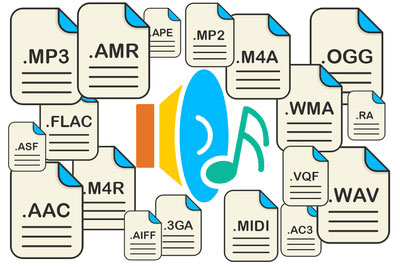
However, music can be represented in some other popular formats nowadays. For example, many times (especially the Internet) they use these data types like OGG, AIFF, AMR, etc. But the real competitor of MP3 has become the newest and best audio FLAC etc. Of course, for MP3 you can convert all parameters to the maximum, but the playback quality of FLAC represents much higher. Also, it is a single file and the separation occurs directly on the track due to the player or startup software. In other words, listeners see each track individually, but can switch between playback tracks. For the MP3 format, this also seems possible to merge multiple tracks through it, thus creating a single file. But here it is in this version fast switching between tracks will not be possible (normal fast forward should be used, that’s all).

However, not everything is bad. The fact that music or audiobooks are all popular formats today allows them to be easily converted, even keeping the original parameters of the audio material. Based on this, and for sound processing and conversion and audio editors, almost all programs call converters. Any program of this type (MP3 editor or converter) detects the original and final type of audio files, is unambiguous and can produce direct and reverse transformations. Let’s explain this specific example.

WAVE THEORY AUDIO EDITOR FOR MP3 FILES
Many types of software are used in audio processing today. First, look at the narrow application of so-called audio editors. The most prominent representatives of these can be called giants Sony Audio Forge, Sintrillium Cool Editing Pro, which was later acquired by Adobe and renamed Audition, Acoustica Mixcraft, ACID Pro and many others.

mp3 editor

The principle on which they operate is that, for convenience, all MP3 audio programs have a typical waveform, as originally used for WAV files. This method determines the appearance and opportunity enough to edit any type of conventional audio material in WAV format. Other than that, the fact that you can do basic copy, cut, paste, etc. E., it’s just a matter of getting the frequency characteristics and bitrate changes, not to mention using a lot of extra effects that plug into VSTs via DirectX or a generic host bridge studio thing.

In its simplest form, the conversion can be done using the standard file menu, which contains the line “Save As…” (Save As…) or the export function present in MP3 format. Thus, all the process is reduced to just the final selection of the format (MP3 here as an example) and activation of the recording mode. In this case the conversion will be done automatically saving the current configuration parameters and the frequency characteristics. I don’t like the original version? ?Nothing is easier than changing the format to MP3, pre-specified with higher settings. However, one thing needs to be considered here: if the raw material is of such poor quality that special remediation or even professional tools will not work for audio it is necessary to use Repairs here, the intervention of various filters, etc. D. For the layman, it will cause great difficulties.

As is clear, there is absolutely no difference between the audiobooks we are dealing with: MP3, music or just recorded voice or noise. By the way, audiobooks are supposed to have a much lower sound quality by default. This is understandable, since the file has to take up minimal space and, in general, the perceived sound characteristics of speech are not that important. Finally, is this a professional recording of a particular set of albums?

However, if you use some standard operations, even without specific knowledge, it’s fine to achieve good results, especially since there are such built-in templates, based on any application for specific operations. Of course, it will be very difficult for the first time to achieve a perfect sound, but if you study the plan and understand how it works, it will work like clockwork, and as a result, it will take a lot of time.