Are your ears worthy of your headphones?


Free Download Mp4Gain
picture

Are your ears worthy of your headphones?…

Audio Quality
Audio Quality

The process of human hearing sound is very complicated.

Audio Quality
Audio Quality

But compared to the metaphysics of headphones and audio, the complexity of the human ear is basically not worth mentioning. But before we get into whether Beats is shallow, whether Sony is good, and whether headphone noise reduction is good for your ears, let’s take a look at what we’re talking about when it comes to sound quality. It may be that when you feel that the sound quality of a certain headset is not good, the problem is in your ears or in the sound file itself.

01 What is sound quality?

The essence of music and sound is the vibration of air, and sound quality is generally attributed to three aspects: volume, pitch, and timbre.

Everyone knows the volume and the tone is Do Re Mi Fa Sol La Ti. And what is the tone?

The American National Standards Institute defines timbre as “…a sensory attribute by which a listener can judge that two tones of the same volume and pitch are not the same.” We can tell the difference between a guitar playing a 440Hz tone and a piano playing a 440Hz tone.

The sound reproduced by different headphones is different, and the timbre is also different. However, in terms of volume, different headphones will also have a certain volume difference due to different internal circuitry; as for the tone, there is no obvious change without accident.

02Digital recording and analog recording

There is no doubt that pre-CD audio carriers: magnetic tapes, vinyl records, etc., are all analog recording products. The word “analog” is also translated as “analog”, in short, it restores and reproduces the vibration in the air at that moment in a physical way. Whether it’s vinyl or tape, physical features such as bumps, depressions, or magnetic dust splits on tape or disc are used to restore the vibrance detail of the audio.

But in the age of CDs and computers, all audio vibrations are converted to 0 or 1 on the surface of the disc and go into the so-called binary algorithm. After decoding, it is restored to physical vibration.

In popular music recordings, there are probably three most common formats:

44.1 kHz, 16-bit waveform

320kb mp3

128kb mp3


Free Download Mp4Gain
picture


Mp4Gain Main Window
picture


Mp4Gain Features
picture


Free Download Mp4Gain
picture

Mp3, is it the best format for music and sound?

Mp3, is it the best format for music and sound?

best format for music and sound

People are looking for the best audio and video quality in 2022, what is it?

best format for music and sound

If you are seriously looking for high-quality audio and video, we advise you to stay away from the data-throwing fundamentalists and adopt a more practical attitude.

First of all you must ask yourself, on which devices will you listen to the audio or see the videos.

We have listened to dozens of fundamentalists who use numbers and certain statements as dogmas and have turned even this discussion of quality into a dogma.

And that is diametrically different from the simple my real aspiration to really enjoy the best audio and video quality that your equipment can deliver and that your eyes and ears are capable of detecting.

Mathematical statements are useless if you do not have an HD computer to listen to your audios and watch your videos.

Nor if the extreme is reached where the difference is already indistinguishable for 99.99% of the population.

It is fully demonstrated that for 99.99% of the population, even for those who have auditory training, an mp3 with 320 kbps and 48000 as sample rate is indistinguishable from a WAV or FLAC.

You can improve your audio with Mp4Gain regardless if you decide to continue using mp3s or prefer to switch to FLAC (Mp4Gain can convert and use these and other formats like ogg, m4a, etc)

In short, the discussion of sound quality should be based more on actually hearing the best possible audio and not a fundamentalist discussion about numbers.

The audio formats with the best sound quality

The audio formats with the best sound quality

audio formats


In addition, when editing, because some details have been compressed and sacrificed, the editing space is relatively small.

audio formats

It should be noted that the sound quality will be compromised every time these formats are output. After too many output programs, the quality can be terrible, so the number of times of recompression and conversion should be reduced.

Pros: small file size, maximum device compatibility

Disadvantages: destructive compression leads to loss of sound quality, less spatial flexibility for reissue


Resume
When it comes to sound files for editing, it’s ideal to work with uncompressed formats like .WAV or .AIFF. Such a format allows users to get the greatest degree of tolerance and freedom when editing, and most of these file formats are still supported, regardless of software or equipment. Also, when the video is output at the end of the project, the music file will still be compressed, so it’s ideal to use a file format with higher sound quality from the start, which is ideal for a project that needs to go through post-edit layers. But if it is based on the premise of convenient, fast and easy-to-use transmission, .MP3 can still meet your needs without sacrificing sound quality.

Mp4Gain is a program that allows you not only to normalize the audio of your sound or cvideo files, but also to improve the quality and offers you to perform a whole series of modifications so that you have better audio quality used.

The audio formats with the best sound quality

The audio formats with the best sound quality

audio formats
audio formats

First of all, divide all types of music files into three parts as follows:

audio formats
audio formats


Uncompressed file formats: .WAV, .AIFF

Lossless compression formats: .FLAC, .ALAC (Apple Lossless)

Destructive compression formats: .MP3, .AAC, .WMA, .OGG

Below are their respective advantages and disadvantages.


1. Uncompressed file format
Uncompressed music files are just like the concept of Raw files. Essentially no compression will of course have the best sound quality. (The sample rate and bit rate of the original recording are also very important. If the compressed music file is converted to an uncompressed file, the music won’t magically improve the sound quality.)

The most common disadvantage of uncompressed files is the file size. Generally, the file size of a song is around 25 ~ 40 MB. While that capacity is no longer an issue for cloud hard drives, it is still an issue for email. Also big (25MB max for Gmail attachments). Also, some portable music players or devices may not be able to play such music files.

Advantages: original sound reproduction, no compression, lossless, easier to use in post production

Disadvantages: large file format, fewer supported devices


2. Lossless compression format
The term “compressed and lossless” seems contradictory, but compression does not necessarily affect sound quality. More precisely, it’s more like “compressed to save space”. It’s like compressing a high quality file into a .ZIP and decompressing it when you want to use it, the quality of the file will not be affected.

Therefore, this type of file has a compressed capacity, but the file will be decompressed during playback to restore sound quality. Although the concept of reducing capacity without affecting sound quality is great, the downside is that support for this format is extremely low and in order to decompress the file during playback, an additional codec is required to use it, and it will. also take some performance.

Advantages: small file capacity (about 1/2 ~ 1/3 lossless files), good sound quality

Disadvantages: Decompression can eat performance when used, and support from hardware or software is extremely low


3. Destructive compression format
The destructive compression format is currently the most common music file format, the main reason is that it has the greatest compatibility with portable devices (mobile phones, MP3 players, etc.), and the files are small and have a space of limited storage. , users can store more music (compressed capacity is about one-tenth of lossless sound quality), and most of the music provided by today’s streaming media is files in this format. There is always a price to pay for smaller files. Compared to lossless formats, this destructive compression will affect the audio range that the original sound can present and will cause some distortion. So, to be safe, keep the compression rate above 320 kbps as much as possible.

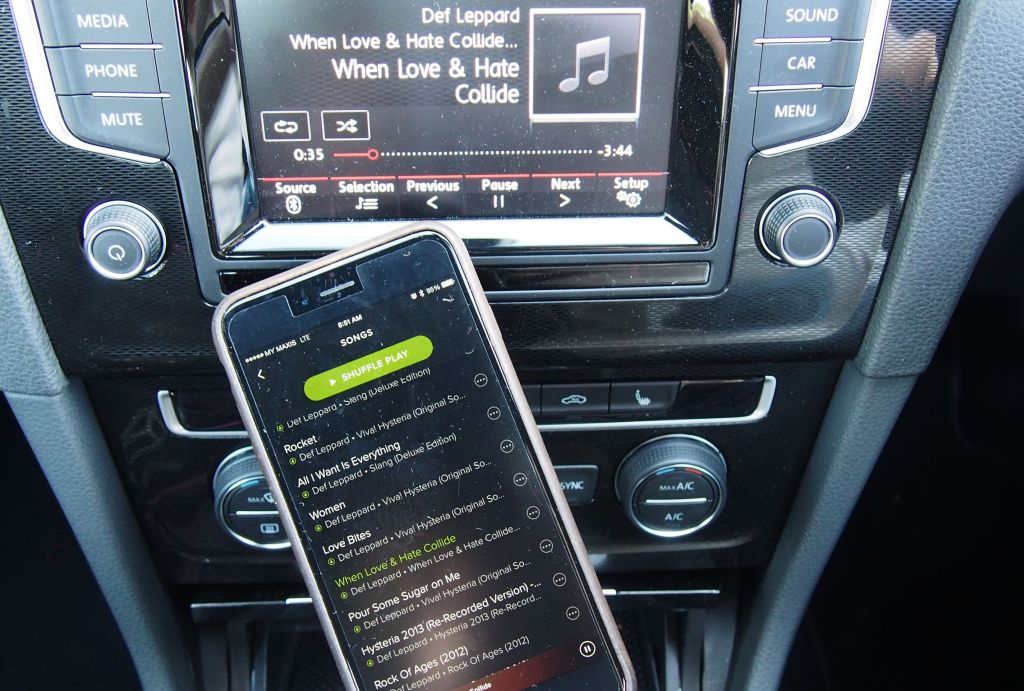
What sound quality is best for the music we listen to in the car?

What sound quality is best for the music we listen to in the car?

Listen music in the car

There are two suggestions for car music sound quality:

Listen music in the car

1. Many music lovers, who are looking for extremely high music quality, will be interested in high quality and lossless formats like OGG, FLAC or AAC.

However, due to the limited music formats that the car can recognize, music files of the above formats may not be recognized by the car.

Let alone play it.

2. In general, in the field of car music, the most commonly used formats are MP3 and WMA.

Although these formats are not as good as the ones mentioned above in terms of sound quality, they are expensive because almost all car systems can recognize them.

So, if you want to say which music file format is the best in car music, it has to be MP3 and WMA.

What sound quality is best for the music we listen to in the car?

What sound quality is best for the music we listen to in the car?

Listen music in the car

The best audio hardware equipment is one of the most important factors that determine sound quality.

Listen music in the car


This is also related to the degree of distortion of the music being played, that is, how well the sound reproduction is restored.

This directly affects the mood of the listener. Because if the sound is loud and has no sense of hierarchy,

If you listen to it for a longer time, it will irritate you or make you feel dizzy when driving.

The other is to adjust the sound effect by yourself. After all, everyone’s sense of hearing is different.

It depends on what you adjust to make it comfortable to listen to. Adjust different parameters according to different types of music.

There will be unexpected effects.

I myself belong to the latter, although I am not a professional,

But with lossless sound quality (my car supports it, but it’s not a luxury car)

It can also bring out the feeling of fat low-frequency, clear mid-range, and bright highs (this takes some skill to distinguish),

But not all cars have sound quality adjustment.

As for the best car music sound quality, as mentioned in the article above, car music can download music with sound quality wav, ape, flac,

This is lossless sound quality, better than MP3 (as long as the device supports it).

Although now it connects via Bluetooth mobile phone or Baidu Carlife

Playing music online on mobile phones has become mainstream, but there are still a small number of people,

Insist on downloading via U disk, and use the car USB interface to play music.

What is the best audio format to get the best sound quality?

What is the best audio format to get the best sound quality?

Best Audio Format

Mp3, Wav, Flac… Which one is better?

Best Audio Format

We’ve heard so many discussions about whether mp3 can sound the same as wav or flac and there are advocates for both.

There are people who staunchly defend mp3 and show and prove that an mp3 generated with certain settings can sound so similar to a WAV that not even 1% of people with ear training can distinguish it.

Others, on the contrary, argue that the method used by the mp3, causes a lot of information to be discarded in order to make the file smaller and this necessarily causes the quality to be diminished.

But everyone forgets that the number one point is to think about what kind of device or audio player we will listen to the music. Because for all these niceties mentioned above to make sense, we’ll have to have equipment that can play HD audio, otherwise we won’t easily tell one from the other.

And the truth is that most people play music on a medium quality equipment in a car on a phone or on a laptop, which makes the question of whether an mp3 sounds very different from a wav is unnecessary.

Mp4Gain is a program that manages to make audio, whatever the format, sound the best it can be.

What is the best sounding audio format? Is it MP3?

What is the best sounding audio format? Is it MP3?

Best Audio Format
Best Audio Format

The audio formats with the best sound quality are

Best Audio Format
Best Audio Format


mp3
b, wav
c, wma
d.rm

Answer: The

B wav format files are usually stored on the computer The most widely used file format is an uncompressed format, which stores the most authentic and original sampled data, that is, the sampled data of the set frequency and bit depth they are true and lossless, like 44.1 kh/16-bit audio CD quality, other frequencies and bit depths can of course be stored.

Below are other audio file formats:

1. Format

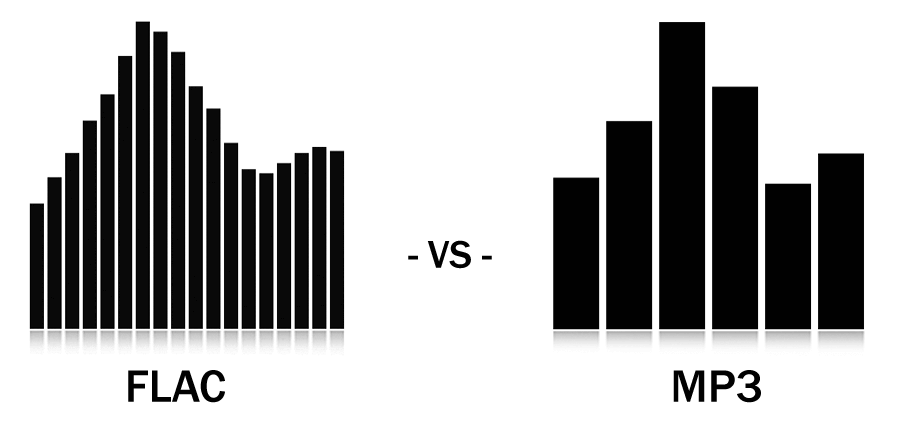
MP3 MP3 is an audio compression technology that compresses files to a small volume on the premise of losing a certain amount of high-frequency timbre data. The highest bitrate can only reach 320K. The frequency part is basically lost.

2. Format

WMA WMA is Windows Media Audio from Microsoft. The WMA format has a higher compression rate than MP3 and the generated files are smaller. It is suitable for transmission in low-speed networks many years ago.

3. Format

FLAC FLAC is lossless audio compression. Since it is lossless compression, it will not destroy any original audio data information and can restore the sound quality of the music on the CD. FLAC is very similar to MP3, but it is lossless compression.

4. The format

APE APE is similar to FLAC and is also a lossless audio compression technology.

Something very important, that we will develop in another article and that is almost always ignored when it comes to comparing audio formats, is the equipment or device that we use to play music.

That is the point from which we should start.

Explore 4 main audio formats

Explore 4 main audio formats

audio file formats
audio file formats

Let’s take a look at the main audio formats and the differences between them.

audio file formats
audio file formats

The audio format is directly related to the quality and purpose of the audio track, i.e. where and on what device it will be played and what its purpose is.

However, before discovering the difference between them and choosing the best audio format for your music, you should know what categories they fall under. Let’s go ahead!

Uncompressed audio is like a picture, uncompressed audio is better quality, larger in file size and safer to copy, with nearly the same detail as the original sound.

WAV is the most widely used audio format of this type and reproduces music with precision similar to that of a recording.

compressed audio
When music is compressed, the file is smaller and can be easily stored on your device. Because of this advantage, compressed audio is often more of an option for users.

However, it should be remembered that some audio formats in this category may lose quality depending on the option selected, just like MP3 and AAC .

What is the best audio format?
As we said before, the first step in deciding on an audio format is to know the final objective of the track. Whether it’s for music lessons, performances, karaoke, auditions, or recording versions, you need to understand the pros and cons of each option.

WAV
WAV (Waveform Audio File Format) is an uncompressed format, therefore sufficient storage space is required. This is for those who already work with music, such as experts in the field or users who want to edit audio.

At high fidelity, WAV faithfully reproduces the elements and character of the original soundtrack. Furthermore, this format allows the selection of different bit and sample rates, and can be used on multiple platforms.

FLAC
FLAC (Free Lossless Audio Codec) is one of the most widely used compression formats by music lovers today.

Digital audio encoding allows you to preserve its quality, but the resulting file will be smaller. Over the years, this format has become more widely used and is compatible with different devices and platforms.

FLAC is free and open source, ready to use and can be easily played on smartphones and other devices.

MP3
Before deciding on the best audio format, it is worth taking a look at the most famous format in the music world: MP3.

MP3 is one of the main audio compression formats, and has become synonymous with the convenience and efficiency of generating files quickly, with smaller files and a certain level of quality.

Many devices and programs can play this format. But MP3 is difficult to use in professional audio processing and advanced audio editing.

As is known, this format exists on almost all platforms and is ideal for sharing audio.

Another interesting factor is its bit rate, although it is a compressed format, it can vary depending on the user’s goals and improvements in quality.

AAC Like MP3, Advanced Audio Coding (AAC) is a more efficient audio format than its predecessor.

To create smaller files with less storage space, AAC is a great option for users to reduce file size and keep high-quality audio tracks.

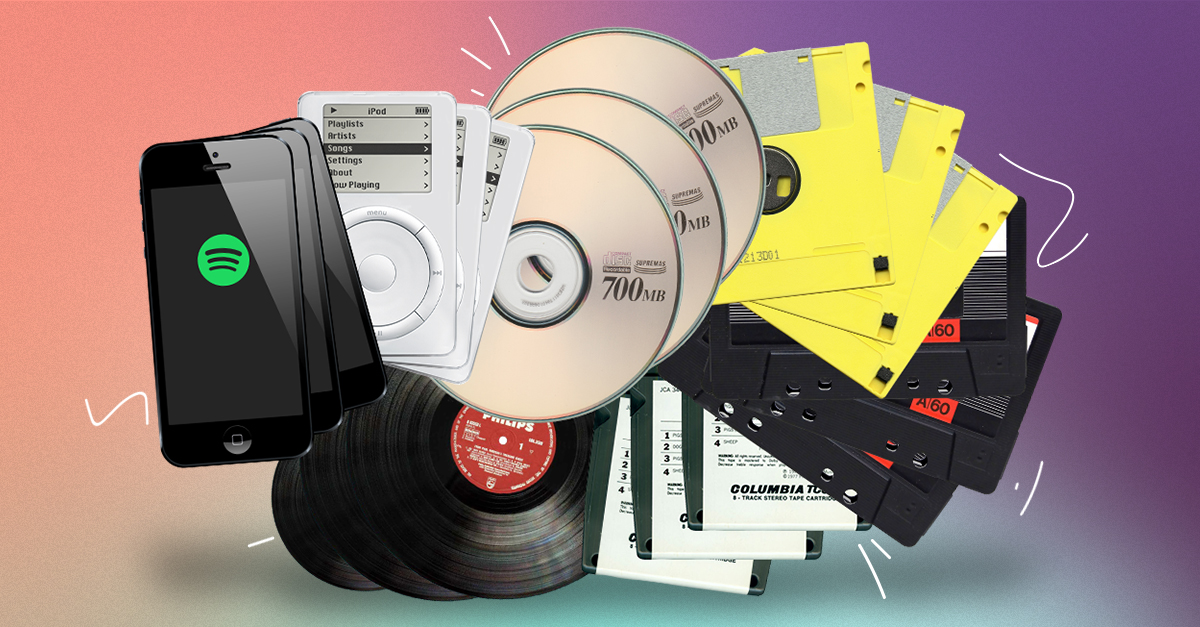
THE MOST COMMON FORMATS FOR MUSIC AND OTHER AUDIO FILES, AND HOW THEY ARE RELATED TO EACH OTHER
THE MOST COMMON FORMATS FOR MUSIC AND OTHER AUDIO FILES, AND HOW THEY ARE RELATED TO EACH OTHER

Music Formats


And for the direct competitors of the universal MP3 format, they can count on a lot today.

Music Formats

Due to continuing inconsistencies in home storage of the WAV format, it was eventually discontinued. But for professional studios, he says, the basics of the job. Especially when recording live vocals or instruments. Just convert the recorded material from WAV to MP3 at the final stage.

music format

However, music can be represented in some other popular formats nowadays. For example, many times (especially the Internet) they use these data types like OGG, AIFF, AMR, etc. But the real competitor of MP3 has become the newest and best audio FLAC etc. Of course, for MP3 you can convert all parameters to the maximum, but the playback quality of FLAC represents much higher. Also, it is a single file and the separation occurs directly on the track due to the player or startup software. In other words, listeners see each track individually, but can switch between playback tracks. For the MP3 format, this also seems possible to merge multiple tracks through it, thus creating a single file. But here it is in this version fast switching between tracks will not be possible (normal fast forward should be used, that’s all).

However, not everything is bad. The fact that music or audiobooks are all popular formats today allows them to be easily converted, even keeping the original parameters of the audio material. Based on this, and for sound processing and conversion and audio editors, almost all programs call converters. Any program of this type (MP3 editor or converter) detects the original and final type of audio files, is unambiguous and can produce direct and reverse transformations. Let’s explain this specific example.

WAVE THEORY AUDIO EDITOR FOR MP3 FILES
Many types of software are used in audio processing today. First, look at the narrow application of so-called audio editors. The most prominent representatives of these can be called giants Sony Audio Forge, Sintrillium Cool Editing Pro, which was later acquired by Adobe and renamed Audition, Acoustica Mixcraft, ACID Pro and many others.

mp3 editor

The principle on which they operate is that, for convenience, all MP3 audio programs have a typical waveform, as originally used for WAV files. This method determines the appearance and opportunity enough to edit any type of conventional audio material in WAV format. Other than that, the fact that you can do basic copy, cut, paste, etc. E., it’s just a matter of getting the frequency characteristics and bitrate changes, not to mention using a lot of extra effects that plug into VSTs via DirectX or a generic host bridge studio thing.

In its simplest form, the conversion can be done using the standard file menu, which contains the line “Save As…” (Save As…) or the export function present in MP3 format. Thus, all the process is reduced to just the final selection of the format (MP3 here as an example) and activation of the recording mode. In this case the conversion will be done automatically saving the current configuration parameters and the frequency characteristics. I don’t like the original version? ?Nothing is easier than changing the format to MP3, pre-specified with higher settings. However, one thing needs to be considered here: if the raw material is of such poor quality that special remediation or even professional tools will not work for audio it is necessary to use Repairs here, the intervention of various filters, etc. D. For the layman, it will cause great difficulties.

As is clear, there is absolutely no difference between the audiobooks we are dealing with: MP3, music or just recorded voice or noise. By the way, audiobooks are supposed to have a much lower sound quality by default. This is understandable, since the file has to take up minimal space and, in general, the perceived sound characteristics of speech are not that important. Finally, is this a professional recording of a particular set of albums?

However, if you use some standard operations, even without specific knowledge, it’s fine to achieve good results, especially since there are such built-in templates, based on any application for specific operations. Of course, it will be very difficult for the first time to achieve a perfect sound, but if you study the plan and understand how it works, it will work like clockwork, and as a result, it will take a lot of time.