Are your ears worthy of your headphones?


Free Download Mp4Gain
picture

Are your ears worthy of your headphones?…

Audio Quality
Audio Quality

The process of human hearing sound is very complicated.

Audio Quality
Audio Quality

But compared to the metaphysics of headphones and audio, the complexity of the human ear is basically not worth mentioning. But before we get into whether Beats is shallow, whether Sony is good, and whether headphone noise reduction is good for your ears, let’s take a look at what we’re talking about when it comes to sound quality. It may be that when you feel that the sound quality of a certain headset is not good, the problem is in your ears or in the sound file itself.

01 What is sound quality?

The essence of music and sound is the vibration of air, and sound quality is generally attributed to three aspects: volume, pitch, and timbre.

Everyone knows the volume and the tone is Do Re Mi Fa Sol La Ti. And what is the tone?

The American National Standards Institute defines timbre as “…a sensory attribute by which a listener can judge that two tones of the same volume and pitch are not the same.” We can tell the difference between a guitar playing a 440Hz tone and a piano playing a 440Hz tone.

The sound reproduced by different headphones is different, and the timbre is also different. However, in terms of volume, different headphones will also have a certain volume difference due to different internal circuitry; as for the tone, there is no obvious change without accident.

02Digital recording and analog recording

There is no doubt that pre-CD audio carriers: magnetic tapes, vinyl records, etc., are all analog recording products. The word “analog” is also translated as “analog”, in short, it restores and reproduces the vibration in the air at that moment in a physical way. Whether it’s vinyl or tape, physical features such as bumps, depressions, or magnetic dust splits on tape or disc are used to restore the vibrance detail of the audio.

But in the age of CDs and computers, all audio vibrations are converted to 0 or 1 on the surface of the disc and go into the so-called binary algorithm. After decoding, it is restored to physical vibration.

In popular music recordings, there are probably three most common formats:

44.1 kHz, 16-bit waveform

320kb mp3

128kb mp3


Free Download Mp4Gain
picture


Mp4Gain Main Window
picture


Mp4Gain Features
picture


Free Download Mp4Gain
picture

Mp3, is it the best format for music and sound?

Mp3, is it the best format for music and sound?

best format for music and sound

People are looking for the best audio and video quality in 2022, what is it?

best format for music and sound

If you are seriously looking for high-quality audio and video, we advise you to stay away from the data-throwing fundamentalists and adopt a more practical attitude.

First of all you must ask yourself, on which devices will you listen to the audio or see the videos.

We have listened to dozens of fundamentalists who use numbers and certain statements as dogmas and have turned even this discussion of quality into a dogma.

And that is diametrically different from the simple my real aspiration to really enjoy the best audio and video quality that your equipment can deliver and that your eyes and ears are capable of detecting.

Mathematical statements are useless if you do not have an HD computer to listen to your audios and watch your videos.

Nor if the extreme is reached where the difference is already indistinguishable for 99.99% of the population.

It is fully demonstrated that for 99.99% of the population, even for those who have auditory training, an mp3 with 320 kbps and 48000 as sample rate is indistinguishable from a WAV or FLAC.

You can improve your audio with Mp4Gain regardless if you decide to continue using mp3s or prefer to switch to FLAC (Mp4Gain can convert and use these and other formats like ogg, m4a, etc)

In short, the discussion of sound quality should be based more on actually hearing the best possible audio and not a fundamentalist discussion about numbers.

The audio formats with the best sound quality

The audio formats with the best sound quality

audio formats


In addition, when editing, because some details have been compressed and sacrificed, the editing space is relatively small.

audio formats

It should be noted that the sound quality will be compromised every time these formats are output. After too many output programs, the quality can be terrible, so the number of times of recompression and conversion should be reduced.

Pros: small file size, maximum device compatibility

Disadvantages: destructive compression leads to loss of sound quality, less spatial flexibility for reissue


Resume
When it comes to sound files for editing, it’s ideal to work with uncompressed formats like .WAV or .AIFF. Such a format allows users to get the greatest degree of tolerance and freedom when editing, and most of these file formats are still supported, regardless of software or equipment. Also, when the video is output at the end of the project, the music file will still be compressed, so it’s ideal to use a file format with higher sound quality from the start, which is ideal for a project that needs to go through post-edit layers. But if it is based on the premise of convenient, fast and easy-to-use transmission, .MP3 can still meet your needs without sacrificing sound quality.

Mp4Gain is a program that allows you not only to normalize the audio of your sound or cvideo files, but also to improve the quality and offers you to perform a whole series of modifications so that you have better audio quality used.

The audio formats with the best sound quality

The audio formats with the best sound quality

audio formats
audio formats

First of all, divide all types of music files into three parts as follows:

audio formats
audio formats


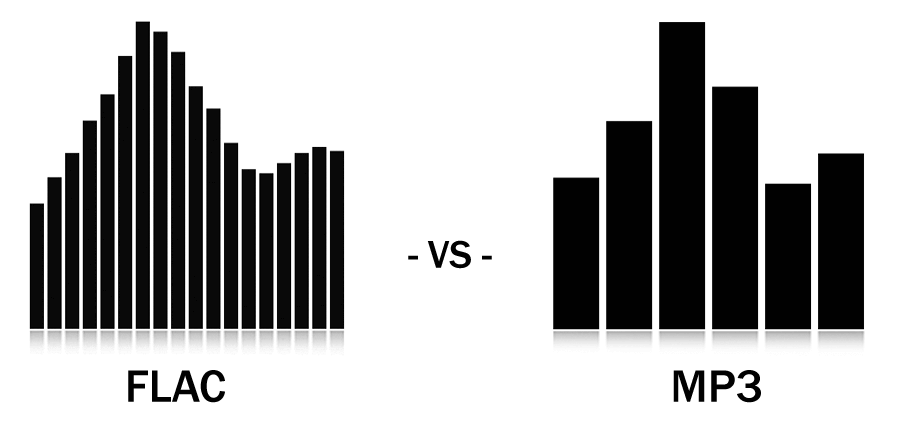
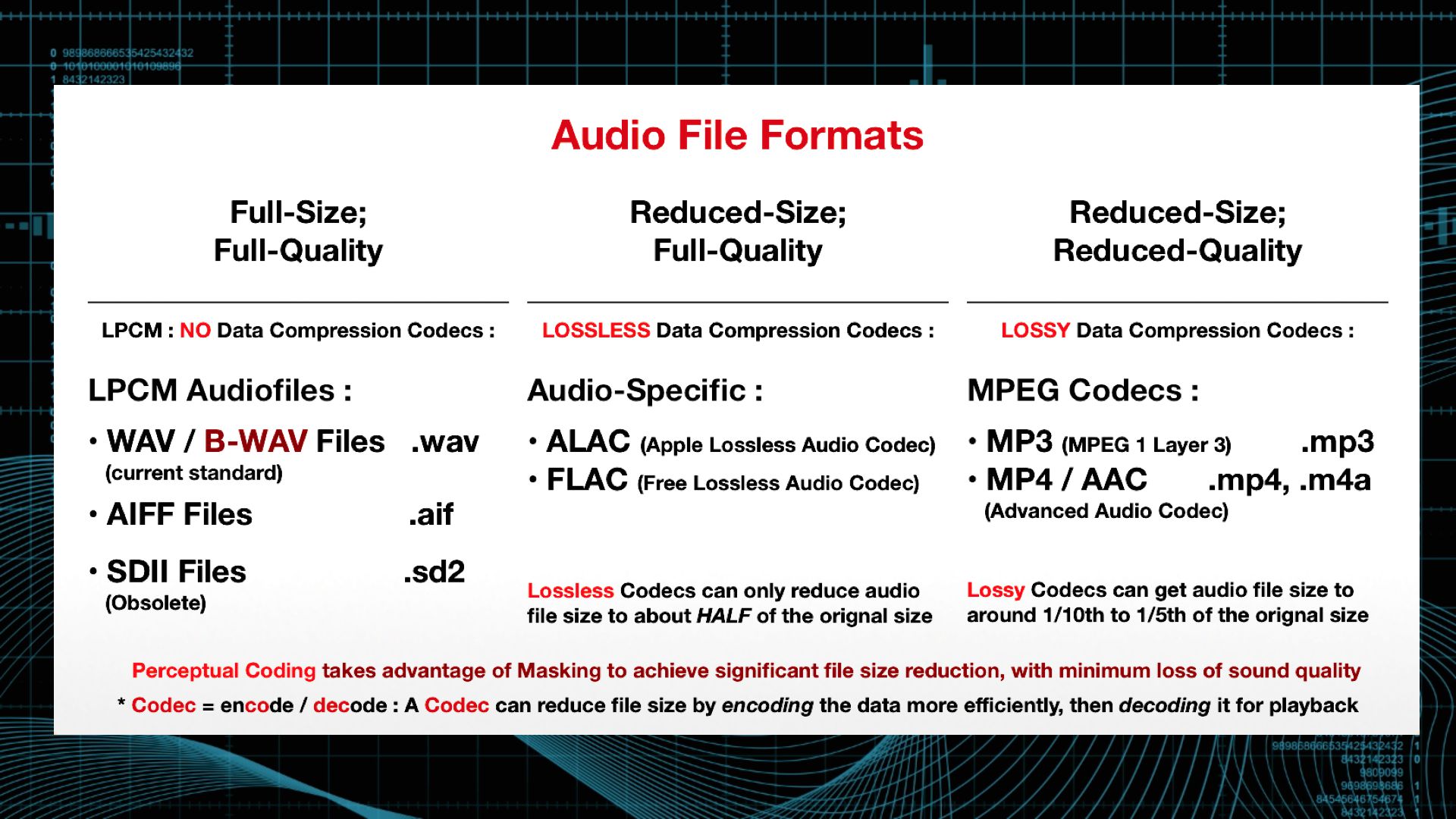
Uncompressed file formats: .WAV, .AIFF

Lossless compression formats: .FLAC, .ALAC (Apple Lossless)

Destructive compression formats: .MP3, .AAC, .WMA, .OGG

Below are their respective advantages and disadvantages.


1. Uncompressed file format
Uncompressed music files are just like the concept of Raw files. Essentially no compression will of course have the best sound quality. (The sample rate and bit rate of the original recording are also very important. If the compressed music file is converted to an uncompressed file, the music won’t magically improve the sound quality.)

The most common disadvantage of uncompressed files is the file size. Generally, the file size of a song is around 25 ~ 40 MB. While that capacity is no longer an issue for cloud hard drives, it is still an issue for email. Also big (25MB max for Gmail attachments). Also, some portable music players or devices may not be able to play such music files.

Advantages: original sound reproduction, no compression, lossless, easier to use in post production

Disadvantages: large file format, fewer supported devices


2. Lossless compression format
The term “compressed and lossless” seems contradictory, but compression does not necessarily affect sound quality. More precisely, it’s more like “compressed to save space”. It’s like compressing a high quality file into a .ZIP and decompressing it when you want to use it, the quality of the file will not be affected.

Therefore, this type of file has a compressed capacity, but the file will be decompressed during playback to restore sound quality. Although the concept of reducing capacity without affecting sound quality is great, the downside is that support for this format is extremely low and in order to decompress the file during playback, an additional codec is required to use it, and it will. also take some performance.

Advantages: small file capacity (about 1/2 ~ 1/3 lossless files), good sound quality

Disadvantages: Decompression can eat performance when used, and support from hardware or software is extremely low


3. Destructive compression format
The destructive compression format is currently the most common music file format, the main reason is that it has the greatest compatibility with portable devices (mobile phones, MP3 players, etc.), and the files are small and have a space of limited storage. , users can store more music (compressed capacity is about one-tenth of lossless sound quality), and most of the music provided by today’s streaming media is files in this format. There is always a price to pay for smaller files. Compared to lossless formats, this destructive compression will affect the audio range that the original sound can present and will cause some distortion. So, to be safe, keep the compression rate above 320 kbps as much as possible.

Compressed audio formats

Compressed audio formats

Compressed Audio File Formats

Understanding compressed audio formats
The digital age dictates its own laws, according to which, in particular, audio and video information is more convenient to store and transmit in compressed form. Let’s briefly discuss the principle of sound compression.

Compressed Audio file formats

As you know, the music we listen to consists of a set of signals, each of which has its own characteristics, including loudness. The human auditory system is designed so that we do not distinguish or misdirect a weak (low) signal from the background of a strong (strong) signal. This principle forms the basis of modern means of compression (compression) of audio data.

If we imagine that a signal of a certain length is divided into many parts, and each part is processed in such a way that a weaker signal, which is difficult to distinguish from a strong one, falls under the knife and a stronger signal remains, then this will be a rough model of audio signal compression. … Consequently, the level of data compression will depend on how many parts (samples) the original file will be divided into and how many weak signals from each individual sample will be removed (what the bit rate will be: the number of bits in a sample of a specified duration).

The first versions of codecs for data compression acted quite crudely: they just cut off a weak signal and did not take into account the type of music, therefore, rather energetic music, without special nuances, in a compressed form does not it sounded worse than the original, whereas more complex classical and acoustic music simply lost all color and depth.

As a result of this, a transition to a more intelligent compression algorithm, with a variable bit rate, was made. Depending on the musical texture, that is, the ratio of weak and strong signals, the codec changes the amount of weak signals cut, so that we hear a more believable sound.

Obviously, with a higher sample rate (sampling) of 44.1-48.0 KHz and a higher bit rate (160-192 Kbps), we will get a sound more consistent with the original than with a sample rate 22 KHz and 64 Kbps bit rate. However, the size of the final compressed file is directly proportional to the selected sample rate and bit rate, and this is what people who distribute music in the form of compressed (compressed).

It should also be remembered that most algorithms cut the upper part of the audible range as well, starting at around 15 kHz.

There are currently several original compression algorithms, most of which are compatible with Linux.

Ogg Vorbis
Ogg Vorbis is a completely open audio format that allows you to store and transmit audio information with high sound quality (44.1-48.0 kHz sample rate, 16+ bits, polyphony (multi-channel audio)) and bit rates ranging from 16 to 512 kbps per channel. The number of channels processed can be as high as 255. This allows Vorbis to be on par with MPEG-4 (AAC and TwinVQ), WMA and PAC audio, and clearly superior to MPEG-1 Layer 3 (MP3) audio. .

Ogg Vorbis is also a streaming format, allowing it to be used, for example, for Internet broadcasts, especially since this format is compatible with Icecast. The characteristics of the codec algorithm allow you to get the final file smaller than MP3 files of similar quality.

For the reproduction the console program ogg123 is used, to encode – oggenc; both have graphic housings. More details on both are in the following sections.

MP3
MP3 or MPEG-1 audio layer 3 is by far the most popular format for storing and transmitting compressed data. This format was developed by the Frauenhofer Institut, Germany. However, despite the ubiquity of the format, it should not be forgotten that the patent for MP3 encoding and decoding algorithms belongs to a single company, so the end user at any time may find themselves in a very disadvantageous environment, such as It has already happened with the developers of free MP3 data compression tools …. You can get details about the license conditions on the developers website.

WMA
The WMA format is a proprietary product of Microsoft. It failed to occupy a market segment comparable to MP3, but it has some popularity despite serious security concerns identified. At the moment, only the universal MPlayer player can play WMA files. There are no free data compression tools for this algorithm and its appearance is unlikely.