
Compressed audio formats
Understanding compressed audio formats
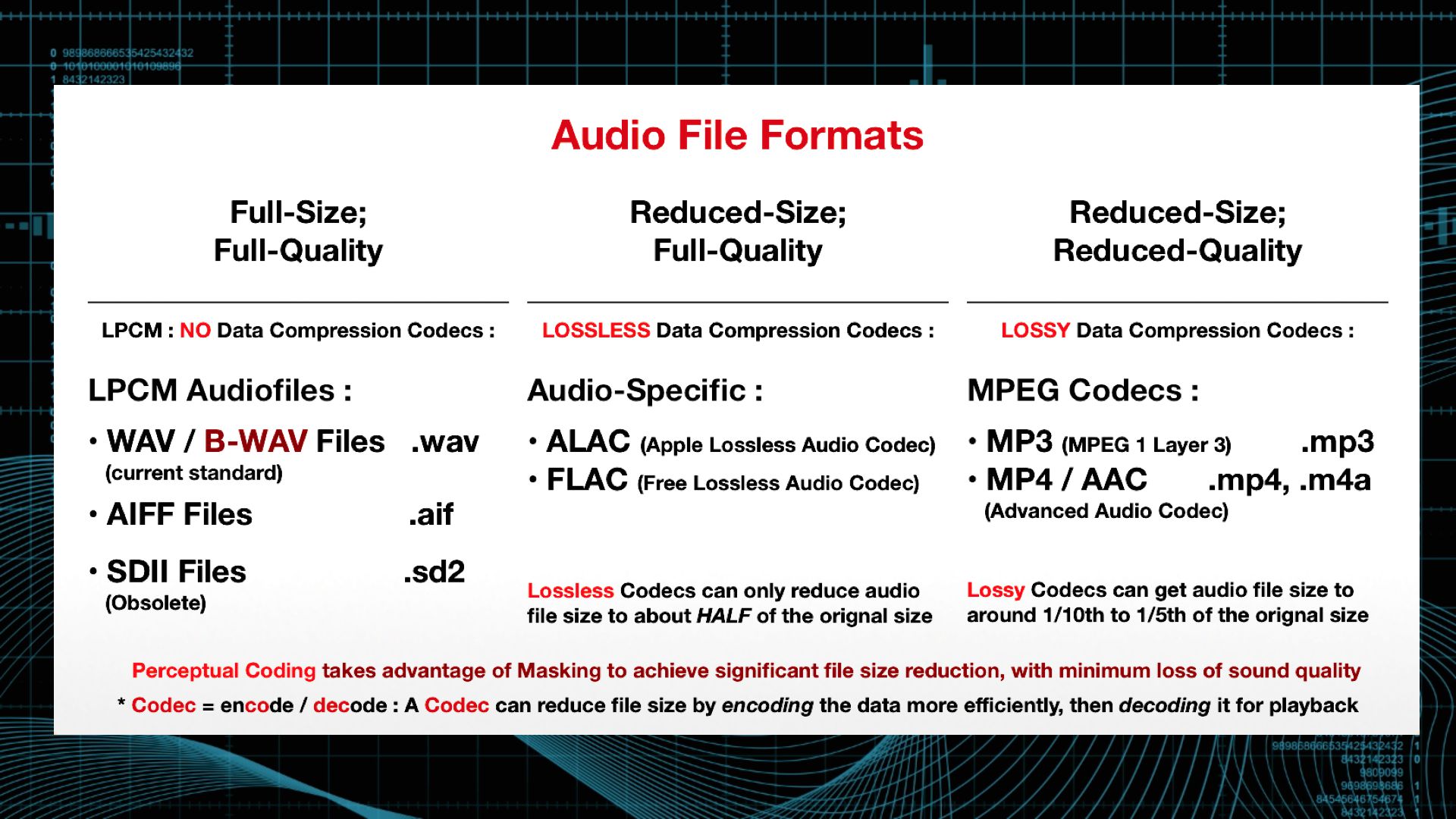
The digital age dictates its own laws, according to which, in particular, audio and video information is more convenient to store and transmit in compressed form. Let’s briefly discuss the principle of sound compression.

As you know, the music we listen to consists of a set of signals, each of which has its own characteristics, including loudness. The human auditory system is designed so that we do not distinguish or misdirect a weak (low) signal from the background of a strong (strong) signal. This principle forms the basis of modern means of compression (compression) of audio data.
If we imagine that a signal of a certain length is divided into many parts, and each part is processed in such a way that a weaker signal, which is difficult to distinguish from a strong one, falls under the knife and a stronger signal remains, then this will be a rough model of audio signal compression. … Consequently, the level of data compression will depend on how many parts (samples) the original file will be divided into and how many weak signals from each individual sample will be removed (what the bit rate will be: the number of bits in a sample of a specified duration).
The first versions of codecs for data compression acted quite crudely: they just cut off a weak signal and did not take into account the type of music, therefore, rather energetic music, without special nuances, in a compressed form does not it sounded worse than the original, whereas more complex classical and acoustic music simply lost all color and depth.
As a result of this, a transition to a more intelligent compression algorithm, with a variable bit rate, was made. Depending on the musical texture, that is, the ratio of weak and strong signals, the codec changes the amount of weak signals cut, so that we hear a more believable sound.
Obviously, with a higher sample rate (sampling) of 44.1-48.0 KHz and a higher bit rate (160-192 Kbps), we will get a sound more consistent with the original than with a sample rate 22 KHz and 64 Kbps bit rate. However, the size of the final compressed file is directly proportional to the selected sample rate and bit rate, and this is what people who distribute music in the form of compressed (compressed).
It should also be remembered that most algorithms cut the upper part of the audible range as well, starting at around 15 kHz.
There are currently several original compression algorithms, most of which are compatible with Linux.
Ogg Vorbis
Ogg Vorbis is a completely open audio format that allows you to store and transmit audio information with high sound quality (44.1-48.0 kHz sample rate, 16+ bits, polyphony (multi-channel audio)) and bit rates ranging from 16 to 512 kbps per channel. The number of channels processed can be as high as 255. This allows Vorbis to be on par with MPEG-4 (AAC and TwinVQ), WMA and PAC audio, and clearly superior to MPEG-1 Layer 3 (MP3) audio. .
Ogg Vorbis is also a streaming format, allowing it to be used, for example, for Internet broadcasts, especially since this format is compatible with Icecast. The characteristics of the codec algorithm allow you to get the final file smaller than MP3 files of similar quality.
For the reproduction the console program ogg123 is used, to encode – oggenc; both have graphic housings. More details on both are in the following sections.
MP3
MP3 or MPEG-1 audio layer 3 is by far the most popular format for storing and transmitting compressed data. This format was developed by the Frauenhofer Institut, Germany. However, despite the ubiquity of the format, it should not be forgotten that the patent for MP3 encoding and decoding algorithms belongs to a single company, so the end user at any time may find themselves in a very disadvantageous environment, such as It has already happened with the developers of free MP3 data compression tools …. You can get details about the license conditions on the developers website.
WMA
The WMA format is a proprietary product of Microsoft. It failed to occupy a market segment comparable to MP3, but it has some popularity despite serious security concerns identified. At the moment, only the universal MPlayer player can play WMA files. There are no free data compression tools for this algorithm and its appearance is unlikely.

