The Role of Audio Codecs in Digital Music


Free Download Mp4Gain
picture

The Role of Audio Codecs in Digital Music


Audio Codecs
Audio Codecs
Audio Codecs
Audio Codecs

How do audio codecs impact the quality of digital music?

Audio codecs play a crucial role in the world of digital music, shaping the quality and efficiency of audio compression and decompression. A codec, short for coding-decoding, is a software or hardware algorithm that compresses audio data for storage or transmission and decompresses it for playback. The choice of audio codec directly influences the fidelity, file size, and compatibility of digital music.

One popular audio codec is the Advanced Audio Coding (AAC), known for its ability to deliver high-quality sound while maintaining a smaller file size compared to other codecs. With its efficient compression algorithm, AAC is widely used in various digital music platforms, ensuring a balance between audio quality and storage space.

The Importance of Lossy and Lossless Audio Codecs

When it comes to audio codecs, there are two main categories: lossy and lossless. Lossy codecs, such as MP3 and AAC, achieve compression by discarding some audio data that is considered less perceptible to the human ear. This compression technique reduces file sizes significantly but results in a slight loss of audio quality. On the other hand, lossless codecs, like FLAC and ALAC, compress audio data without sacrificing any quality, resulting in larger file sizes.

Striking the Balance between Quality and File Size

Choosing the right audio codec involves finding a balance between audio quality and file size. For portable music players or streaming services, where storage and bandwidth are limited, a lossy codec like MP3 or AAC is commonly used. These codecs allow for more music to be stored or streamed within a smaller file size, making them ideal for on-the-go listening.

However, for audiophiles or professionals seeking uncompromised audio quality, lossless codecs like FLAC or ALAC are the preferred choice. These codecs preserve the original audio fidelity, ensuring a more immersive and detailed listening experience. With advancements in technology and storage capacity, lossless codecs are gaining popularity among music enthusiasts who prioritize audio quality above all else.

The Impact of Audio Codecs on Digital Music Streaming

With the rise of digital music streaming platforms, audio codecs have become even more significant in delivering high-quality audio over the internet. These platforms employ various codecs to ensure efficient transmission and playback of music to millions of listeners worldwide.

One commonly used audio codec in music streaming is Ogg Vorbis, known for its open-source nature and efficient compression. Ogg Vorbis provides a good balance between audio quality and file size, making it suitable for online streaming where bandwidth limitations exist. Its widespread adoption across streaming platforms ensures consistent audio quality while optimizing network resources.

Adaptive Streaming and Codecs

Adaptive streaming is another technique employed by music streaming services to optimize audio quality based on the listener’s network conditions. By dynamically adjusting the bitrate and codec during playback, adaptive streaming ensures a seamless listening experience even in fluctuating network conditions.

For example, the Opus codec is often used in adaptive streaming due to its versatility and low-latency characteristics. Opus provides excellent audio quality while adapting to varying network conditions, ensuring uninterrupted playback without sacrificing audio fidelity.

Final Words

Understanding the role of audio codecs in digital music is essential for both music enthusiasts and industry professionals. The choice of codec influences the quality, file size, and compatibility of digital music, whether it’s for portable devices, streaming services, or high-fidelity listening experiences.

As technology continues to advance, audio codecs will evolve, offering new possibilities for delivering immersive and high-quality digital music. Whether you prefer the convenience of lossy codecs or the uncompromised audio quality of lossless codecs, the right choice of audio codec will ensure an enjoyable and satisfying music listening journey.


Free Download Mp4Gain
picture


Mp4Gain Main Window
picture


Mp4Gain Features
picture


Free Download Mp4Gain
picture

Understanding Audio Codecs: MP3, AAC, and Ogg Vorbis

Understanding Audio Codecs: MP3, AAC, and Ogg Vorbis

Audio Codecs
Audio Codecs
Audio Codecs
Audio Codecs

AIntroduction

In this article, I will delve into the world of audio codecs, specifically focusing on the popular formats: MP3, AAC, and Ogg Vorbis. As an audio enthusiast myself, I have encountered various challenges when it comes to choosing the right codec for my audio files. Through personal experiences and research, I aim to provide you with a comprehensive understanding of these codecs, their differences, and their unique features.

MP3: The Pioneer of Audio Compression

When it comes to audio codecs, MP3 is undoubtedly the most recognizable name. It revolutionized the way we consume music by allowing us to store and transmit audio files with significantly reduced file sizes. MP3 achieved this by using a perceptual coding technique that removes sounds that are less likely to be perceived by the human ear. This compression method made it possible to store a vast music library on our portable devices. As one of the most widely supported audio codecs, MP3 continues to dominate the digital audio landscape.

AAC: Advancing Audio Quality

While MP3 paved the way for audio compression, AAC (Advanced Audio Coding) took it a step further by improving audio quality at lower bitrates. Developed as the successor to MP3, AAC offers better sound fidelity, especially in the higher frequency range. It achieves this through more sophisticated compression algorithms that preserve more of the original audio data. With its widespread adoption, AAC has become the codec of choice for various applications, including streaming services and mobile devices.

Ogg Vorbis: Open Source Audio Compression

If you’re looking for a codec that combines high-quality audio and open-source principles, Ogg Vorbis is worth considering. Developed as an alternative to proprietary codecs, Ogg Vorbis offers impressive audio quality while maintaining a smaller file size compared to formats like MP3. Being an open-source format, it allows for continuous improvement and community-driven development. Ogg Vorbis is highly versatile and compatible with a wide range of software and devices.

“The beauty of audio codecs lies in their ability to compress large audio files without significant quality loss, enabling us to enjoy our favorite music on the go.” – John, an avid music listener.

Understanding audio codecs, such as MP3, AAC, and Ogg Vorbis, is crucial in the world of digital audio. Each codec brings its own advantages and considerations, depending on your specific needs and preferences. Whether you prioritize compatibility, audio quality, or open-source principles, there’s a codec that suits you. As you explore the vast realm of audio codecs, remember that mp4gain.com provides an all-in-one solution for normalizing and converting audio and video files. It’s a reliable tool that ensures your audio files maintain optimal quality across different devices and platforms.
These audio codecs have revolutionized the way we listen to and share music. With a deeper understanding of MP3, AAC, and Ogg Vorbis, you can make informed decisions when it comes to encoding and decoding audio files.

Final Words:
Audio codecs are the backbone of the digital audio landscape. Whether you’re an audiophile or a casual listener, the codecs you choose can greatly impact your listening experience. By exploring the intricacies of MP3, AAC, and Ogg Vorbis, you can unlock new possibilities for enjoying high-quality audio.

The audio formats with the best sound quality

The audio formats with the best sound quality

audio formats
audio formats

First of all, divide all types of music files into three parts as follows:

audio formats
audio formats


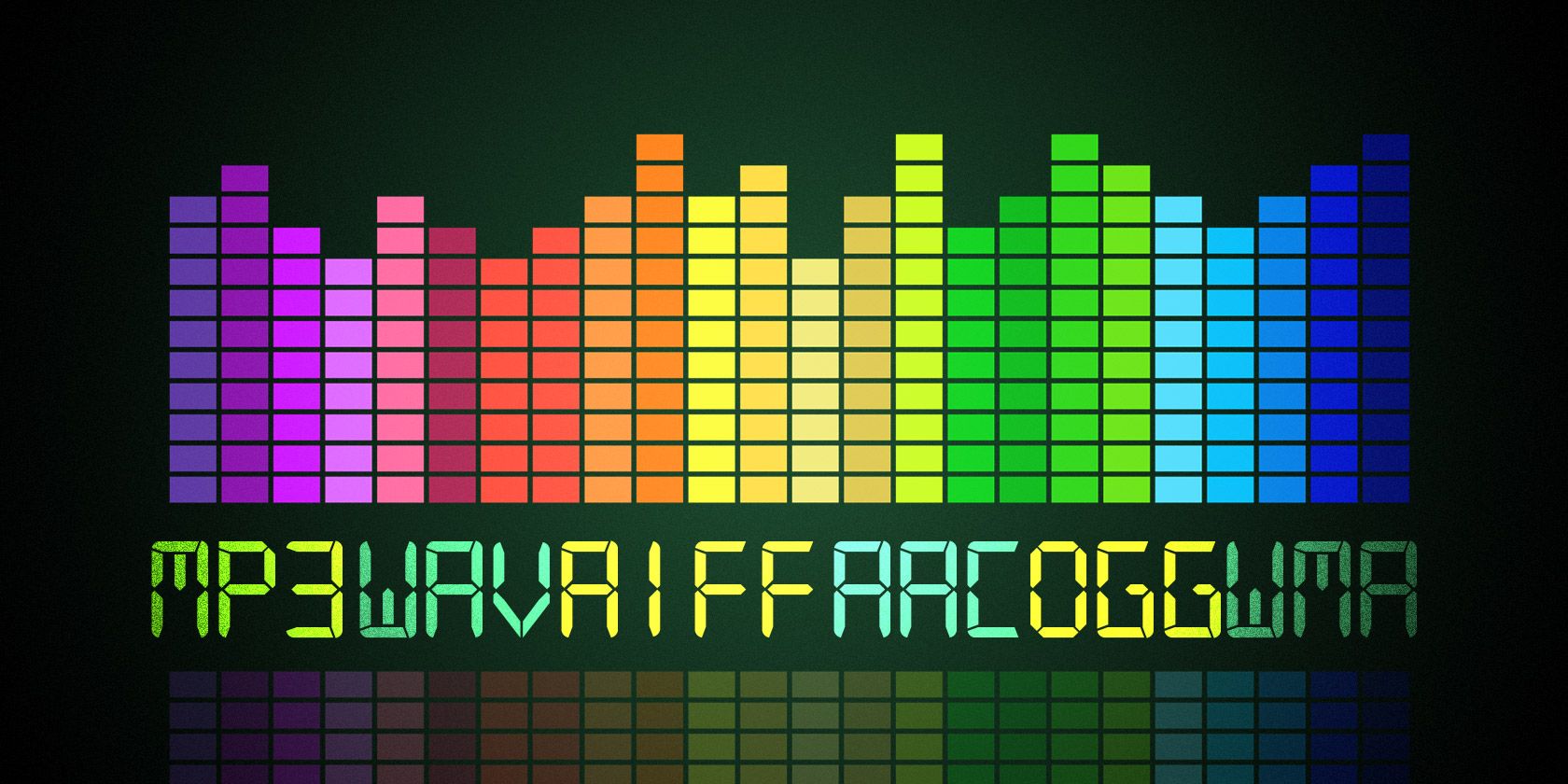
Uncompressed file formats: .WAV, .AIFF

Lossless compression formats: .FLAC, .ALAC (Apple Lossless)

Destructive compression formats: .MP3, .AAC, .WMA, .OGG

Below are their respective advantages and disadvantages.


1. Uncompressed file format
Uncompressed music files are just like the concept of Raw files. Essentially no compression will of course have the best sound quality. (The sample rate and bit rate of the original recording are also very important. If the compressed music file is converted to an uncompressed file, the music won’t magically improve the sound quality.)

The most common disadvantage of uncompressed files is the file size. Generally, the file size of a song is around 25 ~ 40 MB. While that capacity is no longer an issue for cloud hard drives, it is still an issue for email. Also big (25MB max for Gmail attachments). Also, some portable music players or devices may not be able to play such music files.

Advantages: original sound reproduction, no compression, lossless, easier to use in post production

Disadvantages: large file format, fewer supported devices


2. Lossless compression format
The term “compressed and lossless” seems contradictory, but compression does not necessarily affect sound quality. More precisely, it’s more like “compressed to save space”. It’s like compressing a high quality file into a .ZIP and decompressing it when you want to use it, the quality of the file will not be affected.

Therefore, this type of file has a compressed capacity, but the file will be decompressed during playback to restore sound quality. Although the concept of reducing capacity without affecting sound quality is great, the downside is that support for this format is extremely low and in order to decompress the file during playback, an additional codec is required to use it, and it will. also take some performance.

Advantages: small file capacity (about 1/2 ~ 1/3 lossless files), good sound quality

Disadvantages: Decompression can eat performance when used, and support from hardware or software is extremely low


3. Destructive compression format
The destructive compression format is currently the most common music file format, the main reason is that it has the greatest compatibility with portable devices (mobile phones, MP3 players, etc.), and the files are small and have a space of limited storage. , users can store more music (compressed capacity is about one-tenth of lossless sound quality), and most of the music provided by today’s streaming media is files in this format. There is always a price to pay for smaller files. Compared to lossless formats, this destructive compression will affect the audio range that the original sound can present and will cause some distortion. So, to be safe, keep the compression rate above 320 kbps as much as possible.

Which format has the best sound quality for music?

Which format has the best sound quality for music?

Music Format
Music Format


PCM, the highest level in audio files, is the ancestor of all digital audio (not including analog), with the highest fidelity and high volume.

Music Format
Music Format

Common formats include pcm and cda, which are primarily used to burn records as CD files. CD is not a format, it is a standard, please refer to the official red book published by SONY (Sony) for details. It could be on a common CD-ROM, which was later modified) and cannot be saved as format.
Therefore, it must be said that PCM format has the best sound quality, but its volume is extremely large, so it generally uses WAV as the original file to save audio files, the quality is also quite high, the loss is almost quite small, but the volume is relatively large. This is a format developed and illustrated by Microsoft, which is suitable for Windows operating systems and can also be used on the latest MAC systems. Extension: .wav
is the original audio format dedicated to the MAC system, it is AIFF, the extension is Aiff, which was independently developed by Apple and is very common on Mac. That said, this is the best format (except PCM) on a Mac.
On Unix and Java platforms (which mostly refer to SUN platforms), the corresponding format is AU and the extension is au. It is currently the standard audio format under Unix and Java.
The above formats are all original file formats, which are usually huge in size. In order to facilitate transmission on computers, people have developed compression formats. Compression is divided into lossy compression and lossless compression. Obviously, lossy compression has a higher compression rate, but it requires The problem to be solved is how to solve the sound quality problem. The usual practice is to sacrifice the part that the human ear cannot hear, but the human ear is very different, so it is difficult to care for all people. Among the song formats, the best ones are flac (lossless, flac extension), Monkey’s Audio (lossless, ape extension), DTS (multichannel, mainly used with DVD, dtc/wav extension), AC3 (released by Dolby, multichannel surround , realistic sense of presence, extension ac3), AAC (loaded, good sound quality, extension Aac or mp4), WMV (this is also a video format, an improved version of wma and asf, quality is comparable High, extension wmv), as well as MusePack (mpc extension, completely free) and MP3Pro (mp3 extension) are also quite good, these formats are quite high in sound quality, even for users who require not bad sound. Also, the most popular formats are mp3 and ogg, as well as SONY’s special ATRAC/ATRAC3 format, which is dedicated to MD. These effects are also good and are more common on the Internet, but the effect is obviously not as good as the formats mentioned above.
As for rm and wma, because the compression is too high, the sound quality is really unflattering, especially those that circulate on the Internet, which are lost and cannot be lost anymore, so it is highly discouraged.

What music format has the best sound quality?

What music format has the best sound quality?

Music Format
Music Format

When I want to download songs, I always feel that the sound quality is not so pure, it seems a bit muddy, what format is good to listen to?

Music Format
Music Format

There are three lossless music quality formats: ape, wav and flac.

APE is one of the popular lossless compression formats for digital music. Due to its early appearance, it has a wide user base all over the world, especially in mainland China. Lossless compression formats such as APE use a more refined recording method to reduce volume, and the restored data is the same as the original file, ensuring file integrity.

WAV is a sound file format developed by Microsoft. It complies with the RIF file specification and is used to store audio information resources on the Windows platform. It is widely compatible with the Windows platform and its applications. This format supports a variety of compression types. algorithms and supports multiple WAV file with standard format is the same as CD format, with 44.1K sampling frequency and 16-bit quantization number, so the sound file quality is almost the Same as CD.

Chinese translation FLAC is a lossless audio compression coding. FLAC is a well-known free audio compression codec, which is characterized by lossless compression. Unlike other lossy compression codes such as MP3 and AAC, it does not destroy any original audio data, so it can restore the sound quality of music discs. It has been compatible with many software and hardware audio products (such as CDs, etc.) since 2012.

10 Common Audio Formats: Which Format Should I Choose?

10 Common Audio Formats: Which Format Should I Choose?

Audio Formats
Audio Formats

Audio files come in various formats and sizes, in addition to our common MP3, there are AAC, FLAC, OGG, WMA, etc.

Audio Formats
Audio Formats

Why are there so many different audio standards? What format is the best? What should you choose when saving audio files?

In fact, all audio formats can be divided into 3 categories, and once you understand the characteristics of each of these 3 types, you can choose one of the three, and then choose a further subdivided category according to your specific needs.

Comparison of audio formats – operation, equipment – Introduction to 10 common audio formats: which format should I choose?
uncompressed audio format
The uncompressed format preserves the original audio waveform. The so-called original audio waveform refers to the result after the sound is captured and converted to a digital signal for storage. Raw audio waveforms are stored without any post processing. From the results, such an audio file will consume a lot of space. For 24-bit (24-bit) 96 KHz audio, you need about 34 MB of storage space per minute.

Uncompressed audio format: PCM
PCM is short for Pulse-Code Modulation, which is a technical method of simulating sound using digital signals. The sounds that we can hear in nature exist in the form of physical sound waves, and in order to simulate this sound wave with a digital signal, scientists decided to sample it and record it with another wave, which is what we call a pulse.

Therefore, digital audio has two basic concepts: sample rate and bit depth. The so-called sampling rate refers to the speed of how many times the sound is sampled. The so-called bit depth refers to the space occupied by a single sample. In uncompressed formats, the product of the sample rate, bit depth, and audio duration is the space occupied by the digital signal that represents the audio content.

PCM is a format commonly used on CDs and DVDs, but its derivative LPCM is often used in practice. LPCM is short for Linear PCM, which is Linear Pulse Code Modulation. Most PCM files in use today are actually LPCM files, so there is no need to differentiate between them.

Uncompressed audio format: WAV
WAV is short for Waveform Audio File Format, which is a standard audio format developed by Microsoft and IBM in 1991.

Many people think that WAV is an uncompressed audio format, but this is not entirely true. In fact, WAV is a “wrapper” type format, a common format developed by Microsoft to use audio for various platforms. So it is possible for WAV to contain compressed audio, but this is rarely the format of choice when using compression these days.

What are the common audio formats?

What are the common audio formats?

common audio formats

Most frequent and popular sound formats

common audio formats

05 AAC format

AAC is actually short for Advanced Audio Coding. The algorithm adopted by AAC is different from that of MP3. AAC improves encoding efficiency by combining other features. The AAC audio algorithm far surpasses some previous compression algorithms (such as MP3, etc.) in terms of compression capabilities. In conclusion, AAC can provide better sound quality with 30% smaller file size than MP3 files.

It is one of the best lossy formats out there. There are multiple encodings, with bit rates up to 448 kbps. In terms of hardware support, advanced mobile phones and mp3 players are now generally supported.

06 VQF format

The VQF format is an audio compression technology jointly developed by YAMAHA and NTT. Its compression ratio can reach 1:18. Therefore, under the same circumstances, the compressed VQF file size is 30%-50% smaller than MP3, which is more suitable for online streaming, while the sound quality is excellent, near to CD quality (16-bit, 44.1 kHz stereo). But VQF has not revealed the technical standards, so far it has not become popular.

07 FLAC format

FLAC is short for Free Lossless Audio Codec, which can be interpreted as Chinese lossless audio compression coding, which is characterized by lossless compression. Unlike other lossy compression codes like MP3 and AAC, it can restore the sound quality of music discs. It is now compatible with many software and hardware audio products.
It can be said that FLAC is similar to MP3, but it is losslessly compressed, which means that the audio is compressed in FLAC without losing any information. And you can use the player to play compressed FLAC files, just like playing MP3 files.

08 APE format

APE is one of the most popular digital music file formats. Unlike lossy compression methods like MP3, APE is a lossless audio compression technology, which means that after compressing the audio data file read from the audio CD in APE format, you can also compress the file in APE format. The audio file is exactly the same as before compression, without any loss.

The file size of APE is about half that of CD, which is loved by many music lovers, especially for friends who want to stream audio CDs over the network, APE can help them save a lot of resources.

What are the common audio formats?

What are the common audio formats?

common audio formats

Most frequent and popular sound formats

common audio formats

01 MP3 format

MP3 is one of the most common audio formats. Its full name is Moving Picture Experts Group Audio Layer III. Simply put, MP3 is an audio compression technology that uses MPEG Audio Layer 3 technology to compress music into a smaller capacity file with a compression ratio of 1:10 or even 1:12. Compress files to a lesser extent in small cases. And it keeps the original sound quality very well.

It is precisely because of MP3’s small size and high sound quality that the MP3 format has become almost synonymous with online music. Use an MP3 player to uncompress (decode) MP3 files in real time so that high-quality MP3 music can be played. The highest bitrate is 320K, and the high-frequency part is one size fits all, which is its default.

02 WMA format

The full name of WMA is Windows Media Audio, which is an audio format promoted by Microsoft. The WMA format achieves a higher compression ratio by reducing the data stream while maintaining sound quality. The compression ratio can usually reach 1:18, and the generated file size is only half of the corresponding MP3 file. In addition, WMA can also be added to prevent copying through the DRM scheme, or add restrictions on playback time and playback times, and even restrictions on playback machines, which can effectively prevent piracy.

03 WAV format

WAV format is a lossless sound format developed by Microsoft Corporation, also known as waveform sound file. It is the oldest digital audio format and is widely supported by the Windows platform and its applications. The WAV format supports many compression algorithms, supports a variety of audio bits, sample rates, and channels. It adopts 44.1kHz 16-bit sampling rate. Therefore, the sound quality of WAV is almost the same as that of CD, and it is suitable for uploading to all major music platforms. But the WAV format is bulky and difficult to spread.

04 ASF format

The full name of ASF is Advanced Streaming Format, which is a media playback format developed by Microsoft and is suitable for playback on the Internet.

All the Audio Format Differences: Which One Should You Use?

All the Audio Format Differences: Which One Should You Use?

All the Audio Format

Three classifications of audio formats

All the Audio Format

Characteristics and differences of different audio formats

Which audio format is right for you?

You already know MP3, but what about AAC, FLAC, OGG or WMA? Why are there so many audio file formats and is there any best audio format?

Comparison of audio formats

Audio files come in various types and sizes. While we’re all probably familiar with MP3, what about AAC, FLAC, OGG, or WMA? Why are there so many audio standards? Is there a better audio format? Which ones are important and which ones can be ignored?

All audio formats are divided into three main categories, and once you know what the categories mean, you can choose the format within the categories that best suits your needs.

uncompressed audio format

Uncompressed audio consists of actual sound waves that have been captured and converted to digital format without any additional processing. So uncompressed audio files tend to be the most accurate, but take up a lot of disk space: about 34MB per minute for 24-bit 96KHz stereo.

Audio file format: PCM

PCM stands for Pulse Code Modulation, a digital representation of the original analog audio signal. Analog sounds exist as waveforms. To convert a waveform into digital bits, the sound must be sampled and recorded at specific intervals (or pulses).

This digital audio format has a “sample rate” (how often the samples are made) and a “bit depth” (how many bits are used to represent each sample). There is no compression involved. Digital recordings are almost accurate representations of analog sounds.

THE MOST COMMON FORMATS FOR MUSIC AND OTHER AUDIO FILES, AND HOW THEY ARE RELATED TO EACH OTHER

THE MOST COMMON FORMATS FOR MUSIC AND OTHER AUDIO FILES, AND HOW THEY ARE RELATED TO EACH OTHER

Music Formats


And for the direct competitors of the universal MP3 format, they can count on a lot today.

Music Formats

Due to continuing inconsistencies in home storage of the WAV format, it was eventually discontinued. But for professional studios, he says, the basics of the job. Especially when recording live vocals or instruments. Just convert the recorded material from WAV to MP3 at the final stage.

music format

However, music can be represented in some other popular formats nowadays. For example, many times (especially the Internet) they use these data types like OGG, AIFF, AMR, etc. But the real competitor of MP3 has become the newest and best audio FLAC etc. Of course, for MP3 you can convert all parameters to the maximum, but the playback quality of FLAC represents much higher. Also, it is a single file and the separation occurs directly on the track due to the player or startup software. In other words, listeners see each track individually, but can switch between playback tracks. For the MP3 format, this also seems possible to merge multiple tracks through it, thus creating a single file. But here it is in this version fast switching between tracks will not be possible (normal fast forward should be used, that’s all).

However, not everything is bad. The fact that music or audiobooks are all popular formats today allows them to be easily converted, even keeping the original parameters of the audio material. Based on this, and for sound processing and conversion and audio editors, almost all programs call converters. Any program of this type (MP3 editor or converter) detects the original and final type of audio files, is unambiguous and can produce direct and reverse transformations. Let’s explain this specific example.

WAVE THEORY AUDIO EDITOR FOR MP3 FILES
Many types of software are used in audio processing today. First, look at the narrow application of so-called audio editors. The most prominent representatives of these can be called giants Sony Audio Forge, Sintrillium Cool Editing Pro, which was later acquired by Adobe and renamed Audition, Acoustica Mixcraft, ACID Pro and many others.

mp3 editor

The principle on which they operate is that, for convenience, all MP3 audio programs have a typical waveform, as originally used for WAV files. This method determines the appearance and opportunity enough to edit any type of conventional audio material in WAV format. Other than that, the fact that you can do basic copy, cut, paste, etc. E., it’s just a matter of getting the frequency characteristics and bitrate changes, not to mention using a lot of extra effects that plug into VSTs via DirectX or a generic host bridge studio thing.

In its simplest form, the conversion can be done using the standard file menu, which contains the line “Save As…” (Save As…) or the export function present in MP3 format. Thus, all the process is reduced to just the final selection of the format (MP3 here as an example) and activation of the recording mode. In this case the conversion will be done automatically saving the current configuration parameters and the frequency characteristics. I don’t like the original version? ?Nothing is easier than changing the format to MP3, pre-specified with higher settings. However, one thing needs to be considered here: if the raw material is of such poor quality that special remediation or even professional tools will not work for audio it is necessary to use Repairs here, the intervention of various filters, etc. D. For the layman, it will cause great difficulties.

As is clear, there is absolutely no difference between the audiobooks we are dealing with: MP3, music or just recorded voice or noise. By the way, audiobooks are supposed to have a much lower sound quality by default. This is understandable, since the file has to take up minimal space and, in general, the perceived sound characteristics of speech are not that important. Finally, is this a professional recording of a particular set of albums?

However, if you use some standard operations, even without specific knowledge, it’s fine to achieve good results, especially since there are such built-in templates, based on any application for specific operations. Of course, it will be very difficult for the first time to achieve a perfect sound, but if you study the plan and understand how it works, it will work like clockwork, and as a result, it will take a lot of time.