Principle of mp3 and file format analysis. Part4


Free Download Mp4Gain
picture

Principle of mp3 and file format analysis. Part4

MP3

The three bytes starting at 1397H are 54 41 47, which store the “TAG” character, indicating that this file has ID3 V1.0 information.

MP3

The 30 bytes starting at 139AH store the name of the song, the first 4 bytes that are not 00 are 54 45 53 54, which means “TEST”;
the 4 bytes starting at 13F4H are 04 19 14 03 and the year of storage is “04/25/2003” ”;
the last byte is 4E, which represents the music category, and the code name is 78, that is, “Rock&Roll”; the
other bytes are all 00, and no information is stored.

4 Conclusions
As an important multimedia data type, people are always looking for more efficient compression methods and new sound file formats. In the MP3 file, the MDCT transform is used, which is a quasi-optimal transform with a simple structure and easy programming, which avoids the problem that the optimal transform (KL) is difficult to solve for the eigenvalues ​​and eigenvectors of the covariance. matrix.

Through the analysis of the MP3 file format, it is not difficult to find its shortcomings. Each frame of an MP3 file has the same 4-byte frame header, which requires some space overhead for an MP3 file with a large number of frames. ID3 stores the music description information. The proprietary, copyright, and other information in the frame header is also description information. The music description information is a bit messy.

In any case, the development of MP3 is unstoppable. MP3 has become a recognized sound data format. MP3 is becoming a hot spot in the field of multimedia information processing along with JPEG images and PDF documents.


Free Download Mp4Gain
picture


Mp4Gain Main Window
picture


Mp4Gain Features
picture


Free Download Mp4Gain
picture

Principle of mp3 and file format analysis. Part 3

Principle of mp3 and file format analysis. Part 3

Mp3tag

The ID3 standard MP3 frame header does not consider storing complex information such as song title, author, album name, year, etc., except some simple music description information such as privacy, copyright and original, which are very necessary in MP3 applications.

mp3 tag


In 1996, in the “Studio 3” project, FricKemp proposed to add description information for storing songs at the end of the MP3 file and formed the ID3 standard. Until now, ID3 V1.0, V1.1, V2 .0, V2, .3 and V2.4 standards have been formulated. The higher the version, the richer and more detailed the relevant information is recorded.
The ID3 V1.0 standard is not complete and the information stored is too small to store lyrics, album covers, images, etc. V2.0 is a fairly complete standard, but it brings difficulties in writing software, although there are many people in favor of this format, very few are actually implemented in software. The vast majority of MP3s still use the ID3 V1.0 standard. This standard uses the last 128 bytes at the end of the MP3 file to store ID3 information. See Table 3 for instructions on using these 128 bytes.
Table 3 Final ID3 V1.0 File Description
length in
byte (byte) Description
1-3 3 Stores the “TAG” character, which indicates the ID3 V1.0 standard, followed by the song information.
4-33 30 Song name
34-63 30 Author
64-93 30 Album name
94-97 4 Year
98-127 30 Notes
128 1 MP3 music category, a total of 147 types.

3.3 File example
Open a file called test.mp3 in VC++ with the following content:
000000 FF FB 52 8C 00 00 01 49 09 C5 05 24 60 00 2A C1
000010 19 40 A6 00 00 05 96 41 34 18 20 80 08 26 48 29
000020 83 04 00 01 61 41 40 50 04 00 C1 2 41 50 64

0000d0 Fe FF FB 52 80 01 EE 90 65 6E 02 30
0000E0 32 0C CD CD CD CD 46 16 41 89 B8 408 89 300 408
0000F0 33 B7 00 00 01 02 FF FF FF F4 E1 2F FF FF FF FF
……
0001A0 DF FF FF FF FB 52 8C 12 00 E 01 FE 90 58 6E 09 A0 02
000150 8513 B0 AC 45 F6 19 61 26 26
0001C0 05 AC B4 20 28 94 FF FF FF FF FF FF FF FF FF FF

001390 7F FF FF FF FD 4E 00 54 41 47 54 45 53 54 00 00
0013A0 00 00 00 00 00 00 00 00 00 00 00 00 00 00 00 00 00 00 00 00 00 00 00 00 00 00 00 00 00 00 00 00 00 00 00 00
001400
00 00 00 00 00 00 00 00 00 00 00 00 00 00 00 00 00 00 00 00 00
00 00 00 00 00 00 00 00 00 00 00
001410 00 00 00 00 00 00 4E
File length is 1416H (5.142K), frame header is: FF FB 52 8C, converted to binary:
11111111 11111011
01010010
10001100T

Principle of mp3 and file format analysis. Part 2

Principle of mp3 and file format analysis. Part 2

mp3

MP3 uses perceptual audio coding (Perceptual Audio Coding) this distortion algorithm.

mp3

The frequency range of sound perceived by the human ear is 20 Hz to 20 kHz. MP3 cuts out a lot of redundant signals and irrelevant signals. The encoder transforms the original sound into the frequency domain through a mixed filter bank and uses a psychoacoustic model. to estimate that it may be only The perceived noise level is quantized and converted to Huffman coding to form an MP3 bit stream. The decoder is much simpler, its task is to extract the sound signal from the encoded spectral line components through inverse quantization and inverse transformation. The MP3 encoding and decoding process is shown in Figure 1.
2.4 Modified Discrete Cosine Transform The cosine transform
Modified Discrete CT (MDCT) refers to converting a time-domain data set to frequency-domain data in order to know the changes in the time domain. MDCT is an enhancement of the DCT algorithm. The first fast algorithm is fast Fourier transform (FFT), but FFT has complex operations, MDCT are real operations, easy to program.
When compressing audio data, first divide the original sound data into fixed blocks, and then perform direct MDCT (direct MDCT) to convert the value of each block into MDCT 512 coefficients. The 512 coefficients are restored to the original sound data, and The original before and after sound data is inconsistent because redundant and irrelevant data is removed during the compression process. The FMDCT transformation formula is:
k=0, 1,
.
n0=(N/2+1)/2, X(n) is the time domain value, X(k) is the frequency domain value. If N takes 1024 points, it becomes 512 frequency domain values.
The IMDCT transformation formula is:

n=0, 1, …, N-1
MDCT itself does not compress data, it simply maps the signal to another domain, and quantization compresses the data. When bit allocation is done on the quantized transformed samples, the entire quantized block must be considered the smallest, which is called lossy compression.
3 File Format Analysis
MP3 MP3 file data is made up of multiple frames, and the frame is the smallest unit of the MP3 file. Each frame, in turn, consists of a frame header, additional information, and sound data. The playback time of each frame is 0.026 seconds and its duration varies with the bit rate. Some MP3 files have extra bytes at the end that contain description information for non-audio data.

Principle of mp3 and file format analysis.

Principle of mp3 and file format analysis.

Principle of mp3 and file format analysis

Principle of mp3 and file format analysis

Principle of mp3 and file format analysis

1. Introduction
With the rapid development of file compression technology, MP3 has become the most popular music format today. High-quality music spreads rapidly around the world with the arrangement of 0 and 1, which shakes people’s hearts. What is MP3? The full name of MP3 is MPEG Audio Layer 3, which is an efficient computer audio coding scheme. It converts audio files into smaller files with an .MP3 extension with a higher compression ratio, basically maintaining the sound quality of the original file. MP3 is part of the ISO/MPEG standard, which describes audio compression using a high-performance perceptual coding scheme. This standard has been continuously updated to meet the pursuit of “high quality and low quality”, and has now formed MPEG Layer 1, Layer 2, Layer 3 three audio encoding and decoding schemes. MPEG Layer 3 compression ratio can reach 1:10 to 1:12, 1M of MP3 file can be played for 1 minute and 1 minute of CD-quality WAV file (44100Hz, 16bit, dual channel, 60 seconds) occupies 10M space, so Calculated, the playing time of a 650M MP3 disc should be more than 10 hours, and the playing time of a CD of the same capacity is about 70 minutes. The advantage of MP3 is that the CD is incomparable.
2 Analysis of the principle of MP3
2.1 audio standard
MPEG MPEG (Moving Picture Experts Group) is a group of dynamic picture experts under ISO, the MPEG standard which makes it widely used in various multimedia. The MPEG standards include audio and video standards, of which the audio standards have been established as MPEG-1, MPEG-2, MPEG-2 AAC, and MPEG-4.
The MPEG-1 and MPEG-2 standards use the same family of audio codecs: Layer 1, 2, 3. A new feature of MPEG-2 is the use of low sample rate expansion to reduce the data stream, and another feature is multichannel expansion, which increases the number of main channels to 5. The MPEG-2 AAC (MPEG-2 Advanced Audio Coding) standard was released by Fraunhofer IIS and AT&T in 1997 to significantly reduce data traffic. The MDCT (Modified Discrete Cosine Transform) algorithm adopted by MPEG-2 AAC has a sampling frequency between 8KHz and 96KHz, the number of channels can be between 1-48.
The three layers of MPEG Audio Layer 1, 2, and 3 use the same filter bank, bitstream structure, and header information, and the sampling frequency is 32KHz, 44.1KHz, or 48KHz. Layer 1 is designed for DCC (Digital Compact Cassette) compressed digital tape, the data rate is 384kbps, Layer 2 has made a compromise between complexity and performance, and the data rate is reduced to 256kbps-192 kbps. Layer 3 is designed for low data traffic from the start, and the data traffic is 128Kbps-112Kbps. Layer 3 adds MDCT transformation to make its frequency resolution 18 times that of layer 2. Layer 3 also uses average information similar to MPEG video. Entropy Encoding reduces redundant information. The vast majority of MP3s use the MPEG-1 standard.
2.2 Purpose of audio compression
The MP3 format began in the mid-1980s, when the Fraunhofer Institute in Erlangen, Germany, dedicated itself to encoding high-quality, low-data-rate sound. Let’s look at an example: you want to sample a song you like that is about 4 minutes long, store it on a disk, sample it in CD-quality WAV format, at a sample rate of 44.1 kHz, that is, receive a value of 44100 per second, stereo, each sampled data is 16 bits (2 bytes), so the space this song occupies is:
44100 x 2 channels x 2 bytes x 60 seconds x 4 minutes = 40.4 MB
If you download this song from the Internet, assuming the transmission speed is 56 kbps, the download time is:
40.4x106x8/56x103x60=96 minutes
Even a 1M broadband network requires more than 5 minutes, it can be seen that audio compression is particularly important to reduce audio data storage space.
2.3 Encoding and decoding
MP3 MP3 audio compression consists of two parts: encoding and decoding. Encoding converts the data in a WAV file into a highly compressed bitstream, and decoding takes the bitstream and reconstructs it into a WAV file.

THE MOST COMMON FORMATS FOR MUSIC AND OTHER AUDIO FILES AND HOW THEY ARE RELATED TO EACH OTHER PART 2

THE MOST COMMON FORMATS FOR MUSIC AND OTHER AUDIO FILES AND HOW THEY ARE RELATED TO EACH OTHER PART 2

mUSIC fORMATS

AUDIO CONVERTER

Music Formats

With an audio converter the situation is even simpler. Programs of this type are specially designed to convert between audio formats quickly, without explicit user intervention. Unlike audio editors, converters, we can say, use batch mode, that is, they allow you to convert MP3 files in a single operation, for example, not a single copy, and make several pieces at once. Depending on the app’s function, there may be dozens or hundreds.

Audiobooks in MP3 format

Once again, the operation of such a package is simple. Just select the source material (usually it can be a completely different file type) and install the final format. Then press a special button to start the process, the output user gets all files of a certain type. Your save usually occurs in the folder set in the app’s default settings, but the save location can of course be changed by yourself. By the way, the same applies to basis functions, which will be used during the transformation. However, any program initially provides the user with a specific set of criteria to use with a specific type of audio file. They can also change.

The beauty of these apps is that they have a complete process that will automate as much as possible and do all the required processes without much time. However, if we use a music or audio editor, comparing them in terms of improving the same sound quality especially cannot be dispersed here.

MUSICAL ARRANGEMENT
This is another type of software, most of which have built-in editors for MP3, WAV, etc. In this sense, they work on a similar principle to audiorekatorami, but their abilities are slightly broader.

Convert to MP3 format

First of all, it deals with the fact that the entire composition can consist of fragments of different types (MP3, MIDI, WAV, OGG, VST-library or DX-tool, etc. D.). After recording all sound tracks, for example mixing and mastering with virtual synthesizers or prescription parties, the resulting files can be saved in the desired format. Mostly it is an MP3 or WAV, or the program’s project file. In some applications, there is also a recording function to disk. Do you want an audio CD? No problem! In addition to the audio editor, it may take a few minutes to perform the necessary operations and get the tracks on the output disc in CDA format.

If we talk about the benefits of this type of application, it is obvious that only a few formats of the same union, and then saving or exporting to some of the most common are its greatest advantages. Also, you need to pay attention to the fact that the very overlay effect or change of any track parameters happens in real time, that is, the result will not necessarily wait; can be heard immediately by turning some knobs, for example. , or another option. Of course, this is only a small part of what packages are capable of.

HOW SHOULD I USE IT?
Finally, we come to the question of choosing the software to use with the MP3 format, or any other sound to record to. As is clear, normal listening to music or audiobooks is enough and a humble player (software or “iron”), or more commonly a DVD player.

Converting files to other formats, so to speak, in a hurry, is the perfect audio converter. However, if the output needs to achieve crystal clear sound quality, or even convert one file type to another, it is indispensable without powerful dedicated software. Of course, this requires ordering more, and without any experience, time to get the same high-quality MP3 files as the first time and you can’t get. However, with at least some in-depth study from audio editors, let alone professional music studios, the results will exceed everyone’s expectations.

THE MOST COMMON FORMATS FOR MUSIC AND OTHER AUDIO FILES, AND HOW THEY ARE RELATED TO EACH OTHER

THE MOST COMMON FORMATS FOR MUSIC AND OTHER AUDIO FILES, AND HOW THEY ARE RELATED TO EACH OTHER

Music Formats


And for the direct competitors of the universal MP3 format, they can count on a lot today.

Music Formats

Due to continuing inconsistencies in home storage of the WAV format, it was eventually discontinued. But for professional studios, he says, the basics of the job. Especially when recording live vocals or instruments. Just convert the recorded material from WAV to MP3 at the final stage.

music format

However, music can be represented in some other popular formats nowadays. For example, many times (especially the Internet) they use these data types like OGG, AIFF, AMR, etc. But the real competitor of MP3 has become the newest and best audio FLAC etc. Of course, for MP3 you can convert all parameters to the maximum, but the playback quality of FLAC represents much higher. Also, it is a single file and the separation occurs directly on the track due to the player or startup software. In other words, listeners see each track individually, but can switch between playback tracks. For the MP3 format, this also seems possible to merge multiple tracks through it, thus creating a single file. But here it is in this version fast switching between tracks will not be possible (normal fast forward should be used, that’s all).

However, not everything is bad. The fact that music or audiobooks are all popular formats today allows them to be easily converted, even keeping the original parameters of the audio material. Based on this, and for sound processing and conversion and audio editors, almost all programs call converters. Any program of this type (MP3 editor or converter) detects the original and final type of audio files, is unambiguous and can produce direct and reverse transformations. Let’s explain this specific example.

WAVE THEORY AUDIO EDITOR FOR MP3 FILES
Many types of software are used in audio processing today. First, look at the narrow application of so-called audio editors. The most prominent representatives of these can be called giants Sony Audio Forge, Sintrillium Cool Editing Pro, which was later acquired by Adobe and renamed Audition, Acoustica Mixcraft, ACID Pro and many others.

mp3 editor

The principle on which they operate is that, for convenience, all MP3 audio programs have a typical waveform, as originally used for WAV files. This method determines the appearance and opportunity enough to edit any type of conventional audio material in WAV format. Other than that, the fact that you can do basic copy, cut, paste, etc. E., it’s just a matter of getting the frequency characteristics and bitrate changes, not to mention using a lot of extra effects that plug into VSTs via DirectX or a generic host bridge studio thing.

In its simplest form, the conversion can be done using the standard file menu, which contains the line “Save As…” (Save As…) or the export function present in MP3 format. Thus, all the process is reduced to just the final selection of the format (MP3 here as an example) and activation of the recording mode. In this case the conversion will be done automatically saving the current configuration parameters and the frequency characteristics. I don’t like the original version? ?Nothing is easier than changing the format to MP3, pre-specified with higher settings. However, one thing needs to be considered here: if the raw material is of such poor quality that special remediation or even professional tools will not work for audio it is necessary to use Repairs here, the intervention of various filters, etc. D. For the layman, it will cause great difficulties.

As is clear, there is absolutely no difference between the audiobooks we are dealing with: MP3, music or just recorded voice or noise. By the way, audiobooks are supposed to have a much lower sound quality by default. This is understandable, since the file has to take up minimal space and, in general, the perceived sound characteristics of speech are not that important. Finally, is this a professional recording of a particular set of albums?

However, if you use some standard operations, even without specific knowledge, it’s fine to achieve good results, especially since there are such built-in templates, based on any application for specific operations. Of course, it will be very difficult for the first time to achieve a perfect sound, but if you study the plan and understand how it works, it will work like clockwork, and as a result, it will take a lot of time.

Audio formats

Before going through the different audio formats to identify the best ones for you, it seems right to try to make you understand what digital audio is. In short, it is nothing more than a representation of real sounds through a chain of zeros and ones. The more there is in a file, the closer the digital sound will be to what it represents.

Audio Formats

Better audio formats

It all started with Pulse-Code Modulation (PCM), created in 1937 and characterized by two properties: the sampling frequency to measure the amplitude of the waveform and the bit depth to measure possible digital values. It is basically the faithful conversion of analog audio into a digital file in which no compression is done. The result is a very large audio file, which takes up a lot of space.

Audio Formats

To remedy this, therefore, more or less compressed audio formats have been created that, depending on their characteristics, are divided into two different types: Lossless formats, that is, when the information contained in the final file is identical to that contained in the source file and therefore there is no loss of quality, and lossy formats, for which the information contained in the final file is less than that contained in the source file with the consequent loss of quality but in benefit of the space of necessary storage. For more details, continue reading, below you will find the different audio formats belonging to the categories in question indicated and explained.

Lossless (WAV, AIFF, FLAC and ALAC)

As I told you a few lines above, Lossless audio formats are those that are not compressed or that, despite being subjected to this type of treatment, the final quality remains practically unchanged with respect to the original audio. The main formats that belong to this category are the following: WAV, AIFF, FLACC, ALAC and APE. Let’s see its characteristics in detail.

WAV – An acronym for WAVEform audio file format, is a standard that was developed by Microsoft and IBM in 1991. It is the most popular category of apparent audio file format. It is not compressed and is essentially what you get when you rip audio from a music CD with your computer. It takes up a lot of space (1,411 kilobits of information per second of stereo music at 44,100 Hz / 16 bits), but it reproduces sounds faithfully. In terms of quality and quantity of information, it is similar to the AIFF format, which you will find explained below.
AIFF – Short for Audio Interchange File Format, it belongs mainly to the Mac world, it was developed by Apple based on the Electronic Arts Interchange File Format and is particularly suitable for audiophiles and music recorders. It basically has the same characteristics as the WAV format mentioned above, so it is not compressed, so it takes up a lot of space (1,411 Kilobits of information per second of stereo music at 44,100 Hz / 16 bits) and is capable of reproducing sounds with a lot of fidelity.

FLAC: is the abbreviation for Free Lossless Audio Codec. It is an open source codec that is often used to store music CDs on the computer without loss of quality and is compatible with most programs and devices. Compared to the formats that I have already told you about, it has a minimal degree of compression, but most people cannot perceive significant differences compared to a WAV or AIFF file.
ALAC – Short for Apple Lossless Audio Codec, is essentially Apple’s worldwide counterpart to the earlier FLAC format. The quality is good on average but the format is not as efficient as the FLAC in terms of weight. Then keep in mind the fact that not all gamers support it, so unless you have uniquely and exclusively Apple devices, it may not be the best solution to opt for.

Other important but less common audio formats that always belong to the Lossless calorie are Monkey’s Audio (APE) and OptimFROG (OFR). Its characteristics are more or less similar to those of the FLAC and ALAC formats.

Lossy (MP3, AAC, WMA, and Ogg Vorbis)

Now let’s move on to the audio formats belonging to the Lossy category, that is, those always subjected to compression that take up very little space but “sacrifice” a certain degree of audio quality. The main formats in this category are: MP3, AAC, WMA, and Ogg Vorbis. For more information, keep reading, you will find more details about it below.

MP3: in Full Moving Picture Expert Group-1/2 Audio Layer 3, also known as MPEG-1 Audio Layer III or MPEG-2 Audio Layer III.

Most popular audio formats

There is a huge amount of audio formats. The most common are formats such as MP3 (MPEG-2 Audio Layer III) and WAV. Usually, the type of format corresponds to the file extension (the letters of the file name after the period, for example .mp3, .wav, .ogg, .wma).

audio formats

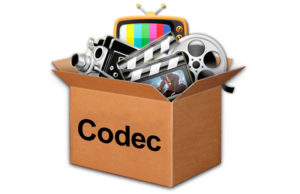
A codec is an algorithm for encoding and compressing data in an audio format. Some file types are assigned a specific codec. For example, the MP3 format always uses the MPEG Layer-3 codec, while the MP4 format can use a range of different codecs.

Many times, the notions of codec and format are used as interchangeable. Especially when a format always uses a single codec. However, it is necessary to understand the difference between a format and a codec. In simple terms, a format can be compared to a container in which a sound or a video signal that uses a particular codec can be stored.

Some formats, such as MP4 or FLV, can store both audio and video sequences.

mp3 format

If you don’t know what program you should use to open one format or another audio, we recommend that you use our audio converter. It is compatible with almost all existing formats.

Depending on the type of compression, two types of codecs can be distinguished:

Lossless Codecs

This group of formats records and compresses a sound in such a way that it allows the preservation of its exact original quality when decoded.

The most common lossless coding formats are:

FLAC (Free Lossless Audio Codec – Audio codec, lossless and free),
APE (Monkey’s Audio – Mono Audio),
ALAC (Apple Lossless Audio Codec – Audio codec, lossless Apple).

Loss Codecs

When compressed with loss, a sound undergoes some modification. For example, compression cuts the sound frequencies that are inaudible to the human ear. When decoded, the file will be different from the original in terms of the information stored in it, but it sounds almost the same.

Some of the most common lossy formats are:

MP3
Wma
OGG
AAC

WAV is one of the first audio formats. It is mainly used to store uncompressed audio tracks (PCM) that are identical to audio CDs in terms of quality. On average, a minute of WAV format sound requires about 10 megabytes of memory. CDs are usually digitized in WAV format and then can be converted to MP3 with an audio converter.

MP3 (MPEG Layer-3) is the most widespread sound format in the world. MP3, like many of the other lossy formats, compresses the file size by reducing sounds inaudible to the human ear. Currently, MP3 is not the best format in terms of file size for sound quality, but since it is the most widespread and compatible with most devices, many people prefer to save their files in this format.

WMA (Windows Media Audio) is a format owned by Microsoft Corporation. It was initially introduced as the substitute for the MP3 format, with the highest compression characteristics. However, this fact has been compromised by some independent tests. In addition, the WMA format is compatible with data protection through DRM.

OGG is an open format that supports audio coding by several codecs. The Vorbis codec is the most commonly used in OGG. The quality of compression can be compared to the MP3 format, but it is less widespread in terms of compatibility with various audio players and devices.

AAC is a patented audio format system that has higher capabilities (number of channels, frequency of discretion) compared to the MP3 format. Usually, it achieves better sound quality with the same file size. AAC is currently one of the loss-coding algorithms that offers the highest quality. A file encoded with this format can have the following extensions: .aac, .mp4, .m4a, .m4b, .m4p, .m4r.

FLAC is a common lossless format. It does not modify the audio sequence and the sound encoded with this format is identical to the original. It is frequently used to reproduce sound in high-end audio systems. Its playback compatibility on devices and players is limited, therefore, if desired, it often becomes other formats before listening to it on a player.