Principle of mp3 and file format analysis. Part4


Free Download Mp4Gain
picture

Principle of mp3 and file format analysis. Part4

MP3

The three bytes starting at 1397H are 54 41 47, which store the “TAG” character, indicating that this file has ID3 V1.0 information.

MP3

The 30 bytes starting at 139AH store the name of the song, the first 4 bytes that are not 00 are 54 45 53 54, which means “TEST”;
the 4 bytes starting at 13F4H are 04 19 14 03 and the year of storage is “04/25/2003” ”;
the last byte is 4E, which represents the music category, and the code name is 78, that is, “Rock&Roll”; the
other bytes are all 00, and no information is stored.

4 Conclusions
As an important multimedia data type, people are always looking for more efficient compression methods and new sound file formats. In the MP3 file, the MDCT transform is used, which is a quasi-optimal transform with a simple structure and easy programming, which avoids the problem that the optimal transform (KL) is difficult to solve for the eigenvalues ​​and eigenvectors of the covariance. matrix.

Through the analysis of the MP3 file format, it is not difficult to find its shortcomings. Each frame of an MP3 file has the same 4-byte frame header, which requires some space overhead for an MP3 file with a large number of frames. ID3 stores the music description information. The proprietary, copyright, and other information in the frame header is also description information. The music description information is a bit messy.

In any case, the development of MP3 is unstoppable. MP3 has become a recognized sound data format. MP3 is becoming a hot spot in the field of multimedia information processing along with JPEG images and PDF documents.


Free Download Mp4Gain
picture


Mp4Gain Main Window
picture


Mp4Gain Features
picture


Free Download Mp4Gain
picture

Principle of mp3 and file format analysis. Part 3

Principle of mp3 and file format analysis. Part 3

Mp3tag

The ID3 standard MP3 frame header does not consider storing complex information such as song title, author, album name, year, etc., except some simple music description information such as privacy, copyright and original, which are very necessary in MP3 applications.

mp3 tag


In 1996, in the “Studio 3” project, FricKemp proposed to add description information for storing songs at the end of the MP3 file and formed the ID3 standard. Until now, ID3 V1.0, V1.1, V2 .0, V2, .3 and V2.4 standards have been formulated. The higher the version, the richer and more detailed the relevant information is recorded.
The ID3 V1.0 standard is not complete and the information stored is too small to store lyrics, album covers, images, etc. V2.0 is a fairly complete standard, but it brings difficulties in writing software, although there are many people in favor of this format, very few are actually implemented in software. The vast majority of MP3s still use the ID3 V1.0 standard. This standard uses the last 128 bytes at the end of the MP3 file to store ID3 information. See Table 3 for instructions on using these 128 bytes.
Table 3 Final ID3 V1.0 File Description
length in
byte (byte) Description
1-3 3 Stores the “TAG” character, which indicates the ID3 V1.0 standard, followed by the song information.
4-33 30 Song name
34-63 30 Author
64-93 30 Album name
94-97 4 Year
98-127 30 Notes
128 1 MP3 music category, a total of 147 types.

3.3 File example
Open a file called test.mp3 in VC++ with the following content:
000000 FF FB 52 8C 00 00 01 49 09 C5 05 24 60 00 2A C1
000010 19 40 A6 00 00 05 96 41 34 18 20 80 08 26 48 29
000020 83 04 00 01 61 41 40 50 04 00 C1 2 41 50 64

0000d0 Fe FF FB 52 80 01 EE 90 65 6E 02 30
0000E0 32 0C CD CD CD CD 46 16 41 89 B8 408 89 300 408
0000F0 33 B7 00 00 01 02 FF FF FF F4 E1 2F FF FF FF FF
……
0001A0 DF FF FF FF FB 52 8C 12 00 E 01 FE 90 58 6E 09 A0 02
000150 8513 B0 AC 45 F6 19 61 26 26
0001C0 05 AC B4 20 28 94 FF FF FF FF FF FF FF FF FF FF

001390 7F FF FF FF FD 4E 00 54 41 47 54 45 53 54 00 00
0013A0 00 00 00 00 00 00 00 00 00 00 00 00 00 00 00 00 00 00 00 00 00 00 00 00 00 00 00 00 00 00 00 00 00 00 00 00
001400
00 00 00 00 00 00 00 00 00 00 00 00 00 00 00 00 00 00 00 00 00
00 00 00 00 00 00 00 00 00 00 00
001410 00 00 00 00 00 00 4E
File length is 1416H (5.142K), frame header is: FF FB 52 8C, converted to binary:
11111111 11111011
01010010
10001100T

Principle of mp3 and file format analysis. Part 2

Principle of mp3 and file format analysis. Part 2

mp3

MP3 uses perceptual audio coding (Perceptual Audio Coding) this distortion algorithm.

mp3

The frequency range of sound perceived by the human ear is 20 Hz to 20 kHz. MP3 cuts out a lot of redundant signals and irrelevant signals. The encoder transforms the original sound into the frequency domain through a mixed filter bank and uses a psychoacoustic model. to estimate that it may be only The perceived noise level is quantized and converted to Huffman coding to form an MP3 bit stream. The decoder is much simpler, its task is to extract the sound signal from the encoded spectral line components through inverse quantization and inverse transformation. The MP3 encoding and decoding process is shown in Figure 1.
2.4 Modified Discrete Cosine Transform The cosine transform
Modified Discrete CT (MDCT) refers to converting a time-domain data set to frequency-domain data in order to know the changes in the time domain. MDCT is an enhancement of the DCT algorithm. The first fast algorithm is fast Fourier transform (FFT), but FFT has complex operations, MDCT are real operations, easy to program.
When compressing audio data, first divide the original sound data into fixed blocks, and then perform direct MDCT (direct MDCT) to convert the value of each block into MDCT 512 coefficients. The 512 coefficients are restored to the original sound data, and The original before and after sound data is inconsistent because redundant and irrelevant data is removed during the compression process. The FMDCT transformation formula is:
k=0, 1,
.
n0=(N/2+1)/2, X(n) is the time domain value, X(k) is the frequency domain value. If N takes 1024 points, it becomes 512 frequency domain values.
The IMDCT transformation formula is:

n=0, 1, …, N-1
MDCT itself does not compress data, it simply maps the signal to another domain, and quantization compresses the data. When bit allocation is done on the quantized transformed samples, the entire quantized block must be considered the smallest, which is called lossy compression.
3 File Format Analysis
MP3 MP3 file data is made up of multiple frames, and the frame is the smallest unit of the MP3 file. Each frame, in turn, consists of a frame header, additional information, and sound data. The playback time of each frame is 0.026 seconds and its duration varies with the bit rate. Some MP3 files have extra bytes at the end that contain description information for non-audio data.

Principle of mp3 and file format analysis.

Principle of mp3 and file format analysis.

Principle of mp3 and file format analysis

Principle of mp3 and file format analysis

Principle of mp3 and file format analysis

1. Introduction
With the rapid development of file compression technology, MP3 has become the most popular music format today. High-quality music spreads rapidly around the world with the arrangement of 0 and 1, which shakes people’s hearts. What is MP3? The full name of MP3 is MPEG Audio Layer 3, which is an efficient computer audio coding scheme. It converts audio files into smaller files with an .MP3 extension with a higher compression ratio, basically maintaining the sound quality of the original file. MP3 is part of the ISO/MPEG standard, which describes audio compression using a high-performance perceptual coding scheme. This standard has been continuously updated to meet the pursuit of “high quality and low quality”, and has now formed MPEG Layer 1, Layer 2, Layer 3 three audio encoding and decoding schemes. MPEG Layer 3 compression ratio can reach 1:10 to 1:12, 1M of MP3 file can be played for 1 minute and 1 minute of CD-quality WAV file (44100Hz, 16bit, dual channel, 60 seconds) occupies 10M space, so Calculated, the playing time of a 650M MP3 disc should be more than 10 hours, and the playing time of a CD of the same capacity is about 70 minutes. The advantage of MP3 is that the CD is incomparable.
2 Analysis of the principle of MP3
2.1 audio standard
MPEG MPEG (Moving Picture Experts Group) is a group of dynamic picture experts under ISO, the MPEG standard which makes it widely used in various multimedia. The MPEG standards include audio and video standards, of which the audio standards have been established as MPEG-1, MPEG-2, MPEG-2 AAC, and MPEG-4.
The MPEG-1 and MPEG-2 standards use the same family of audio codecs: Layer 1, 2, 3. A new feature of MPEG-2 is the use of low sample rate expansion to reduce the data stream, and another feature is multichannel expansion, which increases the number of main channels to 5. The MPEG-2 AAC (MPEG-2 Advanced Audio Coding) standard was released by Fraunhofer IIS and AT&T in 1997 to significantly reduce data traffic. The MDCT (Modified Discrete Cosine Transform) algorithm adopted by MPEG-2 AAC has a sampling frequency between 8KHz and 96KHz, the number of channels can be between 1-48.
The three layers of MPEG Audio Layer 1, 2, and 3 use the same filter bank, bitstream structure, and header information, and the sampling frequency is 32KHz, 44.1KHz, or 48KHz. Layer 1 is designed for DCC (Digital Compact Cassette) compressed digital tape, the data rate is 384kbps, Layer 2 has made a compromise between complexity and performance, and the data rate is reduced to 256kbps-192 kbps. Layer 3 is designed for low data traffic from the start, and the data traffic is 128Kbps-112Kbps. Layer 3 adds MDCT transformation to make its frequency resolution 18 times that of layer 2. Layer 3 also uses average information similar to MPEG video. Entropy Encoding reduces redundant information. The vast majority of MP3s use the MPEG-1 standard.
2.2 Purpose of audio compression
The MP3 format began in the mid-1980s, when the Fraunhofer Institute in Erlangen, Germany, dedicated itself to encoding high-quality, low-data-rate sound. Let’s look at an example: you want to sample a song you like that is about 4 minutes long, store it on a disk, sample it in CD-quality WAV format, at a sample rate of 44.1 kHz, that is, receive a value of 44100 per second, stereo, each sampled data is 16 bits (2 bytes), so the space this song occupies is:
44100 x 2 channels x 2 bytes x 60 seconds x 4 minutes = 40.4 MB
If you download this song from the Internet, assuming the transmission speed is 56 kbps, the download time is:
40.4x106x8/56x103x60=96 minutes
Even a 1M broadband network requires more than 5 minutes, it can be seen that audio compression is particularly important to reduce audio data storage space.
2.3 Encoding and decoding
MP3 MP3 audio compression consists of two parts: encoding and decoding. Encoding converts the data in a WAV file into a highly compressed bitstream, and decoding takes the bitstream and reconstructs it into a WAV file.

THE MOST COMMON FORMATS FOR MUSIC AND OTHER AUDIO FILES AND HOW THEY ARE RELATED TO EACH OTHER PART 2

THE MOST COMMON FORMATS FOR MUSIC AND OTHER AUDIO FILES AND HOW THEY ARE RELATED TO EACH OTHER PART 2

mUSIC fORMATS

AUDIO CONVERTER

Music Formats

With an audio converter the situation is even simpler. Programs of this type are specially designed to convert between audio formats quickly, without explicit user intervention. Unlike audio editors, converters, we can say, use batch mode, that is, they allow you to convert MP3 files in a single operation, for example, not a single copy, and make several pieces at once. Depending on the app’s function, there may be dozens or hundreds.

Audiobooks in MP3 format

Once again, the operation of such a package is simple. Just select the source material (usually it can be a completely different file type) and install the final format. Then press a special button to start the process, the output user gets all files of a certain type. Your save usually occurs in the folder set in the app’s default settings, but the save location can of course be changed by yourself. By the way, the same applies to basis functions, which will be used during the transformation. However, any program initially provides the user with a specific set of criteria to use with a specific type of audio file. They can also change.

The beauty of these apps is that they have a complete process that will automate as much as possible and do all the required processes without much time. However, if we use a music or audio editor, comparing them in terms of improving the same sound quality especially cannot be dispersed here.

MUSICAL ARRANGEMENT
This is another type of software, most of which have built-in editors for MP3, WAV, etc. In this sense, they work on a similar principle to audiorekatorami, but their abilities are slightly broader.

Convert to MP3 format

First of all, it deals with the fact that the entire composition can consist of fragments of different types (MP3, MIDI, WAV, OGG, VST-library or DX-tool, etc. D.). After recording all sound tracks, for example mixing and mastering with virtual synthesizers or prescription parties, the resulting files can be saved in the desired format. Mostly it is an MP3 or WAV, or the program’s project file. In some applications, there is also a recording function to disk. Do you want an audio CD? No problem! In addition to the audio editor, it may take a few minutes to perform the necessary operations and get the tracks on the output disc in CDA format.

If we talk about the benefits of this type of application, it is obvious that only a few formats of the same union, and then saving or exporting to some of the most common are its greatest advantages. Also, you need to pay attention to the fact that the very overlay effect or change of any track parameters happens in real time, that is, the result will not necessarily wait; can be heard immediately by turning some knobs, for example. , or another option. Of course, this is only a small part of what packages are capable of.

HOW SHOULD I USE IT?
Finally, we come to the question of choosing the software to use with the MP3 format, or any other sound to record to. As is clear, normal listening to music or audiobooks is enough and a humble player (software or “iron”), or more commonly a DVD player.

Converting files to other formats, so to speak, in a hurry, is the perfect audio converter. However, if the output needs to achieve crystal clear sound quality, or even convert one file type to another, it is indispensable without powerful dedicated software. Of course, this requires ordering more, and without any experience, time to get the same high-quality MP3 files as the first time and you can’t get. However, with at least some in-depth study from audio editors, let alone professional music studios, the results will exceed everyone’s expectations.

THE MOST COMMON FORMATS FOR MUSIC AND OTHER AUDIO FILES, AND HOW THEY ARE RELATED TO EACH OTHER

THE MOST COMMON FORMATS FOR MUSIC AND OTHER AUDIO FILES, AND HOW THEY ARE RELATED TO EACH OTHER

Music Formats


And for the direct competitors of the universal MP3 format, they can count on a lot today.

Music Formats

Due to continuing inconsistencies in home storage of the WAV format, it was eventually discontinued. But for professional studios, he says, the basics of the job. Especially when recording live vocals or instruments. Just convert the recorded material from WAV to MP3 at the final stage.

music format

However, music can be represented in some other popular formats nowadays. For example, many times (especially the Internet) they use these data types like OGG, AIFF, AMR, etc. But the real competitor of MP3 has become the newest and best audio FLAC etc. Of course, for MP3 you can convert all parameters to the maximum, but the playback quality of FLAC represents much higher. Also, it is a single file and the separation occurs directly on the track due to the player or startup software. In other words, listeners see each track individually, but can switch between playback tracks. For the MP3 format, this also seems possible to merge multiple tracks through it, thus creating a single file. But here it is in this version fast switching between tracks will not be possible (normal fast forward should be used, that’s all).

However, not everything is bad. The fact that music or audiobooks are all popular formats today allows them to be easily converted, even keeping the original parameters of the audio material. Based on this, and for sound processing and conversion and audio editors, almost all programs call converters. Any program of this type (MP3 editor or converter) detects the original and final type of audio files, is unambiguous and can produce direct and reverse transformations. Let’s explain this specific example.

WAVE THEORY AUDIO EDITOR FOR MP3 FILES
Many types of software are used in audio processing today. First, look at the narrow application of so-called audio editors. The most prominent representatives of these can be called giants Sony Audio Forge, Sintrillium Cool Editing Pro, which was later acquired by Adobe and renamed Audition, Acoustica Mixcraft, ACID Pro and many others.

mp3 editor

The principle on which they operate is that, for convenience, all MP3 audio programs have a typical waveform, as originally used for WAV files. This method determines the appearance and opportunity enough to edit any type of conventional audio material in WAV format. Other than that, the fact that you can do basic copy, cut, paste, etc. E., it’s just a matter of getting the frequency characteristics and bitrate changes, not to mention using a lot of extra effects that plug into VSTs via DirectX or a generic host bridge studio thing.

In its simplest form, the conversion can be done using the standard file menu, which contains the line “Save As…” (Save As…) or the export function present in MP3 format. Thus, all the process is reduced to just the final selection of the format (MP3 here as an example) and activation of the recording mode. In this case the conversion will be done automatically saving the current configuration parameters and the frequency characteristics. I don’t like the original version? ?Nothing is easier than changing the format to MP3, pre-specified with higher settings. However, one thing needs to be considered here: if the raw material is of such poor quality that special remediation or even professional tools will not work for audio it is necessary to use Repairs here, the intervention of various filters, etc. D. For the layman, it will cause great difficulties.

As is clear, there is absolutely no difference between the audiobooks we are dealing with: MP3, music or just recorded voice or noise. By the way, audiobooks are supposed to have a much lower sound quality by default. This is understandable, since the file has to take up minimal space and, in general, the perceived sound characteristics of speech are not that important. Finally, is this a professional recording of a particular set of albums?

However, if you use some standard operations, even without specific knowledge, it’s fine to achieve good results, especially since there are such built-in templates, based on any application for specific operations. Of course, it will be very difficult for the first time to achieve a perfect sound, but if you study the plan and understand how it works, it will work like clockwork, and as a result, it will take a lot of time.

Description of the main audio formats

Description of the main audio formats

audio fomats

In the world of music there are a large number of musical formats of its modifications and versions, created by the giants of the music industry and small companies that have received public recognition in the electronic world.

AUDIO FORMATS

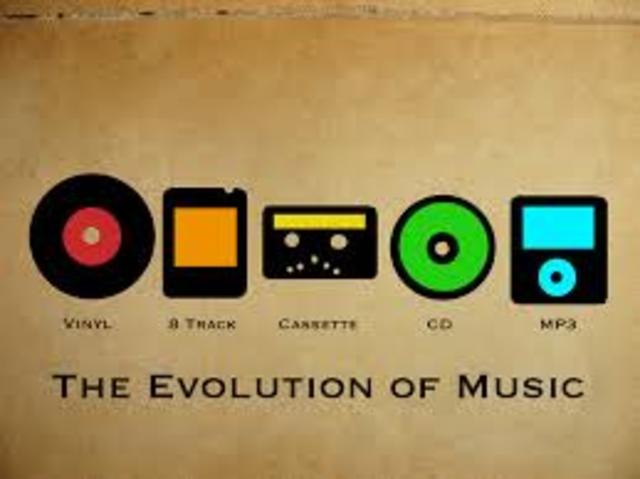
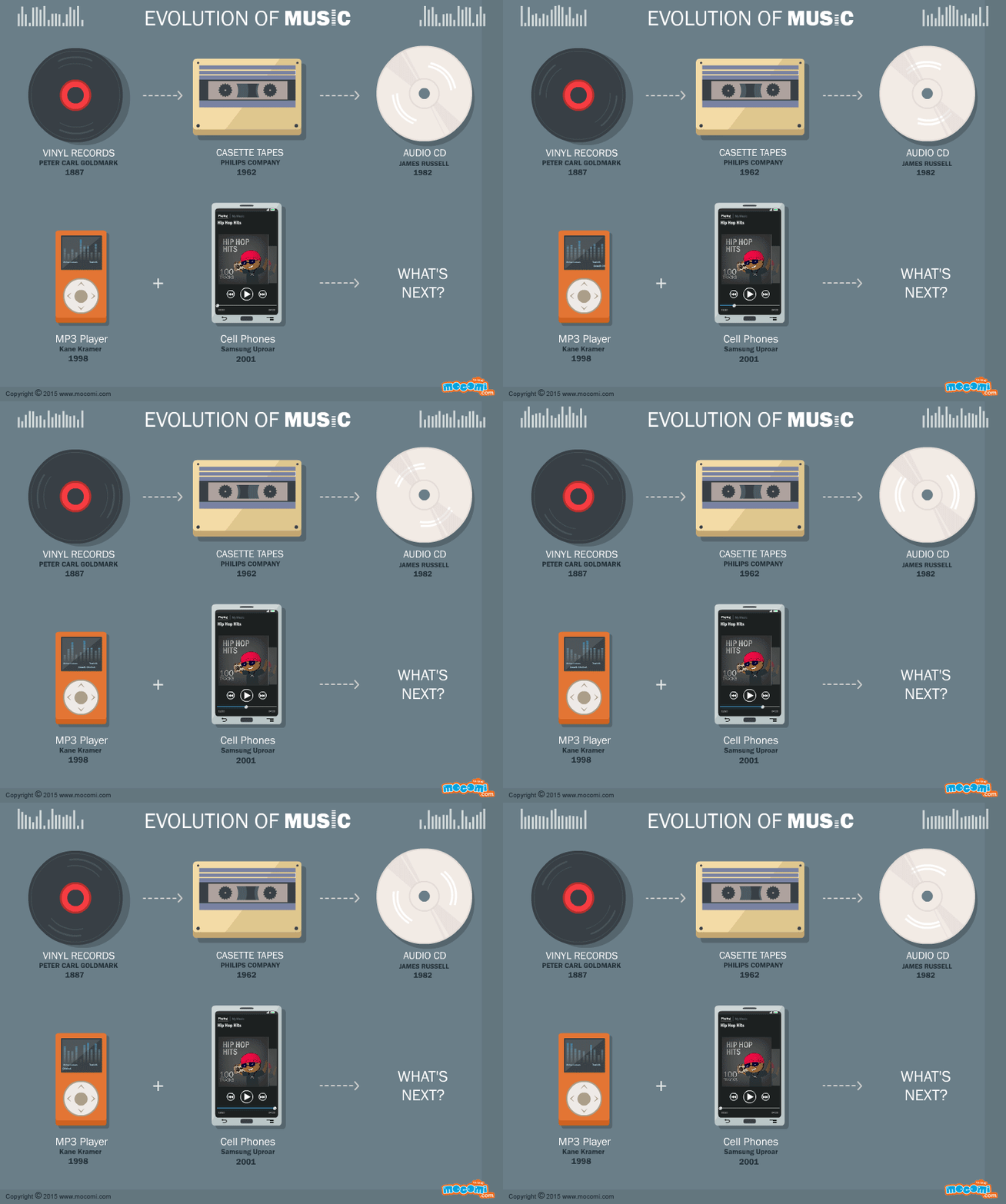
Various physical methods have been developed to store audio data for this purpose, such as vinyl records, magnetic tape, CD, DAT, MD (minidisc), DVD, or converting music scores to music (MIDI), in the same way. Many different computing methods have emerged. Audio data storage – digital: OGG, Mp3, Flac, Wav formats.

It is impossible to consider and discuss all audio formats, codecs, their advantages and disadvantages, so in my article I will try to talk about the most popular audio file extensions that you find.

Why can’t we use any universal audio file encoding format? Because for the implementation of various functions, a different format is required. For example: to play CDs in a CD drive, to record music or sound effects in video games, to record a movie track or video clip, to play on mobile phones or transfer files via the Internet, in addition, there are a number of The world’s most widely used operating systems … These include: Amiga, Macintosh, NEXT, and Windows personal computers.

Also, the job of a dj, sound engineer, cj, video engineer, or a simple music lover is quite different in nature. This may require your audio data to be saved in his way. For example, the audio on a CD must be saved using 16 bits and a sample rate of 44.1 kHz. However, to download sound over the internet, we’d better use a different bit depth and sample rate, as each minute of 16-bit, 44-kilohertz audio takes up about 10MB, that is, an average track of 5 minutes will be 50 meters, which is too much information for the average user. This article provides an overview of the most popular music formats.

AA (Audible Audio Book File) is a proprietary format developed by Audible. It is used to record audiobooks that are sold through the Audible and iTunes services. It is possible to reduce or accelerate the speed of listening to files: digital tone, the ability to leave bookmarks when listening to audiobooks, file protection, when delivering sound recordings over the Internet.

AAC (Advanced Audio Coding) is an audio file format with less loss of quality when encoding than MP3 in the same sizes. Lossless music encoding of original quality using the ALAC profile. AAC is a family of MPEG4 audio coding algorithms. Unlike the hybrid mp3 filter bank, AAC uses MDST (Modified Cosine Transform) technology, which means that the listener gets better sound quality than MP3 encoding with the same or lower bit rate. Possible AAC file extensions: [.m4a], [.m4b], [.m4p].

Additionally, AAC is a wideband audio coding algorithm that uses two basic coding principles to greatly reduce the amount of data required to transmit high-quality digital audio. This format is one of the highest quality, uses lossy compression, compatible with most modern equipment, including notebooks.

As of 2009, it is much less widespread than MP3 and other workarounds. AAC (Advanced Audio Coding) was originally created as a successor to MP3 with improved encoding quality. The AAC format, officially known as ISO / IEC 13818-7, was released in 1997 as the new seventh part of the MPEG-2 family. There is also the AAC format known as MPEG-4 Part 3.

Benefits of AAC over MP3:

– up to 48 audio channels;

– high coding efficiency with constant and variable bit rate;

– sampling frequencies from 8 Hz to 96 kHz (MP3: 8 Hz – 48 kHz);

– More flexible set stereo mode.

ADX is a proprietary ADICM-based lossy compression and storage format developed by CRI Middleware specifically for use in video games. The most characteristic feature is the ability to loop the sound recording, which makes the use of the format convenient to use as background music in various games that support this media container. It is compatible with many SEGA Dreamcast games, some PlayStation 2 and GameCube games.

Unlike MP3, it does not use the psychoacoustic model of reducing the volume of sound data (reducing its complexity). Instead, the ADPCM model uses a prediction function relative error data log to store the samples, which means greater conservation of the signal.


Audio formats. Understanding the differences

Audio formats. Understanding the differences

Audio File Format

There are many different audio formats.

audio file formats

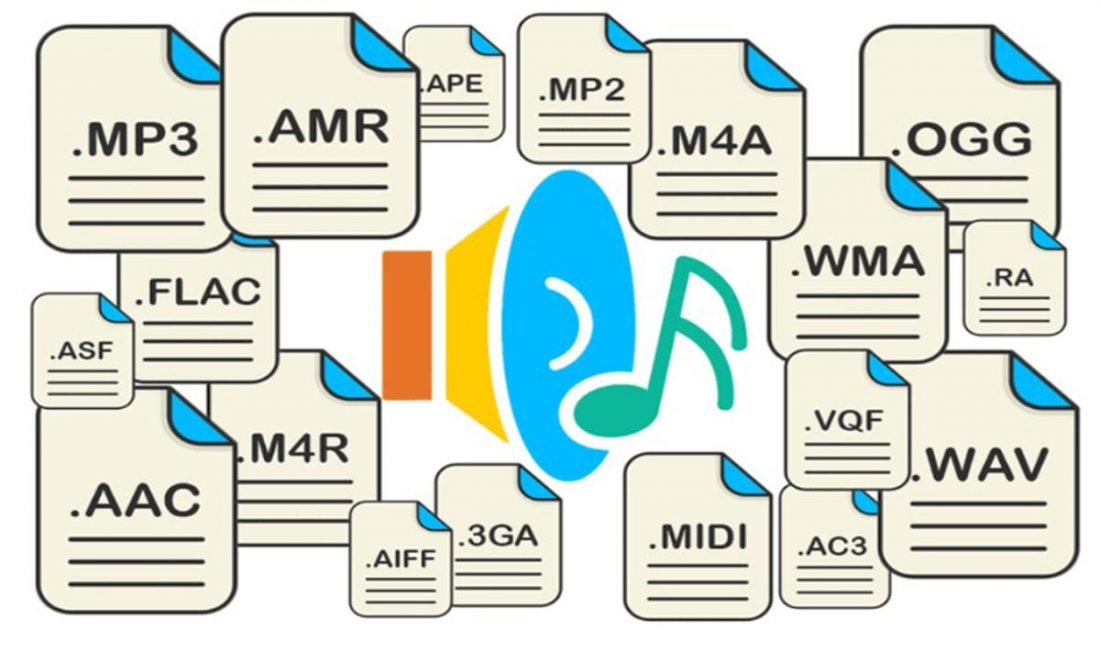
You can’t even imagine how many audio formats there are. Now we will consider only the most popular ones, and if you need complete information, you can find it on Wikipedia.

Audio formats
Sound is itself an analog phenomenon. In order for it to register on a computer, it must be digitized. Digitized audio takes up a lot of space. Therefore, they use special algorithms to encode and compress data: codecs. Codecs provide encoding / decoding of audio / video data, as well as compression / decompression of such data. Download a set of codecs for Windows:

The type of media file format (audio or video, no difference) is determined by its extension. For example, MP3 files have the extension .mp3. The codec for this format is always the same: MPEG Layer-Ç. But for the MP4 format, the codecs may be different.

Some formats, such as MP4 and FLV, can contain streaming audio and video. So, if you see a file with the extension .mp4, you can’t definitely tell that it contains only music or only video, or a movie – audio and video. After all, initially in such formats, the possibility of transmitting both audio and video was raised.

We all know that once information is compressed, it can be lost. Therefore, all codecs can be divided into two groups: with loss of quality and without loss of quality. Don’t be intimidated by the word “lossy”: As a general rule, codecs cut off “unnecessary” information that is invisible to our eyes and ears (almost invisible).

Lossless compression codecs include:

FLAC (Free Lossless Audio Codec);
APE (Monkey’s Audio);
ALAC (Apple Lossless Audio Codec).
And here are the lossy codecs:

If you are a fan of sound then it makes sense to look for music in FLAG format. For normal home listening, the most popular MP3 format is sufficient. Also, to experience the total difference between MP3 and FLAC formats, you need professional sound reproduction equipment; unfortunately, the tablet does not belong to said team. So I don’t see any reason to download FLAC music to a tablet.

Now let’s take a quick look at the audio formats themselves:

WAV is the first (or one of the first) audio formats. It is used to store uncompressed audio recordings. One minute of recording in WAV format requires 10MB. An audio CD is usually copied in this format and then the resulting WAV files are compressed with an MP3 codec to save space.
MP3 (MPEG Layer-3) is the most widely used audio format. It reduces the sound with a loss of quality, but only the sound that is not heard by the human ear is cut off. As a result, a person does not hear the difference and the sound takes up less space. The main characteristic of this format is the bit rate. The higher the bit rate, the better the sound quality. Uncompressed audio CD has a bit rate of 1411.2 Kbps. The highest sound quality in the case of MP3 format is achieved at a bit rate of 320 Kbps. Anything below 320 Kbps is of worse quality . The difference between 128 Kbps and 320 Kbps is already felt by ear, so if you can download recordings with a higher bit rate, go for it.
WMA (Windows Media Audio) is a format developed by Microsoft for the Windows operating system. Microsoft tried to create a replacement for MP3, but, as time has shown, it failed.
OGG is an open format that supports encoding of audio with various codecs. The most widely used OGG codec is Vorbis. In terms of compression quality, the format is comparable to MP3, but less common in terms of media player and audio player support. If you can download music in MP3 and OGG format, you should choose MP3 because your audio player may not support OGG format.
AAC is a proprietary audio format that provides better sound quality than MP3. It is currently the best lossy audio coding algorithm. A file of this format can have the extensions aac, mp4, m4a, m4b, t4p, t4g.
FLAC is a lossless compression format. It does not make any changes to the audio stream, so the sound encoded with it is identical to the original. Used for listening to sound in high-level sound systems.
Video formats
There are no fewer video content formats and standards than audio formats. Let’s start with the international standards that define the data storage and encoding format of multimedia files:

Variety of digital formats.

Variety of digital formats.

audio formats

Surely many users prefer to use their home computer not only as a workhorse, but also as a multimedia center, where they can watch movies or family photos, as well as listen to their favorite music. Although compact digital players or mobile phones are certainly more suitable for listening to musical compositions, but unlike them, a computer can not only play music.

Audio Formats

No matter how big the built-in memory of your music player is, it will most likely be difficult to store your entire music library on it. Plus, you can create, edit, organize, and search for music with your PC. Also, don’t forget that there are around three dozen common digital audio formats today, and most players are far from omnivorous and can only play a few of them.

So why do you need to create so many music formats to store one type of content? The fact is that, in the vast majority of cases, the sound is stored in “compressed” form, since one minute of uncompressed composition occupies about 10 MB on the hard disk. On the one hand, this seems not to be much, but on the other, if you are a music lover and your collection consists of several hundred or even thousands of songs, then it is clear that the sound must be compressed to reduce the space it occupies in electronic media.

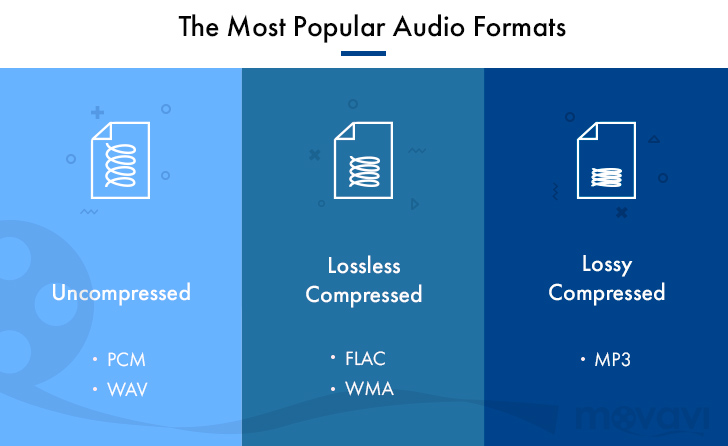
Various special algorithms are used to compress music files, which subsequently determine the structure and presentation of the audio data, or so-called digital audio file formats. All audio formats can be divided into three groups: uncompressed audio formats, lossless compression, and lossy compression.

No compression
One of the most widespread formats related to this type is the well-known WAV. The sound of files with this extension is stored without compression or changes. It is true that much more space is required to store uncompressed files and therefore WAV is more widely used only in professional audio and video applications, where the sound should not have a loss of quality before processing. Keeping ordinary musical compositions in this form is unwarranted waste.

To play WAV files, you do not need any special software, as all media players understand this format, including the standard Windows Media audio player built into the Windows system.

Another format used to store uncompressed audio that is worth mentioning is Apple’s development called AIFF (Audio Interchange File Format). As you may have guessed, it is most commonly used on Macintosh computers running Mac OS X.

Lossless compression (lossless)
Lossless compression algorithms for audio files work on the principle of conventional file cabinets. They do not provide the highest level of compression (40 to 60%), while they have virtually no effect on sound quality. It is also worth noting that in this case, the encrypted data can be fully restored to its original form. Therefore, the use of lossless compression is most often used in cases where it is important to preserve the identity of the compressed data with respect to the original.

The most popular audio formats in this group are FLAC (Free Lossless Audio Codec), APE (Monkey’s Audio), WMA (Windows Media Lossless), and ALAC (Apple Lossless Audio Codec). Each has its own pros and cons. For example, the APE codec offers slightly better compression gains, while FLAC is more common. In general, all true music lovers store their music collections in lossless formats, since they do not remove any data from the audio stream and files created with these codecs can be listened to even on high-quality stereos.

To play lossless compressed formats, as a rule, third-party players (except WMA) are used, such as MPlayer, foobar, AIMP, Winamp, VLC and others, since all the necessary codecs are already built into them. Another option is to separately install an additional codec pack (for example, K-Lite), after which you can listen to files in lossless format from almost any audio player.

Lossy compression
This is the most popular group of algorithms that provides the maximum audio compression ratio (up to 10 times or more). However, unlike previous formats, the audio file loses quality here, and how much depends directly on the degree of compression.

To determine the quality of digitized sound, the most commonly used indicator is the bit rate, the speed of the audio stream obtained after compression and measured in kilobits per second (kbps).