Audio formats. Understanding the differences


Free Download Mp4Gain
picture

Audio formats. Understanding the differences

Audio File Format

There are many different audio formats.
audio file formats

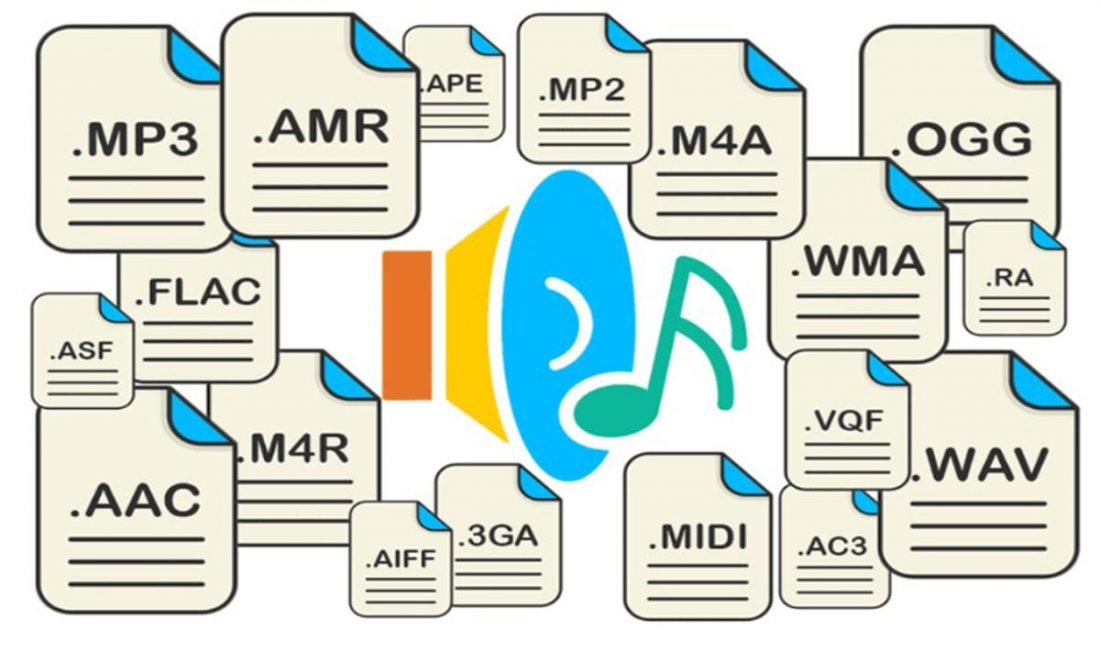
You can’t even imagine how many audio formats there are. Now we will consider only the most popular ones, and if you need complete information, you can find it on Wikipedia.

Audio formats
Sound is itself an analog phenomenon. In order for it to register on a computer, it must be digitized. Digitized audio takes up a lot of space. Therefore, they use special algorithms to encode and compress data: codecs. Codecs provide encoding / decoding of audio / video data, as well as compression / decompression of such data. Download a set of codecs for Windows:

The type of media file format (audio or video, no difference) is determined by its extension. For example, MP3 files have the extension .mp3. The codec for this format is always the same: MPEG Layer-Ç. But for the MP4 format, the codecs may be different.

Some formats, such as MP4 and FLV, can contain streaming audio and video. So, if you see a file with the extension .mp4, you can’t definitely tell that it contains only music or only video, or a movie – audio and video. After all, initially in such formats, the possibility of transmitting both audio and video was raised.

We all know that once information is compressed, it can be lost. Therefore, all codecs can be divided into two groups: with loss of quality and without loss of quality. Don’t be intimidated by the word “lossy”: As a general rule, codecs cut off “unnecessary” information that is invisible to our eyes and ears (almost invisible).

Lossless compression codecs include:

FLAC (Free Lossless Audio Codec);
APE (Monkey’s Audio);
ALAC (Apple Lossless Audio Codec).
And here are the lossy codecs:

If you are a fan of sound then it makes sense to look for music in FLAG format. For normal home listening, the most popular MP3 format is sufficient. Also, to experience the total difference between MP3 and FLAC formats, you need professional sound reproduction equipment; unfortunately, the tablet does not belong to said team. So I don’t see any reason to download FLAC music to a tablet.

Now let’s take a quick look at the audio formats themselves:

WAV is the first (or one of the first) audio formats. It is used to store uncompressed audio recordings. One minute of recording in WAV format requires 10MB. An audio CD is usually copied in this format and then the resulting WAV files are compressed with an MP3 codec to save space.
MP3 (MPEG Layer-3) is the most widely used audio format. It reduces the sound with a loss of quality, but only the sound that is not heard by the human ear is cut off. As a result, a person does not hear the difference and the sound takes up less space. The main characteristic of this format is the bit rate. The higher the bit rate, the better the sound quality. Uncompressed audio CD has a bit rate of 1411.2 Kbps. The highest sound quality in the case of MP3 format is achieved at a bit rate of 320 Kbps. Anything below 320 Kbps is of worse quality . The difference between 128 Kbps and 320 Kbps is already felt by ear, so if you can download recordings with a higher bit rate, go for it.
WMA (Windows Media Audio) is a format developed by Microsoft for the Windows operating system. Microsoft tried to create a replacement for MP3, but, as time has shown, it failed.
OGG is an open format that supports encoding of audio with various codecs. The most widely used OGG codec is Vorbis. In terms of compression quality, the format is comparable to MP3, but less common in terms of media player and audio player support. If you can download music in MP3 and OGG format, you should choose MP3 because your audio player may not support OGG format.
AAC is a proprietary audio format that provides better sound quality than MP3. It is currently the best lossy audio coding algorithm. A file of this format can have the extensions aac, mp4, m4a, m4b, t4p, t4g.
FLAC is a lossless compression format. It does not make any changes to the audio stream, so the sound encoded with it is identical to the original. Used for listening to sound in high-level sound systems.
Video formats
There are no fewer video content formats and standards than audio formats. Let’s start with the international standards that define the data storage and encoding format of multimedia files:


Free Download Mp4Gain
picture


Mp4Gain Main Window
picture


Mp4Gain Features
picture


Free Download Mp4Gain
picture

Variety of digital formats.

Variety of digital formats.

audio formats

Surely many users prefer to use their home computer not only as a workhorse, but also as a multimedia center, where they can watch movies or family photos, as well as listen to their favorite music. Although compact digital players or mobile phones are certainly more suitable for listening to musical compositions, but unlike them, a computer can not only play music.

Audio Formats

No matter how big the built-in memory of your music player is, it will most likely be difficult to store your entire music library on it. Plus, you can create, edit, organize, and search for music with your PC. Also, don’t forget that there are around three dozen common digital audio formats today, and most players are far from omnivorous and can only play a few of them.

So why do you need to create so many music formats to store one type of content? The fact is that, in the vast majority of cases, the sound is stored in “compressed” form, since one minute of uncompressed composition occupies about 10 MB on the hard disk. On the one hand, this seems not to be much, but on the other, if you are a music lover and your collection consists of several hundred or even thousands of songs, then it is clear that the sound must be compressed to reduce the space it occupies in electronic media.

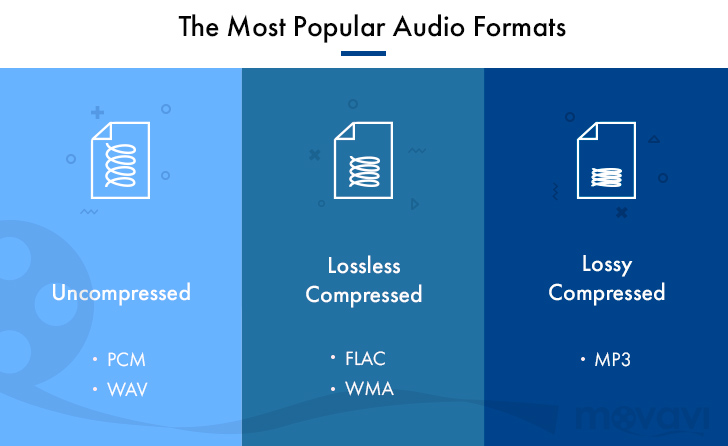
Various special algorithms are used to compress music files, which subsequently determine the structure and presentation of the audio data, or so-called digital audio file formats. All audio formats can be divided into three groups: uncompressed audio formats, lossless compression, and lossy compression.

No compression
One of the most widespread formats related to this type is the well-known WAV. The sound of files with this extension is stored without compression or changes. It is true that much more space is required to store uncompressed files and therefore WAV is more widely used only in professional audio and video applications, where the sound should not have a loss of quality before processing. Keeping ordinary musical compositions in this form is unwarranted waste.

To play WAV files, you do not need any special software, as all media players understand this format, including the standard Windows Media audio player built into the Windows system.

Another format used to store uncompressed audio that is worth mentioning is Apple’s development called AIFF (Audio Interchange File Format). As you may have guessed, it is most commonly used on Macintosh computers running Mac OS X.

Lossless compression (lossless)
Lossless compression algorithms for audio files work on the principle of conventional file cabinets. They do not provide the highest level of compression (40 to 60%), while they have virtually no effect on sound quality. It is also worth noting that in this case, the encrypted data can be fully restored to its original form. Therefore, the use of lossless compression is most often used in cases where it is important to preserve the identity of the compressed data with respect to the original.

The most popular audio formats in this group are FLAC (Free Lossless Audio Codec), APE (Monkey’s Audio), WMA (Windows Media Lossless), and ALAC (Apple Lossless Audio Codec). Each has its own pros and cons. For example, the APE codec offers slightly better compression gains, while FLAC is more common. In general, all true music lovers store their music collections in lossless formats, since they do not remove any data from the audio stream and files created with these codecs can be listened to even on high-quality stereos.

To play lossless compressed formats, as a rule, third-party players (except WMA) are used, such as MPlayer, foobar, AIMP, Winamp, VLC and others, since all the necessary codecs are already built into them. Another option is to separately install an additional codec pack (for example, K-Lite), after which you can listen to files in lossless format from almost any audio player.

Lossy compression
This is the most popular group of algorithms that provides the maximum audio compression ratio (up to 10 times or more). However, unlike previous formats, the audio file loses quality here, and how much depends directly on the degree of compression.

To determine the quality of digitized sound, the most commonly used indicator is the bit rate, the speed of the audio stream obtained after compression and measured in kilobits per second (kbps).

Sound under pressure

Sound under pressure

Audio File Formats

Computer sound has long since emerged from that embryonic state, when it was only present for the show, unable to compete with specialized equipment. Today, many sound cards, even middle class, are far above their rivals in the face of not so mediocre hi-fi. Recently, there are also fewer and fewer problems with acoustics; At such a rate, in a few years, the entire breeding road will finally turn into a true hi-hi. But in addition to the path, there is also a file format, in the choice of which, due to ignorance, users are often really limited. The purpose of this article is to get rid of these limitations.

Audio File Formats

Gone are the days when it was impossible to distinguish a violin from a cello in computer acoustics, but the saying “CD Quality – MP3 128 kbps” has remained, and for some it is not so archaic. Meanwhile, the most common formats are Wav (also known as CDA) or MP3. However, uncompressed PCM (Wav and CDA) has too large a file size and MP3 is compressed with loss of quality. But there are alternatives and more than one. Let’s take a look at the most popular and high-quality formats / codecs.

First, let’s divide all codecs into two groups based on compression: lossless and lossy. The former operate on the principle of filing cabinets, for example RAR: a file compressed in this way loses weight by up to 50%, and the entire original is reproduced during playback, before compression. Lossy compression algorithms exclude “unnecessary” information from the original signal and then compress it, which is why the original signal cannot be fully restored; JPEG compression is an example. Now in more detail.

At a loss

MP3

Perhaps, as with the most popular ones, let’s start with MP3, also known as MPEG-1 layer 3. We compress test snippets with lame, the highest quality of all MP3 codecs. In the snippet with the classics, we see that there is no upper cutoff frequency as such, that’s great! However, in the most “powerful” (noisy) places, the upper part (from 18 kHz) is consumed. Such dynamics processing is quite strange for hearing and auditory logic, but for a computer it is easy to explain: just as the overall signal density increases, it grows almost throughout the entire range and therefore one more channel is required. wide to pass all the flow. But since the channel is fixed (we compress in CBR, with a constant bit rate, 320 kbps), for normal encoding of the mids and bass, you need to reduce the treble. A snippet with modern music is practically indistinguishable from the original, just a small cut in the frequencies for which real high fidelity is needed, in which you will definitely not remember the MP3, in addition to the frequency response, there are still many characteristics spoiled by compression. Compressed file size: classic – 6.11 MB, modern music – 6.11 MB.

WMA 9

The format promoted by Bill Gates is not yet popular: firstly, it supports DRM (copy protection), and secondly, of all the lossy codecs considered here, it provides the weakest sound quality. With almost the same dimensions as with other formats, making a hard cut at the top above 20 kHz, as well as cutting the top based on the overall level (similar in effect to Dolby noise suppressors) is not very good in our opinion. Compressed at 320 kbps, WMA 9 (non-professional). Compressed file size: classic – 6.14 MB, modern music – 6.12 MB.

OGG Vorbis

Open source codec with good sound quality and safely taking second place. It has a floating cutoff frequency (but within reasonable limits) of the order of 20 kHz. It is true that in this case we set the bit rate at 350 kbps … It has one more drawback: longer encoding time. Compressed file size: classic – 6.70 MB, modern music – 6.65 MB.

The winner of this nomination is the one with the closest sonogram to the wav file sonogram. Therefore, MP3 is still the winner. However, it should be noted that the codec is different, and even those that work according to the same algorithm. For example, the same MP3 is lame, there is Fraunhofer and Xing, the latter being the fastest, but also with the most terrible sound quality (the cutoff is 16 kHz).

No loss of quality, no loss

FLAC (Lossless Audio Compressor)

One of the most popular formats for lossless audio compression is the FLAC codec. The main advantages of this audio codec are its constant updating and, of course, multiplatform: FLAC is ported to many platforms.