Digital audio file formats wav, mp3, aiff, ogg, flac, m4a

The last five years gave a great boost to the development of portable and stationary audio systems, and with this support for a variety of digital audio formats.

Small pocket devices have a large internal memory and fixed audio equipment has become even smarter and more demanding. That is why, now, we can not save space on the player and download songs that weigh between 15 and 30 MB each, but at home, listen to digital music in a quality equal to the sound of an analog vinyl.
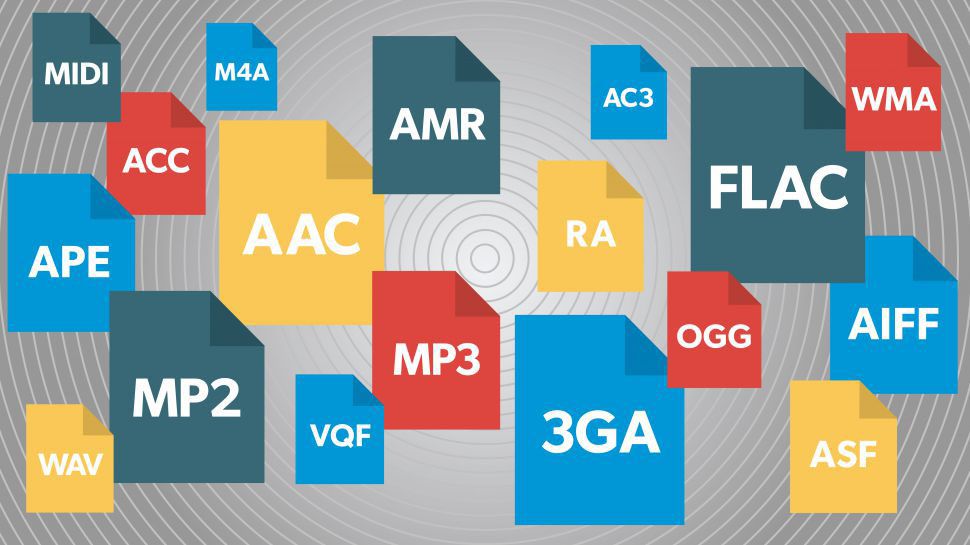
Description of popular digital audio formats
However, the most widespread audio formats still have their pros and cons, and even in an urgent matter like digital audio, a “panacea” has not yet been found. Classic digital audio formats are divided into “compressed” and “uncompressed” streams, as well as “lossless” formats, which exclude loss of sound.
Description of digital audio formats Description of digital audio formats
Wav audio format
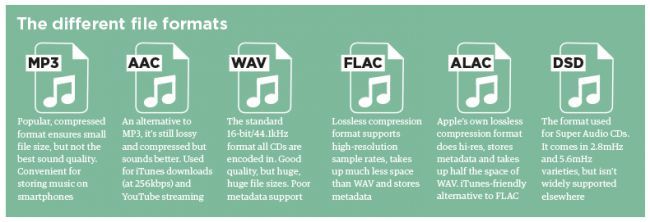
The waveform audio file format (WAVE, WAV – “in waveform”) is a file format for storing a recording of an uncompressed digitized audio sequence. In general, this is the most common format for working in the studio and in broadcasting. allows you to get the most honest sound quality. For example, the standard audio CD format is an LPCM audio stream, with parameters: 2ch (stereo), 44-100Hz, 16bit.
Mp3 audio format
MPEG-1/2 Audio Layer 3: (MP3) is the most popular digital format for storing compressed audio. The MP3 format uses a special algorithm designed to greatly reduce the size of the original file. This format allows you to keep the audio close to the original sound, but thanks to a variety of settings, extremely small size.
Compared to the standard audio CD format, a file in MP3 format and a bit rate of 128 kbps will be approximately 1/11 the size of the original file.
FLAC audio format
FLAC (Free Lossless Audio Codec) is a popular free codec designed for lossless compression of audio data. What does that mean? Unlike lossy audio codecs such as MP3 or OGG, the FLAC audio codec does not remove any information from the audio stream. This format is ideal for audiophiles who create their own music collections and listen to music on high-quality equipment.
Ogg audio format
OGG is a format that has not gained great popularity, but is nonetheless used by a fairly large audience. The OGG format, similar to MP3, compresses audio with loss of quality, but is fundamentally different in practical conversions. This made it possible to get better quality with a smaller file size and to display this codec as absolutely independent. In addition to similar formats that convert lossy audio, OGG has the ability to adjust container properties.
Aiff audio format
The Audio Interchange File Format (AIFF) is a fairly universal audio file format developed by Apple, which is used to store audio data. Like its counterpart, the WAV format, it is uncompressed audio and is widely used in professional recordings and music production.
The .aiff and .aif files created by Apple Loops are used by GarageBand and Logic Audio music editors.
M4a audio format
Apple Losseles (also known as Apple Lossless Encoder, ALE or Apple Lossless Audio Codec, ALAC) (m4a) is another Apple development. This audio format refers to uncompressed audio, which provides lossless playback. It is a fairly specific format, which is mainly supported by products of the creator company, and in some cases, as in the iPhone system sounds, where it is possible to use exclusively the m4a format.