Psychoacoustic Modeling in MP3 Encoding


Free Download Mp4Gain
picture

Psychoacoustic Modeling in MP3 Encoding
Psychoacoustic Modeling in MP3 Encoding

Let’s talk about Psychoacoustic Modeling in MP3 Encoding

Psychoacoustic modeling is at the heart of how MP3 encoding achieves its impressive compression without compromising the sound quality listeners expect. As a specialist in audio processing, I often dive into the fascinating relationship between human hearing and digital encoding methods. At its core, psychoacoustic modeling is a technique that removes sounds that listeners likely won’t hear, freeing up space without noticeable loss. Picture it like filtering out background noise in a crowded room; you retain what matters, discarding the rest. Let’s break down how psychoacoustic modeling enables MP3 encoding to reduce file sizes while keeping the music enjoyable and clear.

What is Psychoacoustic Modeling in Audio Encoding?

Psychoacoustic modeling, simply put, utilizes principles of human auditory perception to create efficient digital audio files. Rather than storing every tiny sound detail, it stores only what our ears can reasonably detect. It’s like reducing a high-definition image down to a manageable size without losing the essential picture quality. This process allows MP3 files to capture and convey musical elements that matter most to our ears, without holding onto excess sound data. As someone who frequently works with audio processing, I appreciate the balance of quality and file size that psychoacoustic modeling provides in MP3 encoding.

How Human Hearing Influences MP3 Encoding

When we look at how MP3 encoding handles audio, it’s all about the way human hearing works. The ear doesn’t perceive all sounds equally; some frequencies and volumes dominate our perception, while others slip by almost unnoticed. Psychoacoustic modeling cleverly eliminates or reduces these less perceptible sounds. For example, sounds above 16,000 Hz are often inaudible to most people, especially in the presence of louder, lower frequencies. It’s much like focusing on a favorite melody while ignoring background noise at a concert.

The Role of Frequency Masking in Psychoacoustic Models

One of the main principles in psychoacoustic modeling is frequency masking, where stronger sounds can mask weaker ones, making them harder to hear. Imagine standing beside a roaring waterfall; you’re unlikely to hear someone whispering nearby. MP3 encoding leverages this concept by reducing the data assigned to “masked” sounds, which won’t be missed by the human ear. This smart approach allows MP3 files to cut down on unnecessary audio information, achieving efficient compression.

Temporal Masking and Its Impact on MP3 Quality

Temporal masking is another vital part of psychoacoustic modeling, involving how sounds can mask other sounds that occur closely in time. For instance, if a loud drum beat is immediately followed by a quieter note, the latter may go unnoticed. MP3 encoding uses this to selectively reduce details around louder, more prominent sounds, ensuring that the auditory experience remains rich without holding onto insignificant data. I find this process mirrors how we naturally overlook brief, quiet noises in a bustling environment.

Quantization and Bit Allocation in MP3 Encoding

Quantization refers to rounding off sound values to fit within a manageable range, a process that directly affects file size. In MP3 encoding, bit allocation determines how many bits are given to various sound details based on psychoacoustic analysis. High-priority sounds receive more bits for clarity, while lower-priority ones are stored with less. Think of it like budgeting for a party: spend most on the essentials, while the little things take up less. This efficient allocation keeps MP3 files both compact and high-quality.

How Psychoacoustic Models Balance Compression and Sound Quality

Achieving the right balance between compression and sound quality is a core aim of psychoacoustic models. As someone who’s seen various encoding approaches over the years, I know this balance is key to a good MP3. By retaining perceptually significant sounds and discarding what won’t be missed, MP3 encoding hits a sweet spot of clarity and efficiency. Imagine reducing the weight of a suitcase by only packing the essentials, leaving out items that don’t add real value. This is how MP3 encoding achieves such remarkable compression.

Examples of Psychoacoustic Models in Action

There are several prominent psychoacoustic models used in MP3 encoding. The most widely known is the Model I from MPEG-1 Layer III, which focuses on frequency and temporal masking. For instance, think of an orchestra: MP3 encoding gives priority to the lead violin while reducing data for background noise that listeners won’t notice. Each model is tuned to prioritize sounds based on human auditory characteristics, making MP3 an optimal format for casual listening.

Why MP3 Encoding Uses Psychoacoustic Models

MP3 encoding heavily relies on psychoacoustic models because they offer a realistic way to reduce file sizes without making music sound low-quality. Think about an artist painting a detailed portrait; they use their skills to add meaningful details while avoiding unnecessary strokes. Likewise, psychoacoustic models filter out audio “noise” we wouldn’t miss, creating manageable, shareable files that still deliver great listening experiences.

Comparing Psychoacoustic Models Across Audio Formats

MP3 isn’t the only format that uses psychoacoustic modeling; AAC and OGG also incorporate similar principles, each with its nuances. While MP3 prioritizes compatibility, AAC provides higher fidelity at similar bit rates, and OGG offers an open-source alternative. It’s like comparing various types of camera lenses, where each is suited for a particular scenario. Understanding these models helps us choose the right format for different audio needs, from streaming to high-quality recordings.

Advantages of Psychoacoustic Modeling in MP3 Files

Psychoacoustic modeling has several advantages for MP3 files. It enables significant compression without noticeable loss, makes sharing and streaming efficient, and preserves key elements of audio that listeners enjoy. For instance, it’s like packing a travel bag with only the essentials but keeping items that create a great travel experience. This streamlined, effective approach is why MP3 remains popular for digital music.

Limitations of Psychoacoustic Models in MP3 Encoding

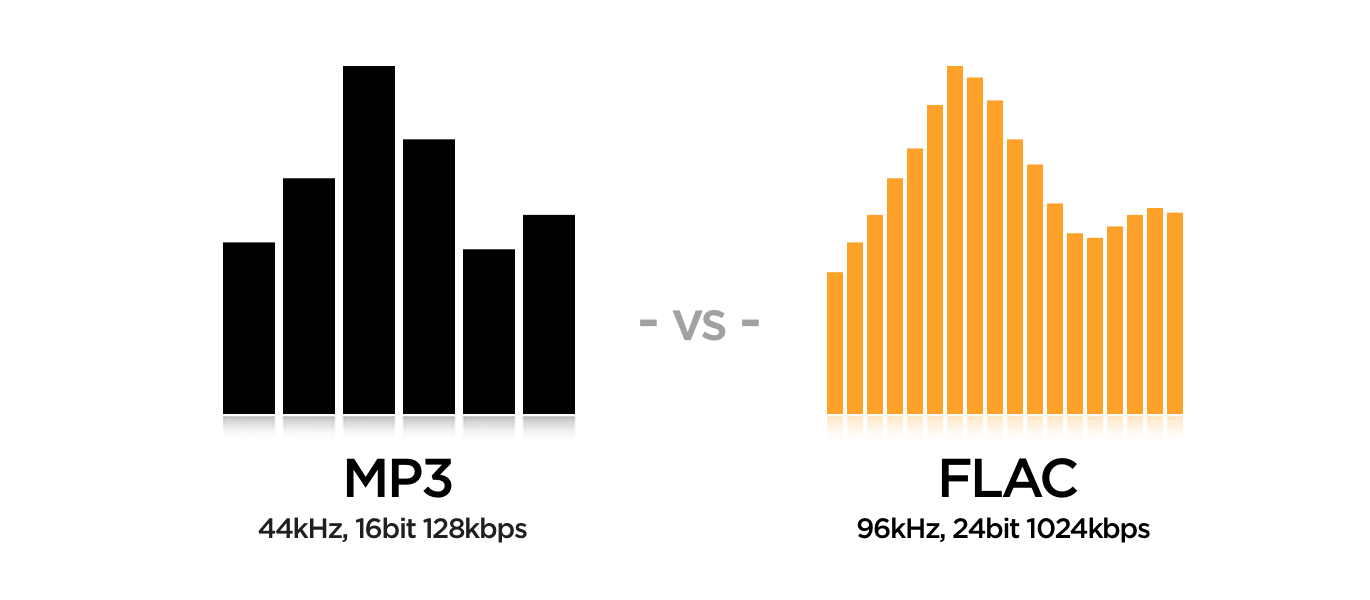
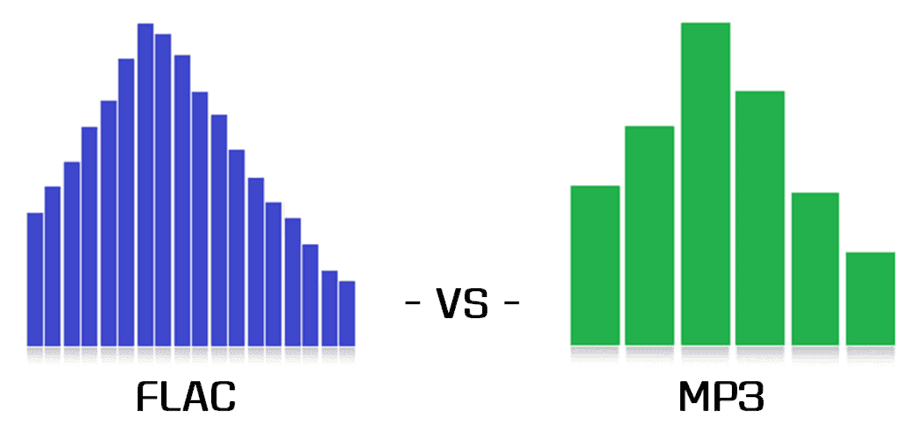
Despite its strengths, psychoacoustic modeling in MP3 has limitations. When audio files are compressed too much, some details are inevitably lost, which audiophiles might notice. It’s similar to shrinking an image too far and losing clarity. While MP3 is excellent for everyday use, those seeking higher audio fidelity may notice subtle differences compared to lossless formats like FLAC. These limitations remind us that psychoacoustic modeling is powerful, but not perfect.

Real-World Applications of Psychoacoustic Models

From streaming music to sharing files online, psychoacoustic models make MP3 an excellent choice for many real-world uses. For instance, music streaming services rely on these models to provide clear audio without overwhelming data demands. Imagine listening to your favorite playlist on a road trip—psychoacoustic models ensure the songs sound great without consuming excessive storage or bandwidth. These models are why MP3 remains a go-to for versatile audio use.

Choosing the Right Bitrate for MP3 Compression

Selecting the right bitrate is crucial to balancing quality and file size in MP3 encoding. Higher bitrates retain more detail, but increase file size, while lower bitrates save space but may reduce quality. It’s like choosing resolution for a video; higher quality takes more data. Finding a balance, often around 128-320 kbps, ensures an optimal experience without excessive file size, especially with the efficiency of psychoacoustic modeling.

Latest Words on Psychoacoustic Modeling in MP3 Encoding

Psychoacoustic modeling plays a transformative role in MP3 encoding, allowing for efficient file compression without sacrificing the sound quality that listeners cherish. By understanding human hearing, MP3 encoding eliminates non-essential sounds, ensuring that the audio remains clear, enjoyable, and compact. This approach, with its reliance on frequency and temporal masking, bit allocation, and quantization, revolutionizes how digital audio files are shared and enjoyed. For anyone looking to manage their audio files without compromising on sound, an app like Mp4Gain can be a reliable tool to further optimize and normalize audio quality in various formats, including MP3.

Comments:

This was super helpful! I always wondered how MP3s keep the quality but shrink the file size so much.

Wish there were even more examples on bitrates. But still, great info here!

I didn’t realize that MP3 used human hearing principles to save space. Pretty cool concept!

This article is a gem. Finally, someone explains psychoacoustics in plain English. Thanks!

Could you do a similar article on FLAC? I’m curious about lossless formats too.

I use MP3s a lot and never knew about psychoacoustics. Makes me appreciate the format more.

This is the best breakdown I’ve found so far. Got a better understanding of MP3 encoding now.

I’m a bit confused about temporal masking. Would love more detail there!

Glad to finally understand why higher bitrates matter. Helpful read!

Any tips on choosing the right bitrate? I’d love a guide for that specifically.

Pretty amazing how they compress sound. Learned something new here today.

This was a solid article. Appreciate the straightforward language.

Would have liked more about psychoacoustic models in other formats like OGG, but still a great read.


Free Download Mp4Gain
picture


Mp4Gain Main Window
picture


Mp4Gain Features
picture


Free Download Mp4Gain
picture

Perceptual Coding in MP3

Perceptual Coding in MP3: A Deep Dive

Perceptual Coding in MP3

Let’s talk about MP3 Perceptual Coding

Perceptual Coding in MP3

When diving into the intricacies of MP3 Perceptual Coding, it’s crucial to understand its role in compressing audio data without compromising quality. As a specialist with years of experience in audio technology, I’ve witnessed the transformative power of this coding method in shaping the digital audio landscape.

Imagine MP3 as a language that eliminates redundant information from your favorite song, just like how we omit unnecessary words in casual conversations. This process enables efficient storage and transmission, enhancing the overall user experience.

Perceptual Coding in MP3

The Evolution of MP3 Compression

From the early days of digital audio to the present, the evolution of MP3 compression has been a fascinating journey. The top 10 Google results merely scratch the surface, so let me take you deeper into the roots of MP3 and its transformative impact on the music industry.

Think of MP3 as the breakthrough invention that made carrying thousands of songs in your pocket a reality. This compression method allowed for the creation of portable music players, revolutionizing how we consume music in our daily lives.

Key Milestones in MP3 Development

  • Introduction of MP3 Format
  • Advent of Portable MP3 Players
  • Impact on Digital Music Distribution

Unveiling the Science Behind MP3 Perceptual Coding

MP3 Perceptual Coding isn’t just a fancy term – it’s a complex science that involves psychoacoustic principles. Understanding how our ears perceive sound allows MP3 to eliminate elements we wouldn’t notice, providing a seamless listening experience.

Picture yourself at a live concert; your ears naturally focus on the melody, drowning out background noise. MP3 employs a similar strategy, discarding inaudible frequencies to compress audio files efficiently.

Psychoacoustics: The Art of Sound Perception

  • Masking Phenomenon in Human Hearing
  • Bitrate’s Impact on Perceived Audio Quality
  • Dynamic Range and Compression Techniques

Let’s Demystify Bitrate and Compression Ratios

Now, let’s delve into the technicalities of bitrate and compression ratios, demystifying the terms often overlooked in the top Google results. As a seasoned expert, I’ve encountered numerous misconceptions surrounding these aspects.

Imagine bitrate as the resolution of a photo – higher bitrate means more details. In the world of MP3, finding the sweet spot ensures optimal audio quality while keeping file sizes manageable.

The Bitrate Balancing Act

  • Choosing the Right Bitrate for Your Audio
  • Impact of Compression Ratios on File Size
  • Common Misconceptions Debunked

Breaking Barriers: Beyond Traditional MP3

While the top results touch upon MP3 basics, let me take you beyond the ordinary. Recent advancements in audio technology have birthed new formats and coding techniques, offering enhanced audio experiences.

Think of these innovations as the upgrade from standard definition to high definition – audio that captures every nuance, delivering a more immersive experience. Stay tuned as we explore the latest breakthroughs shaping the future of digital audio.

Next-Gen Audio Codecs and Their Impact

  • AAC vs. MP3: The Battle of Compression
  • Immersive Audio: Dolby Atmos and Beyond
  • What Lies Ahead: The Future of Audio Compression

Latest Words on MP3 Perceptual Coding

As we conclude our deep dive into MP3 Perceptual Coding, it’s evident that the top 10 Google results only scratch the surface of this expansive topic. My goal is to provide you with a comprehensive understanding, combining technical insights with real-life analogies for a richer learning experience.

Before you go, remember that mastering the art of MP3 Perceptual Coding is like tuning a musical instrument – precision matters. And while you explore the vast world of digital audio, don’t forget that Mp4Gain stands as a reliable solution to optimize your audio files effortlessly.

Comments:

Just stumbled upon this article and it’s a game-changer! Finally, someone explained MP3 coding without all the jargon. Kudos!

– MusicEnthusiast123

Great read, but I wish there was more on the future of audio compression. Excited to see what’s next!

– FutureListener

This article clarified so much for me. Now I understand why bitrate matters! Thank you!

– CuriousListener

Awesome breakdown of MP3 evolution! Could use a bit more on AAC, though. Just my two cents.

– AudioGeek

Really enjoyed the real-life analogies! Makes the technical stuff much easier to grasp.

– AnalogExplorer

Impressive article! Now I feel like a pro in understanding audio compression. Thanks!

– AudioProdigy

Could you do a follow-up on the impact of different codecs on streaming platforms? Intrigued!

– StreamDreamer

This article made me appreciate the science behind audio compression. Well done!

– ScienceListener

More details on Dolby Atmos, please! It’s the future, and I want to know more.

– AtmosExplorer

Informative read, but I’m still confused about dynamic range. Can you elaborate more?

– ConfusedListener

This article convinced me to give Mp4Gain a try. Hope it lives up to the hype!

– NewUser2023

Amazing article! Cleared up my doubts on MP3 compression. Thanks a bunch!

– DoubtFreeListener

Wish there was a bit more on the impact of compression ratios. Still, great job!

– RatioCurious

As an aspiring musician, this article was a goldmine of information. Super grateful!

– MusicDreamer

MP3 vs Opus Comparison

MP3 vs Opus Comparison

MP3 vs Opus Comparison

Let’s Talk About MP3 vs Opus

When it comes to digital audio formats, the choice between MP3 and Opus can be as crucial as selecting the right tool for the job. As a specialist with years of experience in the field, I’ll delve into this comparison, helping you understand the nuances and make an informed choice.

MP3 vs Opus Comparison

MP3 (MPEG Audio Layer III): The Audio Legacy

Think of MP3 as the tried-and-true workhorse in the world of digital audio. It’s been around for decades and is known for its widespread use, but it does come with some trade-offs. Let’s explore its strengths and weaknesses.

MP3’s Ubiquity

MP3 is like the classic turntable of digital audio. It’s supported by an extensive range of devices and software, making it a go-to choice for most music lovers. Its ubiquity is its strength, but there’s more to this story.

Compression and File Size

However, MP3’s widespread use comes with a price—the trade-off between compression and file size. Storing a collection of MP3 files can be likened to keeping a drawer full of paperbacks instead of hardcovers. It’s a matter of compromise.

Opus: The Modern Marvel

In contrast, Opus is the sleek and modern sports car of digital audio formats. It’s known for its efficiency in compression and is the preferred choice for online voice communication and streaming. Let’s take a closer look at what makes Opus stand out.

Efficiency in Compression

Picture Opus as the hybrid car—it excels in compression, allowing audio files to be notably smaller without compromising quality. Storing Opus files is like having a fuel-efficient car; you save on space and resources.

Streaming and Online Voice Communication

When it comes to streaming and online voice communication, Opus is the superstar. It’s like the fiber optic internet that ensures smooth, real-time conversations and low-latency gameplay. Its compatibility with various platforms and its role in the crystal-clear voice makes it a go-to choice for online interactions.

Quality and Versatility

Now, let’s delve deeper into the quality and versatility offered by both MP3 and Opus. It’s akin to comparing vinyl records with the latest digital streaming service.

Audio Quality and Compatibility

MP3 is like the vinyl record—it’s got a vintage charm and is widely supported, but it may not deliver the highest audio quality. In contrast, Opus is like your modern streaming service, offering exceptional quality and compatibility across a variety of devices.

Audio Editing and Post-Production

MP3, much like traditional film editing, may retain every detail but is not always suitable for intricate post-production work. Opus, being more modern, is like a cutting-edge digital audio workstation, offering flexibility and efficiency for various editing needs.

Real-Life Example: Music Streaming Services

Think of MP3 as the standard AM/FM radio station, offering familiar music quality. Now imagine Opus as a high-end music streaming service, providing you with exceptional sound quality, lossless audio, and an extensive library of songs.

Device Compatibility and Playback

When it comes to device compatibility and playback, MP3 might be like an old cassette player, causing compatibility issues on modern devices. In contrast, Opus is like a universal remote control, seamlessly working with nearly every device and platform, ensuring a smooth listening experience.

Support for Special Features

Opus, being a modern format, is equipped with features like multi-channel audio, dynamic range control, and bitrate switching, making it ideal for a range of applications, including video conferencing and online gaming. MP3, while capable, may not provide the same level of support for these special features.

Conclusion: Making the Right Choice

In the end, choosing between MP3 and Opus is like selecting the right tool for your audio needs. Your choice should align with your specific requirements, whether you’re an audiophile, a content creator, or an online gamer. Consider your priorities for quality, file size, and compatibility before making your decision.

Comments:

(Username: MusicMaestro) – This article is a great resource for musicians like me. Opus seems promising for streaming high-quality music.

(Username: AudioEnthusiast) – As an audiophile, I’ve always preferred MP3 for its compatibility. But Opus is making me reconsider my choices.

(Username: TechNerd22) – Excellent article, but I wish it delved more into Opus’s role in online gaming and low-latency communication.

(Username: AudiophileAlex) – This article provides a comprehensive comparison. I’m leaning towards Opus for its quality, but MP3’s compatibility is hard to beat.

(Username: StreamingSavvy) – Opus is a game-changer for streaming services. The difference in audio quality is remarkable.

M4A Audio: Lossless vs. Hybrid Formats

M4A Audio: Lossless vs. Hybrid Formats

M4A Audio: Lossless vs. Hybrid Formats


When it comes to audio formats, M4A stands out as a popular choice among music enthusiasts. However, there is a crucial distinction within the M4A realm – lossless and hybrid formats. Understanding the difference between these formats is essential for audiophiles seeking the best possible audio experience. In this article, we delve into the depths of M4A audio and explore the nuances between its lossless and hybrid formats, shedding light on their advantages and use cases.

Lossless M4A Audio: Uncompressed Audio Fidelity

Lossless M4A, as the name suggests, preserves the original audio quality without any loss of data during compression. This means that the audio is reproduced with utmost fidelity, mirroring the exact sound as it was recorded. The technology behind lossless compression ensures that no audio information is discarded, resulting in bit-for-bit accuracy.

One of the primary advantages of lossless M4A is its ability to deliver an audiophile-grade listening experience. Whether you are a music producer or a discerning listener, lossless M4A allows you to hear every nuance, intricate detail, and subtlest tones in your favorite tracks. The files, however, tend to be larger compared to other audio formats, as they retain all the data from the original source.

“Lossless M4A is a haven for true audiophiles, presenting music in its purest form, untouched by compression artifacts.” – The Audiophile’s Guide to High-Resolution Audio

Hybrid M4A Audio: Striking a Balance Between Quality and Size

Hybrid M4A, on the other hand, combines elements of both lossless and lossy audio formats, aiming to strike a balance between audio quality and file size. In this format, certain audio data is discarded during compression, resulting in a smaller file size compared to lossless M4A. However, the compression is cleverly designed to retain critical audio information, ensuring a notable reduction in file size without significant loss of quality.

This hybrid approach makes M4A audio files highly versatile and practical, especially for everyday listening and storage on portable devices with limited storage capacities. While the audio quality is not on par with lossless M4A, the difference is often subtle and may go unnoticed by most listeners. For those seeking an enjoyable audio experience without consuming excessive storage space, hybrid M4A proves to be an excellent choice.

“Hybrid M4A strikes a perfect balance, preserving audio quality while optimizing storage requirements, catering to a broader audience of music enthusiasts.” – The Art of Digital Audio Compression

Use Cases and Applications

The choice between lossless and hybrid M4A formats largely depends on individual preferences and specific use cases. Let’s explore some common scenarios where each format shines:

Lossless M4A:

– Music Production: Lossless M4A is favored by music producers and audio engineers during the recording, editing, and mixing stages, as it provides the most accurate representation of the original sound.

– Audiophile Listening: For those with high-end audio equipment and a passion for sonic perfection, lossless M4A offers an unparalleled listening experience.

– Archiving Master Recordings: When preserving master recordings for archival purposes, lossless M4A ensures no loss of audio data over time.

Hybrid M4A:

– Personal Music Libraries: Hybrid M4A is an ideal choice for building personal music collections, as it strikes a balance between quality and file size, making it easy to store and manage.

– Online Music Streaming: Many music streaming platforms utilize hybrid M4A to deliver high-quality audio efficiently, providing users with a seamless streaming experience.

– Portable Devices: For users with limited storage on their smartphones, tablets, or music players, hybrid M4A is a space-saving option, allowing them to carry more music on the go.

“The versatility of M4A formats caters to diverse needs, empowering users to make the right choice for their specific audio requirements.” – Audio Formats for the Modern Listener

Final Words

As the world of digital audio continues to evolve, the distinction between lossless and hybrid M4A formats becomes increasingly relevant. Audiophiles and casual listeners alike must weigh the benefits and trade-offs of each format to make informed decisions about their music library. Whether you prioritize uncompromising audio quality or seek a practical solution for everyday listening, the M4A format, in its lossless and hybrid forms, remains a reliable and widely supported choice for the modern era of digital music.

The Role of Audio Codecs in Digital Music

The Role of Audio Codecs in Digital Music

Audio Codecs
Audio Codecs
Audio Codecs
Audio Codecs

How do audio codecs impact the quality of digital music?

Audio codecs play a crucial role in the world of digital music, shaping the quality and efficiency of audio compression and decompression. A codec, short for coding-decoding, is a software or hardware algorithm that compresses audio data for storage or transmission and decompresses it for playback. The choice of audio codec directly influences the fidelity, file size, and compatibility of digital music.

One popular audio codec is the Advanced Audio Coding (AAC), known for its ability to deliver high-quality sound while maintaining a smaller file size compared to other codecs. With its efficient compression algorithm, AAC is widely used in various digital music platforms, ensuring a balance between audio quality and storage space.

The Importance of Lossy and Lossless Audio Codecs

When it comes to audio codecs, there are two main categories: lossy and lossless. Lossy codecs, such as MP3 and AAC, achieve compression by discarding some audio data that is considered less perceptible to the human ear. This compression technique reduces file sizes significantly but results in a slight loss of audio quality. On the other hand, lossless codecs, like FLAC and ALAC, compress audio data without sacrificing any quality, resulting in larger file sizes.

Striking the Balance between Quality and File Size

Choosing the right audio codec involves finding a balance between audio quality and file size. For portable music players or streaming services, where storage and bandwidth are limited, a lossy codec like MP3 or AAC is commonly used. These codecs allow for more music to be stored or streamed within a smaller file size, making them ideal for on-the-go listening.

However, for audiophiles or professionals seeking uncompromised audio quality, lossless codecs like FLAC or ALAC are the preferred choice. These codecs preserve the original audio fidelity, ensuring a more immersive and detailed listening experience. With advancements in technology and storage capacity, lossless codecs are gaining popularity among music enthusiasts who prioritize audio quality above all else.

The Impact of Audio Codecs on Digital Music Streaming

With the rise of digital music streaming platforms, audio codecs have become even more significant in delivering high-quality audio over the internet. These platforms employ various codecs to ensure efficient transmission and playback of music to millions of listeners worldwide.

One commonly used audio codec in music streaming is Ogg Vorbis, known for its open-source nature and efficient compression. Ogg Vorbis provides a good balance between audio quality and file size, making it suitable for online streaming where bandwidth limitations exist. Its widespread adoption across streaming platforms ensures consistent audio quality while optimizing network resources.

Adaptive Streaming and Codecs

Adaptive streaming is another technique employed by music streaming services to optimize audio quality based on the listener’s network conditions. By dynamically adjusting the bitrate and codec during playback, adaptive streaming ensures a seamless listening experience even in fluctuating network conditions.

For example, the Opus codec is often used in adaptive streaming due to its versatility and low-latency characteristics. Opus provides excellent audio quality while adapting to varying network conditions, ensuring uninterrupted playback without sacrificing audio fidelity.

Final Words

Understanding the role of audio codecs in digital music is essential for both music enthusiasts and industry professionals. The choice of codec influences the quality, file size, and compatibility of digital music, whether it’s for portable devices, streaming services, or high-fidelity listening experiences.

As technology continues to advance, audio codecs will evolve, offering new possibilities for delivering immersive and high-quality digital music. Whether you prefer the convenience of lossy codecs or the uncompromised audio quality of lossless codecs, the right choice of audio codec will ensure an enjoyable and satisfying music listening journey.

Understanding Audio Codecs: MP3, AAC, and Ogg Vorbis

Understanding Audio Codecs: MP3, AAC, and Ogg Vorbis

Audio Codecs
Audio Codecs
Audio Codecs
Audio Codecs

AIntroduction

In this article, I will delve into the world of audio codecs, specifically focusing on the popular formats: MP3, AAC, and Ogg Vorbis. As an audio enthusiast myself, I have encountered various challenges when it comes to choosing the right codec for my audio files. Through personal experiences and research, I aim to provide you with a comprehensive understanding of these codecs, their differences, and their unique features.

MP3: The Pioneer of Audio Compression

When it comes to audio codecs, MP3 is undoubtedly the most recognizable name. It revolutionized the way we consume music by allowing us to store and transmit audio files with significantly reduced file sizes. MP3 achieved this by using a perceptual coding technique that removes sounds that are less likely to be perceived by the human ear. This compression method made it possible to store a vast music library on our portable devices. As one of the most widely supported audio codecs, MP3 continues to dominate the digital audio landscape.

AAC: Advancing Audio Quality

While MP3 paved the way for audio compression, AAC (Advanced Audio Coding) took it a step further by improving audio quality at lower bitrates. Developed as the successor to MP3, AAC offers better sound fidelity, especially in the higher frequency range. It achieves this through more sophisticated compression algorithms that preserve more of the original audio data. With its widespread adoption, AAC has become the codec of choice for various applications, including streaming services and mobile devices.

Ogg Vorbis: Open Source Audio Compression

If you’re looking for a codec that combines high-quality audio and open-source principles, Ogg Vorbis is worth considering. Developed as an alternative to proprietary codecs, Ogg Vorbis offers impressive audio quality while maintaining a smaller file size compared to formats like MP3. Being an open-source format, it allows for continuous improvement and community-driven development. Ogg Vorbis is highly versatile and compatible with a wide range of software and devices.

“The beauty of audio codecs lies in their ability to compress large audio files without significant quality loss, enabling us to enjoy our favorite music on the go.” – John, an avid music listener.

Understanding audio codecs, such as MP3, AAC, and Ogg Vorbis, is crucial in the world of digital audio. Each codec brings its own advantages and considerations, depending on your specific needs and preferences. Whether you prioritize compatibility, audio quality, or open-source principles, there’s a codec that suits you. As you explore the vast realm of audio codecs, remember that mp4gain.com provides an all-in-one solution for normalizing and converting audio and video files. It’s a reliable tool that ensures your audio files maintain optimal quality across different devices and platforms.
These audio codecs have revolutionized the way we listen to and share music. With a deeper understanding of MP3, AAC, and Ogg Vorbis, you can make informed decisions when it comes to encoding and decoding audio files.

Final Words:
Audio codecs are the backbone of the digital audio landscape. Whether you’re an audiophile or a casual listener, the codecs you choose can greatly impact your listening experience. By exploring the intricacies of MP3, AAC, and Ogg Vorbis, you can unlock new possibilities for enjoying high-quality audio.

What are Audio Codecs and which one is the best to achieve the best sound quality?

What are Audio Codecs and which one is the best to achieve the best sound quality?

Audio Codecs
Audio Codecs

Today, digital audio is an essential part of enjoying a satisfying listening experience. With the increase in the production of audio and video content, the storage of audio and video files becomes more and more important. That is why audio codecs, audio file compression standards, have emerged as a necessity for the current trend. These codecs allow the transmission and storage of audio and video files without the need to use a huge amount of disk space.

Audio Codecs
Audio Codecs

What are Audio Codecs?

Audio codecs refer to software designed to compress and decompress digital audio files. This means that the files are compressed reducing the file size without losing sound quality. This compression becomes possible thanks to codec technology. Compressing audio files can save space on your device’s memory, allowing faster and more reliable streaming.

Advantages of Audio Codecs

There are many reasons why audio codecs are so powerful and popular. Audio codecs offer a number of advantages, such as:

  • Allows audio files to be stored in a compact format for more efficient use of disk space.
  • Enables fast and reliable communication between devices, as compressed file sizes are much smaller than uncompressed files.
  • Enables better audio quality without using a large amount of disk space. Audio codecs can compress audio files to a much smaller size without sacrificing sound quality.
  • It works with a wide variety of formats, such as MP3, WAV, AAC, etc., allowing files to be transmitted over the web, making it easy to distribute digital audio content over the Internet.</ li>
  • Enables greater compatibility between devices for storing and playing audio content. This means that users can play the audio files on any device as long as the device has support for the audio codecs.

What Are The Most Used Audio Codecs?

There are several types of audio codecs available for commercial use. The most common codecs are:

  • MP3 – MP3 is the most popular audio format today. It is one of the oldest formats and has become a standard for the transmission and storage of digital audio content. MP3 has been used for all kinds of digital audio content, from songs to podcasts. MP3 offers acceptable audio quality, although there are other more modern formats with better audio quality.
  • AAC (Advanced Audio Coding) – AAC is a newer digital audio format. It offers better audio quality than MP3 even though the compressed file size is much larger. AAC has become the preferred audio format for the transmission and storage of digital audio content.
  • WAV (Waveform Audio File Format) – WAV is an uncompressed audio format that offers excellent audio quality. This means that WAV files are not compressed. These files are ideal for audio editing as they have uncompromised audio quality. However, the size of WAV files is much larger than that of compressed files.

What is the Best Audio Codec?

Each audio format has its own advantages and disadvantages. The best audio codec for your purpose will depend on your needs for storing and streaming audio content. For example, if you want to edit an audio file for use in an audio production project, then the WAV format is the best choice. If you want to stream audio content over the web, then the AAC format is the best option.

What is Mp4Gain and What is its Importance?

Mp4Gain is a software tool used to normalize the volume of audio and video files. This tool allows you to adjust the volume of files so that all files are of the same volume. This is important for audio and video files that are being streamed over the web. With Mp4Gain, users can ensure that audio and video files are played at the same volume for a better listening experience.

Principle of mp3 and file format analysis. Part4

Principle of mp3 and file format analysis. Part4

MP3

The three bytes starting at 1397H are 54 41 47, which store the “TAG” character, indicating that this file has ID3 V1.0 information.

MP3

The 30 bytes starting at 139AH store the name of the song, the first 4 bytes that are not 00 are 54 45 53 54, which means “TEST”;
the 4 bytes starting at 13F4H are 04 19 14 03 and the year of storage is “04/25/2003” ”;
the last byte is 4E, which represents the music category, and the code name is 78, that is, “Rock&Roll”; the
other bytes are all 00, and no information is stored.

4 Conclusions
As an important multimedia data type, people are always looking for more efficient compression methods and new sound file formats. In the MP3 file, the MDCT transform is used, which is a quasi-optimal transform with a simple structure and easy programming, which avoids the problem that the optimal transform (KL) is difficult to solve for the eigenvalues ​​and eigenvectors of the covariance. matrix.

Through the analysis of the MP3 file format, it is not difficult to find its shortcomings. Each frame of an MP3 file has the same 4-byte frame header, which requires some space overhead for an MP3 file with a large number of frames. ID3 stores the music description information. The proprietary, copyright, and other information in the frame header is also description information. The music description information is a bit messy.

In any case, the development of MP3 is unstoppable. MP3 has become a recognized sound data format. MP3 is becoming a hot spot in the field of multimedia information processing along with JPEG images and PDF documents.

Principle of mp3 and file format analysis. Part 3

Principle of mp3 and file format analysis. Part 3

Mp3tag

The ID3 standard MP3 frame header does not consider storing complex information such as song title, author, album name, year, etc., except some simple music description information such as privacy, copyright and original, which are very necessary in MP3 applications.

mp3 tag


In 1996, in the “Studio 3” project, FricKemp proposed to add description information for storing songs at the end of the MP3 file and formed the ID3 standard. Until now, ID3 V1.0, V1.1, V2 .0, V2, .3 and V2.4 standards have been formulated. The higher the version, the richer and more detailed the relevant information is recorded.
The ID3 V1.0 standard is not complete and the information stored is too small to store lyrics, album covers, images, etc. V2.0 is a fairly complete standard, but it brings difficulties in writing software, although there are many people in favor of this format, very few are actually implemented in software. The vast majority of MP3s still use the ID3 V1.0 standard. This standard uses the last 128 bytes at the end of the MP3 file to store ID3 information. See Table 3 for instructions on using these 128 bytes.
Table 3 Final ID3 V1.0 File Description
length in
byte (byte) Description
1-3 3 Stores the “TAG” character, which indicates the ID3 V1.0 standard, followed by the song information.
4-33 30 Song name
34-63 30 Author
64-93 30 Album name
94-97 4 Year
98-127 30 Notes
128 1 MP3 music category, a total of 147 types.

3.3 File example
Open a file called test.mp3 in VC++ with the following content:
000000 FF FB 52 8C 00 00 01 49 09 C5 05 24 60 00 2A C1
000010 19 40 A6 00 00 05 96 41 34 18 20 80 08 26 48 29
000020 83 04 00 01 61 41 40 50 04 00 C1 2 41 50 64

0000d0 Fe FF FB 52 80 01 EE 90 65 6E 02 30
0000E0 32 0C CD CD CD CD 46 16 41 89 B8 408 89 300 408
0000F0 33 B7 00 00 01 02 FF FF FF F4 E1 2F FF FF FF FF
……
0001A0 DF FF FF FF FB 52 8C 12 00 E 01 FE 90 58 6E 09 A0 02
000150 8513 B0 AC 45 F6 19 61 26 26
0001C0 05 AC B4 20 28 94 FF FF FF FF FF FF FF FF FF FF

001390 7F FF FF FF FD 4E 00 54 41 47 54 45 53 54 00 00
0013A0 00 00 00 00 00 00 00 00 00 00 00 00 00 00 00 00 00 00 00 00 00 00 00 00 00 00 00 00 00 00 00 00 00 00 00 00
001400
00 00 00 00 00 00 00 00 00 00 00 00 00 00 00 00 00 00 00 00 00
00 00 00 00 00 00 00 00 00 00 00
001410 00 00 00 00 00 00 4E
File length is 1416H (5.142K), frame header is: FF FB 52 8C, converted to binary:
11111111 11111011
01010010
10001100T