Scalable Lossless Coding in MP4


Free Download Mp4Gain
picture

Scalable Lossless Coding in MP4
Scalable Lossless Coding in MP4

Let’s talk about scalable lossless coding in MP4

Scalable lossless coding in MP4 is an essential feature that combines efficient compression with the ability to maintain perfect audio and video quality. This technique is especially valuable for applications requiring both high fidelity and flexible playback, such as streaming services and archival purposes.

I’ve worked with multimedia files for years, and the magic of scalable lossless coding never ceases to amaze me. Imagine it like saving a picture of a beautiful painting where you can zoom in to see every detail or zoom out to fit it on your screen without losing clarity. That’s what scalable lossless coding does for digital media.

What is scalable lossless coding?

Scalable lossless coding is a technique that compresses media files without discarding any data. Unlike lossy methods, which sacrifice some quality to reduce file size, scalable lossless coding retains every detail. The “scalable” part means you can extract lower-quality versions without re-encoding the original file.

This approach is like packing your suitcase with vacuum-sealed bags. You can unzip just enough to grab what you need without emptying the whole suitcase. The ability to access multiple quality layers from a single file is invaluable for different use cases, from high-definition streaming to mobile playback.

Why MP4 is the ideal container for scalable lossless coding

MP4 stands out as a versatile container format that supports a variety of codecs, including those optimized for scalable lossless coding. Its structure allows for the seamless integration of multiple layers of quality, making it a go-to choice for professionals.

Think of MP4 as a multi-compartment toolbox. Each compartment stores a specific quality layer, so you can grab the exact tool you need. This design ensures that whether you’re streaming a movie or preserving a master file, MP4 can handle it.

Key applications of scalable lossless coding in MP4

Archiving media files

Preserving the original quality of media files is crucial for historical records or professional production. Scalable lossless coding in MP4 ensures these files remain intact while offering compressed versions for everyday use.

Streaming services

Streaming platforms benefit from scalable lossless coding by delivering tailored quality levels to users based on their internet connection. This adaptability ensures smooth playback without compromising on fidelity for users with higher bandwidth.

Content production workflows

In video editing or sound engineering, working with high-quality media is non-negotiable. Scalable lossless coding allows professionals to use pristine versions of their content while sharing smaller previews for collaboration.

Advantages of scalable lossless coding in MP4

The advantages of scalable lossless coding go beyond maintaining quality. It also offers practical benefits that make it indispensable for various industries.

  • Efficient storage: Store multiple quality versions in one file, saving space compared to separate files for each quality level.
  • Flexible playback: Deliver the best possible quality for any device or network condition.
  • Future-proofing: Preserve the original quality for potential upgrades to playback technology.

Challenges and considerations

Despite its benefits, scalable lossless coding has its challenges. Implementing it requires careful planning and the right tools to ensure compatibility across devices and platforms.

For example, not all codecs support scalable lossless coding. Choosing the wrong one could result in limited playback options. It’s like baking a cake with specialized ingredients that not every oven can handle.

How to get started with scalable lossless coding in MP4

To implement scalable lossless coding effectively, you’ll need the right codecs and settings. This process involves selecting a codec like H.264 or H.265 with lossless capabilities and configuring it to include multiple quality layers.

Experimentation is key. Start by testing different configurations on short clips before committing to large projects. This approach helps you identify the best settings for your specific needs without wasting time or resources.

Latest words on scalable lossless coding in MP4

Scalable lossless coding in MP4 is a game-changer for anyone working with digital media. Its ability to balance quality and efficiency makes it ideal for a wide range of applications, from streaming to archiving. If you’re looking for a tool to simplify this process, Mp4Gain offers the features you need to ensure your files are optimized and future-proof.

FAQ about scalable lossless coding in MP4

What is scalable lossless coding?

Scalable lossless coding is a method of compressing media files without losing quality. It allows for multiple quality levels to be accessed from a single file.

Why is MP4 suitable for scalable lossless coding?

MP4 is a versatile container that supports multiple codecs and quality layers, making it ideal for scalable lossless coding.

How does scalable lossless coding benefit streaming services?

It allows streaming platforms to deliver content at various quality levels based on users’ internet speeds, ensuring optimal playback.

What codecs support scalable lossless coding?

Popular codecs like H.264 and H.265 support scalable lossless coding when configured correctly.

Can scalable lossless coding save storage space?

Yes, it combines multiple quality versions into a single file, reducing the need for separate files and saving space.

What industries benefit from scalable lossless coding?

Industries like streaming, archiving, and video production benefit the most from scalable lossless coding.

How does scalable lossless coding handle future-proofing?

By preserving the original quality, it ensures compatibility with future playback technologies.

What are the challenges of scalable lossless coding?

It requires careful codec selection and configuration to ensure compatibility and efficiency.

Can scalable lossless coding be used for audio files?

Yes, it works for audio as well, preserving sound quality while offering compressed versions for different uses.

What tools can help with scalable lossless coding?

Tools like Mp4Gain can simplify the process and ensure your files are optimized effectively.

Comments:

I’ve always wondered how MP4 can handle different quality levels. This article finally explains it clearly!

Wow, I didn’t know about scalable lossless coding before. This makes so much sense for archiving files. Thanks for the info!

Could you go deeper into which codecs are best for this?

I’m trying to decide between H.264 and H.265.

This is hands down one of the most detailed articles I’ve read about MP4. Great job explaining it so clearly!

Honestly, I didn’t know MP4 could do all this. I thought it was just for regular videos. Super informative!

I’m still confused about how to implement this. A step-by-step guide would be super helpful!

This article explains it so well! I can’t wait to try scalable lossless coding for my video projects.


Free Download Mp4Gain
picture


Mp4Gain Main Window
picture


Mp4Gain Features
picture


Free Download Mp4Gain
picture

Lossless Audio Codecs in MP4 Containers

Lossless Audio Codecs in MP4 Containers

Lossless Audio Codecs in MP4 Containers

Let’s talk about Lossless Audio Codecs in MP4 Containers

When it comes to preserving the highest quality audio in a compact format, lossless audio codecs in MP4 containers offer an ideal solution. As an audio enthusiast and specialist, I’ve worked with these formats extensively, and I can tell you that they offer a unique combination of compression without sacrificing any of the original audio quality. In this article, I will break down the most popular lossless audio codecs, their benefits, and how they integrate into the MP4 container to enhance both music and video experiences.

What Are Lossless Audio Codecs?

Lossless audio codecs are types of audio compression algorithms that preserve the original sound quality without any data loss. Unlike lossy formats like MP3 or AAC, which sacrifice some of the audio quality to reduce file size, lossless codecs ensure that every nuance and detail of the audio is preserved. This makes them the preferred choice for audiophiles, audio professionals, and anyone who values perfect audio fidelity.

Common Lossless Audio Codecs

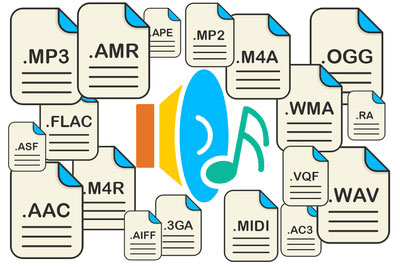
  • FLAC (Free Lossless Audio Codec)
  • ALAC (Apple Lossless Audio Codec)
  • WAV (Waveform Audio File Format)
  • APE (Monkey’s Audio)
  • TAK (Tom’s lossless Audio Kompressor)

Each of these codecs has unique features, but they all share the same goal of maintaining high audio quality. In an MP4 container, these codecs can be paired with video streams to create media files that combine the best of both worlds: visually stunning video with perfectly preserved audio.

The Role of MP4 Containers in Audio and Video Files

MP4 is one of the most widely used video container formats, primarily because it supports high-quality video and audio streams while maintaining relatively small file sizes. The MP4 format is versatile and can house both lossy and lossless audio codecs. It’s designed to hold video, audio, and subtitle tracks, along with metadata, all in a single file.

Why MP4 for Lossless Audio?

Many people don’t realize that MP4 containers are highly compatible with lossless audio codecs. The beauty of the MP4 container is that it allows you to store lossless audio without the file sizes becoming unmanageable. For example, when combined with a codec like FLAC, an MP4 file can hold high-fidelity audio, all while remaining relatively small compared to the same content in a WAV file. This makes it a perfect choice for streaming, archiving, and general media use.

Benefits of Using Lossless Audio Codecs in MP4 Containers

Integrating lossless audio codecs into MP4 containers offers numerous advantages, especially for people who want high-quality audio and video in a single, portable file.

High-Quality Audio Without Compromise

The key benefit of using lossless codecs in MP4 files is the ability to enjoy perfectly preserved audio. When you play a FLAC or ALAC file in an MP4 container, you’re hearing every detail of the original sound—every subtle instrument note or vocal inflection is there, untouched. Whether you’re listening to a classical symphony or the latest rock album, lossless audio in MP4 ensures that your music is as close as possible to the artist’s original vision.

Efficient Compression and Storage

MP4 containers are known for their efficiency. When combined with a lossless audio codec, they offer a perfect balance between size and quality. Unlike WAV or PCM files, which can be enormous, FLAC and ALAC files in MP4 containers offer excellent compression, reducing file sizes by 30-60% while retaining all the audio details. This is especially important if you’re archiving large music collections or need to store multiple hours of high-quality audio and video in a single file.

Compatibility Across Devices

Another reason to use lossless audio codecs within MP4 containers is their broad compatibility. Whether you’re listening on a smartphone, a desktop, or a home theater system, MP4 containers with lossless audio codecs are supported by most devices and software. Unlike other formats that may require specific players or software to decode, MP4 is universally accepted, making it incredibly convenient for everyday use.

Popular Lossless Audio Codecs in MP4 Containers

There are a few lossless audio codecs that stand out when it comes to being used in MP4 containers. Let’s explore some of the most popular options available today.

FLAC (Free Lossless Audio Codec)

FLAC is the most widely used lossless audio codec. It’s open-source, meaning anyone can use it, and it offers high-quality compression without any loss of audio fidelity. When used in an MP4 container, FLAC can drastically reduce file size while keeping all of the audio detail intact. Whether you’re listening to music on a smartphone or streaming video with high-fidelity sound, FLAC in MP4 ensures that the audio remains pristine.

ALAC (Apple Lossless Audio Codec)

For those deeply embedded in the Apple ecosystem, ALAC offers another great option. ALAC works similarly to FLAC in that it compresses audio without any loss of data, but it’s optimized for use with Apple devices. When integrated into an MP4 container, ALAC maintains high-quality audio while providing excellent compatibility with iPhones, iPads, and Macs. If you’re an Apple user and want lossless audio in an MP4 container, ALAC is a top choice.

WAV (Waveform Audio File Format)

While not technically a codec, WAV is a raw audio format that can be used in MP4 containers. WAV files are uncompressed, meaning they take up more space, but the audio quality is often unrivaled. However, for most users, FLAC or ALAC is preferable due to their more efficient compression rates. WAV is typically used for professional audio production and editing, where the highest quality is essential.

APE (Monkey’s Audio)

APE is another lossless audio codec, though it’s less widely used than FLAC or ALAC. It provides a high degree of compression without sacrificing quality, but compatibility can be an issue on certain devices. Still, when paired with an MP4 container, APE can offer high-quality audio in a smaller file size than raw WAV files.

TAK (Tom’s lossless Audio Kompressor)

TAK is a relatively niche codec that provides some of the highest compression ratios among lossless codecs. However, it’s not as universally supported as FLAC or ALAC, and it may require specific software to decode. Despite this, it’s worth considering for those who want the smallest possible file sizes without sacrificing quality.

Why You Should Use Lossless Audio Codecs in MP4 Containers

There are several reasons why lossless audio in MP4 containers is a good idea, and why you should consider it for your audio and video projects. Let’s take a look at the most significant benefits.

Perfect for Audiophiles and Professionals

As an audiophile, I can’t stress enough how important it is to preserve the full range of sound. Whether you’re mixing music, editing soundtracks, or just enjoying your favorite album, lossless audio ensures that no detail is lost in the compression process. MP4 containers provide an excellent balance between high-quality audio and manageable file sizes, making them the perfect choice for storing and sharing your audio collection.

Convenience and Flexibility

MP4 is incredibly versatile. Not only can you store high-quality audio, but you can also pair it with high-definition video. This makes MP4 containers an excellent choice for projects that require both elements, like music videos, concert recordings, or multimedia presentations. The ability to store both in one file means that you don’t need to worry about syncing audio and video separately.

Latest Words on Lossless Audio Codecs in MP4 Containers

Lossless audio codecs in MP4 containers offer a powerful combination of high-quality audio and efficient compression. Whether you’re a professional audio engineer, an audiophile, or just someone who wants the best possible sound in their media collection, MP4 containers provide an excellent option for storing and enjoying lossless audio. By using codecs like FLAC, ALAC, and others, you can enjoy perfect sound without the headache of unmanageable file sizes. For those looking for a seamless experience across multiple devices, MP4 containers are the way to go.

Frequently Asked Questions about Lossless Audio Codecs in MP4 Containers

What is a lossless audio codec?

A lossless audio codec preserves the original quality of the sound without any compression that degrades the audio. Popular examples include FLAC (Free Lossless Audio Codec) and ALAC (Apple Lossless Audio Codec). Unlike lossy formats like MP3, these codecs maintain every detail of the original sound, ensuring high-quality playback even after encoding.

Why should I use a lossless codec in an MP4 container?

MP4 containers are versatile, supporting both video and audio content. Using a lossless audio codec like FLAC or ALAC inside an MP4 container allows you to store high-quality, uncompressed audio alongside video files. This provides better audio fidelity while taking advantage of MP4’s efficient container format, which is widely supported across devices.

What is the difference between FLAC and ALAC in MP4 containers?

FLAC is a popular lossless audio codec for non-Apple devices, offering a high compression rate with excellent sound quality. ALAC, on the other hand, is designed for Apple devices, providing seamless compatibility with iTunes, iPhones, and other Apple products. Both codecs are great options for lossless audio, but your choice will depend on the devices you use.

Can I use WAV files in MP4 containers?

While WAV files are often used for lossless audio, they are quite large compared to FLAC or ALAC. Although it’s technically possible to store WAV files in MP4 containers, it’s not the most efficient choice. FLAC and ALAC provide better compression, saving space without sacrificing quality, making them ideal for use within MP4 containers.

What are the advantages of using lossless audio in MP4 over other file formats?

  • Space-efficient: Lossless audio codecs like FLAC and ALAC allow you to maintain high-quality sound while reducing file size, compared to uncompressed formats like WAV.
  • Compatibility: MP4 is widely supported across various platforms and devices, making it easy to share and play your high-quality audio files anywhere.
  • Versatility: MP4 containers allow you to combine both audio and video content, so you can store entire media projects in a single, convenient file.

Can I use MP4 containers for audio-only files?

Yes! MP4 containers aren’t limited to video content. They can store audio-only files with any supported codec, including lossless formats like FLAC and ALAC. This allows you to enjoy the high-quality audio in a compact, widely compatible file format.

What is the best lossless audio codec for MP4 containers?

The best lossless audio codec for an MP4 container depends on your specific needs and devices. FLAC is a great choice for general use, as it provides excellent compression and sound quality. If you’re using Apple devices, ALAC is the way to go due to its seamless integration with Apple’s ecosystem.

Does using a lossless audio codec in MP4 affect playback quality?

No, using a lossless audio codec like FLAC or ALAC in an MP4 container ensures that the audio playback is as close to the original recording as possible. The container format itself does not affect the audio quality, only the codec inside it. Lossless codecs preserve every detail of the sound, resulting in the highest possible quality.

Are there any downsides to using lossless audio codecs in MP4 containers?

The main downside is the larger file size compared to lossy codecs like MP3. However, this is a trade-off for the superior audio quality that lossless codecs provide. If storage space is a concern, you may need to consider the balance between file size and audio quality when choosing a codec.

Comments:

I had no idea that MP4 containers could handle lossless audio like FLAC! This really opened my eyes to how much more I can do with my music library. Definitely going to try this out with my videos too. – MikeTheAudioLover

I’ve been using ALAC with MP4 for years and it’s the best combination for Apple users. But I never knew about TAK. Might check that out. – SaraVibes

Great article! I didn’t realize how much I was losing in terms of sound quality with MP3s. FLAC in MP4 sounds way better. Thanks for the info! – AudiophileGeek

Can someone explain why FLAC is better than WAV for

audio quality in an MP4? I thought WAV was the best, but I see now that FLAC is more efficient. – SoundWaveFan

Great explanation on how lossless audio works in MP4 containers! This is something I’ve been wondering about for a while. It’s much easier to manage FLAC or ALAC in MP4 than raw WAV files. – AudioLover22

I’ve been using WAV for my audio projects for years, but I’m going to try using FLAC with MP4 for better compression. Curious to see how it compares! – TechyGuy01

Very informative! I never realized how versatile MP4 containers are. I always assumed they were just for video. Going to start experimenting with lossless audio in my MP4 videos. – SoundExplorer

I’m new to lossless audio, but now I’m looking to convert my MP3 collection to FLAC in MP4 containers. Any tips on the best tools to do that? – NewbieAudioFan

It’s nice to see a detailed comparison of FLAC, ALAC, and WAV. I’m using FLAC for my personal music library, but I wasn’t aware of ALAC’s benefits for Apple users. Good to know. – JohnDoeAudio

Just wanted to say thanks for breaking down the advantages of MP4 containers for audio. I was skeptical about the whole thing, but I’m convinced. – SmoothBeats

Does anyone have experience with TAK codec? I read about it here, but it seems to have limited support. Would love to know if it’s worth using for high-quality audio. – SoundManiac

I’m not sure I understand the difference between FLAC and ALAC in terms of audio quality in MP4 containers. Can anyone elaborate on that? – AudioFreak77

This article made me realize how much I’ve been underusing MP4 containers. I always thought it was just for video, but now I see the potential for high-quality audio as well. – MusicMan99

FLAC in MP4 is definitely the way to go if you want to save space without compromising audio quality. I’ve been using it for a while now and love it. – DigitalSoundMaster

Audio File Size Optimization

Audio File Size Optimization


Audio File Size Optimization


Audio File Size Optimization


Audio compression techniques

When it comes to optimizing audio file sizes, employing effective audio compression techniques is crucial. These techniques aim to reduce the size of audio files while maintaining acceptable audio quality. Here are some key audio compression methods:

  1. Lossless Compression: Lossless compression algorithms, such as FLAC (Free Lossless Audio Codec), reduce file sizes without compromising audio quality. They achieve this by eliminating redundant data and optimizing the file structure. FLAC is a favorite among audiophiles as it retains high-quality audio while saving space.
  2. Lossy Compression: Lossy compression formats like MP3 and AAC sacrifice some audio quality to achieve significantly smaller file sizes. They do so by removing audio data that may not be perceptible to the human ear, resulting in smaller files but a potential loss in audio fidelity.
  3. Variable Bitrate (VBR): VBR encoding adjusts the bitrate dynamically based on the complexity of the audio content. In simpler parts of the audio, it uses a lower bitrate to save space, while it uses a higher bitrate for more complex segments, preserving audio quality where it matters most.

Reducing audio file size

Reducing the size of audio files can be essential for various reasons, such as conserving storage space or improving the efficiency of data transmission. Here are some strategies to effectively reduce audio file sizes:

  1. Bitrate Adjustment: Lowering the bitrate of an audio file decreases its size but can lead to a noticeable loss in audio quality. Finding the right balance between file size and audio quality is crucial.
  2. Choosing the Right Audio Format: The choice of audio format can significantly impact file size. Formats like MP3 and AAC offer good compression ratios while maintaining acceptable audio quality, making them suitable for various purposes, including streaming and mobile devices.
  3. Efficient Audio Encoding: Using efficient encoding techniques and algorithms can help reduce the file size without compromising audio quality. Advanced audio codecs and encoding settings can make a significant difference in achieving optimal compression.

Minimizing audio file size

Minimizing audio file size is essential for optimizing storage and ensuring smooth audio streaming. Here are some additional tips to achieve this:

  1. Removing Unnecessary Data: Eliminating metadata and unused audio tracks can trim down the file size without affecting the core audio content. This is particularly useful for audio files with extensive metadata.
  2. Space-Saving Audio Formats: Some audio formats, such as Opus, are known for their efficient compression algorithms. Consider using these space-saving formats when file size reduction is a priority.

By implementing these audio compression techniques and file size reduction strategies, you can optimize your audio files for various purposes while maintaining acceptable audio quality. Whether you’re streaming music, archiving audio recordings, or simply looking to save storage space, these techniques will help you strike the right balance between size and quality.

Final Words

Optimizing audio file sizes is a valuable skill in today’s digital age. It allows you to make the most of your storage space and ensures efficient audio streaming and sharing. Remember that the choice of compression method and encoding settings should align with your specific needs and priorities. Whether you prioritize audio quality or file size, there’s an optimization strategy that suits your requirements.

M4A Audio: Lossless vs. Hybrid Formats

M4A Audio: Lossless vs. Hybrid Formats

M4A Audio: Lossless vs. Hybrid Formats


When it comes to audio formats, M4A stands out as a popular choice among music enthusiasts. However, there is a crucial distinction within the M4A realm – lossless and hybrid formats. Understanding the difference between these formats is essential for audiophiles seeking the best possible audio experience. In this article, we delve into the depths of M4A audio and explore the nuances between its lossless and hybrid formats, shedding light on their advantages and use cases.

Lossless M4A Audio: Uncompressed Audio Fidelity

Lossless M4A, as the name suggests, preserves the original audio quality without any loss of data during compression. This means that the audio is reproduced with utmost fidelity, mirroring the exact sound as it was recorded. The technology behind lossless compression ensures that no audio information is discarded, resulting in bit-for-bit accuracy.

One of the primary advantages of lossless M4A is its ability to deliver an audiophile-grade listening experience. Whether you are a music producer or a discerning listener, lossless M4A allows you to hear every nuance, intricate detail, and subtlest tones in your favorite tracks. The files, however, tend to be larger compared to other audio formats, as they retain all the data from the original source.

“Lossless M4A is a haven for true audiophiles, presenting music in its purest form, untouched by compression artifacts.” – The Audiophile’s Guide to High-Resolution Audio

Hybrid M4A Audio: Striking a Balance Between Quality and Size

Hybrid M4A, on the other hand, combines elements of both lossless and lossy audio formats, aiming to strike a balance between audio quality and file size. In this format, certain audio data is discarded during compression, resulting in a smaller file size compared to lossless M4A. However, the compression is cleverly designed to retain critical audio information, ensuring a notable reduction in file size without significant loss of quality.

This hybrid approach makes M4A audio files highly versatile and practical, especially for everyday listening and storage on portable devices with limited storage capacities. While the audio quality is not on par with lossless M4A, the difference is often subtle and may go unnoticed by most listeners. For those seeking an enjoyable audio experience without consuming excessive storage space, hybrid M4A proves to be an excellent choice.

“Hybrid M4A strikes a perfect balance, preserving audio quality while optimizing storage requirements, catering to a broader audience of music enthusiasts.” – The Art of Digital Audio Compression

Use Cases and Applications

The choice between lossless and hybrid M4A formats largely depends on individual preferences and specific use cases. Let’s explore some common scenarios where each format shines:

Lossless M4A:

– Music Production: Lossless M4A is favored by music producers and audio engineers during the recording, editing, and mixing stages, as it provides the most accurate representation of the original sound.

– Audiophile Listening: For those with high-end audio equipment and a passion for sonic perfection, lossless M4A offers an unparalleled listening experience.

– Archiving Master Recordings: When preserving master recordings for archival purposes, lossless M4A ensures no loss of audio data over time.

Hybrid M4A:

– Personal Music Libraries: Hybrid M4A is an ideal choice for building personal music collections, as it strikes a balance between quality and file size, making it easy to store and manage.

– Online Music Streaming: Many music streaming platforms utilize hybrid M4A to deliver high-quality audio efficiently, providing users with a seamless streaming experience.

– Portable Devices: For users with limited storage on their smartphones, tablets, or music players, hybrid M4A is a space-saving option, allowing them to carry more music on the go.

“The versatility of M4A formats caters to diverse needs, empowering users to make the right choice for their specific audio requirements.” – Audio Formats for the Modern Listener

Final Words

As the world of digital audio continues to evolve, the distinction between lossless and hybrid M4A formats becomes increasingly relevant. Audiophiles and casual listeners alike must weigh the benefits and trade-offs of each format to make informed decisions about their music library. Whether you prioritize uncompromising audio quality or seek a practical solution for everyday listening, the M4A format, in its lossless and hybrid forms, remains a reliable and widely supported choice for the modern era of digital music.

The Advantages of Lossless Audio Formats: FLAC and ALAC

The Advantages of Lossless Audio Formats: FLAC and ALAC

FLAC and ALAC
FLAC and ALAC
FLAC and ALAC
FLAC and ALAC

As an expert in audio optimization, I am always on the lookout for formats that deliver exceptional sound quality without compromising on file size. In this article, I will delve into the world of lossless audio formats, with a specific focus on two popular options: FLAC and ALAC. These formats have gained significant popularity among audiophiles and music enthusiasts for their ability to preserve the original audio quality while offering efficient compression. Join me as we explore the advantages of these lossless audio formats and why they should be your top choice.

Superior Sound Quality

When it comes to lossless audio formats, the primary concern is maintaining the utmost sound quality. FLAC and ALAC excel in this regard, as they employ compression algorithms that preserve every detail of the original audio recording. Whether it’s the rich harmonies of a symphony orchestra or the subtle nuances in a vocalist’s performance, these formats ensure an immersive and authentic listening experience. With FLAC and ALAC, you can indulge in music the way it was intended to be heard, without any compromise on audio fidelity.

Efficient Compression

Efficient compression is another remarkable advantage of lossless audio formats like FLAC and ALAC. These formats utilize sophisticated compression techniques that significantly reduce file sizes while retaining all the audio data. This means you can store more music on your devices without sacrificing quality or resorting to lower-bitrate alternatives. Whether you have a vast music library or limited storage space, FLAC and ALAC offer a practical solution to keep your favorite tracks accessible at all times.

Wide Compatibility

One of the key considerations when choosing an audio format is its compatibility with different devices and platforms. FLAC and ALAC have gained widespread support across various software and hardware ecosystems. Many popular media players, portable devices, and operating systems are compatible with these formats, ensuring seamless playback without the need for additional conversions or transcoding. Whether you’re using a Mac, Windows, or mobile device, FLAC and ALAC guarantee a hassle-free listening experience.

Versatility and Metadata Support

Versatility is an essential aspect of lossless audio formats, and FLAC and ALAC don’t disappoint. Apart from delivering exceptional audio quality, these formats also support a range of metadata. You can embed album art, track information, lyrics, and other relevant details within the audio files themselves. This ensures that your music collection remains organized and easily searchable across different platforms and media players. With FLAC and ALAC, it’s not just about the audio; it’s about creating a comprehensive and immersive musical experience.

Archival and Future-Proofing

For audiophiles and music collectors, archival is a crucial consideration. FLAC and ALAC are ideal for archiving purposes as they provide a reliable and future-proof solution. By choosing these formats, you can preserve your music collection in its original quality for years to come, ensuring that your favorite albums and tracks withstand the test of time. Moreover, since FLAC and ALAC have gained widespread acceptance, it’s highly likely that they will continue to be supported by future audio systems and technologies.

Smooth Integration with Existing Libraries

If you already have an extensive collection of audio files in other formats, the transition to FLAC or ALAC can be seamless. Both formats support transcoding, allowing you to convert your existing audio files into lossless formats without any loss of quality. This ensures that you can integrate FLAC and ALAC files seamlessly with your existing music library, avoiding any disruptions in your listening experience. With their wide compatibility and transcoding capabilities, FLAC and ALAC offer a convenient pathway to upgrade your audio collection.

Community and Support

FLAC and ALAC have garnered a passionate and dedicated community of supporters, comprising audio enthusiasts, music professionals, and developers. This active community ensures ongoing support, updates, and development for the formats, assuring users that they are investing in a long-term and reliable audio solution. Whether you seek advice, troubleshooting, or simply want to connect with like-minded individuals, the FLAC and ALAC community is always there to assist and share their expertise.

Streaming and Online Distribution

With the rise of music streaming platforms and online distribution, the demand for lossless audio formats has also increased. Many streaming services and online stores now offer FLAC as a preferred option for audiophiles, ensuring that you can enjoy your favorite music in its original quality, streamed directly to your devices. This development not only reinforces the advantages of lossless formats but also opens up new avenues for artists, allowing them to deliver their music to fans with uncompromised fidelity.

Preservation of Music History

Lossless audio formats like FLAC and ALAC play a crucial role in the preservation of music history. They allow us to digitize and archive classic recordings, ensuring that future generations can enjoy the same musical experiences as previous ones. By opting for FLAC and ALAC, you contribute to the preservation of cultural heritage and ensure that the legacy of iconic musicians and compositions lives on.

Audiophile-Grade Experience

Lastly, but certainly not least, FLAC and ALAC offer an unparalleled audiophile-grade experience. These formats cater to the discerning ears of audiophiles who crave the utmost audio quality. Whether you’re using high-end headphones, a dedicated audio setup, or a premium sound system, FLAC and ALAC provide the fidelity and richness necessary to truly appreciate the intricacies of the music. With their lossless nature and superior sound reproduction, these formats elevate your listening experience to new heights.

In conclusion, FLAC and ALAC stand out as the go-to choices for anyone seeking lossless audio formats. With their superior sound quality, efficient compression, wide compatibility, and versatile features, they offer an unmatched audio experience. Whether you’re an audiophile, music collector, or simply someone who values exceptional sound, FLAC and ALAC provide the perfect combination of fidelity and convenience. Embrace the advantages of lossless audio formats and let your music shine in its full glory.

Everything You Need to Know About Audio Quality

Everything You Need to Know About Audio Quality

Audio Quality
Audio Quality
Audio Quality
Audio Quality

Audio Quality Explained

As an audio enthusiast, I understand how crucial audio quality is for enjoying music or movies. In simple terms, audio quality refers to how good the sound is. But what makes a sound “good”? It’s a combination of factors like bit rate, sample rate, dynamic range, and compression.
In digital audio, bit rate refers to the number of bits of data that are processed per second. The higher the bit rate, the more information is transmitted, resulting in better sound quality. Sample rate, on the other hand, refers to the number of samples per second. A higher sample rate means more data is being captured, leading to a more accurate representation of sound.

When it comes to audio compression, there are two types: lossless and lossy. Lossless compression reduces file size without losing any audio quality, while lossy compression sacrifices some audio quality to achieve smaller file sizes.

“Audio quality is not just about the equipment you use, but also about how the audio is recorded and produced,” as Ken Pohlmann states in his book “Principles of Digital Audio”. It’s essential to consider the recording and mixing process to ensure high-quality audio output.

Analog vs Digital Audio

Analog audio refers to sound that is recorded and transmitted as an electrical signal. It’s been around for decades and is still used in some recording studios today. However, digital audio has taken over in recent years, as it’s more accurate and offers better sound quality.
Digital audio uses a binary code to represent sound, which is then converted back into an analog signal for playback. This process results in a more accurate representation of sound, and the digital format makes it easier to edit and manipulate audio.

As filmmaker George Lucas once said, “sound is 50% of the movie experience.” The switch from analog to digital audio has allowed for more immersive and realistic audio in movies and music.

Dynamic Range and Equalization

Dynamic range refers to the difference between the loudest and softest parts of an audio recording. It’s an essential aspect of audio quality, as a higher dynamic range means a more natural and realistic sound. However, too much dynamic range can cause distortion or clipping, so it’s crucial to find the right balance.
Equalization, or EQ, is the process of adjusting the balance between different frequencies in an audio recording. It’s used to enhance certain aspects of the sound, such as boosting the bass or adding clarity to the vocals. However, overuse of EQ can lead to unnatural or distorted audio.

As composer Hans Zimmer once said, “the music is never the problem, the music is the solution.” By understanding dynamic range and equalization, you can achieve the perfect sound for your music or movie.

Lossless vs Lossy Audio Compression

As mentioned earlier, lossless compression retains all the original audio quality while reducing file size. Lossy compression, on the other hand, sacrifices some audio quality to achieve smaller file sizes.
When it comes to music, many audiophiles prefer lossless formats like FLAC or ALAC, as they offer the best possible sound quality. However, these formats result in larger file sizes, which can be inconvenient for some users. Lossy formats like MP3 and AAC are more widely used, as they provide good sound quality while keeping file sizes small.

As filmmaker Quentin Tarantino once said, “When you’re watching a movie, you’re watching over the filmmaker’s shoulder.” The quality of the audio and video can greatly affect the overall viewing experience of a film. In this article, we’ll explore everything you need to know about audio quality, including bit rate, sample rate, and other related topics.

What is Audio Quality?

Audio quality refers to the overall fidelity, clarity, and richness of the sound in a recording. In other words, it’s how well the sound reproduces the original performance or source material. A high-quality audio recording will accurately capture the nuances of the original performance, while a low-quality recording will distort or lose some of these details.

Why is Audio Quality Important?

Audio quality is important because it directly affects the overall experience of listening to music or watching a film. Poor audio quality can distract from the content of the recording and make it difficult to understand what’s being said or played. In contrast, high-quality audio can make the recording more engaging and enjoyable to listen to.

As musician Brian Eno once said, “The quality of the sound is essential to the success of the music.” The same can be said for any audio recording, whether it’s a song, a podcast, or a movie soundtrack.

Understanding Bit Rate and Sample Rate

Two key factors that determine the quality of digital audio recordings are bit rate and sample rate. Bit rate refers to the amount of data used to represent each second of audio, while sample rate refers to the number of times per second that the audio is measured and recorded.

In general, higher bit rates and sample rates result in higher-quality audio recordings. For example, a CD-quality audio recording has a bit rate of 1,411 kbps and a sample rate of 44.1 kHz, while an MP3 file typically has a bit rate of 128 kbps and a sample rate of 44.1 kHz or lower.

Other Factors Affecting Audio Quality

In addition to bit rate and sample rate, there are other factors that can affect the quality of digital audio recordings. For example, the type of compression used can have a significant impact on the overall sound quality. Lossless compression algorithms, which preserve all of the original audio data, generally result in higher-quality recordings than lossy compression algorithms, which discard some of the original data to achieve higher levels of compression.

Other factors that can affect audio quality include the type of microphone or recording equipment used, the acoustics of the recording space, and the mixing and mastering process.

Conclusion: Why Audio Quality Matters

In conclusion, audio quality is a critical factor in any recording, whether it’s a song, a podcast, or a movie soundtrack. Understanding bit rate, sample rate, and other related topics can help you make informed decisions about how to record, edit, and distribute your audio content. By paying attention to audio quality, you can ensure that your recordings are engaging, enjoyable, and of the highest possible quality.

Why Audio Quality Matters: A Comprehensive Guide

Why Audio Quality Matters: A Comprehensive Guide

Audio Quality
Audio Quality

When it comes to creating video content, audio quality is often overlooked. Many content creators focus solely on the visuals and neglect the importance of high-quality audio. However, audio quality is just as important as video quality when it comes to creating engaging content. In this comprehensive guide, we’ll explore the importance of audio quality, the factors that affect it, and how to improve it to keep your viewers engaged and satisfied.

1. Defining Audio Quality

Before we dive into the specifics of audio quality, it’s important to define what we mean by “audio quality.” Audio quality refers to the clarity, richness, and overall sound of the audio content. This includes factors such as volume, tone, and background noise. The higher the quality of the audio, the more enjoyable the listening experience for the audience.

2. The Importance of Audio Quality

2.1 Improving User Experience

High-quality audio is crucial for a good user experience. Viewers are more likely to engage with video content that has clear and crisp audio. Poor audio quality can lead to frustration and disappointment, causing viewers to lose interest in the content.

For example, imagine watching a video with muffled or low-quality audio. You may struggle to understand what is being said, or you may become distracted by background noise. This can take away from the overall viewing experience and make it difficult to stay engaged with the content.

On the other hand, high-quality audio can enhance the viewing experience, making it more enjoyable and engaging. Clear and crisp audio can help to create a more immersive experience, drawing viewers into the content and keeping them engaged from beginning to end.

Long-tail keyword: “Why good audio is important in video content”

2.2 Impact on Perceived Video Quality

Audio quality also affects the perceived quality of the video content. If the audio quality is poor, viewers may assume that the overall video quality is also low. This can lead to negative perceptions of the content and discourage viewers from watching more videos from the same creator.

For example, imagine watching a high-quality video with poor audio. Even though the video quality may be excellent, the poor audio quality can make the content seem amateurish or low-budget. This can negatively impact the viewer’s perception of the content and the creator.

On the other hand, high-quality audio can enhance the perceived quality of the video content, making it seem more professional and engaging. When the audio quality matches the video quality, viewers are more likely to perceive the content as high-quality and engaging.

Long-tail keyword: “The effects of poor audio quality on viewer engagement”

2.3 Impact on Viewer Engagement

In addition to affecting the perceived quality of video content, audio quality can also have a significant impact on viewer engagement. When audio quality is poor, viewers may quickly lose interest and stop watching. This can result in lower audience retention, decreased watch time, and lower engagement rates.

Conversely, high-quality audio can help to keep viewers engaged and enhance the emotional impact of video content. Clear dialogue, well-balanced music and sound effects, and a lack of distracting background noise can all contribute to a more engaging and immersive experience for the viewer.

Studies have shown that high-quality audio can have a direct impact on viewer engagement and audience retention. For example, a study conducted by Dolby Laboratories found that viewers were more likely to remember and engage with content that featured high-quality audio. The study also found that viewers were more likely to share content that had good audio quality, indicating that high-quality audio can also have a positive impact on social sharing and virality.

2.4 Sound Design and Audio Quality

Sound design is an important aspect of audio quality in video content. It involves the use of music, sound effects, and other audio elements to enhance the emotional impact of video content and create a more immersive viewing experience. Effective sound design can help to establish the mood and tone of a video, convey important information, and create a sense of continuity between different scenes.

Music is a particularly important element of sound design, as it can evoke specific emotions and create a memorable experience for the viewer. For example, a fast-paced, upbeat soundtrack can create a sense of excitement and energy, while a slow, melancholy melody can convey a sense of sadness or reflection.

Sound effects are another important aspect of sound design, as they can help to create a more immersive and realistic viewing experience. For example, the sound of footsteps, doors opening and closing, and other ambient noises can help to create a sense of presence and realism in a video.

2.4.1 Music and Audio Quality

When it comes to music in video content, it’s important to use high-quality recordings that are well-mixed and balanced. Poorly-mixed music can be distracting and detract from the overall quality of the video, while well-mixed music can create a more immersive and engaging experience.

In addition to the quality of the recording, it’s also important to consider the musical style and genre. The music should complement the tone and mood of the video, and should be appropriate for the target audience. For example, a video aimed at children might feature bright, cheerful music, while a video aimed at adults might feature more mature or sophisticated music.

2.4.2 Sound Effects and Audio Quality

Like music, sound effects should be of high quality and well-mixed to ensure that they don’t detract from the overall quality of the video. When choosing sound effects, it’s important to consider their appropriateness for the scene and the emotional impact that they will have on the viewer.

For example, a video that features a dramatic car chase scene might use sound effects such as screeching tires, engine revving, and crashes to create a sense of excitement and danger. In contrast, a video that features a quiet, introspective moment might use sound effects such as birds chirping, leaves rustling, or a soft breeze to create a more peaceful and reflective atmosphere.

3. Conclusion

In conclusion, high-quality audio is a crucial element in producing engaging and impactful video content. Investing in the right equipment, such as a high-quality microphone, and optimizing the recording environment can greatly improve the overall audio quality.

Not only does good audio quality impact the perceived quality of the video, but it also plays a significant role in audience engagement and retention. Poor audio quality can result in viewer frustration and disinterest, ultimately impacting the success of the content.

By understanding the importance of audio quality and taking steps to optimize it, content creators can create a better experience for their viewers and increase the overall impact of their content. Additionally, sound design and music can further enhance the quality of the audio and create a more immersive and emotional experience for the audience.

It’s important to remember that good audio quality is not just important for video content, but it also plays a crucial role in other contexts such as in education, entertainment, and advertising. The use of audio has evolved over time, and platforms have adapted to the preferences of users.

Overall, by recognizing the impact of high-quality audio and taking steps to improve it, content creators can enhance the experience of their audience and increase the success of their content.

Note 1: Types of Microphones

There are several types of microphones that content creators can choose from to achieve high-quality audio. Understanding the differences between each type can help creators make an informed decision about which microphone is best for their needs:

1. Dynamic Microphones

Dynamic microphones are the most durable and versatile type of microphone. They are ideal for recording vocals and instruments with a high sound pressure level, such as drums and electric guitars. They are also less sensitive to background noise, making them a good choice for recording in noisy environments.

2. Condenser Microphones

Condenser microphones are known for their high sensitivity and clear sound quality. They are ideal for capturing the nuances of acoustic instruments and vocals, making them a popular choice for recording studios and podcasting. However, they are more delicate than dynamic microphones and require phantom power to operate, which may not be available on all recording devices.

3. Ribbon Microphones

Ribbon microphones are a specialized type of dynamic microphone that use a thin strip Hf metal suspended in a magnetic field to capture sound. They are known for their warm and natural sound quality, making them a popular choice for recording vocals and acoustic instruments, such as guitars and strings.

When choosing a microphone, it’s important to consider the specific needs of the recording environment and the type of content being produced. With the right microphone and proper techniques, creators can achieve high-quality audio that enhances the overall user experience.

How Noise Reduction Software Works

How Noise Reduction Software Works: Noise reduction software is a type of audio processing tool that analyzes an audio signal and removes unwanted noise or interference. It works by detecting patterns in the noise that are different from the patterns in the desired audio signal, and then subtracting those patterns from the overall signal.

One common approach is to use a technique called spectral subtraction, which works by taking a short-term Fourier transform of the audio signal to identify the frequency spectrum of the noise. The software can then create a filter that selectively removes those frequencies from the signal, leaving the desired audio intact.

Another approach is to use machine learning algorithms to train the software to recognize different types of noise and automatically remove them. This can be particularly effective for complex or variable noise sources, such as the sound of traffic or wind.

While noise reduction software can be effective, it’s important to note that it’s not a silver bullet. Some types of noise may be difficult or impossible to remove without degrading the quality of the desired audio signal.

Nota 3: Understanding Decibels

Understanding Decibels: Decibels are a unit of measurement that is used to express the intensity of a sound. The decibel scale is logarithmic, which means that a small change in decibel level represents a large change in actual sound intensity.

The threshold of human hearing is generally considered to be around 0 decibels, while the threshold of pain is around 120 decibels. Common sounds like conversation or music may be around 60-70 decibels, while a rock concert or chainsaw can easily exceed 100 decibels.

The reason for the logarithmic scale is that the human ear is not equally sensitive to all frequencies of sound. By using a logarithmic scale, we can better represent the way that the human ear perceives changes in sound intensity across different frequency ranges.

It’s important to be aware of the decibel levels in your environment, as exposure to loud sounds over time can cause permanent hearing damage. This is particularly important for people who work in loud environments, such as construction or music production.

What is the difference between standard sound quality, high definition sound quality and lossless sound quality?

What is the difference between standard sound quality, high definition sound quality and lossless sound quality?

Lossless Audio
Lossless Audio

Standard sound quality: 128 kbps (bit rate)

Lossless Audio
Lossless Audio


HD sound quality: 320kbps

Lossless sound quality: 1411 kbps (below CD sample rate)

The first two are what we always call mp3, and the lossless music formats are mostly wave, flac, aiff, etc.

1. Size difference: 1 3 minute pop song, about 3mb for 128k, about 7.5mb for 320k, and about 30mb for lossless. (The standard sample rate is 44100 Hz, which is the same as a CD; many songs are recorded with a sample rate of 192 kHz, 96 kHz, which will be reduced to a standard 44100 Hz, 16-bit in the final mastering process )

2. Difference in sound quality: the high-frequency part of lossy music will be weakened, and listening to good monitoring headphones will feel the sense of space is reduced, in fact, the so-called music compression is to compress its bass -frequency and high frequency, so the compressed The frequency response range of music is not as wide as lossless.

Some also have popping noises. Use a professional sound card to listen to a song, well-made lossless music, the sound card will not jump red, but listen to mp3, the sound card will jump red, although it is not explosive.

Audio files can be divided into two types:

With losses and without losses.

If a song is recorded and played without compression, the hard drive space occupied by multiple songs is equivalent to a movie.

Why bother?

So the vast majority of the audio we hear is compressed.

Compression is further divided into lossless compression and lossy compression.

The so-called lossless compression is equivalent to,

A very long book

So we replaced the long and repeated names of people and places in the book with symbols,

The book is then marked with the names of people or places represented by all these symbols.

Wouldn’t this be shorter?

But even though it was hard to read, the content was not missing at all.

This is “lossless”.

The so-called lossy compression is equivalent to,

A very long book

So we use the lossless method above to compress first,

Then remove those modifiers that are not very important directly,

Even some wordy plots have been removed.

Of course, this compression is more effective.

But it would also leave the book incomplete.

This is “lossy”.

I just make a very intuitive example for your understanding.

Of course, this statement is not very professional.

And what you said about SD and HD,

It is the level of lossy compression.

The difference between SD and HD is like:

A book has just removed the description of the appearance of the passerby.

Another book directly removed the bystander’s irrelevant plot.

What would you say is the difference between the two books?

You can try to buy a good pair of headphones,

Then download HD and SD of the same song,

Compare and listen.

The difference is still quite obvious.

The difference between HD and lossless is more difficult to distinguish.

Maybe my ears aren’t sharp enough

I can’t tell the difference between 320kbps and lossless mp3 audio.

Therefore, it is recommended that the theme owner download the HD version.

The general audio website high definition refers to the 320 kbps mp3 format.