Lossless Audio Codecs in MP4 Containers


Free Download Mp4Gain
picture

Lossless Audio Codecs in MP4 Containers
Lossless Audio Codecs in MP4 Containers

Let’s talk about Lossless Audio Codecs in MP4 Containers

When it comes to preserving the highest quality audio in a compact format, lossless audio codecs in MP4 containers offer an ideal solution. As an audio enthusiast and specialist, I’ve worked with these formats extensively, and I can tell you that they offer a unique combination of compression without sacrificing any of the original audio quality. In this article, I will break down the most popular lossless audio codecs, their benefits, and how they integrate into the MP4 container to enhance both music and video experiences.

What Are Lossless Audio Codecs?

Lossless audio codecs are types of audio compression algorithms that preserve the original sound quality without any data loss. Unlike lossy formats like MP3 or AAC, which sacrifice some of the audio quality to reduce file size, lossless codecs ensure that every nuance and detail of the audio is preserved. This makes them the preferred choice for audiophiles, audio professionals, and anyone who values perfect audio fidelity.

Common Lossless Audio Codecs

  • FLAC (Free Lossless Audio Codec)
  • ALAC (Apple Lossless Audio Codec)
  • WAV (Waveform Audio File Format)
  • APE (Monkey’s Audio)
  • TAK (Tom’s lossless Audio Kompressor)

Each of these codecs has unique features, but they all share the same goal of maintaining high audio quality. In an MP4 container, these codecs can be paired with video streams to create media files that combine the best of both worlds: visually stunning video with perfectly preserved audio.

The Role of MP4 Containers in Audio and Video Files

MP4 is one of the most widely used video container formats, primarily because it supports high-quality video and audio streams while maintaining relatively small file sizes. The MP4 format is versatile and can house both lossy and lossless audio codecs. It’s designed to hold video, audio, and subtitle tracks, along with metadata, all in a single file.

Why MP4 for Lossless Audio?

Many people don’t realize that MP4 containers are highly compatible with lossless audio codecs. The beauty of the MP4 container is that it allows you to store lossless audio without the file sizes becoming unmanageable. For example, when combined with a codec like FLAC, an MP4 file can hold high-fidelity audio, all while remaining relatively small compared to the same content in a WAV file. This makes it a perfect choice for streaming, archiving, and general media use.

Benefits of Using Lossless Audio Codecs in MP4 Containers

Integrating lossless audio codecs into MP4 containers offers numerous advantages, especially for people who want high-quality audio and video in a single, portable file.

High-Quality Audio Without Compromise

The key benefit of using lossless codecs in MP4 files is the ability to enjoy perfectly preserved audio. When you play a FLAC or ALAC file in an MP4 container, you’re hearing every detail of the original sound—every subtle instrument note or vocal inflection is there, untouched. Whether you’re listening to a classical symphony or the latest rock album, lossless audio in MP4 ensures that your music is as close as possible to the artist’s original vision.

Efficient Compression and Storage

MP4 containers are known for their efficiency. When combined with a lossless audio codec, they offer a perfect balance between size and quality. Unlike WAV or PCM files, which can be enormous, FLAC and ALAC files in MP4 containers offer excellent compression, reducing file sizes by 30-60% while retaining all the audio details. This is especially important if you’re archiving large music collections or need to store multiple hours of high-quality audio and video in a single file.

Compatibility Across Devices

Another reason to use lossless audio codecs within MP4 containers is their broad compatibility. Whether you’re listening on a smartphone, a desktop, or a home theater system, MP4 containers with lossless audio codecs are supported by most devices and software. Unlike other formats that may require specific players or software to decode, MP4 is universally accepted, making it incredibly convenient for everyday use.

Popular Lossless Audio Codecs in MP4 Containers

There are a few lossless audio codecs that stand out when it comes to being used in MP4 containers. Let’s explore some of the most popular options available today.

FLAC (Free Lossless Audio Codec)

FLAC is the most widely used lossless audio codec. It’s open-source, meaning anyone can use it, and it offers high-quality compression without any loss of audio fidelity. When used in an MP4 container, FLAC can drastically reduce file size while keeping all of the audio detail intact. Whether you’re listening to music on a smartphone or streaming video with high-fidelity sound, FLAC in MP4 ensures that the audio remains pristine.

ALAC (Apple Lossless Audio Codec)

For those deeply embedded in the Apple ecosystem, ALAC offers another great option. ALAC works similarly to FLAC in that it compresses audio without any loss of data, but it’s optimized for use with Apple devices. When integrated into an MP4 container, ALAC maintains high-quality audio while providing excellent compatibility with iPhones, iPads, and Macs. If you’re an Apple user and want lossless audio in an MP4 container, ALAC is a top choice.

WAV (Waveform Audio File Format)

While not technically a codec, WAV is a raw audio format that can be used in MP4 containers. WAV files are uncompressed, meaning they take up more space, but the audio quality is often unrivaled. However, for most users, FLAC or ALAC is preferable due to their more efficient compression rates. WAV is typically used for professional audio production and editing, where the highest quality is essential.

APE (Monkey’s Audio)

APE is another lossless audio codec, though it’s less widely used than FLAC or ALAC. It provides a high degree of compression without sacrificing quality, but compatibility can be an issue on certain devices. Still, when paired with an MP4 container, APE can offer high-quality audio in a smaller file size than raw WAV files.

TAK (Tom’s lossless Audio Kompressor)

TAK is a relatively niche codec that provides some of the highest compression ratios among lossless codecs. However, it’s not as universally supported as FLAC or ALAC, and it may require specific software to decode. Despite this, it’s worth considering for those who want the smallest possible file sizes without sacrificing quality.

Why You Should Use Lossless Audio Codecs in MP4 Containers

There are several reasons why lossless audio in MP4 containers is a good idea, and why you should consider it for your audio and video projects. Let’s take a look at the most significant benefits.

Perfect for Audiophiles and Professionals

As an audiophile, I can’t stress enough how important it is to preserve the full range of sound. Whether you’re mixing music, editing soundtracks, or just enjoying your favorite album, lossless audio ensures that no detail is lost in the compression process. MP4 containers provide an excellent balance between high-quality audio and manageable file sizes, making them the perfect choice for storing and sharing your audio collection.

Convenience and Flexibility

MP4 is incredibly versatile. Not only can you store high-quality audio, but you can also pair it with high-definition video. This makes MP4 containers an excellent choice for projects that require both elements, like music videos, concert recordings, or multimedia presentations. The ability to store both in one file means that you don’t need to worry about syncing audio and video separately.

Latest Words on Lossless Audio Codecs in MP4 Containers

Lossless audio codecs in MP4 containers offer a powerful combination of high-quality audio and efficient compression. Whether you’re a professional audio engineer, an audiophile, or just someone who wants the best possible sound in their media collection, MP4 containers provide an excellent option for storing and enjoying lossless audio. By using codecs like FLAC, ALAC, and others, you can enjoy perfect sound without the headache of unmanageable file sizes. For those looking for a seamless experience across multiple devices, MP4 containers are the way to go.

Frequently Asked Questions about Lossless Audio Codecs in MP4 Containers

What is a lossless audio codec?

A lossless audio codec preserves the original quality of the sound without any compression that degrades the audio. Popular examples include FLAC (Free Lossless Audio Codec) and ALAC (Apple Lossless Audio Codec). Unlike lossy formats like MP3, these codecs maintain every detail of the original sound, ensuring high-quality playback even after encoding.

Why should I use a lossless codec in an MP4 container?

MP4 containers are versatile, supporting both video and audio content. Using a lossless audio codec like FLAC or ALAC inside an MP4 container allows you to store high-quality, uncompressed audio alongside video files. This provides better audio fidelity while taking advantage of MP4’s efficient container format, which is widely supported across devices.

What is the difference between FLAC and ALAC in MP4 containers?

FLAC is a popular lossless audio codec for non-Apple devices, offering a high compression rate with excellent sound quality. ALAC, on the other hand, is designed for Apple devices, providing seamless compatibility with iTunes, iPhones, and other Apple products. Both codecs are great options for lossless audio, but your choice will depend on the devices you use.

Can I use WAV files in MP4 containers?

While WAV files are often used for lossless audio, they are quite large compared to FLAC or ALAC. Although it’s technically possible to store WAV files in MP4 containers, it’s not the most efficient choice. FLAC and ALAC provide better compression, saving space without sacrificing quality, making them ideal for use within MP4 containers.

What are the advantages of using lossless audio in MP4 over other file formats?

  • Space-efficient: Lossless audio codecs like FLAC and ALAC allow you to maintain high-quality sound while reducing file size, compared to uncompressed formats like WAV.
  • Compatibility: MP4 is widely supported across various platforms and devices, making it easy to share and play your high-quality audio files anywhere.
  • Versatility: MP4 containers allow you to combine both audio and video content, so you can store entire media projects in a single, convenient file.

Can I use MP4 containers for audio-only files?

Yes! MP4 containers aren’t limited to video content. They can store audio-only files with any supported codec, including lossless formats like FLAC and ALAC. This allows you to enjoy the high-quality audio in a compact, widely compatible file format.

What is the best lossless audio codec for MP4 containers?

The best lossless audio codec for an MP4 container depends on your specific needs and devices. FLAC is a great choice for general use, as it provides excellent compression and sound quality. If you’re using Apple devices, ALAC is the way to go due to its seamless integration with Apple’s ecosystem.

Does using a lossless audio codec in MP4 affect playback quality?

No, using a lossless audio codec like FLAC or ALAC in an MP4 container ensures that the audio playback is as close to the original recording as possible. The container format itself does not affect the audio quality, only the codec inside it. Lossless codecs preserve every detail of the sound, resulting in the highest possible quality.

Are there any downsides to using lossless audio codecs in MP4 containers?

The main downside is the larger file size compared to lossy codecs like MP3. However, this is a trade-off for the superior audio quality that lossless codecs provide. If storage space is a concern, you may need to consider the balance between file size and audio quality when choosing a codec.

Comments:

I had no idea that MP4 containers could handle lossless audio like FLAC! This really opened my eyes to how much more I can do with my music library. Definitely going to try this out with my videos too. – MikeTheAudioLover

I’ve been using ALAC with MP4 for years and it’s the best combination for Apple users. But I never knew about TAK. Might check that out. – SaraVibes

Great article! I didn’t realize how much I was losing in terms of sound quality with MP3s. FLAC in MP4 sounds way better. Thanks for the info! – AudiophileGeek

Can someone explain why FLAC is better than WAV for

audio quality in an MP4? I thought WAV was the best, but I see now that FLAC is more efficient. – SoundWaveFan

Great explanation on how lossless audio works in MP4 containers! This is something I’ve been wondering about for a while. It’s much easier to manage FLAC or ALAC in MP4 than raw WAV files. – AudioLover22

I’ve been using WAV for my audio projects for years, but I’m going to try using FLAC with MP4 for better compression. Curious to see how it compares! – TechyGuy01

Very informative! I never realized how versatile MP4 containers are. I always assumed they were just for video. Going to start experimenting with lossless audio in my MP4 videos. – SoundExplorer

I’m new to lossless audio, but now I’m looking to convert my MP3 collection to FLAC in MP4 containers. Any tips on the best tools to do that? – NewbieAudioFan

It’s nice to see a detailed comparison of FLAC, ALAC, and WAV. I’m using FLAC for my personal music library, but I wasn’t aware of ALAC’s benefits for Apple users. Good to know. – JohnDoeAudio

Just wanted to say thanks for breaking down the advantages of MP4 containers for audio. I was skeptical about the whole thing, but I’m convinced. – SmoothBeats

Does anyone have experience with TAK codec? I read about it here, but it seems to have limited support. Would love to know if it’s worth using for high-quality audio. – SoundManiac

I’m not sure I understand the difference between FLAC and ALAC in terms of audio quality in MP4 containers. Can anyone elaborate on that? – AudioFreak77

This article made me realize how much I’ve been underusing MP4 containers. I always thought it was just for video, but now I see the potential for high-quality audio as well. – MusicMan99

FLAC in MP4 is definitely the way to go if you want to save space without compromising audio quality. I’ve been using it for a while now and love it. – DigitalSoundMaster


Free Download Mp4Gain
picture


Mp4Gain Main Window
picture


Mp4Gain Features
picture


Free Download Mp4Gain
picture

MP3 and FLAC Audio Formats – We Use It Wisely

MP3 and FLAC Audio Formats – We Use It Wisely

FLAC vs MP3

In this post, I want to talk about how to get the best results when compressing music in FLAC and MP3 formats. In the age of mass distribution of audio and video streaming services, this topic may seem of little relevance, however, as practice shows, this is not the case.

FLAC vs MP3

First, not everyone wants to depend on third-party resources, which can behave as they please at any time, from the introduction of various access restrictions to content to its complete removal. Second, there are many places in the world where the Internet is slow, dreary, and with lunch breaks. Third, the sound quality when listening online is usually quite acceptable for most users, but it can plunge sophisticated listeners with good equipment into depression. Considering all the above, we can assume

Basic concepts

PCM (pulse code modulation), also known as PCM (pulse code modulation) is a method of representing an analog signal in digital form. It works like this: electrical vibrations are fed into the input of a device called the ADC (analog to digital converter), which is an analog audio signal. The ADC measures the level of this signal with a certain frequency and transmits the obtained values ​​to the outside, where they are stored. Thus, a data matrix is ​​formed, which is a sequence of values ​​of the amplitude of the original signal. The process described is called “digitization”. The main problem with storing PCM data in “naked” form is its rather large volume, therefore, for a more rational use of space on the carrier, various digital audio compression algorithms are used.

Encoder (or “encoder” from English “encoder”) is a software designed to convert WAV to any other format in order to reduce the amount of stored data.

Decoder – Software or hardware used to play files compressed in the appropriate format or convert them to uncompressed format.

Lossy is the generic name for a family of audio formats that use lossy data compression. Typical members of the family are MP3, AAC, WMA, Ogg Vorbis. The main characteristic of lossy formats is that when the material is compressed in any of them, a significant part of the original audio information is irretrievably lost and cannot be restored later in any way. Because of this, a high degree of compression is achieved, while the loss is barely perceptible or generally invisible to the ear, as only data that is not critical to human perception is discarded.

Lossless is the generic name for a family of audio formats that use lossless data compression. Typical family members: FLAC, Monkey’s Audio (APE), ALAC, WavPack. Unlike lossy formats, here no information is lost during compression, everything happens in the same way as in normal filing cabinets. Paying for complete data security is significantly lower compression ratio compared to loss.

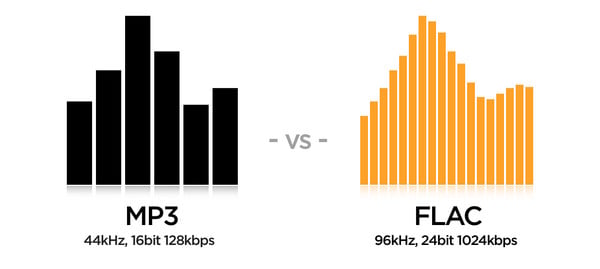
MP3 (MPEG-1 Layer 3) is historically the first and most widespread lossy compression format. Despite the fact that, due to the era of MP3, today it does not shine with the efficiency of compression, its popularity remains very high due to its versatility: any plate can reproduce this format. At the same time, if a suitable encoder and decoder are used, the MP3 sound quality is at a very decent level. The combination of these two factors justifies the use of the format today. The MP3 compression ratio while maintaining high sound quality is 6 to 9 times. The average bit rate of such an MP3 with 16-bit / 44.1 kHz stereo parameters is 150 to 240 kbps, the file size of a five-minute recording in this form is 6 to 9 MB.

FLAC (Free Lossless Audio Codec) is currently the most popular lossless audio compression format. If lossless support is claimed for any software or equipment, this software / equipment can almost certainly play FLAC. The format is the de facto standard among lovers of quality sound. The FLAC compression ratio is 1.3-2.8 times. FLAC bitrate with parameters 16 bit / 44.1 kHz / stereo – 500-1100 kbps, the file size of a five minute recording in this form is 18-40 MB.

FLAC or MP3: these are the differences

FLAC vs MP3

FLAC and MP3 are common audio formats. We explain their similarities and differences in this practical tip.

Similarities Between FLAC and MP3

At first glance, FLAC and MP3 have a lot in common:
FLAC and MP3 are audio formats. Detailed information on FLAC files can be found in this practical tip.

Mp3 vs Flac
The audio information is compressed in both formats.
With both, compression works in several steps. One of them can be lossless mid-side encoding for both.
Strictly speaking, both MP3 and FLAC are codecs, that is, pairs of an encoder to compress and a decoder to play the file.
Both formats allow the addition of metadata as tags.
Streaming is possible with both formats, that is, near real-time streaming.
WAV file in wave format

Differences between FLAC and MP3

Despite the similarities, there are essential differences between FLAC and MP3:
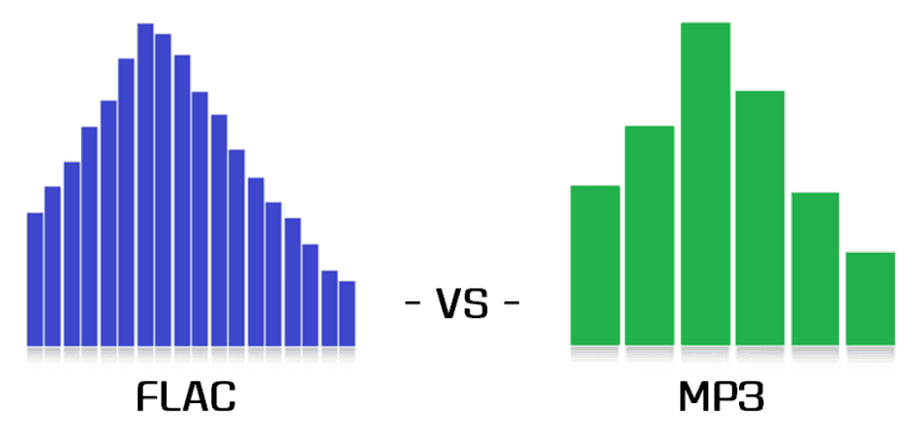
MP3 is a psychoacoustic compression process, which means it changes the signal as you can see in the image. FLAC just changes the way the data is presented so that the file can be saved more efficiently.
MP3 is leaky due to the way it works. This means that the information in the original file is lost and errors occur. On the other hand, FLAC files can be used to restore the original without errors.
MP3 achieves a file compression of approximately one-tenth the original size. FLAC reduces the size of the source file by approximately half.
PCM files, like WAV, store continuous fluctuations in sound pressure as discrete values ​​over time. With a high sampling frequency and depth, this process is virtually lossless. FLAC files store data from WAV files in a different way. However, the PCM file can be regenerated from it at any time.
MP3 files generate noise especially before the strong amplitude increases and reduces the dynamics of some frequencies and thus irreparably falsifies the output signal. However, if the encoding is good, the differences are subliminal
There is already a huge market for MP3 music, editing software and playback devices. Until now, FLAC has barely established itself in the area of ​​music downloading, audio processing software, and in terms of playback devices.

FLAC or MP3: which is better?

The differences between FLAC and MP3 in particular show which format is more suitable for which application:
MP3 has the immense advantage of being available, widespread, and compatible with common hardware and software. In addition, there is the huge compression rate, which is particularly suitable for fast streams and large music collections.
FLAC has a decisive force: it encodes lossless audio files and is much more flexible and more compressed than ZIP or RAR files. FLAC is particularly ideal in the recording studio, but also for highly dynamic music or simply for archiving lossless audio CDs.

Convert FLAC to MP3: what about bit rate?

If you’re the proud owner of a high-quality FLAC file music library, don’t worry about the bit rate (sample rate). But for lossy formats like MP3 or AAC, it is the bit rate that determines the sound quality. The previous default value was 128 kbps, today you just need to convert to 320 kbps. Almost any converter that converts from FLAC to MP3 should offer this setting.

flac

Opinions differ about the bit rate: some do not hear the difference between an MP3 with 128 kbps and an MP3 with 320 kbps, others do. But if you start with a FLAC file, you should get the most out of your file and convert more than a few kilobits per second (kbps).

mp3 quality

FLAC or MP3: do you hear the difference?

It’s a topic worth discussing, like in the hi-fi world: is there a difference between FLAC and MP3 files? The answer: yes, certainly!

If you don’t hear a difference, it’s not so much the file format, but the computer the song is playing on. If you listen to the same song in MP3 and FLAC format, you will notice a clear difference. A FLAC file simply contains more information. If you play this in a good installation, you will clearly hear the added value. Take the test yourself!

Hi-fi enthusiasts speak deeper. Music sounds fuller and more realistic. The best test is to switch between FLAC and MP3, because switching back to MP3 exposes gaps in the soundtrack. These frequencies are really beyond the audible range of people, or so they thought, but they still seem to be perceived.

However, the MP3 quality is sufficient for use in an MP3 player or smartphone. Although you can hear even finer nuances of the sound through the headphones, you can test it at home. Ambient volume also plays a role when traveling.

Lossless formats, such as the open source FLAC format, are the new standard. In terms of quality, they are comparable to a conventional CD, but take up much less storage space. This is made possible by a “smarter” compression process: while storing the same amount of digital information as on a CD, you save up to 30 percent more space. Therefore, if you want to digitize your CD collection, today it is important to use a lossless format like FLAC.

FLAC files not working? Make them compatible

However, there is also a small drawback to the FLAC format. Many playback devices, such as MP3 players, cannot play FLAC files, only MP3 files. However, it is not necessary to buy a new MP3 player with FLAC support. The audio converter (Mp4Gain), which converts FLAC files to MP3 files, can be found in this website

Once you download Mp4Gain, you can quickly convert your FLAC files to MP3. Then you can use them on a suitable MP3 player or similar device.

Audio quality in different formats (flac vs. mp3)

In this post I am going to talk about what differentiates music from mp3 and flac. First, and before you begin, go ahead with the following:

The quality of a musical hearing depends (and a lot) on the audio card and the musical equipment (amplifier, headphones / speakers) used, and on the other hand it also depends on the sensitivity of one’s ear. A newborn with perfect hearing can hear from 20 Hz to 20,000 Hz. The normal thing for a young person is to hear nothing above 18 kHz, although some people with exceptional hearing can hear 20 kHz or even more. , and a person 25 years of age or older begins to lose hearing from 15,000 – 16,000 Hz. In addition to the frequency response (quantitative aspect), the qualitative aspect is equally or more important: that the waves at each frequency are produced in the most similar way to the original source.

Having said that, we fully enter the subject at hand.

Many people think that an mp3 sounds like the quality of a CD. This is not exact. Apart from the fact that a CD sounds with the quality that those who have recorded it have given it, mp3s are formats with loss, and that means that a good part of the original information is discarded to save space. The trick is that the information that is discarded is, as a rule, information that is “hidden” among the rest of the information. To give a simple example so that the idea is understood, if a person is speaking to me at a normal volume and suddenly a helicopter passes in front of us, the sound of the helicopter will eclipse in my ears the voice of that person; the wave of his voice will continue to reach my ears but I will not perceive the sound. Another example, so that I am also understood: if we could play two very similar pianos at exactly the same time in such a way that their vibrations coincided, the mp3 would “say” that “one of the pianos is left over”. This type of operation (but, of course, at a much more subtle level, of microscopic changes) is what is done so that the initial 40 or 50 MB that a song occupies on the CD are reduced, at most, to 9 MB or less, depending on the bitrate (128, 160, 192, 256, 320 kbps) of the mp3.

But all that information that the mp3 removes at a stroke is information that, from the original source, would reach us, and it is information that would affect us emotionally (an mp3 violin can hardly give us goosebumps), although consciously most of the time we do not know how to express the difference in words. The same happens, for example, when a person is recreated in virtual reality: sooner or later we will know that this person is not real, because virtual reality technology has not yet managed to recreate the microscopic details that we are capable of capturing and that make us identify a person as real and not virtual.

Other differences between an mp3 and a wav (Microsoft’s uncompressed wave file) or a flac (Free Lossless Audio Codec, free lossless audio codec) are noticeable after spending a long time listening to music. The mp3 ends up giving you a headache, while the original sound doesn’t. And to this we must add that there are certain songs that have the musical information arranged in such a way that the mp3 algorithm is not able to “guess” what it is that you are not going to be able to listen to, and the result is that there is a notable loss quality, especially in the treble. In fact, a 128 kbps mp3 cuts all frequencies starting at around 15 kHz, and this is something that most people with normal hearing can easily perceive.

So that you can hear the REAL differences that exist between the different audio formats, I have prepared several tracks in which I have done the following:

1) I have loaded the song from the original disc.

2) I have recorded it in different formats: flac, mp3 to 128, mp3 to 160, mp3 to 192, mp3 to 256 and mp3 to 320 kbps.

3) I have then loaded all the waves into the Sound Forge Pro 10.0 program.

4) I have synchronized all the waves bit by bit. This is necessary because the mp3 introduces a certain lag of milliseconds with respect to the original.

5) I have copied each mp3 wave (lossy quality) and mixed it on the flac wave (original quality, without loss) with the reverse polarity. If both waves were identical, the result would be silence. But instead, as the mp3 has less information (the wave has fewer resolution points, so that it is understood) there is a residual noise that corresponds, neither more nor less, to what the mp3 has less than the flac added to what the mp3 has more than the flac (the mp3 not only loses information; it also introduces noise that was not in the original recording).

6) I have recorded everything on flac. Contrary to what most people think, the fact of converting an mp3 to a higher quality format does not add quality, since the additional information “cannot be invented” by the mp3, and it is still absent. An mp3 transferred to CD continues to sound like an mp3.

Important note: In order to listen to the files, your player must be able to play flac. First of all, associate the files with the .flac extension to your player so that it opens them when you click on them. If they still don’t sound, then install the necessary codec or plugin.

As a player I recommend the AIMP2 or the Foobar2000; both are free and give exceptional audio quality (they reproduce the sound as it is recorded, without any attachments of any kind). For my taste, the best of the two is the Foobar2000, because it is also more stable and lightweight. The Winamp and the Windows Media Player color the sound (or in other words, they equalize it), which can be interesting if you have low-quality audio equipment and play mp3s at low bitrate (128 kbps), but, If the equipment is hi-fi and the music is encoded in a lossless format or played directly from the original CD, then the difference between Winamp or WMP and AIMP2 or Foobar2000 is quite noticeable.

All about M4A files. What is M4A?

About M4A Format

M4A is a file extension of an audio file encoded with (advanced audio codingAAC) which is a lossy compression. M4A is generally thought of as the successor of MP3, which was not originally designed for audio only, but was the layer MPEG III or 2 video files. M4A stands for MPEG 4 Audio. The M4A file type is primarily associated with ‘MPEG-4 Audio Layer

m4a

‘.The files in. M4A are actually the audio layer (not video) MPEG 4 movies. M4A is destined to become the new audio file compression standard. This format is also known as Apple Lossless, Apple Lossless Encoder, or ALE. of a new codec designed to provide lossless coding in less storage space.

Both M4A and MP3 file extensions are used for audio-only files. MPEG-only audio 4 container files usually have an M4A file extension. They are unprotected. Protected files usually have an M4P.AAC or M4A file extension. File quality is better and the file size is smaller compared to MP3 files.
Programs that can open M4A files include iTunes, Quicktime, Windows Media Player, and Roxio Popcorn, toast and Creator. Some media players only play the format when renamed MP4.

. Mp4 vs. M4A

M4A means MPEG 4 Audio and is a file extension used to represent audio files.
The existence of two different file extensions. Mp4 and. M4A, to name only MP4 audio files has been a source of confusion between users and multimedia playback software. Some file managers, such as Windows Explorer, look for the type of media and associated applications of a file based on its extension But since MPEG-4 Part 14 is a container format, MPEG-4 files can contain any number of audio, video, and even subtitle streams, so it is impossible to determine the type of streams in an MPEG-4 file depending on of its file extension alone. In response, Apple Inc. began using and popularizing the. File extension m4a, which is used for MP4 containers with audio data in Advanced Audio Coding (AAC) or its own Apple Lossless (ALE, ALAC) format. Software capable of audio / video playback must recognize files with the extension. M4a or file extensions. Mp4, as expected, since there are no file format differences between the two. Most software capable of creating MPEG-4 audio allows the user to choose the file name extension of the created MPEG-4 files.

whats m4a

All about M4A files

The M4A (MPEG-4 Audio) file extension is used for compressed audio files, which were created in the MP4 or MPEG-4 container format. However, unlike these formats, M4A files only contain audio data. Depending on Apple’s QuickTime file format, these documents are often associated with Apple products, such as the iPod or iTunes multimedia software.

A higher compression rate allows smaller file sizes than the usual MP3 standard. At the same time, better reproduction quality is achieved. Files in the relatively new M4A format can be opened with many external media players, except iPod or iTunes. Depending on the operating system used, such as the current Windows Media Player, the latest versions of Winamp Media Player or Apple QuickTime Player to call.

All converters to or from M4A

MP3 to M4A
M4A to MP3
M4A to OGG
M4A to WMA
M4A to WAV
M4A to AAC
M4A to FLAC
OGG to M4A
WMA to M4A
WAV to M4A
AAC to M4A
FLAC to M4A
MP4 to M4A
AVI to M4A
3GPP to M4A
MOV to M4A
OPUS to M4A
AMR to M4A
MKV to M4A
WEBM to M4A
FLV to M4A
WMV to M4A
MPG to M4A
M4A to MP4
AIFF to M4A
MID to M4A
MP2 to M4A
OGV to M4A
GMO to M4A
OGA to M4A
OGX to M4A
M4P to M4A
MXF to M4A
MPEG to M4A
VOB to M4A
TS to M4A
M4V to M4A
ASF to M4A
M2V to M4A
RMVB to M4A
QT to M4A