
Comparison of lossy and lossless audio formats

Let’s talk about comparison of lossy and lossless audio formats
Audio formats are essential for storing and sharing sound, whether it’s music, podcasts, or voice recordings. Understanding the difference between lossy and lossless audio formats helps in choosing the right one for quality, storage, and compatibility needs. I’ve spent years analyzing audio technologies, and in this article, I’ll share how these formats work, their pros and cons, and which one might suit your needs best.
What is a lossy audio format?
Lossy audio formats like MP3, AAC, and OGG are designed to save space by removing parts of the audio that are less noticeable to human ears. This is a trade-off between quality and file size. Imagine a photo that’s resized to fit on your phone—it looks fine at a glance, but zoom in, and you see the missing details. That’s essentially what happens in lossy compression.
How lossy compression works
Lossy compression uses perceptual coding, which identifies and removes sounds that are outside the human hearing range or masked by louder tones. For example, if you’re at a concert, you might not notice someone whispering next to you. Lossy compression applies this principle, discarding inaudible frequencies to reduce file size significantly.
Advantages of lossy formats
- Smaller file sizes for easier storage
- Fast download and streaming times
- Wide compatibility with most devices and platforms
Disadvantages of lossy formats
- Reduced audio quality compared to the original
- Artifacts or distortions at lower bitrates
- Lossy compression is irreversible—once removed, data cannot be restored
What is a lossless audio format?
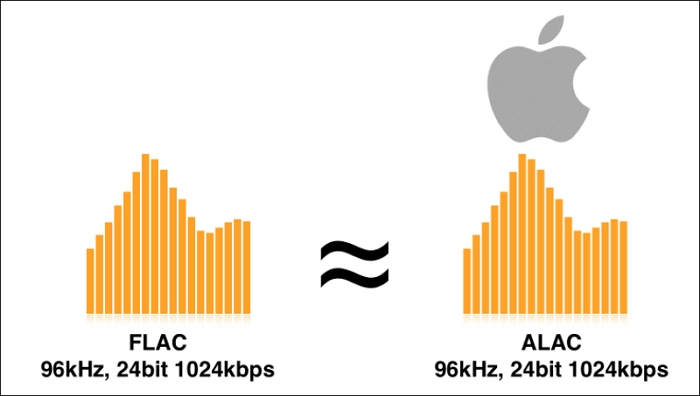
Lossless audio formats, including FLAC, ALAC, and WAV, preserve all the original audio data. It’s like zipping a file on your computer—you compress it, but when you unzip it, you get back every single detail. If you’re an audiophile, this is the format you’d want for maintaining audio fidelity.
How lossless compression works
Lossless compression uses algorithms to reduce file size without discarding any data. It’s like packing clothes into a suitcase efficiently; nothing is left behind, and everything is intact when unpacked. FLAC, for instance, achieves compression rates of 50–60% without quality loss, making it ideal for high-quality audio storage.
Advantages of lossless formats
- Retains original audio quality
- Allows for editing and remastering
- Supports high-resolution audio
Disadvantages of lossless formats
- Larger file sizes compared to lossy formats
- Not as widely supported on all devices
- Slower to stream or download due to file size
How lossy and lossless audio formats compare
Choosing between lossy and lossless formats often depends on the purpose. For casual listening, lossy formats are convenient. But for professionals or audiophiles, lossless is non-negotiable. It’s like choosing between a paperback and a first-edition hardcover—both serve the purpose, but one has unmatched quality.
Storage considerations
Lossy formats save significant storage space, ideal for smartphones or portable devices. A typical MP3 file might take up 5 MB, while its FLAC counterpart could be 30 MB. If you’re traveling with a limited storage device, lossy formats keep things manageable.
Quality differences
With lossy formats, you might notice a lack of depth or richness in sound, especially on high-end headphones or speakers. Lossless formats deliver the full dynamic range, making instruments and vocals more vibrant. Think of it as the difference between hearing a song live and through a tinny radio.
Use cases for lossy formats
- Streaming services like Spotify and YouTube
- Podcasts and audiobooks
- Portable devices with limited storage
Use cases for lossless formats
- Archiving music collections
- Professional audio editing and mixing
- High-fidelity listening experiences
Which format should you choose?
For casual listening, lossy formats like MP3 or AAC are practical and convenient. They’re lightweight and compatible across almost all devices. However, if you’re a musician, producer, or someone who values audio quality above all, lossless formats like FLAC or WAV are worth the extra storage space.
Latest words on comparison of lossy and lossless audio formats
Understanding lossy and lossless audio formats is crucial for making informed decisions about how you store and enjoy audio. Both have their strengths and weaknesses, and the choice ultimately depends on your specific needs. If you want to experience audio at its finest or need flexibility in editing, lossless formats are the way to go. For day-to-day use where convenience matters most, lossy formats do the job. With tools like Mp4Gain, you can optimize your audio files for the best balance between quality and size.
FAQ: Comparison of Lossy and Lossless Audio Formats
What is the main difference between lossy and lossless audio formats?
Lossy audio formats compress files by removing parts of the audio that are less noticeable, resulting in smaller file sizes but reduced quality. Lossless formats retain all original data, preserving the full quality but requiring more storage space.
Which lossy audio formats are most common?
The most common lossy formats include MP3, AAC, and OGG. These formats are widely used for streaming, portable devices, and online sharing due to their small file sizes and compatibility.
What are the benefits of using lossless audio formats?
Lossless formats like FLAC, ALAC, and WAV provide superior sound quality by retaining all original audio data. They are ideal for archiving music, professional editing, and high-fidelity listening experiences.
Do lossless audio formats take up more storage space?
Yes, lossless formats typically require significantly more storage space compared to lossy formats. For example, a FLAC file may be five to six times larger than an MP3 file of the same audio.
Can I convert a lossy audio file into a lossless format?
While you can technically convert a lossy file to a lossless format, it won’t restore the lost data or improve the sound quality. The conversion only increases the file size without adding any additional audio detail.
Which format is better for streaming music?
Lossy formats like MP3 and AAC are better for streaming because of their smaller file sizes, which allow for faster loading times and reduced bandwidth usage. Streaming platforms often use these formats to balance quality and efficiency.
What equipment is needed to notice the difference between lossy and lossless audio?
High-quality headphones or speakers and a trained ear are often necessary to notice the difference between lossy and lossless audio. Casual listeners on standard equipment might not perceive significant quality differences.
Are all lossless audio formats the same?
No, different lossless formats have varying levels of compression and compatibility. For example, FLAC offers excellent compression and is widely supported, while WAV retains the original quality but uses more space and is less versatile.
Can I play lossless audio on all devices?
Not all devices natively support lossless audio formats. For example, FLAC files may not work on some older devices or platforms, but they can often be played with third-party software or converted to compatible formats.








Comments:
I’ve been wondering about this for a while! Thanks for explaining it so clearly. I always wondered why my FLAC files take so much space, but now I get it.
This helped me decide what format to use for my music collection. But I’d love to see more details about AAC vs MP3 specifically. Could you do a comparison on those?
Great article! I’m converting my old CDs to FLAC now. Didn’t know about the lossless advantage before. This makes so much sense for preserving music.
I was looking for this information for a school project. It’s super useful, but could you explain more about how lossy compression actually works technically?
Honestly, I can’t tell much of a difference between MP3 and FLAC on my headphones. Maybe it depends on the equipment you use?
This is exactly the kind of info I needed. I’ve been using WAV for everything, but now I’ll switch to FLAC to save space without losing quality.
The breakdown of lossy vs lossless was super helpful. Do you know if most streaming platforms use lossy formats? I’d love to learn more about that.
I never thought about how lossy formats remove inaudible data. Makes sense now why the files are so much smaller!
Wish I’d read this before I started digitizing my vinyl collection. I used MP3, but now I think I should’ve gone with FLAC for better quality.
I’m new to audio formats, and this was super easy to follow. Thank you for breaking it down so clearly!
This is awesome. Could you do a follow-up on how to properly compress audio files without losing too much quality?
Very detailed and useful article. Now I know why audiophiles always recommend FLAC. Thanks for sharing this info!
Finally, a guide that makes sense! My car stereo doesn’t play FLAC though, so I guess I’ll stick to MP3 for now.