MP3 vs FLAC: Which audio format is better for you?

MP3 vs FLAC: Which audio format is better for you?

FLAC vs MP3
FLAC vs MP3

If you like listening to music, you’ve probably heard of the MP3 and FLAC formats. Both are popular, but which one is best for you?

FLAC vs. MP3
FLAC vs. MP3

What is the MP3 format?

MP3 is a very popular audio format used to compress music files. This means you can have more songs on your phone or computer without taking up a lot of storage space. Plus, it’s easy to play on most devices, including phones, computers, and MP3 players.

What is the FLAC format?

FLAC is a lossless audio format, which means that no audio quality is lost during compression. This means that you will hear the music exactly as it was recorded by the artists. FLAC is ideal for those who value audio quality and want to hear their music with maximum clarity and detail.

What is the difference between MP3 and FLAC?

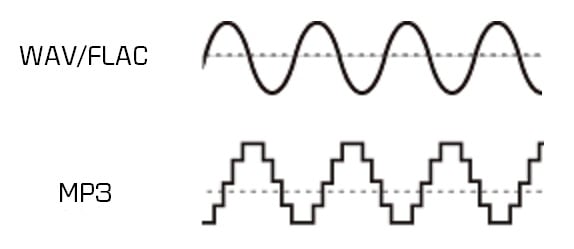
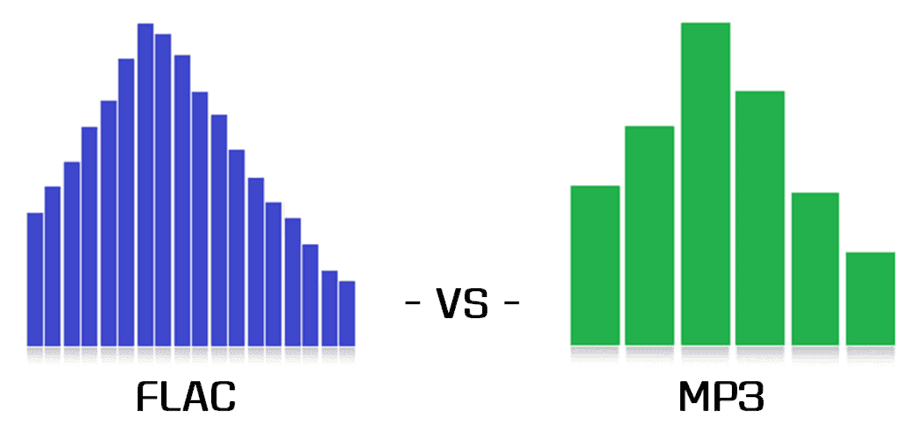
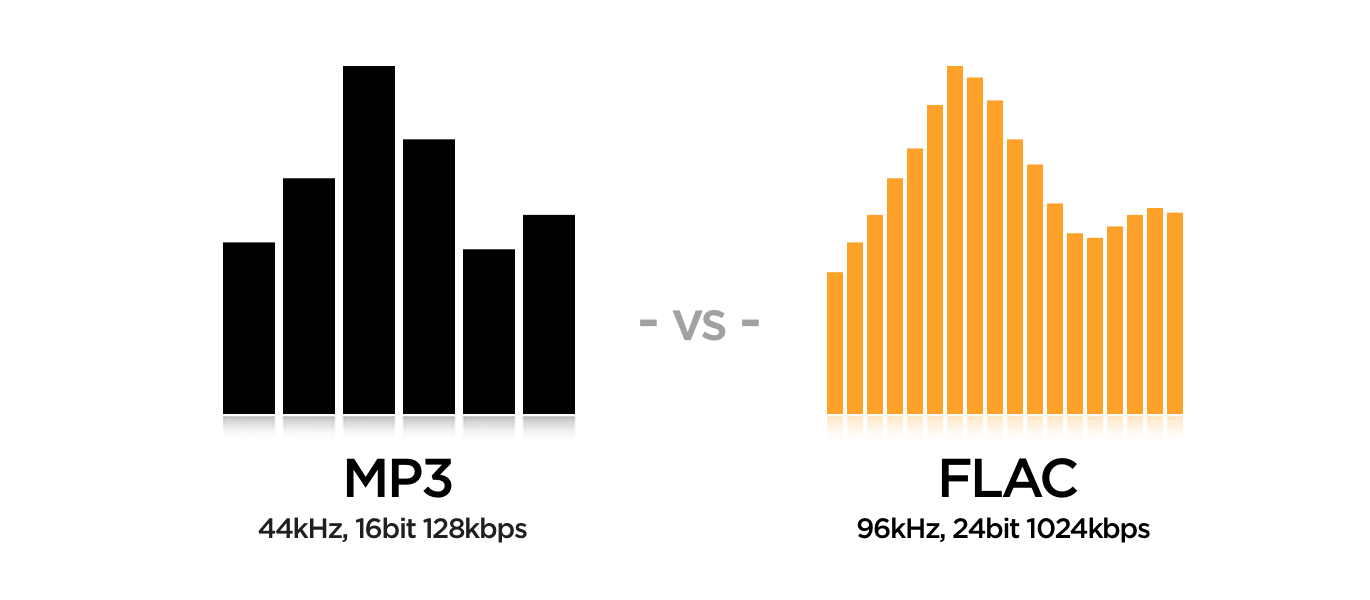
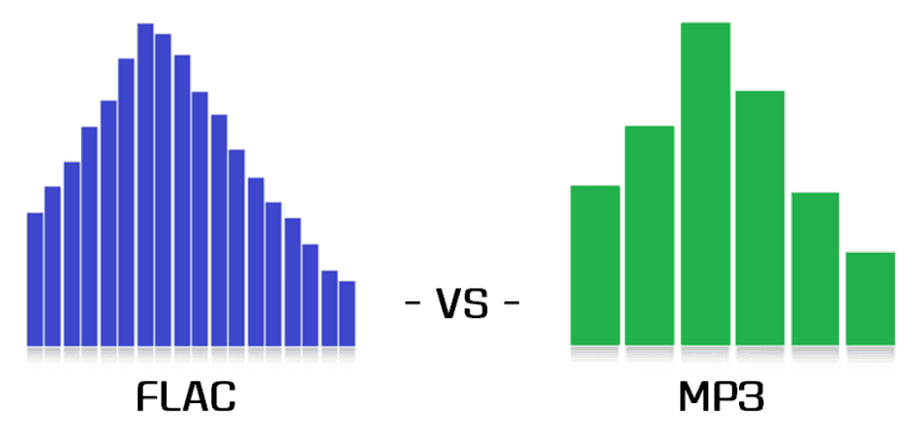
The main difference between MP3 and FLAC is the audio quality. MP3 is a compressed format that may lose some audio quality during the process, while FLAC is a lossless format that maintains all of the original quality of the recording. Also, FLAC files are larger than MP3 files, which means you need more storage space to save them.

Which is best for you?

It depends on your personal needs and preferences. If you want more music on your device and don’t mind a slight drop in audio quality, then MP3 may be the best option for you. If you are a music enthusiast and want to hear your music with maximum clarity and detail, then FLAC is the perfect choice for you.

Mp4Gain is the ideal program to normalize and convert both formats because it is the software developed exactly for that purpose for most audio and video formats.

What are the differences between MP3, FLAC and other audio formats? Part 2
What are the differences between MP3, FLAC and other audio formats? Part 2

FLAC vs MP3

Lossless formats: FLAC, ALAC, APE

FLAC vs MP3

Free Lossless Audio Codec, Apple Lossless Audio Codec, and Monkey’s Audio are all formats that compress audio in the same way as anything compressed in the digital world: using algorithms. The difference between compressed files and FLAC files is that FLAC is specifically designed for audio and therefore has a higher compression ratio without loss of data. It usually sees about half the size of the WAV. In other words, a FLAC file for “CD” quality stereo sound runs at approximately 5MB per minute.

On the plus side, if you want to do some audio manipulation, you can convert back to WAV with no quality loss. If you are a music lover and listen to a lot of music with dynamic ranges, these are the formats for you. If you have a large set of speakers, cans, or headphones, these formats will display tones for display.

Lossy formats: MP3, AAC, WMA, Vorbis

Most of the formats you see in everyday use are “lossy”; a certain degree of sound quality is sacrificed for a significant increase in file size. Average “CD quality” MP3 runs at around 1MB per minute. A big difference compared to PCM, right? It’s called compression, but unlike lossless formats, you can’t get that quality back if you understand lossy formats. Different lossy formats use different storage algorithms, so they generally differ in file size for comparable quality. Lossy formats also use bit rate to indicate audio quality, which is typically viewed as “192 kbps” or “192 kbps.” The higher the number, the more data is pumped in, so more detail is preserved.

MP3: MPEG 1 Audio Layer 3, the most common lossy audio codec today. Despite a ton of patent issues, it’s still incredibly popular. Who doesn’t have MP3 files?
Vorbis – A free, open source and lossy format that is most commonly used in PC games like Unreal Tournament 3. FOSS fans like many Linux users are sure to see a lot of this format.
AAC – Advanced Audio Coding, a standardized format now used with MPEG4 video. It is actively supported due to its DRM compatibility (such as Apple’s FairPlay), its improvements over mp3, and because no license is required to transmit or distribute content in this format. Apple fans will probably have a lot at AAC.
WMA: Windows Media Audio, a lossy audio format from Microsoft. It was designed and used to avoid MP3 licensing issues, but due to major enhancements and DRM support and lossless implementation, it still exists. It was very popular before iTunes became the DRMed music champion.
Lossy formats are what you use for everything you listen to and store. They are designed to save space on your hard drive. The format you choose depends on the type of digital audio player you are using, how much space you have, what quality objections you have, and a bunch of variables. Computers will play anything these days, most audio players (except of course Apple) support various lossy formats and more and more FLAC and APE. Apple sticks to MP3, ALAC, and AAC.

Is the sound quality subjective?

This is absolutely true. Ultimately, your ears consume most of your belongings, but this is another reason to give serious thought to quality. When I started to build my digital music collection, I couldn’t understand the difference between 128Kbps MP3 and Audio CD. In my opinion, there was not a noticeable difference. However, over time, I realized that 256 kbps sounds a lot better, and after getting some really good (and expensive!) Headphones, I went back to the Audio CD! It also depends on the musical genre.

There are a lot of variables here guys, make no mistake about it. It was a while before I decided to use FLAC for music and 320kbps MP3 for the rest. The point I’m trying to emphasize is that you have to experiment to see what works best for you and your music, but remember that as your tastes, your perceptions, your gear, and the importance of quality change. will also be.

And it all gets even more complicated when it comes to not only music, but also voice tracks, sound effects, white and brown noise, etc. There is a whole world of sound, so don’t be discouraged! If you learn what you can and listen to yourself, you can use this information in your future audio projects. I leave you with some of the best advice I’ve ever received: “do what sounds good.”

What are the differences between MP3, FLAC and other audio formats?

What are the differences between MP3, FLAC and other audio formats?

FLAC vs MP3

Digital audio has been around for a long time, so many audio formats can certainly be found. Here are some of the most common, what sets them apart and what to use them for.

FLAC vs. MP3

Before talking about everyday audio formats, it is important to understand the basics, what it means to understand PCM. After that, we will tackle compressed formats.

PCM audio: where it all begins

Pulse code modulation was created in 1937 and is the closest approximation to analog sound. That is, the analog signal approaches at regular intervals. PCM has two properties: sample rate and bit depth. The sample rate measures the frequency (per second) that the amplitude of the signal is taken and the bit depth measures the possible digital values. In terms of audio formats, this is pretty much the base.

True sound in the real world is continuous. This is not the case in the digital world. In some ways this is more confusing for audio than video, so let’s take a look at the video for comparison. What we interpret as “movement” or think as “fluid” and in constant motion is actually a series of still images. Also, the amplitude of digital sound waves is not “smooth” or constantly changing. It changes based on certain criteria at predetermined intervals.

I know there are a lot of things here that might not be second nature unless you’re an engineer, a physicist, or an audiophile, so let’s make a little analogy.

Let’s say the water coming out of an open tap is your “analog” sound source. We can compare the temperature of the water with the amplitude of a sound wave; It is a property that must be measured in order to enjoy it properly. Sampling is the number of times per second that you place your finger in plain water. The more often you put your finger on it, the more “continuous” the temperature changes will be. If you put your finger in running water 44,100 times per second, it’s like keeping your finger there all the time, right? This is the basic idea behind sampling.

Bit depth is a bit trickier. Instead of using your finger, let’s say you actually used a thermometer. Basically it said “Hot” for anything above room temperature and “Cold” for anything below. No matter how many times you put it in the water, it won’t give you much useful information. Now if instead of two choices, let’s say a thermometer has 16 possible values ​​that you can use to measure the temperature of the water. More useful, right? Bit depth works in the same way, as higher values ​​allow more dynamic changes in the amplitude of the sound to be accurately displayed.

As mentioned above, PCM is the foundation of digital audio, along with its variants. PCM tries to simulate the waveform of glory uncompressed as much as possible. It’s special, it’s ready to get stuck in a DSP and more or less universally playable. Most other formats manipulate the audio using algorithms, so they need to be decoded during playback. PCM audio is considered “lossless”, it is not compressed and therefore takes up a lot of hard disk space.

Uncompressed packet: WAV, AIFF

Both WAV and AIFF are PCM-based lossless audio container formats with minor changes to the data store. PCM audio for most people comes in these formats, depending on whether you are using Windows or OS X, and they can be converted to each other without any degradation in quality. Both are also considered “lossless”, they are uncompressed and a stereo PCM (2ch) audio file sampled at 44.1 kHz (or 44,100 times per second) with 16 bits (“CD quality”) is approximately 10 MB for a minute. If you are recording

Impossible to detect the difference between MP3 and FLAC

Impossible to detect the difference between MP3 and FLAC

New comparative study carried out by experts debunks the myth that the FLAC sound (Free Lossless Audio Codec (FLAC) or Codec free lossless audio compression, is considerably better than that obtained in MP3 or AAC files.

According to Wikipedia, FLAC is a format of the Ogg project to encode audio without loss of quality; that is, the initial file can be completely recomposed, although with the disadvantage that the resulting file takes up much more space than would be obtained by applying lossy compression.

Other formats, such as MP3 or ACC (Advanced Audio Coding), irreversibly lose part of the original information when compressing the file, in exchange for a great saving in file size.

The site Trusted Reviews has published an analysis called “Sounds Good to Me”, the conclusion of which is that there is no considerable difference in sound in FLAC and MP3, at least for the average user’s auditory perception.

In their study, Trusted Reviews made the assumption that there is a difference, and that people with developed hearing abilities could hear the difference between a 192 kbps MP3 file and a FLAC file, both obtained from the same original CD.

Only one user notices the difference between Mp3 and FLAC

The previous assumption was not confirmed in the facts, since among the seven people who participated in the analysis there was only one who detected the difference between FLAC and MP3. In many cases, MP3 at a rate of 192 kpbs had a higher score than FLAC.

This result was further strengthened when comparing 320 kbps MP3 files with FLAC files, since half answered correctly, and half were wrong. The percentage of participants who preferred MP3 was even higher.

The trial used an iBasso D3 Python USB DAC and Beyer Dynamic DT770 Pro headphones.

It should be noted that studies of this type have a certain margin of error. According to experts in comparisons such as the one carried out by Trusted Reviews, there are psychological factors, such as many users quickly forgetting their perception of what they have just heard, so the order in which the test is carried out is highly relevant. Non-expert users are also influenced by their mood and, in fact, by the music they listen to.