MP3 Bitrate Calculation Methods


Free Download Mp4Gain
picture

MP3 Bitrate Calculation Methods

MP3 Bitrate
MP3 Bitrate
MP3 Bitrate
MP3 Bitrate

What is MP3 Bitrate?

MP3 bitrate is the amount of data that is used to encode an MP3 audio file. The higher the bitrate, the higher the quality of the audio file. However, higher bitrates also result in larger file sizes.

How is MP3 Bitrate Calculated?

MP3 bitrate is calculated using a variety of factors, including the complexity of the audio signal, the desired quality of the audio file, and the target file size.

What are the Different Types of MP3 Bitrate Calculation Methods?

There are two main types of MP3 bitrate calculation methods:

  • Constant bitrate (CBR): This method uses a constant bitrate for the entire audio file. This results in a consistent audio quality throughout the file, but it can also result in larger file sizes for complex audio signals.
  • Variable bitrate (VBR): This method uses a variable bitrate, which means that the bitrate changes depending on the complexity of the audio signal. This results in smaller file sizes for complex audio signals, but it can also result in a slight variation in audio quality.

Which MP3 Bitrate Calculation Method is Best?

The best MP3 bitrate calculation method depends on your needs. If you need a consistent audio quality throughout the file, then CBR is the best option. If you are more concerned about file size, then VBR is the best option.

How to Choose the Right MP3 Bitrate for Your Needs

When choosing the right MP3 bitrate for your needs, you should consider the following factors:

  • The type of audio signal: Complex audio signals, such as those that contain a lot of high-frequency content, require a higher bitrate than simple audio signals.
  • The desired quality of the audio file: If you want the highest possible quality, then you should use a higher bitrate. If you are more concerned about file size, then you can use a lower bitrate.
  • The target file size: If you have a specific file size in mind, then you can use a bitrate calculator to determine the bitrate that you need.

Conclusion

MP3 bitrate is an important factor to consider when encoding audio files. By understanding the different types of MP3 bitrate calculation methods and how to choose the right bitrate for your needs, you can ensure that your audio files sound great and have a reasonable file size.

Here are some additional details about the different types of MP3 bitrate calculation methods:

  • Constant bitrate (CBR): This method is the simplest to understand and implement. It is also the most reliable, as it ensures that the audio quality is consistent throughout the file. However, it can result in larger file sizes for complex audio signals.
  • Variable bitrate (VBR): This method is more complex than CBR, but it can result in smaller file sizes for complex audio signals. This is because VBR allows the encoder to use a lower bitrate for less complex parts of the audio signal, and a higher bitrate for more complex parts of the audio signal. However, VBR can result in a slight variation in audio quality, depending on the complexity of the audio signal.

Ultimately, the best MP3 bitrate calculation method for you depends on your specific needs. If you need a consistent audio quality throughout the file, then CBR is the best option. If you are more concerned about file size, then VBR is the best option.


Free Download Mp4Gain
picture


Mp4Gain Main Window
picture


Mp4Gain Features
picture


Free Download Mp4Gain
picture

Why FLAC bit rate is typically around 1000 kbps?

Why FLAC bit rate is typically around 1000 kbps?

FLAC bit rate
FLAC bit rate
FLAC bit rate
FLAC bit rate

The Basics of FLAC

FLAC, or Free Lossless Audio Codec, is a popular format for high-quality digital audio. It uses lossless compression, which means that the audio is compressed without losing any of the original data. This is in contrast to lossy compression, which compresses the audio by removing data that is considered unnecessary. FLAC files typically have a high bit rate, often around 1000 kbps, which allows for the preservation of more audio information.

Why the High Bit Rate?

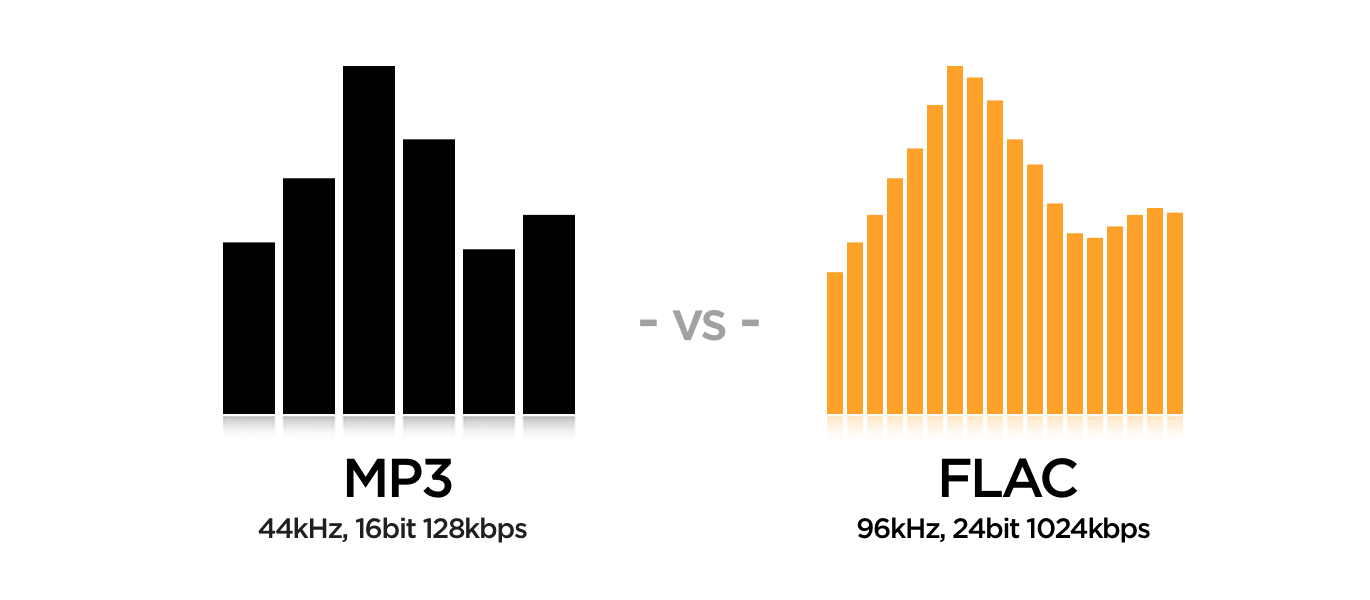
The reason why FLAC has a high bit rate is that it uses lossless compression. This means that all the audio data is preserved, and the file size is not reduced as much as it would be with lossy compression. While a lossy format like MP3 might have a bit rate of 128 kbps or even lower, FLAC can have a bit rate of up to 5000 kbps or more, depending on the audio content. This high bit rate ensures that the audio is of the highest quality possible.

The Benefits of FLAC

One of the biggest benefits of FLAC is that it offers high-quality audio without sacrificing any of the original data. This means that the audio is reproduced exactly as it was recorded, with no loss of quality. Additionally, FLAC files can be compressed to a smaller size without any loss in quality, which makes them easier to store and share.

The Drawbacks of FLAC

The main drawback of FLAC is that it has a larger file size compared to lossy formats like MP3. This can make it more difficult to store and share, especially when dealing with large collections of audio files. Additionally, not all devices and media players support FLAC playback, which can limit its usefulness in certain situations.

Final Words

In conclusion, the high bit rate of FLAC is a result of its lossless compression, which preserves all the original audio data. While this makes FLAC files larger in size, it also ensures that the audio is of the highest quality possible. Despite its drawbacks, FLAC remains a popular format among audiophiles and music enthusiasts who demand the best possible audio experience.

MP3 vs FLAC: Which audio format is better for you?

MP3 vs FLAC: Which audio format is better for you?

FLAC vs MP3
FLAC vs MP3

If you like listening to music, you’ve probably heard of the MP3 and FLAC formats. Both are popular, but which one is best for you?

FLAC vs. MP3
FLAC vs. MP3

What is the MP3 format?

MP3 is a very popular audio format used to compress music files. This means you can have more songs on your phone or computer without taking up a lot of storage space. Plus, it’s easy to play on most devices, including phones, computers, and MP3 players.

What is the FLAC format?

FLAC is a lossless audio format, which means that no audio quality is lost during compression. This means that you will hear the music exactly as it was recorded by the artists. FLAC is ideal for those who value audio quality and want to hear their music with maximum clarity and detail.

What is the difference between MP3 and FLAC?

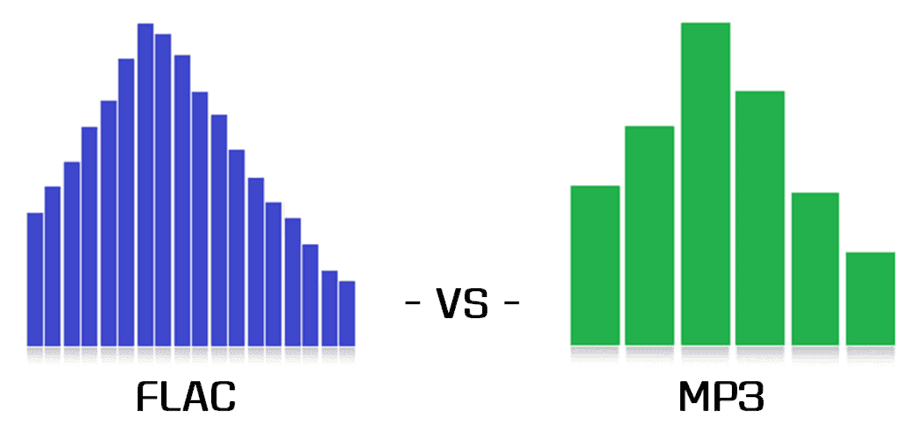
The main difference between MP3 and FLAC is the audio quality. MP3 is a compressed format that may lose some audio quality during the process, while FLAC is a lossless format that maintains all of the original quality of the recording. Also, FLAC files are larger than MP3 files, which means you need more storage space to save them.

Which is best for you?

It depends on your personal needs and preferences. If you want more music on your device and don’t mind a slight drop in audio quality, then MP3 may be the best option for you. If you are a music enthusiast and want to hear your music with maximum clarity and detail, then FLAC is the perfect choice for you.

Mp4Gain is the ideal program to normalize and convert both formats because it is the software developed exactly for that purpose for most audio and video formats.

What is the difference between 128k and 320k music?

What is the difference between 128k and 320k music?

Mp3 Bit Rate
Mp3 Bit Rate

192k is a turning point. Below 192K, the sound quality is relatively damaged, especially the high-frequency part above 16Khz will be cut off.

Mp3 Bit Rate
Mp3 Bit Rate

In short, mp3 above 192k, ordinary home equipment can no longer hear the difference in CD sound quality, except for golden ears and hi-fi equipment. Of course, these data are not 100% reliable. There are always people on the internet sharing fake mp3 above 192K. In fact, they are converting low bitrate music to high bitrate through software, but the sound quality will not improve. Windows Media Player compresses the resulting mp3 is absolutely wonderful. No matter how high the compressed bitrate is, it will cut perfectly at around 16K, so if you want to compress MP3 yourself, don’t use Windows Media Player.


Well, in fact, the bit rate should be said to be another dimension, it is a compression of audio files.

Nowadays, most of the audio formats that we use regularly are based on the original “WAV” file of the audio CD (44.1khz sampling rate, 16bit sampling precision, 2ch). The original recorded sound data is stored in an array, which is in PCM format, while WAV format is an encoding format developed by Microsoft, and its function is to play the PCM format data through encoding.

Since the data in WAV basically completely restores the PCM data, MP3, AAC and other lossless encoding formats are basically recompressed based on the WAV files. Therefore, we can simply think that WAV is the original audio format and other audio formats are compressed formats.

When it comes to compression, storage and transmission are inseparable. The purpose of compression is to improve storage and transmission. Therefore, before we talk about compression, we need to understand the basic units of computers.

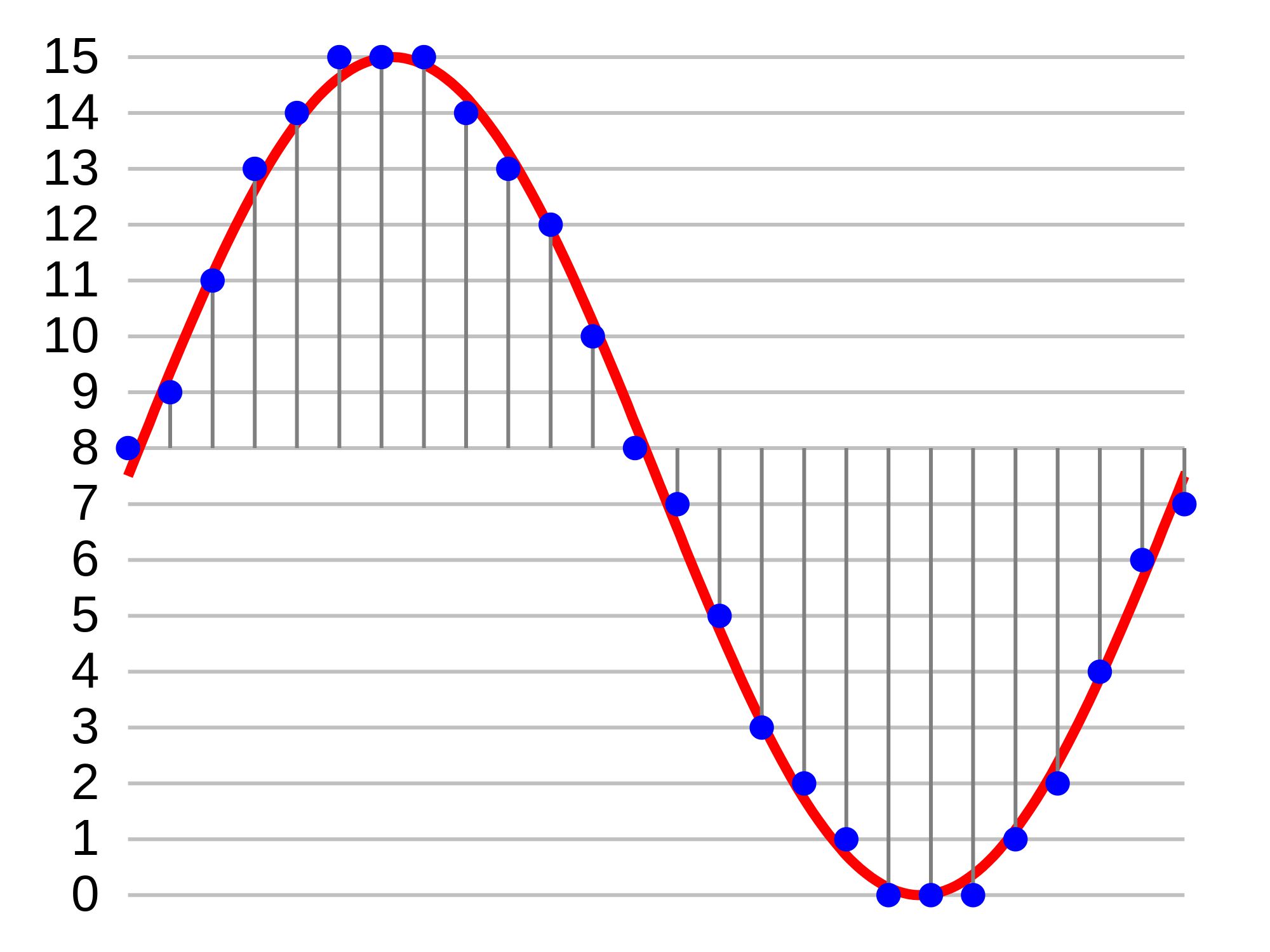
We all know that the computer is a binary number system, and the files stored by the computer are made up of two numbers, 0 and 1. Therefore, the computer’s transmission is based on each number, and each number is called 1 ” bit”. For example, for an audio piece, its basic data is “0,1,1,1,0,1, 1 ,0”, and when transmitting, these numbers are transmitted one by one. The sampling precision mentioned above is this unit.

Why are MP3 bitrates often multiples of 32?

Why are MP3 bitrates often multiples of 32?

MP3 bitrate
MP3 bitrate

I understand why multiples of 2 are often found on computers due to their binary nature, but I can’t figure out that the most common mp3 bitrates (64kbps, 128kbps, 160kbps, 192kbps, 256kbps, 320 kbps, etc.) also tend to follow this rule.

MP3 bitrate
MP3 bitrate

Since MP3 is just a sequential encoding of sound waves, why does it matter that each second is represented by thousands of digits per second that are divisible by 2?
Do music players like iTunes continue to read the file and play the encoded sound regardless of where the second limit is, or will they read the file every second?
In the latter case, reading a 256kbps file requires slightly fewer memory pages than reading a 257kbps file, but the player can always read 256kbit chunks, regardless of their bitrate, and process them incrementally , it is right?
Is MP3 popular at 128kbps because it’s a generally accepted bitrate, or does it really have some advantages over 126kbps and 131kbps files? Very slight difference in quality/file size?


For constant bit rate (CBR) encoding, the MPEG-1 Audio Layer III standard specifies standard bit rates of 32, 40, 48, 56, 64, 80, 96, 112, 128, 160, 192, 224, 256 and 320 kbit/s. There are other definitions in the MPEG-2 standard, but they’re also all multiples of 2 (actually all multiples of 8 are in the range 8 to 160 – see the table called “Bitrate Index” at the link above ).

What is the difference between bitrate 128 and 320.

What is the difference between bitrate 128 and 320.

128 kbps vs 320 kbps MP3

Have you ever wondered what exactly you lose by compressing from lossless to 128kbps or 320kbps mp3?

128 kbps and 320 kbps MP3

I checked it and the result seemed interesting to me. First of all, I propose to take a survey to understand for yourself if you hear the difference. If you are not sure what you are hearing or you are sure you are not listening, then I bring you a simple and elegant idea: you should take and collide with your forehead two sound waves, one of which will be in antiphase, respectively, when you mix two. tracks, you will mainly hear what is not extinguished. I don’t promise cool graphics yet, but on your own system you can hear exactly what sounds were lost when compressed from flac to mp3 128 \ 320 kbps, file with examples at the end of the article.

You need to download and listen to 12 tracks for 30 seconds. Then specify one of the 3 options for each of the 4 songs (128 kbps, 320 kbps, or lossless).
The survey is anonymous, but you can specify a unique hash and tell me, as a last resort, post your opinion here, but always under the spoiler. The survey will last until February 25, after you publish the key and statistics.
Files on Yandex Disk, mirror on Dropbox (~ 80Mb).

Description of the experiment

Source files are cut into 10-second chunks, each chunk is exported to wav. After importing the resulting tracks, 2 seconds of silence and a second tone signal are added at the beginning of each, then converted to mp3. After importing mp3 files, it turns out that relative to the original, the resulting file “went ahead”. This is not a bug, it is. We sync against the given pitch signal from the original (I tried various values ​​for each mp3 file, which I then refined to get the best result), remove the pitch signal, mute, and export the resulting tracks to wav. Now it remains to invert the tracks so that we obtain multidirectional peaks, and mix with the original.

Outcome

Yes, there is a difference. Yes, especially when compressing up to 128 kbps. Yes, it depends on the music. Yes, even more of the audio path.
You can draw an independent conclusion and hear the difference by downloading the files at
Bit rate is indicated as one of the main characteristics of video and audio recordings. Most users are used to thinking that it determines the quality of the downloaded file. But what are bit rates and how do they really characterize music files and videos?