MP3 vs FLAC: Which audio format is better for you?


Free Download Mp4Gain
picture

MP3 vs FLAC: Which audio format is better for you?

FLAC vs MP3
FLAC vs MP3

If you like listening to music, you’ve probably heard of the MP3 and FLAC formats. Both are popular, but which one is best for you?

FLAC vs. MP3
FLAC vs. MP3

What is the MP3 format?

MP3 is a very popular audio format used to compress music files. This means you can have more songs on your phone or computer without taking up a lot of storage space. Plus, it’s easy to play on most devices, including phones, computers, and MP3 players.

What is the FLAC format?

FLAC is a lossless audio format, which means that no audio quality is lost during compression. This means that you will hear the music exactly as it was recorded by the artists. FLAC is ideal for those who value audio quality and want to hear their music with maximum clarity and detail.

What is the difference between MP3 and FLAC?

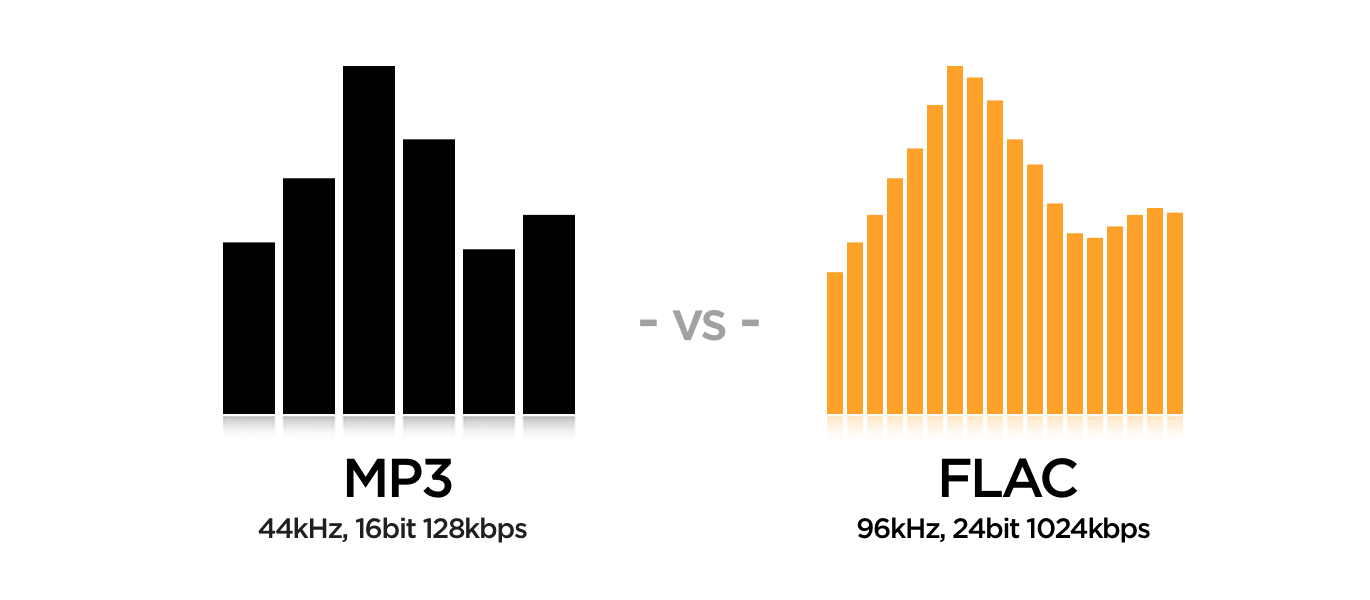
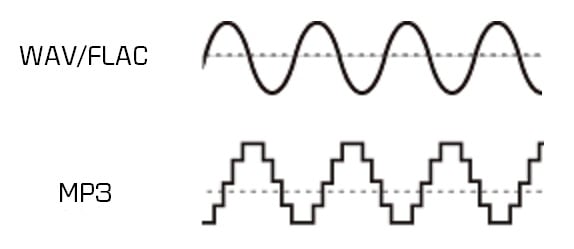
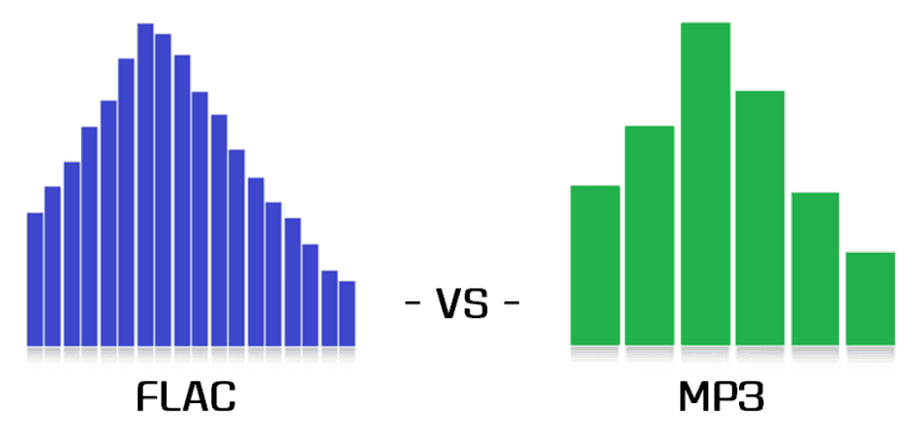
The main difference between MP3 and FLAC is the audio quality. MP3 is a compressed format that may lose some audio quality during the process, while FLAC is a lossless format that maintains all of the original quality of the recording. Also, FLAC files are larger than MP3 files, which means you need more storage space to save them.

Which is best for you?

It depends on your personal needs and preferences. If you want more music on your device and don’t mind a slight drop in audio quality, then MP3 may be the best option for you. If you are a music enthusiast and want to hear your music with maximum clarity and detail, then FLAC is the perfect choice for you.

Mp4Gain is the ideal program to normalize and convert both formats because it is the software developed exactly for that purpose for most audio and video formats.


Free Download Mp4Gain
picture


Mp4Gain Main Window
picture


Mp4Gain Features
picture


Free Download Mp4Gain
picture

What are the differences between MP3, FLAC and other audio formats? Part 2

What are the differences between MP3, FLAC and other audio formats? Part 2

FLAC vs MP3

Lossless formats: FLAC, ALAC, APE

FLAC vs MP3

Free Lossless Audio Codec, Apple Lossless Audio Codec, and Monkey’s Audio are all formats that compress audio in the same way as anything compressed in the digital world: using algorithms. The difference between compressed files and FLAC files is that FLAC is specifically designed for audio and therefore has a higher compression ratio without loss of data. It usually sees about half the size of the WAV. In other words, a FLAC file for “CD” quality stereo sound runs at approximately 5MB per minute.

On the plus side, if you want to do some audio manipulation, you can convert back to WAV with no quality loss. If you are a music lover and listen to a lot of music with dynamic ranges, these are the formats for you. If you have a large set of speakers, cans, or headphones, these formats will display tones for display.

Lossy formats: MP3, AAC, WMA, Vorbis

Most of the formats you see in everyday use are “lossy”; a certain degree of sound quality is sacrificed for a significant increase in file size. Average “CD quality” MP3 runs at around 1MB per minute. A big difference compared to PCM, right? It’s called compression, but unlike lossless formats, you can’t get that quality back if you understand lossy formats. Different lossy formats use different storage algorithms, so they generally differ in file size for comparable quality. Lossy formats also use bit rate to indicate audio quality, which is typically viewed as “192 kbps” or “192 kbps.” The higher the number, the more data is pumped in, so more detail is preserved.

MP3: MPEG 1 Audio Layer 3, the most common lossy audio codec today. Despite a ton of patent issues, it’s still incredibly popular. Who doesn’t have MP3 files?
Vorbis – A free, open source and lossy format that is most commonly used in PC games like Unreal Tournament 3. FOSS fans like many Linux users are sure to see a lot of this format.
AAC – Advanced Audio Coding, a standardized format now used with MPEG4 video. It is actively supported due to its DRM compatibility (such as Apple’s FairPlay), its improvements over mp3, and because no license is required to transmit or distribute content in this format. Apple fans will probably have a lot at AAC.
WMA: Windows Media Audio, a lossy audio format from Microsoft. It was designed and used to avoid MP3 licensing issues, but due to major enhancements and DRM support and lossless implementation, it still exists. It was very popular before iTunes became the DRMed music champion.
Lossy formats are what you use for everything you listen to and store. They are designed to save space on your hard drive. The format you choose depends on the type of digital audio player you are using, how much space you have, what quality objections you have, and a bunch of variables. Computers will play anything these days, most audio players (except of course Apple) support various lossy formats and more and more FLAC and APE. Apple sticks to MP3, ALAC, and AAC.

Is the sound quality subjective?

This is absolutely true. Ultimately, your ears consume most of your belongings, but this is another reason to give serious thought to quality. When I started to build my digital music collection, I couldn’t understand the difference between 128Kbps MP3 and Audio CD. In my opinion, there was not a noticeable difference. However, over time, I realized that 256 kbps sounds a lot better, and after getting some really good (and expensive!) Headphones, I went back to the Audio CD! It also depends on the musical genre.

There are a lot of variables here guys, make no mistake about it. It was a while before I decided to use FLAC for music and 320kbps MP3 for the rest. The point I’m trying to emphasize is that you have to experiment to see what works best for you and your music, but remember that as your tastes, your perceptions, your gear, and the importance of quality change. will also be.

And it all gets even more complicated when it comes to not only music, but also voice tracks, sound effects, white and brown noise, etc. There is a whole world of sound, so don’t be discouraged! If you learn what you can and listen to yourself, you can use this information in your future audio projects. I leave you with some of the best advice I’ve ever received: “do what sounds good.”

What are the differences between MP3, FLAC and other audio formats?

What are the differences between MP3, FLAC and other audio formats?

FLAC vs MP3

Digital audio has been around for a long time, so many audio formats can certainly be found. Here are some of the most common, what sets them apart and what to use them for.

FLAC vs. MP3

Before talking about everyday audio formats, it is important to understand the basics, what it means to understand PCM. After that, we will tackle compressed formats.

PCM audio: where it all begins

Pulse code modulation was created in 1937 and is the closest approximation to analog sound. That is, the analog signal approaches at regular intervals. PCM has two properties: sample rate and bit depth. The sample rate measures the frequency (per second) that the amplitude of the signal is taken and the bit depth measures the possible digital values. In terms of audio formats, this is pretty much the base.

True sound in the real world is continuous. This is not the case in the digital world. In some ways this is more confusing for audio than video, so let’s take a look at the video for comparison. What we interpret as “movement” or think as “fluid” and in constant motion is actually a series of still images. Also, the amplitude of digital sound waves is not “smooth” or constantly changing. It changes based on certain criteria at predetermined intervals.

I know there are a lot of things here that might not be second nature unless you’re an engineer, a physicist, or an audiophile, so let’s make a little analogy.

Let’s say the water coming out of an open tap is your “analog” sound source. We can compare the temperature of the water with the amplitude of a sound wave; It is a property that must be measured in order to enjoy it properly. Sampling is the number of times per second that you place your finger in plain water. The more often you put your finger on it, the more “continuous” the temperature changes will be. If you put your finger in running water 44,100 times per second, it’s like keeping your finger there all the time, right? This is the basic idea behind sampling.

Bit depth is a bit trickier. Instead of using your finger, let’s say you actually used a thermometer. Basically it said “Hot” for anything above room temperature and “Cold” for anything below. No matter how many times you put it in the water, it won’t give you much useful information. Now if instead of two choices, let’s say a thermometer has 16 possible values ​​that you can use to measure the temperature of the water. More useful, right? Bit depth works in the same way, as higher values ​​allow more dynamic changes in the amplitude of the sound to be accurately displayed.

As mentioned above, PCM is the foundation of digital audio, along with its variants. PCM tries to simulate the waveform of glory uncompressed as much as possible. It’s special, it’s ready to get stuck in a DSP and more or less universally playable. Most other formats manipulate the audio using algorithms, so they need to be decoded during playback. PCM audio is considered “lossless”, it is not compressed and therefore takes up a lot of hard disk space.

Uncompressed packet: WAV, AIFF

Both WAV and AIFF are PCM-based lossless audio container formats with minor changes to the data store. PCM audio for most people comes in these formats, depending on whether you are using Windows or OS X, and they can be converted to each other without any degradation in quality. Both are also considered “lossless”, they are uncompressed and a stereo PCM (2ch) audio file sampled at 44.1 kHz (or 44,100 times per second) with 16 bits (“CD quality”) is approximately 10 MB for a minute. If you are recording

MP3 and FLAC: who wins?

MP3 and FLAC: who wins?

FLAC vs MP3

Music lovers from all countries have been arguing for many years: is it possible to distinguish a high-quality MP3 from a lossless one in a blind test (FLAC, APE, etc.)? How much does compression loss affect the music experience? Should you give up MP3? Let’s try to answer these questions.

FLAC vs MP3 320 kbps
A little history

In the early 1990s, experts understood that the future of music was digital. However, hard drives were expensive then and fans preferred to store their music collections on cassettes and CDs. The researchers faced a problem: they needed a suitable format to store records on computers. At the same time, they were counted every hundred kilobytes – you can slightly sacrifice quality compared to CD discs, but save precious hard drive space.

In the late 1980s, the first functional prototypes of a new lossy compressed audio storage format, MP3, were created. The first publicly available MP3 encoder appeared in 1994, and the first playback software soon followed. The first encoding algorithms made it possible to obtain files with slightly “chopped” high frequencies. The sound quality was not comparable to that of a CD, but the output file sizes were quite acceptable.

In the early 2000s, the sizes of hard drives were growing rapidly and other audio formats that provide lossless compression began to appear. Relatively speaking, an audio track in this format can be restored to its original WAV from a lossless CD. Perhaps the most popular lossless compression format was FLAC, introduced in 2001. It is suitable both for storing home audio collections and for playing music on professional computers. However, a FLAC file can be 6-10 times heavier than a good quality MP3 (256 or 320 kbps). But does file size and losslessness mean consistently high sound quality?

A bit of anatomy: The human ear is theoretically capable of hearing sounds from 16 Hz to 20 kHz. However, much depends on the age and individual characteristics of the listener. The author of this article can hear sound with a frequency of 16 kHz, but not 17 kHz and above, but there are adults (25 years and older) who can still perceive 18 kHz. All of these frequencies are quite successfully supported by the MP3 format. If you are exceptionally clear, you will be able to hear some difference in the high frequencies, but the difference is almost subtle for most people.

Even if your favorite song in the spectrogram is clipped to 20 kHz, you won’t hear any distortion (unless of course you’re 8 years old).

The vast majority of people cannot, for natural anatomical reasons, distinguish between high-quality 320 kbps MP3 and FLAC (as long as both digital recordings are obtained from the same source). Of course, if you compress more MP3, for example, up to 96 kbps, the difference will be clearly audible even with cheap headphones. But in the age of terabyte drives, no one listens to music with such compression.

Of course, the equipment used for listening has a significant impact on the perception of music. It is impossible to listen to all the high frequencies in the recording of a symphony orchestra on headphones for 300 rubles, even if you have wonderful hearing and a high-quality recording. However, many specialists are dedicated to mixing music, taking into account the capabilities of the most popular audio equipment among consumers. Bill Ward (Black Sabbath drummer) said that while working on his solo album Accountable Beasts (2015), he first tried to achieve a clear and distinct sound from each note, but then realized that almost all listeners would use inexpensive equipment. and they wouldn’t hear all tones and halftones. As a result, Bill bought several relatively inexpensive headphones from a nearby store and mixed the album in them.

In the case of a file obtained from the Internet (even bought honestly), it is extremely difficult to understand which input was the original source. The sound quality of a file obtained by digitizing vinyl or CD (with or without remastering) will differ from a quality recording of Internet radio broadcasts, although all files can have the same bit rate.

Thus, we come to an obvious conclusion: the difference between high-quality MP3 and high-quality FLAC will only be heard by a trained music lover (most likely young, since after 40 years the range of audibility is reduced ). In addition, you will need quite expensive equipment to appreciate all the characteristics of the sound.

MP3 VS FLAC. Can you tell the difference?
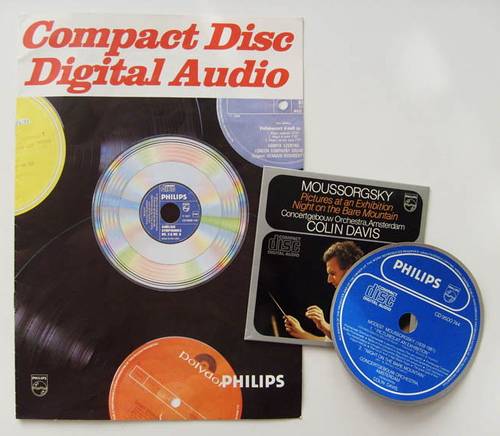
MP3 VS FLAC. Can you tell the difference?

mp3 vs flac

Along with vinyl records and CDs, our music library is increasingly replenished with MP3 and Flac music files. Many consider these two formats to be irreconcilable enemies, while others are sure that the difference between them is small. Is it so?
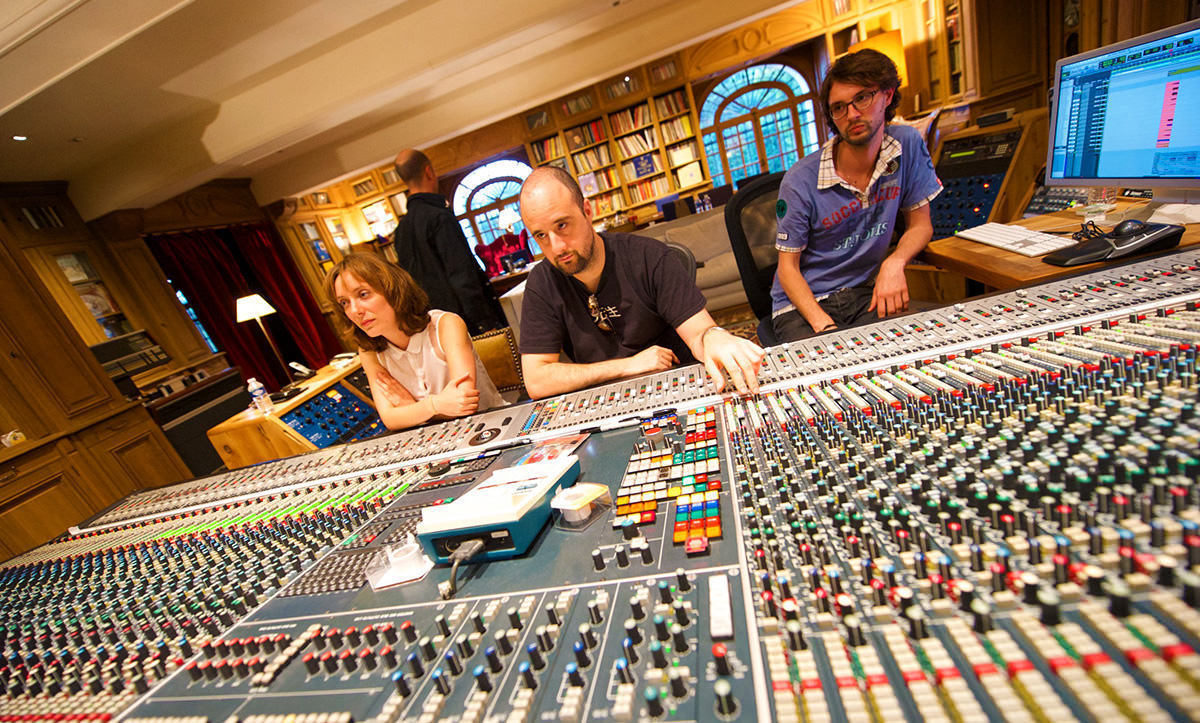
MP3 vs FLAC

Pizza. Baked in a real wood oven, with a slight smell of haze, the unique flavor of two cheeses fused into one whole. This aromatic bread pancake is crisp on the edges. This incredibly fragrant filling simultaneously plays with various flavors and smells. This is a feast of flavor and satiety. Sometimes he wants pizza so badly that he takes ordinary bread from the store, slices it finely, puts finely chopped ham on top, and covers it with cheese. And put it in the microwave for a couple of minutes. Of course, you can eat even with this, but there will not be the delight that is present when eating pizza prepared by the master.

No, no, we are not baking a signature pizza or opening an Italian restaurant. With this visual example, we show the difference between compressed and uncompressed audio formats.

About formats.
A little history. The MP3 format (MPEG-1/2 / 2.5 Layer 3) appeared in 1994. Do you remember those days? There was no talk of gigabytes, hundreds of megabytes cost a lot of money and many still remembered the legendary phrase of Bill Gates: “640 KB of memory is enough for any computer”. And if the reliability of this phrase is still questioned, then as early as 94 no one doubted that music would be distributed over the Internet and files would be stored on a computer. Okay, keeping your entire music library on one hard drive and being able to take it with you wherever you go is a great idea. However, at that time the main carrier of “digital music” was the CD.

A standard CD contains 650 megabytes or 74 minutes of music at a bit rate of 1411.2 kbps. To preserve a dozen albums in their original quality in ’94, it took a very substantial quantity! Yes, and a personal computer cost a lot then, and the main task of the MP3 that appeared was the ability to transmit sound through channels with little bandwidth. At that time, transferring an entire CD over the Internet required tens of hours at best. Therefore, the developers were faced with the task of reducing the size of the audio file to the maximum, avoiding to a minimum the losses during the compression of the signal. However, the encoding technologies were not yet perfect, and the processors were not that fast, so it was decided to apply the psychoacoustic method, in which only part of the audio information is lost. For example, all “quiet” sounds above 17 kHz and all bass below 40 Hz. The developers have established various levels of compression for these files, taking the digital stream as the basis for measuring the quality: the more information is transmitted per second of time, the higher the sound quality, but also the larger the file size. The maximum bit rate in MP3 is considered to be 320 kbps, in which the sound is balanced and the quality is as close to the original as possible.

And this is the “closest” and tormented to good sound lovers so far. The fact is that listening to music on high-quality equipment allows you to fully feel the difference between the original recording and its MP3 version, even at 320 kbps.

In all honesty, we admit that you can listen to music even at 64 kbps. If you just want to hear your favorite tune, then no obstacle is terrible. You can even play the nearest musical instrument yourself, if you have the skill, or listen through the speaker phone. However, if you want to enjoy a work in which all the inherent nuances and emotions, its interpretation by the sound engineer and the way the performers play, will be preserved, then MP3 (as, indeed, any other format of lossy compression) will not be a pleasure, as well as the playback is excellent. CD recorded and edited on a mediocre device.

The developers of the Flac format thought about how to reproduce high-quality compressed audio in high-quality Hi-Fi. In fact, FLAC (Free Lossless Audio Codec – “free lossless audio codec”) appeared only 6 years after MP3. However, encoding technologies have come a long way during this time, making it possible to create codecs that compress the audio signal without loss. Of course, it wasn’t possible to make the file smaller than MP3, but users now have an order of magnitude more spacious storage, so a couple hundred megabytes per album is a mere trifle. It is not?

Both formats are quite widespread. Almost all operating systems can play them using standard or third-party players. МР3 is compatible with almost the entire line of sound reproduction devices, including those belonging to the High End class. With Flac (and its analogues), the situation is slightly different: some manufacturers still stubbornly ignore this compression method. Be that as it may, the simple music lover can always choose between these two formats. But, along with the choice, questions arise, but will you hear the difference between Flac and MP3? Let’s try to figure it out.

Mobile devices.
For music lovers who prefer to listen to music on mobile devices, there will be practically no difference. Modern smartphones, with rare exceptions, are not equipped with the highest quality audio path. Also, if you use normal in-ear headphones or a Bluetooth speaker. In both cases, the bandwidth of the audio path is not high, so all the recordings will be poor in micronance and dynamic recording. But! Manufacturers are gradually changing this situation. For example, the Korean company LG launched the launch of the V20 smartphone with a built-in Hi-Fi Quad DAC module, which has decoders to play all popular audio formats, including audiophiles and professionals. The smartphone comes with high-quality Bang & Olufsen headphones. On this device, the difference between MP3 and Flac sounds pretty good. In other cases, for a music lover, for those who want to listen to music from their phone, for now it is worth taking a closer look at a specialized external DAC and headphones. For example, FiiO’s line of portable headphone amps with built-in DACs are quite capable of capturing all the nuances of Flac recording when used in conjunction with good on-ear headphones. By the way, even “headphones” work, but not the cheap ones that are sold in all corners, but they are produced by major audio brands.

Alternative? If possible. This is not a multifunctional device, but a high-quality portable audio player. In such a device, as a rule, a high-quality digital-to-analog converter is installed and selected components are used in the audio section. And the entire structure is dedicated to one goal: high-quality sound reproduction. Therefore, other than strictly speaking a music player, there is nothing in the body to prevent you from distinguishing the Flac from the MP3.

Home Hi-Fi.
Everything here is much more prosaic. You can distinguish a high quality soundtrack from a poor quality one on any component of a modern audio system. Also, the more expensive the system, the more pronounced and unpleasant the sound artifacts inherent in lossy compressed compositions. And the brighter and more expressive the performance will be when playing files with lossless compression. If you can easily and immediately tell the difference between playing Flac and MP3, then your home system components are good. Another obstacle that prevents you from feeling it is the record player. The files can be played by directly connecting the hard drive with them to disc or multimedia players, as well as various receivers and amplifiers equipped with a built-in USB media player. As a general rule, in a low-quality device they save on everything therefore the base of the element is exposed to all kinds of interference from various operating units, and the digital-to-analog converter does not process the flow at the highest level, which allows many errors. All of this affects the final analog signal, which after all this can no longer be restored. Like covering your speakers with a towel or pillow. Who knows what the signal would be without it? So again we come to the conclusion that it will be impossible to distinguish between MP3 and Flac in such a system. Exit? Use only high-quality components in your home Hi-Fi systems, from the source and amplifier to acoustics and even cables. that after all this it is impossible to restore. Like covering your speakers with a towel or pillow. Who knows what the signal would be without it? So again we come to the conclusion that it will be impossible to distinguish between MP3 and Flac in such a system. Exit? Use only high-quality components in your home Hi-Fi systems, from the source and amplifier to acoustics and even cables. that after all this it is impossible to restore. Like covering your speakers with a towel or pillow. Who knows what the signal would be without it? So again we come to the conclusion that it will be impossible to distinguish between MP3 and Flac in such a system. Exit? Use only high-quality components in your home Hi-Fi systems, from the source and amplifier to acoustics and even cables.

The fact that almost all music is now stored at home as files that you can listen to on your home system or take it with you and listen to while traveling, on vacation, in class, or elsewhere is great. This is progress to take into account. However, we must not forget that we enjoy music in the first place. In addition to good pizza. And we do not recommend that you deny yourself these pleasures. They are an indicator of the quality of life and a source of our positive mood and positive emotions.

What are the differences between MP3, FLAC and other audio formats?

Digital audio has been around for a long time, so there will surely be a host of audio formats. Here are some of the most common, what sets them apart and what they should be used for.

FLAC vs MP3

Before talking about everyday audio formats, it’s important that you understand the basics, and that means you understand PCM. Then we will move to compressed formats.

FLAC vs MP3

PCM audio: where it all begins

Pulse code modulation was created in 1937 and is the best approximation to analog audio. That is, an analog waveform is approximated at regular intervals. PCM is characterized by two properties: sample rate and bit depth. The sample rate measures the frequency (in times per second) that the amplitude of the waveform is measured and the bit depth measures the possible digital values. In terms of audio formats, this is basically the basics.

Where the sound is continuous in the real world. This is not the case in the digital world. In some ways this is more confusing for audio than video, so let’s take a look at the video as a comparison. What we interpret as ‘movement’ or think of ‘flowing’ and being in constant motion is actually a series of still images. Also, the amplitude of sound waves in digital format is not “smooth” or constantly changing. It changes based on certain criteria at predefined intervals.

I know there are many things here that may not be second nature unless you are an engineer, physicist, or audiophile, so let’s take a closer look with an analogy. Let’s say the water flowing from an open tap is your “analog” audio source. We can compare the temperature of the water with the amplitude of an audio wave; It is a property that must be measured so that you can enjoy it properly. Sampling is the number of times per second that you dip your finger into running water. The more times you insert your finger, the more “continuous” the temperature changes will be. If you dip your finger into running water 44,100 times per second, it’s almost like staying under it all the time, right? That is the basic idea behind sampling.

As mentioned above, PCM is the foundation of digital audio along with its variants. PCM tries to model a waveform, to the most of its uncompressed glory. It’s special, it’s ready to be caught in a digital signal processor, and it’s more or less universally playable. Most other formats manipulate audio through algorithms, so they must be decoded during playback. PCM audio is considered “lossless”, it is not compressed and therefore takes up a lot of hard disk space.

Uncompressed packet: WAV, AIFF

Both WAV and AIFF are PCM-based lossless audio container formats, with some minor changes to data storage. PCM audio comes in these formats for most people, depending on whether you’re using Windows or OS X, and they can be converted to each other with no loss of quality. Both are also considered “lossless”, are uncompressed, and are a stereo (2ch) PCM audio file sampled at 44.1 kHz (or 44100 times per second) at 16 bits (“CD quality”) approximately 10 MB per minute. If you are recording at home with a view to mixing, this is what you will want to use as it is of the highest quality.

Lossless Formats

Lossless formats: FLAC, ALAC, APE The free lossless audio codec, Apple’s lossless audio codec, and Monkey’s audio are all formats that compress audio, the same way everything compresses in the digital world: using algorithms. The difference between compressed files and FLAC files is that FLAC is specifically designed for audio, so it has better compression rates without data loss. Usually you will see about half the size of WAVs. In other words, a “CD quality” stereo sound FLAC file runs at about 5MB per minute.

The downside is that if you want to manipulate the audio, you can convert it to WAV.
no loss of quality

. If you are an audiophile and listen to a lot of music with dynamic range, these formats are for you. If you have a large set of speakers, cans, or earplugs, these sizes will cast the tones to show them off. Loss formats: MP3, AAC, WMA, Vorbis Image through

Lossy Formats

Most of the formats you see in everyday use are “lossy”; some degree of audio quality is sacrificed for a significant increase in file size. An average “CD quality” MP3 runs about 1MB per minute. Big difference from PCM, right? This is called compression, but unlike lossless formats, if you remove it in lossy formats, you won’t really be able to get that quality back. Different lossy formats use different algorithms to store data, so they generally vary in file size for comparable quality. Lossy formats also use bitrate to refer to audio quality, which is generally seen as “192 kbit / s” or “192 kbps.” Higher numbers mean more data is being pumped in, so there is more retention of details. Here are some details of the most popular formats: MP3: MPEG 1 Audio Layer 3, the most common lossy audio codec. Despite a ton of patent issues, it’s still incredibly popular. Who doesn’t lie about MP3s?

Vorbis – A free and open source lossy format most commonly used in PC games like Unreal Tournament 3. FOSS fans, like many Linux users, are sure to see a lot of this format.

AAC – Advanced Audio Coding, a standardized format now used with MPEG4 video. It is highly supported due to its compatibility with DRM (eg Apple’s FairPlay), its improvements over MP3, and because no license is required to stream or distribute content in this format. Apple fans probably have enough on AAC.
WMA: Windows Media Audio, Microsoft’s lossy audio format. It was developed and used to avoid licensing issues with the MP3 format, but due to major enhancements and DRM support, as well as lossless implementation, it still exists. It was very popular before iTunes became the champion of DRMed music.
Loss formats are what you use for all the things you listen to and save. They are designed to save hard drive space. The format you choose will depend on the digital audio player you use, the amount of space you have, the size of a high-quality nitpicker, and many excessive variables. Today computers will play anything, most audio players (except Apple, of course) will create multiple lossy formats, and more and more do FLAC and APE. Apple keeps MP3, ALAC and AAC.

Isn’t the audio quality subjective?

It absolutely is. Ultimately, it’s the ears that consume the most of these things, but that’s all the more reason to think about quality seriously. When I started building my digital music collection, I couldn’t really tell the difference between 128 kbit MP3s and audio CDs. In my ears there was no noticeable difference. However, over time, I realized that 256 kbit sounded much better, and after getting some really nice (and expensive!) Headphones, I went back to audio CDs full time! It also depends on the genre of music.

There are TONS of variables here folks, make no mistake about it. It was a while before I decided to use FLAC for some music and 320kbps MP3 for the rest. The point I’m trying to make is that you have to experiment to see what works best for you and your music, but keep in mind that as your tastes change, your perceptions, your gear, and the importance of quality will change as well. And all of this gets even more complicated when you’re not just talking about music, but also voice tracks, sound effects, white and brown noise, etc. There’s a whole world of sounds out there, so don’t be discouraged! If you learn what you can do and listen to yourself, you can use this information to leverage your future audio projects. I leave you with the best advice I’ve ever received: “Do what sounds good.”

Placebo effect? Can you distinguish an mp3 320 kbs vs a FLAC?

Studies have shown that most people can NOT distinguish an mp3 at 323 kbs (That is, with the best quality) from a FLAC file.

MP3 vs FLAC

We all know that in theory an mp3 is a format that discards information to achieve a small size; or, indeed, due to this ability to take up little space on the disk, but sounding very similar to the original wav was what propelled fame to mp3.

The Mp3 is dead.

Dozens of times it has been written about the undeniable advantages of the formats that do not lose information (looseless), it could be thought that people would turn their backs on the mp3.

MP3 vs FLAC

Some have warned that it is not so likely that this will happen, since most of the audio players (for example, those that come from the factory with the cars) play mp3s but not Flac.

Placebo effect?

But others have pointed out that untrained human hatred CANNOT distinguish an mp3 recorded at its highest quality from the FLAC.
For which to show yourself as a lover of FLAC and a fanatic defender of that format, it is more a snobbery full of blah, blah blah and technicalities that ignore that the human ear is not a robot and that in reality most people they cannot distinguish between one and the other.

And we combine the convenience of using mp3s because the devices are designed for mp3 and not for FLAC, together with the fact that in reality most people cannot distinguish one from the other … this should explain that that the mp3 is dead, is more a product of fanaticism than realism.

Also, they forget another problem.

When digital music is recorded it requires using a compressor … which did not happen with music recorded on tape, that is, vinyl.

That is why there is another faction that does not proclaim and sing songs in favor of FLAC but rather the return to vinyl (forgetting all the advantages and comforts of digitization).

In other words, all these discussions seem more like a mixture of snobbery and puritanism than something realistic.

What studies have shown

What we cannot ignore is that undoubtedly 99% of people (including many experts, musicians, etc. who talk hours about bitdepth, bitrate, etc.) can NOT distinguish a WAV, from a FLAC, from an mp3 recorded at qualities superior to 160 kbs.

Personally, we celebrate that all these formats exist and that we are coming to the time where every person can use and love the format of their choice and even defenestrate and even hate other formats and discuss long hours about their technical knowledge.

But yes, it seems that it is basically a placebo effect.

FLAC versus MP3: Does it make sense to use a “lossless” audio codec?

Free Lossless Audio Codec (FLAC) is an audio format that is unknown to the public, but is particularly loved by the most demanding audiophiles: unlike MP3, AAC and their partners, FLAC is lossless, which means that it compresses audio with no loss of information. The advantage is the superior quality and the certainty that a 1: 1 copy of the original can only be made from the files. The disadvantage is that the tracks “weigh” significantly more. Is it a winning engagement or not?

mp3 vs flac

Let’s go to the conclusions

If you have original, rare and / or valuable audio recordings that you want to keep indefinitely for years (even if the original media wear out), FLAC is the optimal choice.

But if you only make it a matter of quality, think twice about it: it might not be worth it.

Never convert from MP3 to FLAC – it would take up extra space for free.

best audio format
lossless

FLAC is … an audio codec

Let’s start with FLAC being an audio codec: that is, it is used to compress music or other sound sequences so that they take up less space than storing the same information directly.

To get an idea of ​​how basic this is, keep in mind that an hour of uncompressed audio (no video) takes 620MB.

FLAC is … “free”

Then there is the word “free” which should be interpreted as “free” and “free”. FLAC is distributed in open source mode (GPL license). This means that its specifications can be used by anyone without paying any commission.

In contrast, there are MP3s that must be used within software and device manufacturers by Thomson Consumer Electronics and the Fraunhofer Society.

FLAC is … lossless

The third aspect concerns the type of compression used. While MP3 and AAC reduce the weight of the file by permanently eliminating frequencies and nuances that are generally unrecognizable to the human ear, FLAC retains every last bit present in the source and then applies only a number of specific optimizations, before the file is saved result in reducing the size on the hard drive. When the file is opened, however, the process is reversed and FLAC returns the original audio perfectly.

The procedure is similar in many ways to that of compressing in zip format: when the file is unpacked, we get the perfectly preserved initial file again. The difference is that FLAC was specially developed for working with audio and significantly reduced the size of the source file.

Lossless = quality + flexibility

Audiophiles complain that the “cuts” in the MP3 codec are too heavy and that the quality is unacceptably affected. In contrast, the performance at FLAC corresponds 100% to the original “master”.

Added to this is the aspect of optimal data storage: FLAC supporters point out that a “ripped” CD in this format can later be recreated from the files themselves and that a bit-by-bit result is achieved that corresponds to the original. However, the same procedure used for MP3 extraction would produce a different, lower quality disc.

The disadvantages: size and compatibility

The disadvantage is that FLAC files in megabytes are much heavier than compressing them with MP3. Although the actual efficiency depends on the sound characteristics of the respective source, an average reduction of 40-50% can be expected: For example, an hour of audio ranges from approximately 600 MB of the uncompressed format to 300 MB in the optimal case

With MP3, compression is much more intensive – the same hour of compressed audio at 160 kbps (or very high quality anyway) is expected to be around 70 MB.

Then there is the compatibility problem: MP3 is natively compatible with any Smart TV, radio, PC, smartphone or media player that is still in circulation. FLAC, on the other hand, can only be played natively on Android, Linux and Windows 10. On the other platforms, if possible, you need to download a dedicated player or convert songs in advance.

Flac vs Mp3, differences

In today’s world, it is important to understand the difference between the different audio files available.

The most common and current files are practically the files in the formats MP3, Flac and WAV.

Is there really a difference between MP3, Flac and WAV files? The answer is absolutely yes.

flac vs mp3

The difference is in the audio quality that these files can play.

What is the difference between MP3, Flac and Wav files? MP3 files are of lower quality because they are more compact and smaller. Flac files are a kind of compromise. With files in Flac format, it can be of very good quality and remain true to the original, which in any case is compressed by a certain percentage. Finally, there are the WAV files that do not use compression.

Therefore, the quality is better, but the size of these files is quite large, it is not compatible with any device these days.

It may not be easy to understand which audio file to use for your work, especially if you are a beginner in this area.

However, you don’t have to be afraid of it.

flac vs mp3

Once you’ve learned all the differences between the three audio files, you can really fix the problems by always using the appropriate file.

What are the differences between the categories in detail and when should you use a specific audio file?

Here’s a complete analysis for each audio file format that really helps you understand everything you need to know about MP3, Flac, and WAV files.

What is an MP3 file?
It starts with one of the most common files in the world of information technology, namely the one called MP3.

MP3 files have been around for years, so their development is common.

But what an MP3 file really represents.

Well, a general audio file is a series of numbers obtained by sampling the analog signal.

This scan responds to some parameters, which are the frequency measured in Khz and the resolution expressed in bits.

The MP3 file represents the most compressed form of an audio file, so to speak.

Finally, you need to understand that the MP3 file can remove all unnecessary parts of the digital file from the sequence and the final sampling, taking advantage of some imperfections of the human body to give it a clear and clean melody.

On the other hand, the MP3 file significantly reduces the quality of the sounds played.

In fact, all the different nuances of a certain melody come to the bone.

An MP3 is small if you speak it from the perspective of the memory. You should think of it as a kind of concentrate that gives you a remarkable but not 100% complete end result.

In the most extreme cases, an MP3 file can reduce the original tones and nuances of music or melodies to a percentage of 90%.

However, these formats are widely appreciated and used because they are not only practical and direct, but are now compatible with all technological devices, e.g. B. MP3 players, for which we recommend that you read our guide.

This means you can take them with you at any time and any product you have can read an MP3 file.

What is a flac file?
So at this point you need to understand what a Flac file is.

Well, it should be said that the Flac file has some major differences from its MP3 counterpart.

In fact, a Flac file is much more complex than a regular file and can be reduced by 90%.

First, you need to understand that Flac is actually an acronym that stands for Free Lossless Audio Codec.

It is always a format that is somewhat compressed, but files with this name have a certain property.

In fact, the file is lossless with no loss and maintains higher fidelity than the original sound.

With a Flac file, you have a clearer quality of the audio file, so you can clearly hear some details that can be lost if you use a different audio format.

The limited storage space when using the Flac format is very small and can reach a maximum of 50%.

However, when using such files, you should be aware that their use on the storage hard drive is important.

Not surprisingly, Flac files take up a lot more space than regular MP3s. In some cases, a special reader must be downloaded to read them. Many home theaters and receivers support this compression format.