MP3 and FLAC Audio Formats – We Use It Wisely


Free Download Mp4Gain
picture

MP3 and FLAC Audio Formats – We Use It Wisely
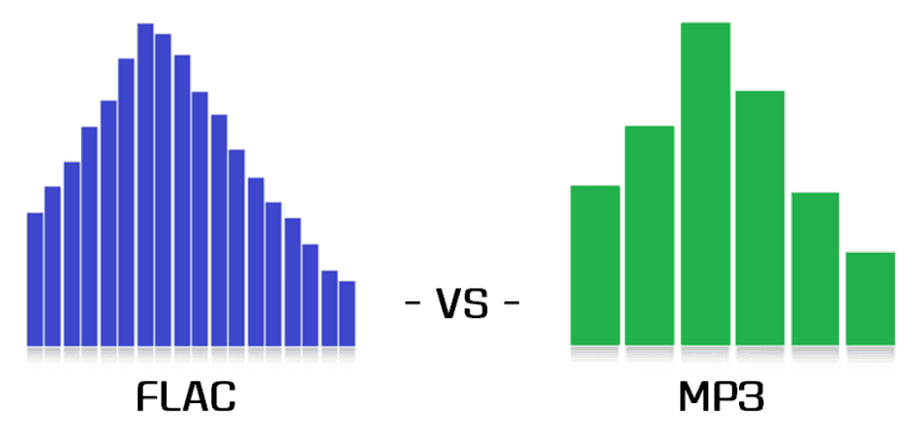
FLAC vs MP3

In this post, I want to talk about how to get the best results when compressing music in FLAC and MP3 formats. In the age of mass distribution of audio and video streaming services, this topic may seem of little relevance, however, as practice shows, this is not the case.

FLAC vs MP3

First, not everyone wants to depend on third-party resources, which can behave as they please at any time, from the introduction of various access restrictions to content to its complete removal. Second, there are many places in the world where the Internet is slow, dreary, and with lunch breaks. Third, the sound quality when listening online is usually quite acceptable for most users, but it can plunge sophisticated listeners with good equipment into depression. Considering all the above, we can assume

Basic concepts

PCM (pulse code modulation), also known as PCM (pulse code modulation) is a method of representing an analog signal in digital form. It works like this: electrical vibrations are fed into the input of a device called the ADC (analog to digital converter), which is an analog audio signal. The ADC measures the level of this signal with a certain frequency and transmits the obtained values ​​to the outside, where they are stored. Thus, a data matrix is ​​formed, which is a sequence of values ​​of the amplitude of the original signal. The process described is called “digitization”. The main problem with storing PCM data in “naked” form is its rather large volume, therefore, for a more rational use of space on the carrier, various digital audio compression algorithms are used.

Encoder (or “encoder” from English “encoder”) is a software designed to convert WAV to any other format in order to reduce the amount of stored data.

Decoder – Software or hardware used to play files compressed in the appropriate format or convert them to uncompressed format.

Lossy is the generic name for a family of audio formats that use lossy data compression. Typical members of the family are MP3, AAC, WMA, Ogg Vorbis. The main characteristic of lossy formats is that when the material is compressed in any of them, a significant part of the original audio information is irretrievably lost and cannot be restored later in any way. Because of this, a high degree of compression is achieved, while the loss is barely perceptible or generally invisible to the ear, as only data that is not critical to human perception is discarded.

Lossless is the generic name for a family of audio formats that use lossless data compression. Typical family members: FLAC, Monkey’s Audio (APE), ALAC, WavPack. Unlike lossy formats, here no information is lost during compression, everything happens in the same way as in normal filing cabinets. Paying for complete data security is significantly lower compression ratio compared to loss.

MP3 (MPEG-1 Layer 3) is historically the first and most widespread lossy compression format. Despite the fact that, due to the era of MP3, today it does not shine with the efficiency of compression, its popularity remains very high due to its versatility: any plate can reproduce this format. At the same time, if a suitable encoder and decoder are used, the MP3 sound quality is at a very decent level. The combination of these two factors justifies the use of the format today. The MP3 compression ratio while maintaining high sound quality is 6 to 9 times. The average bit rate of such an MP3 with 16-bit / 44.1 kHz stereo parameters is 150 to 240 kbps, the file size of a five-minute recording in this form is 6 to 9 MB.

FLAC (Free Lossless Audio Codec) is currently the most popular lossless audio compression format. If lossless support is claimed for any software or equipment, this software / equipment can almost certainly play FLAC. The format is the de facto standard among lovers of quality sound. The FLAC compression ratio is 1.3-2.8 times. FLAC bitrate with parameters 16 bit / 44.1 kHz / stereo – 500-1100 kbps, the file size of a five minute recording in this form is 18-40 MB.


Free Download Mp4Gain
picture


Mp4Gain Main Window
picture


Mp4Gain Features
picture


Free Download Mp4Gain
picture

Placebo effect? Can you distinguish an mp3 320 kbs vs a FLAC?

Studies have shown that most people can NOT distinguish an mp3 at 323 kbs (That is, with the best quality) from a FLAC file.

MP3 vs FLAC

We all know that in theory an mp3 is a format that discards information to achieve a small size; or, indeed, due to this ability to take up little space on the disk, but sounding very similar to the original wav was what propelled fame to mp3.

The Mp3 is dead.

Dozens of times it has been written about the undeniable advantages of the formats that do not lose information (looseless), it could be thought that people would turn their backs on the mp3.

MP3 vs FLAC

Some have warned that it is not so likely that this will happen, since most of the audio players (for example, those that come from the factory with the cars) play mp3s but not Flac.

Placebo effect?

But others have pointed out that untrained human hatred CANNOT distinguish an mp3 recorded at its highest quality from the FLAC.
For which to show yourself as a lover of FLAC and a fanatic defender of that format, it is more a snobbery full of blah, blah blah and technicalities that ignore that the human ear is not a robot and that in reality most people they cannot distinguish between one and the other.

And we combine the convenience of using mp3s because the devices are designed for mp3 and not for FLAC, together with the fact that in reality most people cannot distinguish one from the other … this should explain that that the mp3 is dead, is more a product of fanaticism than realism.

Also, they forget another problem.

When digital music is recorded it requires using a compressor … which did not happen with music recorded on tape, that is, vinyl.

That is why there is another faction that does not proclaim and sing songs in favor of FLAC but rather the return to vinyl (forgetting all the advantages and comforts of digitization).

In other words, all these discussions seem more like a mixture of snobbery and puritanism than something realistic.

What studies have shown

What we cannot ignore is that undoubtedly 99% of people (including many experts, musicians, etc. who talk hours about bitdepth, bitrate, etc.) can NOT distinguish a WAV, from a FLAC, from an mp3 recorded at qualities superior to 160 kbs.

Personally, we celebrate that all these formats exist and that we are coming to the time where every person can use and love the format of their choice and even defenestrate and even hate other formats and discuss long hours about their technical knowledge.

But yes, it seems that it is basically a placebo effect.

Convert FLAC to MP3: what about bit rate?

If you’re the proud owner of a high-quality FLAC file music library, don’t worry about the bit rate (sample rate). But for lossy formats like MP3 or AAC, it is the bit rate that determines the sound quality. The previous default value was 128 kbps, today you just need to convert to 320 kbps. Almost any converter that converts from FLAC to MP3 should offer this setting.

flac

Opinions differ about the bit rate: some do not hear the difference between an MP3 with 128 kbps and an MP3 with 320 kbps, others do. But if you start with a FLAC file, you should get the most out of your file and convert more than a few kilobits per second (kbps).

mp3 quality

FLAC or MP3: do you hear the difference?

It’s a topic worth discussing, like in the hi-fi world: is there a difference between FLAC and MP3 files? The answer: yes, certainly!

If you don’t hear a difference, it’s not so much the file format, but the computer the song is playing on. If you listen to the same song in MP3 and FLAC format, you will notice a clear difference. A FLAC file simply contains more information. If you play this in a good installation, you will clearly hear the added value. Take the test yourself!

Hi-fi enthusiasts speak deeper. Music sounds fuller and more realistic. The best test is to switch between FLAC and MP3, because switching back to MP3 exposes gaps in the soundtrack. These frequencies are really beyond the audible range of people, or so they thought, but they still seem to be perceived.

However, the MP3 quality is sufficient for use in an MP3 player or smartphone. Although you can hear even finer nuances of the sound through the headphones, you can test it at home. Ambient volume also plays a role when traveling.

Lossless formats, such as the open source FLAC format, are the new standard. In terms of quality, they are comparable to a conventional CD, but take up much less storage space. This is made possible by a “smarter” compression process: while storing the same amount of digital information as on a CD, you save up to 30 percent more space. Therefore, if you want to digitize your CD collection, today it is important to use a lossless format like FLAC.

FLAC files not working? Make them compatible

However, there is also a small drawback to the FLAC format. Many playback devices, such as MP3 players, cannot play FLAC files, only MP3 files. However, it is not necessary to buy a new MP3 player with FLAC support. The audio converter (Mp4Gain), which converts FLAC files to MP3 files, can be found in this website

Once you download Mp4Gain, you can quickly convert your FLAC files to MP3. Then you can use them on a suitable MP3 player or similar device.

Flac vs Mp3, differences

In today’s world, it is important to understand the difference between the different audio files available.

The most common and current files are practically the files in the formats MP3, Flac and WAV.

Is there really a difference between MP3, Flac and WAV files? The answer is absolutely yes.

flac vs mp3

The difference is in the audio quality that these files can play.

What is the difference between MP3, Flac and Wav files? MP3 files are of lower quality because they are more compact and smaller. Flac files are a kind of compromise. With files in Flac format, it can be of very good quality and remain true to the original, which in any case is compressed by a certain percentage. Finally, there are the WAV files that do not use compression.

Therefore, the quality is better, but the size of these files is quite large, it is not compatible with any device these days.

It may not be easy to understand which audio file to use for your work, especially if you are a beginner in this area.

However, you don’t have to be afraid of it.

flac vs mp3

Once you’ve learned all the differences between the three audio files, you can really fix the problems by always using the appropriate file.

What are the differences between the categories in detail and when should you use a specific audio file?

Here’s a complete analysis for each audio file format that really helps you understand everything you need to know about MP3, Flac, and WAV files.

What is an MP3 file?
It starts with one of the most common files in the world of information technology, namely the one called MP3.

MP3 files have been around for years, so their development is common.

But what an MP3 file really represents.

Well, a general audio file is a series of numbers obtained by sampling the analog signal.

This scan responds to some parameters, which are the frequency measured in Khz and the resolution expressed in bits.

The MP3 file represents the most compressed form of an audio file, so to speak.

Finally, you need to understand that the MP3 file can remove all unnecessary parts of the digital file from the sequence and the final sampling, taking advantage of some imperfections of the human body to give it a clear and clean melody.

On the other hand, the MP3 file significantly reduces the quality of the sounds played.

In fact, all the different nuances of a certain melody come to the bone.

An MP3 is small if you speak it from the perspective of the memory. You should think of it as a kind of concentrate that gives you a remarkable but not 100% complete end result.

In the most extreme cases, an MP3 file can reduce the original tones and nuances of music or melodies to a percentage of 90%.

However, these formats are widely appreciated and used because they are not only practical and direct, but are now compatible with all technological devices, e.g. B. MP3 players, for which we recommend that you read our guide.

This means you can take them with you at any time and any product you have can read an MP3 file.

What is a flac file?
So at this point you need to understand what a Flac file is.

Well, it should be said that the Flac file has some major differences from its MP3 counterpart.

In fact, a Flac file is much more complex than a regular file and can be reduced by 90%.

First, you need to understand that Flac is actually an acronym that stands for Free Lossless Audio Codec.

It is always a format that is somewhat compressed, but files with this name have a certain property.

In fact, the file is lossless with no loss and maintains higher fidelity than the original sound.

With a Flac file, you have a clearer quality of the audio file, so you can clearly hear some details that can be lost if you use a different audio format.

The limited storage space when using the Flac format is very small and can reach a maximum of 50%.

However, when using such files, you should be aware that their use on the storage hard drive is important.

Not surprisingly, Flac files take up a lot more space than regular MP3s. In some cases, a special reader must be downloaded to read them. Many home theaters and receivers support this compression format.