MP3 and FLAC Audio Formats – We Use It Wisely

MP3 and FLAC Audio Formats – We Use It Wisely

FLAC vs MP3

In this post, I want to talk about how to get the best results when compressing music in FLAC and MP3 formats. In the age of mass distribution of audio and video streaming services, this topic may seem of little relevance, however, as practice shows, this is not the case.

FLAC vs MP3

First, not everyone wants to depend on third-party resources, which can behave as they please at any time, from the introduction of various access restrictions to content to its complete removal. Second, there are many places in the world where the Internet is slow, dreary, and with lunch breaks. Third, the sound quality when listening online is usually quite acceptable for most users, but it can plunge sophisticated listeners with good equipment into depression. Considering all the above, we can assume

Basic concepts

PCM (pulse code modulation), also known as PCM (pulse code modulation) is a method of representing an analog signal in digital form. It works like this: electrical vibrations are fed into the input of a device called the ADC (analog to digital converter), which is an analog audio signal. The ADC measures the level of this signal with a certain frequency and transmits the obtained values ​​to the outside, where they are stored. Thus, a data matrix is ​​formed, which is a sequence of values ​​of the amplitude of the original signal. The process described is called “digitization”. The main problem with storing PCM data in “naked” form is its rather large volume, therefore, for a more rational use of space on the carrier, various digital audio compression algorithms are used.

Encoder (or “encoder” from English “encoder”) is a software designed to convert WAV to any other format in order to reduce the amount of stored data.

Decoder – Software or hardware used to play files compressed in the appropriate format or convert them to uncompressed format.

Lossy is the generic name for a family of audio formats that use lossy data compression. Typical members of the family are MP3, AAC, WMA, Ogg Vorbis. The main characteristic of lossy formats is that when the material is compressed in any of them, a significant part of the original audio information is irretrievably lost and cannot be restored later in any way. Because of this, a high degree of compression is achieved, while the loss is barely perceptible or generally invisible to the ear, as only data that is not critical to human perception is discarded.

Lossless is the generic name for a family of audio formats that use lossless data compression. Typical family members: FLAC, Monkey’s Audio (APE), ALAC, WavPack. Unlike lossy formats, here no information is lost during compression, everything happens in the same way as in normal filing cabinets. Paying for complete data security is significantly lower compression ratio compared to loss.

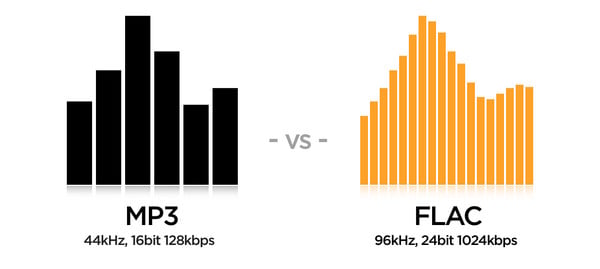
MP3 (MPEG-1 Layer 3) is historically the first and most widespread lossy compression format. Despite the fact that, due to the era of MP3, today it does not shine with the efficiency of compression, its popularity remains very high due to its versatility: any plate can reproduce this format. At the same time, if a suitable encoder and decoder are used, the MP3 sound quality is at a very decent level. The combination of these two factors justifies the use of the format today. The MP3 compression ratio while maintaining high sound quality is 6 to 9 times. The average bit rate of such an MP3 with 16-bit / 44.1 kHz stereo parameters is 150 to 240 kbps, the file size of a five-minute recording in this form is 6 to 9 MB.

FLAC (Free Lossless Audio Codec) is currently the most popular lossless audio compression format. If lossless support is claimed for any software or equipment, this software / equipment can almost certainly play FLAC. The format is the de facto standard among lovers of quality sound. The FLAC compression ratio is 1.3-2.8 times. FLAC bitrate with parameters 16 bit / 44.1 kHz / stereo – 500-1100 kbps, the file size of a five minute recording in this form is 18-40 MB.

FLAC or MP3: these are the differences

FLAC vs MP3

FLAC and MP3 are common audio formats. We explain their similarities and differences in this practical tip.

Similarities Between FLAC and MP3

At first glance, FLAC and MP3 have a lot in common:
FLAC and MP3 are audio formats. Detailed information on FLAC files can be found in this practical tip.

Mp3 vs Flac
The audio information is compressed in both formats.
With both, compression works in several steps. One of them can be lossless mid-side encoding for both.
Strictly speaking, both MP3 and FLAC are codecs, that is, pairs of an encoder to compress and a decoder to play the file.
Both formats allow the addition of metadata as tags.
Streaming is possible with both formats, that is, near real-time streaming.
WAV file in wave format

Differences between FLAC and MP3

Despite the similarities, there are essential differences between FLAC and MP3:
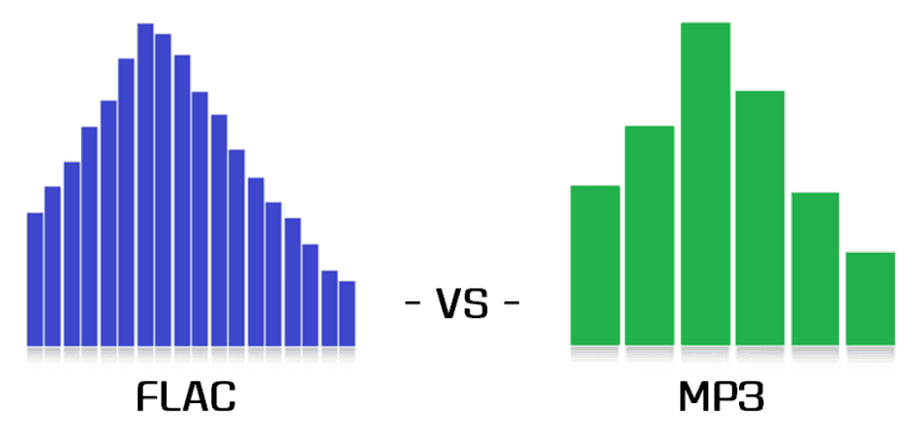
MP3 is a psychoacoustic compression process, which means it changes the signal as you can see in the image. FLAC just changes the way the data is presented so that the file can be saved more efficiently.
MP3 is leaky due to the way it works. This means that the information in the original file is lost and errors occur. On the other hand, FLAC files can be used to restore the original without errors.
MP3 achieves a file compression of approximately one-tenth the original size. FLAC reduces the size of the source file by approximately half.
PCM files, like WAV, store continuous fluctuations in sound pressure as discrete values ​​over time. With a high sampling frequency and depth, this process is virtually lossless. FLAC files store data from WAV files in a different way. However, the PCM file can be regenerated from it at any time.
MP3 files generate noise especially before the strong amplitude increases and reduces the dynamics of some frequencies and thus irreparably falsifies the output signal. However, if the encoding is good, the differences are subliminal
There is already a huge market for MP3 music, editing software and playback devices. Until now, FLAC has barely established itself in the area of ​​music downloading, audio processing software, and in terms of playback devices.

FLAC or MP3: which is better?

The differences between FLAC and MP3 in particular show which format is more suitable for which application:
MP3 has the immense advantage of being available, widespread, and compatible with common hardware and software. In addition, there is the huge compression rate, which is particularly suitable for fast streams and large music collections.
FLAC has a decisive force: it encodes lossless audio files and is much more flexible and more compressed than ZIP or RAR files. FLAC is particularly ideal in the recording studio, but also for highly dynamic music or simply for archiving lossless audio CDs.

Convert FLAC to MP3: what about bit rate?

If you’re the proud owner of a high-quality FLAC file music library, don’t worry about the bit rate (sample rate). But for lossy formats like MP3 or AAC, it is the bit rate that determines the sound quality. The previous default value was 128 kbps, today you just need to convert to 320 kbps. Almost any converter that converts from FLAC to MP3 should offer this setting.

flac

Opinions differ about the bit rate: some do not hear the difference between an MP3 with 128 kbps and an MP3 with 320 kbps, others do. But if you start with a FLAC file, you should get the most out of your file and convert more than a few kilobits per second (kbps).

mp3 quality

FLAC or MP3: do you hear the difference?

It’s a topic worth discussing, like in the hi-fi world: is there a difference between FLAC and MP3 files? The answer: yes, certainly!

If you don’t hear a difference, it’s not so much the file format, but the computer the song is playing on. If you listen to the same song in MP3 and FLAC format, you will notice a clear difference. A FLAC file simply contains more information. If you play this in a good installation, you will clearly hear the added value. Take the test yourself!

Hi-fi enthusiasts speak deeper. Music sounds fuller and more realistic. The best test is to switch between FLAC and MP3, because switching back to MP3 exposes gaps in the soundtrack. These frequencies are really beyond the audible range of people, or so they thought, but they still seem to be perceived.

However, the MP3 quality is sufficient for use in an MP3 player or smartphone. Although you can hear even finer nuances of the sound through the headphones, you can test it at home. Ambient volume also plays a role when traveling.

Lossless formats, such as the open source FLAC format, are the new standard. In terms of quality, they are comparable to a conventional CD, but take up much less storage space. This is made possible by a “smarter” compression process: while storing the same amount of digital information as on a CD, you save up to 30 percent more space. Therefore, if you want to digitize your CD collection, today it is important to use a lossless format like FLAC.

FLAC files not working? Make them compatible

However, there is also a small drawback to the FLAC format. Many playback devices, such as MP3 players, cannot play FLAC files, only MP3 files. However, it is not necessary to buy a new MP3 player with FLAC support. The audio converter (Mp4Gain), which converts FLAC files to MP3 files, can be found in this website

Once you download Mp4Gain, you can quickly convert your FLAC files to MP3. Then you can use them on a suitable MP3 player or similar device.