MP3 vs FLAC: Which audio format is better for you?


Free Download Mp4Gain
picture

MP3 vs FLAC: Which audio format is better for you?

FLAC vs MP3
FLAC vs MP3

If you like listening to music, you’ve probably heard of the MP3 and FLAC formats. Both are popular, but which one is best for you?

FLAC vs. MP3
FLAC vs. MP3

What is the MP3 format?

MP3 is a very popular audio format used to compress music files. This means you can have more songs on your phone or computer without taking up a lot of storage space. Plus, it’s easy to play on most devices, including phones, computers, and MP3 players.

What is the FLAC format?

FLAC is a lossless audio format, which means that no audio quality is lost during compression. This means that you will hear the music exactly as it was recorded by the artists. FLAC is ideal for those who value audio quality and want to hear their music with maximum clarity and detail.

What is the difference between MP3 and FLAC?

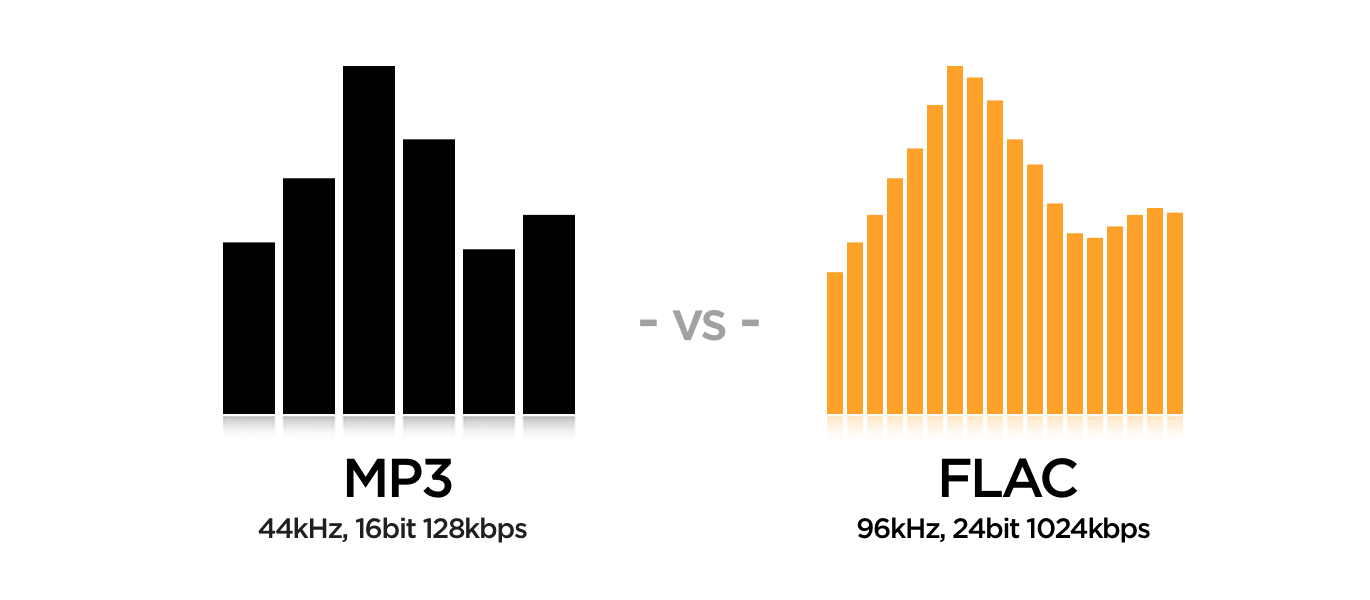
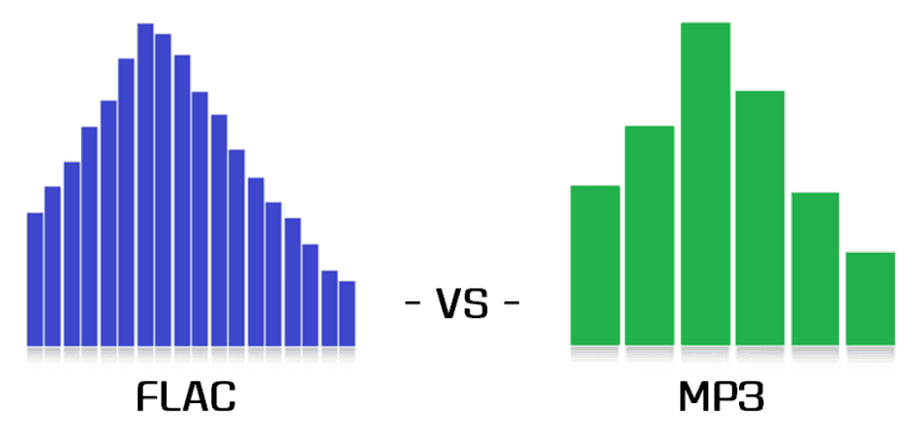
The main difference between MP3 and FLAC is the audio quality. MP3 is a compressed format that may lose some audio quality during the process, while FLAC is a lossless format that maintains all of the original quality of the recording. Also, FLAC files are larger than MP3 files, which means you need more storage space to save them.

Which is best for you?

It depends on your personal needs and preferences. If you want more music on your device and don’t mind a slight drop in audio quality, then MP3 may be the best option for you. If you are a music enthusiast and want to hear your music with maximum clarity and detail, then FLAC is the perfect choice for you.

Mp4Gain is the ideal program to normalize and convert both formats because it is the software developed exactly for that purpose for most audio and video formats.


Free Download Mp4Gain
picture


Mp4Gain Main Window
picture


Mp4Gain Features
picture


Free Download Mp4Gain
picture

MP3 and FLAC: who wins?

MP3 and FLAC: who wins?

FLAC vs MP3

Music lovers from all countries have been arguing for many years: is it possible to distinguish a high-quality MP3 from a lossless one in a blind test (FLAC, APE, etc.)? How much does compression loss affect the music experience? Should you give up MP3? Let’s try to answer these questions.

FLAC vs MP3 320 kbps
A little history

In the early 1990s, experts understood that the future of music was digital. However, hard drives were expensive then and fans preferred to store their music collections on cassettes and CDs. The researchers faced a problem: they needed a suitable format to store records on computers. At the same time, they were counted every hundred kilobytes – you can slightly sacrifice quality compared to CD discs, but save precious hard drive space.

In the late 1980s, the first functional prototypes of a new lossy compressed audio storage format, MP3, were created. The first publicly available MP3 encoder appeared in 1994, and the first playback software soon followed. The first encoding algorithms made it possible to obtain files with slightly “chopped” high frequencies. The sound quality was not comparable to that of a CD, but the output file sizes were quite acceptable.

In the early 2000s, the sizes of hard drives were growing rapidly and other audio formats that provide lossless compression began to appear. Relatively speaking, an audio track in this format can be restored to its original WAV from a lossless CD. Perhaps the most popular lossless compression format was FLAC, introduced in 2001. It is suitable both for storing home audio collections and for playing music on professional computers. However, a FLAC file can be 6-10 times heavier than a good quality MP3 (256 or 320 kbps). But does file size and losslessness mean consistently high sound quality?

A bit of anatomy: The human ear is theoretically capable of hearing sounds from 16 Hz to 20 kHz. However, much depends on the age and individual characteristics of the listener. The author of this article can hear sound with a frequency of 16 kHz, but not 17 kHz and above, but there are adults (25 years and older) who can still perceive 18 kHz. All of these frequencies are quite successfully supported by the MP3 format. If you are exceptionally clear, you will be able to hear some difference in the high frequencies, but the difference is almost subtle for most people.

Even if your favorite song in the spectrogram is clipped to 20 kHz, you won’t hear any distortion (unless of course you’re 8 years old).

The vast majority of people cannot, for natural anatomical reasons, distinguish between high-quality 320 kbps MP3 and FLAC (as long as both digital recordings are obtained from the same source). Of course, if you compress more MP3, for example, up to 96 kbps, the difference will be clearly audible even with cheap headphones. But in the age of terabyte drives, no one listens to music with such compression.

Of course, the equipment used for listening has a significant impact on the perception of music. It is impossible to listen to all the high frequencies in the recording of a symphony orchestra on headphones for 300 rubles, even if you have wonderful hearing and a high-quality recording. However, many specialists are dedicated to mixing music, taking into account the capabilities of the most popular audio equipment among consumers. Bill Ward (Black Sabbath drummer) said that while working on his solo album Accountable Beasts (2015), he first tried to achieve a clear and distinct sound from each note, but then realized that almost all listeners would use inexpensive equipment. and they wouldn’t hear all tones and halftones. As a result, Bill bought several relatively inexpensive headphones from a nearby store and mixed the album in them.

In the case of a file obtained from the Internet (even bought honestly), it is extremely difficult to understand which input was the original source. The sound quality of a file obtained by digitizing vinyl or CD (with or without remastering) will differ from a quality recording of Internet radio broadcasts, although all files can have the same bit rate.

Thus, we come to an obvious conclusion: the difference between high-quality MP3 and high-quality FLAC will only be heard by a trained music lover (most likely young, since after 40 years the range of audibility is reduced ). In addition, you will need quite expensive equipment to appreciate all the characteristics of the sound.

MP3 and FLAC Audio Formats – We Use It Wisely

MP3 and FLAC Audio Formats – We Use It Wisely

FLAC vs MP3

In this post, I want to talk about how to get the best results when compressing music in FLAC and MP3 formats. In the age of mass distribution of audio and video streaming services, this topic may seem of little relevance, however, as practice shows, this is not the case.

FLAC vs MP3

First, not everyone wants to depend on third-party resources, which can behave as they please at any time, from the introduction of various access restrictions to content to its complete removal. Second, there are many places in the world where the Internet is slow, dreary, and with lunch breaks. Third, the sound quality when listening online is usually quite acceptable for most users, but it can plunge sophisticated listeners with good equipment into depression. Considering all the above, we can assume

Basic concepts

PCM (pulse code modulation), also known as PCM (pulse code modulation) is a method of representing an analog signal in digital form. It works like this: electrical vibrations are fed into the input of a device called the ADC (analog to digital converter), which is an analog audio signal. The ADC measures the level of this signal with a certain frequency and transmits the obtained values ​​to the outside, where they are stored. Thus, a data matrix is ​​formed, which is a sequence of values ​​of the amplitude of the original signal. The process described is called “digitization”. The main problem with storing PCM data in “naked” form is its rather large volume, therefore, for a more rational use of space on the carrier, various digital audio compression algorithms are used.

Encoder (or “encoder” from English “encoder”) is a software designed to convert WAV to any other format in order to reduce the amount of stored data.

Decoder – Software or hardware used to play files compressed in the appropriate format or convert them to uncompressed format.

Lossy is the generic name for a family of audio formats that use lossy data compression. Typical members of the family are MP3, AAC, WMA, Ogg Vorbis. The main characteristic of lossy formats is that when the material is compressed in any of them, a significant part of the original audio information is irretrievably lost and cannot be restored later in any way. Because of this, a high degree of compression is achieved, while the loss is barely perceptible or generally invisible to the ear, as only data that is not critical to human perception is discarded.

Lossless is the generic name for a family of audio formats that use lossless data compression. Typical family members: FLAC, Monkey’s Audio (APE), ALAC, WavPack. Unlike lossy formats, here no information is lost during compression, everything happens in the same way as in normal filing cabinets. Paying for complete data security is significantly lower compression ratio compared to loss.

MP3 (MPEG-1 Layer 3) is historically the first and most widespread lossy compression format. Despite the fact that, due to the era of MP3, today it does not shine with the efficiency of compression, its popularity remains very high due to its versatility: any plate can reproduce this format. At the same time, if a suitable encoder and decoder are used, the MP3 sound quality is at a very decent level. The combination of these two factors justifies the use of the format today. The MP3 compression ratio while maintaining high sound quality is 6 to 9 times. The average bit rate of such an MP3 with 16-bit / 44.1 kHz stereo parameters is 150 to 240 kbps, the file size of a five-minute recording in this form is 6 to 9 MB.

FLAC (Free Lossless Audio Codec) is currently the most popular lossless audio compression format. If lossless support is claimed for any software or equipment, this software / equipment can almost certainly play FLAC. The format is the de facto standard among lovers of quality sound. The FLAC compression ratio is 1.3-2.8 times. FLAC bitrate with parameters 16 bit / 44.1 kHz / stereo – 500-1100 kbps, the file size of a five minute recording in this form is 18-40 MB.

FLAC or MP3: these are the differences

FLAC vs MP3

FLAC and MP3 are common audio formats. We explain their similarities and differences in this practical tip.

Similarities Between FLAC and MP3

At first glance, FLAC and MP3 have a lot in common:
FLAC and MP3 are audio formats. Detailed information on FLAC files can be found in this practical tip.

Mp3 vs Flac
The audio information is compressed in both formats.
With both, compression works in several steps. One of them can be lossless mid-side encoding for both.
Strictly speaking, both MP3 and FLAC are codecs, that is, pairs of an encoder to compress and a decoder to play the file.
Both formats allow the addition of metadata as tags.
Streaming is possible with both formats, that is, near real-time streaming.
WAV file in wave format

Differences between FLAC and MP3

Despite the similarities, there are essential differences between FLAC and MP3:
MP3 is a psychoacoustic compression process, which means it changes the signal as you can see in the image. FLAC just changes the way the data is presented so that the file can be saved more efficiently.
MP3 is leaky due to the way it works. This means that the information in the original file is lost and errors occur. On the other hand, FLAC files can be used to restore the original without errors.
MP3 achieves a file compression of approximately one-tenth the original size. FLAC reduces the size of the source file by approximately half.
PCM files, like WAV, store continuous fluctuations in sound pressure as discrete values ​​over time. With a high sampling frequency and depth, this process is virtually lossless. FLAC files store data from WAV files in a different way. However, the PCM file can be regenerated from it at any time.
MP3 files generate noise especially before the strong amplitude increases and reduces the dynamics of some frequencies and thus irreparably falsifies the output signal. However, if the encoding is good, the differences are subliminal
There is already a huge market for MP3 music, editing software and playback devices. Until now, FLAC has barely established itself in the area of ​​music downloading, audio processing software, and in terms of playback devices.

FLAC or MP3: which is better?

The differences between FLAC and MP3 in particular show which format is more suitable for which application:
MP3 has the immense advantage of being available, widespread, and compatible with common hardware and software. In addition, there is the huge compression rate, which is particularly suitable for fast streams and large music collections.
FLAC has a decisive force: it encodes lossless audio files and is much more flexible and more compressed than ZIP or RAR files. FLAC is particularly ideal in the recording studio, but also for highly dynamic music or simply for archiving lossless audio CDs.

Placebo effect? Can you distinguish an mp3 320 kbs vs a FLAC?

Studies have shown that most people can NOT distinguish an mp3 at 323 kbs (That is, with the best quality) from a FLAC file.

MP3 vs FLAC

We all know that in theory an mp3 is a format that discards information to achieve a small size; or, indeed, due to this ability to take up little space on the disk, but sounding very similar to the original wav was what propelled fame to mp3.

The Mp3 is dead.

Dozens of times it has been written about the undeniable advantages of the formats that do not lose information (looseless), it could be thought that people would turn their backs on the mp3.

MP3 vs FLAC

Some have warned that it is not so likely that this will happen, since most of the audio players (for example, those that come from the factory with the cars) play mp3s but not Flac.

Placebo effect?

But others have pointed out that untrained human hatred CANNOT distinguish an mp3 recorded at its highest quality from the FLAC.
For which to show yourself as a lover of FLAC and a fanatic defender of that format, it is more a snobbery full of blah, blah blah and technicalities that ignore that the human ear is not a robot and that in reality most people they cannot distinguish between one and the other.

And we combine the convenience of using mp3s because the devices are designed for mp3 and not for FLAC, together with the fact that in reality most people cannot distinguish one from the other … this should explain that that the mp3 is dead, is more a product of fanaticism than realism.

Also, they forget another problem.

When digital music is recorded it requires using a compressor … which did not happen with music recorded on tape, that is, vinyl.

That is why there is another faction that does not proclaim and sing songs in favor of FLAC but rather the return to vinyl (forgetting all the advantages and comforts of digitization).

In other words, all these discussions seem more like a mixture of snobbery and puritanism than something realistic.

What studies have shown

What we cannot ignore is that undoubtedly 99% of people (including many experts, musicians, etc. who talk hours about bitdepth, bitrate, etc.) can NOT distinguish a WAV, from a FLAC, from an mp3 recorded at qualities superior to 160 kbs.

Personally, we celebrate that all these formats exist and that we are coming to the time where every person can use and love the format of their choice and even defenestrate and even hate other formats and discuss long hours about their technical knowledge.

But yes, it seems that it is basically a placebo effect.

Convert FLAC to MP3: what about bit rate?

If you’re the proud owner of a high-quality FLAC file music library, don’t worry about the bit rate (sample rate). But for lossy formats like MP3 or AAC, it is the bit rate that determines the sound quality. The previous default value was 128 kbps, today you just need to convert to 320 kbps. Almost any converter that converts from FLAC to MP3 should offer this setting.

flac

Opinions differ about the bit rate: some do not hear the difference between an MP3 with 128 kbps and an MP3 with 320 kbps, others do. But if you start with a FLAC file, you should get the most out of your file and convert more than a few kilobits per second (kbps).

mp3 quality

FLAC or MP3: do you hear the difference?

It’s a topic worth discussing, like in the hi-fi world: is there a difference between FLAC and MP3 files? The answer: yes, certainly!

If you don’t hear a difference, it’s not so much the file format, but the computer the song is playing on. If you listen to the same song in MP3 and FLAC format, you will notice a clear difference. A FLAC file simply contains more information. If you play this in a good installation, you will clearly hear the added value. Take the test yourself!

Hi-fi enthusiasts speak deeper. Music sounds fuller and more realistic. The best test is to switch between FLAC and MP3, because switching back to MP3 exposes gaps in the soundtrack. These frequencies are really beyond the audible range of people, or so they thought, but they still seem to be perceived.

However, the MP3 quality is sufficient for use in an MP3 player or smartphone. Although you can hear even finer nuances of the sound through the headphones, you can test it at home. Ambient volume also plays a role when traveling.

Lossless formats, such as the open source FLAC format, are the new standard. In terms of quality, they are comparable to a conventional CD, but take up much less storage space. This is made possible by a “smarter” compression process: while storing the same amount of digital information as on a CD, you save up to 30 percent more space. Therefore, if you want to digitize your CD collection, today it is important to use a lossless format like FLAC.

FLAC files not working? Make them compatible

However, there is also a small drawback to the FLAC format. Many playback devices, such as MP3 players, cannot play FLAC files, only MP3 files. However, it is not necessary to buy a new MP3 player with FLAC support. The audio converter (Mp4Gain), which converts FLAC files to MP3 files, can be found in this website

Once you download Mp4Gain, you can quickly convert your FLAC files to MP3. Then you can use them on a suitable MP3 player or similar device.

Flac vs Mp3, differences

In today’s world, it is important to understand the difference between the different audio files available.

The most common and current files are practically the files in the formats MP3, Flac and WAV.

Is there really a difference between MP3, Flac and WAV files? The answer is absolutely yes.

flac vs mp3

The difference is in the audio quality that these files can play.

What is the difference between MP3, Flac and Wav files? MP3 files are of lower quality because they are more compact and smaller. Flac files are a kind of compromise. With files in Flac format, it can be of very good quality and remain true to the original, which in any case is compressed by a certain percentage. Finally, there are the WAV files that do not use compression.

Therefore, the quality is better, but the size of these files is quite large, it is not compatible with any device these days.

It may not be easy to understand which audio file to use for your work, especially if you are a beginner in this area.

However, you don’t have to be afraid of it.

flac vs mp3

Once you’ve learned all the differences between the three audio files, you can really fix the problems by always using the appropriate file.

What are the differences between the categories in detail and when should you use a specific audio file?

Here’s a complete analysis for each audio file format that really helps you understand everything you need to know about MP3, Flac, and WAV files.

What is an MP3 file?
It starts with one of the most common files in the world of information technology, namely the one called MP3.

MP3 files have been around for years, so their development is common.

But what an MP3 file really represents.

Well, a general audio file is a series of numbers obtained by sampling the analog signal.

This scan responds to some parameters, which are the frequency measured in Khz and the resolution expressed in bits.

The MP3 file represents the most compressed form of an audio file, so to speak.

Finally, you need to understand that the MP3 file can remove all unnecessary parts of the digital file from the sequence and the final sampling, taking advantage of some imperfections of the human body to give it a clear and clean melody.

On the other hand, the MP3 file significantly reduces the quality of the sounds played.

In fact, all the different nuances of a certain melody come to the bone.

An MP3 is small if you speak it from the perspective of the memory. You should think of it as a kind of concentrate that gives you a remarkable but not 100% complete end result.

In the most extreme cases, an MP3 file can reduce the original tones and nuances of music or melodies to a percentage of 90%.

However, these formats are widely appreciated and used because they are not only practical and direct, but are now compatible with all technological devices, e.g. B. MP3 players, for which we recommend that you read our guide.

This means you can take them with you at any time and any product you have can read an MP3 file.

What is a flac file?
So at this point you need to understand what a Flac file is.

Well, it should be said that the Flac file has some major differences from its MP3 counterpart.

In fact, a Flac file is much more complex than a regular file and can be reduced by 90%.

First, you need to understand that Flac is actually an acronym that stands for Free Lossless Audio Codec.

It is always a format that is somewhat compressed, but files with this name have a certain property.

In fact, the file is lossless with no loss and maintains higher fidelity than the original sound.

With a Flac file, you have a clearer quality of the audio file, so you can clearly hear some details that can be lost if you use a different audio format.

The limited storage space when using the Flac format is very small and can reach a maximum of 50%.

However, when using such files, you should be aware that their use on the storage hard drive is important.

Not surprisingly, Flac files take up a lot more space than regular MP3s. In some cases, a special reader must be downloaded to read them. Many home theaters and receivers support this compression format.

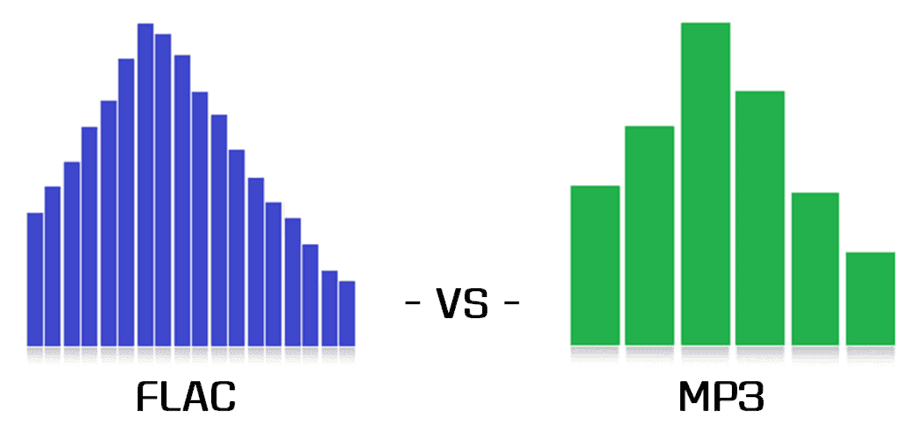
Audio quality in different formats (flac vs. mp3)

In this post I am going to talk about what differentiates music from mp3 and flac. First, and before you begin, go ahead with the following:

The quality of a musical hearing depends (and a lot) on the audio card and the musical equipment (amplifier, headphones / speakers) used, and on the other hand it also depends on the sensitivity of one’s ear. A newborn with perfect hearing can hear from 20 Hz to 20,000 Hz. The normal thing for a young person is to hear nothing above 18 kHz, although some people with exceptional hearing can hear 20 kHz or even more. , and a person 25 years of age or older begins to lose hearing from 15,000 – 16,000 Hz. In addition to the frequency response (quantitative aspect), the qualitative aspect is equally or more important: that the waves at each frequency are produced in the most similar way to the original source.

Having said that, we fully enter the subject at hand.

Many people think that an mp3 sounds like the quality of a CD. This is not exact. Apart from the fact that a CD sounds with the quality that those who have recorded it have given it, mp3s are formats with loss, and that means that a good part of the original information is discarded to save space. The trick is that the information that is discarded is, as a rule, information that is “hidden” among the rest of the information. To give a simple example so that the idea is understood, if a person is speaking to me at a normal volume and suddenly a helicopter passes in front of us, the sound of the helicopter will eclipse in my ears the voice of that person; the wave of his voice will continue to reach my ears but I will not perceive the sound. Another example, so that I am also understood: if we could play two very similar pianos at exactly the same time in such a way that their vibrations coincided, the mp3 would “say” that “one of the pianos is left over”. This type of operation (but, of course, at a much more subtle level, of microscopic changes) is what is done so that the initial 40 or 50 MB that a song occupies on the CD are reduced, at most, to 9 MB or less, depending on the bitrate (128, 160, 192, 256, 320 kbps) of the mp3.

But all that information that the mp3 removes at a stroke is information that, from the original source, would reach us, and it is information that would affect us emotionally (an mp3 violin can hardly give us goosebumps), although consciously most of the time we do not know how to express the difference in words. The same happens, for example, when a person is recreated in virtual reality: sooner or later we will know that this person is not real, because virtual reality technology has not yet managed to recreate the microscopic details that we are capable of capturing and that make us identify a person as real and not virtual.

Other differences between an mp3 and a wav (Microsoft’s uncompressed wave file) or a flac (Free Lossless Audio Codec, free lossless audio codec) are noticeable after spending a long time listening to music. The mp3 ends up giving you a headache, while the original sound doesn’t. And to this we must add that there are certain songs that have the musical information arranged in such a way that the mp3 algorithm is not able to “guess” what it is that you are not going to be able to listen to, and the result is that there is a notable loss quality, especially in the treble. In fact, a 128 kbps mp3 cuts all frequencies starting at around 15 kHz, and this is something that most people with normal hearing can easily perceive.

So that you can hear the REAL differences that exist between the different audio formats, I have prepared several tracks in which I have done the following:

1) I have loaded the song from the original disc.

2) I have recorded it in different formats: flac, mp3 to 128, mp3 to 160, mp3 to 192, mp3 to 256 and mp3 to 320 kbps.

3) I have then loaded all the waves into the Sound Forge Pro 10.0 program.

4) I have synchronized all the waves bit by bit. This is necessary because the mp3 introduces a certain lag of milliseconds with respect to the original.

5) I have copied each mp3 wave (lossy quality) and mixed it on the flac wave (original quality, without loss) with the reverse polarity. If both waves were identical, the result would be silence. But instead, as the mp3 has less information (the wave has fewer resolution points, so that it is understood) there is a residual noise that corresponds, neither more nor less, to what the mp3 has less than the flac added to what the mp3 has more than the flac (the mp3 not only loses information; it also introduces noise that was not in the original recording).

6) I have recorded everything on flac. Contrary to what most people think, the fact of converting an mp3 to a higher quality format does not add quality, since the additional information “cannot be invented” by the mp3, and it is still absent. An mp3 transferred to CD continues to sound like an mp3.

Important note: In order to listen to the files, your player must be able to play flac. First of all, associate the files with the .flac extension to your player so that it opens them when you click on them. If they still don’t sound, then install the necessary codec or plugin.

As a player I recommend the AIMP2 or the Foobar2000; both are free and give exceptional audio quality (they reproduce the sound as it is recorded, without any attachments of any kind). For my taste, the best of the two is the Foobar2000, because it is also more stable and lightweight. The Winamp and the Windows Media Player color the sound (or in other words, they equalize it), which can be interesting if you have low-quality audio equipment and play mp3s at low bitrate (128 kbps), but, If the equipment is hi-fi and the music is encoded in a lossless format or played directly from the original CD, then the difference between Winamp or WMP and AIMP2 or Foobar2000 is quite noticeable.