Variable bitrate vs constant bitrate in audio formats


Free Download Mp4Gain
picture

Variable bitrate vs constant bitrate in audio formats

Variable bitrate vs constant bitrate in audio formats

Let’s talk about variable bitrate vs constant bitrate in audio formats

When I first learned about audio formats, the terms “variable bitrate” (VBR) and “constant bitrate” (CBR) seemed complex. But understanding them makes all the difference if you care about sound quality, file size, or streaming performance. VBR and CBR refer to how data is allocated during encoding, and they have very different impacts on how your audio sounds and behaves.

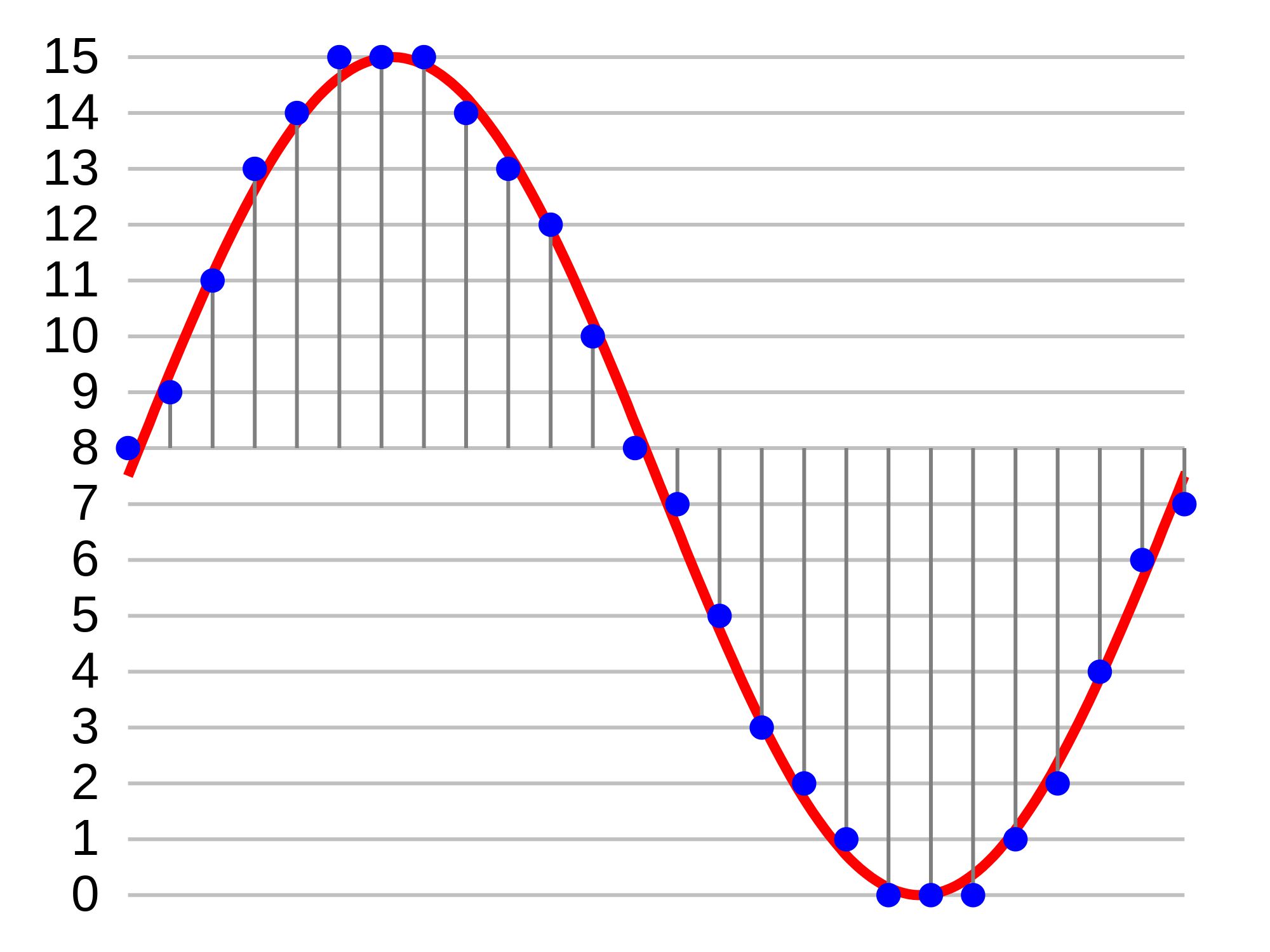
CBR uses a consistent amount of data per second throughout an audio file. For example, if you encode a file at 320 kbps, it stays that way from beginning to end, even during silent or low-complexity parts. In contrast, VBR adjusts the bitrate dynamically, allocating more data to complex sections and less to simpler ones. Think of it like pouring water into different-sized containers: VBR adapts, while CBR pours the same amount, regardless of the container’s size.

This difference matters because VBR often achieves better audio quality at smaller file sizes. For instance, I’ve encoded podcasts and noticed that VBR creates smaller files without losing clarity. On the other hand, CBR is better for scenarios where consistency matters, such as live streaming or ensuring compatibility with older devices.

The pros and cons of constant bitrate (CBR)

CBR’s biggest strength is predictability. When you know a file will always use a set amount of data per second, it’s easier to estimate file sizes and ensure smooth streaming. This is why many broadcasters and streaming platforms prefer CBR. If you’ve ever streamed music or video over a shaky internet connection, you’ve likely benefited from CBR’s reliability.

However, CBR isn’t perfect. Its inflexibility can lead to wasted space. Silent sections or simple sounds don’t need the same data as a complex guitar solo, but CBR still allocates the same bitrate to both. This inefficiency is like packing a suitcase with only one size of clothing, even if you’re only traveling for a weekend. It works, but it’s not always practical.

Still, I find CBR valuable when working with older devices or software. Many of these systems don’t handle VBR well, leading to playback issues or glitches. For example, I once encoded music for an older MP3 player and had to choose CBR to avoid compatibility problems.

Why variable bitrate (VBR) stands out

VBR shines when you want to balance quality and file size. By adjusting the bitrate based on the complexity of the audio, it ensures that you’re not wasting data on simple parts of a track. This efficiency means that VBR often delivers higher quality at smaller file sizes compared to CBR.

One real-life example is encoding music with a wide dynamic range, like classical symphonies. These pieces have quiet moments and loud crescendos, and VBR adapts perfectly. During silent pauses, it uses less data, but when the orchestra swells, it ramps up the bitrate to preserve every detail. It’s like using a zoom lens that adjusts automatically based on what you’re photographing.

However, there are challenges. VBR files can be harder to stream because the data rate isn’t consistent. If you’re on a slow or unreliable network, this fluctuation might cause buffering. Still, for offline listening or storage, VBR is often my go-to choice. It’s especially useful for audiophiles or anyone looking to save space without compromising on quality.

How to choose between CBR and VBR

Deciding between VBR and CBR depends on your needs. If you’re streaming, CBR is often the better option because it ensures steady playback. Streaming services like Spotify use a version of CBR for this reason—it prevents interruptions, even on slower networks.

On the other hand, if you’re archiving music or creating downloadable files, VBR is typically more efficient. I’ve seen this firsthand when managing large music libraries. By using VBR, I’ve saved gigabytes of space without losing noticeable quality. It’s ideal for personal collections or professional audio projects where storage and sound matter.

For those who work with video files, the same principles apply. If you’re editing videos or uploading them to platforms, consider whether you need consistency (CBR) or flexibility (VBR). Each has its place, and understanding the trade-offs is key.

Latest words on variable bitrate vs constant bitrate in audio formats

Variable bitrate and constant bitrate serve different purposes, and there’s no one-size-fits-all answer. If you value compatibility and predictability, CBR is the way to go. But if you prioritize efficiency and quality, VBR might be your best bet. In my experience, choosing between them comes down to the specific use case.

For those who need precise control over their audio files, tools like Mp4Gain can help you fine-tune these parameters. Whether you’re working with music, podcasts, or video, optimizing bitrate ensures the best possible experience for your listeners.

FAQ about variable bitrate vs constant bitrate in audio formats

What is constant bitrate (CBR)?

Constant bitrate means the audio file uses the same amount of data per second throughout its duration, ensuring predictable file sizes and steady streaming.

What is variable bitrate (VBR)?

Variable bitrate adjusts the data rate based on the complexity of the audio, resulting in better quality and smaller file sizes compared to CBR.

Which is better for streaming, CBR or VBR?

CBR is better for streaming because it provides a consistent data rate, ensuring smoother playback and fewer interruptions on slow networks.

Does VBR affect sound quality?

VBR often improves sound quality by allocating more data to complex sections of audio while saving data on simpler parts.

Are VBR files compatible with all devices?

Not all devices support VBR. Older hardware or software might struggle to play VBR files, making CBR a safer choice in such cases.

How does CBR handle silent sections?

CBR allocates the same amount of data to silent sections as it does to complex audio, which can lead to wasted space.

Can I convert CBR to VBR?

Yes, you can convert CBR to VBR using audio conversion tools, but the quality improvement might be minimal if the original file is already compressed.

What bitrate is best for podcasts?

For podcasts, VBR is often best because it reduces file sizes while maintaining clear audio quality for speech.

Why is CBR preferred for live streaming?

CBR provides a stable bitrate, preventing buffering and ensuring consistent quality during live streaming sessions.

Which bitrate is better for music files?

VBR is generally better for music files as it adapts to the audio’s complexity, providing better quality while reducing file size.

Comments:

This was super helpful. I was always confused about what bitrate to use, but now I feel like I get it. Thanks for breaking it down!

Honestly, I still don’t know if VBR works with my old MP3 player. Gonna give it a try but would’ve loved more details about compatibility issues!

I didn’t know VBR was so efficient. I have tons of music files taking up space. Will definitely look into this to save some storage.

Great explanation, but I feel like the article should have talked more about the impact of different bitrates on streaming services.

This was an awesome read! I never understood the difference between CBR and VBR until now. You nailed it. Thanks for sharing!

Can someone confirm if this works for audiobooks? I’ve been looking to compress my files but don’t want to lose clarity.

Wow, I didn’t even realize that bitrate could make such a difference. Definitely learned something new today. Thanks!

Good article, but I wish you talked more about using these bitrates for videos. Are the principles the same for MP4 files?

Thanks for explaining this in simple terms. I always thought VBR was just for professionals, but now I’ll use it for my music files.

Honestly, this article saved me hours of research. So much better than the generic stuff I’ve read elsewhere!

I still don’t fully understand how to set the right VBR settings. Could you add a guide on how to configure it properly?

This was super helpful. Can you also talk about how these bitrates affect battery usage on portable devices?

I appreciate the effort, but I feel like some sections could’ve gone into more detail about lossless vs lossy formats alongside CBR and VBR.


Free Download Mp4Gain
picture


Mp4Gain Main Window
picture


Mp4Gain Features
picture


Free Download Mp4Gain
picture

MP3 Bitrate Comparison: 128 kbps vs 320 kbps

MP3 Bitrate Comparison: 128 kbps vs 320 kbps

MP3 Bitrate Comparison: 128 kbps vs 320 kbps

Let’s talk about MP3 bitrate comparison: 128 kbps vs 320 kbps

In the world of MP3, the battle between 128 kbps and 320 kbps bitrates is a big topic. As a specialist, I get asked all the time about which bitrate delivers the best balance between quality and file size. For someone seeking a rich listening experience, knowing the difference between these bitrates is essential. Let’s dig deeper into each bitrate’s strengths, drawbacks, and when one might work better than the other.

Understanding Bitrate in MP3 Files

Bitrate is a major player in audio quality. In simple terms, bitrate represents the amount of data processed over a specific time frame. For MP3 files, it’s measured in kilobits per second (kbps). Think of it like a water pipe: the higher the bitrate, the wider the pipe, letting more “data” flow through, meaning you get more audio detail and quality. But with all that comes larger file sizes, which may not be ideal for everyone.

The Benefits and Drawbacks of 128 kbps

128 kbps has long been a standard for MP3 files, especially in the early days of digital music when storage was limited. But does it still hold up?

Advantages of 128 kbps

  • Smaller File Size – Great for portable devices or limited storage space.
  • Faster Downloads – Quick download times on slower internet connections.
  • Good for Speech – Sufficient for audiobooks or podcasts where music quality isn’t crucial.

Drawbacks of 128 kbps

  • Loss of Audio Detail – Some subtle sounds get lost due to compression.
  • Noticeable Artifacts – More likely to have audio “glitches” or “artifacts” in complex songs.
  • Limited Range – Highs and lows in sound may feel “clipped” or flat.

What 320 kbps Offers for Audio Enthusiasts

On the flip side, 320 kbps is the go-to for anyone wanting a “full” listening experience. It’s like getting a high-definition version of a video – everything sounds sharper, fuller, and richer. But that improvement comes with its own set of considerations.

Advantages of 320 kbps

  • Superior Sound Quality – Preserves more audio details and nuances.
  • Better for Music – Ideal for complex tracks, with a better balance between lows, mids, and highs.
  • High Dynamic Range – Provides a broader range of sounds, from quiet tones to powerful beats.

Drawbacks of 320 kbps

  • Large File Size – Not ideal if storage space is an issue.
  • Longer Download Times – Requires faster internet to avoid long waits.
  • Overkill for Casual Listening – The quality may go unnoticed on basic speakers or headphones.

Sound Quality Comparison: 128 kbps vs 320 kbps

When we get down to the nitty-gritty, 128 kbps and 320 kbps provide vastly different experiences. At 128 kbps, audio quality is functional but compressed. Imagine watching a movie in standard definition versus high definition – that’s the kind of difference we’re talking about. At 320 kbps, you get more detail, clarity, and richness, especially in the mid to high ranges where a lot of music “lives.”

Impact on Storage and File Sizes

For many people, file size is just as important as sound quality. The difference between 128 kbps and 320 kbps is significant: a song at 128 kbps might take up about 3 MB, while the same track at 320 kbps could use up to 10 MB. This means fewer songs on a smaller device at the higher bitrate, but if quality matters more than quantity, 320 kbps wins.

Choosing the Right Bitrate for Different Scenarios

The right bitrate often depends on what you’re using it for. If you’re setting up a playlist for a road trip with limited data, 128 kbps might be perfect. But if you’re crafting a high-quality playlist for your home sound system, 320 kbps is likely worth the extra space.

Compatibility and Playback Differences

Most modern devices can handle both 128 kbps and 320 kbps, but there are situations where compatibility matters. Some older devices might struggle with larger 320 kbps files, and streaming services often compress tracks to reduce buffering. Knowing your device’s limits can help guide your choice.

Popular Use Cases for 128 kbps vs 320 kbps

When 128 kbps is Ideal

  • For Portable Listening – Smaller files allow for a bigger music library.
  • When Data Usage is a Concern – Limited internet data can make lower bitrates appealing.
  • For Voice-Only Content – Audiobooks, podcasts, and news broadcasts don’t require high-quality audio.

When 320 kbps is Worth It

  • For High-Quality Music – Perfect for critical listening on good speakers or headphones.
  • When Storage is Not an Issue – Allows for top audio quality without worrying about space.
  • For Professional Audio Needs – Ideal for DJs, music producers, or any scenario needing pristine sound.

Final Thoughts on MP3 Bitrate Choices

Deciding between 128 kbps and 320 kbps can feel tricky, but it boils down to balancing quality and convenience. In my experience, I’ve found that higher bitrates give you more life-like sound, especially when using quality playback devices. Yet, 128 kbps remains a practical choice for everyday use, especially on portable devices with limited storage. Ultimately, the best bitrate for you depends on your priorities and listening habits.

Latest Words on MP3 bitrate comparison: 128 kbps vs 320 kbps

Both 128 kbps and 320 kbps have their place in the MP3 world, but each serves a different need. If you value sound clarity, 320 kbps is worth the extra space. On the other hand, if convenience and file size take priority, 128 kbps still provides a reliable listening experience. For anyone serious about audio quality, Mp4Gain provides solutions that can enhance and normalize MP3 playback, ensuring your music always sounds its best.

MP3 Bitrate Comparison: 128 kbps vs 320 kbps – Frequently Asked Questions

What is the difference between 128 kbps and 320 kbps in MP3 files?

The main difference between 128 kbps and 320 kbps MP3 files is the audio quality and file size. At 128 kbps, the file is more compressed, resulting in lower quality and smaller file sizes, ideal for casual listening and saving space. At 320 kbps, the audio is less compressed, preserving more detail for high-quality sound, but with larger file sizes. Higher bitrates, like 320 kbps, offer richer sound with clearer highs and lows, making it better for those prioritizing audio quality.

Is 128 kbps good enough for listening to music?

Yes, 128 kbps is suitable for everyday listening, especially on standard speakers or headphones where subtle details may not be noticeable. It’s particularly useful for casual listeners and mobile devices with limited storage, as it saves space. However, if you’re looking for a fuller sound experience, especially on high-end equipment, 320 kbps may be a better choice.

Does 320 kbps MP3 quality sound better than 128 kbps?

Yes, 320 kbps MP3 files generally sound better than 128 kbps due to the higher bitrate, which preserves more audio detail. This results in clearer, richer sound, especially noticeable in complex music tracks with varied instruments and frequencies. For audiophiles and music enthusiasts, the difference is significant, although casual listeners may not notice as much difference on standard audio devices.

How much storage space does a 128 kbps MP3 use compared to a 320 kbps MP3?

A 128 kbps MP3 file typically takes up around 1 MB per minute of audio, while a 320 kbps file can use up to 2.5 MB per minute. This means 320 kbps files are more than twice the size of 128 kbps files, which can impact storage significantly if you have a large music library. For people with storage limitations, 128 kbps offers a better balance between quality and space efficiency.

When should I choose 128 kbps instead of 320 kbps?

Choosing 128 kbps is ideal when you need to save space, have limited data, or are listening on basic audio equipment where fine details in sound may not be noticeable. This bitrate is also suitable for podcasts, audiobooks, and other spoken content where audio fidelity is less critical. However, for music, especially with complex sound, 320 kbps can enhance the listening experience.

Does 320 kbps MP3 quality make a difference on all devices?

The improvement in audio quality with 320 kbps MP3 is most noticeable on high-quality audio equipment. Standard headphones or speakers may not showcase the difference as clearly, but on quality headphones or sound systems, the enhanced depth and clarity of 320 kbps is significant. For portable devices or casual listening, 128 kbps may be sufficient, while 320 kbps excels on setups designed for high-quality audio playback.

Is there a downside to using 320 kbps MP3 files?

The main downside of 320 kbps MP3 files is their larger size, which can fill up storage space quickly, especially on devices with limited capacity. Additionally, they require more bandwidth for streaming and take longer to download compared to 128 kbps files. For users who prioritize storage and speed, 128 kbps may be more practical, while 320 kbps is better for users focused on quality.

Can I convert 128 kbps MP3 to 320 kbps to improve quality?

No, converting a 128 kbps MP3 to 320 kbps will not improve its quality. Once audio data is compressed at 128 kbps, the lost details cannot be recovered by converting it to a higher bitrate. This process only increases the file size without any enhancement in quality. For the best sound quality, always start with a high-bitrate file or the original source.

Comments:

DaveT: I used to think 128 kbps was fine until I got a new set of headphones! Now I can really hear the difference. Great breakdown, this article really helped clarify why 320 kbps is worth the extra space for me.

MusicFan88: Interesting stuff! I didn’t realize how much I was missing with 128 kbps. I might start switching my files to 320 kbps for better quality.

JoeyB: My internet is slow, so I still use 128 kbps files for streaming. Honestly, this article explains why it’s a good compromise even if I lose a bit of quality.

Sophie91: Wow, this article is really thorough! I’ve been torn between saving space and getting good sound quality. This breakdown makes it easy to decide when 320 kbps is worth it.

LisaC: As a podcast junkie, 128 kbps works fine for me, but I can definitely tell the difference with music. Nice article explaining all this so clearly!

TomAudio: Finally, someone explains this in a way that makes sense. I’ve been struggling to decide, but now I think I’ll go with 320 kbps for my main playlist. Thanks for this!

Redman: This explains why my music sounds flat at 128 kbps. Going to try out 320 kbps for my favorite tracks, thanks for the insights!

AliceG: Great article! I always thought 128 kbps was good enough, but now I’m really curious to hear the difference with 320 kbps.

AudioSnob: Can’t listen to 128 kbps anymore, once you go 320 kbps you never go back. Glad someone’s explaining it so clearly for everyone else.

RyanK: Awesome breakdown, this actually made me realize why my speakers sound weird sometimes. Going to check out Mp4Gain too, sounds like a good option!

MelMusic: I’m a DJ, so 320 kbps is a must. Never realized how much of a difference it made until I upgraded my system. Thanks for this comprehensive guide!

JohnnyD: I’ve never been able to hear much difference but this article makes me think I need better headphones! Maybe I’ll upgrade to 320 kbps soon.

BigBen: Just what I needed to read! 320 kbps seems like a no-brainer now for my playlists. Thanks for laying it out so well!

SaraM: Finally understand why my friend keeps pushing me to switch to 320 kbps. Great explanation, easy to follow!

MP3 Bitrate Calculation Methods

MP3 Bitrate Calculation Methods

MP3 Bitrate
MP3 Bitrate
MP3 Bitrate
MP3 Bitrate

What is MP3 Bitrate?

MP3 bitrate is the amount of data that is used to encode an MP3 audio file. The higher the bitrate, the higher the quality of the audio file. However, higher bitrates also result in larger file sizes.

How is MP3 Bitrate Calculated?

MP3 bitrate is calculated using a variety of factors, including the complexity of the audio signal, the desired quality of the audio file, and the target file size.

What are the Different Types of MP3 Bitrate Calculation Methods?

There are two main types of MP3 bitrate calculation methods:

  • Constant bitrate (CBR): This method uses a constant bitrate for the entire audio file. This results in a consistent audio quality throughout the file, but it can also result in larger file sizes for complex audio signals.
  • Variable bitrate (VBR): This method uses a variable bitrate, which means that the bitrate changes depending on the complexity of the audio signal. This results in smaller file sizes for complex audio signals, but it can also result in a slight variation in audio quality.

Which MP3 Bitrate Calculation Method is Best?

The best MP3 bitrate calculation method depends on your needs. If you need a consistent audio quality throughout the file, then CBR is the best option. If you are more concerned about file size, then VBR is the best option.

How to Choose the Right MP3 Bitrate for Your Needs

When choosing the right MP3 bitrate for your needs, you should consider the following factors:

  • The type of audio signal: Complex audio signals, such as those that contain a lot of high-frequency content, require a higher bitrate than simple audio signals.
  • The desired quality of the audio file: If you want the highest possible quality, then you should use a higher bitrate. If you are more concerned about file size, then you can use a lower bitrate.
  • The target file size: If you have a specific file size in mind, then you can use a bitrate calculator to determine the bitrate that you need.

Conclusion

MP3 bitrate is an important factor to consider when encoding audio files. By understanding the different types of MP3 bitrate calculation methods and how to choose the right bitrate for your needs, you can ensure that your audio files sound great and have a reasonable file size.

Here are some additional details about the different types of MP3 bitrate calculation methods:

  • Constant bitrate (CBR): This method is the simplest to understand and implement. It is also the most reliable, as it ensures that the audio quality is consistent throughout the file. However, it can result in larger file sizes for complex audio signals.
  • Variable bitrate (VBR): This method is more complex than CBR, but it can result in smaller file sizes for complex audio signals. This is because VBR allows the encoder to use a lower bitrate for less complex parts of the audio signal, and a higher bitrate for more complex parts of the audio signal. However, VBR can result in a slight variation in audio quality, depending on the complexity of the audio signal.

Ultimately, the best MP3 bitrate calculation method for you depends on your specific needs. If you need a consistent audio quality throughout the file, then CBR is the best option. If you are more concerned about file size, then VBR is the best option.

What is the difference between bitrate 128 and 320.

What is the difference between bitrate 128 and 320.

128 kbps vs 320 kbps MP3

Have you ever wondered what exactly you lose by compressing from lossless to 128kbps or 320kbps mp3?

128 kbps and 320 kbps MP3

I checked it and the result seemed interesting to me. First of all, I propose to take a survey to understand for yourself if you hear the difference. If you are not sure what you are hearing or you are sure you are not listening, then I bring you a simple and elegant idea: you should take and collide with your forehead two sound waves, one of which will be in antiphase, respectively, when you mix two. tracks, you will mainly hear what is not extinguished. I don’t promise cool graphics yet, but on your own system you can hear exactly what sounds were lost when compressed from flac to mp3 128 \ 320 kbps, file with examples at the end of the article.

You need to download and listen to 12 tracks for 30 seconds. Then specify one of the 3 options for each of the 4 songs (128 kbps, 320 kbps, or lossless).
The survey is anonymous, but you can specify a unique hash and tell me, as a last resort, post your opinion here, but always under the spoiler. The survey will last until February 25, after you publish the key and statistics.
Files on Yandex Disk, mirror on Dropbox (~ 80Mb).

Description of the experiment

Source files are cut into 10-second chunks, each chunk is exported to wav. After importing the resulting tracks, 2 seconds of silence and a second tone signal are added at the beginning of each, then converted to mp3. After importing mp3 files, it turns out that relative to the original, the resulting file “went ahead”. This is not a bug, it is. We sync against the given pitch signal from the original (I tried various values ​​for each mp3 file, which I then refined to get the best result), remove the pitch signal, mute, and export the resulting tracks to wav. Now it remains to invert the tracks so that we obtain multidirectional peaks, and mix with the original.

Outcome

Yes, there is a difference. Yes, especially when compressing up to 128 kbps. Yes, it depends on the music. Yes, even more of the audio path.
You can draw an independent conclusion and hear the difference by downloading the files at
Bit rate is indicated as one of the main characteristics of video and audio recordings. Most users are used to thinking that it determines the quality of the downloaded file. But what are bit rates and how do they really characterize music files and videos?

What is the Bit Rate or Bitrate in the audio?

Do you want to change the bit rate in your MP3 files? This can be useful if you need to reduce the size of your MP3 files, for example. A 320 kbps MP3 file, the highest bit rate allowed for MP3 files, could be reduced to 192 kbps to significantly reduce the size of the MP3 file.

bitrate

There would be a loss of quality, but the difference would be insignificant for most listeners who use standard speakers or headphones. If you are an audiophile, in addition to having expensive audio equipment, you probably never use the MP3 format anyway.

Most likely, you will use a compressed or uncompressed lossless format such as PCM Audio, WAV, AIFF, FLAC, ALAC or APE. An uncompressed PCM audio file is approximately 10 times larger than a CD-quality MP3 file.

The MP3 format is a lossy format, which means that the audio quality is sacrificed to maintain the relatively small size of the files. Almost all sites will tell you that you should never convert an audio file from lossless format to MP3 format unless you are well with the loss of audio quality.

BITRATE

What is the normal bit rate in an MP3?

A normal bit rate for an MP3 is between 128 kilobits per second, or kbps, and 320 kbps. Different bit rates in this range have different advantages; To extract music from a CD to MP3, choose the bit rate that best suits your purposes. In general, the higher the bit rate of an MP3, the better the audio quality, but the larger the file size. The most common bit rates in MP3s are 128 kbps, 192 kbps and 320 kbps.

BitRate

Bit rate

The bit rate of an MP3 indicates the density of the audio information contained in the file. Therefore, every second in a 192 kbps MP3 contains 192 kilobits (24 bytes) of data. The higher the bit rate, the more information the MP3 contains; The more information it contains, the quality is closer to the original audio recording. The bit rate also determines the size of the MP3 file: a four-minute song encoded at 128 kbps occupies a little more than 3.5 MB, while the same song encoded at 320 kbps requires more than 9 MB of space.

Choice of a bit rate

When you convert a sound file or extract your CD collection to MP3, you must specify the bit rate you want the encoder to use. Choose a bit rate based on the type of audio you are encoding and on your desired purpose. If you are converting a conference or other piece of vocal audio, a bit rate of 128 kbps is more than enough. If you are encoding MP3 files for use with a portable media player, a bit rate of 192 kbps usually provides a good balance between audio quality and file size. If you are converting your CD collection to MP3 for archiving, encode the files with a bit rate of 320 kbps.

Variable bit rate VBR

Coding with a variable bit rate changes the bit rate of the MP3 depending on the type of data present at a certain point in the audio. For example, a variable bit rate encoder could encode a portion of dense information from an MP3 at 320 kbps; however, when the audio contains a silent section the encoder lowers the bit rate to 32 kbps. If the bit rate of an MP3 has an unusual number (for example, 204 kbps), this indicates that the creator of the MP3 encoded it with a variable bit rate.

Bit Rate Conversion

Although most MP3 conversion and encoding programs can modify an MP3 at a different bit rate, this is not a good idea, generally speaking. Converting an MP3 to a higher bit rate does not add audio information to the file, so the sound quality does not increase. Converting an MP3 to a lower bit rate reduces the size of the file, but it could also introduce audio defects, since the encoder is compressing a file that is already compressed. If you need an MP3 file to have a different bit rate, re-encode an MP3 from the original audio CD or WAV file.

Does the birate of an mp3 affect the quality or is it just an impression?

Since the mp3 appeared, I always understood that it is a lower format than the CD quality, no matter how much bit rate it contains. When it comes to mixing and producing my personal recordings, I have used wave support and when converting it to mp3 it is impossible not to distinguish the differences: at least, the reduction of bass and treble is very noticeable. The dishes of the drums or the bass are very opaque and hidden, sometimes they even disappear. But in these assessments I think that perhaps my subconscious has betrayed me in some cases.

bitrate

First of all I will explain some basic things about mp3 and its bitrate (or bit rate). Compressing sound means loss of quality, so you have to pay attention to how much information is transmitted per unit of time: the most used encodings for mp3 are 64, 128, 192 and 320 kbps (kilobits per second). Thus, a song of 64 will occupy less space than one of 128 and so on. Nor should we forget the CBR, constant bitrate, and the VBR, variable bitrate. The latter is more advisable when compressing different parts of a recording with various bitrates.

Well, there has always been controversy and confrontation between those who prefer to save space and opt for the musical amount, claiming that the quality differences of the mp3 are almost imperceptible to our ears, and those who bet on the qualitative details of the music, preferring heavier files and with higher bitrates, emphasizing the multiple peculiarities that our auditory system loses to lower quality media. I have been a supporter of the second group, although current opinions about it make me doubt my choice.

volume booster

I recently informed myself about a study conducted by programmer Jeff Atwood through his blog, in which he tried to discover if normal people, fond of music (but without becoming music experts) notice the differences between mp3 formats . More than 3,500 people participated in the study, who had to listen to 5 different audio files (with bitrates between 128 and 320 Kbps and one without compression) and vote from 1 to 5 depending on the quality they had received. Naturally, users were unaware of the characteristics of the media so as not to influence their objectivity. The results were as follows: the 128 Kbps CBR mp3 was undoubtedly considered the worst; the one of 160 Kbps VBR would be the one of better quality, surpassing even the one of 320 CBR (the variable bit rate would be higher than the fixed one). This is very curious since it is assumed that an original CD would house a quality between 192 and 256 Kbps. According to the study cited, the mp3 of 160 would have more quality than the compact, which seems absurd, so I tend to think that the Most people, after 160, do not distinguish some sounds from others, also taking into account that the subconscious can deceive us and make us imagine what it is not.

In short, the best way to compress, saving on storage and with optimal sound, would be thanks to the 192 Kbps VBR bitrate. From there, onwards, it is very difficult to appreciate nuances and alterations.

We must also consider something logical: if we recompress a file of 128 and convert it to 192 Kbps, improvements will not be achieved and we will lose space. If we do the opposite, go from 192 to 128 Kbps, we will reduce the quality somewhat but reduce the weight of the file.

I think this experiment obviates interesting data such as knowing the player or equipment from which the music was broadcast (computer, speakers, headphones, hi-fi equipment, etc.), listening time (our senses do not lend the same attention for 5 minutes than during 20) or musical style (electronic, rock, classical, etc.), since all these factors can greatly influence the final result.

Even, and this is proven: the volume (if the file is normalized) and the dynamics (a normalization like the one that only Mp4Gain does) manage to make one perceive the music as with higher quality.