Differences in audio waveform representation in PCM and FLAC


Free Download Mp4Gain
picture

Differences in audio waveform representation in PCM and FLAC
Differences in audio waveform representation in PCM and FLAC

Let’s talk about differences in audio waveform representation in PCM and FLAC

When it comes to audio compression, two popular formats often come up: PCM (Pulse Code Modulation) and FLAC (Free Lossless Audio Codec). Both are widely used, but their representation of audio waveforms differs in significant ways. As an expert with years of experience in digital audio, I can tell you that understanding these differences is essential for choosing the right format for your needs. In this article, I’ll dive deep into how PCM and FLAC represent audio waveforms and why those differences matter for sound quality, file size, and usability.

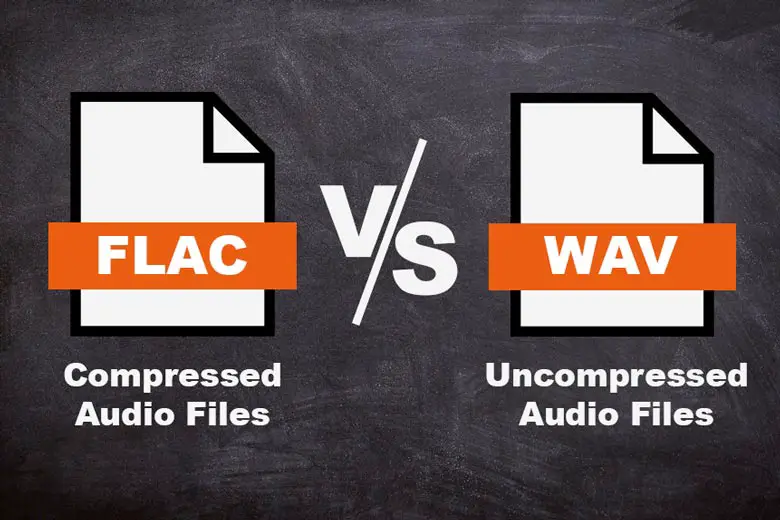
PCM is the standard method for representing audio waveforms in a raw, uncompressed form. It’s what most of us think of when we listen to a CD. The sound is captured as a continuous stream of amplitude values sampled at a fixed rate. In contrast, FLAC is a compressed format, meaning it stores the same audio data but does so more efficiently, without losing any of the original sound quality. Let’s break down how each format works and where the differences lie, especially in their waveform representation.

How PCM Represents Audio Waveforms

PCM audio is all about simplicity and accuracy. It represents sound by recording amplitude values at regular intervals, which we call samples. These samples are then stored as a sequence of binary numbers. Imagine listening to a radio station—you hear a continuous flow of sound waves. Now, if you were to capture that sound digitally using PCM, it would look like a series of steps, where each step corresponds to a snapshot of the audio at a specific moment.

The resolution of PCM’s waveform representation depends on two key factors: sample rate and bit depth. The sample rate is how often the audio is sampled per second, and the bit depth defines how precise each sample is. For instance, a standard CD uses a sample rate of 44.1 kHz and a bit depth of 16 bits. The higher these values, the more accurately PCM can represent the original waveform.

Key Features of PCM Audio Representation

  • Raw, uncompressed format
  • Each sample corresponds to an amplitude value at a specific point in time
  • Higher sample rates and bit depths provide more accurate representation
  • Typically large file sizes due to the uncompressed nature
  • Widely used in professional audio applications

For example, if you were to look at the waveform of a song in PCM, you’d see a jagged line that closely follows the original audio signal. Each point on the line represents a sample, and the more samples you take (with a higher sample rate and bit depth), the smoother the waveform appears. This representation is precise but also creates large files since every sample needs to be stored.

How FLAC Represents Audio Waveforms

On the other hand, FLAC compresses audio data without losing any quality. This compression is what makes it different from PCM. FLAC uses lossless compression, which means that it reduces file size while maintaining the integrity of the original waveform. It’s like folding a piece of paper into a smaller, more compact shape without tearing or cutting it—when you unfold it, it’s still the same shape.

In FLAC, the waveform is represented in a way that keeps the essential information but removes redundancy. It analyzes the audio to find patterns that can be encoded more efficiently. For example, if a section of audio contains a long string of similar or repeating values, FLAC will store that section in a more compact form, only using extra data where it’s truly needed. When you decode the FLAC file, it reconstructs the exact same audio data that PCM would provide.

Key Features of FLAC Audio Representation

  • Lossless compression that retains full audio quality
  • Stores audio in a more compact form, reducing file sizes
  • Uses advanced algorithms to find and eliminate redundancy in the waveform
  • Ideal for audiophiles and archival purposes
  • Less storage space required compared to PCM

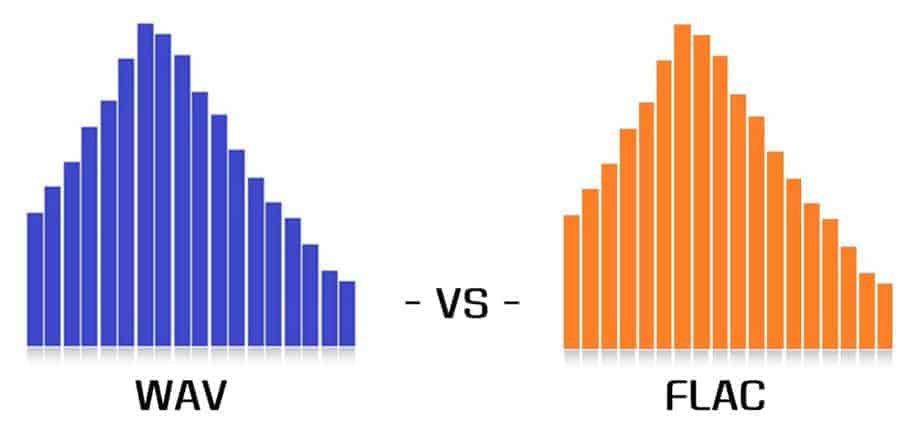
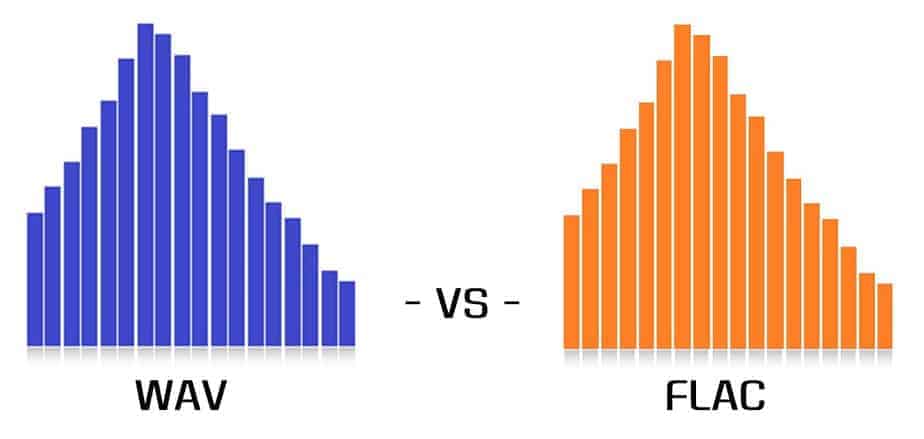
The FLAC waveform representation might appear similar to the PCM waveform in terms of its overall shape, but the difference lies in the file size. A FLAC file will be much smaller than an uncompressed PCM file, even though both formats contain identical audio data. This is due to FLAC’s ability to remove redundant information in the waveform without affecting the sound quality.

Comparison of File Sizes: PCM vs FLAC

One of the most noticeable differences between PCM and FLAC is the file size. Since PCM stores every sample of the waveform in its original form, it tends to produce very large files. For example, a typical uncompressed PCM file (like a WAV or AIFF) for a single song can range from 40 MB to 100 MB or more, depending on the length and sample rate.

FLAC, on the other hand, compresses the same audio without losing any quality. Typically, you can expect FLAC files to be about 30-60% smaller than their PCM counterparts. This makes FLAC an attractive choice for people who want to store high-quality audio without taking up as much disk space. A FLAC file might be only 20 MB to 40 MB for the same song that would be 100 MB in PCM.

Comparison of File Sizes

  • PCM files are large due to uncompressed data (e.g., WAV, AIFF)
  • FLAC files are compressed, typically 30-60% smaller than PCM files
  • FLAC provides the same sound quality as PCM but with reduced storage needs
  • FLAC is ideal for audiophiles who want to save space while preserving audio integrity

If you’ve ever had to manage a large music library or archive audio files, you’ll quickly realize how much space you can save by converting your PCM files to FLAC. It’s like switching from storing a stack of paper in a huge box to a compact, neatly folded bundle. Not only is FLAC more space-efficient, but it’s also more manageable for devices with limited storage capacity, like smartphones and portable music players.

Impact on Audio Quality: PCM vs FLAC

In terms of sound quality, both PCM and FLAC deliver the exact same result when it comes to playing back audio. Since FLAC is a lossless format, it preserves the full audio information from the original recording, just like PCM does. However, the key distinction is that PCM provides that audio in its raw, uncompressed form, while FLAC compresses the data without any loss of quality.

In real-world usage, this means that unless you have a very high-end audio system that can detect minute differences, you’ll hear no difference between PCM and FLAC when listening to music. Both formats are considered to be “bit-perfect,” meaning they deliver the exact same sound. But, FLAC’s advantage comes when you need to manage large collections of music or require a more efficient way to store audio without sacrificing quality.

Let’s talk about the benefits of PCM and FLAC for different uses

When deciding between PCM and FLAC, it’s important to think about your specific use case. PCM is often favored in professional audio applications, where raw, uncompressed sound is required for tasks like recording, mixing, and mastering. Since PCM retains every sample without compression, it gives audio engineers the maximum flexibility and accuracy in their work.

FLAC, on the other hand, is perfect for audiophiles and anyone looking to store or share high-quality music files without taking up as much space. If you’re archiving your music collection or want to listen to uncompressed sound without using a ton of storage, FLAC is the better choice. It offers the best of both worlds—lossless compression with manageable file sizes.

Latest words on differences in audio waveform representation in PCM and FLAC

To sum up, the differences between PCM and FLAC primarily come down to how the audio data is represented and stored. PCM is uncompressed and accurate, providing a true representation of the waveform, but at the cost of large file sizes. FLAC, on the other hand, compresses audio without losing any quality, making it a more space-efficient choice without sacrificing sound fidelity. Whether you choose PCM or FLAC depends on your needs—if you want raw, uncompressed audio for professional work, PCM is the way to go. If you’re looking to save space while keeping the same audio quality, FLAC is an excellent choice.

FAQ

What is the main difference between PCM and FLAC audio formats?

PCM is an uncompressed audio format that provides a raw waveform representation of sound, while FLAC is a lossless compressed format that reduces file size without affecting audio quality.

Does FLAC compress audio without losing quality?

Yes, FLAC is a lossless compression format, meaning it reduces file size while preserving the original audio data perfectly, without any loss in quality.

Which audio format is better for storage space, PCM or FLAC?

FLAC is better for storage space because it compresses audio files without losing any quality. PCM files tend to be much larger due to their uncompressed nature.

Is the sound quality different between PCM and FLAC?

No, the sound quality is identical between PCM and FLAC because FLAC is a lossless format, meaning it retains all the audio information of the original PCM file.

Can I convert FLAC to PCM?

Yes, FLAC can be converted to PCM, but since FLAC is lossless, converting it to PCM will not result in any loss of quality.

Why would I use PCM over FLAC?

You would use PCM if you require the raw, uncompressed audio for professional applications like recording, mixing, or mastering, where accuracy is crucial.

Does FLAC reduce audio quality during playback?

No, FLAC does not reduce audio quality during playback. It provides the same quality as the original PCM file but in a smaller size.

What is the ideal use case for FLAC?

FLAC is ideal for audiophiles, music collectors, or anyone who wants high-quality audio without taking up as much storage space as uncompressed PCM files.

Comments:

Great article! I never knew PCM and FLAC were so different in how they store audio. I always thought FLAC was just another MP3 type file, but now I understand it’s lossless. Thanks for breaking it down!

Wow, I didn’t realize the size difference between PCM and FLAC was so significant. It’s nice to know FLAC keeps the same sound quality but uses less space. I’ll definitely start using FLAC for my music collection.

This was really helpful, but I’d love to know more about when to choose PCM over FLAC for specific audio projects. Would love some more real-world examples of where PCM really shines.

After reading this, I feel a lot more confident in using FLAC for my home recordings. I was always worried about file sizes, but now I see it’s not a problem!

I’ve always used MP3s but now I see why audiophiles swear by FLAC. I’m going to try converting my music to FLAC, especially since it’s lossless. Great info!


Free Download Mp4Gain
picture


Mp4Gain Main Window
picture


Mp4Gain Features
picture


Free Download Mp4Gain
picture

FLAC 【Free Lossless Audio Codec】

FLAC 【Free Lossless Audio Codec】

FLAC

FLAC is one of the lossless compression methods and file formats for audio data.

FLAC

It can be saved without loss of sound quality. The standard file extension is “.fla” or “.flac”.

FLAC

Most audio data compression methods use lossy compression, which dramatically increases the compression ratio rather than allowing the original data to be modified or lost, but FLAC is so fully compressed that the sound quality does not deteriorate in any way. absolute in principle.

The compression rate cannot be determined unequivocally because it is greatly affected by the audio content, but when a general music CD is used as the sound source, a lossy compression method such as MP3 is reduced to about 1/ 10 while maintaining sound quality. While it can be compressed, FLAC has half to a third of the amount of data that other lossy compression methods have.

The sampling frequency of the corresponding audio data is 1 to 655 350 Hz (655 kHz), the number of quantization bits is 4 to 32 bits, and up to 8 channels can be superimposed and recorded. The compression/decompression method is open to the public, and the standard compression/decompression software (codec) is open to the public under the BSD license.

It also defines a container format (.flac file) that records compressed data to a file, but can also be adopted as a codec for other container standards, such as the Ogg format (.ogg/.oga) and the Matroska format (.mka ). ) In /.mkv), FLAC can be used as one of the audio formats. The FLAC container format also defines the “FLAC uncompressed” format, which allows you to specify uncompressed as an option and records audio to WAV format as is without compression.

Why are WAV and FLAC making a fool of themselves by saying “sound quality is different”?

Why are WAV and FLAC making a fool of themselves by saying “sound quality is different”?

WAV vs FLAC

When looking at the audio file ( audiophile ; so-called audiophile in Japan) area, the sound quality is different between WAV and FLAC! There are people who scream. In this article I would like to consider whether it is true.

FLAC vs WAV

Differences between
WAV (WAVE) is a file format that can store linear PCM, and FLAC is a format that can store audio by lossless compression (ie, compression can be performed without loss of sound quality).
According to the FLAC standard, formats up to 32 integer bits/655 350 Hz can be stored, but the encoder itself supports up to 24 integer bits.
WAV is an old standard created in 1991, and is actually a kind of container standard called RIFF. Various waveform data can be stored in WAV, and 64-bit floats, etc. can also be stored.
In other words, if they are both in the 24-bit range, the exact same waveform can be saved. This is a perfect match at the waveform level.
If you’re using a music player called foobar2000 , you can confirm that there is no 1-bit difference between WAV and FLAC using a plugin called Binary Comparator .
FLAC has a CRC checksum for each frame and the file has an MD5 hash to detect file corruption. WAV may not be noticeable even if it is corrupted, such as distorted data.
By the way, if you want to save 32 bits or more, you can use a lossless compression format called WavPack.
“Decode gar load”
The logic of those who argue that there is a difference in sound quality between WAV and FLAC is generally “FLAC requires decoding to PCM for playback, and since there is a need for decoding, the CPU load is high and the audio quality is high. sound is high”. It gets worse. ”
The first half of this logic is correct. FLAC is lossless compression and must be decoded for playback. However, when discussing the second half, questions arise.
Although FLAC is a compressed format in the first place, the load during decoding is one of the lowest among all lossless compressed audio formats.
The CodecPerformanceComparison site has decoding speeds by format. Among them, FLAC is much faster than Monkey’s Audio, WAVPACK, AAC and MP3. The decoding speed is almost the same regardless of whether the compression ratio is 5 or 8.
FLAC is said to only be able to decode using integer arithmetic (source), and it’s pretty fast. Although WAV does not require decoding, it is just using the CPU in the sense that it reads the file, stores it in memory, and the CPU processes the driver and sends the data to the sound card.
Also, WAV is not compressed, so there is a problem that the file size increases. This means that reading files from storage is clearly more frequent than FLAC. This is nothing more than using more of your computer’s bus bandwidth. How do you explain the electromagnetic noise generated by these warehouses and buses? Has anyone checked it out?
Importance of the ABX test (double-blind test)
I think most people in audio files (Ota, audiophiles) downplay science and think of things with various guesses, relying solely on their own senses.
“Clear sound” “Smooth and elegant treble” “Natural bass”
These words sound good, but they have to do with falsifiability, and I can’t even start an argument.
I want to compare A and B. At that time, “ABX test” or double-blind test (double-blind method) is useful.
Suppose there is A and B. I want to compare A and B. They can be WAV and FLAC, oxygen free copper cables and Amazon Basics cables. It may be the sound that electricity generated by hydroelectric power reproduces and the sound that sunlight reproduces, or the difference between iPod and Walkman, cassette tape and record.
If you really want to make a comparison, hide A and B and ask. There is another collaborator on this. When the test starts, the collaborator first prepares the equipment of A and B, and clearly plays each sound as A or B. Then the collaborator hides A or B and plays the sound. It can be of the order of AABBABAA or ABABAAB. Anyway, play random. And the collaborator asks, “What was the random sound I originally submitted, A or B?” He can request and replay sounds A and B at any time during the test.

WAV, FLAC and more: the best audio formats for your music

WAV vs FLAC

What audio format is best for music? Image: What audio format is best for music? Image: Unsplash
AAC is not the size of a battery, nor is FLAC an anti-aircraft weapon. With these and many other abbreviations, we find ourselves in the dense jungle of audio formats. In this guide, we’ll explain what these abbreviations mean, what each music file format is for, and which one is the best to use in your music collection.

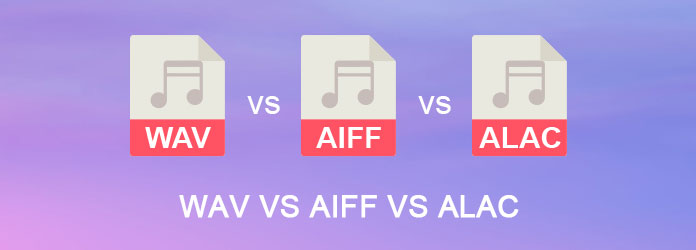
WAV vs AIFF vs ALAC

Lossless uncompressed audio formats
In uncompressed audio formats, the analog source material was converted to a lossless digital format. Uncompressed and lossless means no information was lost during the transfer and you get the best possible sound quality, at the expense of storage space, of course.

PCM
PCM stands for Pulse-Code Modulation and represents a digital image of the raw audio signal. Since analog sound is in wave form, it must be “sampled” at certain intervals (pulses). This results in the sample rate (frequency in Hertz) and the bit rate (number of bits per sample). PCM is an uncompressed, lossless audio format that is closest to analog source.

Usage: Music Industry: Basis for Lossless Uncompressed Audio Formats

Wav
WAV (Waveform Audio File Format) is a standard developed by Microsoft and IBM in 1991 for various audio formats. This waveform audio file format is actually a file container that generally contains uncompressed audio signals in PCM format, allowing Windows and Mac systems to process them more easily.

The result is excellent sound quality, but also very high storage space requirements. Another disadvantage of the WAV format is that only rudimentary metadata (artist, album, song title) is available and can be saved. You cannot store an album cover, for example.

Use: Music CD, among others

TAD D1000mk2
The TAD D1000 MK2 can play SACD and thus reproduce high-resolution audio signals. | Image: TAD
AIFF
The AIFF (Audio Interchange File Format) was developed by Apple in 1988 and is Apple’s equivalent to the WAV container. Similar to this, AIFF can contain different audio formats and is populated with the PCM format by default.

Use: Apple systems

Lossless compressed audio formats
Those who do not want to produce CDs or have an infinite amount of storage space can switch to high resolution audio formats. They are used for Super Audio CD (SACD) and streaming services like Tidal and, thanks to very good codecs, they provide lossless compression.

DSD
DSD (Direct Stream Digital) follows a similar principle to PCM, but works differently. The DSD codec uses fewer bits at a much higher sample rate to reduce the storage space required for a music file.

Usage: super audio CD

FLAC
FLAC (Free Lossless Audio Codec) is considered a very good alternative to WAV. The format requires up to 50 percent less storage space and can store more metadata. This makes FLAC a popular format for the highest quality music downloads, but with the downside that it is not compatible with Apple’s iTunes.

Usage: Hi-Res Music Downloads for Standalone Apple Systems

A THE C
As is often the case, Apple has also developed its own alternative called ALAC (Apple Lossless Audio Codec). FLAC is considered the more efficient of the two formats, but with ALAC Apple users can also enjoy a lossless audio format.

Usage: High-resolution music downloads for Apple systems

MQA
Unlike the other formats, MQA (Master Quality Authenticated) is not a real audio format, but a codec system consisting of an encoder and a decoder. Behind this is a complex piece of software that, according to the developer, should be able to reproduce the original master quality of the studio.

Impossible to detect the difference between MP3 and FLAC

Impossible to detect the difference between MP3 and FLAC

New comparative study carried out by experts debunks the myth that the FLAC sound (Free Lossless Audio Codec (FLAC) or Codec free lossless audio compression, is considerably better than that obtained in MP3 or AAC files.

According to Wikipedia, FLAC is a format of the Ogg project to encode audio without loss of quality; that is, the initial file can be completely recomposed, although with the disadvantage that the resulting file takes up much more space than would be obtained by applying lossy compression.

Other formats, such as MP3 or ACC (Advanced Audio Coding), irreversibly lose part of the original information when compressing the file, in exchange for a great saving in file size.

The site Trusted Reviews has published an analysis called “Sounds Good to Me”, the conclusion of which is that there is no considerable difference in sound in FLAC and MP3, at least for the average user’s auditory perception.

In their study, Trusted Reviews made the assumption that there is a difference, and that people with developed hearing abilities could hear the difference between a 192 kbps MP3 file and a FLAC file, both obtained from the same original CD.

Only one user notices the difference between Mp3 and FLAC

The previous assumption was not confirmed in the facts, since among the seven people who participated in the analysis there was only one who detected the difference between FLAC and MP3. In many cases, MP3 at a rate of 192 kpbs had a higher score than FLAC.

This result was further strengthened when comparing 320 kbps MP3 files with FLAC files, since half answered correctly, and half were wrong. The percentage of participants who preferred MP3 was even higher.

The trial used an iBasso D3 Python USB DAC and Beyer Dynamic DT770 Pro headphones.

It should be noted that studies of this type have a certain margin of error. According to experts in comparisons such as the one carried out by Trusted Reviews, there are psychological factors, such as many users quickly forgetting their perception of what they have just heard, so the order in which the test is carried out is highly relevant. Non-expert users are also influenced by their mood and, in fact, by the music they listen to.