Linear PCM [ Linear PCM ] LPCM / Linear Pulse Code Modulation

Linear PCM [ Linear PCM ] LPCM / Linear Pulse Code Modulation

PCM

Linear PCM is one of the methods for converting analog signals, such as voice, into digital data, and the data obtained by sampling the signal strength at regular intervals is recorded as-is. The simplest and most basic method of PCM.

DSD

Linear PCM

The analog signal strength is measured at regular intervals according to the sampling rate and quantized as an integer value within a specific number of bits. When simply referring to PCM, it is common to refer to linear PCM, and it is often called linear PCM in the context of contrasting with methods such as DPCM and ADPCM that take the difference from the previous sampled value.

Higher quality data can be obtained by increasing the sampling rate and the number of quantization bits, but the amount of data increases accordingly. For example, a CD records 2 stereo channels of audio at a sampling rate of 44.1 kHz (kilohertz) and 16-bit (2-byte) quantization, with a data volume of 176.4 KB (kilobytes) per second at 44.1 kHz x 2 bytes x 2 channels will be.

If the data obtained by linear PCM is recorded as is, it is converted to uncompressed audio data, which is superior because there is no deterioration in sound quality compared to the lossless compression method, but a large capacity is required. and band for storage and transmission. . .. WAV file (.wav file) of Windows is famous as a file format for storing data in PCM format.

WAV [ waveform audio file format ] .wav file / WAVE format / WAV format

WAV [ waveform audio file format ] .wav file / WAVE format / WAV format

WAV

WAV is one of the file formats for recording audio data. It is famous as a format that Windows supports as standard and the standard file name extension is “.wav”.

Wav format

WAV

A file format jointly developed by Microsoft and IBM based on the RIFF format, which is a commonly used data record file format It is one of the container formats that defines only the layout and method of storing data in a file , and can store data in various compression formats, regardless of the expression format or the compression format of the data itself.

It is sometimes explained that it is an uncompressed audio format because uncompressed PCM data is often recorded in the standard, but this is a misunderstanding and it is in fact compressed in WMA or MP3 format. To record and play audio in a format that is not supported by the standard, a codec (CODEC: COmpressor / DECompressor) is required to handle that format.

FLAC 【Free Lossless Audio Codec】

FLAC 【Free Lossless Audio Codec】

FLAC

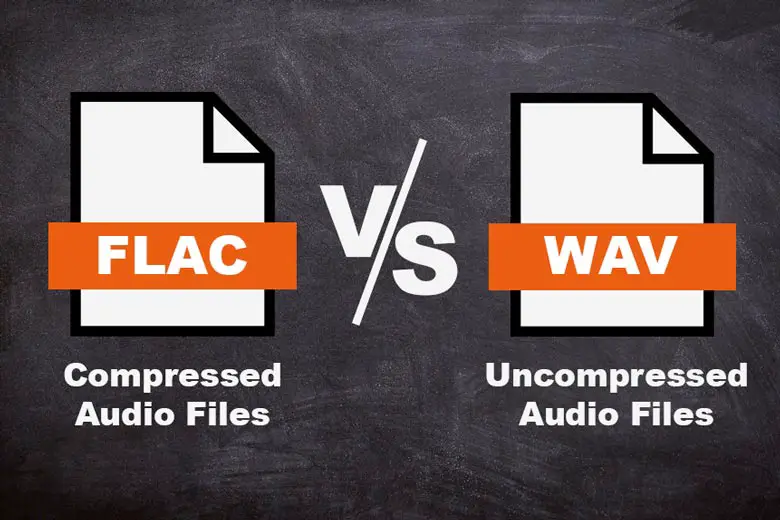
FLAC is one of the lossless compression methods and file formats for audio data.

FLAC

It can be saved without loss of sound quality. The standard file extension is “.fla” or “.flac”.

FLAC

Most audio data compression methods use lossy compression, which dramatically increases the compression ratio rather than allowing the original data to be modified or lost, but FLAC is so fully compressed that the sound quality does not deteriorate in any way. absolute in principle.

The compression rate cannot be determined unequivocally because it is greatly affected by the audio content, but when a general music CD is used as the sound source, a lossy compression method such as MP3 is reduced to about 1/ 10 while maintaining sound quality. While it can be compressed, FLAC has half to a third of the amount of data that other lossy compression methods have.

The sampling frequency of the corresponding audio data is 1 to 655 350 Hz (655 kHz), the number of quantization bits is 4 to 32 bits, and up to 8 channels can be superimposed and recorded. The compression/decompression method is open to the public, and the standard compression/decompression software (codec) is open to the public under the BSD license.

It also defines a container format (.flac file) that records compressed data to a file, but can also be adopted as a codec for other container standards, such as the Ogg format (.ogg/.oga) and the Matroska format (.mka ). ) In /.mkv), FLAC can be used as one of the audio formats. The FLAC container format also defines the “FLAC uncompressed” format, which allows you to specify uncompressed as an option and records audio to WAV format as is without compression.

Why are WAV and FLAC making a fool of themselves by saying “sound quality is different”?

Why are WAV and FLAC making a fool of themselves by saying “sound quality is different”?

WAV vs FLAC

When looking at the audio file ( audiophile ; so-called audiophile in Japan) area, the sound quality is different between WAV and FLAC! There are people who scream. In this article I would like to consider whether it is true.

FLAC vs WAV

Differences between
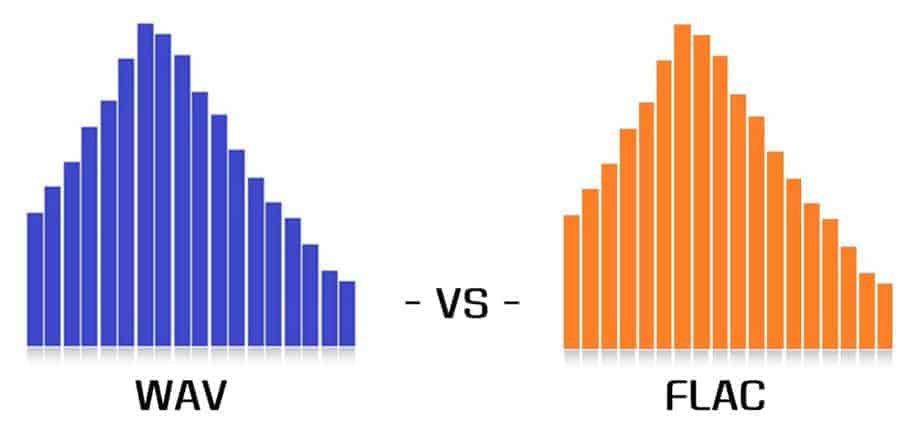
WAV (WAVE) is a file format that can store linear PCM, and FLAC is a format that can store audio by lossless compression (ie, compression can be performed without loss of sound quality).
According to the FLAC standard, formats up to 32 integer bits/655 350 Hz can be stored, but the encoder itself supports up to 24 integer bits.
WAV is an old standard created in 1991, and is actually a kind of container standard called RIFF. Various waveform data can be stored in WAV, and 64-bit floats, etc. can also be stored.
In other words, if they are both in the 24-bit range, the exact same waveform can be saved. This is a perfect match at the waveform level.
If you’re using a music player called foobar2000 , you can confirm that there is no 1-bit difference between WAV and FLAC using a plugin called Binary Comparator .
FLAC has a CRC checksum for each frame and the file has an MD5 hash to detect file corruption. WAV may not be noticeable even if it is corrupted, such as distorted data.
By the way, if you want to save 32 bits or more, you can use a lossless compression format called WavPack.
“Decode gar load”
The logic of those who argue that there is a difference in sound quality between WAV and FLAC is generally “FLAC requires decoding to PCM for playback, and since there is a need for decoding, the CPU load is high and the audio quality is high. sound is high”. It gets worse. ”
The first half of this logic is correct. FLAC is lossless compression and must be decoded for playback. However, when discussing the second half, questions arise.
Although FLAC is a compressed format in the first place, the load during decoding is one of the lowest among all lossless compressed audio formats.
The CodecPerformanceComparison site has decoding speeds by format. Among them, FLAC is much faster than Monkey’s Audio, WAVPACK, AAC and MP3. The decoding speed is almost the same regardless of whether the compression ratio is 5 or 8.
FLAC is said to only be able to decode using integer arithmetic (source), and it’s pretty fast. Although WAV does not require decoding, it is just using the CPU in the sense that it reads the file, stores it in memory, and the CPU processes the driver and sends the data to the sound card.
Also, WAV is not compressed, so there is a problem that the file size increases. This means that reading files from storage is clearly more frequent than FLAC. This is nothing more than using more of your computer’s bus bandwidth. How do you explain the electromagnetic noise generated by these warehouses and buses? Has anyone checked it out?
Importance of the ABX test (double-blind test)
I think most people in audio files (Ota, audiophiles) downplay science and think of things with various guesses, relying solely on their own senses.
“Clear sound” “Smooth and elegant treble” “Natural bass”
These words sound good, but they have to do with falsifiability, and I can’t even start an argument.
I want to compare A and B. At that time, “ABX test” or double-blind test (double-blind method) is useful.
Suppose there is A and B. I want to compare A and B. They can be WAV and FLAC, oxygen free copper cables and Amazon Basics cables. It may be the sound that electricity generated by hydroelectric power reproduces and the sound that sunlight reproduces, or the difference between iPod and Walkman, cassette tape and record.
If you really want to make a comparison, hide A and B and ask. There is another collaborator on this. When the test starts, the collaborator first prepares the equipment of A and B, and clearly plays each sound as A or B. Then the collaborator hides A or B and plays the sound. It can be of the order of AABBABAA or ABABAAB. Anyway, play random. And the collaborator asks, “What was the random sound I originally submitted, A or B?” He can request and replay sounds A and B at any time during the test.

Wav and mp3, what are the differences.

Wav and mp3, what are the differences.

MP3 versus WAV

Digital sound sources have become part of everyday life.


Nowadays, many people listen to music between school and work, and play music from their PCs and smartphones. Now that YouTuber is on the rise, it is difficult to break ties because it is next to MP3 and WAV. You will always be indebted to the scenes, such as applying the sound source to the image and adding sound effects. Here, we will mainly introduce the differences between WAV and MP3.

What is WAV
WAV is also known as PCM or WAVE sound source, and refers to the format of uncompressed digital sound sources. Since the sound source is not compressed, it is characterized by the same high sound quality as the recorded sound source. on the CD.

The only downside to WAV is that the higher the sound quality, the greater the amount of information that will be captured and the larger the file size. If you compare it to a 5 minute sound source file, it will be 50MB.

What is MP3?
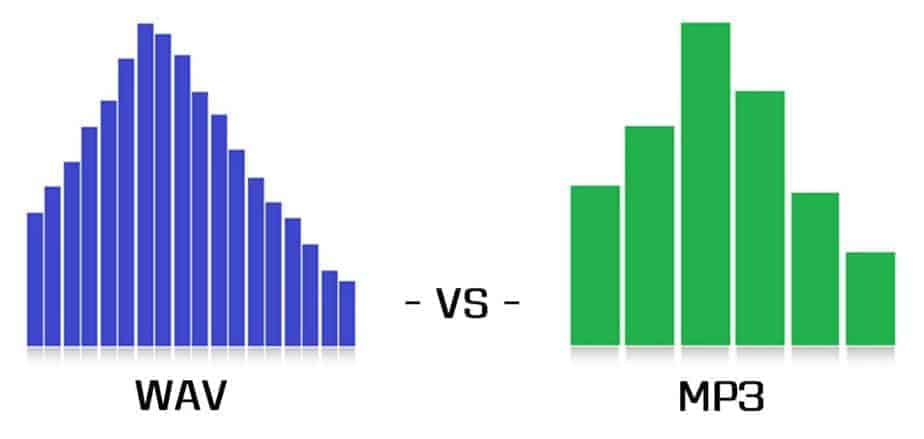
MP3 is a lossy compressed WAV file. Lossy compression can significantly reduce the amount of data, but compressed data cannot be restored to original data even if it is decompressed. You need to be careful about the conversion as it is a way of degrading the data.

At the same time that the sounds that humans cannot hear are eliminated, the amount of data can be compressed to about 1/11 while maintaining the same sound quality as music CDs.The difference between WAV and MP3 is whether it is compressed or not.

5 differences between WAV and MP3

To briefly explain the difference between WAV and MP3, WAV is an uncompressed raw sound source, so the sound quality is very good, but the capacity is very large. On the other hand, MP3 reduces the capacity of WAV to the remove only the data that the human ear cannot hear to reduce the WAV capability. When used for video editing, MP3 can be used for short videos for SNS. WAV is used to write images to discs like Blu-ray.

Difference between WAV and MP3 1: frequency difference

First of all, WAV and MP3 have different frequencies. It is easy to understand by frequency analysis, but WAV can express all sound sources in frequency, while MP3 only has the last part cut off. Even if you convert MP3 once converted to WAV again, the sound quality will not improve.

Sound is a vibration that is transmitted through substances such as air and objects, so it is transmitted in the form of waves to the human ear.Human beings can perceive sound because it travels through the air to the human eardrum in wave form.

Difference between WAV and MP3 2: difference in data capacity

Source: 100+ Images of Free Data and Analysis – Pixel
WAV and MP3 have different data capacities. MP3s are created by compressing WAV, so they have a smaller capacity than WAV. WAV is about 50MB in 5 minutes, but it typically becomes about 5MB when compressed to MP3.

To convert WAV to MP3, there is a service called OnlineVideoConverter. It can convert WAV to OGG, AAC, WMA, and MP3.

Difference between WAV and MP3 3: difference in sound quality

WAV and MP3 also have different sound quality. Since WAV is not compressed, it has not deteriorated and it is characteristic that you can enjoy music with beautiful sound quality. Smartphones and tablets are large in size, so it will be difficult to run them smoothly.

Since MP3 is WAV compressed data, its capacity is small. Since the capacity is light, it is ideal for attaching as data. Sound quality has deteriorated, but only sounds that are inaudible to humans have been removed.

Difference between wav and mp3 Part 2

Difference between wav and mp3 Part 2

WAV vs. MP3

Lossy sound?

In the case of a WAV file, if you play the exact same WAV sound source file with the sound waveform reversed and the original waveform file together, you won’t hear anything.

So by applying Audition phase inversion to a WAV file and playing it at the same time as the MP3 version file, I tried to extract the sound that is irreversibly compressed and can be heard in WAV but not MP3, commonly known as ” Lossy Sound “. !!

0.03 Original WAV sound source (①)
0.08 Inverted WAV sound source (②)
0.15 ① and ② (silence)
0.22 MP3 sound source (③)
0.28 ② and ③ (Lossy sound)

It flows in the order of.

abstract
I’m sure there are people who think this lost sound is not a big deal, and people who think it makes a big difference.

Personally, when I listened to Lossy Sound, I thought that the thickness and sound of the sound was considerably lost in MP3.

The music used in this check was a song with a high range overall, so if you want to compare it to music with a strong mid-low range, check out the video below!

You can listen to the lossy sound of the reversed WAV file and MP3 played at the same time from overseas YouTuber video
“WAV vs. MP3 – The Difference” -Kevin Billingslea
12:28 where you can listen and compare the deep bass.
? rel = 0 “frameborder =” 0 “allowfullscreen>
In this video, you can compare WAV and MP3 with a famous song called Take Me To Church by Hozier.

Lossy Sound will play starting at 2:47.
Note: I’m a little scared. Note on the headphone volume

By the way, the response from the listening comparison test was
①WAV → ②MP3 → ③MP3!

To be honest I heard it many times
and I finally thought it was different, but when I heard Lossy Sound

Difference between wav and mp3

Difference between wav and mp3

WAV vs MP3

I heard that there is a difference in sound quality between WAV and MP3, but how much is it really different?
Does anyone think so?

WAV vs. MP3

Even if you theoretically know that a WAV file is a lossy compressed file, it is an MP3 file, but it seems that few people really compare the WAV file and the MP3 file of the same song.

Lossy compression is a compression method that can significantly reduce the amount of data, but when compressed data is decompressed, it is not fully restored and data loss (corruption) occurs.

This time, we will do a simple check so that you can understand the difference between WAV and MP3 more deeply by learning not only the form and theory, but also the sense of hearing!
Even if it says verification, just listen and compare!
I hope you have read this article and used it as a basis for deciding whether to use WAV or MP3 in the future.

From the meaning of the terms to the operation procedure, we will explain it smoothly with pictures.
PR: New Vook Video Production Glossary

Difference between WAV and MP3
For those who don’t know what the different format of WAV and MP3 is, I will explain it in words first.
If you already know, go to the “Listening Comparison Test” below.

In short, a
WAV sound source is a format that preserves the same sound quality as an uncompressed recorded state.
The sound quality is good because it is not compressed, but it also has the disadvantage that the file is very heavy.

Secondly,
MP3 is a file that is significantly lighter by removing only the sounds that are inaudible to humans in the WAV file to lighten the sound source file that is too heavy for WAV.

By the way, for reference, the size of the same WAV and MP3 file
it’s 9.2MB, which is less than 1/4 of that, while WAV is 41MB.

The file is very light, but let’s check how much sound is gone.

Comparative hearing test
In fact, I prepared the MP3 version and the WAV version of the same song.
If you say this is MP3 and WAV first, you may hear WAV better due to biases, so first try listening to the sounds without saying which one …

Play the same phrase from the same song three times.
Of those three times, we will answer after the final summary if each was MP3 or WAV.

People with very good hearing can hear it because it only cuts out sounds that humans shouldn’t be able to hear, but it doesn’t matter if they can’t be heard.

Wav compression. How Audio Compression Works

Wav compression. How Audio Compression Works

WAV

Wav is one of the containers for recording an audio stream. As a general rule of thumb, uncompressed audio is recorded in wav format, which makes the file size quite large. To reduce the size, you can convert the audio to a format with a higher degree of compression or, leaving the audio in the wav container, compress it with a codec.

WAV

Many people who work with sound have probably faced the problem of the large (just huge) size of audio files in WAV format. In fact, files of this type, while comfortable to use, are quite cumbersome in terms of size.

How to reduce wav size
The easiest way to reduce the size of a WAV file without losing quality is to simply convert it to another audio format with the same bit rate. Let’s say it could be the most popular MP3 audio format. The fact is that it is not difficult to work with these files in sound editors, since any semi-professional or professional audio editor opens MP3 files in wave form. Therefore, editing comes down to exactly the same work as with WAV files.

On the other hand, the world has adopted an unspoken standard for music files that are present on many servers. This is 16-bit audio at 44100 Hz, 128 kbps. So if you have a file recorded at a bit rate of say 320 kbps, 48000 Hz, you can simply change the bit rate. For non-professionals, the loss of quality when changing the sample rate will not particularly affect. Also, to listen to music, say, on a mobile device. Almost any audio editor allows this type of operation. These operations are provided even at the very beginning of the program and are done with just a couple of clicks on the necessary menu items. Also, if you are very afraid of losing quality, you can take advantage of the additional features after changing the bit rate or sample rate. It can be various types of filters, for example, equalizers or sound normalization. All of this will help bring the sound to its proper shape.

However, if you work with sound professionally or are used to good sound, there is no need to change the bit rate and sample rate. Here it is worth using the first method described above, which, in itself, is the most acceptable.

And finally, to reduce the size of such an audio file, you can simply use different codecs to get the same WAV file as the output, but only with a higher degree of compression. You can convert the WAV PCM format to, say, AC-3 ACM format, which will immediately reduce the size. There are quite a few programs for this type of action. And you don’t need to use an audio editor. You can use, for example, Total Audio Converter. Reducing the size will not require too much time and effort. All you have to do is select the desired filter, bit rate, and sample rate. That’s it.

Today, the amount of information we consume on the net has grown thousands of times compared to the early 2000s. And it is not surprising, because before, in addition to the much less widespread Internet coverage, the sites and services to which that we were used to looked completely different.

Every day we read articles and news that this or that company has developed a new connection standard that surpasses current analogues in terms of data transfer speed. For nearly two decades, the vendors and manufacturers of many devices have taken a big step toward high-speed Internet access. But our instant access to websites isn’t the only one with just speeds.

The development of algorithms to compress image, audio and video files played a very important role in saving our time. Walking through the vastness of the network, we often do not even think about how and what is organized, how much effort was put into developing a particular technology. In a new series of articles, we’ll cover compression techniques for popular formats like MP3 and JPEG, and we’ll take a basic look at the video encoding process.