WAV vs Mp3, advantages of each


Free Download Mp4Gain
picture

WAV vs Mp3, advantages of each

WAV vs. MP3

Wave is uncompressed or lossless format, while MP3 is compressed or lossy. Technically .wav is just a container format and can contain various types of compressed or uncompressed audio, but you will usually find that it contains uncompressed LPCM audio (the same as on audio CDs). With .wav files
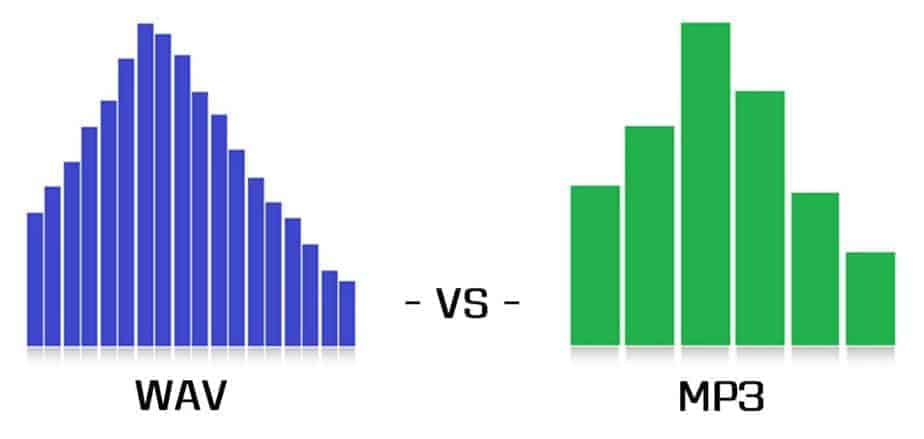
WAV vs MP3

You essentially end up with a raw digital representation of the audio bitstream. Analog sound produced in the real world contains essentially an infinite amount of information because it is a constantly changing wave (see below). To digitize these sounds, you must sample the signal at different intervals to get an approximate sound. For .wav, the audio signal is typically sampled at 44,100 times per second or more, and each sampled value is recorded so that the audio wave can be played:

The analog sound wave is sampled at each T interval to obtain a digital approximation of the original signal. (For digital audio, T is usually 1 / 44,100 seconds or less)

MP3s are compressed to compress the same audio information into a smaller file size. The .wav format is great for representing an analog signal very accurately, but generally at the expense of large files, as you probably know. Compressed audio (and video similarly) is designed to reduce file size while maintaining an acceptable level of fidelity. In simple terms, compression tries to remove unnecessary data from the stream and reduce the signal to its most necessary components. In MP3, the encoding and compression algorithms use a model of how we listen to analyze the sound in the frequency domain and remove any unnecessary information. For example, due to hearing disguise, if there are two sounds at close frequencies, we will often only hear a loud sound if the difference in volume between them is significant. Therefore, for MP3, the lower volume sound can be reduced and the sound will sound essentially the same as it does to our ears. Find out more about the technical aspect of MP3 encoding here.

In practice, both .wav and MP3 have their uses. For production, .wav is the standard because it will almost always be a 100% accurate, bit-level reproduction of the source material. MP3s can be a decent alternative at high enough bit rates. Bitrate is a measure of how many bits per second the MP3 encoding will use. This means that the higher the bit rate, the closer the MP3 will be to the original uncompressed stream. Bit rate is generally measured in kilobits per second (kbps). I like high sound quality for my digital music collection, so when I get a chance, I usually encode MP3 at a constant 256 or 320 kbps. This is the upper limit of what MP3 can do, and sadly most digital music isn’t encoded that high there. When the bit rate drops, it is usually heard first in the high frequencies, like the cymbals of a drum set. 160 kbps is tolerable, but anything below and you’ll really start to notice. But again, with a fairly high bitrate, the differences between MP3 and .wav subtle, especially for an inexperienced listener (most listeners).

For .wav files, we mainly look at the bit depth and the frequency or sample rate. Bit depth is the number of bits used to encode each sample value. The sample rate indicates how many times per second the audio is sampled. CD (.wav) and MP3 are encoded at a sample rate of 44100 Hz (Hertz stands for “cycles per second”). Newer computers and audio hardware / software now support higher sample rates, including 48 kHz or 96 kHz. For .wav the bit depth is usually 16 or 24 bit on newer systems. For most purposes, 16-bit and 44.1 kHz is sufficient when using .wav, but if you have this capability, it’s generally worth moving up to 24-bit, 48 kHz.


Free Download Mp4Gain
picture


Mp4Gain Main Window
picture


Mp4Gain Features
picture


Free Download Mp4Gain
picture

Wav compression. How Audio Compression Works

Wav compression. How Audio Compression Works

WAV

Wav is one of the containers for recording an audio stream. As a general rule of thumb, uncompressed audio is recorded in wav format, which makes the file size quite large. To reduce the size, you can convert the audio to a format with a higher degree of compression or, leaving the audio in the wav container, compress it with a codec.

WAV

Many people who work with sound have probably faced the problem of the large (just huge) size of audio files in WAV format. In fact, files of this type, while comfortable to use, are quite cumbersome in terms of size.

How to reduce wav size
The easiest way to reduce the size of a WAV file without losing quality is to simply convert it to another audio format with the same bit rate. Let’s say it could be the most popular MP3 audio format. The fact is that it is not difficult to work with these files in sound editors, since any semi-professional or professional audio editor opens MP3 files in wave form. Therefore, editing comes down to exactly the same work as with WAV files.

On the other hand, the world has adopted an unspoken standard for music files that are present on many servers. This is 16-bit audio at 44100 Hz, 128 kbps. So if you have a file recorded at a bit rate of say 320 kbps, 48000 Hz, you can simply change the bit rate. For non-professionals, the loss of quality when changing the sample rate will not particularly affect. Also, to listen to music, say, on a mobile device. Almost any audio editor allows this type of operation. These operations are provided even at the very beginning of the program and are done with just a couple of clicks on the necessary menu items. Also, if you are very afraid of losing quality, you can take advantage of the additional features after changing the bit rate or sample rate. It can be various types of filters, for example, equalizers or sound normalization. All of this will help bring the sound to its proper shape.

However, if you work with sound professionally or are used to good sound, there is no need to change the bit rate and sample rate. Here it is worth using the first method described above, which, in itself, is the most acceptable.

And finally, to reduce the size of such an audio file, you can simply use different codecs to get the same WAV file as the output, but only with a higher degree of compression. You can convert the WAV PCM format to, say, AC-3 ACM format, which will immediately reduce the size. There are quite a few programs for this type of action. And you don’t need to use an audio editor. You can use, for example, Total Audio Converter. Reducing the size will not require too much time and effort. All you have to do is select the desired filter, bit rate, and sample rate. That’s it.

Today, the amount of information we consume on the net has grown thousands of times compared to the early 2000s. And it is not surprising, because before, in addition to the much less widespread Internet coverage, the sites and services to which that we were used to looked completely different.

Every day we read articles and news that this or that company has developed a new connection standard that surpasses current analogues in terms of data transfer speed. For nearly two decades, the vendors and manufacturers of many devices have taken a big step toward high-speed Internet access. But our instant access to websites isn’t the only one with just speeds.

The development of algorithms to compress image, audio and video files played a very important role in saving our time. Walking through the vastness of the network, we often do not even think about how and what is organized, how much effort was put into developing a particular technology. In a new series of articles, we’ll cover compression techniques for popular formats like MP3 and JPEG, and we’ll take a basic look at the video encoding process.
