How to Convert MP3 to WAV


Free Download Mp4Gain
picture

How to Convert MP3 to WAV

How to Convert MP3 to WAV

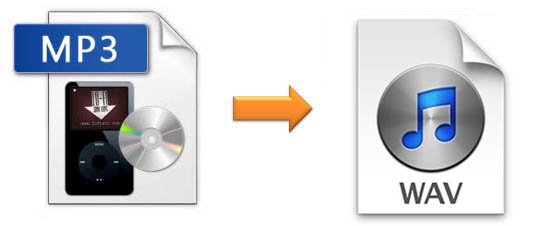
Are you looking for an easy way to convert your MP3 files to WAV format? Then look no further than Mp4Gain. Mp4Gain is a powerful audio conversion tool that allows you to quickly and easily convert MP3 files to WAV format.
How to Convert MP3 to WAV

What is Mp4Gain?

Mp4Gain is  software application that enables users to convert MP3 files to WAV format. It is available for Windows operating systems. The software supports a wide range of audio formats, including MP3, WMA, AAC, FLAC, and Ogg. Additionally, the software supports a variety of video formats, including AVI, MPG, DivX, XviD, and WMV.

How to Convert MP3 to WAV using Mp4Gain

The process of converting MP3 to WAV using Mp4Gain is simple and straightforward. To get started, follow the steps below:

  • Download and install the latest version of Mp4Gain on your computer.
  • Launch Mp4Gain and click the “Add” button to add the MP3 files that you want to convert.
  • Select the “Format” tab and choose the “WAV” option.
  • Adjust the settings for the output file, such as the bitrate, sample rate, and channels.
  • Click the “Convert” button to start the conversion process.
  • When the process is complete, the converted WAV files will be saved to the output folder.

Advantages of Using Mp4Gain

Using Mp4Gain to convert MP3 to WAV has several advantages, including:

  • It is easy to use, even for beginners.
  • It supports a wide range of audio and video formats.
  • It can be used to normalize the volume of audio and video files.
  • It is available for free.
  • It is regularly updated to ensure compatibility with the latest operating systems.

Conclusion

Converting MP3 to WAV using Mp4Gain is a simple and straightforward process. The software is easy to use and supports a wide range of audio and video formats. Additionally, Mp4Gain can be used to normalize the volume of audio and video files, making it an invaluable tool for anyone who needs to convert their audio files.


Free Download Mp4Gain
picture


Mp4Gain Main Window
picture


Mp4Gain Features
picture


Free Download Mp4Gain
picture

Linear PCM [ Linear PCM ] LPCM / Linear Pulse Code Modulation

Linear PCM [ Linear PCM ] LPCM / Linear Pulse Code Modulation

PCM

Linear PCM is one of the methods for converting analog signals, such as voice, into digital data, and the data obtained by sampling the signal strength at regular intervals is recorded as-is. The simplest and most basic method of PCM.

DSD

Linear PCM

The analog signal strength is measured at regular intervals according to the sampling rate and quantized as an integer value within a specific number of bits. When simply referring to PCM, it is common to refer to linear PCM, and it is often called linear PCM in the context of contrasting with methods such as DPCM and ADPCM that take the difference from the previous sampled value.

Higher quality data can be obtained by increasing the sampling rate and the number of quantization bits, but the amount of data increases accordingly. For example, a CD records 2 stereo channels of audio at a sampling rate of 44.1 kHz (kilohertz) and 16-bit (2-byte) quantization, with a data volume of 176.4 KB (kilobytes) per second at 44.1 kHz x 2 bytes x 2 channels will be.

If the data obtained by linear PCM is recorded as is, it is converted to uncompressed audio data, which is superior because there is no deterioration in sound quality compared to the lossless compression method, but a large capacity is required. and band for storage and transmission. . .. WAV file (.wav file) of Windows is famous as a file format for storing data in PCM format.

WAV [ waveform audio file format ] .wav file / WAVE format / WAV format

WAV [ waveform audio file format ] .wav file / WAVE format / WAV format

WAV

WAV is one of the file formats for recording audio data. It is famous as a format that Windows supports as standard and the standard file name extension is “.wav”.

Wav format

WAV

A file format jointly developed by Microsoft and IBM based on the RIFF format, which is a commonly used data record file format It is one of the container formats that defines only the layout and method of storing data in a file , and can store data in various compression formats, regardless of the expression format or the compression format of the data itself.

It is sometimes explained that it is an uncompressed audio format because uncompressed PCM data is often recorded in the standard, but this is a misunderstanding and it is in fact compressed in WMA or MP3 format. To record and play audio in a format that is not supported by the standard, a codec (CODEC: COmpressor / DECompressor) is required to handle that format.