Wav and mp3, what are the differences.


Free Download Mp4Gain
picture

Wav and mp3, what are the differences.

MP3 versus WAV

Digital sound sources have become part of everyday life.


Nowadays, many people listen to music between school and work, and play music from their PCs and smartphones. Now that YouTuber is on the rise, it is difficult to break ties because it is next to MP3 and WAV. You will always be indebted to the scenes, such as applying the sound source to the image and adding sound effects. Here, we will mainly introduce the differences between WAV and MP3.

What is WAV
WAV is also known as PCM or WAVE sound source, and refers to the format of uncompressed digital sound sources. Since the sound source is not compressed, it is characterized by the same high sound quality as the recorded sound source. on the CD.

The only downside to WAV is that the higher the sound quality, the greater the amount of information that will be captured and the larger the file size. If you compare it to a 5 minute sound source file, it will be 50MB.

What is MP3?
MP3 is a lossy compressed WAV file. Lossy compression can significantly reduce the amount of data, but compressed data cannot be restored to original data even if it is decompressed. You need to be careful about the conversion as it is a way of degrading the data.

At the same time that the sounds that humans cannot hear are eliminated, the amount of data can be compressed to about 1/11 while maintaining the same sound quality as music CDs.The difference between WAV and MP3 is whether it is compressed or not.

5 differences between WAV and MP3

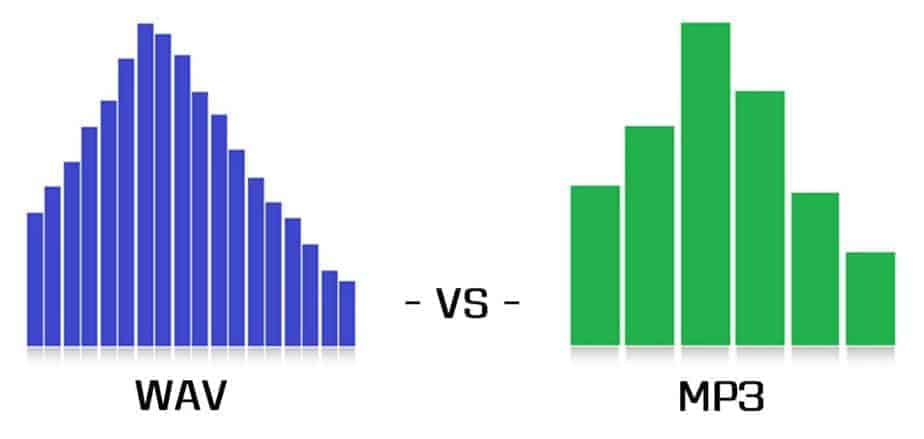
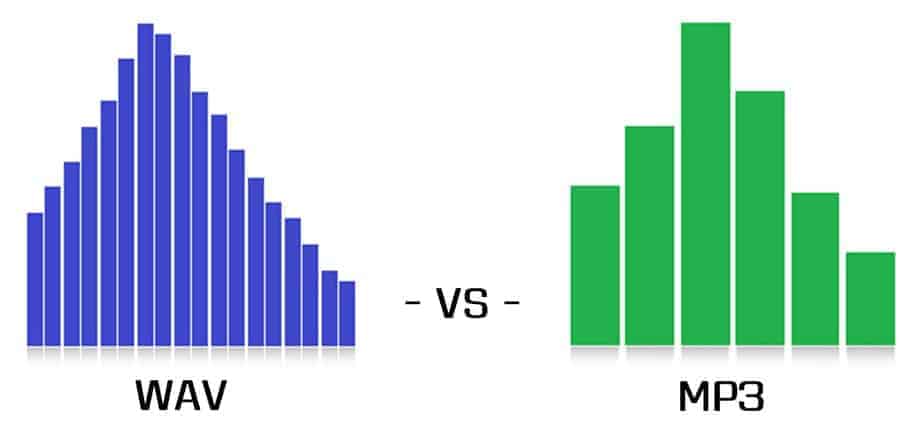
To briefly explain the difference between WAV and MP3, WAV is an uncompressed raw sound source, so the sound quality is very good, but the capacity is very large. On the other hand, MP3 reduces the capacity of WAV to the remove only the data that the human ear cannot hear to reduce the WAV capability. When used for video editing, MP3 can be used for short videos for SNS. WAV is used to write images to discs like Blu-ray.

Difference between WAV and MP3 1: frequency difference

First of all, WAV and MP3 have different frequencies. It is easy to understand by frequency analysis, but WAV can express all sound sources in frequency, while MP3 only has the last part cut off. Even if you convert MP3 once converted to WAV again, the sound quality will not improve.

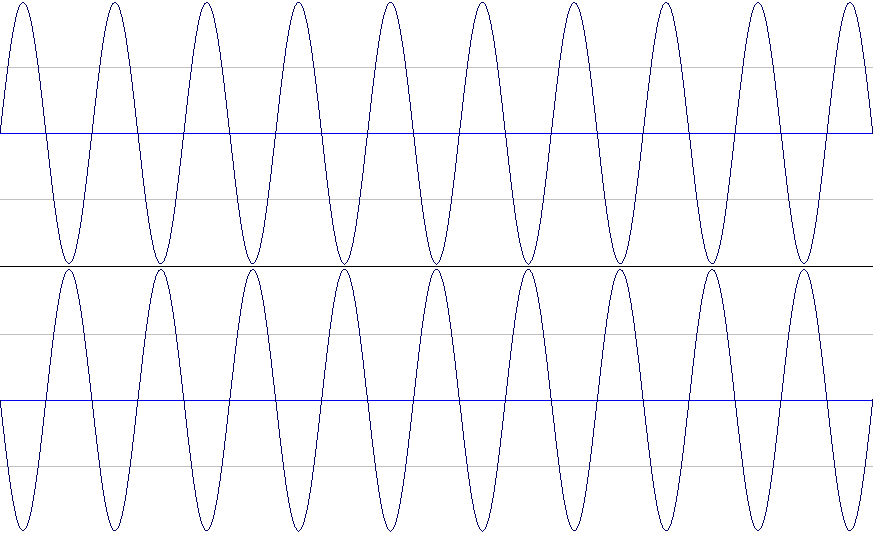
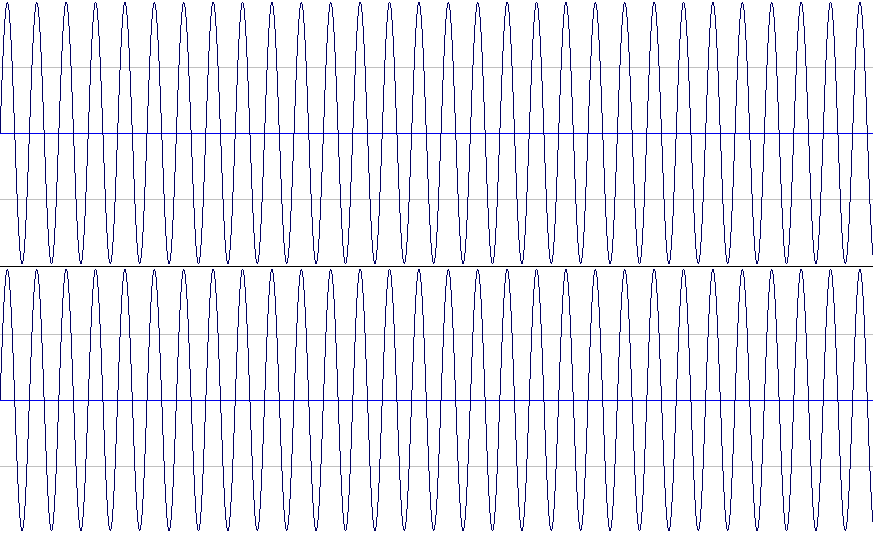
Sound is a vibration that is transmitted through substances such as air and objects, so it is transmitted in the form of waves to the human ear.Human beings can perceive sound because it travels through the air to the human eardrum in wave form.

Difference between WAV and MP3 2: difference in data capacity

Source: 100+ Images of Free Data and Analysis – Pixel
WAV and MP3 have different data capacities. MP3s are created by compressing WAV, so they have a smaller capacity than WAV. WAV is about 50MB in 5 minutes, but it typically becomes about 5MB when compressed to MP3.

To convert WAV to MP3, there is a service called OnlineVideoConverter. It can convert WAV to OGG, AAC, WMA, and MP3.

Difference between WAV and MP3 3: difference in sound quality

WAV and MP3 also have different sound quality. Since WAV is not compressed, it has not deteriorated and it is characteristic that you can enjoy music with beautiful sound quality. Smartphones and tablets are large in size, so it will be difficult to run them smoothly.

Since MP3 is WAV compressed data, its capacity is small. Since the capacity is light, it is ideal for attaching as data. Sound quality has deteriorated, but only sounds that are inaudible to humans have been removed.


Free Download Mp4Gain
picture


Mp4Gain Main Window
picture


Mp4Gain Features
picture


Free Download Mp4Gain
picture

Difference between wav and mp3 Part 2

Difference between wav and mp3 Part 2

WAV vs. MP3

Lossy sound?

In the case of a WAV file, if you play the exact same WAV sound source file with the sound waveform reversed and the original waveform file together, you won’t hear anything.

So by applying Audition phase inversion to a WAV file and playing it at the same time as the MP3 version file, I tried to extract the sound that is irreversibly compressed and can be heard in WAV but not MP3, commonly known as ” Lossy Sound “. !!

0.03 Original WAV sound source (①)
0.08 Inverted WAV sound source (②)
0.15 ① and ② (silence)
0.22 MP3 sound source (③)
0.28 ② and ③ (Lossy sound)

It flows in the order of.

abstract
I’m sure there are people who think this lost sound is not a big deal, and people who think it makes a big difference.

Personally, when I listened to Lossy Sound, I thought that the thickness and sound of the sound was considerably lost in MP3.

The music used in this check was a song with a high range overall, so if you want to compare it to music with a strong mid-low range, check out the video below!

You can listen to the lossy sound of the reversed WAV file and MP3 played at the same time from overseas YouTuber video
“WAV vs. MP3 – The Difference” -Kevin Billingslea
12:28 where you can listen and compare the deep bass.
? rel = 0 “frameborder =” 0 “allowfullscreen>
In this video, you can compare WAV and MP3 with a famous song called Take Me To Church by Hozier.

Lossy Sound will play starting at 2:47.
Note: I’m a little scared. Note on the headphone volume

By the way, the response from the listening comparison test was
①WAV → ②MP3 → ③MP3!

To be honest I heard it many times
and I finally thought it was different, but when I heard Lossy Sound

Difference between wav and mp3

Difference between wav and mp3

WAV vs MP3

I heard that there is a difference in sound quality between WAV and MP3, but how much is it really different?
Does anyone think so?

WAV vs. MP3

Even if you theoretically know that a WAV file is a lossy compressed file, it is an MP3 file, but it seems that few people really compare the WAV file and the MP3 file of the same song.

Lossy compression is a compression method that can significantly reduce the amount of data, but when compressed data is decompressed, it is not fully restored and data loss (corruption) occurs.

This time, we will do a simple check so that you can understand the difference between WAV and MP3 more deeply by learning not only the form and theory, but also the sense of hearing!
Even if it says verification, just listen and compare!
I hope you have read this article and used it as a basis for deciding whether to use WAV or MP3 in the future.

From the meaning of the terms to the operation procedure, we will explain it smoothly with pictures.
PR: New Vook Video Production Glossary

Difference between WAV and MP3
For those who don’t know what the different format of WAV and MP3 is, I will explain it in words first.
If you already know, go to the “Listening Comparison Test” below.

In short, a
WAV sound source is a format that preserves the same sound quality as an uncompressed recorded state.
The sound quality is good because it is not compressed, but it also has the disadvantage that the file is very heavy.

Secondly,
MP3 is a file that is significantly lighter by removing only the sounds that are inaudible to humans in the WAV file to lighten the sound source file that is too heavy for WAV.

By the way, for reference, the size of the same WAV and MP3 file
it’s 9.2MB, which is less than 1/4 of that, while WAV is 41MB.

The file is very light, but let’s check how much sound is gone.

Comparative hearing test
In fact, I prepared the MP3 version and the WAV version of the same song.
If you say this is MP3 and WAV first, you may hear WAV better due to biases, so first try listening to the sounds without saying which one …

Play the same phrase from the same song three times.
Of those three times, we will answer after the final summary if each was MP3 or WAV.

People with very good hearing can hear it because it only cuts out sounds that humans shouldn’t be able to hear, but it doesn’t matter if they can’t be heard.

What is the difference between MP3 and Wav format?

What is the difference between MP3 and Wav format?

WAV vs. MP3

To start with, let’s understand a little what Mp3 is and what Wav is.

WAV vs MP3

Mp3 is one of the formats and options to store / save your audio file (audio recording).

This format is compressed. In simple words: it is designed to occupy the minimum amount of memory on your device.

Optimal bit rate for this format = 320 kbit / s.

Wav is an uncompressed version of your audio recording.

Consequently, the size of this file is much larger than that of the Mp3 format.

The optimal bit rate for this format is 1140 kbit / s.

From this we can conclude: what is the Wav format better than MP3?

Since the bitrate range of Wav is almost 3 times that of Mp3, the quality of the Wav format is much higher, which greatly affects the size of each of the formats.
The higher the quality of the original track, the higher the quality of the final result of your track. For better mixing, most people use the Wav format and this is the right choice. Now it is 2020, currently most studios work with Wav formats, but it is possible that you can make a high quality track by recording in Mp3 format. Admittedly, a mixing engineer will not be so impressed (probably).
The Wav format preserves a more accurate wave pattern that was created in the program when the instrument was written. Its accuracy is also reflected by loading your Wav file into the show’s playlist, where the mixer engineer combines your vocal and backing tracks into one track with the instrumental. The Mp3 format was created for listening to music at home, on a player (with headphones), on portable speakers, etc., where the inaudible frequencies of the audio recording are not important, as there is in fact no way to produce a sound of the highest quality while listening to this equipment.
Naked eye bit rate difference: Wav = 1140 kbit / s, Mp3 = 320 kbit / s.
To summarize, the main difference between Mp3 and Wav is that:

Wav is an incredibly detailed, uncompressed version of audio recording designed for studio use.

Mp3 is an incredibly compressed and less detailed version of audio recording designed for listening to music at home, in the car, etc.

Examples:

High-end equipment: Similar to expensive studio monitors, they produce the highest quality sound carried by the audio track. It is in this case that the Wav format is needed, since the possibility of eliminating inaudible frequencies, + high detail from the audio file is excluded.
Inexpensive equipment, such as a mobile phone, vacuum headphones, a radio in the car, etc., emits a good sound and audio signal, but not a high-quality one, allowing you to hear all the inaudible frequencies. Consequently, the Mp3 format is suitable for them, which does not give the maximum range of all frequencies and takes up minimal space on your device.

WAV audio format

WAV audio format developed by Microsoft and IBM
Media

WAV AUDIO FORMAT

The key feature of the WAV (Waveform Audio Formal) format, which distinguishes it from other existing formats, is that it is used to store uncompressed digital data, that is, it is capable of storing sound in its highest quality and with any bitrate. It was developed by the Microsoft and IBM corporations and is primarily intended for the storage of uncompressed digital audio. This format is based on the PCM (Pulse-Code Modulation) audio digitizing method on which the technology for storing digital audio on audio CDs is based.

WAV Audio Files

There is an opinion that audio information is stored in WAV format on music CDs (those famous audio CDs). In fact, this is not the case. What audio CD and WAV have in common is precisely the basis: the method by which the audio was digitized. Both formats are based on PCM, hence their similarities. It’s easy enough to make sure of the differences – you can grab a music CD, convert it to WAV format (in computer jargon, this is called “grabbing”), and then burn it back to CD-R. As a result, the resulting disc will not play on stereos that only recognize normal audio CDs.

It is easy to guess that in WAV format, uncompressed audio is usually stored, then it is he who gives it the quality equal to the original during playback (that is, the quality of an audio CD). The highest quality during playback is the main advantage of this format. If we talk about its disadvantages, the main one is also obvious: it is a rather large size of the resulting files. In fact, if we compare the sizes of the same song in WAV and MP3 formats, they will differ significantly even with the minimum compression ratio. It is this shortcoming that drastically limits the distribution of WAV today, because only 15 to 20 songs can be recorded uncompressed or hundreds of songs compressed to a CD.

A particularly pronounced exit of users from the WAV format occurred with the creation of file-sharing networks on the Internet. This is for the same reason: sending a 3-5MB file over the Internet is one thing and 30-40MB is quite another. However, a certain proportion of listeners have never changed this format due to its highest quality. There have always been audiophiles who sacrificed their disk space, time, and money when downloading music from the internet, but they only listened to uncompressed audio. Today we can talk again about an increase in the number of users of the WAV format. This is due to the proliferation of relatively inexpensive and large capacity hard drives (up to several terabytes) for a computer and a sharp decrease in the cost of broadband and therefore very fast access to the Internet.

Among other disadvantages of the WAV format, it is worth noting the existing limitation on the maximum allowed file size, which is 4 GB. At first glance this seems sufficient, but if we take into account the CD quality of the recording, the maximum length of the track in WAV format is approximately 6.6 hours (at 44.1 kHz sample rate and in stereo mode). To overcome this barrier, it is necessary to use special software solutions – plugins.

WAV format, all about wav

WAV format

WAV format

File extension: .wav

WAVE or WAV is a short form of Wave Audio File Format (less commonly known as Audio for Windows). This format is the standard for storing audio streams on a PC. It is the domain of the RIFF format for storing audio in “strings”, very similar to the 8SVX and AIFF formats used by the Amiga and Macintosh computers respectively. It is also the main format on Windows systems for storing normal uncompressed audio. Typically this is done by linear pulse code modulation.

WAV Format

Description
Both WAV and AIFF are compatible with Windows, Macintosh or Linux operating systems. The format also takes into account some of the differences in Intel processors, such as endian byte order. The RIFF format acts as a wrapper for various audio compression codecs.

Although a WAV file can contain compressed audio, its most common use is to store uncompressed audio in linear PCM format. The standard audio CD format, for example, is LPCM audio, with 2 channels, 44-100 Hz sample rate, and 16 bits per sample. Since the LPCM format stores uncompressed audio that is exactly the same as the original, it allows professional users and audio experts to use it for maximum audio quality. The WAV audio file can also be modified in almost any audio editor. The WAV format works with compressed audio on Windows systems via the Audio Compression Manager (ACM) … Any ACM codec can be used to compress a WAV file. The ACM user interface can be accessed through a variety of programs, including the standard audio recording program on some versions of Windows.

Starting with Windows 2000, the WAVE_FORMAT_EXTENSIBLE header appeared, which allowed to store multichannel audio data, taking into account the location of the speakers, eliminating ambiguities in terms of sample types and container sizes in the standard WAV format. It also supported arbitrary extensions for the snippet format.

There are also many inconsistencies in the WAV format: for example, 8-bit data is unsigned, while 16-bit data is signed.

WAV files can contain embedded IFF “lists”, which can contain multiple sub-changes.

Metadata
Derived from the Resource Interchange File Format (RIFF), WAV files can have metadata (tags) in the INFO chunk. Additionally, Extensible Metadata Platform (XMP) metadata can be embedded in WAV files.

Popularity
WAV files are large enough that this format is cumbersome to share over the Internet, and this greatly undermines its popularity. However, this format, as a general rule, is most often used to preserve the original appearance of high-quality files in cases where the amount of free disk space is not limited. It is also used in audio editing programs to save time when compressing and decompressing data.

More often, data is compressed using lossy formats such as Ogg Vorbis, MP3, ATRAC, AAC, Musepack, and WMA, which are used to store and share music (for example, between Internet users). The small file size and the ability to download them quickly are also a significant advantage, while this audio data takes up much less space. But lossy formats sacrifice quality for size, so their algorithms do not preserve the original sound quality in every detail. But there are also lossless codecs like FLAC, Shorten, Monkey’s Audio, ATRAC Advanced Lossless, Apple Lossless, WMA Lossless, TTA, WavPack, but none of these codecs are generally accepted.

The use of the WAV format is generally accepted due to its simplicity and simple structure, which is largely based on the RIFF file format. Thanks to this, the WAV format does not suffer any harassment between various software or hardware players, it is compatible almost everywhere.

Despite the enormous size of uncompressed WAV data, this format is sometimes used for retransmissions, especially for adapted cassette-less systems. BBC Radio in the UK uses 44.1 kHz 16-bit stereo audio data as standard on its VCS system. The ABC “D-Cart” system, which was developed by an Australian broadcaster, uses 48 kHz 16-bit stereo audio data, which is identical to digital audio cassettes (DAT).

What is a WAV file?

At this point, after considering Flac and MP3 files, it is good that you also understand what an audio file in WAV format consists of.

Aplicaciones para comprobar si un archivo de audio WAV es original o ha  perdido calidad - SoftZone

WAV is the most faithful format that can be obtained in the field of audio files.

Alejandro Calvillo Tena : AUDIO DIGITAL

Without delay, it is important that you know that if you are looking for the absolute reproduction of music without tricks or small changes, then you should trust a file in WAV format.

This particular type of file, in fact, directly stores the acquired samples. In this way, you need to understand that the WAV file behaves like a physical CD.

Therefore, the quality of a physical CD is identical to that of a WAV file and vice versa.

Even if you try to listen to one and then the other, you won’t be able to find any difference.

The WAV format does not use compression of any kind, for this reason it can reproduce sounds in an original way.

On the other hand, however, you will have already understood that this type is extremely cumbersome.

In fact, you will see that the size of this file is extremely large.

Even a single file can take up a large amount of memory.

In addition, some devices are not fully compatible with this particular format.

In particular, there are mobile devices that cannot read WAV files or can only do so with the help of certain media players.

As you will understand then, WAV files are the most complicated to manage in a sense, but at the same time they are by far the files that can give you the best possible quality in an audio file.

WAV format features

This digital audio format normally has no data compression and the name comes from the wave form audio file format.

The WAV format is quite similar to the AIFF format that Macintosh uses to store music in packets.

So you could also tell what is similar to the RIFF format.

File conversion is a process that has become more important as communications technology has advanced. This is nothing more than a process in which we can change the formats contained in a video file, such as a movie, or audios such as a song.

Nowadays, with the large number of formats that exist due to the diversity of technological devices that we have at our disposal, it is necessary to have the necessary knowledge and the indicated tools to be able to convert files to the formats that best suit our tastes. and needs. Movavi is, without a doubt, one of the most recommended programs to carry out this task.

What is WAV format?

file converter Among the wide range of formats is WAV. It is an audio file without any compression, which maintains 100% of the quality of the original audio. It is a standard audio format, which stores data such as the sample rate or the number of tracks.

WAV is compatible with Windows, with Mac; and most of the Android and iO players. In addition, it stores additional data related to the song. However, its main drawback is that they are very heavy files. If you want to save space, it is not highly recommended, but if you need to professionalize your work, it is the right one.

It differs from the most common MP3 format by the level of compression to which the audio file has been subjected. The WAV file does not have any compression and MP3 is much lighter. For its part, the FLAC format is at least half as light as WAV.

The main use of WAV and in what is superior to the other two, is the degree of professionalism of the audio, because it does not lose quality.

If for some reason this file does not play on your computer, you must obtain a program that can play it.

Music is a wonderful way to express what we feel, right? It makes a moment even more special or, if we are in the professional field, it is the cherry on the cake that will project our product or career.

To take into account: a movie, a commercial broadcast or an audiovisual gift for our loved ones, they are always more impressive if they are accompanied by music.

Audio Formats: Everything musicians should know to choose the right file

What is the best audio format? It is a very frequent question. Surely you’ve already raised it.

The answer is simple. It all depends on your needs. Whether you’re sending demos, building your digital music distribution, or archiving your songs, the file format is very important.

So, to help you choose the best file format for your music, we have collected all the essential information about the audio formats.

And even more important, which one is better in each situation.

Compression: the first impression

Audio formats depend on compression.

I don’t mean the compression you apply to a song in your DAW software. I am talking about file compression.

Compression makes a file smaller, to save space when streaming, downloading or storing.

But what happens when you compress?

There are 3 types of file compression:

Uncompressed (I know that “uncompressed” is not a type of compression, but I add it to make everything clearer), without loss and loss.

Uncompressed and lossless files retain the original data intact. But files with loss delete certain data from the original file to reduce the file size.

So the more compressed a file is lost, the more information is lost.

Compressing with loss does not mean that all your drums are going to be deleted. It simply removes the audio that the human ear is not able to hear. Maybe only dogs notice the difference …?

In any case, if you really want to hear what disappears when you compress a file, watch this MP3 conversion experiment.

About compression types
Here is a simple way to understand each type of compression:

An uncompressed file is an exact copy of the original. No information is lost. Uncompressed files are like an original picture.
Lossless files are slightly smaller files, but they keep the original information intact. A lossless file is like an original painting, but it is folded in two until you look directly at it.
Files with loss are the most compressed. Some of the original information is lost during compression. Files with loss are smaller versions than the original — the photo is still there, but some details have disappeared.


formats_c

Now that you know what compression is, you may be wondering how each type of file is compressed.

Do not worry. Here we go.

How each type of file is compressed

Uncompressed Formats

Uncompressed formats are not compressed (obviously). The most common uncompressed formats are WAV and AIFF.

These are the formats that you usually export from your DAW. If you duplicate a song to WAV, it is an exact and uncompressed copy of the original.

Lossless Formats
LANDR: A space to create. More details
Lossless files are compressed. But although they are compressed, they retain all the original information as a WAV. They simply unfold at the time of opening.

The most common lossless format is FLAC. Apple also has its own lossless format, called ALAC, used in iTunes.

The FLAC format makes the files lighter than WAVs, but they retain all the original information. Although the size of these files is usually very large.

Formats with loss

Lossy files are the most common audio format. The most used is the MP3. But there are other types, such as OGG, WMA and AAC.

The drawback of files with lossy compression is that it deletes some data from the original file.

But the benefit is that they are smaller, open faster and take up less space.

Files with loss can be high and low resolution, depending on the amount of compression. The higher the quality, the less information will be lost.

The truth about bitrates

The quality of an audio file is determined by its bitrate (bit rate).

The bitrate corresponds to the information processed per second. And that is what 320 or 192 means in MP3 files.

Thus, an MP3 with a bitrate of 320 has 320 kilobits per second — or kbps.

WAV and AIFF usually have 1411kbps.

A higher bitrate means more information per second. And more information per second means better sound. Simple, right? Now you understand the basic points of compression, file types and bitrate, right?

Perfect. Let’s continue.

Now comes the million dollar question …


In what situation do I use each format?
If I talked about each of the audio formats, we would be here for days. Surely you have other responsibilities, and a lot of music to produce. So I will be brief and concise. These are the best uses for each of these formats. We talk about WAV, MP3 320 and MP · 192.

WAV
The WAV is at the top of the podium. It is the Ferrari of audio formats. The WAV offers a cleaner and sharper sound than the other compressed formats. If you share demos with a record label, show your work for a possible audiovisual project or send your music to a blog, you need a mastered WAV.

1512-38_mixtape-700×366

The WAV is a guarantee that your best sound represents you.

When you master your music, always use the WAV as the delivery format.

WAVs can also be converted to other formats later, so it is the right format for conversion later.

The only drawback of WAVs is the large size of the files. They take up a lot of hard disk space. So your computer, your phone, your iPod or your Dropbox will fill up very quickly if you only use WAV.

But when it comes to your own music, it is important to always have a WAV copy of each of your tracks.

Most platforms require WAV to upload your music for distribution. For example: iTunes and Amazon ask for high-quality WAV to upload music to their services.

The 320 MP3
The MP3 of 320 is the most frequent type of file. For one simple reason: It has the best of both worlds.

They are compressed, so they are easy to handle in regards to their size. But they also offer a pleasant and rich sound.

If you listen to music in streaming, it is very likely that it is 320. For example: everything you hear in high quality on Spotify is at 320kbps.

The MP3 of 320 is a good way to share your best sound saving space on the hard drive and avoiding long waits during the upload and upload.

MP3 192
The 192kbps MP3 is the draft horse. They are fast and dirty MP3, for when you have to share something easily and quickly. They are useful when transferring a handful of files at once, check your entire catalog or share and reference tracks quickly.

A lower bitrate causes more degradation than an MP3 of 320 with loss, but sometimes it is difficult to feel the difference. Take the test and judge for yourself.

The MP3s of 192 are the perfect tool for musicians who need an efficient and fast way to share or listen to their music in streaming.

Useful tip: if you use your own streaming player on your web page, an MP3 of 192 will make your page load faster.

Don’t forget any format by the way
Each format has its uses. Choosing the right format depends on each context.

So think about what sound you share and where you do it. Are you using the right format?

Mastering in WAV format is the best bet to share your music. Once you have the mastered WAV, you can convert it in any other format into a periquete.

Formats are important in the era of streaming. So make a smart choice and use the right format.