Lossless Audio Archiving


Free Download Mp4Gain
picture

Lossless Audio Archiving: Preserving Sound Fidelity for the Ages

Lossless Audio
Lossless Audio
Lossless Audio
Lossless Audio

The Importance of Lossless Audio Archiving

As a passionate audiophile and expert in preserving audio fidelity, I firmly believe in the significance of lossless audio archiving. It is a meticulous process that ensures the long-term preservation of audio recordings without compromising their original quality. In this article, I will delve into the essence of lossless audio archiving and highlight its importance in safeguarding the integrity and richness of sound for future generations.

Understanding Lossless Audio Compression

Lossless audio compression is a technique that reduces the file size of audio recordings without sacrificing any audio data. Unlike lossy compression, which discards certain audio information, lossless compression algorithms retain all the original data, allowing for perfect reconstruction of the audio signal. This preservation of every nuance and detail is crucial for archiving purposes, as it guarantees an exact replica of the original recording.

The Process of Lossless Audio Archiving

When embarking on the journey of lossless audio archiving, several key steps must be followed to ensure the highest quality preservation:

Selection of Suitable File Formats

Choosing the right file format is paramount in lossless audio archiving. Formats such as FLAC (Free Lossless Audio Codec) and ALAC (Apple Lossless Audio Codec) are widely recognized as ideal choices for maintaining audio fidelity. These formats employ sophisticated algorithms that compress audio data while preserving every bit of information, resulting in files that are significantly smaller in size without any loss of quality.

Digitization of Analog Audio Sources

For analog audio sources, such as vinyl records or cassette tapes, a meticulous digitization process is necessary to convert them into digital formats. High-quality analog-to-digital converters (ADCs) are utilized to capture the analog audio signal with utmost precision and accuracy, ensuring a faithful representation of the original recording.

Metadata Organization and Tagging

Proper metadata organization and tagging play a crucial role in lossless audio archiving. Metadata includes information such as artist names, album titles, track numbers, and other relevant details. Organizing this information accurately not only helps in cataloging the audio collection but also facilitates easy retrieval and navigation.

Redundant Storage and Backup

Preserving audio fidelity necessitates redundancy in storage and backup. Multiple copies of the archived files should be maintained across different storage mediums, including external hard drives, network-attached storage (NAS) systems, and cloud storage services. Regular backups are essential to guard against any potential data loss or hardware failure.

Long-Term Preservation Strategies

Lossless audio archiving is not a one-time endeavor but an ongoing commitment. Implementing long-term preservation strategies ensures that the archived audio remains accessible and usable for years to come. Regular data integrity checks, format migration when necessary, and periodic re-evaluation of storage solutions are vital components of a comprehensive preservation strategy.

Preserving the Future of Audio Fidelity

In conclusion, lossless audio archiving is an essential practice for audiophiles, professionals, and institutions seeking to preserve the highest quality sound recordings. By understanding the significance of lossless compression, following a meticulous archiving process, and implementing long-term preservation strategies, we can safeguard the integrity and richness of audio for future generations to enjoy. Let us continue to cherish and protect the legacy of exceptional sound quality.


Free Download Mp4Gain
picture


Mp4Gain Main Window
picture


Mp4Gain Features
picture


Free Download Mp4Gain
picture

lossless music

lossless music

Lossless Music

Lossless music is a kind of music file playback format, which is divided into two types: lossy compression and lossless compression.

Lossless Music

However, due to data loss in the audio digitizing process, it is actually impossible to achieve true lossless.
chinese nameintact musicexplainMusic file playback formatApplication fieldmusicClassificationLossy and lossless compressionaudio compression codeFLAC
content

type of sound
Commonly seen MP3, WMA, and OGG are called lossy compression. As the name implies, lossy compression reduces the audio sample rate and bitrate, and the output audio file will be smaller than the original file. . Another audio compression is called lossless compression, which can compress the volume of the audio file to a smaller size on the premise of saving 100% of all the data in the original file. Same size, same bitrate. Lossless compression formats include APE, FLAC, WavPack, LPAC, WMALossless, AppleLossless, TTA, Tak, TAC, La, OptimFROG, Shorten, and common and conventional lossless compression formats include APE, FLAC, TTA, TAK.
General WAV CD can capture this music format. However, due to the high volume and uncompressed original audio, it can usually be compressed and converted to FLAC or APE at a lower volume. Note: wav is still a lossless format, and the last two are lossless compression formats
encoding format
BOW
APE is one of the popular digital music file formats. APE is a lossless audio compression technology, that is, after compressing the audio data file read from the audio CD in APE format, you can restore the file in APE format, and the restored audio file is the same as the original. compressed audio file. Exactly the same as before, nothing to lose. [one]
FLAC
FLAC is short for Free Lossless Audio Codec [2] , which can be interpreted as Chinese lossless audio compression coding. FLAC is a well-known free audio compression codec, which is characterized by lossless compression. Unlike other lossy compression codes such as MP3 and AAC, it does not destroy any original audio information, so it can restore the sound quality of music discs. It has been supported by many software and hardware audio products since 2012.
FLAC is similar to MP3, but it has lossless compression, which means that the audio is compressed in FLAC without losing any information. This compression is similar to Zip, but FLAC will give you a higher compression ratio, because FLAC is a compression method specially designed for the characteristics of audio, and you can use the player to play FLAC compressed files like you normally play MP3 files (many Car players and home audio devices already support FLAC, and you can find links to the manufacturers of these devices on the FLAC website).
FLAC is free and is supported by most operating systems, including Windows, “unix” (Linux, BSD, Solaris, OSX, IRIX), BeOS, OS/2, and Amiga. And FLAC provides a build system in autotools, MSVC, Watcom C and ProjectBuilder development tools.
WAV

The WAV format is a sound file format developed by Microsoft, also known as a wave sound file. It is the first digital audio format and is widely supported by the Windows platform and its applications. The WAV format supports many compression algorithms, supports a variety of audio bits, sample rates, and channels. It adopts a sampling frequency of 44.1 kHz and a quantization number of 16 bits. Therefore, the sound quality of WAV is almost the same as that of CD, but WAV format requires too much storage space, it is very inconvenient to communicate and broadcast.
WAV’s full name is Wave Audio Files, and WAV is derived from sampling analog waveforms of sound. Sampling the analog waveform of sound with different sampling rates can obtain a series of discrete sample points, convert the values ​​of these sample points into binary numbers with different quantization bits (8 bits or 16 bits), and then store them in the disc, this produces a WAV file of the sound, a wave file . Microsoft Sound System Sound Finder software can convert AIF , SND and VOD files to WAV format.
This format records the waveform of the sound, so as long as the sample rate sample rate

Flac what is it and why is it better than mp3

At the end of the 90s the engineer Leonardo Chiariglione together with Hiroshi Yasuda founded the MPEG group, creator of the MP3 audio compression algorithm that revolutionized the world of audio. Since then, music has become “liquid” and no longer needs a physical medium such as cd, disk, cassette to listen to the songs.

flac vs mp3

MP3 audio files began to invade the world thanks to the Internet and sharing programs like Napster. The mp3 had the merit of “compressing” the volume of files that could be shared even with those who did not have much bandwidth, even with a 56K modem. The audio quality was excellent, but for audiophiles it was not enough. At this point the FLAC enters the scene.

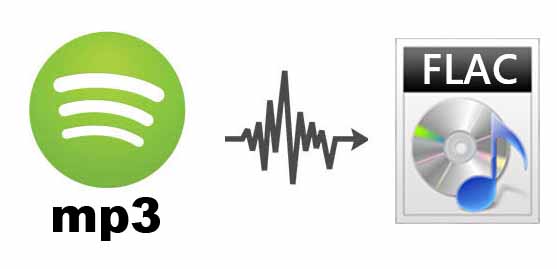
FLAC (Free Lossless Audio Codec) is a music file format that offers perfect copies of a music CD, but at half its size. It is compatible with many phones (including iPhone, with an app), portable MP3 music players, CD players, and hi-fi stereos. FLAC files are available for roughly the same price as the MP3 equivalent in online stores and they sound much better.

Today, almost all record labels sell songs in this format online and consumers can purchase lossless music from leading independent artists.

flac

FLAC first appeared in 2001 as an open source alternative to other lossless formats that emerged at the time. These include Apple Lossless (ALAC), Microsoft WAV (Waveform Audio Format), and WMA Lossless. But these formats had drawbacks. While ALAC has a loyal following among iPod and iPhone users, it hasn’t had much circulation outside of Apple products.

The WAV format is very popular among Windows users and is compatible with iOS devices, but the problem is the file size, they are very large and cannot contain the “tag” data: artist, album name, lyrics , etc. .

The FLAC format not only supports tags, but is also compatible with most music players. Apple is the only real obstacle, because while in 2017 there was talk of hardware support on both the iPhone 8 and X, in the end nothing was done. However, there are simple solutions for both iOS and Mac users.

WHAT IS THE DIFFERENCE BETWEEN MP3 AND FLAC?

MP3 is a lossy format, which means that parts of the music are removed to reduce the file size. It is supposed to use “psychoacoustics” to remove overlapping sounds, but it is not always successful. Drum cymbals, reverb, and guitars are generally the sounds most affected by MP3 compression and can sound really distorted when too much compression is applied, especially when it goes below 128 kbps.

Like MP3, FLAC has been embraced by the music industry as a cost-effective way to distribute CD-quality music and does not have the hearing impairments of MP3s. The FLAC is lossless, it is similar to a ZIP file, it is almost the same as the original when unzipped. Previously, the only way to get files “lossless” was through the uncompressed CD formats CDA or WAV, but neither is as space efficient as FLAC.

HOW MUCH SPACE DOES THE FLAC TAKE UP?

While FLAC files are up to six times the size of an MP3, they are half the size of a CD and can have the same increase in audio quality. Also, FLAC is not limited to just 16 bits (CD quality), it can go up to 24 bits / 192 kHz.

But regardless of whether you are using 16-bit or 24-bit quality files, FLAC has become a standard in the field of music. Despite competition from proprietary formats like MQA and DSD, FLAC remains competitive.