The Advantages of Lossless Audio Formats: FLAC and ALAC


Free Download Mp4Gain
picture

The Advantages of Lossless Audio Formats: FLAC and ALAC


FLAC and ALAC
FLAC and ALAC
FLAC and ALAC
FLAC and ALAC

As an expert in audio optimization, I am always on the lookout for formats that deliver exceptional sound quality without compromising on file size. In this article, I will delve into the world of lossless audio formats, with a specific focus on two popular options: FLAC and ALAC. These formats have gained significant popularity among audiophiles and music enthusiasts for their ability to preserve the original audio quality while offering efficient compression. Join me as we explore the advantages of these lossless audio formats and why they should be your top choice.

Superior Sound Quality

When it comes to lossless audio formats, the primary concern is maintaining the utmost sound quality. FLAC and ALAC excel in this regard, as they employ compression algorithms that preserve every detail of the original audio recording. Whether it’s the rich harmonies of a symphony orchestra or the subtle nuances in a vocalist’s performance, these formats ensure an immersive and authentic listening experience. With FLAC and ALAC, you can indulge in music the way it was intended to be heard, without any compromise on audio fidelity.

Efficient Compression

Efficient compression is another remarkable advantage of lossless audio formats like FLAC and ALAC. These formats utilize sophisticated compression techniques that significantly reduce file sizes while retaining all the audio data. This means you can store more music on your devices without sacrificing quality or resorting to lower-bitrate alternatives. Whether you have a vast music library or limited storage space, FLAC and ALAC offer a practical solution to keep your favorite tracks accessible at all times.

Wide Compatibility

One of the key considerations when choosing an audio format is its compatibility with different devices and platforms. FLAC and ALAC have gained widespread support across various software and hardware ecosystems. Many popular media players, portable devices, and operating systems are compatible with these formats, ensuring seamless playback without the need for additional conversions or transcoding. Whether you’re using a Mac, Windows, or mobile device, FLAC and ALAC guarantee a hassle-free listening experience.

Versatility and Metadata Support

Versatility is an essential aspect of lossless audio formats, and FLAC and ALAC don’t disappoint. Apart from delivering exceptional audio quality, these formats also support a range of metadata. You can embed album art, track information, lyrics, and other relevant details within the audio files themselves. This ensures that your music collection remains organized and easily searchable across different platforms and media players. With FLAC and ALAC, it’s not just about the audio; it’s about creating a comprehensive and immersive musical experience.

Archival and Future-Proofing

For audiophiles and music collectors, archival is a crucial consideration. FLAC and ALAC are ideal for archiving purposes as they provide a reliable and future-proof solution. By choosing these formats, you can preserve your music collection in its original quality for years to come, ensuring that your favorite albums and tracks withstand the test of time. Moreover, since FLAC and ALAC have gained widespread acceptance, it’s highly likely that they will continue to be supported by future audio systems and technologies.

Smooth Integration with Existing Libraries

If you already have an extensive collection of audio files in other formats, the transition to FLAC or ALAC can be seamless. Both formats support transcoding, allowing you to convert your existing audio files into lossless formats without any loss of quality. This ensures that you can integrate FLAC and ALAC files seamlessly with your existing music library, avoiding any disruptions in your listening experience. With their wide compatibility and transcoding capabilities, FLAC and ALAC offer a convenient pathway to upgrade your audio collection.

Community and Support

FLAC and ALAC have garnered a passionate and dedicated community of supporters, comprising audio enthusiasts, music professionals, and developers. This active community ensures ongoing support, updates, and development for the formats, assuring users that they are investing in a long-term and reliable audio solution. Whether you seek advice, troubleshooting, or simply want to connect with like-minded individuals, the FLAC and ALAC community is always there to assist and share their expertise.

Streaming and Online Distribution

With the rise of music streaming platforms and online distribution, the demand for lossless audio formats has also increased. Many streaming services and online stores now offer FLAC as a preferred option for audiophiles, ensuring that you can enjoy your favorite music in its original quality, streamed directly to your devices. This development not only reinforces the advantages of lossless formats but also opens up new avenues for artists, allowing them to deliver their music to fans with uncompromised fidelity.

Preservation of Music History

Lossless audio formats like FLAC and ALAC play a crucial role in the preservation of music history. They allow us to digitize and archive classic recordings, ensuring that future generations can enjoy the same musical experiences as previous ones. By opting for FLAC and ALAC, you contribute to the preservation of cultural heritage and ensure that the legacy of iconic musicians and compositions lives on.

Audiophile-Grade Experience

Lastly, but certainly not least, FLAC and ALAC offer an unparalleled audiophile-grade experience. These formats cater to the discerning ears of audiophiles who crave the utmost audio quality. Whether you’re using high-end headphones, a dedicated audio setup, or a premium sound system, FLAC and ALAC provide the fidelity and richness necessary to truly appreciate the intricacies of the music. With their lossless nature and superior sound reproduction, these formats elevate your listening experience to new heights.

In conclusion, FLAC and ALAC stand out as the go-to choices for anyone seeking lossless audio formats. With their superior sound quality, efficient compression, wide compatibility, and versatile features, they offer an unmatched audio experience. Whether you’re an audiophile, music collector, or simply someone who values exceptional sound, FLAC and ALAC provide the perfect combination of fidelity and convenience. Embrace the advantages of lossless audio formats and let your music shine in its full glory.



Free Download Mp4Gain
picture


Mp4Gain Main Window
picture


Mp4Gain Features
picture


Free Download Mp4Gain
picture

The Benefits of Lossless Audio Formats

The Benefits of Lossless Audio Formats

Lossless Audio Formats

Lossless Audio Formats Explained

As an audiophile, I always strive to achieve the highest possible quality of sound. Lossless audio formats such as FLAC, ALAC, and WAV are my go-to choices when it comes to digital music. These formats use audio compression algorithms that preserve all the original audio data while reducing the file size. This means that the music you listen to sounds exactly as the artist intended it, without any loss of quality.
When I first discovered lossless audio formats, I was blown away by the difference in sound quality compared to lossy formats like MP3. The music was clearer, more detailed, and had a wider dynamic range. The benefits of lossless audio formats are not just limited to the listening experience, they also have practical benefits. Lossless files take up less storage space on your device than uncompressed audio files like WAV, and can be easily streamed over the internet without compromising quality.

As the famous musician David Byrne once said, “Lossless audio formats offer an uncompromising listening experience that allows you to hear every nuance of a recording. It’s like hearing the music for the first time.”

The Advantages of FLAC and ALAC

FLAC and ALAC are two of the most popular lossless audio formats. They are both open-source and free to use, which means they have a wide range of support across different devices and software. FLAC has become the de facto standard for lossless audio on the internet, while ALAC is the preferred format for Apple devices.
One of the biggest advantages of FLAC and ALAC is their ability to handle high-resolution audio. These formats can handle audio at up to 24-bit/192kHz, which is significantly higher than the 16-bit/44.1kHz standard of CD-quality audio. This means that you can listen to your favorite music with even greater detail and clarity.

In addition, FLAC and ALAC both have robust error correction capabilities. This means that if a file is corrupted during download or transfer, the audio data can still be recovered without any loss of quality. This is a major advantage over lossy formats like MP3, which cannot recover from data errors.

The Benefits of WAV

WAV is a lossless audio format that has been around since the early days of digital audio. It is the standard format for audio CDs, and is widely used in professional audio production. One of the main benefits of WAV is its compatibility with a wide range of hardware and software.
WAV files are uncompressed, which means that they retain all the original audio data. This makes them ideal for situations where maximum audio quality is required, such as mastering and archiving. In addition, WAV files can be edited without any loss of quality, making them the preferred format for audio engineers and producers.

As the great music producer Rick Rubin once said, “WAV files are the gold standard for audio quality. They offer the most accurate representation of the original recording, and are essential for anyone serious about music production.”

Final Words

In conclusion, lossless audio formats offer a superior listening experience compared to lossy formats like MP3. Whether you choose FLAC, ALAC, or WAV, you can be sure that you are getting the best possible sound quality. As an audiophile, I highly recommend using lossless audio formats for your music collection. And if you’re looking for a reliable and efficient way to normalize and convert your audio files, MP4Gain is the perfect solution.

Everything You Need to Know About Audio Quality

Everything You Need to Know About Audio Quality

Audio Quality
Audio Quality
Audio Quality
Audio Quality

Audio Quality Explained

As an audio enthusiast, I understand how crucial audio quality is for enjoying music or movies. In simple terms, audio quality refers to how good the sound is. But what makes a sound “good”? It’s a combination of factors like bit rate, sample rate, dynamic range, and compression.
In digital audio, bit rate refers to the number of bits of data that are processed per second. The higher the bit rate, the more information is transmitted, resulting in better sound quality. Sample rate, on the other hand, refers to the number of samples per second. A higher sample rate means more data is being captured, leading to a more accurate representation of sound.

When it comes to audio compression, there are two types: lossless and lossy. Lossless compression reduces file size without losing any audio quality, while lossy compression sacrifices some audio quality to achieve smaller file sizes.

“Audio quality is not just about the equipment you use, but also about how the audio is recorded and produced,” as Ken Pohlmann states in his book “Principles of Digital Audio”. It’s essential to consider the recording and mixing process to ensure high-quality audio output.

Analog vs Digital Audio

Analog audio refers to sound that is recorded and transmitted as an electrical signal. It’s been around for decades and is still used in some recording studios today. However, digital audio has taken over in recent years, as it’s more accurate and offers better sound quality.
Digital audio uses a binary code to represent sound, which is then converted back into an analog signal for playback. This process results in a more accurate representation of sound, and the digital format makes it easier to edit and manipulate audio.

As filmmaker George Lucas once said, “sound is 50% of the movie experience.” The switch from analog to digital audio has allowed for more immersive and realistic audio in movies and music.

Dynamic Range and Equalization

Dynamic range refers to the difference between the loudest and softest parts of an audio recording. It’s an essential aspect of audio quality, as a higher dynamic range means a more natural and realistic sound. However, too much dynamic range can cause distortion or clipping, so it’s crucial to find the right balance.
Equalization, or EQ, is the process of adjusting the balance between different frequencies in an audio recording. It’s used to enhance certain aspects of the sound, such as boosting the bass or adding clarity to the vocals. However, overuse of EQ can lead to unnatural or distorted audio.

As composer Hans Zimmer once said, “the music is never the problem, the music is the solution.” By understanding dynamic range and equalization, you can achieve the perfect sound for your music or movie.

Lossless vs Lossy Audio Compression

As mentioned earlier, lossless compression retains all the original audio quality while reducing file size. Lossy compression, on the other hand, sacrifices some audio quality to achieve smaller file sizes.
When it comes to music, many audiophiles prefer lossless formats like FLAC or ALAC, as they offer the best possible sound quality. However, these formats result in larger file sizes, which can be inconvenient for some users. Lossy formats like MP3 and AAC are more widely used, as they provide good sound quality while keeping file sizes small.

As filmmaker Quentin Tarantino once said, “When you’re watching a movie, you’re watching over the filmmaker’s shoulder.” The quality of the audio and video can greatly affect the overall viewing experience of a film. In this article, we’ll explore everything you need to know about audio quality, including bit rate, sample rate, and other related topics.

What is Audio Quality?

Audio quality refers to the overall fidelity, clarity, and richness of the sound in a recording. In other words, it’s how well the sound reproduces the original performance or source material. A high-quality audio recording will accurately capture the nuances of the original performance, while a low-quality recording will distort or lose some of these details.

Why is Audio Quality Important?

Audio quality is important because it directly affects the overall experience of listening to music or watching a film. Poor audio quality can distract from the content of the recording and make it difficult to understand what’s being said or played. In contrast, high-quality audio can make the recording more engaging and enjoyable to listen to.

As musician Brian Eno once said, “The quality of the sound is essential to the success of the music.” The same can be said for any audio recording, whether it’s a song, a podcast, or a movie soundtrack.

Understanding Bit Rate and Sample Rate

Two key factors that determine the quality of digital audio recordings are bit rate and sample rate. Bit rate refers to the amount of data used to represent each second of audio, while sample rate refers to the number of times per second that the audio is measured and recorded.

In general, higher bit rates and sample rates result in higher-quality audio recordings. For example, a CD-quality audio recording has a bit rate of 1,411 kbps and a sample rate of 44.1 kHz, while an MP3 file typically has a bit rate of 128 kbps and a sample rate of 44.1 kHz or lower.

Other Factors Affecting Audio Quality

In addition to bit rate and sample rate, there are other factors that can affect the quality of digital audio recordings. For example, the type of compression used can have a significant impact on the overall sound quality. Lossless compression algorithms, which preserve all of the original audio data, generally result in higher-quality recordings than lossy compression algorithms, which discard some of the original data to achieve higher levels of compression.

Other factors that can affect audio quality include the type of microphone or recording equipment used, the acoustics of the recording space, and the mixing and mastering process.

Conclusion: Why Audio Quality Matters

In conclusion, audio quality is a critical factor in any recording, whether it’s a song, a podcast, or a movie soundtrack. Understanding bit rate, sample rate, and other related topics can help you make informed decisions about how to record, edit, and distribute your audio content. By paying attention to audio quality, you can ensure that your recordings are engaging, enjoyable, and of the highest possible quality.

What makes an audio format lossless?

What makes an audio format lossless?

Lossless Audio

The best audio formats for your music library

Apple Music lossless

You might think of the word “lossless” as being used for audio formats that don’t use any kind of compression. However, even lossless audio formats use compression to reduce file sizes to reasonable levels.

Lossless formats use compression algorithms to save audio data so that the audio is exactly the same as the original source. This contrasts sharply with lossy audio formats like AAC, MP3, and WMA, which use algorithms that discard data to compress the audio. Audio files consist of sounds and silences. Lossless formats can compress silence to almost zero space while preserving all sound data, making them smaller than uncompressed files.

What lossless format is commonly used for digital music?
Popular lossless formats for storing music include:

FLAC
WAV
A THE C
lossless WMA
The effect of lossless formats on music quality
If you are downloading lossless music tracks from an HD music service, you would expect the sound quality to be really high. On the other hand, if you digitize a low-quality music box using a lossless audio format, the audio quality will not improve.

Is it possible to convert lossy songs to lossless?
Going from lossy to lossless is never a good idea. This is because a song that has been compressed using a lossy format always does. If you convert it to a lossless format, all you do is waste storage space on your hard drive or mobile device. There is no way to improve the quality of lossy songs using this method.

Advantages of using lossless audio formats for your music library
Using a lossy format like MP3 is still the most common method people use to store their music collection. However, there are clear advantages when it comes to building a lossless music library.

Perfect Music CD Backup: Lossless Copy to Audio Files gives you an exact bit-level copy of the original music CD. This means that no matter what audio format comes out in the future, you’ll know you have a perfect copy of the original.
Recover from lost or damaged: After playing music in lossless format, you can recover a damaged original CD or any CD that has been lost to a blank CD.
Convert to any format: Since your music is in a lossless format, you can convert it to any format and achieve the highest quality the format supports.
Disadvantages of Storing Music in a Lossless Format
Incompatible – Unlike formats like MP3, hardware devices like smartphones and tablets do not support lossless formats.
Requires more storage space: Lossless audio files generally require more storage space than lossy encoded files.

What equipment do you need to enjoy lossless audio? Part 2

What equipment do you need to enjoy lossless audio? Part 2

Apple Music Lossless Audio

digital to analog converter

Apple Lossless

Sound is an analog signal. Vibrations from objects generate it and air molecules spread it, so we can hear it. For this reason, there is no sound in space because there is no air to transmit it.

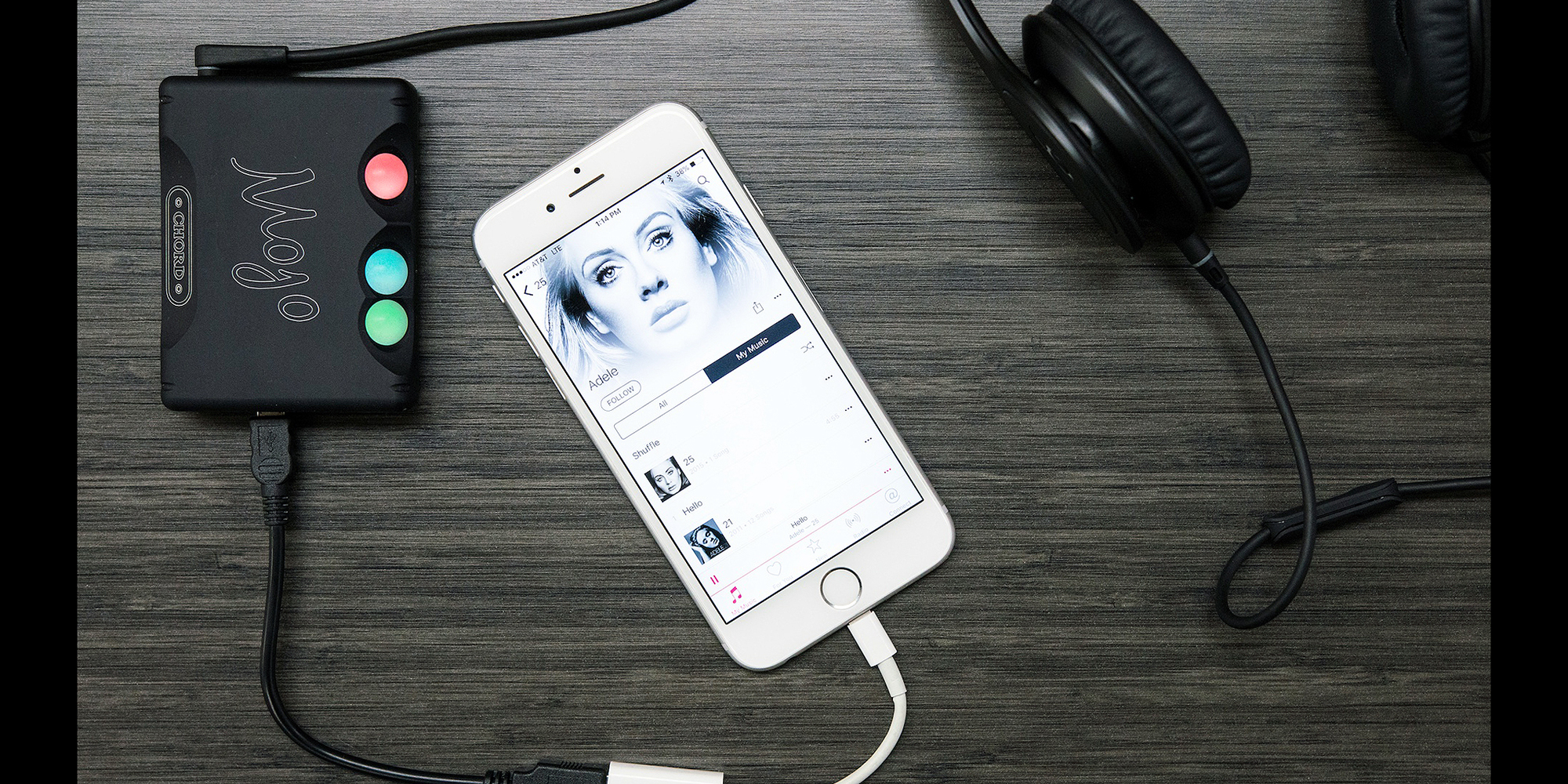
This is why you need a dedicated digital-to-analog converter (DAC). These devices are designed to convert digital signals to analog signals. While computers, smartphones, and other devices have built-in DACs, they’re often not optimized for music.

Also, analog signals are susceptible to interference. The DAC inside the device may receive interference from other components, such as the computer’s power supply or the smartphone’s 5G antenna. If you find that your audio output is too low, you definitely need a DAC with an integrated amplifier.

2.4 GHz wireless or wired speakers, headphones or earphones

If you want to take full advantage of lossless files, you need earphones or headphones capable of outputting high-fidelity audio. Unfortunately, even the best Bluetooth headphones cannot transmit uncompressed sound data.

While recent Bluetooth technology can transmit high-resolution sound, it’s still not enough for lossless audio. If you want to listen wirelessly, you must use a 2.4 GHz USB wireless connection. This is the only wireless audio technology that offers lossless transmission. Some alternatives, like Sony’s LDAC or Qualcomm’s aptX HD, come close, but it’s not “true lossless” audio.

However, if you need high-quality audio, it’s best to stick with the wired audio output. Since wired headphones are physically connected to your DAC, they receive analog audio signals directly. So your music will no longer go through conversion, compression or any other process. This ensures that you can enjoy the audio output of the DAC as it is.

High fidelity audio output

Of course, the most critical part of any listening experience is the speakers or headphones. Whether you’re playing lossy or lossless audio, if your audio equipment isn’t up to the task, you won’t be able to enjoy your music.

You need to look at various audio specifications, such as driver type, impedance, etc., to understand what makes a good speaker or headphone. Still, having impressive specs on paper doesn’t equate to great sound quality.

The only way to find the best speakers or headphones for your ears is to try them out in real life. You can also trust product reviews and comparisons from trusted sites; this way you can see other options that you haven’t considered before.

But if you have the budget, you can go ahead and invest in Bang & Olufsen. and Harman International. These speaker and headphone brands cost more than their competitors. But it is almost guaranteed that you will get the best audio quality from them.

The products of such companies are made of high-quality materials. They also have R&D facilities to ensure their speakers, headphones and earphones deliver the best sound quality possible.

What equipment do you need to enjoy lossless audio?

What equipment do you need to enjoy lossless audio?

Lossless

If you like high-fidelity audio, you’ve probably heard of lossless audio. You have probably read some articles about it and now you want to enjoy it for yourself.

Apple Music Lossless

But what hardware do you need to access high-quality audio? Can you use an existing device or do you need specialized drivers? Here’s a quick introduction to the hardware you need to enjoy lossless audio.

What is lossless audio?

Lossless recordings take up a lot of space: about 30 MB per song. But in the past, storage space was at a premium. The internet connection is also slow and unreliable. Therefore, the first iPod’s 5GB of storage could only hold about 166 lossless audio files.

That is why lossy file formats like MP3 were introduced. About 3-5 MB per song, you can store more than a thousand songs on the first generation Apple iPod. But as the Internet has gotten faster and storage space has become more affordable, the need for highly compressed audio has diminished.

File compression reduces file size by sacrificing quality. So if you’re listening to music with lossless audio, that means you’re listening to what was recorded. Lossless audio uses a compression format that does not cause any data loss or does not compress the audio at all.

Related: What’s the difference between lossless and hi-res audio?

Lossless device for lossless audio
Now that you have a lossless audio file, it’s no good if you plan to play it on an audio device that compresses the data. After all, if data is lost between the computer and the speakers, you won’t be able to enjoy the best audio quality.

So this is what you need to get the best audio out of your lossless music files.

Lossless Audio vs. Hi-Res Audio: What’s the Difference? Part 4

Lossless Audio vs. Hi-Res Audio: What’s the Difference? Part 4

Apple Music

Difference Between Lossless and Hi-Res Audio
As we explained earlier, lossless audio is an audio sample without any downstream compression on top of it. Such samples are in raw form.

Apple Music

So lossless audio does not mean higher quality audio. Any audio, hi-res or not, can be lossless.

Hi-Res Audio, on the other hand, is better quality audio with higher bit depth and high sample rate. High-Resolution Audio can be lossless or lossy.

Hi-Res Audio Format

With the rise of Hi-Res Audio, streaming services have started to introduce some proprietary audio formats. Some of the more popular formats include FLAC, AIFF, WAV, and ALAC. All of these formats support High-Resolution Audio with lossy or lossless compression.

For example, Apple uses ALAC for high resolution streaming on Apple Music. ALAC is a lossless format, which means that its compression does not degrade sound quality. It is also very space efficient. Compared to WAV without applying compression, ALAC takes up half the storage space.

Related: The Most Common Audio Formats: Which One Should You Use?

Like Apple, Tidal uses its own audio format, MQA. MQA has lossless compression and offers almost the same sound quality and storage space advantages as ALAC.

Audio without loss against high resolution audio: What is the difference? Part 3

Audio without loss against high resolution audio: What is the difference? Part 3

Apple Music lossless

What is the sampling frequency and the depth of bits?

Lossless Audio

Computers are digital machines that handle 1 and 0. Therefore, any information that a computer needs to store, including audio, should be stored as a chain of some and zeros.

On the other hand, the sound is not digital. It is analog and continuous nature. Then, if we want to store the sound in the computer storage unit, we must convert it to 1 and 0.

There are many ways to make this conversion. The simplest is the pulse code modulation (PCM).

The representation of the pulse code modulation is shown below.

In PCM, we take analog audio, reproduce it and sample it at a predetermined speed in the form of some and zeros. This data is then stored in audio format.

To better understand the process, imagine a photo of you playing baseball with the children. If you take 30 photos per second in an hour, you will have enough data to make an hour of video clips of 30 fps.

The same happens when you show an audio signal. It is taking a pictorial snapshot of the audio signal at an established speed. Codify all those snapshots and you will have an audio file.

To play an audio file, your computer only needs to play the snapshot at the same speed that was captured. This frequency is called sampling frequency.

We measure the sampling frequency in KHz. The standard sampling frequency for audio CDs is 44.1 kHz.

Now, since any audio consists of multiple sounds of different frequencies, we need to store multiple 1 or 0 to store all the necessary information. Therefore, we must strive to obtain the largest possible sample size, because the greater the sample, the better the sound quality will be.

The sample size, which is the number of bits in each sample, is called depth of bits. The depth of standard bits on the audio CDs is 16 bits.

High resolution audio

In spite of all the uproar over high resolution audio music transmission services, surprisingly there is no standard definition. There is no consensus on what is high resolution audio.

That said, the consensus is that the audio samples with high sampling and high-depth bits are called high resolution.

As you can see, the previous definitions change constantly. For example, when the 8-bit audio is the standard, 16 bits / 44.1 kHz is high resolution. Nowadays, when 16 bits / 44.1 kHz is the standard, 24 bits / 96 kHz is located in the field of high resolution.

In theory, high resolution audio sounds clearer and better. It has a greater dynamic range, better separation of instruments and low noise level.

Audio without loss against high resolution audio: What is the difference? Part 2

Audio without loss against high resolution audio: What is the difference? Part 2

Apple Music

While files with loss save storage space, they sacrifice the quality of the audio to be highly compressed. However, the industry adopts audio files with loss such as the de facto standard to deliver music to listeners.

Apple Music lossless

Related: How does file compression work?

The loss audio files are everywhere these days. All transmission sites, from YouTube to Spotify, reproduce compressed music. Fortunately, with the use of modernized coders and audio formats, these files sound good. Then, most people will not complain.

That is, the music we play is different from the study version. It is of less quality. Part of the reason are the compression techniques that use musical production in addition to the original recording.

The loss audio files are completely decompressed or use compression techniques that do not cause any data loss. Then, if it is transmitting audio without losses, it is transmitting music without compression artifacts. This can improve audio quality.

However, lossless files do not always produce a better quality sound. If the compressed file itself is of poor quality, decompress it will not help. Therefore, try to see if lossless audio makes a significant difference.