What makes an audio format lossless?


Free Download Mp4Gain
picture

What makes an audio format lossless?

Lossless Audio

The best audio formats for your music library

Apple Music lossless

You might think of the word “lossless” as being used for audio formats that don’t use any kind of compression. However, even lossless audio formats use compression to reduce file sizes to reasonable levels.

Lossless formats use compression algorithms to save audio data so that the audio is exactly the same as the original source. This contrasts sharply with lossy audio formats like AAC, MP3, and WMA, which use algorithms that discard data to compress the audio. Audio files consist of sounds and silences. Lossless formats can compress silence to almost zero space while preserving all sound data, making them smaller than uncompressed files.

What lossless format is commonly used for digital music?
Popular lossless formats for storing music include:

FLAC
WAV
A THE C
lossless WMA
The effect of lossless formats on music quality
If you are downloading lossless music tracks from an HD music service, you would expect the sound quality to be really high. On the other hand, if you digitize a low-quality music box using a lossless audio format, the audio quality will not improve.

Is it possible to convert lossy songs to lossless?
Going from lossy to lossless is never a good idea. This is because a song that has been compressed using a lossy format always does. If you convert it to a lossless format, all you do is waste storage space on your hard drive or mobile device. There is no way to improve the quality of lossy songs using this method.

Advantages of using lossless audio formats for your music library
Using a lossy format like MP3 is still the most common method people use to store their music collection. However, there are clear advantages when it comes to building a lossless music library.

Perfect Music CD Backup: Lossless Copy to Audio Files gives you an exact bit-level copy of the original music CD. This means that no matter what audio format comes out in the future, you’ll know you have a perfect copy of the original.
Recover from lost or damaged: After playing music in lossless format, you can recover a damaged original CD or any CD that has been lost to a blank CD.
Convert to any format: Since your music is in a lossless format, you can convert it to any format and achieve the highest quality the format supports.
Disadvantages of Storing Music in a Lossless Format
Incompatible – Unlike formats like MP3, hardware devices like smartphones and tablets do not support lossless formats.
Requires more storage space: Lossless audio files generally require more storage space than lossy encoded files.


Free Download Mp4Gain
picture


Mp4Gain Main Window
picture


Mp4Gain Features
picture


Free Download Mp4Gain
picture

What equipment do you need to enjoy lossless audio? Part 2

What equipment do you need to enjoy lossless audio? Part 2

Apple Music Lossless Audio

digital to analog converter

Apple Lossless

Sound is an analog signal. Vibrations from objects generate it and air molecules spread it, so we can hear it. For this reason, there is no sound in space because there is no air to transmit it.

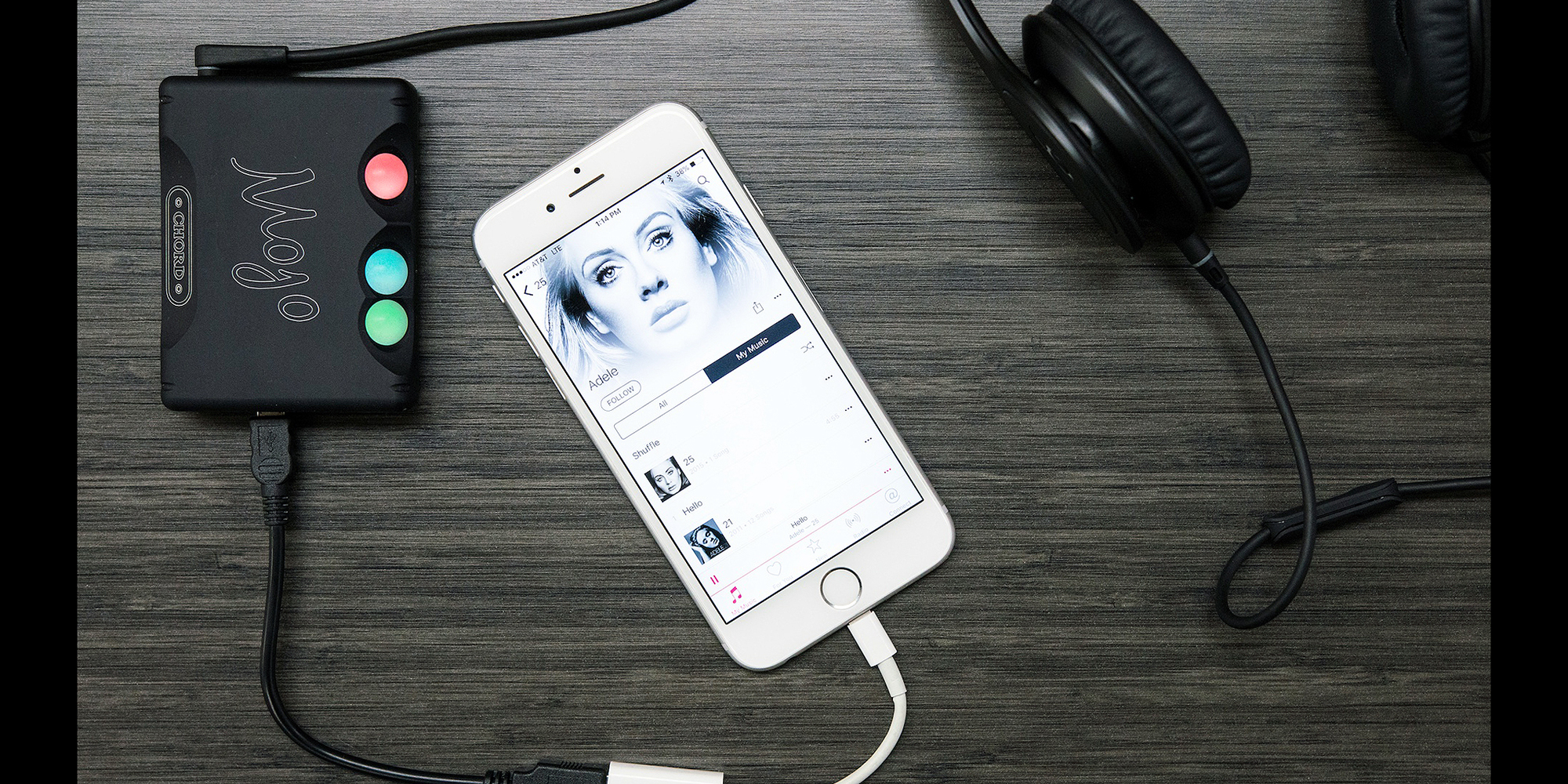
This is why you need a dedicated digital-to-analog converter (DAC). These devices are designed to convert digital signals to analog signals. While computers, smartphones, and other devices have built-in DACs, they’re often not optimized for music.

Also, analog signals are susceptible to interference. The DAC inside the device may receive interference from other components, such as the computer’s power supply or the smartphone’s 5G antenna. If you find that your audio output is too low, you definitely need a DAC with an integrated amplifier.

2.4 GHz wireless or wired speakers, headphones or earphones

If you want to take full advantage of lossless files, you need earphones or headphones capable of outputting high-fidelity audio. Unfortunately, even the best Bluetooth headphones cannot transmit uncompressed sound data.

While recent Bluetooth technology can transmit high-resolution sound, it’s still not enough for lossless audio. If you want to listen wirelessly, you must use a 2.4 GHz USB wireless connection. This is the only wireless audio technology that offers lossless transmission. Some alternatives, like Sony’s LDAC or Qualcomm’s aptX HD, come close, but it’s not “true lossless” audio.

However, if you need high-quality audio, it’s best to stick with the wired audio output. Since wired headphones are physically connected to your DAC, they receive analog audio signals directly. So your music will no longer go through conversion, compression or any other process. This ensures that you can enjoy the audio output of the DAC as it is.

High fidelity audio output

Of course, the most critical part of any listening experience is the speakers or headphones. Whether you’re playing lossy or lossless audio, if your audio equipment isn’t up to the task, you won’t be able to enjoy your music.

You need to look at various audio specifications, such as driver type, impedance, etc., to understand what makes a good speaker or headphone. Still, having impressive specs on paper doesn’t equate to great sound quality.

The only way to find the best speakers or headphones for your ears is to try them out in real life. You can also trust product reviews and comparisons from trusted sites; this way you can see other options that you haven’t considered before.

But if you have the budget, you can go ahead and invest in Bang & Olufsen. and Harman International. These speaker and headphone brands cost more than their competitors. But it is almost guaranteed that you will get the best audio quality from them.

The products of such companies are made of high-quality materials. They also have R&D facilities to ensure their speakers, headphones and earphones deliver the best sound quality possible.

What equipment do you need to enjoy lossless audio?

What equipment do you need to enjoy lossless audio?

Lossless

If you like high-fidelity audio, you’ve probably heard of lossless audio. You have probably read some articles about it and now you want to enjoy it for yourself.

Apple Music Lossless

But what hardware do you need to access high-quality audio? Can you use an existing device or do you need specialized drivers? Here’s a quick introduction to the hardware you need to enjoy lossless audio.

What is lossless audio?

Lossless recordings take up a lot of space: about 30 MB per song. But in the past, storage space was at a premium. The internet connection is also slow and unreliable. Therefore, the first iPod’s 5GB of storage could only hold about 166 lossless audio files.

That is why lossy file formats like MP3 were introduced. About 3-5 MB per song, you can store more than a thousand songs on the first generation Apple iPod. But as the Internet has gotten faster and storage space has become more affordable, the need for highly compressed audio has diminished.

File compression reduces file size by sacrificing quality. So if you’re listening to music with lossless audio, that means you’re listening to what was recorded. Lossless audio uses a compression format that does not cause any data loss or does not compress the audio at all.

Related: What’s the difference between lossless and hi-res audio?

Lossless device for lossless audio
Now that you have a lossless audio file, it’s no good if you plan to play it on an audio device that compresses the data. After all, if data is lost between the computer and the speakers, you won’t be able to enjoy the best audio quality.

So this is what you need to get the best audio out of your lossless music files.

Lossless Audio vs. Hi-Res Audio: What’s the Difference? Part 4

Lossless Audio vs. Hi-Res Audio: What’s the Difference? Part 4

Apple Music

Difference Between Lossless and Hi-Res Audio
As we explained earlier, lossless audio is an audio sample without any downstream compression on top of it. Such samples are in raw form.

Apple Music

So lossless audio does not mean higher quality audio. Any audio, hi-res or not, can be lossless.

Hi-Res Audio, on the other hand, is better quality audio with higher bit depth and high sample rate. High-Resolution Audio can be lossless or lossy.

Hi-Res Audio Format

With the rise of Hi-Res Audio, streaming services have started to introduce some proprietary audio formats. Some of the more popular formats include FLAC, AIFF, WAV, and ALAC. All of these formats support High-Resolution Audio with lossy or lossless compression.

For example, Apple uses ALAC for high resolution streaming on Apple Music. ALAC is a lossless format, which means that its compression does not degrade sound quality. It is also very space efficient. Compared to WAV without applying compression, ALAC takes up half the storage space.

Related: The Most Common Audio Formats: Which One Should You Use?

Like Apple, Tidal uses its own audio format, MQA. MQA has lossless compression and offers almost the same sound quality and storage space advantages as ALAC.

Audio without loss against high resolution audio: What is the difference? Part 3

Audio without loss against high resolution audio: What is the difference? Part 3

Apple Music lossless

What is the sampling frequency and the depth of bits?

Lossless Audio

Computers are digital machines that handle 1 and 0. Therefore, any information that a computer needs to store, including audio, should be stored as a chain of some and zeros.

On the other hand, the sound is not digital. It is analog and continuous nature. Then, if we want to store the sound in the computer storage unit, we must convert it to 1 and 0.

There are many ways to make this conversion. The simplest is the pulse code modulation (PCM).

The representation of the pulse code modulation is shown below.

In PCM, we take analog audio, reproduce it and sample it at a predetermined speed in the form of some and zeros. This data is then stored in audio format.

To better understand the process, imagine a photo of you playing baseball with the children. If you take 30 photos per second in an hour, you will have enough data to make an hour of video clips of 30 fps.

The same happens when you show an audio signal. It is taking a pictorial snapshot of the audio signal at an established speed. Codify all those snapshots and you will have an audio file.

To play an audio file, your computer only needs to play the snapshot at the same speed that was captured. This frequency is called sampling frequency.

We measure the sampling frequency in KHz. The standard sampling frequency for audio CDs is 44.1 kHz.

Now, since any audio consists of multiple sounds of different frequencies, we need to store multiple 1 or 0 to store all the necessary information. Therefore, we must strive to obtain the largest possible sample size, because the greater the sample, the better the sound quality will be.

The sample size, which is the number of bits in each sample, is called depth of bits. The depth of standard bits on the audio CDs is 16 bits.

High resolution audio

In spite of all the uproar over high resolution audio music transmission services, surprisingly there is no standard definition. There is no consensus on what is high resolution audio.

That said, the consensus is that the audio samples with high sampling and high-depth bits are called high resolution.

As you can see, the previous definitions change constantly. For example, when the 8-bit audio is the standard, 16 bits / 44.1 kHz is high resolution. Nowadays, when 16 bits / 44.1 kHz is the standard, 24 bits / 96 kHz is located in the field of high resolution.

In theory, high resolution audio sounds clearer and better. It has a greater dynamic range, better separation of instruments and low noise level.

Audio without loss against high resolution audio: What is the difference? Part 2

Audio without loss against high resolution audio: What is the difference? Part 2

Apple Music

While files with loss save storage space, they sacrifice the quality of the audio to be highly compressed. However, the industry adopts audio files with loss such as the de facto standard to deliver music to listeners.

Apple Music lossless

Related: How does file compression work?

The loss audio files are everywhere these days. All transmission sites, from YouTube to Spotify, reproduce compressed music. Fortunately, with the use of modernized coders and audio formats, these files sound good. Then, most people will not complain.

That is, the music we play is different from the study version. It is of less quality. Part of the reason are the compression techniques that use musical production in addition to the original recording.

The loss audio files are completely decompressed or use compression techniques that do not cause any data loss. Then, if it is transmitting audio without losses, it is transmitting music without compression artifacts. This can improve audio quality.

However, lossless files do not always produce a better quality sound. If the compressed file itself is of poor quality, decompress it will not help. Therefore, try to see if lossless audio makes a significant difference.

Audio without loss against high resolution audio: What is the difference?

Audio without loss against high resolution audio: What is the difference?

Apple Music lossless

If the transmission of music is your favorite, you have probably heard that Apple is entering its Alac format without losses in Apple Music for all users.

Apple Music

Like other important music transmission services, Apple is promoting the advantages of lossless audio and high resolution on traditional audio reproduction.

The change throughout the industry to offer high resolution audio options and without losses poses each of the following questions:

What is lossless audio? Is it the same as high resolution? If not, what is the difference and why should you care?

Let’s examine the terms to see if there is something that supports the exaggeration.

Audio without losses

In the first days of music transmission, transferring music files through the Internet was cumbersome. The Internet is still in diapers, so the speeds are low and questionable reliability.

In the past, the storage space was also quite expensive. Therefore, music publishers must find ways to launch music using the least amount of resources possible. This is where the audio is entered with loss.

When it comes to music, study recordings are quite large. They can occupy dozens of storage space megabytes. In an era in which most people do not have storage gigabytes, it is not practical to offer uncompressed study recordings.

Therefore, musical production creates highly compressed audio files to significantly reduce the size of the file. These compressed files are what we know today as audio files with loss.

Lossless Audio Part 3

Lossless Audio Part 3

Lossless

Resilient metadata: New types of metadata blocks can be defined and implemented without affecting the use of old decoders and data streams.

Apple Music lossless

Existing metadata types include tags, reference tables, and ranking tables. Registered applications can define their own dedicated metadata types (Note: this is similar to the MIDI standard).
Great for archiving applications: FLAC is an open and lossless encoding format, you can convert it to any other format you need. In addition to CRC and MD5 marking of each data frame to ensure data integrity, FLAC also offers a verification (verification) option; when using this option to encode
Easy CD Backup: FLAC has a “reference table” metadata block that contains the list of CD contents and index points for all tracks. You can save a CD into a single file and import the CD reference table, so that one FLAC file can record all the information of the entire CD completely. When your original CD is damaged, you can use this file to restore an exact copy of the original CD.
Damage Resistance: Due to the frame structure of FLAC, once the data stream is damaged, the loss will be limited to the damaged data frame. Usually only a short segment is lost. When many other lossless audio compression formats suffer corruption, one corruption will cause all subsequent data to be lost.
Features that FLAC does not have:
The data is reduced. FLAC is designed specifically for lossless compression only, you can choose from many other great lossy compression methods like Vorbis, MPC and MP3 (LAME provides an excellent open source implementation).
SDMI compliant (eg cetera). FLAC will not support any copy protection method, which actually ends up wasting data. (Looking at it another way, since all of these means ultimately proved to be ineffective, one could also say that FLAC compresses this useless data to zero!) Of course, we can’t prevent someone from using a dedicated metablock for copy protection, but They Protection will only work on their own decryption products, other decoders will bypass these specialized metablocks.
. How to play FLAC files?
1. FLAC is a lossless audio compression format. It can be played by foobar2000 and winamp…because they all have FLAC decompression plugins. If your player cannot play it, it is recommended that you go to the following address to download the plug-in and install (this is the winamp flac the plugin and install (this is the player plugin
2. With JetAudio, the interface is simple and convenient, and it directly supports playing FLAC files, that is also worth mentioning.
WV formatedit broadcast
Characteristics
WavPack is a free, open source, lossless audio compression format developed by David Bryant.
Open source, the license is also free, the compression ratio is between ape and flac , and there is also fault tolerance
WavPack allows users to compress and restore 8-, 16-, 24-, and 32-bit floating-point representations of WAV-format audio files, and also supports multi-channel data streams and very high sample rates. Like other lossless compression mechanisms, the compression ratio of this algorithm varies with the source data, but is typically between 30% and 70% for normal pop music, and between 30% and 70% for normal pop music. for classical music and other sound ranges. gives better results.
Additionally, WavPack features a unique “mixed” mode, which uses an additional file that also has the benefit of lossy compression. Unlike other methods that output only one file, this mode outputs two files, one is a relatively small high-quality lossy compressed file that can be used alone, and the other is used together with the lossy file for data recovery. lossless data “Correction” file. For some users, this means they don’t have to worry about using lossy or lossless compression.

Lossless Audio Part 2

Lossless Audio Part 2

Apple Music

FLAC Overview

Music Lossless

FLAC stands for Free Lossless Audio Codec – Free lossless audio compression. That is, the audio is compressed in FLAC without losing any information. This compression is similar to Zip , but FLAC will give you a higher compression ratio, because FLAC is a compression method specially designed for the characteristics of audio, and you can use the player to play the compressed FLAC file like you normally play MP3 files like

FLAC system support
FLAC is free and is supported by most operating systems, including Windows, “unix” (Linux, *BSD, Solaris, OS X, IRIX), BeOS, OS/2, and Amiga. And FLAC provides a build system in autotools, MSVC, Watcom C, and Project Builder development tools.

FLAC project content
The format of the data stream is provided in the form of a FLAC Reference Encoder and Decoder Library, a command line program that can encode and decode FLAC files Metadata editor for Input plugins for different audio players

FLAC Features:
Lossless Compression: The encoded (PCM) audio data is lossless and the decoded output audio is the same in every byte of the encoder input. Each data frame has a 16-bit CRC check code of the current frame, which is used to check for data transmission errors. For all audio data, an MD5 tag for the original uncompressed audio data is also stored in the file header
Fast: FLAC places more value on decoding speed. Decoding requires only integer operations and has low computational speed requirements relative to most encoding methods. Real-time decoding can be easily achieved on very common hardware.
Hardware support: Since FLAC provides a free decoding paradigm and decoding complexity is low, FLAC is currently the only hardware supported lossless compression. which has hardware support.
Streamable: Each FLAC data frame contains all the information needed for decoding. The current frame is decoded without reference to the data frame that precedes or follows it. FLAC uses sync and CRC codes (similar to encoding formats like MPEG) so that the decoder can have minimal time delays when locating jumps in the data stream.
Positionable: FLAC supports fast sampling and precise positioning. This is not only beneficial for playback, but also makes FLAC files easier to edit.

lossless audio

lossless audio

Apple Music lossless

As a standard for digital music file formats, the WAV format is too large to use easily.

Apple Music

Therefore, generally, we compress it to MP3 or WMA format. Compression methods include lossless compression, lossy compression, and hybrid compression. MPEG and JPEG belong to hybrid compression. If the compressed data is restored, the data is actually different. Of course, the human ear cannot tell. Therefore, if the MP3 and OGG formats are restored from the compressed state, there will be losses. However, APE and FLAC formats retain their original lossless sound quality even when restored. Therefore, APE and FLAC can be compressed and restored with high sound quality without loss. Under the premise of fully maintaining sound quality, the compression capability of APE has been properly reduced.
However, it is an idea that many people have had long ago to apply APE’s form of lossless audio compression to MP3 players. Compared with CD, MP3 is more convenient and practical. The earlier statement that MP3 replaced CD and MD was the biggest hurdle due to sound quality.
broadcast monoedit format
Obtaining APE source files
A few years ago, everyone had a tape recorder and thought it was good to listen to the music on tape, now there are a lot of CDs and DVDs, and the sound effect is better than that of tape. However, the music on the CD cannot be recognized directly in Windows, and cannot be directly copied to the hard drive (Windows can recognize other formats, such as data files, VCD, DVD, etc., only CDs cannot be recognized directly). . outside). Therefore, in order to copy the songs from the CD to the hard drive, special software is needed to do this. This is called ripping. There are many softwares that can perform this function. The most common and the best is EAC (EAC .exe) This software, the music captured by the track is saved to the hard drive in the form of wav .
Compression in APE format:
When the songs on the CD are copied to the hard drive (i.e. ripped), the original file ( WAV ) is usually very large. For example, the music on a CD is about 700M. If it is separated into each song, the size of each song file is 20-60M. These large files take up hard drive space and are not suitable for sending over the Internet. Therefore, this large original file is usually compressed. There are many types of compression methods, which can be divided into two categories: One is lossless compression, which can be achieved with monkey software (monkey.exe), which can compress the original music file (WAV file) into 50-60%. of the original size, the file format is APE .
Another type of compression method is called lossy compression. The advantage is that the file can be compressed to a smaller size, for example it is more than 1 times smaller than the ape file. The common lossy compression format for music is MP3. But the downside is loss of sound quality, generally the smaller the file is compressed, the worse the sound quality.
Online delivery:
At present, more and more people choose the APE format, and network communication is inexorable. Many music enthusiasts trade music in APE format online. The search for “APE music download” on Baidu has more than 1.5 million links, and the number is increasing daily. . APE’s music has also been featured on the popular BT. All major BT downloads have opened a place for APE music download and communication, so users don’t have to worry about APE audio resources at all.