The Advantages of Lossless Audio Formats: FLAC and ALAC


Free Download Mp4Gain
picture

The Advantages of Lossless Audio Formats: FLAC and ALAC


FLAC and ALAC
FLAC and ALAC
FLAC and ALAC
FLAC and ALAC

As an expert in audio optimization, I am always on the lookout for formats that deliver exceptional sound quality without compromising on file size. In this article, I will delve into the world of lossless audio formats, with a specific focus on two popular options: FLAC and ALAC. These formats have gained significant popularity among audiophiles and music enthusiasts for their ability to preserve the original audio quality while offering efficient compression. Join me as we explore the advantages of these lossless audio formats and why they should be your top choice.

Superior Sound Quality

When it comes to lossless audio formats, the primary concern is maintaining the utmost sound quality. FLAC and ALAC excel in this regard, as they employ compression algorithms that preserve every detail of the original audio recording. Whether it’s the rich harmonies of a symphony orchestra or the subtle nuances in a vocalist’s performance, these formats ensure an immersive and authentic listening experience. With FLAC and ALAC, you can indulge in music the way it was intended to be heard, without any compromise on audio fidelity.

Efficient Compression

Efficient compression is another remarkable advantage of lossless audio formats like FLAC and ALAC. These formats utilize sophisticated compression techniques that significantly reduce file sizes while retaining all the audio data. This means you can store more music on your devices without sacrificing quality or resorting to lower-bitrate alternatives. Whether you have a vast music library or limited storage space, FLAC and ALAC offer a practical solution to keep your favorite tracks accessible at all times.

Wide Compatibility

One of the key considerations when choosing an audio format is its compatibility with different devices and platforms. FLAC and ALAC have gained widespread support across various software and hardware ecosystems. Many popular media players, portable devices, and operating systems are compatible with these formats, ensuring seamless playback without the need for additional conversions or transcoding. Whether you’re using a Mac, Windows, or mobile device, FLAC and ALAC guarantee a hassle-free listening experience.

Versatility and Metadata Support

Versatility is an essential aspect of lossless audio formats, and FLAC and ALAC don’t disappoint. Apart from delivering exceptional audio quality, these formats also support a range of metadata. You can embed album art, track information, lyrics, and other relevant details within the audio files themselves. This ensures that your music collection remains organized and easily searchable across different platforms and media players. With FLAC and ALAC, it’s not just about the audio; it’s about creating a comprehensive and immersive musical experience.

Archival and Future-Proofing

For audiophiles and music collectors, archival is a crucial consideration. FLAC and ALAC are ideal for archiving purposes as they provide a reliable and future-proof solution. By choosing these formats, you can preserve your music collection in its original quality for years to come, ensuring that your favorite albums and tracks withstand the test of time. Moreover, since FLAC and ALAC have gained widespread acceptance, it’s highly likely that they will continue to be supported by future audio systems and technologies.

Smooth Integration with Existing Libraries

If you already have an extensive collection of audio files in other formats, the transition to FLAC or ALAC can be seamless. Both formats support transcoding, allowing you to convert your existing audio files into lossless formats without any loss of quality. This ensures that you can integrate FLAC and ALAC files seamlessly with your existing music library, avoiding any disruptions in your listening experience. With their wide compatibility and transcoding capabilities, FLAC and ALAC offer a convenient pathway to upgrade your audio collection.

Community and Support

FLAC and ALAC have garnered a passionate and dedicated community of supporters, comprising audio enthusiasts, music professionals, and developers. This active community ensures ongoing support, updates, and development for the formats, assuring users that they are investing in a long-term and reliable audio solution. Whether you seek advice, troubleshooting, or simply want to connect with like-minded individuals, the FLAC and ALAC community is always there to assist and share their expertise.

Streaming and Online Distribution

With the rise of music streaming platforms and online distribution, the demand for lossless audio formats has also increased. Many streaming services and online stores now offer FLAC as a preferred option for audiophiles, ensuring that you can enjoy your favorite music in its original quality, streamed directly to your devices. This development not only reinforces the advantages of lossless formats but also opens up new avenues for artists, allowing them to deliver their music to fans with uncompromised fidelity.

Preservation of Music History

Lossless audio formats like FLAC and ALAC play a crucial role in the preservation of music history. They allow us to digitize and archive classic recordings, ensuring that future generations can enjoy the same musical experiences as previous ones. By opting for FLAC and ALAC, you contribute to the preservation of cultural heritage and ensure that the legacy of iconic musicians and compositions lives on.

Audiophile-Grade Experience

Lastly, but certainly not least, FLAC and ALAC offer an unparalleled audiophile-grade experience. These formats cater to the discerning ears of audiophiles who crave the utmost audio quality. Whether you’re using high-end headphones, a dedicated audio setup, or a premium sound system, FLAC and ALAC provide the fidelity and richness necessary to truly appreciate the intricacies of the music. With their lossless nature and superior sound reproduction, these formats elevate your listening experience to new heights.

In conclusion, FLAC and ALAC stand out as the go-to choices for anyone seeking lossless audio formats. With their superior sound quality, efficient compression, wide compatibility, and versatile features, they offer an unmatched audio experience. Whether you’re an audiophile, music collector, or simply someone who values exceptional sound, FLAC and ALAC provide the perfect combination of fidelity and convenience. Embrace the advantages of lossless audio formats and let your music shine in its full glory.


Free Download Mp4Gain
picture


Mp4Gain Main Window
picture


Mp4Gain Features
picture


Free Download Mp4Gain
picture

lossless sound quality

lossless sound quality

lossless sound quality

The principle of these audio compression methods is to keep as much as possible the parts that are easy to hear for the human ear.

lossless sound quality


In the main constant bit rate (CBR) mode, audible data in the audio is removed and it is easier for the human ear to hear. The more information that is retained for the part, the less information that is retained for the less audible part. As sound complexity increases, the degree of sound quality degradation becomes more apparent. For example, when listening to pure human music voice performances and performances combined with background music, pure The degree of degradation of the compressed music of the human voice is less obvious than that of the original file.

As for the lossless sound quality provided by today’s streaming platform, there are many formats, but strictly speaking, these formats, including flac and ALAC, belong to lossless compression (non-destructive data compression) rather than quality. lossless sound in a narrow sense, but due to its performance it is almost the same as WAVE, but the file is small, the decoding speed is fast, and it can be used in streaming services, so it is also a representative format of lossless sound quality that has entered the era without CD support, and it is also the current music streaming service.

Also, MQA like Tidal is a more controversial format, because although MQA is lossless audio compression in a broad sense, it focuses on driving high-quality music files that are above CD quality at a size similar to those of CD quality flac files. , but it can also be restored to the original high-quality audio format, but the controversial point is whether the higher compression ratio can maintain the same real auditory sense as the original high-quality audio has always been controversial. At the same time, MQA requires a specific device to perform hardware decoding. Yes, many devices can only decode MQA through software.

▲Currently called Hi-Res Audio generally refers to sound quality higher than that of a CD, but to be certified, the device must support the processing capability of the 24-bit 96kHz format.

However, since MP3 and AAC are previously planned destructive music compression formats, their purpose is to compress CD-level sound quality into smaller files, so most encoding specifications are presented in one presentation. CD-level 16-bit 44.1 kHz or 16-bit 48 kHz; but MQA is a format with a small file size that locks in high sound quality requirements. Basically, the MQA format will be music equivalent to 24-bit PCM or higher.

lossless sound quality

lossless sound quality

lossless sound quality

Although lossless sound quality and high-quality streaming services have appeared on the market for a while

lossless sound quality

Like Apple isn’t the first to make true wireless earbuds, but it has ridden the wave of the market, with Apple’s launch of so-called hi-fi. compressed sound quality in Apple Music. In fact, after the lossless compression commonly known in the audio industry, lossless sound quality and high sound quality have instantly become a hot topic for many people to discuss, but whether the benefits of quality Lossless sound systems are really Obviously, the author will devote some space from theoretical concepts to practical levels. The difference is a simple overview, but the following arguments focus on easy understanding, so some of the descriptions are not entirely accurate.

What is lossless sound quality? What is the sound quality of the music we usually listen to?
The photo mentions * Introduction to KKBOX sound quality (including format), release year, sound quality, including numbers, KKBox, streaming media, Hi-Res Audio and Hi-Fi

▲ Both AAC and MP3 are destructive compression, while FLAC and ALAC are lossless compression

Before we get into the details, let’s talk about what is called lossless sound quality; From the author’s concept and cognition, the so-called lossless sound quality is a relative word rather than an absolute word. The main source is the relative word born due to the appearance of the MP3 music compression format; after the music industry went digital, digital music files were generally recorded via PCM encoding, and WAVE files were generally used on CDs. The time and space situation that MP3 was born into was because hard drive capacity was generally small at the time. To store a large amount of music data in storage space, you probably need to compress the files.

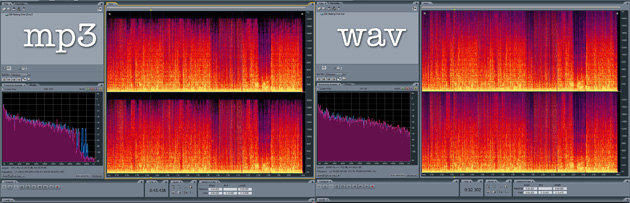
The reason why MP3 cannot be called a lossless format is because it essentially compresses the original WAVE in a way that limits the bitrate by combining concepts like the psychology of sound. The bitrate compression mode, compared to the bitrate of the original WAVE file, compresses at least in a range of 1:4 to 12:1. The higher the bitrate, the greater the amount of retained information. For example, AAC format also adopts similar audio psychology for compression, but the efficiency is better than MP3. Therefore, most of the lossless sound quality of most streaming platforms currently uses AAC as the mainstream.

Explore 4 main audio formats

Explore 4 main audio formats

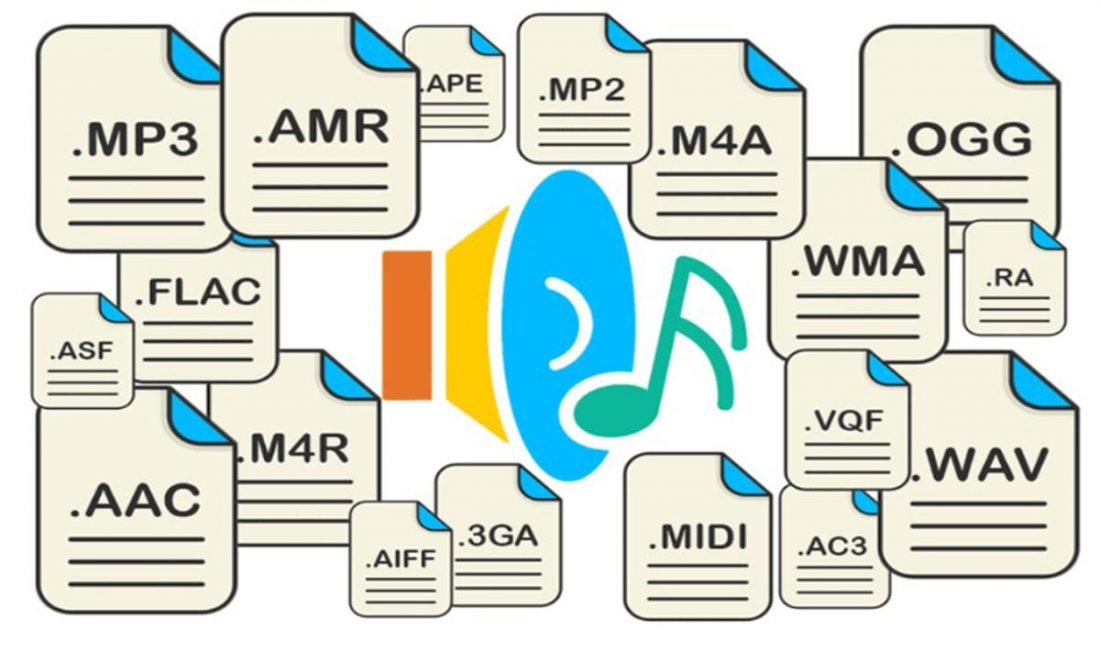
audio file formats
audio file formats

Let’s take a look at the main audio formats and the differences between them.

audio file formats
audio file formats

The audio format is directly related to the quality and purpose of the audio track, i.e. where and on what device it will be played and what its purpose is.

However, before discovering the difference between them and choosing the best audio format for your music, you should know what categories they fall under. Let’s go ahead!

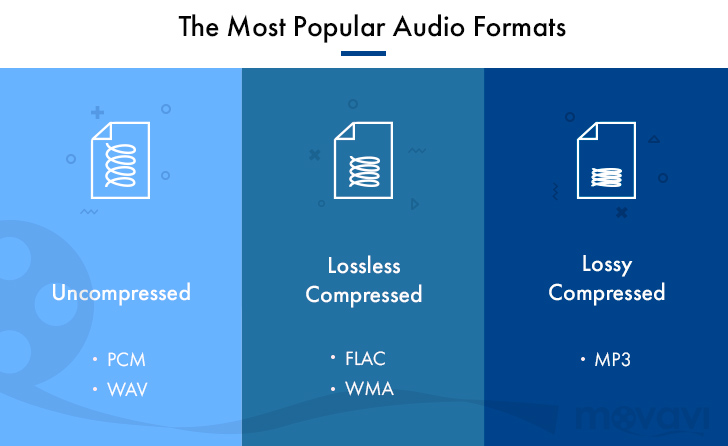
Uncompressed audio is like a picture, uncompressed audio is better quality, larger in file size and safer to copy, with nearly the same detail as the original sound.

WAV is the most widely used audio format of this type and reproduces music with precision similar to that of a recording.

compressed audio
When music is compressed, the file is smaller and can be easily stored on your device. Because of this advantage, compressed audio is often more of an option for users.

However, it should be remembered that some audio formats in this category may lose quality depending on the option selected, just like MP3 and AAC .

What is the best audio format?
As we said before, the first step in deciding on an audio format is to know the final objective of the track. Whether it’s for music lessons, performances, karaoke, auditions, or recording versions, you need to understand the pros and cons of each option.

WAV
WAV (Waveform Audio File Format) is an uncompressed format, therefore sufficient storage space is required. This is for those who already work with music, such as experts in the field or users who want to edit audio.

At high fidelity, WAV faithfully reproduces the elements and character of the original soundtrack. Furthermore, this format allows the selection of different bit and sample rates, and can be used on multiple platforms.

FLAC
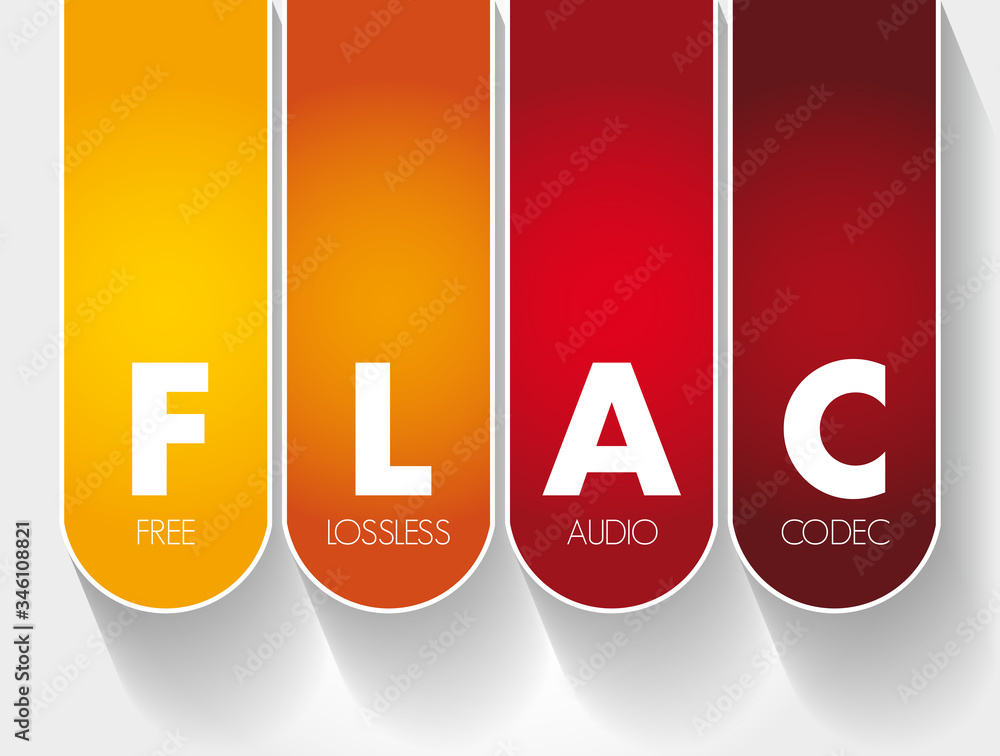
FLAC (Free Lossless Audio Codec) is one of the most widely used compression formats by music lovers today.

Digital audio encoding allows you to preserve its quality, but the resulting file will be smaller. Over the years, this format has become more widely used and is compatible with different devices and platforms.

FLAC is free and open source, ready to use and can be easily played on smartphones and other devices.

MP3
Before deciding on the best audio format, it is worth taking a look at the most famous format in the music world: MP3.

MP3 is one of the main audio compression formats, and has become synonymous with the convenience and efficiency of generating files quickly, with smaller files and a certain level of quality.

Many devices and programs can play this format. But MP3 is difficult to use in professional audio processing and advanced audio editing.

As is known, this format exists on almost all platforms and is ideal for sharing audio.

Another interesting factor is its bit rate, although it is a compressed format, it can vary depending on the user’s goals and improvements in quality.

AAC Like MP3, Advanced Audio Coding (AAC) is a more efficient audio format than its predecessor.

To create smaller files with less storage space, AAC is a great option for users to reduce file size and keep high-quality audio tracks.

Lossless audio.

Lossless audio.

Lossless Audio

If an ordinary person suddenly “brings” what are considered experts in high-quality sound to the forum, they will find that 80 percent of audiophiles are talking about the bit rate problem. “If a true music lover can distinguish a recording with a good bitrate from a file ‘lossi’ or not”, the arguments on this subject with arguments for and against have not diminished in a long time. This proves that it is difficult or almost impossible to force people to abandon their beliefs, to step over their “ego”, even if the facts testify against their delusions. In this article, we will give you a little information about bit rate and how it relates to your practical experience of listening to music.

Lossless Audio

What is the bit rate?

If you love listening to music, you’ve probably heard the term “bitrate” before, so you probably have a general idea of ​​what it means, but we’ll try to jog your memory and give you the “official” definition here. So the bitrate (from the bitrate in English) is in fact a stream: the information bit rate, that is, the amount of data processed over a period of time. In audio, it is generally measured in kilobits per second. For example, the music you listen to on iTunes is 256 kilobits per second.

The higher the bit rate of a track, the more space it will need on your computer. Hence, it has become common practice to compress audio CDs so that you can put more music on a hard drive (well, or in a “cloud” like Dropbox or whatever). This is where the legs of a long-standing dispute over the quality of music from lossy and lossless files “grow”.

What is the difference between lossy and lossless?

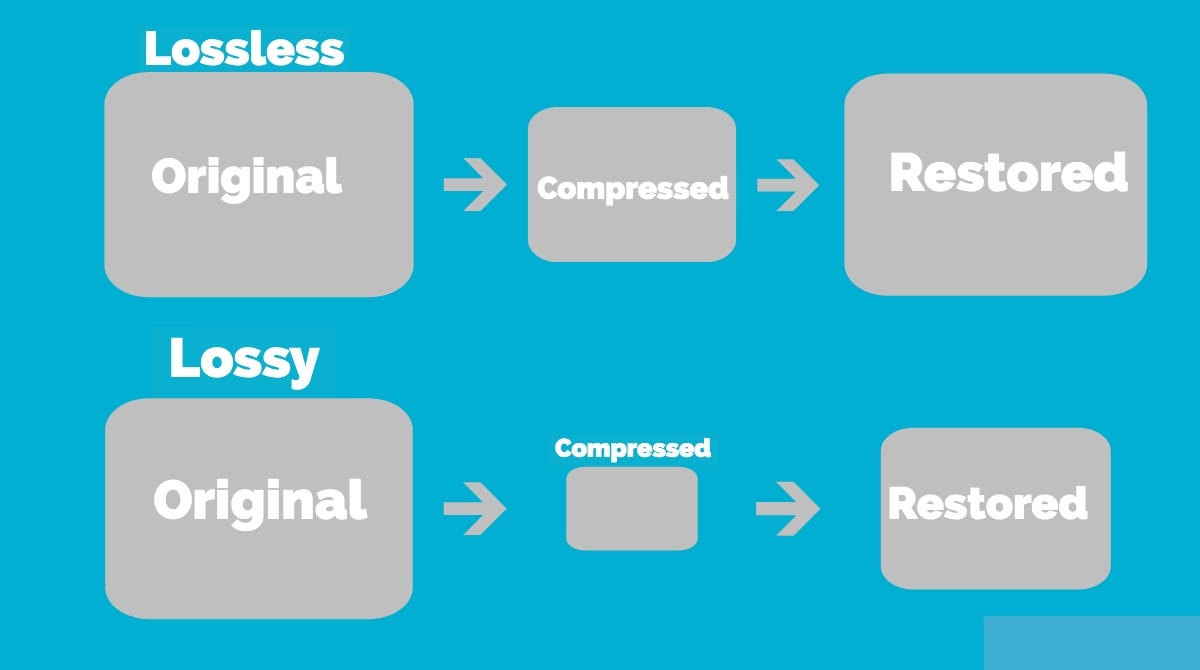
When we say “lossless”, we mean that we did not change the original file when rewriting, and it sounds like the track from the original CD. However, most of the time we save music with “losses”. A typical lossy album (MP3 or AAC) is probably about 100MB. The same album in a “lossless” format like FLAC or ALAC (also known as Apple Lossless) would take about 300MB. For this reason, “lossy” recording is common for fast downloads and to save more disk space.

The problem is that when you compress the file to save space, you are removing blocks of data. For example, when you take a PNG screenshot of a computer screen and save it in JPEG format, you get a “flaw” in certain parts of the image, making it almost the same, but with some loss of clarity and quality. . Consider the image below as an example: on the right, it was compressed in JPG format, and its quality deteriorated as a result (when looking at the car’s color, details, and background). The same is true of music files that are “compressed” to MP3, if the comparison is correct. Loss of quality visible to the human ear or eye is called compression artifacts.

Lossy files are understandably a tradeoff, but a very significant one when it comes to hard drive space, which can make a huge difference on a 32GB iPhone. But there are also different levels of loss: 128 kbps, for example, takes up very little space, but it will be of lower quality than a 320 kbps file, which, in turn, has a lower quality than a 1411 kbps file. (which is considered true without loss). However, there are many arguments that most people may not even hear the difference between the two bit rates.

Is the bit rate that important?

As file storage becomes easier and cheaper, high bit rate music becomes more popular. But is it always worth your time, effort, and disk space?

The answer to this question is not simple, and so far, audiophiles are breaking spears in battles, trying to solve an equation with two unknowns. The first part of the equation depends on the technical implementation. If you use expensive headphones or good quality speakers, you can listen to music in a wide range of sounds. And this is where the low bit rate becomes noticeable and you can determine that low quality MP3 files lack a certain level of detail, subtle background tracks may be inaudible, highs and lows will not be as dynamic, or it may just listen to other significant sound distortions. In these cases, the lossless format is justified.

But if you listen to your favorite music through a cheap and generally bad pair of headphones on your iPod, you won’t notice the difference between a 128 kb file and a 320 kb file, let alone a 320 kb file versus one without. losses. file at 1411 kbps.

Lossless audio formats

Lossless audio formats

Lossless


Although downloadable music files and music streaming have made music CDs less popular than before, they still exist and provide an excellent means of backing up your music collection. If you don’t back up your music, you could lose it if your hard drive fails. Even if all your music is on CDs, you should make copies of them because CDs can get scratched.

Lossless vs Lossy

You want perfect copies of all your originals in the event of a disaster, so stay away from lossy formats like MP3, which can affect the quality of your recordings. Use lossless audio formats when burning your digital music library to CD.

Lossless audio formats encode and compress audio losslessly, ensuring your music is perfectly preserved digitally.

FLAC (Free Lossless Audio Codec)
Free Lossless Audio Codec (FLAC) is the most popular lossless encoding format. It is increasingly compatible with hardware devices such as MP3 players, smartphones, tablets, and home entertainment systems. FLAC is a brainchild of the non-profit Xiph.Org foundation and is also open source. Music stored in this format is generally reduced by 30-50% of its original size with no loss of quality.

Common ways to rip audio CDs to FLAC include software media players like Winamp for Windows or special utilities like Max for Mac computers.

All major operating systems are supported by FLAC, including Windows 10, macOS High Sierra and above, Android 3.1 and above, iOS 11 and above, and most Linux distributions.

ALAC (Apple Lossless Audio Codec)
Apple originally developed its ALAC format as a proprietary project, but made it open source in 2011. Audio is encoded using a lossless algorithm that is stored in the MP4 container. By the way, ALAC files have the same .m4a extension as AAC, the naming convention can be confusing.

ALAC is not as popular as FLAC, but it may be the best option if iTunes is your preferred software media player and you are using Apple hardware such as an iPhone, iPod, or iPad.

There is no loss of quality when ripping ALAC music CDs, so this is a good option if you want to keep the original audio CDs. If at any time you need to switch from ALAC to another format, there will also be no loss of quality.

WMA Lossless (Windows Media Audio Lossless)
The WMA Lossless format, developed by Microsoft, is a proprietary format that can be used to rip original music CDs without losing sound quality. A typical audio CD is compressed between 206MB and 411MB, depending on several factors. The resulting file, which is created with confusion, has a WMA extension, which is identical to files in the standard (lossy) WMA format.

WMA Lossless is probably the least supported of the formats on this list, but it may still be the one you choose, especially if you use Windows Media Player and have a hardware device that supports it.

Mono audio
The Monkey audio format is not as compatible as competing lossless systems like FLAC and ALAC, but it does provide better compression on average, resulting in smaller file sizes. This is not an open source project, but it is free to use. Files encoded in Monkey audio format have the funny APE extension.

Methods used to copy CDs to APE files include downloading a Windows program from Monkey’s Audio’s official website or using standalone CD ripping software that generates data in this format.

While most software media players don’t have built-in support for playing files in the Monkey audio format, there is a good selection of plugins available for Windows Media Player, Foobar2000, Winamp, Media Player Classic, and more.

WAV (WAVeform audio format)
WAV format is not considered the ideal choice when choosing a digital audio system to store your audio CDs, but it is a lossless option. The downside to this approach is that files created in WAV format are larger than other lossless formats, since no compression is used.

If storage space is not an issue, then the WAV format has a number of distinct advantages: it is widely compatible with both hardware and software. Converting to other formats requires significantly less CPU processing time because WAV files are already unzipped and don’t need to be unzipped before converting. You can also directly manipulate WAV files with your audio editing software without having to wait for decompression and recompression cycles to update your changes.