Lossless audio.
If an ordinary person suddenly “brings” what are considered experts in high-quality sound to the forum, they will find that 80 percent of audiophiles are talking about the bit rate problem. “If a true music lover can distinguish a recording with a good bitrate from a file ‘lossi’ or not”, the arguments on this subject with arguments for and against have not diminished in a long time. This proves that it is difficult or almost impossible to force people to abandon their beliefs, to step over their “ego”, even if the facts testify against their delusions. In this article, we will give you a little information about bit rate and how it relates to your practical experience of listening to music.

What is the bit rate?
If you love listening to music, you’ve probably heard the term “bitrate” before, so you probably have a general idea of what it means, but we’ll try to jog your memory and give you the “official” definition here. So the bitrate (from the bitrate in English) is in fact a stream: the information bit rate, that is, the amount of data processed over a period of time. In audio, it is generally measured in kilobits per second. For example, the music you listen to on iTunes is 256 kilobits per second.
The higher the bit rate of a track, the more space it will need on your computer. Hence, it has become common practice to compress audio CDs so that you can put more music on a hard drive (well, or in a “cloud” like Dropbox or whatever). This is where the legs of a long-standing dispute over the quality of music from lossy and lossless files “grow”.
What is the difference between lossy and lossless?
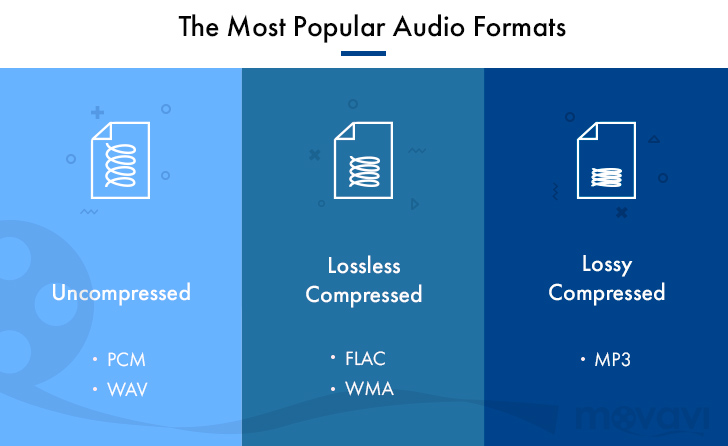
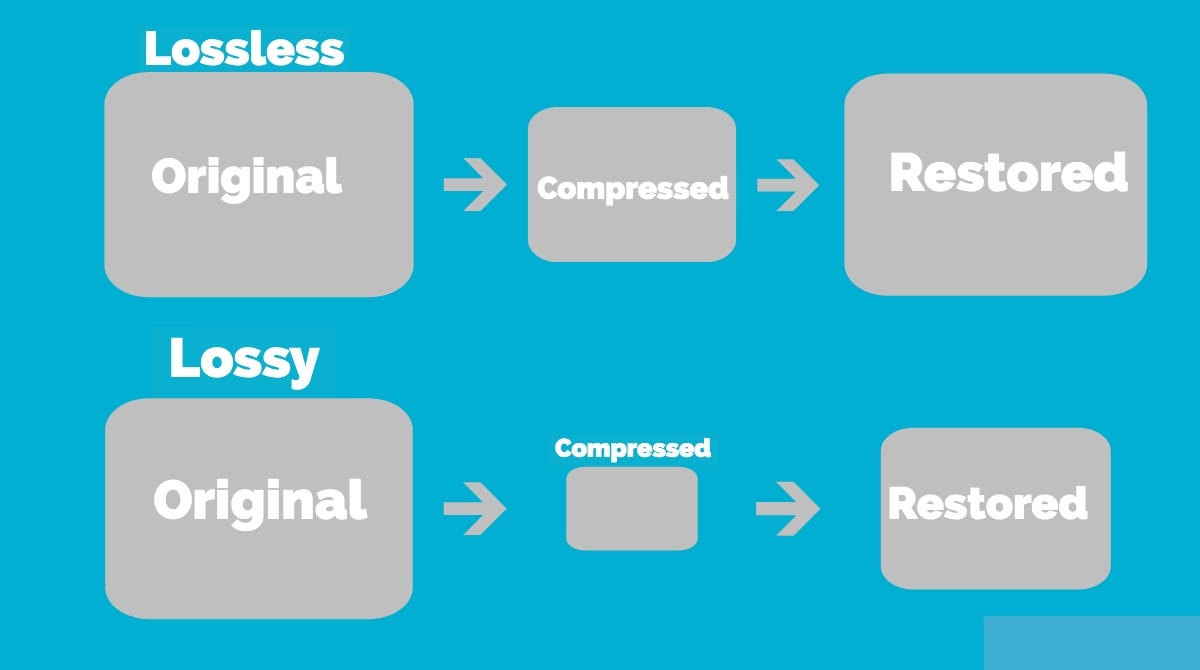
When we say “lossless”, we mean that we did not change the original file when rewriting, and it sounds like the track from the original CD. However, most of the time we save music with “losses”. A typical lossy album (MP3 or AAC) is probably about 100MB. The same album in a “lossless” format like FLAC or ALAC (also known as Apple Lossless) would take about 300MB. For this reason, “lossy” recording is common for fast downloads and to save more disk space.
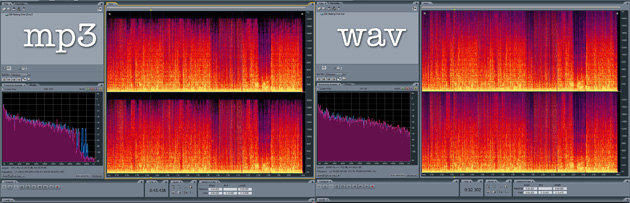
The problem is that when you compress the file to save space, you are removing blocks of data. For example, when you take a PNG screenshot of a computer screen and save it in JPEG format, you get a “flaw” in certain parts of the image, making it almost the same, but with some loss of clarity and quality. . Consider the image below as an example: on the right, it was compressed in JPG format, and its quality deteriorated as a result (when looking at the car’s color, details, and background). The same is true of music files that are “compressed” to MP3, if the comparison is correct. Loss of quality visible to the human ear or eye is called compression artifacts.
Lossy files are understandably a tradeoff, but a very significant one when it comes to hard drive space, which can make a huge difference on a 32GB iPhone. But there are also different levels of loss: 128 kbps, for example, takes up very little space, but it will be of lower quality than a 320 kbps file, which, in turn, has a lower quality than a 1411 kbps file. (which is considered true without loss). However, there are many arguments that most people may not even hear the difference between the two bit rates.
Is the bit rate that important?
As file storage becomes easier and cheaper, high bit rate music becomes more popular. But is it always worth your time, effort, and disk space?
The answer to this question is not simple, and so far, audiophiles are breaking spears in battles, trying to solve an equation with two unknowns. The first part of the equation depends on the technical implementation. If you use expensive headphones or good quality speakers, you can listen to music in a wide range of sounds. And this is where the low bit rate becomes noticeable and you can determine that low quality MP3 files lack a certain level of detail, subtle background tracks may be inaudible, highs and lows will not be as dynamic, or it may just listen to other significant sound distortions. In these cases, the lossless format is justified.
But if you listen to your favorite music through a cheap and generally bad pair of headphones on your iPod, you won’t notice the difference between a 128 kb file and a 320 kb file, let alone a 320 kb file versus one without. losses. file at 1411 kbps.