
Lossless audio formats
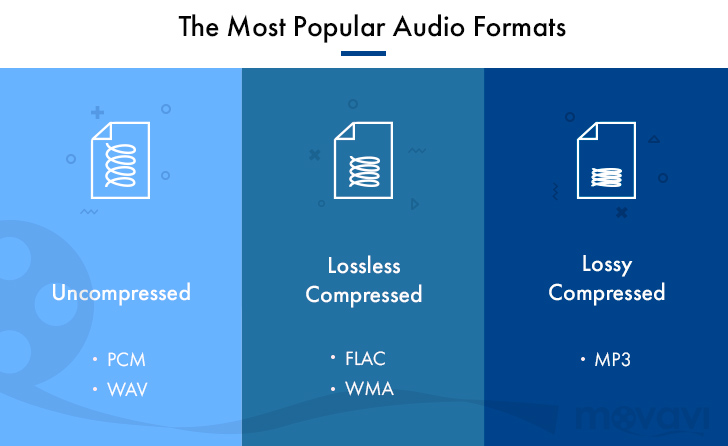
Although downloadable music files and music streaming have made music CDs less popular than before, they still exist and provide an excellent means of backing up your music collection. If you don’t back up your music, you could lose it if your hard drive fails. Even if all your music is on CDs, you should make copies of them because CDs can get scratched.
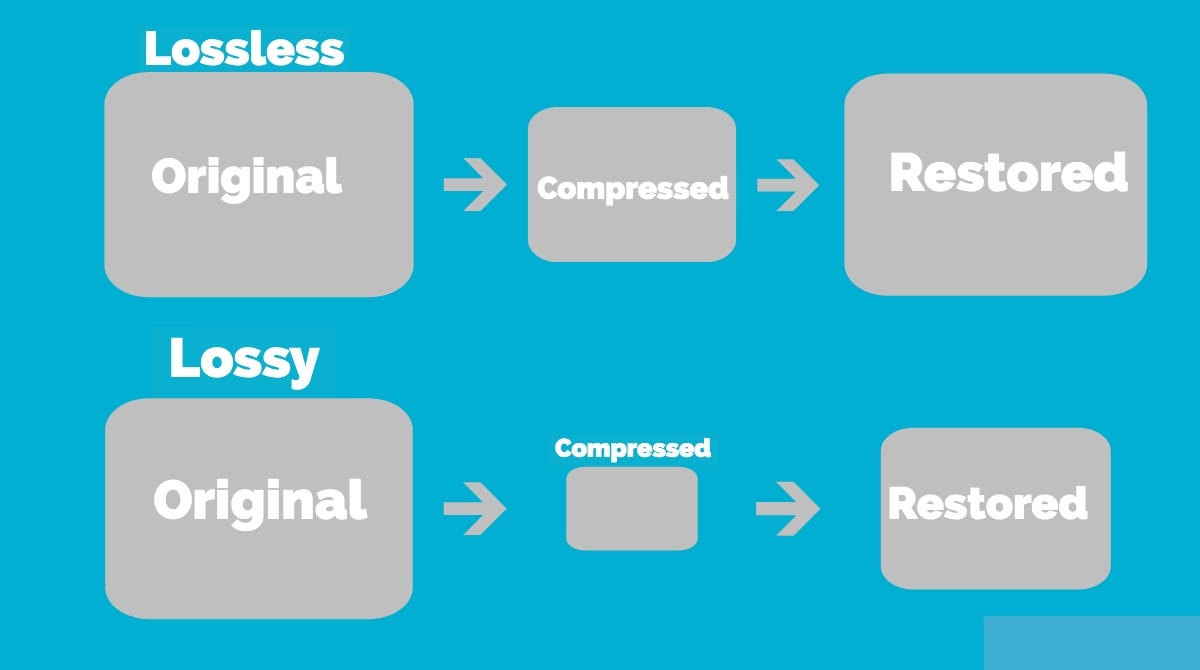
You want perfect copies of all your originals in the event of a disaster, so stay away from lossy formats like MP3, which can affect the quality of your recordings. Use lossless audio formats when burning your digital music library to CD.
Lossless audio formats encode and compress audio losslessly, ensuring your music is perfectly preserved digitally.
FLAC (Free Lossless Audio Codec)
Free Lossless Audio Codec (FLAC) is the most popular lossless encoding format. It is increasingly compatible with hardware devices such as MP3 players, smartphones, tablets, and home entertainment systems. FLAC is a brainchild of the non-profit Xiph.Org foundation and is also open source. Music stored in this format is generally reduced by 30-50% of its original size with no loss of quality.
Common ways to rip audio CDs to FLAC include software media players like Winamp for Windows or special utilities like Max for Mac computers.
All major operating systems are supported by FLAC, including Windows 10, macOS High Sierra and above, Android 3.1 and above, iOS 11 and above, and most Linux distributions.
ALAC (Apple Lossless Audio Codec)
Apple originally developed its ALAC format as a proprietary project, but made it open source in 2011. Audio is encoded using a lossless algorithm that is stored in the MP4 container. By the way, ALAC files have the same .m4a extension as AAC, the naming convention can be confusing.
ALAC is not as popular as FLAC, but it may be the best option if iTunes is your preferred software media player and you are using Apple hardware such as an iPhone, iPod, or iPad.
There is no loss of quality when ripping ALAC music CDs, so this is a good option if you want to keep the original audio CDs. If at any time you need to switch from ALAC to another format, there will also be no loss of quality.
WMA Lossless (Windows Media Audio Lossless)
The WMA Lossless format, developed by Microsoft, is a proprietary format that can be used to rip original music CDs without losing sound quality. A typical audio CD is compressed between 206MB and 411MB, depending on several factors. The resulting file, which is created with confusion, has a WMA extension, which is identical to files in the standard (lossy) WMA format.
WMA Lossless is probably the least supported of the formats on this list, but it may still be the one you choose, especially if you use Windows Media Player and have a hardware device that supports it.
Mono audio
The Monkey audio format is not as compatible as competing lossless systems like FLAC and ALAC, but it does provide better compression on average, resulting in smaller file sizes. This is not an open source project, but it is free to use. Files encoded in Monkey audio format have the funny APE extension.
Methods used to copy CDs to APE files include downloading a Windows program from Monkey’s Audio’s official website or using standalone CD ripping software that generates data in this format.
While most software media players don’t have built-in support for playing files in the Monkey audio format, there is a good selection of plugins available for Windows Media Player, Foobar2000, Winamp, Media Player Classic, and more.
WAV (WAVeform audio format)
WAV format is not considered the ideal choice when choosing a digital audio system to store your audio CDs, but it is a lossless option. The downside to this approach is that files created in WAV format are larger than other lossless formats, since no compression is used.
If storage space is not an issue, then the WAV format has a number of distinct advantages: it is widely compatible with both hardware and software. Converting to other formats requires significantly less CPU processing time because WAV files are already unzipped and don’t need to be unzipped before converting. You can also directly manipulate WAV files with your audio editing software without having to wait for decompression and recompression cycles to update your changes.

