Lossless audio formats
We will show you the formats that maintain all the quality of the audio files, compressing just enough. Lossless formats tend to maintain the original quality almost totally, suffering a minimum loss of quality. In summary, they are slightly compressed so that the audio remains intact and the size on disk is smaller.

Among the Lossless formats we have:
FLAC, is a format whose algorithm is similar to ZIP or GZip, but specially designed for audio compression. While ZIP would compress a CD quality audio file from 10% to 20% of its original size, FLAC would compress it from 30% to 50% while maintaining the full quality of the source.
Monkey’s Audio (APE), like FLAC allows lossless compression, but the greatness of Monkey’s is that it compresses bit by bit, reaching data rates of up to 700kbps without any loss of quality.
Apple Lossless (ALAC) uses an MP4 container (with a .M4A extension) for its files just like the MPEG-4 AAC and is specially created for use on the iPod.
Shorten is another Lossless format with characteristics similar to Monkey’s Audio or FLAC, but using the .SHN extension and requires fewer resources for its reproduction.
WavPack uses a hybrid mode, unlike the other Lossless formats, since it uses a Lossy file, which creates a relatively small file at high quality, and a corrector file that recovers the remaining quality of the original file, resulting in an audio file at averages between Lossless and Lossy, but with the same quality as a compressed file with any other Lossless algorithm.
TTA (True Audio) is a free and free LossLess format that reduces by 30% the original size of the source audio file and uses compression / decompression in real time.
What are the advantages of listening to music in FLAC format?
The FLAC format allows us to save audio without loss of quality. This codec encodes the file with the same information that the original CD would have (which would be the WAV file).
It is an open source format (Free Lossless Audio Codec) that could be improved, thanks to its registration as an open source license.
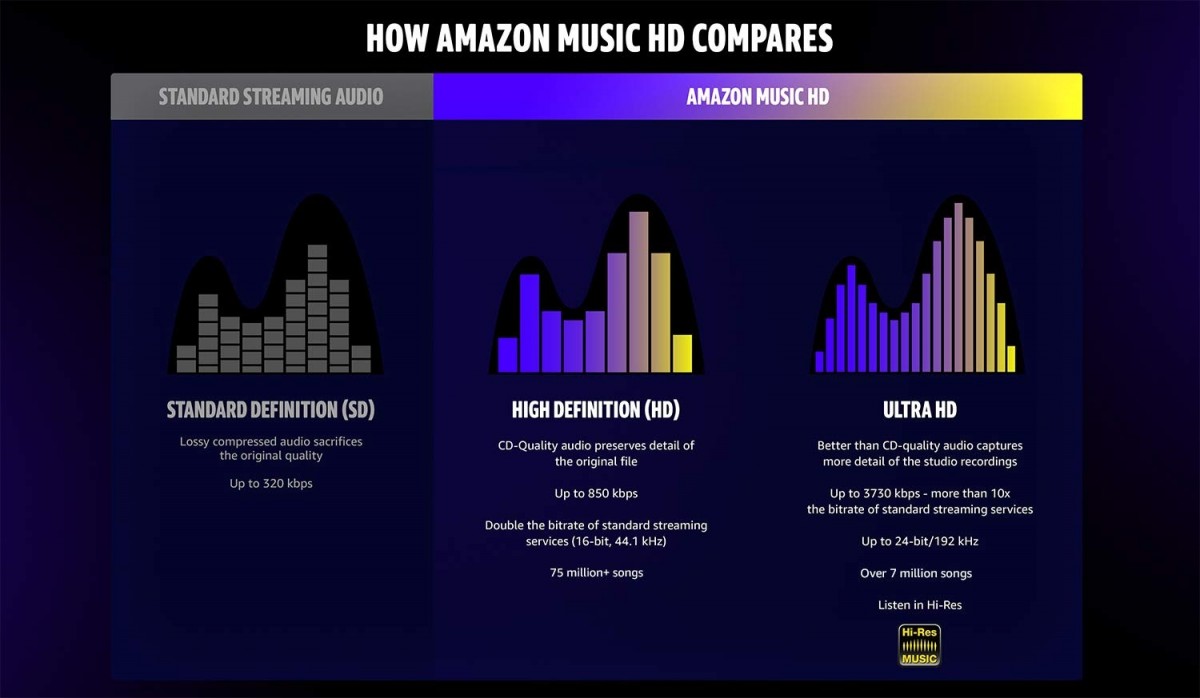
Higher quality, especially for HiFi equipment: this format allows us to enjoy a bitrate between 900 and 1100 kbps that does not delete information as it does in the MP3, even if it is of high quality. You will notice a warmer, fuller and cleaner sound.
The information is continuous between tracks: just like on the original CD, you can listen to music without interruptions between tracks.
The music is not altered: and that is the main reason why FLAC is ideal. Well, the file you use is the same one that you would download from the CD.
The FLAC format supports unlimited sampling rates – a FLAC can reproduce frequencies of 192,000 Hz without problem.
However, all that it reduces is not gold. There are also some problems with FLACs that you should be aware of, although they are not serious at all.
Disadvantages of listening to music in FLAC format
They take up more: as a FLAC file usually takes up a little more than half of the original CD file. It is easy for an album to go to 300 MB.
Many players do not support FLAC – this is changing in a beastly way. But the industry has fought for the MP3 to the last breath and many players, radios, etc. do not yet support this standard.
That is, the disadvantages are or rather were. In the future we will have a new cleaner format, which will surely take up less space and be an evolution of FLAC. Currently, however, it is the format par excellence and the one that we should all use, although I am not sure that a new, closed format will not come out, that can cope with it before it reaches its peak.