Unique and Distinctive Characteristics of the FLAC Format
FLAC Format
Let’s Talk About FLAC:
FLAC Format
Embarking on a journey into the realm of high-fidelity audio, let’s explore the unique and distinctive characteristics that set FLAC (Free Lossless Audio Codec) apart. As a seasoned specialist in audio technology, I’ll unravel the complexities and unveil the unparalleled features that make FLAC a standout format.
FLAC Format
The FLAC Advantage: Lossless Audio Compression:
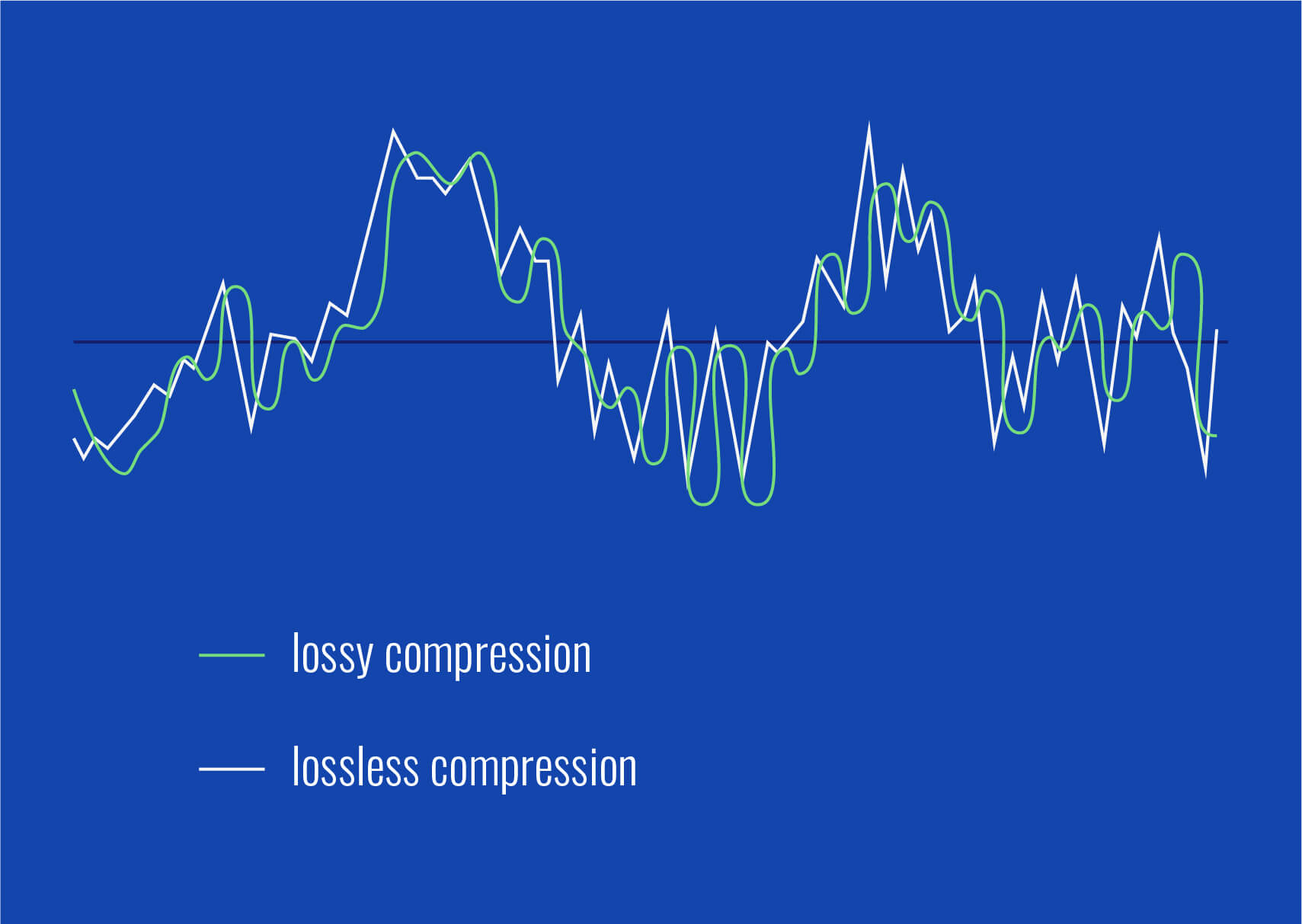
At the core of FLAC’s brilliance is its commitment to maintaining audio quality without compromising file size. Unlike lossy compression formats, FLAC preserves every nuance of the original recording, offering a pristine listening experience. Imagine it as a musical time capsule, encapsulating the full richness of the artist’s creation.
Preserving the Musical Essence:
FLAC’s lossless compression ensures that every instrument, vocal nuance, and subtle detail is faithfully retained.
Picture a painting, where each brushstroke is vital; FLAC encapsulates the artist’s intent in every sonic detail.
It’s like having a concert hall in your pocket, with the complete authenticity of the live performance.
FLAC and the Audiophile’s Paradise:
For audiophiles seeking the pinnacle of audio quality, FLAC emerges as a sanctuary. Its ability to reproduce studio-quality sound makes it the preferred choice for those with discerning ears. The journey from the recording studio to your headphones remains untainted, offering an audio escapade like no other.
Immersive Audio Bliss:
FLAC transforms your listening space into a sonic sanctuary, where the music envelops you with unparalleled clarity.
It’s akin to stepping into the artist’s world, feeling the music as if you were present during its creation.
Imagine savoring the delicate strumming of a guitar or the subtle whispers of a singer with uncompromised fidelity.
Compatibility without Compromise:
FLAC’s universality across various platforms and devices further enhances its appeal. Whether you’re on a desktop, smartphone, or dedicated audio player, FLAC seamlessly integrates into your audio ecosystem. It’s the bridge that connects audiophiles and casual listeners alike, fostering a shared appreciation for exceptional sound.
FLAC Everywhere You Go:
FLAC’s adaptability ensures that your entire music library remains at your fingertips, transcending device boundaries.
It’s like having a personal concert hall that fits in your pocket, offering a symphony of choice without compromise.
Imagine the convenience of enjoying studio-quality sound no matter where life takes you.
The Future of Audio: FLAC’s Enduring Legacy:
As an authority in the field, I foresee FLAC continuing to shape the future of audio consumption. Its ability to strike a balance between uncompromised quality and widespread compatibility positions it as a timeless player in the evolving audio landscape. The legacy of FLAC is not just about the present; it’s about paving the way for future sonic experiences.
Latest Words on FLAC:
As we conclude our exploration of FLAC’s distinctive features, it’s evident that this format transcends the boundaries of audio compression. In a world where quality often meets compromise, FLAC stands as a testament to the unwavering pursuit of audio excellence. Whether you’re a seasoned audiophile or a casual music lover, FLAC offers an immersive journey into the heart of sound.
Comments:
FLAC truly elevates the listening experience! Feeling the music like never before.
Any insights on how FLAC compares to other lossless formats? Looking for the best for my audio setup!
Kudos for shedding light on FLAC’s compatibility. Finally, a format that plays well with all my devices!
Curious about the impact of FLAC on battery life for portable devices. Any thoughts on optimizing for longer playtime?
FLAC has redefined how I experience music. It’s like being transported to the heart of the recording studio!
Do you see FLAC maintaining its dominance, or will newer formats eventually take the spotlight? Exciting times ahead!
Thanks for the detailed breakdown! Exploring FLAC’s compatibility brought a whole new level of convenience to my music setup.
FLAC’s lossless compression is a game-changer. Any advice on converting my existing library to FLAC without quality loss?
Great article! The section on FLAC and audiophiles resonated with my passion for high-fidelity sound. Keep it up!
How does FLAC handle larger music libraries? I’m intrigued by its quality but concerned about storage space.
FLAC’s immersive audio bliss is truly unparalleled. Excited to dive deeper into this world of sonic perfection!
As a music enthusiast, I appreciate your insights into FLAC’s enduring legacy. Looking forward to more articles on audio technology!
FLAC’s impact on preserving studio-quality sound is fascinating. Any recommendations for budget-friendly audio equipment to complement FLAC’s capabilities?
FLAC has become my go-to format for an authentic listening experience. Your article encapsulates its essence beautifully!
As a specialist with a profound love for audio technology, I’m excited to take you on a journey through the lesser-known world of FLAC. While most of us have heard about FLAC as a high-quality audio format, there are hidden gems and secrets waiting to be explored. In this article, I’ll share these intriguing secrets in a way that even a 9-year-old can understand. Let’s embark on the adventure of uncovering the mysteries of FLAC!
FLAC Hidden Secrets
The FLAC Revolution
FLAC, or Free Lossless Audio Codec, is often considered the holy grail of audio formats. It offers unparalleled audio quality without any loss, making it a favorite among audiophiles. But what you may not know is that FLAC was developed in response to the need for high-quality audio in the digital age. It’s like the arrival of high-definition TV, but for your ears!
Perfectly Preserved Audio
One of the best-kept secrets of FLAC is its ability to preserve audio quality. Think of it as a time capsule for your favorite songs. When you convert a CD into FLAC, it retains every nuance, ensuring that you hear the music exactly as the artist intended. It’s like having a magical preservation spell for your music collection.
File Size Balancing Act
Here’s where it gets interesting. FLAC’s secret weapon is lossless compression. It manages to compress audio files to save space without losing a single bit of data. Imagine having a suitcase that magically fits more clothes without wrinkling them. It’s the perfect balance between audio quality and file size, making it a versatile format for audiophiles and casual listeners alike.
Bitrate Brilliance
Bitrate, the measure of audio quality, plays a vital role in the FLAC world. Unlike some formats that offer a fixed bitrate, FLAC allows you to adjust it according to your preferences. It’s like having a dimmer switch for your lights, but for your music. You can choose the level of quality that suits your ears, from standard to studio-grade.
Unraveling Metadata
Hidden within FLAC files are metadata tags. These tags are like little notes attached to each song, providing information about the artist, album, track name, and more. It’s as if your music collection came with a built-in librarian who can find any song you desire in an instant. No more guessing game with track titles!
Compatibility Quest
FLAC’s secrets also extend to compatibility. While FLAC is primarily known for its lossless quality, it can be converted into other formats without losing that quality. It’s like a multilingual traveler who can communicate with any device or audio player. So, whether you’re using Windows, macOS, or Linux, FLAC has you covered.
FLAC’s Pioneer
David Robinson, a British programmer, is one of the unsung heroes behind the FLAC format. His dedication to creating a lossless audio codec has forever changed the way we experience music. Think of him as the Thomas Edison of the audio world, revolutionizing sound without much fanfare.
FLAC Beyond Music
While FLAC is synonymous with music, it has hidden talents. It’s not just for music enthusiasts; it can also be used for archiving audio interviews, podcasts, and even preserving audio documents. It’s like a Swiss Army knife for preserving audio in its purest form, regardless of the content.
FLAC’s Future
As we wrap up our exploration of FLAC’s secrets, it’s worth noting that the format continues to evolve. New developments in lossless audio technology promise even better compression and more efficient storage. FLAC’s future holds the potential for even more exciting surprises, ensuring its place as the king of lossless audio.
Latest Words on FLAC
In conclusion, FLAC’s hidden secrets have been unveiled, and I hope you’ve gained a deeper understanding of this remarkable audio format. It’s like opening a treasure chest of audio quality. FLAC is not just an audio format; it’s a gateway to a world of unparalleled sound experiences.
Comments
Comments:
FLAC’s preservation ability blew my mind. It’s like having a time machine for music!
I had no idea about FLAC’s compatibility. It’s like a chameleon in the audio world, adapting to any situation!
David Robinson’s contribution to FLAC deserves more recognition. He’s an unsung hero of audio technology!
FLAC isn’t just for music; it’s a versatile format for all things audio. A real Swiss Army knife!
I’m excited to see what the future holds for FLAC. More surprises are surely on the horizon!
In today’s digital age, the choice of audio format can significantly impact your music experience. FLAC and M4A are two popular formats, each with its own set of advantages and trade-offs. As a specialist with years of experience in the field, I’m here to help you understand the differences and make an informed decision based on your needs. Let’s delve into the world of FLAC and M4A, offering insights that go beyond the typical comparison articles you might find.
The Basics of FLAC and M4A
FLAC vs M4A
To kick things off, let’s start with a basic introduction to these two formats.
FLAC (Free Lossless Audio Codec): FLAC is the audiophile’s dream. It’s like a Tupperware container for your music. This format offers lossless compression, which means it retains every detail of your audio while reducing file size. It’s like storing your favorite sandwich without losing any flavor.
M4A (MPEG-4 Audio): On the other hand, M4A is like a Ziplock bag. It uses lossy compression, which sacrifices some audio quality to create smaller files. Think of it as a quick snack – convenient and smaller in size.
Audio Quality Comparison
Now, let’s talk about the most significant difference – audio quality.
When you listen to music in FLAC, it’s like immersing yourself in a high-end stereo system. Every note, every nuance, and every instrument is crystal clear. It’s like enjoying a gourmet meal prepared by a top chef.
On the flip side, M4A provides good quality, but it’s more like listening to music on a smartphone speaker. You get the general idea, but you might miss the subtleties and richness.
File Size and Compression
One critical consideration is file size. FLAC files tend to be larger because they store all the audio data. Think of it as a high-resolution photo of a scenic landscape. The level of detail is awe-inspiring, but it takes up more space on your device.
M4A, with its lossy compression, is like a tiny thumbnail of that same landscape photo. It’s smaller, making it ideal for devices with limited storage.
Compatibility and Usage
FLAC isn’t as widely supported as M4A. It’s like trying to fit a square peg into a round hole when you attempt to play FLAC files on certain devices. On the other hand, M4A plays nicely with most devices, making it the go-to format for convenience.
Metadata and Tagging
FLAC shines in the realm of metadata. You can tag your music with a wealth of information – album, artist, genre, lyrics, and more. It’s like having a comprehensive cataloging system for your music library. M4A also supports metadata, but it’s more limited in its capabilities.
Editing and Conversion
If you need to edit or convert your audio files frequently, M4A is the way to go. It’s like having an editable e-book. You can easily make changes and share it with others. FLAC, however, is more like a printed book. Once it’s set, it’s challenging to modify.
Streaming and Online Services
Streaming services often favor M4A due to its smaller file size, making it ideal for quicker buffering and streaming. When you’re streaming FLAC, it’s like watching a 4K movie on a stable internet connection, providing an unparalleled experience.
Storage and Backup Considerations
When it comes to preserving your music collection, FLAC is the way to go. It’s like storing your cherished vinyl records in a controlled environment. Your audio is safe, and the quality is unmatched. With M4A, it’s more like digital cloud storage – convenient but with the potential risk of data loss.
Final Verdict
So, which is better – FLAC or M4A? It depends on your priorities and needs. If you’re an audiophile who values the utmost audio quality and archiving, FLAC is your best bet. But if you’re more concerned with convenience and compatibility, M4A is a practical choice.
Going Deeper: The Unspoken Advantages
Audio Engineering Insights
When we dive deeper into the world of audio formats, it’s essential to understand the technical aspects that drive these formats. Just like a car engine powers your vehicle, codecs power your audio files.
Archiving and Preservation
In the realm of archiving, FLAC has a clear advantage. It’s like preserving rare and valuable antique books. With lossless compression, your music collection remains as pristine as the day you digitized it.
Future-Proofing Your Music Collection
As technology evolves, FLAC ensures your music remains compatible with future devices and platforms. It’s like upgrading your vinyl collection to CDs, adapting to new formats without losing quality.
Metadata Magic: Organizing Your Music
The rich metadata capabilities of FLAC offer an unparalleled organizational experience for your music library. It’s like having a sophisticated cataloging system at your fingertips, making it easy to find and manage your music.
Perceived Quality vs. Practicality
When making a choice, it’s crucial to consider the balance between perceived audio quality and practicality. The choice between FLAC and M4A is context-dependent. Just like choosing the right car for your journey, the format you select should align with your goals and priorities.
Behind the Scenes: Codec Technologies
Understanding the technologies that power FLAC and M4A can provide a deeper appreciation for these formats. Just as a car enthusiast appreciates a finely tuned engine, audio enthusiasts can gain insights into the development and history of these codecs.
Community Opinions
The final word should come from the community. Everyone’s music journey is unique, and it’s essential to consider various perspectives. Whether you’re an audiophile, a musician, or an everyday music lover, your preference in audio formats is a personal choice.
Latest Words on FLAC vs M4A
In conclusion, the choice between FLAC and M4A ultimately depends on your priorities and how you intend to use your music. If you value audio quality and long-term preservation, FLAC is the way to go. If convenience and compatibility are paramount, M4A has you covered. Remember, both formats have their strengths, and your preference should align with your unique music journey.
Boost the Volume of Lossy Audio FilesBoost the Volume of Lossy Audio Files
Amplify Sound in Lossy Audio Files
When it comes to enhancing the audio quality of your favorite songs or podcasts, you might find yourself dealing with lossy audio files. These files, while space-efficient, often suffer from reduced sound quality. Fortunately, there are ways to amplify the sound in lossy audio files, giving your listening experience a significant boost.
Lossy audio formats, such as MP3, AAC, or OGG, are designed to compress audio data to save storage space. However, this compression can lead to a loss of audio detail and a decrease in overall volume. To address this, you can use audio editing software to amplify the sound. By carefully adjusting the volume levels, you can make the audio more prominent and enjoyable. Just be cautious not to overdo it, as excessive amplification can lead to distortion.
Another effective way to amplify sound in lossy audio files is to use specialized audio processing tools. These tools often come with built-in volume normalization features that can help you increase the loudness while maintaining the audio’s quality. Whether you’re an aspiring musician, a podcast enthusiast, or simply looking to improve your music collection, amplifying sound in lossy audio files can breathe new life into your audio content.
Increase Volume of Compressed Audio
Compressed audio files have become the norm in today’s digital world due to their convenience and storage efficiency. However, one common drawback of these files is that they often lack the volume and punch of their uncompressed counterparts. If you’re wondering how to increase the volume of compressed audio, you’re in the right place.
To boost the volume of compressed audio files, you can start by using audio editing software. Most audio editing programs allow you to adjust the volume levels of individual tracks or sections of a file. Simply open your desired audio file in the software, locate the volume control, and gradually increase it until you achieve the desired loudness. Be cautious not to push the volume too high, as this can result in distortion and a loss of audio quality.
Additionally, consider using dynamic range compression (DRC) techniques. DRC helps balance the loud and quiet parts of an audio file, making it sound more consistent in volume. This technique is particularly useful when dealing with audio files that have uneven loudness levels. With the right adjustments, you can bring out the nuances in your compressed audio while maintaining clarity and preventing clipping.
By employing these techniques, you can effectively increase the volume of your compressed audio files, making them sound more vibrant and engaging.
Audio Volume Enhancement Techniques
Audio volume enhancement techniques are essential tools for anyone looking to improve the sound quality of their audio files, especially those in lossy formats. These techniques involve various methods to make audio files sound louder and more impactful.
One common technique is equalization, which allows you to adjust the balance of frequencies in your audio. By boosting certain frequency ranges, you can make your audio files sound fuller and more vibrant. This is particularly helpful for restoring lost detail in lossy audio files.
Another technique is the use of audio limiters and compressors. These tools help control the dynamic range of your audio, ensuring that loud parts aren’t too overpowering and quiet parts are audible. They can help you achieve a consistent and balanced volume throughout your audio file.
Additionally, you can explore mastering techniques. Mastering involves fine-tuning the overall sound of an audio file, including volume optimization. Professional mastering engineers use specialized software and hardware to enhance the loudness, clarity, and overall quality of audio recordings.
Enhance Audio Loudness in Lossy Formats
Enhancing audio loudness in lossy formats requires a combination of technical expertise and the right tools. Lossy formats like MP3 or AAC often sacrifice audio quality for smaller file sizes, which can result in lower volume levels. Here’s how you can address this issue effectively.
First, consider using audio editing software with volume normalization features. These features analyze the audio file and adjust the volume levels to ensure consistent loudness. This is particularly useful when dealing with a collection of lossy audio files with varying loudness levels.
Furthermore, explore dynamic range compression (DRC) to balance the audio’s dynamics. DRC reduces the difference between the loudest and quietest parts of an audio file, making it sound more uniform in volume. However, be cautious not to apply excessive compression, as it can lead to an unnatural and compressed sound.
Lastly, if you have a specific audio file that needs a volume boost, you can manually adjust the volume using your preferred audio editing software. Keep in mind that raising the volume too much may introduce distortion, so it’s crucial to find the right balance to enhance the loudness while preserving audio quality.
By utilizing these techniques, you can effectively enhance the audio loudness of your lossy format files and enjoy a more immersive listening experience.
Raise the Volume of Low-Quality Audio
Dealing with low-quality audio can be frustrating, especially when the volume is barely audible. Whether it’s an old recording or a poorly encoded audio file, there are ways to raise the volume and salvage the listening experience.
One approach is to use audio restoration software. These tools are designed to improve the quality of audio recordings, including boosting the volume. They often come with noise reduction features, which can help reduce background noise and further enhance the clarity of your audio.
Another option is to employ audio equalization. By adjusting the equalizer settings, you can emphasize the frequencies that are most critical for clarity and volume. Boosting the mid-range frequencies, for example, can make the vocals and instruments more prominent, resulting in a perceptible increase in volume.
If you have access to the original source of the audio, consider re-recording it or obtaining a higher-quality version. This approach eliminates the limitations of the existing low-quality audio file and ensures a better listening experience.
In summary, raising the volume of low-quality audio involves a combination of software tools and, when possible, improving the source material. These steps can help you enjoy clearer and louder audio, even from initially subpar recordings.
Boosting Sound Levels in Lossy Files
Boosting sound levels in lossy audio files is a common requirement for those looking to enhance their audio experience. Lossy formats, while efficient, often compromise on audio quality, resulting in lower volume levels. Here’s how you can effectively increase the sound levels in such files.
One of the simplest methods is to use audio editing software. Most audio editors provide volume adjustment controls that allow you to raise the volume of your lossy audio files. When doing this, be cautious not to push the volume too high, as it can lead to distortion and a loss of audio fidelity.
Additionally, you can explore the use of audio amplification plugins or tools. These specialized software options are designed to boost the loudness of audio files while minimizing the risk of distortion. They often come with presets and fine-tuning options to ensure optimal results.
When boosting sound levels, it’s essential to consider the intended playback environment. Different platforms and devices may have varying volume levels, so aim for a balance that ensures your audio remains clear and enjoyable across different systems.
By following these techniques and experimenting with volume adjustments, you can effectively boost sound levels in your lossy audio files and enjoy an improved listening experience.
Improving Audio Clarity in Compressed Formats
Improving audio clarity in compressed formats, such as MP3 or AAC, is a pursuit for audiophiles and music enthusiasts alike. While these formats offer excellent compression, they can sometimes sacrifice audio quality. Let’s explore how to enhance audio clarity in such files.
One approach is to use high-quality audio conversion tools. These tools can help you convert your compressed audio files into a lossless format, such as FLAC. Once in a lossless format, you can make edits and enhancements without further loss of audio quality. After the improvements, you can convert the file back to a compressed format with improved clarity.
Another technique involves applying equalization to your audio files. By fine-tuning the frequency balance, you can emphasize certain audio elements, such as vocals or instruments, and reduce any muddiness. This can result in clearer and more defined audio, even in compressed formats.
Furthermore, consider using noise reduction software to eliminate background noise and artifacts that may be present in your compressed audio. Reducing these unwanted elements can significantly enhance audio clarity.
Finally, if you have access to the original, uncompressed source of the audio, consider re-encoding it into a higher-quality compressed format. This can provide better clarity while still maintaining a smaller file size compared to lossless formats.
Enhancing audio clarity in compressed formats requires a combination of technical tools and careful adjustments. By experimenting with these techniques, you can achieve remarkable improvements in audio quality.
Loudness Enhancement for Lossy Audio
Loudness enhancement for lossy audio files can make a world of difference in your listening experience. Lossy formats, known for their space-saving benefits, often suffer from lower perceived volume levels. Here’s how you can effectively enhance the loudness of your lossy audio files.
One of the simplest methods is to use an audio player with built-in equalization settings. These settings allow you to boost specific frequency ranges, making the audio sound louder and more impactful. Experiment with different equalizer presets until you find the one that works best for your audio.
Another technique is to employ audio normalization. Many audio editing software tools provide normalization features that adjust the volume of your audio files to a consistent level. This ensures that all tracks play back at a similar loudness, enhancing the overall listening experience.
If you’re looking for a more advanced solution, consider using audio mastering techniques. Mastering involves fine-tuning the audio’s overall quality, including loudness optimization. Professional mastering engineers use specialized equipment and software to achieve the perfect balance of loudness and clarity.
Lastly, be mindful of the playback device you’re using. Some devices have built-in sound enhancements or equalization settings that can further enhance loudness. Experiment with these settings to find the right balance for your preferences.
By implementing these loudness enhancement techniques, you can breathe new life into your lossy audio files and enjoy them at a higher volume without sacrificing quality.
How to Make Quiet Audio Louder
Have you ever encountered audio that’s so quiet you strain to hear it even when you max out your volume controls? Learning how to make quiet audio louder is a valuable skill that can transform your listening experience.
One straightforward method is to use audio editing software. Open the quiet audio file in your chosen software and locate the volume adjustment controls. Gradually increase the volume until it reaches a comfortable level. Keep an eye on the audio waveform to ensure it doesn’t clip, which can result in distortion.
Another technique involves the use of audio normalization. This process analyzes the audio file and adjusts its volume to a consistent level, making quiet parts more audible without causing loud parts to become overly aggressive. Audio normalization is especially useful when you have multiple audio files with varying loudness levels.
Consider employing dynamic range compression (DRC) as well. DRC helps balance the dynamics of your audio, ensuring that the quietest parts are audible without overpowering the louder segments. However, use DRC judiciously to maintain natural audio quality.
Additionally, explore specialized audio enhancement software or plugins designed specifically for increasing the loudness of quiet audio. These tools often offer advanced algorithms to maximize loudness while minimizing distortion.
By mastering these techniques, you can effectively make quiet audio louder, bringing back the enjoyment in your audio content.
Audio Volume Optimization for Lossy Formats
Audio volume optimization for lossy formats is a crucial step to enhance the quality of your compressed audio files. These formats, while convenient, can suffer from reduced loudness. Let’s delve into the strategies for achieving audio volume optimization.
One method is to use audio editing software with volume adjustment capabilities. Open your lossy audio file in the software and increase the volume to your preferred level. Ensure that you maintain a balance between loudness and audio quality to prevent distortion.
Additionally, explore the use of volume normalization tools available in audio editing software. These tools analyze the audio and automatically adjust the volume to a consistent level. This is particularly useful when you have a collection of lossy audio files with varying loudness levels.
Dynamic range compression (DRC) is another technique to consider. DRC helps level out the loud and quiet parts of an audio file, resulting in a more uniform volume. However, exercise caution to avoid over-compression, which can lead to an unnatural sound.
Lastly, when exporting your audio, choose a higher bit rate if possible. This can improve the overall audio quality and contribute to better volume levels in lossy formats.
By applying these strategies for audio volume optimization, you can enjoy your favorite music and podcasts in lossy formats at a higher volume with improved clarity.
Final Words
In conclusion, whether you’re dealing with lossy audio files, compressed formats, or quiet audio, there are various techniques to boost volume and enhance your listening experience. Experiment with different methods, and remember to strike a balance between loudness and audio quality to achieve the best results. By mastering these techniques, you can enjoy your audio content at its fullest potential.






Comments:
FLAC truly elevates the listening experience! Feeling the music like never before.
Any insights on how FLAC compares to other lossless formats? Looking for the best for my audio setup!
Kudos for shedding light on FLAC’s compatibility. Finally, a format that plays well with all my devices!
Curious about the impact of FLAC on battery life for portable devices. Any thoughts on optimizing for longer playtime?
FLAC has redefined how I experience music. It’s like being transported to the heart of the recording studio!
Do you see FLAC maintaining its dominance, or will newer formats eventually take the spotlight? Exciting times ahead!
Thanks for the detailed breakdown! Exploring FLAC’s compatibility brought a whole new level of convenience to my music setup.
FLAC’s lossless compression is a game-changer. Any advice on converting my existing library to FLAC without quality loss?
Great article! The section on FLAC and audiophiles resonated with my passion for high-fidelity sound. Keep it up!
How does FLAC handle larger music libraries? I’m intrigued by its quality but concerned about storage space.
FLAC’s immersive audio bliss is truly unparalleled. Excited to dive deeper into this world of sonic perfection!
As a music enthusiast, I appreciate your insights into FLAC’s enduring legacy. Looking forward to more articles on audio technology!
FLAC’s impact on preserving studio-quality sound is fascinating. Any recommendations for budget-friendly audio equipment to complement FLAC’s capabilities?
FLAC has become my go-to format for an authentic listening experience. Your article encapsulates its essence beautifully!