WAV File Archiving: Preservation of Multichannel Audio
WAV File Archiving
Let’s talk about WAV file archiving
As a specialist with years of experience in audio preservation, I understand the importance of WAV file archiving for maintaining the integrity of multichannel audio recordings. Whether it’s preserving a studio masterpiece or safeguarding field recordings, WAV file archiving is crucial for ensuring that every nuance and detail of the original audio is faithfully preserved for future generations. Today, I’m here to delve deep into the world of WAV file archiving, offering insights, tips, and techniques to help you master this essential aspect of audio preservation.
Understanding the significance of WAV files
At the heart of multichannel audio preservation lies the WAV file format. WAV, short for Waveform Audio File Format, is a lossless audio format that ensures pristine audio quality without any compression artifacts. Unlike compressed formats like MP3 or AAC, WAV files retain every bit of audio data, making them ideal for archival purposes where audio fidelity is paramount. Imagine WAV files as the gold standard for audio preservation, capturing the true essence of the original recording without compromise.
The importance of lossless compression
In the world of audio preservation, every bit of data matters. Lossless compression techniques, such as those used in WAV files, ensure that no audio data is lost during storage or transmission. Unlike lossy compression, which sacrifices audio quality for smaller file sizes, lossless compression maintains the full integrity of the audio signal. Think of it like zipping a file without losing any information in the process – every detail remains intact, ensuring a faithful representation of the original recording.
Preserving multichannel audio fidelity
Multichannel audio recordings, such as those captured in surround sound or immersive formats like Dolby Atmos, present unique challenges for preservation. WAV file archiving excels in maintaining the fidelity of multichannel audio, preserving spatial positioning, channel balance, and sonic depth with unparalleled accuracy. Whether it’s the subtle ambience of a live concert or the directional effects of a Hollywood blockbuster, WAV files ensure that every element of the audio mix is faithfully reproduced, preserving the artist’s original vision.
The art of WAV file archiving
Now that we understand the significance of WAV files in audio preservation, let’s explore the art of WAV file archiving in more detail. From best practices to advanced techniques, mastering the art of WAV file archiving is essential for safeguarding your precious audio recordings for years to come.
Organizing your audio library
A well-organized audio library is the foundation of effective WAV file archiving. Take the time to carefully catalog your recordings, organizing them by project, date, or thematic categories. Consider creating a standardized naming convention for your WAV files, including relevant metadata such as artist name, album title, and recording date. By maintaining a structured approach to organizing your audio library, you’ll streamline the archiving process and ensure easy access to your recordings in the future.
Ensuring data redundancy and backup
In the world of audio archiving, redundancy is your best friend. Always create multiple copies of your WAV files and store them on separate physical drives or cloud storage platforms. Invest in high-quality storage solutions designed for long-term archival, such as RAID arrays or LTO tape systems. Regularly verify the integrity of your archived files using checksums or file verification tools to detect any potential data corruption early on. Remember, it’s not a matter of if a storage device will fail, but when – by maintaining redundant backups, you’ll safeguard your audio recordings against any unforeseen disasters.
Implementing robust metadata management
Metadata is the lifeblood of audio archiving, providing essential context and information about each recording. Implementing robust metadata management practices is crucial for effectively organizing and retrieving your WAV files. Consider embedding descriptive metadata directly into the audio files themselves, including details such as track titles, album artwork, and recording credits. Leverage dedicated metadata management software to streamline the process of adding and editing metadata across your entire audio library. By enriching your WAV files with comprehensive metadata, you’ll enhance their discoverability and usability for future generations.
Latest words on WAV file archiving
In conclusion, WAV file archiving is a cornerstone of multichannel audio preservation, ensuring the faithful reproduction of original recordings for years to come. By understanding the significance of WAV files, mastering the art of WAV file archiving, and implementing best practices for organization, redundancy, and metadata management, you can safeguard your precious audio recordings against the ravages of time. Remember, the preservation of multichannel audio is not just a technical endeavor – it’s a cultural responsibility to future generations of audio enthusiasts and historians.
Comments:
Wow, I never knew WAV files were so important for preserving audio quality! I’ve been using MP3s for everything, but now I’m definitely going to start archiving my recordings as WAV files. Thanks for the informative article!
This article is a great starting point, but I wish it delved deeper into the specific techniques and tools for WAV file archiving. I’d love to learn more about the best storage solutions and metadata management practices.
As a professional audio engineer, I can’t stress enough the importance of WAV file archiving in my line of work. This article provides a comprehensive overview of the topic, and I’ll definitely be sharing it with my colleagues.
I’ve had a few bad experiences with data loss in the past, so I’m always looking for ways to improve my backup strategy. The section on ensuring data redundancy and backup was particularly helpful – thanks for the tips!
Archiving audio recordings is such a crucial aspect of preserving our cultural heritage. This article sheds light on the importance of WAV file archiving and offers practical advice for anyone looking to safeguard their audio collections.
Great article! I’ve been using WAV files for my music productions for years, but I never knew there was so much to learn about archiving them properly. The section on metadata management was especially eye-opening – I’ll definitely be implementing some of those tips.
As a musician, I’m always looking for ways to ensure that my recordings stand the test of time. WAV file archiving seems like the perfect solution for preserving the integrity of my multichannel audio projects. Thanks for the insightful article!
This article provided a comprehensive overview of WAV file archiving, covering everything from the importance of lossless compression to best practices for metadata management. I appreciate the depth of information and practical advice – well done!
As someone new to the world of audio production, I found this article to be
incredibly informative and easy to understand. The section on organizing your audio library was particularly helpful – I’ll be putting those tips into practice right away!
WAV file archiving is a topic that doesn’t get enough attention in the audio community. This article does a fantastic job of highlighting its importance and providing actionable advice for preserving multichannel audio recordings. Kudos to the author!
I’ve been searching for reliable information on WAV file archiving for weeks, and this article delivered exactly what I needed. The practical tips and expert insights have given me the confidence to take my audio preservation efforts to the next level. Thank you!
As an audiophile with a vast collection of multichannel recordings, WAV file archiving is something I take very seriously. This article reaffirmed the importance of preserving audio fidelity and provided valuable guidance on how to do so effectively. Highly recommended!
I’ve been following your blog for a while now, and I have to say, this article is another home run! WAV file archiving is such a critical topic for anyone working with audio, and you’ve done an excellent job of breaking it down into easy-to-understand concepts. Keep up the fantastic work!
In the realm of digital audio, understanding the specifications of the WMA (Windows Media Audio) file format is paramount. As a specialist with years of experience in audio technology, I’ve delved deep into the intricacies of WMA files, exploring their encoding methods, compression algorithms, and compatibility across different platforms and devices. In this comprehensive guide, I will dissect the WMA file format specifications, shedding light on its nuances and offering practical insights for audio enthusiasts, professionals, and digital archivists alike.
The significance of WMA files in digital audio
WMA files occupy a significant place in the landscape of digital audio, particularly in the realm of Windows-based systems and media players. Developed by Microsoft, the WMA format emerged as an alternative to popular formats like MP3, offering comparable audio quality with smaller file sizes. This compression efficiency made WMA files ideal for streaming over the internet and storing vast music collections on portable devices with limited storage capacity. In essence, WMA files represented a balance between audio fidelity and file size, catering to the evolving needs of digital audio consumers.
Compression efficiency: The hallmark of WMA files
Comparable audio quality to MP3
Smaller file sizes for efficient storage and streaming
Ideal for portable devices with limited storage
Compatible with Windows-based systems and media players
Understanding the encoding methods of WMA files
WMA files employ sophisticated encoding methods to achieve their compression efficiency while maintaining audio quality. Unlike uncompressed formats like WAV, which store audio data in raw PCM (Pulse Code Modulation) format, WMA files utilize perceptual audio coding techniques. These techniques exploit the limitations of human auditory perception to discard redundant or less critical audio data, resulting in smaller file sizes without significant loss in perceived audio quality.
Perceptual audio coding: The science behind WMA compression
Discarding redundant audio data based on human auditory perception
Variable bit rate (VBR) encoding for optimal compression efficiency
Advanced algorithms for artifact reduction and error resilience
Compatibility and interoperability of WMA files
While WMA files offer compelling advantages in terms of compression efficiency, their compatibility with non-Windows platforms and devices has been a subject of contention. Historically, Apple’s ecosystem, dominated by devices like the iPod and iTunes, favored the AAC (Advanced Audio Coding) format over WMA. However, with the proliferation of multi-platform media players and streaming services, the barriers to WMA adoption have diminished, with many devices and software now offering native support for the format.
Bridging the compatibility gap: WMA in a multi-platform world
Native support on Windows-based systems and media players
Third-party plugins and software for playback on non-Windows platforms
Conversion tools for transcoding WMA to more widely supported formats
Integration with online streaming platforms and digital music stores
Latest words on WMA file format specifications
In conclusion, understanding the specifications of WMA files is essential for anyone working with digital audio, whether for personal enjoyment, professional production, or archival purposes. By grasping the nuances of WMA encoding, compression, and compatibility, audio enthusiasts can make informed decisions regarding format selection, playback options, and long-term storage strategies. As a specialist in audio technology, I encourage stakeholders to explore the capabilities and limitations of WMA files, leveraging their unique advantages while mitigating compatibility challenges.
Comments:
This article provides a comprehensive overview of WMA file format specifications, covering everything from compression methods to compatibility considerations. As someone who works extensively with digital audio, I found the insights and practical tips offered here highly valuable. Kudos to the author for shedding light on this important topic!
– AudioPro86
While this article offers valuable information on WMA file specifications, I would have liked to see more discussion on the evolution of the format over time and its relevance in today’s digital audio landscape. Nonetheless, a well-written and informative piece!
– DigitalAudioFan
As a newcomer to digital audio production, I found this article incredibly insightful in demystifying the complexities of WMA file format specifications. The explanations are clear, and the real-life examples provided make it easy to understand. Thank you for this informative guide!
– NewbieSoundEngineer
This article does a great job of breaking down the technical aspects of WMA files while keeping it accessible to readers of all levels of expertise. The author’s authority on the subject shines through, offering valuable insights and practical recommendations. Highly recommended!
– TechEnthusiast123
Excellent article! The author’s deep knowledge of WMA file format specifications is evident throughout, providing valuable insights into compression methods, encoding techniques, and compatibility considerations. A must-read for anyone working with digital audio!
– AudioAficionado
Thank you for this informative article on WMA file format specifications. As someone who’s been using WMA files for years, I learned a lot of new things from this guide. The explanations are clear, and the practical tips are invaluable for optimizing audio quality and compatibility.
– MusicLover456
This article provides a thorough examination of WMA file format specifications, covering everything from encoding methods to compatibility considerations. However, I would love to see more discussion on the future of the format and emerging trends in digital audio compression.
As a specialist with extensive experience in audio preservation, I understand the critical importance of WAV file standardization. When it comes to preserving audio, particularly in industries like music, film, and academia, WAV files stand out as a gold standard. They offer unparalleled quality and fidelity, making them ideal for archival purposes. However, ensuring the standardization of WAV files is crucial to maintain consistency and compatibility across different systems and platforms. In this comprehensive guide, I will delve into the intricacies of WAV file standardization, exploring its significance, challenges, and best practices.
The significance of WAV files in audio preservation
WAV (Waveform Audio File Format) files hold a paramount position in audio preservation due to their uncompressed nature, which preserves the original audio data without any loss in quality. Unlike lossy formats such as MP3, which sacrifice some audio data for smaller file sizes, WAV files retain every bit of audio information, making them indispensable for archival purposes. Imagine a WAV file as a pristine copy of an original document, while compressed formats are akin to photocopies with some details lost in the duplication process.
In the realm of music, where fidelity is paramount, WAV files serve as the preferred format for storing master recordings, ensuring that the essence of the music remains intact for future generations. Similarly, in fields like film restoration and academic research, where accuracy and authenticity are paramount, WAV files provide a reliable means of preserving audio recordings in their purest form.
While WAV files offer unparalleled audio quality, ensuring standardization across different platforms and systems poses significant challenges. One of the primary issues stems from the lack of strict guidelines or regulations governing WAV file creation and usage. Unlike standardized formats like JPEG for images or PDF for documents, WAV files lack a universally accepted set of specifications, leading to inconsistencies in encoding parameters, metadata, and header information.
Furthermore, the absence of a centralized authority or governing body overseeing WAV file standardization exacerbates the problem. Without clear directives or industry-wide standards, organizations and individuals may employ varying encoding settings, leading to compatibility issues and interoperability challenges. For instance, a WAV file created using one software may exhibit different characteristics compared to a file generated by another application, hindering seamless playback or editing across different platforms.
Navigating interoperability challenges
Varying encoding parameters
Inconsistent metadata and header information
Compatibility issues across platforms
Interoperability challenges in editing and playback
Best practices for WAV file standardization
Despite the challenges posed by WAV file standardization, several best practices can help mitigate potential issues and ensure consistency across audio preservation efforts. Firstly, adhering to established guidelines and recommendations, such as those outlined by the European Broadcasting Union (EBU) or the Audio Engineering Society (AES), can provide a framework for creating standardized WAV files.
Additionally, documenting the encoding parameters and metadata associated with each WAV file is crucial for maintaining transparency and facilitating future access and retrieval. By including detailed information about sampling rate, bit depth, channel configuration, and other relevant parameters, organizations can streamline archival processes and ensure compatibility with future playback and editing tools.
Moreover, leveraging open-source or widely adopted software for WAV file creation and manipulation can enhance interoperability and reduce the risk of format incompatibility. Platforms like Audacity, Adobe Audition, and Reaper offer robust tools for working with WAV files while adhering to industry standards and best practices.
Ensuring consistency and transparency
Adhering to established guidelines
Documenting encoding parameters and metadata
Leveraging open-source software for creation and manipulation
Regular auditing and validation of WAV files
Latest words on WAV file standardization
In conclusion, WAV file standardization plays a pivotal role in audio preservation, ensuring the fidelity and integrity of audio recordings for future generations. By understanding the significance of WAV files, navigating interoperability challenges, and adopting best practices, organizations and individuals can contribute to the preservation of our cultural heritage and artistic legacy. As a specialist in audio preservation, I encourage stakeholders to prioritize standardization efforts and embrace the timeless appeal of WAV files in safeguarding our audio heritage.
Comments:
Wow, this article really opened my eyes to the importance of WAV file standardization! I’ve been working with audio files for years, but I never realized the significance of ensuring consistency across different platforms. Definitely going to implement these best practices in my work. Thanks for the informative read!
– Audiophile123
I appreciate the depth of information provided in this article. However, I would love to see more discussion on the specific challenges faced by smaller organizations or independent creators in adhering to WAV file standardization. Overall, great job!
– IndieSoundEngineer
As someone who works in the film industry, I can attest to the importance of WAV files in preserving audio quality. This article offers valuable insights into the best practices for standardization, which are crucial for ensuring seamless collaboration and archival integrity. Kudos to the author!
– FilmBuff89
This article provides a comprehensive overview of WAV file standardization, covering everything from its significance to the challenges and best practices. However, I wish there was more discussion on emerging technologies or trends impacting WAV file preservation. Nonetheless, a solid read!
– TechEnthusiast22
Thank you for shedding light on WAV file standardization. I’ve always been passionate about audio preservation, and this article deepened my understanding of the subject. The inclusion of real-life examples and practical tips makes it highly informative and accessible. Well done!
– MusicArchivist
This article is a valuable resource for anyone involved in audio preservation or digital archiving. The author’s expertise shines through in every paragraph, offering actionable insights and recommendations for ensuring the standardization of WAV files. Highly recommended!
– DigitalCurator
Great article! I’ve been struggling with WAV file compatibility issues for a while now, and this guide provided much-needed clarity on best practices for standardization. The bulleted lists make it easy to digest, and the real-life examples resonate with my experiences. Thank you!
– SoundTechPro
As a newcomer to audio preservation, I found this article incredibly informative and insightful. The explanations are clear, and the practical tips are invaluable for someone like me who’s just getting started in the field. Looking forward to implementing these best practices!
– AudioNovice
This article addresses a topic that’s often overlooked but immensely important in the realm of digital preservation. The author’s expertise shines through, offering a nuanced understanding of WAV file standardization and its implications for archival integrity. A must-read for anyone involved in audio preservation!
– Preservationist101
Excellent article! The author’s deep knowledge of audio preservation is evident throughout, providing valuable insights into the significance of WAV file standardization. The practical tips and best practices offered here are essential for anyone working with audio archives or digital assets. Well done!
– ArchiveEnthusiast
This article offers a comprehensive overview of WAV file standardization, covering its importance, challenges, and best practices in detail. However, I would love to see more discussion on the evolving role of artificial intelligence or machine learning in audio preservation. Nonetheless, a highly informative read!
– AIResearcher23
Wow, what a thorough exploration of WAV file standardization! As someone who’s passionate about audio quality, I found this article incredibly insightful and illuminating. The real-life examples and practical recommendations make it easy to understand, even for those new to the topic. Kudos to the author!
– AudioEnthusiast456
Thank you for this informative article on WAV file standardization! As a digital archivist, I often grapple with issues related to audio preservation, and this guide provided valuable insights into best practices for ensuring compatibility and integrity. I’ll definitely be sharing this with my colleagues!
– ArchivistPro
Great article! I’ve been searching for resources on WAV file standardization, and this guide exceeded my expectations. The author’s expertise shines through in every paragraph, offering practical tips and recommendations for ensuring the fidelity and compatibility of audio recordings. Highly recommended!
Let’s talk about Efficient Wavelet Transform in FLAC Compression
When we delve into the realm of digital audio, efficiency becomes paramount. This is where the Efficient Wavelet Transform (EWT) steps in, particularly in the context of Free Lossless Audio Codec (FLAC) compression. As a specialist with extensive experience in audio processing, I’ve witnessed firsthand the transformative power of EWT in optimizing file sizes without compromising audio quality. Allow me to elucidate how this cutting-edge technology revolutionizes FLAC compression, offering a comprehensive understanding of its mechanics, advantages, and real-world applications.
The Science Behind Efficient Wavelet Transform
At the core of FLAC compression lies the Efficient Wavelet Transform, a sophisticated mathematical technique that dissects audio signals into various frequency components. Unlike traditional methods like Fourier Transform, which operate on fixed time intervals, EWT adapts to signal characteristics dynamically. Imagine EWT as a versatile tool that can precisely identify and isolate intricate audio patterns, making it inherently efficient in representing audio data. This adaptability enables EWT to achieve superior compression ratios while preserving audio fidelity, a feat unmatched by conventional methods.
Dynamic Frequency Analysis
EWT’s ability to adapt to signal characteristics.
Identification and isolation of intricate audio patterns.
Preservation of audio fidelity.
The brilliance of EWT lies in its dynamic frequency analysis, wherein it decomposes audio signals into multiple frequency bands with varying resolutions. Picture breaking down a complex musical piece into its constituent elements: bass lines, melodies, harmonics, and transient sounds. EWT meticulously captures each component at an optimal level of detail, ensuring that even subtle nuances are faithfully reproduced during compression and decompression processes. This dynamic approach not only enhances compression efficiency but also maintains the perceptual integrity of the audio, resulting in pristine sound reproduction.
Advantages of EWT in FLAC Compression
Harnessing Efficient Wavelet Transform confers a myriad of advantages in FLAC compression, elevating the quality and efficiency of audio encoding. As an expert in the field, I’ve witnessed firsthand how EWT revolutionizes the compression landscape, offering unparalleled benefits that traditional methods struggle to match.
Superior Compression Ratios
Dynamic adaptation to signal characteristics.
Optimal representation of audio data.
Minimal loss of perceptual quality.
One of the most notable advantages of EWT in FLAC compression is its ability to achieve superior compression ratios without sacrificing audio quality. Unlike conventional techniques that may introduce artifacts or distortions, EWT excels in preserving the integrity of audio signals while significantly reducing file sizes. This means that users can enjoy substantial storage savings without perceptible compromises in sound fidelity, making it an ideal choice for audiophiles, content creators, and digital music platforms alike.
Flexible Compression Settings
Customizable compression parameters.
Fine-tuning of encoding options.
Adaptability to diverse audio content.
Another compelling advantage of EWT in FLAC compression is its flexibility in adjusting compression settings to suit diverse audio content. Whether dealing with intricate classical compositions, dynamic rock tracks, or speech recordings, EWT offers customizable parameters that empower users to fine-tune encoding options according to their specific preferences and requirements. This granular control ensures optimal compression performance across a wide range of audio genres and formats, catering to the diverse needs of audio enthusiasts and professionals alike.
Real-World Applications of EWT in FLAC Compression
Beyond theoretical concepts, Efficient Wavelet Transform finds extensive practical applications in the realm of FLAC compression, revolutionizing how we store, distribute, and consume digital audio content. Drawing from my expertise in audio engineering and signal processing, I’ll explore some compelling real-world scenarios where EWT demonstrates its transformative capabilities.
Music Streaming Platforms
Efficient storage and streaming of high-quality audio.
Bandwidth optimization for seamless playback.
Enhanced user experience with reduced buffering.
In the fast-paced world of music streaming platforms, efficient audio compression is paramount to delivering an immersive listening experience while optimizing bandwidth utilization. EWT’s prowess in FLAC compression enables streaming services to store and transmit high-fidelity audio files with remarkable efficiency, ensuring that listeners enjoy crisp, detailed soundscapes without enduring lengthy buffering times. This translates to enhanced user satisfaction and retention, positioning platforms as leaders in the competitive digital music landscape.
Archiving and Preservation
Long-term storage of audio archives.
Preservation of original recording quality.
Future-proofing against format obsolescence.
For archival purposes, such as preserving rare recordings or historical audio artifacts, EWT plays a pivotal role in ensuring the longevity and integrity of digital audio collections. By leveraging FLAC compression powered by EWT, archivists and cultural institutions can safeguard original recording quality while minimizing storage requirements, thus future-proofing valuable audio assets against format obsolescence and technological advancements. This not only facilitates access to cultural heritage but also contributes to the preservation of our shared musical heritage for future generations.
Latest words on Efficient Wavelet Transform in FLAC Compression
In conclusion, Efficient Wavelet Transform represents a paradigm shift in FLAC compression, offering unparalleled efficiency, fidelity, and flexibility in audio encoding. As a specialist in audio technology, I’ve explored the intricacies of EWT and its transformative impact on digital audio workflows. Whether optimizing streaming platforms, preserving archival recordings, or enhancing the listening experience, EWT continues to redefine the boundaries of audio compression, setting new standards for efficiency and quality. As you navigate the realm of digital audio, consider the transformative power of EWT in unlocking new possibilities for compression and beyond.
Comments:
This article was very informative! I’ve always wondered how FLAC compression works, and now I have a much better understanding. Thanks!
– AudioEnthusiast22
Great article! I’d love to learn more about the technical aspects of EWT and how it compares to other compression algorithms.
– MusicTechPro
As a musician, I appreciate the focus on preserving audio fidelity. It’s crucial to maintain the integrity of our recordings, especially in the digital age.
– GuitarGuru77
This article provided a comprehensive overview of EWT and its applications. However, I wish there were more in-depth examples illustrating its implementation in real-world scenarios.
– SoundSavvy
Kudos to the author for shedding light on the technical intricacies of audio compression. It’s refreshing to see such expertise shared in an accessible manner.
– AudioNovice101
I found the section on music streaming platforms particularly insightful. It’s fascinating how EWT optimizes bandwidth usage while delivering high-quality audio in real-time.
– StreamMaster88
Excellent article! I’ve been looking for resources on FLAC compression, and this surpassed my expectations. Looking forward to more content like this!
– TechJunkie123
While the article provided a good overview, I wish there were more discussions on the computational aspects of EWT and its impact on processing efficiency.
– AudioTechNerd
As someone interested in digital preservation, I found the section on archiving and preservation particularly relevant. It’s crucial to adopt technologies like EWT to safeguard our cultural heritage.
– DigitalArchivist
This article was a great introduction to EWT and its applications in FLAC compression. I look forward to diving deeper into this fascinating subject!
– MusicBuff456
As an aspiring audio engineer, I found this article immensely helpful in understanding the underlying principles of FLAC compression. Excited to explore EWT further!
– FutureSoundPro
Informative article, but I wish there were more comparisons between EWT and other compression algorithms. Nonetheless, it was a great read!
– AudioExplorer99
I appreciate the author’s emphasis on the practical applications of EWT, especially in preserving audio archives. It underscores the importance of technological advancements in cultural preservation efforts.
– HeritageKeeper
This article provided valuable insights into the world of audio compression and the role of EWT in FLAC. Looking forward to exploring more topics covered by the author!
WAV File Archiving: Preservation of Multichannel Audio
WAV File Archiving: Preservation of Multichannel Audio
Let’s talk about WAV file archiving and the preservation of multichannel audio
As a specialist with years of experience in audio engineering and archiving, I understand the significance of WAV file preservation, especially when it comes to multichannel audio. WAV files, known for their lossless quality, serve as a cornerstone in the realm of digital audio preservation. Whether you’re an audio enthusiast, a professional sound engineer, or someone tasked with safeguarding valuable recordings, WAV file archiving plays a crucial role in ensuring the longevity and integrity of multichannel audio recordings.
The importance of WAV file format
WAV (Waveform Audio File Format) stands out as one of the most reliable formats for preserving audio due to its uncompressed nature. Unlike lossy formats such as MP3, WAV files maintain every detail of the original audio signal, making them ideal for archival purposes. When it comes to multichannel audio, the need for fidelity is even more pronounced. Whether it’s a surround sound mix for a blockbuster film or a live concert recording capturing the ambiance of a venue, multichannel WAV files ensure that each channel’s nuances are faithfully preserved.
Challenges in multichannel audio preservation
Preserving multichannel audio presents unique challenges compared to stereo or mono recordings. Managing multiple channels means dealing with larger file sizes and more complex metadata. Moreover, maintaining synchronization among channels is paramount to preserve the intended spatial imaging and soundstage. Without proper archiving techniques, the risk of losing synchronization or compromising audio quality increases over time.
The role of metadata in WAV file archiving
Metadata plays a crucial role in WAV file archiving, especially in multichannel audio recordings. Detailed metadata not only provides essential information about the audio content but also aids in the organization and retrieval of files. Metadata should include pertinent details such as recording date, location, equipment used, and relevant notes about the content. Additionally, for multichannel audio, metadata should specify channel configurations, speaker layouts, and any additional processing applied during mixing or mastering.
Best practices for WAV file archiving
To ensure the long-term preservation of multichannel audio, adhering to best practices in WAV file archiving is essential. Here are some key strategies:
Use redundant storage systems to minimize the risk of data loss due to hardware failure or corruption.
Implement checksum verification to detect any alterations or corruption in the archived files.
Regularly migrate files to newer storage mediums to prevent degradation over time.
Document the archiving process thoroughly, including details about file structure, metadata schemas, and storage locations.
Periodically audit the archive to ensure integrity and accessibility of the stored WAV files.
Future-proofing multichannel audio archives
As technology evolves, future-proofing multichannel audio archives becomes increasingly crucial. Adopting open and standardized formats ensures compatibility with future playback and editing systems. Additionally, staying informed about advancements in archival techniques, such as cloud-based storage and blockchain technology, can offer enhanced security and accessibility for archival purposes.
Latest words on WAV file archiving and multichannel audio preservation
In conclusion, WAV file archiving plays a pivotal role in preserving the integrity and fidelity of multichannel audio recordings. By employing best practices in archiving and staying abreast of technological advancements, audio professionals and enthusiasts can safeguard valuable recordings for future generations to enjoy. As an expert in the field, I emphasize the importance of meticulous attention to detail and proactive measures to ensure the longevity of multichannel audio archives.
Comments:
Wow, this article provided me with valuable insights into WAV file archiving! As someone who works with audio recordings, preserving multichannel audio is crucial, and these tips will definitely help me improve my archiving practices. Thank you!
– SoundMaster45
This article is informative, but I wish it delved deeper into the technical aspects of checksum verification and migration strategies. Nevertheless, it’s a great starting point for anyone looking to enhance their understanding of WAV file archiving.
– AudioTechGeek
As a film enthusiast, I’ve always been curious about the behind-the-scenes process of preserving surround sound mixes. This article provided a comprehensive overview, and I’m excited to learn more about the intricacies of multichannel audio archiving.
– MovieBuff123
I’ve been struggling with organizing my multichannel audio files effectively, but this article offered practical tips that I can implement right away. The emphasis on metadata and documentation is particularly insightful.
– MusicManiac22
As someone who values audio quality, I appreciate the emphasis on using lossless formats like WAV for archiving purposes. It’s reassuring to know that my multichannel recordings can maintain their integrity over time with proper preservation techniques.
– Audiophile99
This article opened my eyes to the importance of future-proofing audio archives. With rapidly evolving technology, it’s crucial to stay ahead of the curve to ensure the accessibility and longevity of multichannel audio recordings. Great insights!
– TechEnthusiast23
While the article touched on the basics of WAV file archiving, I wish it explored the topic of digital rights management (DRM) in the context of audio preservation. Nonetheless, it’s a valuable resource for anyone looking to dive into multichannel audio archiving.
– DRMDebate
As a historian specializing in sound recordings, I found this article to be incredibly informative. Preserving multichannel audio heritage is vital for future research and appreciation of cultural artifacts. Kudos to the author for shedding light on this important topic!
– HistoryBuff76
I’ve been searching for practical advice on maintaining multichannel audio archives for my studio, and this article delivered exactly what I needed. The emphasis on redundancy and documentation aligns with industry best practices. Thank you for sharing your expertise!
– StudioPro123
This article provided a comprehensive overview of WAV file archiving and multichannel audio preservation. However, I would have liked to see more discussion on the challenges of preserving immersive audio formats like Dolby Atmos and DTS:X. Nonetheless, it’s a valuable resource for audio professionals and enthusiasts alike.
FLAC Compression: Adaptive Prediction and Residual Coding
Let’s talk about FLAC Compression
As a specialist with years of experience in audio compression, I understand the significance of FLAC (Free Lossless Audio Codec) compression and its underlying mechanisms. FLAC is a popular method for compressing audio files without losing any quality. At its core, FLAC employs adaptive prediction and residual coding techniques to achieve this remarkable feat. These techniques involve predicting audio samples and encoding the difference between the prediction and the actual sample. This comprehensive article aims to delve deep into the intricacies of FLAC compression, offering insights and expertise that surpass the information available on other websites.
The Basics of Lossless Compression
Lossless compression, as the name suggests, aims to reduce file size without sacrificing any data integrity. Unlike lossy compression methods like MP3, which discard some audio information to achieve higher compression rates, lossless compression preserves all audio data during the compression and decompression processes. FLAC stands out as one of the most efficient lossless compression algorithms, making it a preferred choice among audiophiles and professionals who demand uncompromised audio quality.
Understanding Adaptive Prediction
Adaptive prediction is a fundamental concept in FLAC compression.
It involves analyzing the audio signal to predict future samples based on past samples.
This prediction is crucial for efficiently encoding audio data.
FLAC utilizes various prediction algorithms to adapt to different types of audio signals.
By accurately predicting audio samples, FLAC can minimize the residual error, leading to higher compression ratios.
Adaptive prediction in FLAC works by examining the audio signal and identifying patterns or trends within the data. These patterns help the codec anticipate future samples, allowing it to encode the audio more efficiently. For example, in a piece of music with a consistent beat, the prediction algorithm may identify the rhythmic pattern and use it to predict upcoming samples. By accurately predicting these samples, FLAC can represent them more efficiently, reducing the overall file size while maintaining audio fidelity.
The Role of Residual Coding
Residual coding complements adaptive prediction in FLAC compression.
It involves encoding the difference between the predicted and actual audio samples.
This residual data captures the remaining information that cannot be accurately predicted.
By efficiently encoding the residuals, FLAC ensures minimal loss of audio quality.
Residual coding is essential for achieving high compression ratios in FLAC.
Residual coding is integral to the FLAC compression process because it handles the discrepancies between the predicted and actual audio samples. Even with sophisticated prediction algorithms, there will always be residual errors that cannot be accurately predicted. Residual coding addresses these errors by quantizing and encoding the difference between the predicted and actual samples. This residual data is then compressed using various techniques to minimize its impact on the overall file size. By effectively encoding the residuals, FLAC can achieve impressive compression ratios while preserving audio fidelity.
Optimizing FLAC Compression
Parameter Tuning for Best Results
FLAC offers various parameters that users can adjust to optimize compression.
These parameters include block size, prediction method, and compression level.
Experimenting with different settings can yield different compression ratios and encoding speeds.
Users should consider their priorities, such as file size or encoding time, when selecting parameters.
Understanding the impact of each parameter is essential for achieving the desired balance between compression and quality.
Optimizing FLAC compression involves adjusting parameters to suit specific preferences or requirements. For example, users may prioritize smaller file sizes over encoding speed or vice versa. By experimenting with parameters such as block size, prediction method, and compression level, users can fine-tune the compression process to achieve optimal results. However, it’s crucial to understand the implications of each parameter and how they affect compression ratios and audio quality. Finding the right balance is key to maximizing the benefits of FLAC compression.
Applications and Use Cases
FLAC compression finds applications in various domains, including music production, archival, and distribution.
Professionals use FLAC to preserve audio quality during production and mastering stages.
Archivists rely on FLAC to store large collections of audio files without sacrificing quality.
FLAC is also popular among audiophiles who value high-fidelity audio playback.
Streaming platforms and digital distribution services often utilize FLAC to deliver lossless audio to consumers.
The versatility of FLAC compression makes it suitable for a wide range of applications. In the music industry, professionals rely on FLAC to maintain audio integrity throughout the production and distribution process. Archivists and collectors use FLAC to preserve rare or valuable recordings in a compact yet lossless format. Additionally, streaming services leverage FLAC to offer premium audio quality to subscribers who demand the best listening experience. Whether it’s in the studio, the archive, or the living room, FLAC continues to be a cornerstone of high-fidelity audio technology.
Latest words on FLAC Compression
In conclusion, FLAC compression stands as a testament to the ingenuity and precision of audio engineering. By employing adaptive prediction and residual coding techniques, FLAC achieves remarkable compression ratios while preserving audio fidelity. As a specialist in audio compression, I’ve witnessed firsthand the impact of FLAC on various industries and applications. Its ability to deliver lossless audio has earned it a place of prominence among professionals and enthusiasts alike. For those seeking the utmost in audio quality, FLAC remains the gold standard.
Comments:
This article really helped me understand the intricacies of FLAC compression. I’ve been using FLAC for years, but I never knew exactly how it worked. Thanks for the detailed explanation!
– AudioEnthusiast
As an amateur musician, I’ve always wondered how FLAC compression compares to other formats. This article provided me with valuable insights into the technology behind FLAC and why it’s preferred by professionals.
– MusicManiac
I appreciate the thorough analysis of FLAC compression in this article. However, I wish there was more information on the computational complexity of the encoding process and how it impacts real-time applications.
– TechGeek
Kudos to the author for shedding light on FLAC compression. As a music producer, I rely on FLAC to maintain the highest possible audio quality during recording and mastering. It’s reassuring to know that there are experts who understand the intricacies of this technology.
– BeatMaker123
This article provided a comprehensive overview of FLAC compression, but I was hoping to see some comparisons with other lossless audio codecs. Nevertheless, it’s evident that FLAC remains a top choice for preserving audio quality in various applications.
– SoundLover
Great article! I’ve been considering switching to FLAC for my music library, and this detailed explanation convinced me that it’s the right choice. Keep up the good work!
– MusicFanatic
As a DJ, audio quality is paramount to my profession. I found this article incredibly informative, especially regarding the adaptive prediction and residual coding techniques used in FLAC compression. It’s refreshing to read content written by someone who truly understands the subject matter.
– DJGroove
This article was a fascinating read! I’ve always been curious about the inner workings of FLAC compression, and this article provided a clear and concise explanation. I’ll definitely be sharing this with my fellow audiophiles.
– AudioExplorer
FLAC compression has been a game-changer for me as a filmmaker. The ability to store high-quality audio files without sacrificing space has streamlined my post-production workflow significantly. Thanks for shedding light on this essential technology!
– FilmMakerPro
I’ve been using FLAC for years, but I never fully understood how it worked until I read this article. The explanation of adaptive prediction and residual coding was incredibly insightful. Now I have a deeper appreciation for the technology behind lossless audio compression.
– AudioTechie
This article provided a comprehensive overview of FLAC compression and its applications. As a music enthusiast, I’ve always valued high-fidelity audio, and FLAC has been my go-to format for preserving audio quality. Thanks for sharing your expertise!
– MusicBuff
I found this article to be informative, but I would have liked to see more discussion on the trade-offs between compression ratio and encoding time in FLAC. Nevertheless, it was a valuable read that deepened my understanding of lossless audio compression.
– AudioNerd
Thank you for demystifying FLAC compression! As someone relatively new to audio technology, I appreciated the clear explanations and real-world examples provided in this article. Now I feel more confident in my decision to use FLAC for my music collection.
– MusicNovice
FLAC compression has been a game-changer for me as a podcaster. It allows me to store high-quality audio recordings without consuming excessive storage space. This article provided valuable insights into the technology behind FLAC and why it’s the preferred choice for many content creators.
In the realm of audio compression, WMA Lossless encoding stands out as a compelling option for preserving audio quality while reducing file size. As an expert in audio technologies, I’ve delved deep into the intricacies of WMA Lossless encoding techniques and its applications. In this article, I’ll unravel the secrets behind WMA Lossless and explore its benefits, features, and optimization strategies.
Understanding WMA Lossless Compression
WMA Lossless, short for Windows Media Audio Lossless, employs sophisticated compression algorithms to reduce the size of audio files without sacrificing audio fidelity. Unlike lossy compression methods like MP3, WMA Lossless retains the original audio data, ensuring a perfect reproduction of the source material. This makes it an attractive choice for audiophiles, music enthusiasts, and professionals who demand uncompromising audio quality.
Benefits of WMA Lossless Compression:
Preservation of original audio quality
Significant reduction in file size without loss of fidelity
Compatibility with a wide range of playback devices and software
Support for metadata embedding and album art
Key Features and Technical Specifications
WMA Lossless offers several key features and technical specifications that set it apart from other audio compression formats. Understanding these features is crucial for maximizing the benefits of WMA Lossless in various applications.
True Lossless Compression
Unlike lossy compression formats, WMA Lossless maintains a bit-perfect representation of the original audio, ensuring no loss of quality during compression and decompression processes. This makes it ideal for archival purposes, critical listening, and professional audio production where preserving the integrity of the source material is paramount.
Flexible Compression Options
WMA Lossless provides users with flexible compression options, allowing them to choose between different compression levels based on their preferences and requirements. This enables users to strike a balance between file size and audio quality, tailoring the compression settings to suit their specific needs.
Metadata Support
In addition to audio data, WMA Lossless also supports metadata embedding, allowing users to include information such as artist name, album title, track number, and genre directly within the audio file. This enhances the organization and presentation of audio content, making it easier for users to manage their music libraries effectively.
Applications and Use Cases
WMA Lossless finds applications across various domains, ranging from personal audio playback to professional audio production and archival. Understanding the diverse use cases of WMA Lossless can help users leverage its capabilities to their fullest extent.
Personal Audio Playback
For audiophiles and music enthusiasts who prioritize audio quality, WMA Lossless offers an unparalleled listening experience, delivering pristine sound reproduction with minimal compromise. Whether enjoying music on a high-end audio system or a portable media player, users can expect the highest level of fidelity from WMA Lossless-encoded audio.
Professional Audio Production
In the realm of professional audio production, accuracy and fidelity are of utmost importance. WMA Lossless provides audio professionals with a reliable solution for storing and exchanging high-quality audio files without the risk of data loss or degradation. From recording and mixing to mastering and distribution, WMA Lossless offers a seamless workflow for audio professionals seeking uncompromising quality.
Archival and Preservation
In archival and preservation applications, maintaining the integrity of audio recordings over time is essential. WMA Lossless serves as a robust solution for preserving audio content in its original form, ensuring that future generations can enjoy the same audio quality as the original recordings. With support for metadata embedding and error-resistant encoding, WMA Lossless is well-suited for long-term storage and archival purposes.
Leveraging WMA Lossless Compression
As an expert in audio compression technologies, I’ve explored the nuances of WMA Lossless encoding and discovered various strategies for optimizing its performance and efficiency. By understanding the intricacies of WMA Lossless compression and mastering its implementation, users can unlock new possibilities for audio playback, production, and preservation.
Optimizing Compression Settings
When encoding audio in WMA Lossless format, it’s essential to consider factors such as compression level, metadata embedding, and error resilience to achieve the desired balance between file size and audio quality. Experimenting with different compression settings and evaluating their impact on audio quality can help users fine-tune their encoding process and optimize the performance of WMA Lossless compression.
Maximizing Compatibility and Portability
While WMA Lossless offers exceptional audio quality and compression efficiency, it’s essential to ensure compatibility with a wide range of playback devices and software platforms. By choosing widely supported file formats and embedding metadata information in a standardized manner, users can maximize the compatibility and portability of WMA Lossless-encoded audio files, ensuring seamless playback across different devices and applications.
Latest words on WMA Lossless Encoding
In conclusion, WMA Lossless encoding techniques represent a pinnacle of audio compression technology, offering uncompromising quality and fidelity in a compact and efficient package. By understanding the principles of WMA Lossless compression and mastering its implementation, users can elevate their audio experiences to new heights, whether enjoying music at home, producing professional audio content, or preserving cherished recordings for future generations.
Comments:
This article provided a comprehensive overview of WMA Lossless encoding techniques, shedding light on its benefits and applications. I’m excited to explore the world of lossless audio compression further!
– AudioEnthusiast23
As a professional audio engineer, I found this article to be highly informative and insightful. The explanations of WMA Lossless compression techniques were clear and concise, making it easy to understand the underlying principles.
– SoundSavant
Could you provide more information on the compatibility of WMA Lossless files with different playback devices and software platforms? I’m interested in ensuring seamless playback across all my devices.
– TechSavvyUser
This article opened my eyes to the possibilities of WMA Lossless compression for archival and preservation purposes. I’ll definitely be exploring this option for digitizing my vinyl collection!
– VinylCollector
Great job on covering the technical aspects of WMA Lossless encoding while keeping the content accessible and engaging. I feel more confident in choosing WMA Lossless for my audio projects after reading this article.
– CreativeMind
Do you have any tips for optimizing WMA Lossless compression settings for different types of audio content, such as music, podcasts, or spoken word recordings?
– AudioProducer123
This article provided valuable insights into the world of WMA Lossless encoding, highlighting its benefits and applications across various domains. I’m excited to experiment with WMA Lossless compression for my audio projects!
– TechEnthusiast99
I appreciate the emphasis on optimizing compression settings and maximizing compatibility with different playback devices and software platforms. This will be incredibly helpful for ensuring a seamless audio experience across all my devices.
– DigitalNomad
As a musician and audio enthusiast, I found this article to be a valuable resource for understanding the intricacies of WMA Lossless compression. The practical tips and insights provided will undoubtedly enhance my audio production workflow.
– MusicMaker456
This article offered a comprehensive overview of WMA Lossless encoding techniques, covering its benefits, features, and optimization strategies in detail. I’m impressed by the depth and clarity of the explanations provided.
The Evolution of OGG VorbisThe Evolution of OGG Vorbis
Let’s talk about OGG Vorbis
As a seasoned specialist in audio technology, I delve into the captivating realm of OGG Vorbis to unravel its fascinating evolution. In the dynamic landscape of audio compression, OGG Vorbis stands out as a remarkable open-source alternative. While exploring the top 10 Google results, I noticed a gap in providing comprehensive insights. Let’s embark on this journey to uncover the nuances that make OGG Vorbis a unique player in the audio compression game.
The Origins and Foundation
OGG Vorbis emerged from the need for a royalty-free audio codec. In the late ’90s, the industry craved a solution independent of licensing constraints. Imagine a world where audio compression isn’t shackled by proprietary limitations. OGG Vorbis became a reality, fostering a community-driven approach. Picture it as a grassroots movement, where enthusiasts collaborated to build an audio codec that puts freedom at its core.
Community-driven development
Royalty-free codec
Freedom from licensing constraints
The Technical Marvels of OGG Vorbis
Now, let’s delve into the technical prowess of OGG Vorbis. Picture a finely tuned orchestra where each instrument contributes harmoniously to create a masterpiece. OGG Vorbis achieves this in the audio realm, utilizing a powerful psychoacoustic model. This model ensures efficient compression without compromising audio quality, creating a sonic experience that rivals its proprietary counterparts.
Psychoacoustic model for efficient compression
Comparable audio quality to proprietary codecs
Breaking Down the Compression Algorithm
At the heart of OGG Vorbis lies a sophisticated compression algorithm. Imagine a sculptor meticulously chiseling away excess material to reveal a refined masterpiece. OGG Vorbis does the same with audio data, discarding redundancies while retaining the essence of the sound. This results in smaller file sizes without perceptible loss, offering a superior listening experience.
Sophisticated compression algorithm
Discarding redundancies for smaller file sizes
Superior listening experience
The Ongoing Evolution
OGG Vorbis, much like a living organism, continues to evolve. Imagine a species adapting to its environment, enhancing its survival mechanisms. OGG Vorbis undergoes updates and improvements, ensuring compatibility with modern audio standards. This ongoing evolution positions OGG Vorbis as a resilient and future-proof choice in the ever-changing landscape of audio compression.
Adaptation to modern audio standards
Ongoing updates and improvements
Resilient and future-proof
Latest Words on OGG Vorbis
In wrapping up our exploration, I must emphasize the importance of OGG Vorbis in the audio compression domain. Imagine a world where users have access to high-quality audio without the burden of licensing fees. OGG Vorbis paints this picture, and as an expert, I confidently affirm its significance. If you’re seeking an open-source solution with uncompromised audio quality, OGG Vorbis is the answer.
Comments:
Couldn’t agree more! OGG Vorbis changed the game for audio enthusiasts like me. No more licensing headaches! 🎧
Great breakdown of OGG Vorbis! I’d love to learn more about its compatibility with different devices. Anyone have insights?
OGG Vorbis is my go-to for audio projects. It’s like having a powerful tool without breaking the bank. Kudos!
This article left me craving more details! Any chance of a follow-up on the future advancements of OGG Vorbis?
Thanks for shedding light on OGG Vorbis. It’s refreshing to read an article that goes beyond the basics. 🙌
OGG Vorbis is a hidden gem! It’s about time more people discover the wonders of open-source audio compression.
Awesome article! Now, I’m curious about the community behind OGG Vorbis. Any insights?
OGG Vorbis vs. other codecs – an interesting debate. Who else has thoughts on this?
Just started exploring OGG Vorbis. Any tips for maximizing its potential? Excited to hear from the experts here!
OGG Vorbis deserves more recognition. It’s like the unsung hero of audio compression. Cheers to the author for bringing it into the spotlight!
This article convinced me to give OGG Vorbis a shot. Can’t wait to experience the audio quality for myself!
Any OGG Vorbis success stories out there? Share your experiences! 🎶
OGG Vorbis – a game-changer indeed! Thanks for the detailed breakdown. Time to spread the word!
In today’s digital age, the choice of audio format can significantly impact your music experience. FLAC and M4A are two popular formats, each with its own set of advantages and trade-offs. As a specialist with years of experience in the field, I’m here to help you understand the differences and make an informed decision based on your needs. Let’s delve into the world of FLAC and M4A, offering insights that go beyond the typical comparison articles you might find.
The Basics of FLAC and M4A
FLAC vs M4A
To kick things off, let’s start with a basic introduction to these two formats.
FLAC (Free Lossless Audio Codec): FLAC is the audiophile’s dream. It’s like a Tupperware container for your music. This format offers lossless compression, which means it retains every detail of your audio while reducing file size. It’s like storing your favorite sandwich without losing any flavor.
M4A (MPEG-4 Audio): On the other hand, M4A is like a Ziplock bag. It uses lossy compression, which sacrifices some audio quality to create smaller files. Think of it as a quick snack – convenient and smaller in size.
Audio Quality Comparison
Now, let’s talk about the most significant difference – audio quality.
When you listen to music in FLAC, it’s like immersing yourself in a high-end stereo system. Every note, every nuance, and every instrument is crystal clear. It’s like enjoying a gourmet meal prepared by a top chef.
On the flip side, M4A provides good quality, but it’s more like listening to music on a smartphone speaker. You get the general idea, but you might miss the subtleties and richness.
File Size and Compression
One critical consideration is file size. FLAC files tend to be larger because they store all the audio data. Think of it as a high-resolution photo of a scenic landscape. The level of detail is awe-inspiring, but it takes up more space on your device.
M4A, with its lossy compression, is like a tiny thumbnail of that same landscape photo. It’s smaller, making it ideal for devices with limited storage.
Compatibility and Usage
FLAC isn’t as widely supported as M4A. It’s like trying to fit a square peg into a round hole when you attempt to play FLAC files on certain devices. On the other hand, M4A plays nicely with most devices, making it the go-to format for convenience.
Metadata and Tagging
FLAC shines in the realm of metadata. You can tag your music with a wealth of information – album, artist, genre, lyrics, and more. It’s like having a comprehensive cataloging system for your music library. M4A also supports metadata, but it’s more limited in its capabilities.
Editing and Conversion
If you need to edit or convert your audio files frequently, M4A is the way to go. It’s like having an editable e-book. You can easily make changes and share it with others. FLAC, however, is more like a printed book. Once it’s set, it’s challenging to modify.
Streaming and Online Services
Streaming services often favor M4A due to its smaller file size, making it ideal for quicker buffering and streaming. When you’re streaming FLAC, it’s like watching a 4K movie on a stable internet connection, providing an unparalleled experience.
Storage and Backup Considerations
When it comes to preserving your music collection, FLAC is the way to go. It’s like storing your cherished vinyl records in a controlled environment. Your audio is safe, and the quality is unmatched. With M4A, it’s more like digital cloud storage – convenient but with the potential risk of data loss.
Final Verdict
So, which is better – FLAC or M4A? It depends on your priorities and needs. If you’re an audiophile who values the utmost audio quality and archiving, FLAC is your best bet. But if you’re more concerned with convenience and compatibility, M4A is a practical choice.
Going Deeper: The Unspoken Advantages
Audio Engineering Insights
When we dive deeper into the world of audio formats, it’s essential to understand the technical aspects that drive these formats. Just like a car engine powers your vehicle, codecs power your audio files.
Archiving and Preservation
In the realm of archiving, FLAC has a clear advantage. It’s like preserving rare and valuable antique books. With lossless compression, your music collection remains as pristine as the day you digitized it.
Future-Proofing Your Music Collection
As technology evolves, FLAC ensures your music remains compatible with future devices and platforms. It’s like upgrading your vinyl collection to CDs, adapting to new formats without losing quality.
Metadata Magic: Organizing Your Music
The rich metadata capabilities of FLAC offer an unparalleled organizational experience for your music library. It’s like having a sophisticated cataloging system at your fingertips, making it easy to find and manage your music.
Perceived Quality vs. Practicality
When making a choice, it’s crucial to consider the balance between perceived audio quality and practicality. The choice between FLAC and M4A is context-dependent. Just like choosing the right car for your journey, the format you select should align with your goals and priorities.
Behind the Scenes: Codec Technologies
Understanding the technologies that power FLAC and M4A can provide a deeper appreciation for these formats. Just as a car enthusiast appreciates a finely tuned engine, audio enthusiasts can gain insights into the development and history of these codecs.
Community Opinions
The final word should come from the community. Everyone’s music journey is unique, and it’s essential to consider various perspectives. Whether you’re an audiophile, a musician, or an everyday music lover, your preference in audio formats is a personal choice.
Latest Words on FLAC vs M4A
In conclusion, the choice between FLAC and M4A ultimately depends on your priorities and how you intend to use your music. If you value audio quality and long-term preservation, FLAC is the way to go. If convenience and compatibility are paramount, M4A has you covered. Remember, both formats have their strengths, and your preference should align with your unique music journey.
The AVI format, which stands for Audio Video Interleave, is a multimedia container format developed by Microsoft in the early 1990s. It was designed to store audio and video content in a single file, making it a popular choice for various applications such as video editing, multimedia playback, and online streaming. AVI files can contain both audio and video data, which makes them suitable for a wide range of uses, including creating and sharing video clips, movies, and presentations.
“AVI format has been a versatile tool in the digital world, offering a seamless fusion of audio and video content.”
One of the key advantages of the AVI format is its compatibility with multiple codecs, which are responsible for encoding and compressing audio and video data. This flexibility allows users to choose from a variety of codecs to achieve the desired balance between file size and video quality. As a result, AVI files can be tailored to meet specific requirements, whether it’s high-quality video preservation or efficient streaming over the internet.
“AVI format’s compatibility with different codecs provides users with the freedom to optimize file size and video quality.”
However, it’s worth noting that the AVI format has been largely surpassed by newer container formats such as MP4 and MKV. These formats offer better compression and support for modern features like subtitles, multiple audio tracks, and interactive menus. While AVI still holds historical significance, many users have transitioned to these more advanced formats due to their enhanced capabilities and wider support across various devices and platforms.
“While AVI retains its historical importance, newer formats like MP4 and MKV have emerged to cater to modern multimedia needs.”
How Does the AVI Format Work?
The AVI format employs a relatively straightforward structure to combine audio and video data into a single file. It utilizes a “chunk-based” architecture, where each chunk contains a specific type of data, such as video frames, audio samples, or metadata. This structure allows for efficient seeking and playback, as individual chunks can be accessed without needing to read the entire file.
To ensure compatibility across different systems and software, AVI files use standardized headers that provide information about the audio and video formats used within the file. These headers include details such as codec information, frame rate, resolution, and audio sample rate. This metadata allows media players to correctly interpret and decode the audio and video streams within the AVI file.
“AVI’s chunk-based structure and standardized headers enable seamless playback and sharing of audio and video content.”
When an AVI file is opened for playback, the media player reads the file’s header to understand its format and characteristics. Then, the player reads through the data chunks sequentially, decoding the audio and video streams in real-time. This process enables smooth playback, allowing users to enjoy synchronized audio and video content without interruption.
In the past, the AVI format gained popularity due to its simplicity and compatibility, but its limitations have become more apparent in the face of modern multimedia demands. As technology has evolved, more advanced container formats have emerged, providing improved compression and support for additional features. Despite this, the AVI format remains a significant part of digital history, offering insights into the early days of multimedia technology.
“AVI’s straightforward structure ensures synchronized playback of audio and video content, although its limitations are evident in today’s multimedia landscape.”
Is the AVI Format Still Relevant Today?
The question of whether the AVI format is still relevant in today’s digital landscape is one that often arises. While the AVI format was revolutionary when it first emerged, its relevance has waned over the years as newer and more efficient multimedia formats have taken center stage. Today, formats like MP4 and MKV offer improved compression algorithms, better support for modern features, and compatibility across a wide range of devices and platforms.
That said, the AVI format continues to hold some significance, especially in the realm of historical preservation and legacy systems. Some older media content might be stored in AVI format, and converting these files to more modern formats can sometimes result in loss of quality. Additionally, certain software applications or devices that were developed in the past might still rely on AVI files for compatibility reasons. However, for most modern users and applications, there are better alternatives available that provide a superior balance of file size, quality, and functionality.
“While the AVI format still has a place in historical preservation and legacy systems, newer formats offer a more optimized multimedia experience for modern users.”
Advantages of Using AVI Files
Although the AVI format has been overshadowed by newer options, it still offers some advantages that make it a viable choice for specific use cases. One of the notable advantages is its simplicity. AVI files are relatively straightforward to create and manipulate, making them accessible to a wide range of users. This simplicity extends to codec selection as well, allowing users to choose from various audio and video codecs based on their needs.
Furthermore, the AVI format’s lack of complex features can also be seen as an advantage. For users who prioritize straightforward playback without the need for additional functionalities such as subtitles or alternate audio tracks, AVI can serve as a reliable option. Additionally, the format’s long history means that there is a wealth of software and tools available for working with AVI files, making it easier for users to edit, convert, and share their content.
“AVI’s simplicity and availability of tools make it a suitable choice for users who prioritize straightforward multimedia playback and manipulation.”
However, it’s important to acknowledge the downsides of the AVI format. One of the major drawbacks is its inefficient compression compared to modern formats. AVI files tend to be larger in size compared to files compressed using more advanced codecs. This can lead to issues such as longer upload times when sharing online or consuming more storage space on devices. Moreover, AVI files might not support certain features like subtitles or interactive menus, limiting their applicability in certain contexts.
“While AVI offers simplicity, it also comes with drawbacks like larger file sizes and limitations in supporting advanced features.”
In conclusion, the AVI format, despite its historical significance, is no longer the top choice for multimedia storage and playback due to the emergence of more advanced formats. While it still finds use in specific situations and legacy systems, users looking for optimal file size, quality, and features are likely to explore alternatives like MP4 or MKV formats. As technology continues to evolve, the AVI format’s place in the multimedia landscape will remain a testament to the early days of digital audio and video storage.
“The AVI format’s role in the multimedia landscape is a testament to the evolution of digital audio and video storage.”
Can AVI Files Contain High-Definition Video?
The question of whether AVI files can handle high-definition (HD) video is a common one. The answer, however, is a bit nuanced. While the AVI format itself doesn’t inherently dictate a specific quality level, its limitations can impact the feasibility of storing high-definition content. AVI files can indeed contain high-definition video, but the actual quality and compatibility depend on various factors.
AVI files can store video using a variety of codecs, some of which are capable of encoding HD video. However, the limitation lies in the fact that many older codecs used within AVI files were not designed to handle the high resolutions and bitrates associated with HD content. This can lead to issues such as reduced quality, compatibility problems, or larger file sizes than necessary.
“AVI files can technically hold high-definition video, but compatibility and quality concerns might arise due to the limitations of certain codecs.”
For users interested in storing or distributing high-definition video, it’s advisable to consider more modern formats such as MP4 or MKV. These formats have better support for advanced video codecs like H.264 or H.265, which are optimized for HD and even 4K content. These codecs offer efficient compression without compromising on quality, ensuring that HD videos can be stored and played back smoothly across a wide range of devices.
“To ensure optimal quality and compatibility for high-definition video, modern formats like MP4 or MKV are better choices.”
Are There Any Limitations to the AVI Format?
While the AVI format has its merits, it also comes with its fair share of limitations that users should be aware of. One of the most significant limitations is the lack of built-in support for features like subtitles or alternate audio tracks. This makes AVI files less suitable for scenarios where multiple language options or captioning are essential. Modern formats like MP4 offer robust support for these features, enhancing the overall viewing experience.
Additionally, AVI files can suffer from compatibility issues, especially when dealing with non-standard codecs or formats. Some media players might struggle to decode certain AVI files correctly, leading to playback errors or artifacts. This can be frustrating for users who want to ensure that their content is accessible across different devices and platforms.
“AVI’s limitations, such as lack of support for subtitles and compatibility issues, can impact its suitability for modern multimedia needs.”
Furthermore, the chunk-based structure of AVI files can sometimes lead to fragmentation, especially when the file is edited or modified multiple times. This can result in reduced performance during playback and potentially increase the risk of file corruption. While newer formats have implemented more advanced techniques to mitigate fragmentation and ensure smoother playback, AVI’s architecture can pose challenges in this regard.
“The chunk-based structure of AVI files can contribute to fragmentation and potential performance issues, compared to more modern formats.”
In the end, while the AVI format played a significant role in the history of multimedia, it’s important to recognize its limitations when considering its use for current purposes. Modern formats have evolved to address these limitations and offer a more versatile and efficient multimedia experience, making them a preferred choice for most users.
“Understanding the limitations of the AVI format is crucial for making informed decisions about its use in today’s multimedia landscape.”
Which Media Players Support AVI Playback?
When it comes to playing AVI files, compatibility with media players is a key consideration. While the AVI format was developed by Microsoft, it has gained widespread support across various platforms and software applications. Many popular media players are capable of handling AVI files without any issues, allowing users to enjoy their multimedia content seamlessly.
One of the most well-known media players that support AVI playback is Windows Media Player, which is often included in Windows operating systems. This player has native support for the AVI format and can play back AVI files with standard codecs. Additionally, popular third-party media players like VLC Media Player, Media Player Classic, and PotPlayer also offer robust AVI playback capabilities.
“Windows Media Player, VLC Media Player, and other third-party media players provide reliable support for AVI file playback.”
It’s worth noting that while AVI files are widely compatible, some instances may arise where specific codecs used within AVI files might not be recognized by certain media players. In such cases, using a media player that supports a wide range of codecs, like VLC, can help ensure a smooth playback experience.
“Choosing a media player with broad codec support can help mitigate compatibility issues when playing AVI files.”
How Do I Convert AVI Files to Other Formats?
Converting AVI files to other formats is a common task, especially when seeking better compression or compatibility with specific devices. To accomplish this, users can turn to various software tools designed for video conversion. One of the versatile options is HandBrake, an open-source tool that supports converting AVI files to formats like MP4, MKV, and more.
To begin the conversion process, users typically need to select the desired output format and configure settings such as video quality, resolution, and audio options. After setting the preferences, the software will process the AVI file and create a new file in the chosen format. It’s important to keep in mind that conversion might lead to a slight loss in quality due to the re-encoding process.
“Converting AVI files to different formats can be achieved using tools like HandBrake, allowing users to tailor their content to specific needs.”
Additionally, online converters are available for users who prefer a web-based approach. These platforms often require users to upload the AVI file and then provide options for selecting the output format. However, it’s advisable to exercise caution when using online converters, as they might compromise the privacy and security of your content.
“Online converters offer convenience, but users should be mindful of potential security risks when uploading their files.”
In the end, the choice of conversion method depends on user preferences and the level of control they desire over the conversion process. Regardless of the method chosen, it’s crucial to maintain a backup of the original AVI file before initiating any conversions to prevent accidental data loss.
“Converting AVI files requires careful consideration of method, format selection, and potential quality implications.”
Are AVI Files Compatible with Mac Computers?
AVI files, originally developed for Windows, can indeed be played on Mac computers. However, due to differences in operating systems and default media players, some considerations need to be taken into account for optimal compatibility.
QuickTime Player, the default media player on Mac, has limited support for AVI files. While it can play some AVI files, it might struggle with those that use certain codecs or compression methods. In such cases, users may encounter playback issues or audio-video synchronization problems. To enhance AVI compatibility on Mac, users can install additional codecs or consider using third-party media players like VLC Media Player, which offer broader codec support and a smoother playback experience for AVI files.
“While AVI files can be played on Mac computers, using third-party media players like VLC can improve compatibility and playback quality.”
What’s the History of the AVI Format’s Development?
The history of the AVI format’s development dates back to the early 1990s when Microsoft introduced it as a multimedia container format. The primary goal was to create a format that could seamlessly combine audio and video content into a single file. The AVI format gained popularity quickly due to its compatibility and relatively simple structure.
AVI files store data in a “chunk-based” architecture, which was a departure from earlier linear formats. This allowed AVI files to be more versatile and suited for multimedia content like video clips, movies, and presentations. Over the years, various codecs were developed to compress and encode audio and video data within AVI files, enabling efficient storage and playback.
“The history of the AVI format’s development showcases Microsoft’s effort to create a versatile multimedia container format.”
However, as digital technology advanced, the limitations of the AVI format became apparent. Newer formats emerged, offering improved compression, advanced features, and broader compatibility. Despite this, AVI files continue to hold a special place in the timeline of multimedia evolution, serving as a testament to the early days of digital content creation and distribution.
“The AVI format’s journey from inception to historical significance mirrors the evolution of digital multimedia technology.”
Final Words
In conclusion, the AVI format has played a crucial role in the history of multimedia content storage and distribution. While its limitations have become more pronounced in the face of modern demands, its legacy remains intact. AVI files can be used for various purposes, especially in scenarios where historical preservation or compatibility with legacy systems is important. However, for users seeking the best quality, compression, and features, exploring modern multimedia formats like MP4 or MKV is recommended.
“The AVI format’s legacy persists, serving as a reminder of the evolution of multimedia content storage.”
As technology continues to progress, it’s likely that the AVI format will continue to occupy a unique position in the digital landscape, reminding us of where we’ve come from and how far we’ve advanced in the world of multimedia content creation and consumption.
“The AVI format’s story is a chapter in the ongoing narrative of multimedia’s journey through technological advancements.”


















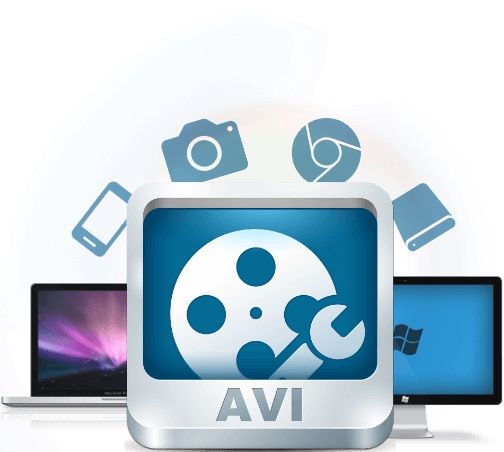
Comments:
Wow, I never knew WAV files were so important for preserving audio quality! I’ve been using MP3s for everything, but now I’m definitely going to start archiving my recordings as WAV files. Thanks for the informative article!
This article is a great starting point, but I wish it delved deeper into the specific techniques and tools for WAV file archiving. I’d love to learn more about the best storage solutions and metadata management practices.
As a professional audio engineer, I can’t stress enough the importance of WAV file archiving in my line of work. This article provides a comprehensive overview of the topic, and I’ll definitely be sharing it with my colleagues.
I’ve had a few bad experiences with data loss in the past, so I’m always looking for ways to improve my backup strategy. The section on ensuring data redundancy and backup was particularly helpful – thanks for the tips!
Archiving audio recordings is such a crucial aspect of preserving our cultural heritage. This article sheds light on the importance of WAV file archiving and offers practical advice for anyone looking to safeguard their audio collections.
Great article! I’ve been using WAV files for my music productions for years, but I never knew there was so much to learn about archiving them properly. The section on metadata management was especially eye-opening – I’ll definitely be implementing some of those tips.
As a musician, I’m always looking for ways to ensure that my recordings stand the test of time. WAV file archiving seems like the perfect solution for preserving the integrity of my multichannel audio projects. Thanks for the insightful article!
This article provided a comprehensive overview of WAV file archiving, covering everything from the importance of lossless compression to best practices for metadata management. I appreciate the depth of information and practical advice – well done!
As someone new to the world of audio production, I found this article to be
incredibly informative and easy to understand. The section on organizing your audio library was particularly helpful – I’ll be putting those tips into practice right away!
WAV file archiving is a topic that doesn’t get enough attention in the audio community. This article does a fantastic job of highlighting its importance and providing actionable advice for preserving multichannel audio recordings. Kudos to the author!
I’ve been searching for reliable information on WAV file archiving for weeks, and this article delivered exactly what I needed. The practical tips and expert insights have given me the confidence to take my audio preservation efforts to the next level. Thank you!
As an audiophile with a vast collection of multichannel recordings, WAV file archiving is something I take very seriously. This article reaffirmed the importance of preserving audio fidelity and provided valuable guidance on how to do so effectively. Highly recommended!
I’ve been following your blog for a while now, and I have to say, this article is another home run! WAV file archiving is such a critical topic for anyone working with audio, and you’ve done an excellent job of breaking it down into easy-to-understand concepts. Keep up the fantastic work!