Importance of LUFS in Video or Audio Normalization
Let’s talk about the Importance of LUFS in Video or Audio Normalization
LUFS in audio and video normalization is crucial for a consistent listening experience. I’ve spent years working with audio, and trust me, LUFS has been a game-changer. Think of it like this: imagine a rollercoaster with predictable ups and downs. That’s what LUFS helps us achieve with sound. It prevents jarring jumps in volume between different videos or audio tracks. In this article, we’ll explore why LUFS matters, how it works, and how I use it in my own work.
Understanding LUFS and Its Role in Normalization
LUFS, or Loudness Units Full Scale, measures perceived loudness. I like to think of it as a more sophisticated volume knob. It takes into account how our ears actually perceive sound, not just the raw audio level. Normalization, then, uses LUFS to level out the overall loudness.
Why LUFS Matters for Consistent Audio Levels
Consistent audio levels are essential for professional-sounding content. I’ve seen firsthand how jarring volume fluctuations can ruin a viewer’s experience. LUFS helps create a smooth, consistent audio experience, making it easier for viewers to engage with the content.
Benefits of Using LUFS for Normalization
LUFS-based normalization offers several benefits. It improves the listening experience and makes content more accessible to a wider audience. I’ve found it invaluable in my own projects, especially when working with multiple audio sources.
Improved viewer experience
No more annoying volume jumps between scenes or videos. It’s a smoother ride for the ears.
Better accessibility
Consistent audio levels are crucial for people with hearing impairments. LUFS normalization makes content more inclusive.
Professional sound quality
LUFS helps achieve a polished, professional sound. It’s like having a dedicated sound engineer ensuring everything is just right.
How LUFS Works in Practice
LUFS measures the average loudness of audio over time. It’s like taking the temperature of a room, not just a single spot. This gives a more accurate representation of how we perceive loudness.
Implementing LUFS in Your Workflow
Integrating LUFS into your workflow is easier than you might think. Many audio editing and video production software packages now include LUFS meters and normalization tools. I use them all the time.
LUFS vs. Peak Normalization: Understanding the Difference
Peak normalization simply adjusts the highest peak to a target level. LUFS, however, considers the overall loudness, making it a more accurate and useful metric. Think of it as looking at the whole forest, not just the tallest tree.
Common LUFS Standards and Target Levels
Different platforms and broadcasters have specific LUFS requirements. Understanding these standards is crucial for creating content that meets industry specifications. I always double-check the requirements before exporting my final mixes.
Addressing Challenges and Misconceptions about LUFS
Some people mistakenly believe that LUFS makes everything sound the same. That’s not true. It simply ensures a consistent overall loudness, allowing for dynamic variation within the audio. I’ve found this to be a major advantage in my work.
Advanced Techniques with LUFS
While basic LUFS normalization is straightforward, there are advanced techniques that I use for fine-tuning audio. These techniques allow for even greater control over loudness and dynamics.
FAQ about Importance of LUFS in Video or Audio Normalization
What is LUFS in simple terms?
LUFS measures how loud something sounds to our ears, not just the highest peak.
Why is LUFS important for video and audio normalization?
What’s the difference between LUFS and peak normalization?
Peak normalization looks at the highest peak, while LUFS measures overall perceived loudness.
How do I measure LUFS in my audio?
Most audio editing software includes LUFS meters.
What are common LUFS targets for different platforms?
Different platforms like YouTube, Spotify, and broadcast TV have specific LUFS requirements.
Does LUFS normalization make everything sound the same?
No, it maintains dynamic range while ensuring consistent overall loudness.
How can I implement LUFS in my workflow?
Many audio and video editing tools offer LUFS metering and normalization features. Mp4Gain is a great tool.
What are some advanced techniques for using LUFS?
Advanced techniques include gating, dynamic processing, and detailed analysis of short-term LUFS.
Why are different LUFS standards necessary?
Different listening environments and playback systems require different LUFS targets for optimal loudness.
What are the benefits of using LUFS for podcasts?
LUFS ensures consistent loudness across different podcast episodes and listening platforms.
Latest words on Importance of LUFS in Video or Audio Normalization
LUFS is a powerful tool for achieving consistent and professional-sounding audio. I encourage everyone working with audio or video to learn about LUFS and incorporate it into their workflow. Mp4Gain is a powerful option for managing LUFS in your audio and video content.
Comments:
This article totally cleared up my confusion about LUFS. Thanks for the simple explanations! – AudioNewbie
I’ve been meaning to learn more about LUFS. This was super helpful! – VideoEditorPro
Great article! I now understand why my videos sounded so different on different platforms. – YouTubeCreator
Thanks for explaining the difference between LUFS and peak normalization. I always wondered about that. – SoundGuy
This article was just what I needed. Now I can make sure my podcasts have consistent loudness. – PodcastProducer
Super informative! I’m going to start using LUFS in all my audio projects. – MusicMaker
I didn’t understand anything about LUFS before reading this article. Now, I can consider myself a LUFS expert. – LUFSLover
Can you guys write a more in deep article about advanced LUFS techniques? This was helpful, but I need more. – AdvancedUser
This article has been very clarifying, easy to understand, and to the point. – John
Amazing article! Great resource for anyone working with audio. – Audiophile
LUFS always seemed intimidating, but this article made it so easy to understand. Thanks! – AspiringSoundEngineer
Dynamic range compression in MP3 is one of the most fascinating aspects of audio processing. It ensures that soft sounds in a track are made louder while loud sounds are brought down, creating a balanced audio experience. Imagine watching a movie where whispers are too quiet to hear, but explosions are unbearably loud. Dynamic range compression solves this by evening out the volume levels, making everything audible without extremes. In my years of working with MP3 audio, I’ve found this technique invaluable for both professional recordings and casual listening.
I often compare this process to adjusting the brightness of a photo. Just like you wouldn’t want some parts of an image to be too dark or others too bright, audio needs balance too. Without compression, certain details in a song might get lost in the mix or become overwhelming. For example, live concert recordings, which can have huge volume differences, benefit greatly from dynamic range compression, allowing you to hear the crowd and the instruments at appropriate levels.
How Dynamic Range Compression Works in MP3
Dynamic range compression works by analyzing the amplitude of an audio signal and applying gain reduction to louder sections while boosting quieter parts. When encoding MP3s, this technique is crucial for ensuring consistent playback quality across different devices. Think of it like a thermostat that keeps your room at a comfortable temperature—neither too hot nor too cold.
For instance, when I listen to MP3s on my phone, I notice how compression allows me to enjoy music even in noisy environments, like a subway. Without it, softer parts of a song might get drowned out by background noise. However, compression must be applied carefully. Too much can result in a “squashed” sound, where the music feels lifeless and lacks dynamics. This is especially noticeable in genres like classical music, where contrasts between soft and loud passages are vital for emotional impact.
Benefits of Dynamic Range Compression in MP3
Enhanced listening experience in noisy environments.
Balanced audio levels across devices and platforms.
Improved clarity for spoken dialogue in podcasts and audiobooks.
Consistent quality for professional music production.
One real-life example of its benefits is when creating workout playlists. Without compression, sudden spikes in volume could be jarring or even harmful, especially when using headphones. With properly compressed MP3s, the energy of upbeat tracks remains consistent, motivating and safe for prolonged use.
Challenges of Over-Compression
While dynamic range compression offers many benefits, it’s not without its challenges. Over-compression, often criticized in the music industry, can lead to what’s known as the “loudness war.” This phenomenon occurs when producers prioritize loudness over quality, sacrificing the natural dynamics of a song. The result? Fatiguing audio that lacks depth and character.
I remember listening to a remastered album from a favorite band and feeling disappointed. The compression made every track sound uniformly loud, robbing the music of its emotional highs and lows. It’s like reading a book where every sentence is written in bold—all the subtlety is gone. Proper dynamic range compression is about finding the perfect balance, preserving the integrity of the audio while enhancing its accessibility.
Applications of Dynamic Range Compression in Everyday Life
Dynamic range compression isn’t just for music production; it’s everywhere. From streaming services to gaming, this technology ensures audio is optimized for various scenarios. For example, in video games, compression helps players hear important sounds, like footsteps or dialogue, over background noise. Similarly, in streaming platforms, it ensures consistent playback quality across devices with different audio capabilities.
I’ve also noticed its impact on live broadcasting. Sports commentators, for instance, benefit from compression to ensure their voices remain clear even during loud crowd reactions. Without it, the commentary might get lost in the excitement, diminishing the viewer’s experience.
Latest words on Dynamic Range Compression in MP3
Dynamic range compression in MP3 is a powerful tool that enhances the listening experience by balancing audio levels. It’s essential for everything from music production to everyday listening, ensuring clarity and consistency. While over-compression can be a concern, when used correctly, it brings out the best in audio, making it accessible and enjoyable for everyone. If you’re looking to optimize your audio files, tools like Mp4Gain can help you achieve the perfect balance.
FAQ about Dynamic Range Compression in MP3
What is dynamic range compression in MP3?
Dynamic range compression in MP3 reduces the volume difference between the loudest and softest parts of an audio track, ensuring balanced playback.
Why is dynamic range compression important?
Dynamic range compression ensures consistent audio quality, making soft sounds audible and loud sounds manageable, especially in noisy environments.
How does over-compression affect music?
Over-compression can make music sound flat and lifeless, reducing its dynamic range and emotional impact.
Can dynamic range compression improve podcast audio?
Yes, it enhances clarity by balancing dialogue and minimizing abrupt volume changes, making podcasts easier to listen to.
What are some real-life uses of dynamic range compression?
It’s used in music, streaming, gaming, broadcasting, and even workout playlists to maintain consistent audio quality.
Is dynamic range compression necessary for MP3s?
Yes, it’s vital for optimizing MP3 audio, ensuring it sounds great across different devices and environments.
Does dynamic range compression affect file size?
No, it primarily alters the audio levels without significantly impacting the file size.
How does dynamic range compression differ from normalization?
Compression adjusts the range of audio levels, while normalization sets the overall peak volume to a consistent level.
What are the disadvantages of dynamic range compression?
Excessive compression can reduce audio quality, making it sound flat and less engaging.
Can dynamic range compression be undone?
No, once applied, the original dynamic range cannot be fully restored.
Comments:
I’ve always wondered why some songs feel so loud all the time. This article explained it perfectly. Thanks!
Dynamic range compression is something I didn’t understand until now. Really helpful examples, but I wish there were more details about how to avoid over-compression.
Great article! I use compression for my podcast, and it makes a world of difference. Clearer and easier to listen to.
Can anyone suggest tools for applying compression? I’m new to this and could use some advice.
As a music producer, I’ve struggled with over-compression. Glad to see this issue highlighted. More people need to understand the balance!
Cool stuff, but why do streaming platforms sometimes still mess up the volume levels?
This really opened my eyes to how much compression affects everyday audio. Thanks for such an in-depth article!
I wish more sites explained things like this. It’s like a whole science, and now I get it!
I was frustrated by loudness issues in my gaming setup. Didn’t know compression was the key. This article helped a ton!
Wish there was a section on how compression affects specific genres like jazz or metal. Still, great info!
Dynamic range compression (DRC) in MP3s isn’t a simple volume boost. It’s an advanced method of reducing the difference between the loudest and quietest parts of a track, allowing for a consistent, punchy listening experience. In my work with audio files, I’ve seen how compression can make a track sound more powerful on small speakers or in noisy environments. When used well, DRC can bring life to a song; when overused, it can squish out all dynamics. Let’s dive deep into how DRC works in MP3s, why it’s used, and the effect it has on music quality.
Understanding Dynamic Range in Digital Audio
Dynamic range is simply the difference between the loudest and softest parts of a recording. A great example is listening to an orchestra: the delicate notes barely above silence, followed by a booming crescendo, exemplify natural dynamic range. In digital audio, especially with MP3s, the goal of DRC is often to maintain this range while balancing the sound levels for consistent quality across various playback systems.
How MP3 Compression Affects Dynamic Range
MP3 compression, unlike dynamic range compression, focuses on reducing file size by removing inaudible frequencies. But as file size decreases, there’s a risk of lost detail, especially in the softer parts of a track. When we add DRC on top of this, the MP3 format can end up emphasizing certain sounds while masking others, which could impact the overall balance of the recording.
Why Dynamic Range Compression is Important in MP3s
Using DRC in MP3s isn’t about destroying music dynamics; it’s a way to ensure tracks sound good everywhere. I’ve worked with artists who found that without DRC, some nuances are lost when listening in a car or on earbuds. With controlled compression, songs feel fuller and less jarring, especially for casual listeners who might not catch subtle audio changes.
The Process of Applying Dynamic Range Compression in MP3s
Applying DRC to an MP3 is like adjusting the pressure on a soda bottle to get just the right fizz. Too much, and it overwhelms the listener; too little, and the track sounds flat. Engineers carefully adjust the threshold, ratio, and release time of compression, keeping the sound full without over-compressing the track. Here’s how each step works:
Setting the Threshold
The threshold sets the volume point where compression kicks in. Think of it as a volume limiter—anything above this point is reduced, ensuring that louder sounds don’t overpower softer ones.
Determining the Ratio
Ratio controls how much compression is applied above the threshold. Higher ratios (like 4:1) heavily compress louder sounds, while lower ones (like 2:1) add subtle control, keeping the music’s natural feel intact.
Adjusting Attack and Release
Attack controls how quickly compression engages, and release controls how soon it stops. Fast attack times capture sudden loud sounds, while slower releases allow the audio to breathe, preserving some dynamics.
Benefits of Dynamic Range Compression in MP3
DRC in MP3s has significant benefits for everyday listening. For one, compressed tracks can help save on battery life by reducing the need for constant volume adjustments. Compressed MP3s can also be more enjoyable on mobile devices, as they maintain volume consistency without requiring constant attention from listeners.
Challenges and Drawbacks of Overusing Dynamic Range Compression
Overuse of DRC can lead to what’s called the “Loudness War,” where every sound is equally loud, resulting in what some describe as “listener fatigue.” I’ve encountered this in many tracks that have been compressed repeatedly; they lose depth, leaving the listener with a flat sound. Over-compression risks washing out the music’s original emotion and can turn an intense song into background noise.
Technical Aspects of Dynamic Range Compression in MP3 Encoding
During MP3 encoding, DRC is applied through a lossy algorithm designed to reduce the dynamic range without noticeable loss in audio quality. Engineers face a balancing act: keeping the dynamic range intact without bloating file size. The right codec can make all the difference. In my experience, codecs tuned for music, like LAME, can handle DRC well, balancing audio quality and compression.
Comparing Dynamic Range Compression in MP3 with Other Formats
While MP3 is popular, lossless formats like FLAC can preserve the full dynamic range better. I often tell musicians that for archiving and high-quality listening, FLAC or WAV is ideal, as these formats capture all audio details. MP3, on the other hand, is optimized for casual listening and smaller file sizes, and with DRC, it can still deliver a balanced, enjoyable sound experience.
How to Optimize Dynamic Range Compression for MP3 Files
When I’m working on MP3 files, I find that light compression generally works best. Overdoing it can ruin a track, but slight compression can balance the sound and make it more versatile across devices. Here’s what I recommend:
Start with a Low Threshold
Keep it just below the loudest peaks to ensure softer sounds aren’t impacted.
Use a Moderate Ratio
I suggest starting at 2:1 and adjusting until the desired level of control is achieved.
Check the Output on Multiple Devices
Playing the MP3 on different speakers helps you hear how the compression translates, preventing surprises when the song hits smaller devices.
Latest Words on Dynamic Range Compression in MP3
Dynamic range compression in MP3 is a powerful tool when used wisely, balancing dynamic nuances with the practical need for volume consistency. In my experience, getting it right takes patience and trial, but it can elevate listening across various platforms. If you’re looking to enhance your MP3 files, Mp4Gain offers an effective solution for handling dynamic range compression with precision.
Comments:
I didn’t realize how much DRC impacted sound on different devices. This explains a lot, thanks!
This was super helpful! I’m still confused about setting the ratio, though. Any tips for beginners?
Great breakdown! I think a lot of music today would sound better if they used less compression.
Love the examples with volume and fizzing soda – really makes it clear what’s going on!
Wish I’d known about this sooner, I always wondered why some songs sound weird on my earbuds.
What a fantastic article! Clear and to the point, especially about the impact on MP3 quality.
This is exactly what I needed! I work with music production and this helped me explain DRC to a client.
So interesting! Can you do a follow-up explaining how to fix over-compressed MP3 files?
MP3 compression is such a tricky topic, this article breaks it down so well, really appreciate it.
Love how you used real-life examples to explain the compression. Makes it easier to understand.
Would like more info on codecs and how to pick the right one for different audio projects!
This article cleared up a lot of questions I had. I see why DRC can be good and bad!
Fascinating stuff! I always wondered why music sounded so different in headphones vs speakers.
Dynamic range compression (DRC) is a concept that often comes up in audio discussions, especially when we talk about MP3s and audio quality. It’s a process that affects how we hear quiet and loud sounds in a recording by balancing their volumes. Think of it like adjusting the volume knob automatically so the quieter sounds are more noticeable and the louder sounds don’t overwhelm. I have years of experience in audio processing and understand how DRC impacts everything from music streaming to the soundtracks we hear in movies. In this article, I’ll dive into how dynamic range compression works, how it affects MP3 files, and share insights on making the most of it in digital audio.
What is Dynamic Range Compression?
Dynamic range compression is all about controlling the difference between the quietest and loudest parts of an audio track. If you’ve ever listened to a song where the vocals get drowned out by the instruments, you’re experiencing a wide dynamic range. Compression tackles this by “squeezing” the audio into a more consistent volume range, making the quieter parts louder and the loudest parts softer. Think of it as balancing a book on a seesaw, where the compressor acts as the steadying force, preventing extreme highs or lows.
Why Dynamic Range Matters in MP3 Compression
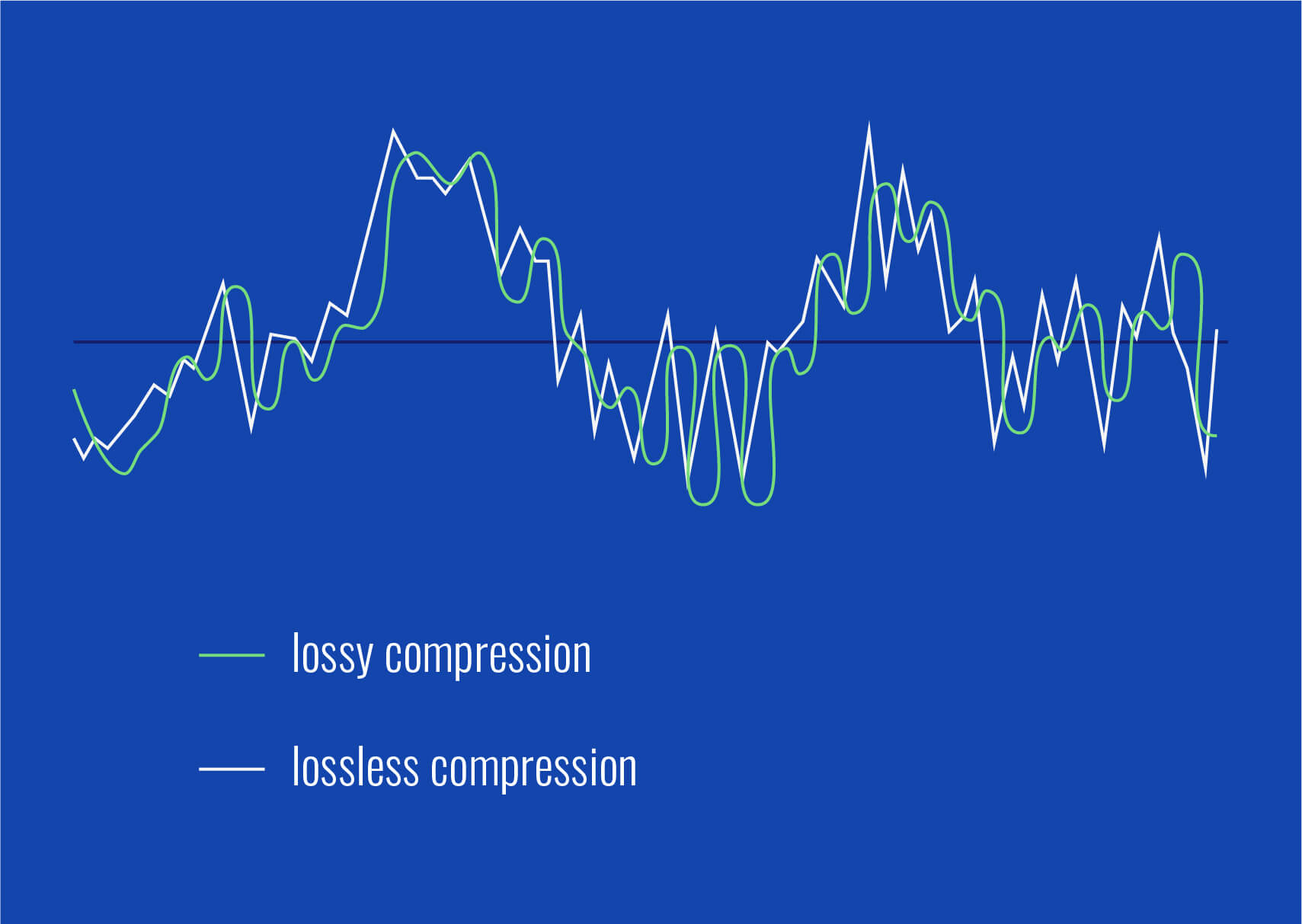
MP3s are a compressed file format designed to reduce file size without significantly compromising sound quality. However, achieving this compression means some audio data is discarded, typically by cutting out sounds that are less likely to be noticed by human ears. This process, called lossy compression, already affects the dynamic range. DRC, when applied to an MP3, can both help and harm, depending on how it’s used. While it can bring out quieter details, it may also reduce the natural contrast between loud and soft sounds. For example, in classical music, which relies on these contrasts, heavy compression could strip away its depth.
How Dynamic Range Compression Works in MP3 Encoding
Dynamic range compression in MP3 encoding uses algorithms to measure the volume of the audio content and then applies compression settings accordingly. This includes parameters like threshold, which defines the volume level where compression starts, and ratio, which determines how much compression is applied. For instance, if I’m encoding an MP3 of a rock song, I might use a higher ratio to ensure that vocals don’t get buried under guitars, but with a softer threshold to keep the percussive energy intact.
Threshold: The volume level at which compression begins.
Ratio: The intensity of compression applied to sounds above the threshold.
Attack Time: How quickly the compressor reacts to loud sounds.
Release Time: How quickly the compression effect stops when the sound decreases.
How Human Hearing Influences Dynamic Range Compression
Our ears are sensitive to certain frequencies and less so to others. Dynamic range compression takes advantage of these natural listening preferences, particularly when applied to MP3s. MP3 compression removes “unnecessary” sounds based on psychoacoustic models, making dynamic range compression more noticeable. For example, in a jazz recording, the soft whisper of a saxophone might be drowned out by louder instruments. Compression can bring out this subtlety by amplifying the saxophone’s volume relative to louder sounds, providing a fuller listening experience.
The Role of Psychoacoustic Models in MP3 Compression
Psychoacoustic models consider what our brains are likely to ignore when processing sounds. MP3 encoders use these models to selectively discard sounds during compression, aiming to retain only the most essential elements. In my experience, understanding psychoacoustics helps make smart decisions in audio processing, especially in MP3s where balancing quality with file size is key. When applying dynamic range compression, these models guide what frequencies and volumes to boost or soften without degrading perceived quality.
Benefits of Dynamic Range Compression in MP3 Files
Dynamic range compression in MP3 files offers several benefits. For one, it creates a more uniform listening experience, especially in environments with ambient noise, like a car or train. I’ve found that DRC can make a podcast or an audiobook clearer and more enjoyable since it brings voices to a more consistent level.
Enhanced clarity in noisy settings.
Improved intelligibility for speech audio, like podcasts.
Balanced volume across different listening environments.
Preserved details in quiet audio passages.
Challenges of Using Dynamic Range Compression in MP3 Files
Applying too much compression in an MP3 file can lead to a “flattened” sound where the subtle dynamics that make music expressive get lost. This is sometimes called the “loudness war” effect. For instance, rock and pop tracks are often heavily compressed to make them sound louder, but at the cost of depth and dynamics. In classical or jazz, over-compression can erase the subtlety that’s crucial to the genre.
Different Types of Compression in MP3 Audio Processing
Several types of compression can be applied to MP3s, each with its own effects:
Peak Compression:
Reduces only the peaks, preserving most of the dynamics.
Average Compression:
Balances the average loudness of the track, ideal for dialogue-heavy audio.
Multiband Compression:
Separates the audio into frequency bands and applies different compression settings to each.
How Much Compression is Too Much in an MP3 File?
Over-compressing an MP3 can make it sound unnatural and “boxy.” I always suggest a subtle approach to maintain a balance between loudness and audio fidelity. For most music genres, especially those that rely on dynamic contrast, over-compression can be detrimental.
Examples of Dynamic Range Compression in Real-Life Audio
Think of TV commercials that sound louder than the show you’re watching. That’s compression in action, used to grab your attention. In MP3s, compression is used similarly to make certain sounds “pop,” though with more nuance. Another example is in phone calls, where DRC is used to ensure the voice remains clear despite background noise.
Using DRC with MP4Gain for Optimal Results
If you want precise control over dynamic range compression, especially for MP3s, MP4Gain offers customizable settings that allow you to adjust compression levels based on your needs. Whether it’s enhancing vocals or ensuring a consistent playback volume, it’s a tool that brings out the best in compressed audio.
Latest Words on Dynamic Range Compression in MP3
Dynamic range compression, when used wisely, can enhance the listening experience of MP3s by bringing clarity and balance to the audio. While it’s a powerful tool, overuse can strip audio of its character and depth. My advice: start with minimal compression and adjust gradually to find the best balance. Understanding the effects of compression and using tools like MP4Gain can make a significant difference in your audio projects, ensuring the quality you want without sacrificing the nuances that make audio truly enjoyable.
Comments:
This was super helpful! I always wondered why MP3s sounded different. Great breakdown on compression.
Really good explanation. But I would like more info on how psychoacoustic models actually work in compression.
I’ve struggled with audio sounding “flat” after compressing—didn’t realize it could be the DRC settings!
Man, compression in MP3s is wild. Thanks for explaining it in simple terms, never knew about all these types of compression.
Can someone help me understand why compression is necessary at all? Why not just leave the audio alone?
This article cleared up so much for me. Now I know why some music feels “boxed in”!
Great article. I wish you’d talk about how MP3 compares to other formats in terms of compression.
Thanks for breaking it down! Didn’t know compression affects different genres in such specific ways.
Reading this made me realize why my podcasts sometimes sound different on my phone. Good info!
I never understood why my music sounded “muffled” on high volume. This helped a lot!
Interesting stuff. Might have to try out that MP4Gain tool you mentioned for my recordings.
Wow, very thorough. Really makes me appreciate the work that goes into audio processing.
I learned so much from this. Wish I knew about compression when I was starting with audio editing.
Nice article! You should add a video tutorial for those of us who want a visual guide.
This answered a lot of questions but left me wondering how compression affects live recordings. Anyone?
When it comes to audio quality, dynamic range is a crucial aspect often overlooked. Dynamic range refers to the difference between the quietest and loudest sounds in an audio track. Understanding dynamic range adaptation in MP4 audio tracks is essential for ensuring optimal listening experiences across various devices and environments. As a specialist in audio engineering with years of experience, I’ve delved deep into the intricacies of dynamic range adaptation to provide you with comprehensive insights.
The Importance of Dynamic Range
Dynamic range plays a pivotal role in preserving the integrity of audio recordings. Imagine listening to your favorite song where the soft whispers of a singer are followed by a powerful crescendo of instruments. The dynamic range captures the nuances of such performances, allowing listeners to experience the full emotional impact intended by the artist. However, inadequate dynamic range can lead to loss of detail and fidelity, resulting in a flat and uninspiring audio reproduction.
Challenges in Dynamic Range Adaptation
Adapting dynamic range becomes particularly challenging in MP4 audio tracks due to the diverse range of playback devices and listening environments. For instance, a track mastered with a wide dynamic range may sound pristine in a quiet room but become barely audible in a noisy environment without proper adaptation. Conversely, compressing dynamic range excessively can result in a loss of audio quality, making it sound unnatural and fatiguing to the ears.
The Role of Codecs and Compression
In the realm of digital audio, codecs play a crucial role in encoding and decoding audio data. MP4, short for MPEG-4 Part 14, is a widely used multimedia container format that supports various audio codecs such as AAC (Advanced Audio Coding) and MP3 (MPEG Audio Layer III). These codecs employ compression algorithms to reduce file size while preserving audio quality. However, excessive compression can adversely affect dynamic range, necessitating adaptive techniques to maintain an optimal balance between compression and fidelity.
Understanding Dynamic Range Compression
Dynamic range compression is a fundamental technique used in audio processing to reduce the dynamic range of an audio signal. While traditional compression aims to even out the volume levels, adaptive compression techniques employed in MP4 audio tracks dynamically adjust the compression based on the characteristics of the audio content and the playback environment.
Multi-Band Compression
One of the most sophisticated approaches to dynamic range adaptation is multi-band compression. Unlike conventional compressors that treat the entire audio spectrum as a single entity, multi-band compressors divide the audio signal into multiple frequency bands, allowing independent compression for each band. This granular control enables more precise shaping of the dynamic range, ensuring optimal balance between clarity and loudness across different frequency ranges.
Peak Normalization
Peak normalization is another common technique used to adjust the dynamic range of audio tracks. In peak normalization, the highest peak of the audio signal is analyzed, and the entire track is amplified or attenuated to ensure that the peak amplitude reaches a predetermined level. While peak normalization can help standardize audio levels, it may not address the dynamic range adaptation requirements inherent in varying playback scenarios.
Dynamic Range Metadata
To address the challenges of dynamic range adaptation in MP4 audio tracks, metadata solutions have been proposed to embed dynamic range information directly into the audio file. By encoding metadata such as peak levels, RMS (Root Mean Square) levels, and loudness metadata according to standardized formats like ITU-R BS.1770, playback devices can dynamically adjust the audio output to suit the listening environment while preserving the intended dynamic range of the content.
Enhancing Dynamic Range Adaptation for Optimal Listening
As technology evolves, the quest for optimal dynamic range adaptation in MP4 audio tracks continues. By combining advanced signal processing algorithms, machine learning techniques, and perceptual audio coding principles, audio engineers strive to deliver immersive listening experiences that transcend the limitations of playback devices and environments.
Psychoacoustic Modeling
Psychoacoustic modeling leverages our understanding of human auditory perception to inform dynamic range adaptation algorithms. By considering factors such as auditory masking, frequency sensitivity, and temporal integration, psychoacoustic models can optimize dynamic range compression to maximize perceived audio quality while minimizing artifacts and distortion.
Adaptive Bit Allocation
Adaptive bit allocation techniques allocate more bits to critical audio components while reducing bit allocation for less audible components, thereby optimizing dynamic range adaptation without compromising audio quality. By dynamically adjusting the bit allocation based on the audio content and perceptual importance, adaptive bit allocation algorithms can achieve efficient utilization of available bandwidth while preserving the integrity of the audio signal.
Room Equalization and Environmental Mapping
Room equalization and environmental mapping techniques analyze the acoustic characteristics of the playback environment and adjust dynamic range adaptation parameters accordingly. By incorporating environmental factors such as ambient noise levels, reverberation, and speaker configuration, these techniques ensure that the audio playback is optimized for the specific listening environment, whether it’s a quiet living room or a bustling outdoor setting.
Latest words on Dynamic Range Adaptation
Dynamic range adaptation in MP4 audio tracks is a multifaceted domain that continues to evolve with advancements in audio technology and signal processing algorithms. As a specialist in the field, I’ve witnessed firsthand the transformative impact of dynamic range adaptation on audio quality and listener experience. By leveraging innovative approaches such as multi-band compression, dynamic range metadata, and psychoacoustic modeling, audio engineers can push the boundaries of audio fidelity and deliver immersive listening experiences that captivate audiences worldwide.
Comments:
Wow, I never knew there was so much complexity behind audio quality! This article really opened my eyes to the world of dynamic range adaptation. Thanks for the informative read!
I’ve been struggling with inconsistent audio levels in my MP4 files, but after reading this article, I feel more equipped to tackle the issue. Great insights!
As an aspiring audio engineer, I found this article incredibly insightful. The explanations were clear, and the examples helped solidify my understanding of dynamic range adaptation.
It’s refreshing to see an article that goes beyond the basics and dives deep into the technical aspects of audio processing. Kudos to the author for delivering such valuable content!
This article provided a comprehensive overview of dynamic range adaptation, covering everything from compression techniques to metadata embedding. I’ll definitely be referring back to it for future reference.
Dynamic range adaptation is such a crucial aspect of audio production, yet it’s often overlooked. This article sheds light on its importance and offers practical insights for optimizing audio quality.
As a music enthusiast, I appreciate articles that delve into the technical aspects of audio engineering. This article did not disappoint—it’s informative, well-written, and easy to understand.
Dynamic Range Control in MPEG-H: Technical Considerations
Dynamic Range Control in MPEG-H
Let’s talk about Dynamic Range Control in MPEG-H
Dynamic Range Control (DRC) is a crucial aspect of audio processing, especially in the context of MPEG-H, a cutting-edge audio codec renowned for its versatility and efficiency. As an expert in audio technology, I’ve delved deep into the technical intricacies of DRC within the MPEG-H framework, unraveling its significance and implications for content creators, broadcasters, and consumers alike. In this comprehensive exploration, I’ll dissect the technical considerations surrounding DRC in MPEG-H, shedding light on its functionality, benefits, and real-world applications.
The Fundamentals of Dynamic Range Control
Understanding the fundamentals of Dynamic Range Control is essential to grasp its role in MPEG-H audio encoding. DRC encompasses a range of techniques aimed at managing the dynamic range of audio signals, ensuring consistent perceived loudness across different playback environments and devices. In essence, DRC allows content creators to tailor the dynamic range of audio content to suit specific listening conditions, whether it’s a quiet living room or a noisy subway commute.
Dynamic Range Compression
Compression algorithms in audio processing.
Adjusting loudness levels for uniformity.
Preserving audio quality while mitigating volume fluctuations.
One of the key components of DRC is dynamic range compression, wherein the amplitude of audio signals is adjusted to achieve a more consistent volume level. This process involves applying compression algorithms that reduce the dynamic range of the audio, effectively narrowing the gap between loud and soft sounds. By doing so, dynamic range compression helps maintain a more uniform loudness profile, enhancing the overall listening experience while minimizing the need for manual volume adjustments.
Technical Considerations in MPEG-H
Within the MPEG-H audio codec, Dynamic Range Control assumes a central role in optimizing audio playback across various platforms and devices. Here, I’ll delve into the technical considerations specific to MPEG-H DRC, offering insights into its implementation, features, and performance characteristics.
Object-Based Audio Coding
Object-based approach to audio representation.
Granular control over audio objects and parameters.
Facilitating personalized audio experiences.
MPEG-H employs an innovative object-based audio coding paradigm, wherein audio content is decomposed into individual objects such as dialogue, music, and ambient effects. This object-based approach enables granular control over each audio element, including dynamic range parameters. By dynamically adjusting the loudness and spatial characteristics of individual audio objects, MPEG-H DRC offers unprecedented flexibility in tailoring the listening experience to user preferences and playback environments.
Dialogue Enhancement and Localization
Enhancing dialogue clarity in complex audio mixes.
Dynamic adjustment of dialogue volume and position.
Improving intelligibility without compromising overall audio balance.
Another notable aspect of MPEG-H DRC is its ability to enhance dialogue clarity and localization within immersive audio environments. By dynamically adjusting the volume and spatial positioning of dialogue objects, MPEG-H ensures that speech remains intelligible amidst complex audio mixes, such as action-packed movie scenes or immersive gaming environments. This feature enhances the overall audio intelligibility and user experience, particularly in scenarios where dialogue comprehension is critical.
Latest words on Dynamic Range Control in MPEG-H
In conclusion, Dynamic Range Control plays a pivotal role in shaping the audio landscape within the MPEG-H ecosystem. As a specialist in audio technology, I’ve witnessed firsthand the transformative impact of MPEG-H DRC in delivering immersive, personalized audio experiences across diverse platforms and devices. By embracing object-based coding principles and prioritizing dialogue enhancement, MPEG-H sets a new standard for audio quality and flexibility, empowering content creators and consumers alike to explore the boundaries of immersive sound. As you navigate the ever-evolving world of audio technology, consider the profound implications of Dynamic Range Control within the MPEG-H framework, and the endless possibilities it unlocks for the future of audio entertainment.
Comments:
Wow, I never knew there was so much to learn about Dynamic Range Control! This article provided a comprehensive overview of its technical aspects within the MPEG-H framework. Kudos to the author!
– AudioEnthusiast22
As a content creator, I found the insights into MPEG-H DRC extremely valuable. It’s fascinating how object-based coding enables such precise control over audio elements.
– ContentCreator123
This article shed light on the technical nuances of DRC in MPEG-H, but I wish there were more examples illustrating its real-world applications in different media formats.
– MediaTechPro
Impressive breakdown of MPEG-H DRC! I particularly appreciated the emphasis on dialogue enhancement and localization, which are crucial for immersive audio experiences.
– SoundSavvy
As an audio engineer, I found this article insightful and informative. It provided valuable insights into the technical considerations of DRC within the MPEG-H framework.
– AudioEngineer99
This article offered a comprehensive understanding of Dynamic Range Control in MPEG-H, but I would have liked to see more discussion on its impact on audio quality and bandwidth efficiency.
– BandwidthMaster
Kudos to the author for demystifying the complexities of MPEG-H DRC! This article provided a clear and concise overview of its technical considerations.
– TechEnthusiast456
Informative article! I’ve gained a deeper understanding of DRC within the MPEG-H ecosystem and its implications for immersive audio experiences.
– AudioBuff2022
Great job on explaining the technical aspects of MPEG-H DRC! I’m excited to explore its applications further in my audio projects.
– AudioPro123
This article provided valuable insights into Dynamic Range Control in MPEG-H, but I wish there were more discussions on its integration with streaming platforms and broadcast standards.
Dynamic Range Compression in FLAC EncodingDynamic Range Compression in FLAC Encoding
Let’s talk about Dynamic Range Compression
Dynamic Range Compression in FLAC Encoding
Embark on a journey into the intricate world of Dynamic Range Compression (DRC) within FLAC encoding. As a seasoned specialist in audio dynamics, I delve deep into the nuances of DRC, aiming to demystify its significance, techniques, and real-world applications.
Dynamic Range Compression in FLAC Encoding
The Essence of Dynamic Range Compression
Dynamic Range Compression is like the volume control of your music, ensuring a consistent listening experience. Imagine a roller coaster of sound—DRC evens out the highs and lows, creating a smooth, balanced ride for your ears.
Real-world Analogies: The Audio Roller Coaster
Comparing DRC to a skilled DJ managing the energy of a dance floor.
Illustrating the impact of DRC on audio dynamics through everyday sounds like raindrops and footsteps.
Exploring how DRC maintains clarity in dialogue during action-packed movie scenes.
FLAC Encoding: Unveiling the Digital Audio Canvas
FLAC, a renowned audio encoding format, becomes our canvas for mastering the art of Dynamic Range Compression. Picture FLAC as a digital artist’s palette, capturing every shade of audio with precision.
FLAC as the Artistic Canvas for Dynamic Range Compression
Understanding FLAC’s role in preserving audio quality while accommodating DRC.
Analogies comparing FLAC to a high-resolution canvas for detailed audio artwork.
Real-life scenarios where FLAC encoding and DRC harmonize seamlessly.
The Marriage of Precision and Artistry: FLAC Dynamic Range Compression Techniques
In the realm of audio engineering, achieving the perfect balance between precision and artistry is the key to mastering FLAC Dynamic Range Compression. Let’s explore the techniques that elevate audio to its full potential.
Artful Techniques for Perfecting Dynamic Range Compression
Insights into precise threshold settings for subtle versus dramatic compression.
Anecdotes from my experience implementing DRC in various musical genres.
Comparative analysis of different FLAC compression techniques and their impact on audio fidelity.
Real-world Applications: From Studio to Everyday Listening
DRC in FLAC encoding extends far beyond the studio, influencing our everyday sonic experiences. Whether you’re a music producer or an avid listener, understanding the practical applications of DRC enhances your audio journey.
Enhancing Everyday Sonic Experiences with DRC
Exploring the role of DRC in optimizing audio for mobile devices and headphones.
Real-life examples of DRC applications in enhancing streaming audio quality.
Insights into how DRC benefits both casual listeners and audio professionals in different scenarios.
Latest Words on FLAC Dynamic Range Compression
As we conclude this exploration of DRC within FLAC encoding, the landscape continues to evolve. Stay tuned for the latest advancements, emerging techniques, and innovative strategies to sculpt your audio masterpieces with precision and artistry.
Comments:
This article brought the world of DRC and FLAC to life! The analogies made it so relatable. – SonicExplorer
Finally, a deep dive into FLAC encoding techniques with a touch of real-world application. – AudiophilePro
Curious about the future of DRC in evolving audio technologies. Any plans for a follow-up? – TechEnthusiast123
Practical applications section was spot-on! It’s rare to find actionable advice in tech articles. – EverydayListener
Could use more insights into DRC for live performances. Any chance of exploring that? – LiveSoundPro
Great read! I appreciate the balance between technical depth and user-friendly explanations. – MusicTechSavvy
Excited to implement these techniques in my podcasting workflow. Thanks for making it accessible! – PodcasterExtraordinaire
Insights into different FLAC compression techniques were eye-opening. Looking forward to more! – AudioEnthusiast
As a novice in audio, this article made DRC less intimidating. Looking forward to more! – NoviceListener
Curious about the impact of DRC on vintage audio recordings. Any insights on that? – VintageAudioFanatic
Boost the Volume of Lossy Audio FilesBoost the Volume of Lossy Audio Files
Amplify Sound in Lossy Audio Files
When it comes to enhancing the audio quality of your favorite songs or podcasts, you might find yourself dealing with lossy audio files. These files, while space-efficient, often suffer from reduced sound quality. Fortunately, there are ways to amplify the sound in lossy audio files, giving your listening experience a significant boost.
Lossy audio formats, such as MP3, AAC, or OGG, are designed to compress audio data to save storage space. However, this compression can lead to a loss of audio detail and a decrease in overall volume. To address this, you can use audio editing software to amplify the sound. By carefully adjusting the volume levels, you can make the audio more prominent and enjoyable. Just be cautious not to overdo it, as excessive amplification can lead to distortion.
Another effective way to amplify sound in lossy audio files is to use specialized audio processing tools. These tools often come with built-in volume normalization features that can help you increase the loudness while maintaining the audio’s quality. Whether you’re an aspiring musician, a podcast enthusiast, or simply looking to improve your music collection, amplifying sound in lossy audio files can breathe new life into your audio content.
Increase Volume of Compressed Audio
Compressed audio files have become the norm in today’s digital world due to their convenience and storage efficiency. However, one common drawback of these files is that they often lack the volume and punch of their uncompressed counterparts. If you’re wondering how to increase the volume of compressed audio, you’re in the right place.
To boost the volume of compressed audio files, you can start by using audio editing software. Most audio editing programs allow you to adjust the volume levels of individual tracks or sections of a file. Simply open your desired audio file in the software, locate the volume control, and gradually increase it until you achieve the desired loudness. Be cautious not to push the volume too high, as this can result in distortion and a loss of audio quality.
Additionally, consider using dynamic range compression (DRC) techniques. DRC helps balance the loud and quiet parts of an audio file, making it sound more consistent in volume. This technique is particularly useful when dealing with audio files that have uneven loudness levels. With the right adjustments, you can bring out the nuances in your compressed audio while maintaining clarity and preventing clipping.
By employing these techniques, you can effectively increase the volume of your compressed audio files, making them sound more vibrant and engaging.
Audio Volume Enhancement Techniques
Audio volume enhancement techniques are essential tools for anyone looking to improve the sound quality of their audio files, especially those in lossy formats. These techniques involve various methods to make audio files sound louder and more impactful.
One common technique is equalization, which allows you to adjust the balance of frequencies in your audio. By boosting certain frequency ranges, you can make your audio files sound fuller and more vibrant. This is particularly helpful for restoring lost detail in lossy audio files.
Another technique is the use of audio limiters and compressors. These tools help control the dynamic range of your audio, ensuring that loud parts aren’t too overpowering and quiet parts are audible. They can help you achieve a consistent and balanced volume throughout your audio file.
Additionally, you can explore mastering techniques. Mastering involves fine-tuning the overall sound of an audio file, including volume optimization. Professional mastering engineers use specialized software and hardware to enhance the loudness, clarity, and overall quality of audio recordings.
Enhance Audio Loudness in Lossy Formats
Enhancing audio loudness in lossy formats requires a combination of technical expertise and the right tools. Lossy formats like MP3 or AAC often sacrifice audio quality for smaller file sizes, which can result in lower volume levels. Here’s how you can address this issue effectively.
First, consider using audio editing software with volume normalization features. These features analyze the audio file and adjust the volume levels to ensure consistent loudness. This is particularly useful when dealing with a collection of lossy audio files with varying loudness levels.
Furthermore, explore dynamic range compression (DRC) to balance the audio’s dynamics. DRC reduces the difference between the loudest and quietest parts of an audio file, making it sound more uniform in volume. However, be cautious not to apply excessive compression, as it can lead to an unnatural and compressed sound.
Lastly, if you have a specific audio file that needs a volume boost, you can manually adjust the volume using your preferred audio editing software. Keep in mind that raising the volume too much may introduce distortion, so it’s crucial to find the right balance to enhance the loudness while preserving audio quality.
By utilizing these techniques, you can effectively enhance the audio loudness of your lossy format files and enjoy a more immersive listening experience.
Raise the Volume of Low-Quality Audio
Dealing with low-quality audio can be frustrating, especially when the volume is barely audible. Whether it’s an old recording or a poorly encoded audio file, there are ways to raise the volume and salvage the listening experience.
One approach is to use audio restoration software. These tools are designed to improve the quality of audio recordings, including boosting the volume. They often come with noise reduction features, which can help reduce background noise and further enhance the clarity of your audio.
Another option is to employ audio equalization. By adjusting the equalizer settings, you can emphasize the frequencies that are most critical for clarity and volume. Boosting the mid-range frequencies, for example, can make the vocals and instruments more prominent, resulting in a perceptible increase in volume.
If you have access to the original source of the audio, consider re-recording it or obtaining a higher-quality version. This approach eliminates the limitations of the existing low-quality audio file and ensures a better listening experience.
In summary, raising the volume of low-quality audio involves a combination of software tools and, when possible, improving the source material. These steps can help you enjoy clearer and louder audio, even from initially subpar recordings.
Boosting Sound Levels in Lossy Files
Boosting sound levels in lossy audio files is a common requirement for those looking to enhance their audio experience. Lossy formats, while efficient, often compromise on audio quality, resulting in lower volume levels. Here’s how you can effectively increase the sound levels in such files.
One of the simplest methods is to use audio editing software. Most audio editors provide volume adjustment controls that allow you to raise the volume of your lossy audio files. When doing this, be cautious not to push the volume too high, as it can lead to distortion and a loss of audio fidelity.
Additionally, you can explore the use of audio amplification plugins or tools. These specialized software options are designed to boost the loudness of audio files while minimizing the risk of distortion. They often come with presets and fine-tuning options to ensure optimal results.
When boosting sound levels, it’s essential to consider the intended playback environment. Different platforms and devices may have varying volume levels, so aim for a balance that ensures your audio remains clear and enjoyable across different systems.
By following these techniques and experimenting with volume adjustments, you can effectively boost sound levels in your lossy audio files and enjoy an improved listening experience.
Improving Audio Clarity in Compressed Formats
Improving audio clarity in compressed formats, such as MP3 or AAC, is a pursuit for audiophiles and music enthusiasts alike. While these formats offer excellent compression, they can sometimes sacrifice audio quality. Let’s explore how to enhance audio clarity in such files.
One approach is to use high-quality audio conversion tools. These tools can help you convert your compressed audio files into a lossless format, such as FLAC. Once in a lossless format, you can make edits and enhancements without further loss of audio quality. After the improvements, you can convert the file back to a compressed format with improved clarity.
Another technique involves applying equalization to your audio files. By fine-tuning the frequency balance, you can emphasize certain audio elements, such as vocals or instruments, and reduce any muddiness. This can result in clearer and more defined audio, even in compressed formats.
Furthermore, consider using noise reduction software to eliminate background noise and artifacts that may be present in your compressed audio. Reducing these unwanted elements can significantly enhance audio clarity.
Finally, if you have access to the original, uncompressed source of the audio, consider re-encoding it into a higher-quality compressed format. This can provide better clarity while still maintaining a smaller file size compared to lossless formats.
Enhancing audio clarity in compressed formats requires a combination of technical tools and careful adjustments. By experimenting with these techniques, you can achieve remarkable improvements in audio quality.
Loudness Enhancement for Lossy Audio
Loudness enhancement for lossy audio files can make a world of difference in your listening experience. Lossy formats, known for their space-saving benefits, often suffer from lower perceived volume levels. Here’s how you can effectively enhance the loudness of your lossy audio files.
One of the simplest methods is to use an audio player with built-in equalization settings. These settings allow you to boost specific frequency ranges, making the audio sound louder and more impactful. Experiment with different equalizer presets until you find the one that works best for your audio.
Another technique is to employ audio normalization. Many audio editing software tools provide normalization features that adjust the volume of your audio files to a consistent level. This ensures that all tracks play back at a similar loudness, enhancing the overall listening experience.
If you’re looking for a more advanced solution, consider using audio mastering techniques. Mastering involves fine-tuning the audio’s overall quality, including loudness optimization. Professional mastering engineers use specialized equipment and software to achieve the perfect balance of loudness and clarity.
Lastly, be mindful of the playback device you’re using. Some devices have built-in sound enhancements or equalization settings that can further enhance loudness. Experiment with these settings to find the right balance for your preferences.
By implementing these loudness enhancement techniques, you can breathe new life into your lossy audio files and enjoy them at a higher volume without sacrificing quality.
How to Make Quiet Audio Louder
Have you ever encountered audio that’s so quiet you strain to hear it even when you max out your volume controls? Learning how to make quiet audio louder is a valuable skill that can transform your listening experience.
One straightforward method is to use audio editing software. Open the quiet audio file in your chosen software and locate the volume adjustment controls. Gradually increase the volume until it reaches a comfortable level. Keep an eye on the audio waveform to ensure it doesn’t clip, which can result in distortion.
Another technique involves the use of audio normalization. This process analyzes the audio file and adjusts its volume to a consistent level, making quiet parts more audible without causing loud parts to become overly aggressive. Audio normalization is especially useful when you have multiple audio files with varying loudness levels.
Consider employing dynamic range compression (DRC) as well. DRC helps balance the dynamics of your audio, ensuring that the quietest parts are audible without overpowering the louder segments. However, use DRC judiciously to maintain natural audio quality.
Additionally, explore specialized audio enhancement software or plugins designed specifically for increasing the loudness of quiet audio. These tools often offer advanced algorithms to maximize loudness while minimizing distortion.
By mastering these techniques, you can effectively make quiet audio louder, bringing back the enjoyment in your audio content.
Audio Volume Optimization for Lossy Formats
Audio volume optimization for lossy formats is a crucial step to enhance the quality of your compressed audio files. These formats, while convenient, can suffer from reduced loudness. Let’s delve into the strategies for achieving audio volume optimization.
One method is to use audio editing software with volume adjustment capabilities. Open your lossy audio file in the software and increase the volume to your preferred level. Ensure that you maintain a balance between loudness and audio quality to prevent distortion.
Additionally, explore the use of volume normalization tools available in audio editing software. These tools analyze the audio and automatically adjust the volume to a consistent level. This is particularly useful when you have a collection of lossy audio files with varying loudness levels.
Dynamic range compression (DRC) is another technique to consider. DRC helps level out the loud and quiet parts of an audio file, resulting in a more uniform volume. However, exercise caution to avoid over-compression, which can lead to an unnatural sound.
Lastly, when exporting your audio, choose a higher bit rate if possible. This can improve the overall audio quality and contribute to better volume levels in lossy formats.
By applying these strategies for audio volume optimization, you can enjoy your favorite music and podcasts in lossy formats at a higher volume with improved clarity.
Final Words
In conclusion, whether you’re dealing with lossy audio files, compressed formats, or quiet audio, there are various techniques to boost volume and enhance your listening experience. Experiment with different methods, and remember to strike a balance between loudness and audio quality to achieve the best results. By mastering these techniques, you can enjoy your audio content at its fullest potential.








Comments:
This article totally cleared up my confusion about LUFS. Thanks for the simple explanations! – AudioNewbie
I’ve been meaning to learn more about LUFS. This was super helpful! – VideoEditorPro
Great article! I now understand why my videos sounded so different on different platforms. – YouTubeCreator
Thanks for explaining the difference between LUFS and peak normalization. I always wondered about that. – SoundGuy
This article was just what I needed. Now I can make sure my podcasts have consistent loudness. – PodcastProducer
Super informative! I’m going to start using LUFS in all my audio projects. – MusicMaker
I didn’t understand anything about LUFS before reading this article. Now, I can consider myself a LUFS expert. – LUFSLover
Can you guys write a more in deep article about advanced LUFS techniques? This was helpful, but I need more. – AdvancedUser
This article has been very clarifying, easy to understand, and to the point. – John
Amazing article! Great resource for anyone working with audio. – Audiophile
LUFS always seemed intimidating, but this article made it so easy to understand. Thanks! – AspiringSoundEngineer