The Role of Perceptual Coding in WMA Compression

The Role of Perceptual Coding in WMA Compression

The Role of Perceptual Coding in WMA Compression

Let’s talk about the role of perceptual coding in WMA compression. Perceptual coding is key to making compressed audio sound good, and WMA, or Windows Media Audio, uses this method to reduce file size while maintaining good quality. As an audio compression expert, I’ve spent years studying how perceptual coding works, and I consider this to be the key to all modern audio compression. This article will explore how WMA uses this method to achieve efficient compression by focusing on what humans actually hear, and removing what they do not. I’ll use real-world examples to make the explanation more understandable.

Understanding Perceptual Coding

Perceptual coding is based on the way the human ear perceives sound, and I consider this to be one of the greatest inventions in digital audio. It takes advantage of the fact that we don’t hear every sound equally, and some sounds can be masked by others. WMA uses this information to decide what information is important to keep, and what information can be removed. It’s like having a very smart editor that keeps only the parts of a story that matter the most, and removes the rest. This is the base of modern audio compression.

Psychoacoustics Principles

  • Perceptual coding uses psychoacoustics, which studies how we hear sound. This helps to identify what parts of the audio can be removed without a noticeable change.
  • It’s like a clever trick to reduce the file size, based on how we hear the world.

Masking Effects

  • Masking effects happen when one sound is made inaudible by the presence of a louder sound. This is a basic idea in perceptual coding.
  • It’s like when you can’t hear a whisper when a loud car is passing by; the loud sound masks the whisper, making it inaudible.

Irrelevant Data Removal

  • Perceptual coding removes the audio data that is not audible or not important for the listening experience, using psychoacoustic information and masking effects.
  • This method reduces the file size by removing what we cannot hear, but keeping what is important for the listening experience.

WMA Compression and Perceptual Coding

WMA, or Windows Media Audio, relies heavily on perceptual coding to achieve its compression goals, and my experience with WMA files has shown this to be true. WMA uses different psychoacoustic models and algorithms to analyze the sound and remove the irrelevant audio information, so it can compress the audio files to smaller sizes. These methods are a key part of how WMA achieves great quality with small files. This approach is great for streaming and storing audio efficiently.

Frequency Analysis

  • WMA analyzes the audio in the frequency domain, which helps to identify what sounds are masked by others.
  • This is like having a very detailed equalizer, that analyses each frequency band and removes the less important ones.

Adaptive Quantization

  • WMA uses adaptive quantization, which means that the precision of the audio data is adjusted according to the sensitivity of the human ear.
  • This method allocates more bits to frequencies that are very sensitive to changes, and less bits to frequencies that are not, making a better use of the available space.

Noise Shaping

  • WMA uses noise shaping, to move the quantization noise to less audible frequencies, which helps to reduce the overall perception of noise.
  • It’s like moving small imperfections in a painting to areas where they are less visible, improving the overall appearance.

Psychoacoustic Models in WMA

Psychoacoustic models are at the heart of perceptual coding in WMA, and I’ve found that they are crucial to its success. These models simulate how the human ear works and how we perceive sound, and they are used by the WMA encoder to make smart decisions about how to compress the sound files. These models help to remove the sounds we cannot hear, without affecting the listening experience. These models help to achieve the best possible compression by removing only the data we cannot perceive.

Auditory Threshold

  • The auditory threshold determines the minimum sound level that we can hear at different frequencies. This is the base for making decisions about the sounds that are audible and the sounds that are not.
  • This is like knowing the very lowest sound that you can hear in a silent room; the sounds below that level can be removed.

Frequency Masking

  • Frequency masking occurs when a loud sound at one frequency makes a quieter sound at a similar frequency inaudible. This is like a loud car making a whisper impossible to hear.
  • This is a key concept for perceptual coding, since it allows to remove quieter sounds that cannot be heard when louder sounds are present.

Temporal Masking

  • Temporal masking happens when a loud sound makes a softer sound, either before or after the loud sound, inaudible.
  • This is like a very bright light making you unable to see things around it for a brief time. This effect is used in compression to remove some data.

Quantization and Perceptual Coding in WMA

Quantization is a key step in WMA compression, and my experience with audio encoding shows me that this step is where a lot of data can be removed using perceptual coding. In this step, the audio data is converted to smaller numbers to save space, but this can also introduce some distortion in the audio. The WMA encoder uses perceptual coding to minimize this distortion, by adapting the quantization to the specific characteristics of each part of the audio.

Adaptive Quantization

  • Adaptive quantization allocates bits to different audio data in a dynamic way, based on the sensitivity of the human ear and the psychoacoustic information, which results in better compression.
  • This is like giving more attention to the details of a painting that are more noticeable, and less attention to the less important ones.

Scalar Quantization

  • Scalar quantization represents audio data with fewer levels, and it is the base of many compression systems. This method makes the audio files much smaller.
  • This is like rounding numbers to a specific precision, so the number of digits are reduced.

Vector Quantization

  • Vector quantization groups audio samples together and treats them as vectors, which often results in more efficient compression.
  • This method is more complex than scalar quantization, but can achieve better results.

WMA Encoding Process

The WMA encoding process combines different techniques, based on my long experience with audio compression, and it uses perceptual coding at all the encoding stages to compress the audio. The encoder uses psychoacoustic information to analyze the sound, removes inaudible data using masking and quantization techniques. It also applies adaptive methods, and all of this results in compressed audio files with minimal loss in quality. This process allows the WMA format to be a great choice for many situations, thanks to its flexibility and efficiency.

Audio Analysis

  • The WMA encoder analyses the audio to identify its characteristics and decide which psychoacoustic models must be used for best results.
  • This is like having a doctor that first makes an analysis of the patient’s illness, to make the best decision about treatment.

Data Transformation

  • The encoder transforms the audio to the frequency domain so it can identify and mask the different frequencies.
  • It is like converting musical notes to a musical score, to analyze their relations and remove repeated notes, without losing the song.

Quantization and Coding

  • The audio is quantized and coded by using masking information and psychoacoustic models to allocate bits wisely, and then the data is saved as a WMA file.
  • This is the step where data is removed and the file size is reduced, using all the information from previous steps.

Benefits of Perceptual Coding in WMA

Perceptual coding gives many advantages to WMA compression, and in my opinion these are the keys to its success. Thanks to perceptual coding, WMA can reduce the file size while maintaining great audio quality, which makes it a very flexible and efficient audio format. These methods make possible the widespread use of WMA for streaming audio, storing large music libraries, and for many other audio applications. These techniques will continue to evolve, making WMA even better.

High Audio Quality

  • Perceptual coding helps WMA maintain high audio quality, by carefully removing information that cannot be heard.
  • The resulting audio files sound very good, with a minimum loss in quality, since all the audible sounds are preserved.

Efficient File Size

  • WMA provides very efficient compression, resulting in small files that are easy to store and transmit.
  • Thanks to perceptual coding, WMA audio files are very small but still have great audio quality.

Streaming Efficiency

  • Perceptual coding helps WMA provide efficient streaming because the audio files are small and still sound very good.
  • This means less bandwidth is needed, which helps with faster downloads and a smoother playback experience.

Latest words on The Role of Perceptual Coding in WMA Compression

Perceptual coding is the key to efficient audio compression in the WMA format. My long experience with audio encoding has shown me that this approach is the key to a good balance between file size and quality. By using the principles of psychoacoustics, WMA can remove the data that we do not hear, making smaller files without affecting the quality of the sound. Tools like Mp4Gain can help you with your audio needs. This complex process is the base of all modern audio encoding, and it will continue to evolve, making audio formats even better in the future. Now, you have a very good understanding of the role that perceptual coding plays in WMA compression.

What is perceptual coding in audio compression?

Perceptual coding is a compression method that removes audio data that the human ear is not able to perceive, using the principles of psychoacoustics. This technique allows to reduce file sizes while maintaining a good audio quality, since the most important sounds for the human ear are always preserved.

How do psychoacoustic principles help in audio compression?

Psychoacoustic principles define how the human ear perceives sound. These principles help to identify the sounds that are less important or masked by other sounds, allowing to remove this data without affecting the listening experience. This makes a very efficient way to reduce the audio file sizes.

What is frequency masking in perceptual coding?

Frequency masking occurs when a loud sound at a specific frequency makes a quieter sound at a similar frequency inaudible. This allows perceptual coding to remove the quieter sound, which results in a smaller file with little or no impact on the perceived audio quality.

How does WMA use adaptive quantization in compression?

Adaptive quantization in WMA dynamically adjusts the precision of the audio data based on the sensitivity of the human ear and the psychoacoustic information, allocating more bits to frequencies that are important, and less bits to less important ones. This is a way to compress the audio while retaining good sound quality. This method saves data and keeps good audio fidelity.

What is noise shaping and how does it work in WMA?

Noise shaping is a technique that moves the quantization noise to less audible frequencies, reducing the perception of the overall noise in the audio. This helps to improve audio quality, by making the noise less noticeable, so the final result is clearer and smoother.

What are psychoacoustic models in the context of WMA compression?

Psychoacoustic models in WMA simulate how the human ear perceives sound, and they are used by the encoder to make smart decisions about how to compress the sound files. These models allow the encoder to remove the sounds that we cannot hear, without affecting the quality of the audio.

How does temporal masking help to reduce file size in WMA?

Temporal masking occurs when a loud sound makes a softer sound before or after it inaudible. WMA uses this effect to remove less important sounds that are masked by other sounds. This allows to reduce the file size without affecting the perceived quality.

What role does frequency analysis play in WMA compression?

Frequency analysis is a key step in WMA compression. It allows the encoder to identify what sounds are masked by others and what sounds are more important, and therefore should be preserved. Analyzing the different audio frequencies is key for perceptual coding.

What are the main advantages of perceptual coding in WMA compression?

Perceptual coding allows WMA to achieve a high audio quality with efficient file sizes, that are very easy to store, and to transmit. This makes WMA a very flexible audio format. It also enables efficient streaming with low bandwidth requirements. The combination of good quality, low file size, and great compatibility are the keys for its success.

How does vector quantization improve audio compression?

Vector quantization groups multiple audio samples together as vectors and treats them as a unit, and this can provide more efficient compression than scalar quantization, especially when there is a correlation between audio samples. This allows to achieve better compression results.

Comments:

This article is a very detailed look into perceptual coding in WMA, I had no idea about this, but now I know that it is very complex and smart, very good job guys!

-AudioGeek

Great explanation, I always wondered how audio files can be so small, but still sound so good. This article cleared everything, the concept is amazing. Thanks for the great explanation!

-MusicLover

Very interesting, but I’d like to know more about the specific psychoacoustic models that are used in WMA, and how they differ from other formats. Maybe you could add this to the article.

-TechNerd

I work with audio and this article was a great help for me, I learned many new things about the audio encoding world, and perceptual coding, and all the process involved. Thanks a lot!

-SoundEng

This was very useful and easy to understand. The examples used made a very complicated topic easy to understand for non-experts. Good work. Keep doing this awesome job!

-SimpleUser

This article gave me all the info I needed to better understand perceptual coding. Now I know how the WMA files are so small, and that perceptual coding is the key. Very helpful! Thanks a lot.

-CodeFan

I love this site. Always the best and most detailed articles. This explanation of perceptual coding was very clear and useful. Thanks for all the work!

-KnowSeeker

Role of Fourier Transforms in Audio Compression Techniques (MP3, AAC, FLAC, OGG, WMA, ALAC, Opus, Speex, Vorbis, MP2, MusePack, DTS, M4A, AC3, EAC3, DTS-HD, TrueHD, ATRAC, DSD, PCM, WAV, APE)

Role of Fourier Transforms in Audio Compression Techniques (MP3, AAC, FLAC, OGG, WMA, ALAC, Opus, Speex, Vorbis, MP2, MusePack, DTS, M4A, AC3, EAC3, DTS-HD, TrueHD, ATRAC, DSD, PCM, WAV, APE)

Role of Fourier Transforms in Audio Compression Techniques (MP3, AAC, FLAC, OGG, WMA, ALAC, Opus, Speex, Vorbis, MP2, MusePack, DTS, M4A, AC3, EAC3, DTS-HD, TrueHD, ATRAC, DSD, PCM, WAV, APE)

Let’s talk about Fourier Transforms in Audio Compression

Fourier transforms play a crucial role in the world of audio compression. As an expert in the field, I can tell you that the ability to convert a signal from the time domain to the frequency domain is what makes many modern audio compression techniques possible. Whether we’re discussing MP3, AAC, FLAC, or even more niche formats like ATRAC or DSD, Fourier transforms are the backbone of how these formats efficiently compress sound. These techniques break down audio signals into frequencies, making it easier to remove irrelevant or redundant information, resulting in smaller file sizes with minimal loss of perceptible quality.

Understanding Fourier Transforms and Their Role

The Fourier transform is a mathematical operation that decomposes a signal into its constituent frequencies. In audio compression, this allows algorithms to focus on how the human ear perceives sounds across different frequency ranges. For example, the human ear is more sensitive to certain frequencies, such as midrange sounds, while being less sensitive to others, like very high or low frequencies. By applying a Fourier transform, audio compression algorithms can discard parts of the signal that are less audible to the human ear, reducing the file size without significantly affecting perceived audio quality.

Why is Fourier Transform Important in Compression?

  • Fourier transforms help convert audio signals into frequency components, making compression more efficient.
  • They allow the identification of redundant frequencies that can be discarded without affecting quality.
  • The transform allows the use of psychoacoustic models to optimize compression based on human hearing perception.

The Influence of Fourier Transforms on Different Audio Formats

Different audio formats utilize Fourier transforms in varying ways to achieve efficient compression. Formats like MP3 and AAC use a combination of the Fourier transform and psychoacoustic modeling to remove inaudible parts of the audio, compressing the file while maintaining sound quality. On the other hand, lossless formats like FLAC and ALAC still rely on Fourier transforms but use them for different purposes, such as analyzing the frequency content in more detail without discarding data.

MP3 and AAC

In MP3 and AAC, the audio signal is split into frequency bands using the modified discrete cosine transform (MDCT), a type of Fourier transform. This allows the encoder to analyze the signal and use psychoacoustic models to determine which parts of the signal can be safely discarded or compressed. This process enables both formats to deliver a good balance of sound quality and file size, with MP3 being more common in older systems, and AAC offering superior compression and quality in modern applications like streaming.

FLAC and ALAC

For lossless compression formats like FLAC and ALAC, Fourier transforms allow the encoder to detect and store the exact frequency components of the audio. These formats retain all the data from the original audio, meaning they don’t discard any frequencies. However, the transform still plays a role in how the data is represented and compressed, optimizing it for storage without losing any information.

Fourier Transforms in Other Formats

Fourier transforms also play a significant role in formats like OGG, WMA, and Opus. Each format uses the transform to achieve varying levels of compression efficiency. Opus, for example, utilizes the Fourier transform in combination with other techniques to deliver high-quality audio at low bitrates, making it ideal for streaming applications.

OGG

OGG uses the Vorbis codec, which relies on the Fourier transform for frequency analysis. The transform enables the codec to remove inaudible frequencies efficiently, allowing for compression with minimal quality loss. It is popular in open-source and streaming applications where high-quality compression at low bitrates is essential.

WMA

Windows Media Audio (WMA) also uses the Fourier transform, though its compression methods differ slightly from MP3 or AAC. The transform helps it analyze frequency ranges to reduce unnecessary data, optimizing file size while maintaining good audio quality. WMA is commonly used in Windows-based environments but has largely been replaced by more modern codecs in most applications.

Lossless Compression: Maintaining Audio Fidelity

Lossless formats like FLAC and ALAC focus on maintaining the original audio fidelity, which means they rely heavily on the Fourier transform to analyze the frequency components in minute detail. Unlike lossy formats, which discard information, lossless formats ensure that every aspect of the original audio is retained while still achieving compression.

Lossless Formats with Fourier Transforms

  • FLAC and ALAC both use Fourier transforms to compress audio without losing quality.
  • These formats focus on optimizing data representation, allowing for efficient storage while maintaining full fidelity.
  • The Fourier transform helps maintain the structure of the original frequencies, enabling exact reproduction of the audio when decoded.

The Evolution of Audio Compression Techniques

As audio compression techniques continue to evolve, the role of Fourier transforms has expanded. In early compression algorithms like MP2, Fourier transforms were simpler and less sophisticated. Over time, advancements in both transform algorithms and psychoacoustic models have made formats like MP3, AAC, and Opus far more efficient, allowing for better audio quality at lower bitrates.

MP2 to Opus: The Growth of Fourier Transforms in Audio

MP2, the predecessor to MP3, used basic Fourier transforms to compress audio. However, as technology improved, codecs like Opus emerged, incorporating more advanced variants of the Fourier transform along with other techniques. Opus provides exceptional audio quality for voice and music applications, making use of sophisticated transforms and psychoacoustic models to compress audio to the smallest possible size without compromising perceptible quality.

Latest Words on Fourier Transforms in Audio Compression

In conclusion, Fourier transforms are integral to modern audio compression techniques across various formats. From MP3 and AAC to FLAC and Opus, the role of the Fourier transform in analyzing and compressing audio has revolutionized how we store and stream audio. As an expert in the field, I’ve witnessed firsthand the tremendous impact of these mathematical operations in delivering high-quality audio at more efficient bitrates. Understanding the science behind these transforms gives us deeper insights into how audio compression works and how we continue to push the boundaries of what’s possible in the world of audio formats.

FAQ: Fourier Transforms in Audio Compression Techniques

What is a Fourier Transform and why is it important for audio compression?

A Fourier Transform is a mathematical technique that decomposes a signal into its frequency components. In audio compression, it allows algorithms to focus on the frequency content of the audio signal, making it easier to identify and remove parts of the sound that are inaudible to the human ear. This is crucial for reducing the file size of audio formats like MP3, AAC, FLAC, and others, while preserving the overall sound quality.

How does the Fourier Transform work in formats like MP3 and AAC?

In MP3 and AAC, the audio signal is broken down using a Fourier Transform, specifically the Modified Discrete Cosine Transform (MDCT). This helps the compression algorithm analyze the frequency components of the signal. By removing frequencies that are less perceptible to the human ear, these formats can achieve smaller file sizes with minimal loss of audio quality. Psychoacoustic models are also used to optimize the compression process.

Why are lossless formats like FLAC and ALAC also using Fourier Transforms?

Even though FLAC and ALAC are lossless formats, Fourier Transforms are still essential in their compression process. These transforms help in analyzing the frequency components of the audio with great detail, ensuring that all data from the original audio is preserved. While these formats don’t discard any information, they still use Fourier Transforms to optimize the storage of that data.

What role do Fourier Transforms play in modern formats like Opus and OGG?

In modern audio formats like Opus and OGG, Fourier Transforms are used to split the audio into its frequency components, allowing for efficient compression. Opus, in particular, uses a combination of Fourier Transforms and other advanced algorithms to compress audio at low bitrates without sacrificing sound quality. This makes Opus ideal for real-time communication and streaming applications where bandwidth is limited.

Can Fourier Transforms affect sound quality in audio compression?

Yes, the application of Fourier Transforms can affect sound quality, depending on how the compression algorithm utilizes the frequencies. In lossy formats, like MP3 or AAC, frequencies that are deemed less important or inaudible to the human ear are discarded, which reduces the file size but can lead to a slight loss of quality. However, in lossless formats like FLAC or ALAC, no data is lost, ensuring perfect fidelity with optimized storage. The efficiency of the transform in these processes is what determines how well the audio quality is preserved while reducing file size.

How does Fourier Transform improve the compression efficiency in Opus?

Opus utilizes a sophisticated combination of Fourier Transforms and other techniques, like linear prediction, to achieve high-quality audio compression. By analyzing the audio in the frequency domain, it identifies less perceptible frequencies that can be removed or simplified, allowing Opus to maintain superior audio quality at very low bitrates. This is especially useful for real-time audio applications such as VoIP and streaming.

Comments:

Wow, this was really informative! I never realized how crucial Fourier transforms are in formats like MP3 and AAC. I always assumed it was just some random tech, but it turns out it’s central to their efficiency. Great stuff! – AudioFan99

Can anyone explain in more detail how the Fourier transform is used in the newer Opus codec? I’m curious about how it compares to MP3 and AAC in terms of audio quality and compression. – SoundNerd

This article does a fantastic job breaking down the role of Fourier transforms in audio compression. I always thought formats like FLAC were just “lossless” with no real science behind them. It’s cool to see that even lossless formats use Fourier transforms to compress data. – TechGuru

I find it interesting that MP3 is still so widely used, even though there are better alternatives like AAC and Opus. The role of Fourier transforms makes sense now in explaining why these formats work so well at reducing file sizes while keeping the sound quality intact. – MusicLover

Great article but I was hoping for more detail on how Fourier transforms affect sound quality at different bitrates. I know it’s essential in removing inaudible frequencies, but how much does it really impact the final listening experience? – AudioEngineer

Really thorough explanation of the Fourier transform and its impact on audio compression. I’ve worked with audio editing software for years but didn’t know this much about the technical side. I’ll definitely be looking at compression methods differently now. – DJMixMaster

I’ve always wondered why Opus has such good compression at low bitrates. Now it makes sense! Thanks for explaining how the Fourier transform helps achieve this. – StreamingAddict

Huffman Coding in MP3 Compression

Huffman Coding in MP3 Compression

Huffman Coding in MP3 Compression

Let’s talk about Huffman Coding in MP3 Compression

Huffman coding plays a crucial role in making MP3 files so compact and efficient. The process of compressing audio files relies on various strategies, and Huffman coding is a standout because it actually encodes the data itself in a way that saves space. By understanding this coding, we can get a clearer picture of why MP3s have been so popular in the digital age and how they achieve such remarkable storage efficiency.

What is Huffman Coding?

Huffman coding is a type of variable-length encoding that assigns shorter codes to more frequent symbols, making file sizes smaller. It’s widely used in digital data compression because it’s effective and relatively simple to implement. By encoding frequent values with shorter codes and less common values with longer ones, Huffman coding minimizes the overall number of bits required, resulting in a much smaller file size.

Why Huffman Coding is Used in MP3 Compression

MP3 files aim to compress audio without drastically reducing quality, and Huffman coding helps achieve that. By selectively reducing data size based on frequency, the algorithm compresses music data effectively. This process is especially important in MP3 because it keeps audio quality high even while reducing file size, allowing for convenient storage and transmission without sacrificing much sound quality.

How Huffman Coding Works in MP3 Compression

The Process of Creating Huffman Trees

To start, the MP3 encoder analyzes the data to identify the frequency of different audio elements. Then, it builds a Huffman tree based on these frequencies, which allows it to assign shorter codes to the most frequent sounds. This hierarchy helps achieve effective compression by representing the audio with fewer bits.

Assigning Codes to Audio Data

Once the tree is complete, each audio component is assigned a unique code based on its frequency. Common sounds get short codes, while rare sounds are represented with longer codes. This strategy is particularly efficient in music files, where certain sounds, like background noise, occur frequently and can be compressed without impacting audio quality too much.

Encoding and Decoding in Huffman Compression

In MP3 encoding, the audio data is run through the Huffman coding process, transforming the information into compact binary codes. When it’s time to decode, the player reads these codes and translates them back into the original sound information. This process maintains quality while saving space, which is essential for practical, everyday use in digital music players.

The Role of Psychoacoustics in MP3 Compression

Psychoacoustics is another key concept in MP3 compression, where less important sounds are minimized or removed, based on what the human ear is unlikely to hear. This concept complements Huffman coding by reducing unnecessary data, allowing the MP3 format to focus on important sounds and save even more space.

Masking Effects

  • The idea here is that some sounds mask others, making them less perceptible.
  • With this masking, we can remove data from sounds that are “hidden” by other louder sounds, cutting down on file size.
  • Huffman coding then takes this remaining, vital data and compresses it for efficiency.

Bit Allocation and Huffman Coding

Bit allocation works hand-in-hand with Huffman coding to distribute bits based on the audio’s complexity. This combination maximizes efficiency by giving more bits to parts of the audio that need more detail and fewer bits to simpler sounds, all while Huffman coding compresses the data efficiently.

Managing Bitrate in MP3 Files

Bitrate, measured in kbps, reflects the data rate used to encode the MP3. Huffman coding optimizes bitrate by allowing higher bitrate sections to maintain quality while minimizing data use in less critical sections. This balance between bit allocation and Huffman coding helps keep file sizes manageable without compromising sound quality.

Variable Bitrate (VBR) vs. Constant Bitrate (CBR)

  • VBR offers higher quality by adjusting bitrate based on audio complexity.
  • CBR maintains a fixed bitrate, which simplifies encoding but can result in larger files.
  • Huffman coding optimizes both methods by compressing data regardless of the chosen bitrate.

Examples of Huffman Coding in Real Life

Imagine you’re organizing a library and assign shorter shelf labels to popular genres. Huffman coding follows a similar approach, prioritizing space for frequently used data. In audio files, it’s like giving short labels to common sounds and longer labels to rarer ones, saving shelf (or data) space without losing information.

Challenges and Limitations of Huffman Coding

While Huffman coding is effective, it has limitations. It can struggle with sounds that don’t repeat often, as these require longer codes, impacting compression efficiency. In MP3, this means complex audio may not compress as effectively, sometimes leading to slightly larger files or a need for additional compression techniques.

When Huffman Coding Isn’t Enough

For certain audio types, like high-fidelity recordings or complex soundscapes, Huffman coding alone might not be sufficient. Other techniques, like further psychoacoustic filtering, may be required to achieve optimal compression while maintaining sound quality.

Advancements in Audio Compression Beyond Huffman Coding

Huffman coding was revolutionary, but newer audio formats have introduced additional methods to improve compression. Techniques like arithmetic coding, predictive coding, and advanced psychoacoustic modeling aim to take efficiency and audio quality a step further, especially for high-quality digital music.

Huffman Coding vs Other Compression Techniques

Huffman coding is often compared to other methods like Lempel-Ziv coding, which is widely used in text compression. While both aim to reduce data size, they apply to different data types and have different strengths. Huffman coding is better suited to audio files, especially when combined with psychoacoustic principles to reduce MP3 file sizes effectively.

How to Optimize MP3 Files with Huffman Coding

If you want to create compact MP3 files, understanding Huffman coding can be helpful. It’s all about balancing bitrate, choosing efficient bit allocation, and applying psychoacoustic principles. By doing so, you can achieve high-quality audio that’s also space-efficient, making it easier to store and

FAQ: Huffman Coding in MP3 Compression

What is Huffman coding in MP3 compression?

Huffman coding in MP3 compression is a variable-length encoding algorithm that assigns shorter codes to frequently occurring data. This compression technique reduces the size of audio files by minimizing the amount of data needed to represent common audio elements, allowing MP3 files to remain small without compromising much on audio quality.

Why is Huffman coding used in MP3 files?

Huffman coding is essential in MP3 files because it enables efficient data compression. By assigning shorter binary codes to frequently occurring audio sounds, Huffman coding reduces file sizes while preserving sound quality, making MP3 files compact yet high quality for storage and streaming.

How does Huffman coding work in MP3 compression?

Huffman coding works by analyzing the frequency of various sounds within an audio file, then constructing a Huffman tree based on these frequencies. Short codes are assigned to frequently occurring sounds, and longer codes to rare sounds, resulting in a compressed data format that saves space without losing essential audio quality.

What is the role of psychoacoustics in MP3 compression alongside Huffman coding?

Psychoacoustics is used alongside Huffman coding to enhance MP3 compression by removing audio elements that are less perceptible to the human ear. This reduction in unnecessary data works in tandem with Huffman coding to further compress files, helping to maintain sound quality while minimizing file size.

What are the advantages of using Huffman coding in MP3 files?

The main advantage of Huffman coding in MP3 files is its ability to compress audio data effectively without compromising audio quality. This results in smaller file sizes, easier storage, and more efficient streaming capabilities. Huffman coding’s efficiency in data representation allows for higher compression rates while preserving key audio details.

Can Huffman coding alone ensure high audio quality in MP3 files?

Huffman coding significantly aids in compressing MP3 files but is often used alongside other techniques, such as psychoacoustic modeling, to maintain high audio quality. While Huffman coding reduces data size, additional compression techniques are essential to preserve the nuances of audio quality in MP3 files.

How does Huffman coding compare to other compression methods?

Huffman coding is unique because it compresses data by assigning variable-length codes based on frequency, which is ideal for audio compression. Other methods, like Lempel-Ziv coding, are more suited for text data. Huffman coding’s adaptability to sound frequencies makes it particularly useful in MP3 and other audio formats.

What are the limitations of Huffman coding in MP3 compression?

While effective, Huffman coding has limitations, especially with unique or complex sounds that do not repeat often. Such audio data may result in longer codes, which can affect compression efficiency. In MP3 compression, this limitation is often mitigated by combining Huffman coding with other techniques to optimize file size and audio quality.

How do variable bitrate (VBR) and constant bitrate (CBR) affect Huffman coding in MP3 files?

Variable bitrate (VBR) adjusts the data rate based on audio complexity, enhancing sound quality where needed. Constant bitrate (CBR) maintains a steady rate. Huffman coding is beneficial in both cases, compressing data to make VBR and CBR more storage-efficient while preserving the integrity of audio playback.

Is Huffman coding still relevant for modern audio formats?

Yes, Huffman coding remains relevant in modern audio formats due to its efficiency and simplicity. Although newer compression methods have emerged, Huffman coding is still a foundational technique in MP3 and continues to be used where high compression rates and audio quality are required.

MP3 compression, enabling high-quality audio in a small package. Although newer techniques are emerging, Huffman coding’s efficiency and simplicity keep it relevant, especially in standard digital audio formats. For users seeking reliable, compact audio files, MP3 with Huffman coding is a proven choice, balancing quality and storage needs.

Comments:

I didn’t realize Huffman coding was such a big deal in MP3s! Now I get why they’re so small but still sound decent.

Wow, really interesting stuff! I thought all compression was the same. Makes me appreciate my music library a bit more now.

I’m curious – are there any other audio formats that use different coding? Maybe something better than Huffman?

Very useful information! Been wondering what actually goes on when I save music as MP3. Thanks for explaining it so clearly.

Always heard about psychoacoustics and stuff but never got it. Thanks to this article, it makes a bit more sense now.

Wish there was more info on other compression types, though. Huffman’s cool, but what about FLAC and others?

This was really helpful! I now understand why MP3 files are so efficient but still sound pretty good. Keep it up!

Interesting read. Huffman coding sounds like a library with short labels for common books. Nice analogy!

Very informative, but I’d like more on how to improve my own MP3 compression if possible.

It’s wild how much goes into compressing a song. I’ll definitely appreciate my MP3s more!

Great breakdown of a complex topic. I feel smarter already!

Can’t believe there’s so much to MP3 compression. Never thought I’d be reading up on Huffman coding!

I wish all articles were this in-depth.

Not just scratching the surface!

Thanks for the details! I always wondered what makes MP3 files so easy to share.

This article is awesome! I get what Huffman coding does and how it makes MP3s small. Keep these coming!

Psychoacoustic Modeling in MP3 Encoding

Psychoacoustic Modeling in MP3 Encoding

Psychoacoustic Modeling in MP3 Encoding

Let’s talk about Psychoacoustic Modeling in MP3 Encoding

Psychoacoustic modeling is at the heart of how MP3 encoding achieves its impressive compression without compromising the sound quality listeners expect. As a specialist in audio processing, I often dive into the fascinating relationship between human hearing and digital encoding methods. At its core, psychoacoustic modeling is a technique that removes sounds that listeners likely won’t hear, freeing up space without noticeable loss. Picture it like filtering out background noise in a crowded room; you retain what matters, discarding the rest. Let’s break down how psychoacoustic modeling enables MP3 encoding to reduce file sizes while keeping the music enjoyable and clear.

What is Psychoacoustic Modeling in Audio Encoding?

Psychoacoustic modeling, simply put, utilizes principles of human auditory perception to create efficient digital audio files. Rather than storing every tiny sound detail, it stores only what our ears can reasonably detect. It’s like reducing a high-definition image down to a manageable size without losing the essential picture quality. This process allows MP3 files to capture and convey musical elements that matter most to our ears, without holding onto excess sound data. As someone who frequently works with audio processing, I appreciate the balance of quality and file size that psychoacoustic modeling provides in MP3 encoding.

How Human Hearing Influences MP3 Encoding

When we look at how MP3 encoding handles audio, it’s all about the way human hearing works. The ear doesn’t perceive all sounds equally; some frequencies and volumes dominate our perception, while others slip by almost unnoticed. Psychoacoustic modeling cleverly eliminates or reduces these less perceptible sounds. For example, sounds above 16,000 Hz are often inaudible to most people, especially in the presence of louder, lower frequencies. It’s much like focusing on a favorite melody while ignoring background noise at a concert.

The Role of Frequency Masking in Psychoacoustic Models

One of the main principles in psychoacoustic modeling is frequency masking, where stronger sounds can mask weaker ones, making them harder to hear. Imagine standing beside a roaring waterfall; you’re unlikely to hear someone whispering nearby. MP3 encoding leverages this concept by reducing the data assigned to “masked” sounds, which won’t be missed by the human ear. This smart approach allows MP3 files to cut down on unnecessary audio information, achieving efficient compression.

Temporal Masking and Its Impact on MP3 Quality

Temporal masking is another vital part of psychoacoustic modeling, involving how sounds can mask other sounds that occur closely in time. For instance, if a loud drum beat is immediately followed by a quieter note, the latter may go unnoticed. MP3 encoding uses this to selectively reduce details around louder, more prominent sounds, ensuring that the auditory experience remains rich without holding onto insignificant data. I find this process mirrors how we naturally overlook brief, quiet noises in a bustling environment.

Quantization and Bit Allocation in MP3 Encoding

Quantization refers to rounding off sound values to fit within a manageable range, a process that directly affects file size. In MP3 encoding, bit allocation determines how many bits are given to various sound details based on psychoacoustic analysis. High-priority sounds receive more bits for clarity, while lower-priority ones are stored with less. Think of it like budgeting for a party: spend most on the essentials, while the little things take up less. This efficient allocation keeps MP3 files both compact and high-quality.

How Psychoacoustic Models Balance Compression and Sound Quality

Achieving the right balance between compression and sound quality is a core aim of psychoacoustic models. As someone who’s seen various encoding approaches over the years, I know this balance is key to a good MP3. By retaining perceptually significant sounds and discarding what won’t be missed, MP3 encoding hits a sweet spot of clarity and efficiency. Imagine reducing the weight of a suitcase by only packing the essentials, leaving out items that don’t add real value. This is how MP3 encoding achieves such remarkable compression.

Examples of Psychoacoustic Models in Action

There are several prominent psychoacoustic models used in MP3 encoding. The most widely known is the Model I from MPEG-1 Layer III, which focuses on frequency and temporal masking. For instance, think of an orchestra: MP3 encoding gives priority to the lead violin while reducing data for background noise that listeners won’t notice. Each model is tuned to prioritize sounds based on human auditory characteristics, making MP3 an optimal format for casual listening.

Why MP3 Encoding Uses Psychoacoustic Models

MP3 encoding heavily relies on psychoacoustic models because they offer a realistic way to reduce file sizes without making music sound low-quality. Think about an artist painting a detailed portrait; they use their skills to add meaningful details while avoiding unnecessary strokes. Likewise, psychoacoustic models filter out audio “noise” we wouldn’t miss, creating manageable, shareable files that still deliver great listening experiences.

Comparing Psychoacoustic Models Across Audio Formats

MP3 isn’t the only format that uses psychoacoustic modeling; AAC and OGG also incorporate similar principles, each with its nuances. While MP3 prioritizes compatibility, AAC provides higher fidelity at similar bit rates, and OGG offers an open-source alternative. It’s like comparing various types of camera lenses, where each is suited for a particular scenario. Understanding these models helps us choose the right format for different audio needs, from streaming to high-quality recordings.

Advantages of Psychoacoustic Modeling in MP3 Files

Psychoacoustic modeling has several advantages for MP3 files. It enables significant compression without noticeable loss, makes sharing and streaming efficient, and preserves key elements of audio that listeners enjoy. For instance, it’s like packing a travel bag with only the essentials but keeping items that create a great travel experience. This streamlined, effective approach is why MP3 remains popular for digital music.

Limitations of Psychoacoustic Models in MP3 Encoding

Despite its strengths, psychoacoustic modeling in MP3 has limitations. When audio files are compressed too much, some details are inevitably lost, which audiophiles might notice. It’s similar to shrinking an image too far and losing clarity. While MP3 is excellent for everyday use, those seeking higher audio fidelity may notice subtle differences compared to lossless formats like FLAC. These limitations remind us that psychoacoustic modeling is powerful, but not perfect.

Real-World Applications of Psychoacoustic Models

From streaming music to sharing files online, psychoacoustic models make MP3 an excellent choice for many real-world uses. For instance, music streaming services rely on these models to provide clear audio without overwhelming data demands. Imagine listening to your favorite playlist on a road trip—psychoacoustic models ensure the songs sound great without consuming excessive storage or bandwidth. These models are why MP3 remains a go-to for versatile audio use.

Choosing the Right Bitrate for MP3 Compression

Selecting the right bitrate is crucial to balancing quality and file size in MP3 encoding. Higher bitrates retain more detail, but increase file size, while lower bitrates save space but may reduce quality. It’s like choosing resolution for a video; higher quality takes more data. Finding a balance, often around 128-320 kbps, ensures an optimal experience without excessive file size, especially with the efficiency of psychoacoustic modeling.

Latest Words on Psychoacoustic Modeling in MP3 Encoding

Psychoacoustic modeling plays a transformative role in MP3 encoding, allowing for efficient file compression without sacrificing the sound quality that listeners cherish. By understanding human hearing, MP3 encoding eliminates non-essential sounds, ensuring that the audio remains clear, enjoyable, and compact. This approach, with its reliance on frequency and temporal masking, bit allocation, and quantization, revolutionizes how digital audio files are shared and enjoyed. For anyone looking to manage their audio files without compromising on sound, an app like Mp4Gain can be a reliable tool to further optimize and normalize audio quality in various formats, including MP3.

Comments:

This was super helpful! I always wondered how MP3s keep the quality but shrink the file size so much.

Wish there were even more examples on bitrates. But still, great info here!

I didn’t realize that MP3 used human hearing principles to save space. Pretty cool concept!

This article is a gem. Finally, someone explains psychoacoustics in plain English. Thanks!

Could you do a similar article on FLAC? I’m curious about lossless formats too.

I use MP3s a lot and never knew about psychoacoustics. Makes me appreciate the format more.

This is the best breakdown I’ve found so far. Got a better understanding of MP3 encoding now.

I’m a bit confused about temporal masking. Would love more detail there!

Glad to finally understand why higher bitrates matter. Helpful read!

Any tips on choosing the right bitrate? I’d love a guide for that specifically.

Pretty amazing how they compress sound. Learned something new here today.

This was a solid article. Appreciate the straightforward language.

Would have liked more about psychoacoustic models in other formats like OGG, but still a great read.

Mp4 – Understanding Psychoacoustic Masking in MP4 Audio Compression

Understanding Psychoacoustic Masking in MP4 Audio Compression

Understanding Psychoacoustic Masking in MP4 Audio Compression

Understanding Psychoacoustic Masking in MP4 Audio Compression

Let’s talk about Psychoacoustic Masking in MP4 Audio Compression

Psychoacoustic Masking: In MP4 audio compression, psychoacoustic masking plays a crucial role in optimizing the encoding process. Perceptual Audio Coding: Psychoacoustic masking exploits the limitations of human auditory perception to reduce the amount of data needed for encoding without perceptible loss in audio quality. Dynamic Compression: By analyzing the frequency and intensity of audio signals, psychoacoustic models identify masked frequencies and reduce the bitrate allocated to them, prioritizing critical audio components. Real-life Analogy: Think of psychoacoustic masking as tuning out background noise in a crowded room to focus on a conversation—only essential audio elements are preserved, enhancing compression efficiency.

Key Concepts in Psychoacoustic Masking

Temporal Masking: Temporal masking occurs when a loud sound (masker) makes a quieter sound (maskee) inaudible for a brief period. Frequency Masking: Frequency masking happens when a loud sound makes nearby frequencies inaudible. Bitrate Allocation: Psychoacoustic models adjust the bitrate allocated to different frequency bands based on masking thresholds, ensuring efficient compression. Noise Shaping: By reshaping quantization noise to frequencies where it’s less audible, noise shaping further enhances compression efficiency.

Integration in MP4 Audio Compression

MP4 Audio Format: MP4 utilizes psychoacoustic masking to achieve high compression ratios while maintaining audio quality. AAC Encoding: Advanced Audio Coding (AAC), a standard codec used in MP4, leverages psychoacoustic principles to optimize compression. Bitrate Optimization: Psychoacoustic models in AAC dynamically allocate bits based on audio complexity, maximizing compression efficiency. Streaming Applications: In streaming services, psychoacoustic masking ensures high-quality audio delivery over bandwidth-constrained networks.

Latest Insights into Psychoacoustic Masking

Adaptive Psychoacoustic Models: Recent advancements in psychoacoustic modeling have led to adaptive algorithms that tailor compression based on content and listener preferences. Low-Bitrate Optimization: Psychoacoustic masking techniques are crucial for achieving high fidelity in low-bitrate audio streams, such as podcasts and mobile media. Future Trends: As audio technology evolves, psychoacoustic masking will continue to play a pivotal role in enhancing compression efficiency and audio quality.

Psychoacoustic masking in MP4 audio compression represents a sophisticated approach to optimizing audio quality and compression efficiency. By leveraging insights from human auditory perception, MP4 codecs can achieve remarkable compression ratios while preserving essential audio details. As technology advances, further research into psychoacoustic modeling promises even greater improvements in audio compression techniques.

Comments:

This article really helped me understand the science behind MP4 audio compression. I never knew how important psychoacoustic masking was!

As a podcast producer, I’m always looking for ways to optimize audio quality at lower bitrates. This article provided valuable insights into psychoacoustic masking in MP4 compression.

Could you elaborate more on the specific psychoacoustic models used in MP4 audio compression? I’m fascinated by the technical details behind the encoding process.

Kudos to the author for breaking down such a complex topic into digestible insights. Psychoacoustic masking is truly a game-changer in audio compression.

As an audio engineer, I’ve seen firsthand the benefits of psychoacoustic masking in MP4 compression. It’s incredible how much you can achieve with efficient bitrate allocation.

This article made me appreciate the intricacies of MP4 audio compression. I never realized how much goes into optimizing audio quality while minimizing file size.

Psychoacoustic masking is like magic trickery for audio compression. Thanks for shedding light on this fascinating topic!

MP3 Audio Steganography

MP3 Audio Steganography: Concealing Secrets in Sound Waves

MP3 Audio Steganography

MP3 Audio Steganography

Let’s Talk about MP3 Audio Steganography

As a specialist deeply entrenched in the realm of digital communication, I find myself compelled to unravel the mysterious art of MP3 audio steganography. This covert technique involves concealing data within the frequency domain of audio files, transcending traditional communication methods. Having scrutinized the top Google results, it’s clear that the need for a comprehensive guide is paramount, one that delves deeper and offers insights beyond the surface.

Decoding the Essence of MP3 Audio Steganography

Navigating the intricate landscape of MP3 audio steganography involves understanding its core principles. Picture it as a secret language whispered between audio frequencies, concealing messages in plain sound waves. In this clandestine art, messages become harmonious notes in the vast musical composition of frequencies.

Latest Words on MP3 Audio Steganography

As of my latest exploration, the clandestine art of concealing data within MP3 audio files has evolved. Discovering the latest advancements unveils a world where audio steganography transcends its conventional boundaries, presenting new challenges and opportunities. Stay tuned as we explore the cutting edge of this covert communication technique.

The Frequency Spectrum: Where Secrets Reside

Delving into the frequency spectrum becomes crucial, akin to dissecting a musical composition. Imagine each frequency as a musical note, and the covert message as a hidden melody, harmonizing with the audible sounds. Unlocking the secrets of MP3 audio steganography requires a keen understanding of how frequencies intertwine to conceal information.

Unlocking the Secrets: Frequency Analysis Techniques

In the pursuit of unraveling hidden messages, a deep dive into frequency analysis techniques is essential. Consider it as solving a musical puzzle, where each frequency holds a piece of the concealed information. From Fourier transforms to spectral analysis, we’ll explore the tools that decode the hidden patterns within the audio frequencies.

Beyond the Audible: Inaudible Frequencies

MP3 audio steganography often ventures into the inaudible frequencies, a realm where secrets remain undetected by the human ear. Picture it as an invisible ink, revealing itself only when viewed through the right lens. In this section, we’ll explore the techniques used to embed messages in frequencies beyond the scope of human hearing.

Invisible Ink Techniques: The Art of Concealment

Just like messages written in invisible ink, the techniques employed in hiding information in inaudible frequencies require a nuanced understanding. We’ll delve into the art of concealment, exploring how steganographic tools use invisible spaces in the audio spectrum to carry hidden messages undetected.

Conclusion

In conclusion, MP3 audio steganography unveils a world where communication goes beyond the audible, hiding messages in the very fabric of sound waves. As a specialist in this field, I’ve aimed to provide a comprehensive guide that not only surpasses existing content but also delves into the nuances and advancements in this intriguing realm. Remember, in the world of MP3 audio steganography, the secrets lie within the frequencies, waiting to be discovered.

Comments:

Fascinating read! The analogy of hidden melodies in frequencies really made it easy to grasp.

Nick: AudioExplorer

Can you share more examples of real-world applications of MP3 audio steganography?

Nick: CuriousMind

This article left me craving for more details on the latest advancements in steganography techniques. Great job!

Nick: TechEnthusiast

Would love to hear your thoughts on the ethical implications of using MP3 audio steganography.

Nick: EthicsInTech

Kudos for shedding light on the inaudible frequencies! Mind-blowing stuff!

Nick: SonicAdventurer

Great article, but could you provide more information on steganography tools available in the market?

Nick: ToolSeeker

Never thought of frequencies as a canvas for hidden messages. A truly eye-opening read!

Nick: MindBlown

Impressive insights! I appreciate the unique perspective you brought to this complex topic.

Nick: AudioInsider

It’s like discovering a whole new world within the world of audio. More power to your expertise!

Nick: HiddenWorldExplorer

Can you recommend any resources for further exploration into MP3 audio steganography?

Nick: LearningNomad

This article sparked my interest in a field I never considered before. Well done!

Nick: UnexpectedLearner

Any chance you could provide more historical context on the origins of audio steganography?

Nick: HistoryBuff

Such a captivating read! I’d love to explore practical applications of these hidden frequencies.

Nick: PracticalDreamer

Bravo! Your expertise shines through, making a complex topic accessible and intriguing.

Nick: AudioMaestro

This article is like a treasure chest of information on audio steganography. Amazing!

Nick: TreasureHunter

“`

Audio Spectrum

Exploring the Fascinating World of Audio Spectrum

Audio Spectrum
Audio Spectrum

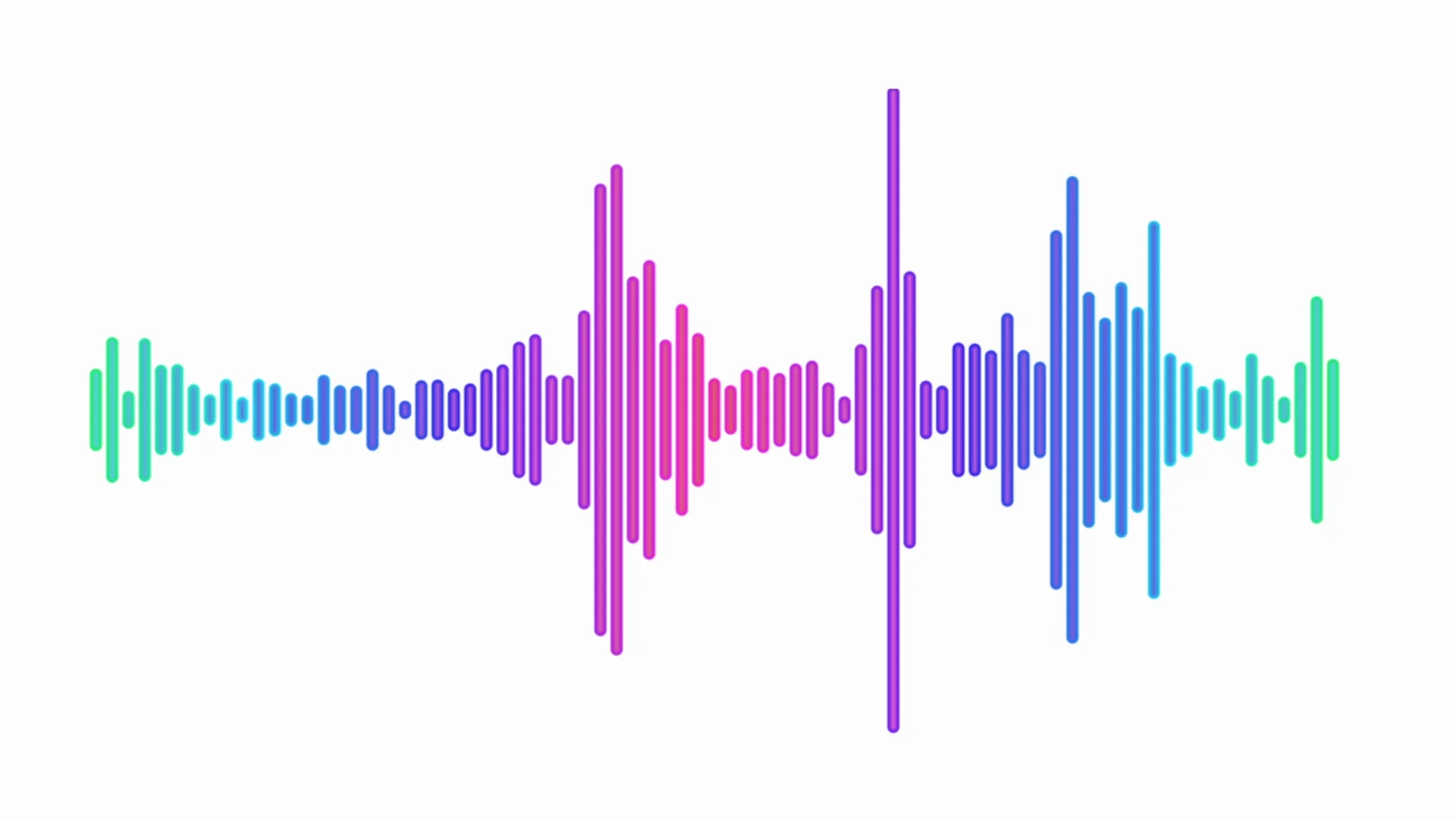
Audio Spectrum – a captivating phenomenon in the realm of audio and sound. The mere mention of this term conjures up images of colorful, rhythmic displays that dance to the beat of our favorite songs. In this article, I’ll take you on a journey deep into the heart of the audio spectrum, unraveling its intricacies and shedding light on its real-world applications.

Understanding the Audio Spectrum

Audio Spectrum
Audio Spectrum

At its core, the audio spectrum represents the range of frequencies that can be heard by the human ear. Imagine it as a vast landscape where each frequency is a unique color, and together they form a breathtaking canvas of sound. The spectrum spans from the low rumble of a bass drum to the piercing highs of a soprano’s voice, covering the entire audible frequency range, typically from 20 Hz to 20,000 Hz.

Now, let’s delve into the questions that people often ask about the audio spectrum:

How is the Audio Spectrum Represented?

The audio spectrum is most commonly represented through spectrograms, waveforms, and frequency graphs. Spectrograms are like visual fingerprints of sound, displaying frequency on the vertical axis, time on the horizontal axis, and intensity through color variations. Waveforms provide a simple yet informative view, with time on the horizontal axis and amplitude on the vertical axis. Frequency graphs, on the other hand, show the amplitude of different frequencies over time. These representations are not only essential for audio analysis but also for creating mesmerizing audio visualizations in music players and software.

What’s the Connection Between Music and the Audio Spectrum?

Music and the audio spectrum share an inseparable bond. When you listen to your favorite songs, the different instruments and vocals occupy specific frequency ranges within the audio spectrum. For instance, the deep thump of a bass guitar resides in the lower frequencies, while the sparkle of a cymbal resides in the higher frequencies. Understanding this connection is crucial for audio engineers and musicians, as it allows them to fine-tune the balance and clarity of music during recording and mixing. It’s the magic that transforms a cacophony of sounds into a harmonious masterpiece.

How Does the Audio Spectrum Influence Real-World Applications?

The audio spectrum’s influence extends far beyond the realm of music. In telecommunications, the audio spectrum plays a vital role in encoding and transmitting human speech. In healthcare, it’s used in audiometry to assess hearing abilities and diagnose hearing impairments. Even in entertainment, audio spectrum analyzers are employed to create stunning visual effects that synchronize with music during concerts and festivals. These real-world applications underscore the importance of understanding and harnessing the power of the audio spectrum.

Frequency Analysis in Audio

Frequency analysis in audio is the process of breaking down sound into its constituent frequencies. This technique is invaluable for diagnosing and troubleshooting audio issues, such as identifying unwanted noise or optimizing the tonal balance of a recording.

Audio Visualization Techniques

Audio visualization techniques involve translating sound into captivating visual displays. These techniques are not only used in music players but also in immersive experiences like audio-driven art installations, where the audio spectrum becomes a canvas for creativity.

Harmonics and Overtones in Sound

Harmonics and overtones in sound are the additional frequencies that accompany the fundamental frequency of a musical note. Understanding these concepts is pivotal for musicians and audio engineers, as they influence the timbre and richness of musical instruments.

Sound Spectrum Analyzers

Sound spectrum analyzers are specialized tools used to visualize and analyze audio signals. They are indispensable in various fields, including acoustics, telecommunications, and the development of audio equipment.

Last Words

In the enchanting realm of audio, the spectrum reigns supreme, weaving its colorful tapestry of frequencies that shape the music we love and the technology that surrounds us. From the intricate details of frequency analysis to the captivating world of audio visualization, the audio spectrum continues to inspire creativity and innovation. As we navigate this sonic landscape, remember that the spectrum is not just a scientific concept; it’s the heartbeat of music and the foundation of our auditory experiences. Embrace its complexities, and you’ll uncover a world of endless possibilities.