Hardware Acceleration for M4A Encoding and Decoding


Free Download Mp4Gain
picture

Hardware Acceleration for M4A Encoding and Decoding

Hardware Acceleration for M4A Encoding and Decoding

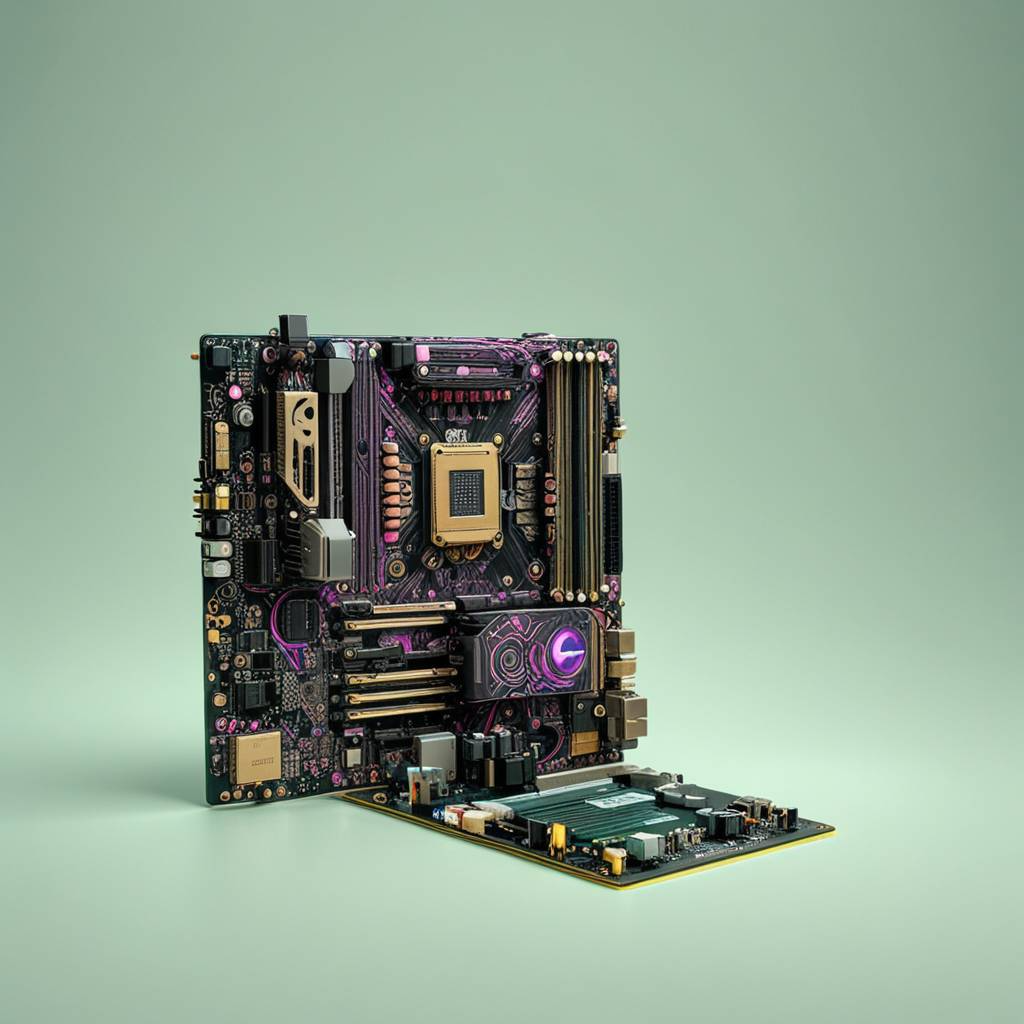
Let’s talk about hardware acceleration for M4A encoding and decoding. Hardware acceleration uses specialized hardware to speed up M4A audio encoding and decoding, which is essential for fast audio processing. As a specialist in audio encoding, I’ve seen firsthand how much of an impact this can have on audio workflows. When your computer uses the specialized hardware to do these tasks instead of doing all of the work on the main processor, it is much more efficient, which results in faster processing and less power usage. I’ll explain how hardware acceleration works and why it’s very beneficial for M4A audio, using simple and easy-to-understand examples.

Understanding Hardware Acceleration

Hardware acceleration is like having a specialized tool for a specific job, and I’ve seen how it can make a huge difference in speed compared to using the general tools. Instead of using the main processor of the computer (the CPU) for all tasks, specialized hardware (like a GPU or a dedicated audio chip) does the processing. This can greatly reduce the workload on the CPU, making the whole process much faster. It’s like having a group of experts working together to do the job much faster, instead of relying on just one person to do it all. This is very helpful for audio encoding and decoding because they involve a lot of calculations.

Dedicated Hardware

  • Hardware acceleration uses dedicated hardware like GPUs or specific audio chips, designed to perform specific tasks very efficiently.
  • It’s like having a specialized car for racing; it goes much faster because it is designed for speed.

Reduced CPU Load

  • Hardware acceleration reduces the load on the CPU, so your computer can do other tasks smoothly while the audio is being encoded or decoded.
  • This is like having a helper who does the heavy work so you can do other things at the same time.

Increased Processing Speed

  • Hardware acceleration results in much faster encoding and decoding speeds compared to using software-based methods.
  • This can speed up your work, since the audio files are processed much faster thanks to the specialized hardware.

The Role of the CPU in M4A Processing

The CPU, or Central Processing Unit, is the main brain of your computer, and I view it as the most versatile, but not always the most efficient processor. When encoding or decoding M4A files using software methods, the CPU does all the calculations, and this can take a lot of its power. While CPUs can handle all tasks, they are usually not the fastest option for very demanding tasks, such as audio encoding and decoding, since it needs to do all of the work by itself. The CPU is a generalist that does everything but not always with the best performance.

General-Purpose Processing

  • CPUs are designed to handle a wide variety of tasks, from simple calculations to complex software applications, but they are not designed to do one thing really fast.
  • It is like having a general-purpose tool that can do many things, but it’s not the best tool for each of them.

Software-Based Encoding

  • When encoding and decoding audio in software, all the work is done on the CPU. This can be slow for complex operations.
  • Software-based encoding is very versatile, but may be very slow and power hungry compared to hardware alternatives.

Resource Bottleneck

  • When a CPU does all the encoding or decoding, it can become a bottleneck that slows down your computer.
  • The CPU has limited processing power and cannot always keep up with very demanding tasks, like audio processing.

GPUs and M4A Encoding

GPUs, or Graphics Processing Units, are designed for parallel processing, and I have seen that they are extremely efficient at tasks like audio encoding, and decoding. While they are mainly designed for graphics, GPUs can also be used for audio processing due to their ability to perform many calculations at the same time. This is very helpful for M4A encoding, since it involves a lot of similar calculations that can be done at the same time. Using GPUs for M4A encoding and decoding can greatly speed up the process.

Parallel Processing

  • GPUs can perform multiple calculations at the same time, which makes them very efficient for tasks like audio processing that require a lot of calculations.
  • It’s like having many workers doing different parts of the job at the same time, which results in much faster processing.

Offloading from CPU

  • Using the GPU for audio encoding or decoding frees up the CPU to perform other tasks, which makes the computer much more responsive.
  • This is like delegating tasks to other people, which results in less workload for you, and lets you work on other things.

Faster Encoding Times

  • GPUs can encode and decode audio much faster than CPUs, because they are designed to perform many similar calculations at the same time.
  • The speed improvements are very significant, and they can greatly reduce the encoding times.

Dedicated Audio Chips

Dedicated audio chips are specifically designed for audio processing, and I have seen how they can provide the very best results for audio tasks. These chips are optimized to encode and decode audio, with a very low latency, and very high efficiency. This means that these chips are the most efficient hardware option for audio processing. These chips can improve both speed and quality, making them the best option when these two are a concern.

Specialized for Audio

  • Dedicated audio chips are designed specifically for audio tasks, and they offer much better performance than a general-purpose processor.
  • These chips are optimized to do audio processing much faster and more accurately.

Low Latency Performance

  • These chips provide a low latency which is important for real time audio processing.
  • Low latency means less delays in processing the audio, which is important for audio tasks.

High Efficiency

  • Dedicated audio chips are designed to be very efficient, with low power consumption, and faster audio processing.
  • This makes them a good option for both portable and stationary devices, where efficiency is important.

Hardware Acceleration Benefits for M4A

Hardware acceleration provides several key benefits for M4A encoding and decoding, and from my work in the audio world I’ve seen these benefits in real world situations. These advantages include faster processing, better efficiency, and reduced power consumption. These benefits make hardware acceleration a great choice for all types of M4A audio projects. Hardware acceleration improves the overall performance, both for professional and home users.

Reduced Encoding/Decoding Times

  • Hardware acceleration significantly reduces the time to encode and decode M4A files, which allows users to process large audio files much faster.
  • This speeds up the audio workflows, which is very important when time is important.

Improved Efficiency

  • Hardware acceleration is more efficient than software based processing, and allows the CPU to focus on other tasks.
  • Hardware acceleration allows for more efficient processing, with less impact on the CPU.

Lower Power Consumption

  • Using specialized hardware consumes less power than software processing, this is very useful for portable devices where battery life is a concern.
  • Hardware acceleration is a great option to save energy and improve battery life.

How Hardware Acceleration Works in M4A

Hardware acceleration works by offloading some of the processing tasks to dedicated hardware components, and I’ve always been amazed by how this approach improves the audio performance. Instead of relying solely on the CPU, the software will use specialized units such as GPUs or dedicated audio chips, to do the audio processing tasks. This offloading process improves speed, and it reduces the burden on the main processor, making it work much faster and more efficiently. This allows the computer to work better and faster, and also saves power.

Offloading Processing

  • Hardware acceleration offloads the most demanding processing tasks to specific hardware, leaving the CPU free for other operations.
  • This method distributes the work across different specialized processing units, which improves speed and efficiency.

Direct Access to Hardware

  • Software can directly access the specialized hardware to perform encoding and decoding operations.
  • This avoids the overhead of the software processing which can be very slow and demanding.

Optimized Data Flow

  • Hardware acceleration provides an optimized data flow between the different components, making the overall process much more efficient.
  • This efficient data flow will result in a very fast and efficient encoding and decoding process.

Real-World Applications

Hardware acceleration is very useful in many real-world applications that require very fast audio processing. I’ve seen its power in various projects. For example, live audio processing benefits greatly from the reduced latency provided by hardware acceleration. When editing large audio files, the encoding and decoding process is much faster, and the time to save the files is greatly reduced. The benefits of hardware acceleration are useful in all audio situations where speed is important.

Live Audio Processing

  • Live audio processing requires very low latency and high processing speeds, and hardware acceleration makes this possible.
  • Hardware acceleration allows for real time audio processing with minimal delay.

Audio Editing

  • When working with large audio files, hardware acceleration speeds up the encoding and decoding process, which improves the overall workflow.
  • Thanks to hardware acceleration, the audio editing process is much more fluid.

Mobile Audio Devices

  • Mobile audio devices benefit greatly from hardware acceleration because of its low power consumption and high efficiency.
  • Battery life can be greatly improved with the use of hardware acceleration in portable devices.

Choosing Hardware for M4A Acceleration

Choosing the right hardware for M4A acceleration depends on specific needs and resources. In my opinion, there is not a single perfect solution, and the best hardware depends on the specific task and the required speed and quality. If speed is paramount, a good GPU may be the best choice. If the main concern is for real time audio, dedicated audio chips will be more suitable. Understanding the available options can help to make the best decision.

GPUs for M4A Processing

  • GPUs are a good choice for their parallel processing capabilities which are very helpful in speeding up M4A encoding and decoding.
  • GPUs can greatly improve processing speed, but they consume more power than other options.

Dedicated Audio Chips

  • Dedicated audio chips provide excellent performance with low latency and high efficiency, and are best for low latency applications.
  • They are a great option when the main concern is a low latency performance for audio processing tasks.

Integrated Hardware

  • Many modern devices include integrated hardware for audio processing, and these can also be a good option for those who don’t need extreme performance.
  • Integrated hardware offers a good balance between performance, power consumption and cost.

Latest words on Hardware Acceleration for M4A Encoding and Decoding

Hardware acceleration is essential for modern audio processing, particularly for M4A encoding and decoding. From my experience, it greatly enhances processing speed, efficiency, and power consumption. Using GPUs or dedicated audio chips can significantly improve the overall workflow. Tools like Mp4Gain can help you with your audio needs. Hardware acceleration is vital in our daily audio processing work, and I am sure that this technology will continue to evolve. Now, you have a good understanding of what hardware acceleration is and how it can greatly improve your audio experience.

What is hardware acceleration in audio processing?

Hardware acceleration uses specialized hardware, such as GPUs or dedicated audio chips, to speed up tasks like audio encoding and decoding. This allows to offload the work from the main CPU, making the computer work much faster and with better efficiency.

How does the CPU handle M4A encoding and decoding?

The CPU handles M4A encoding and decoding through software-based methods, performing all the calculations with its general-purpose architecture. While CPUs can do all of these tasks, they are not optimized for very demanding tasks, and can be very slow for complex audio encoding.

How do GPUs speed up M4A encoding and decoding?

GPUs speed up M4A encoding and decoding through their parallel processing capabilities, where they perform multiple calculations simultaneously. GPUs are very efficient doing this, which results in much faster processing than CPUs, and also a much more efficient workflow.

What are dedicated audio chips and how do they benefit audio tasks?

Dedicated audio chips are specifically designed for audio processing, and they provide low latency, high efficiency, and very fast audio encoding and decoding. These chips offer a much better performance than general purpose processors, like a CPU, which makes them ideal for audio processing tasks.

What are the key benefits of using hardware acceleration for M4A files?

The main benefits of hardware acceleration include faster encoding and decoding times, better processing efficiency, and lower power consumption. This helps to speed up the audio workflow, making all the audio tasks much faster. Using specialized hardware is very useful for large projects, since it saves a lot of processing time.

How does hardware acceleration offload tasks from the CPU?

Hardware acceleration offloads audio processing tasks to specialized components like GPUs or dedicated audio chips. This reduces the workload on the CPU, which then focuses on other tasks. This allows the CPU to work more efficiently, and perform other operations at the same time.

How does direct hardware access improve audio processing?

Direct hardware access allows software to use specialized hardware directly for encoding and decoding, which avoids the overhead of software processing. This process is much faster, and the software can access the full power of the specialized hardware. Direct hardware access results in faster processing times and better performance.

Why is low latency important for live audio processing?

Low latency means less delay in processing, which is essential for live audio processing applications, since any delay will be very noticeable by the users. Real-time audio requires very fast processing without any delays, and this is achieved with the right hardware and low latency performance.

How does hardware acceleration benefit mobile audio devices?

Hardware acceleration is very beneficial for mobile devices because it offers low power consumption, high efficiency, and faster processing times. This is very useful for portable devices where battery life is very important. Hardware acceleration can help extend battery life and improve the user experience in portable devices.

What is the best hardware option for M4A encoding and decoding?

The best hardware option depends on specific needs, and if speed is the main priority, a good GPU may be the best option. If low latency is more important, dedicated audio chips are better. Integrated hardware offers a good balance between power, cost, and efficiency. It’s always about the specific needs of the project and the user. There is not a single best solution.

Comments:

This article explained everything about hardware acceleration in a very easy and simple way, I didn’t understand these things before, but now I know how to improve my audio processing workflow, thanks a lot!

-AudioNewbie

Great info, man, I always wondered how some programs encode audio so fast, but now I understand it is all about hardware acceleration. I will look for software that uses this, thanks!

-TechFan

This is a great article, but I would like a more detailed explanation of the low latency part, maybe some examples of different hardware and its latency. But very good explanation!

-LatencyLover

Awesome explanation of hardware acceleration, I work with audio and I learned a lot about all of this. Very good and detailed information, thanks for sharing it!

-AudioPro

Very easy to understand explanations, I am not a tech expert, and I understood everything perfectly. Great examples, I learned a lot! Keep up the good work!

-SimpleUser

This article helped me understand how my computer can encode audio so fast, and why some programs are faster than others. Thank you for all the information, it was very helpful!

-CodeStudent

This is a great site, always with the best and most informative articles. This information about hardware acceleration was awesome, I learned a lot! Thank you guys!

-KnowledgeSeeker


Free Download Mp4Gain
picture


Mp4Gain Main Window
picture


Mp4Gain Features
picture


Free Download Mp4Gain
picture

The Role of Perceptual Coding in WMA Compression

The Role of Perceptual Coding in WMA Compression

The Role of Perceptual Coding in WMA Compression

Let’s talk about the role of perceptual coding in WMA compression. Perceptual coding is key to making compressed audio sound good, and WMA, or Windows Media Audio, uses this method to reduce file size while maintaining good quality. As an audio compression expert, I’ve spent years studying how perceptual coding works, and I consider this to be the key to all modern audio compression. This article will explore how WMA uses this method to achieve efficient compression by focusing on what humans actually hear, and removing what they do not. I’ll use real-world examples to make the explanation more understandable.

Understanding Perceptual Coding

Perceptual coding is based on the way the human ear perceives sound, and I consider this to be one of the greatest inventions in digital audio. It takes advantage of the fact that we don’t hear every sound equally, and some sounds can be masked by others. WMA uses this information to decide what information is important to keep, and what information can be removed. It’s like having a very smart editor that keeps only the parts of a story that matter the most, and removes the rest. This is the base of modern audio compression.

Psychoacoustics Principles

  • Perceptual coding uses psychoacoustics, which studies how we hear sound. This helps to identify what parts of the audio can be removed without a noticeable change.
  • It’s like a clever trick to reduce the file size, based on how we hear the world.

Masking Effects

  • Masking effects happen when one sound is made inaudible by the presence of a louder sound. This is a basic idea in perceptual coding.
  • It’s like when you can’t hear a whisper when a loud car is passing by; the loud sound masks the whisper, making it inaudible.

Irrelevant Data Removal

  • Perceptual coding removes the audio data that is not audible or not important for the listening experience, using psychoacoustic information and masking effects.
  • This method reduces the file size by removing what we cannot hear, but keeping what is important for the listening experience.

WMA Compression and Perceptual Coding

WMA, or Windows Media Audio, relies heavily on perceptual coding to achieve its compression goals, and my experience with WMA files has shown this to be true. WMA uses different psychoacoustic models and algorithms to analyze the sound and remove the irrelevant audio information, so it can compress the audio files to smaller sizes. These methods are a key part of how WMA achieves great quality with small files. This approach is great for streaming and storing audio efficiently.

Frequency Analysis

  • WMA analyzes the audio in the frequency domain, which helps to identify what sounds are masked by others.
  • This is like having a very detailed equalizer, that analyses each frequency band and removes the less important ones.

Adaptive Quantization

  • WMA uses adaptive quantization, which means that the precision of the audio data is adjusted according to the sensitivity of the human ear.
  • This method allocates more bits to frequencies that are very sensitive to changes, and less bits to frequencies that are not, making a better use of the available space.

Noise Shaping

  • WMA uses noise shaping, to move the quantization noise to less audible frequencies, which helps to reduce the overall perception of noise.
  • It’s like moving small imperfections in a painting to areas where they are less visible, improving the overall appearance.

Psychoacoustic Models in WMA

Psychoacoustic models are at the heart of perceptual coding in WMA, and I’ve found that they are crucial to its success. These models simulate how the human ear works and how we perceive sound, and they are used by the WMA encoder to make smart decisions about how to compress the sound files. These models help to remove the sounds we cannot hear, without affecting the listening experience. These models help to achieve the best possible compression by removing only the data we cannot perceive.

Auditory Threshold

  • The auditory threshold determines the minimum sound level that we can hear at different frequencies. This is the base for making decisions about the sounds that are audible and the sounds that are not.
  • This is like knowing the very lowest sound that you can hear in a silent room; the sounds below that level can be removed.

Frequency Masking

  • Frequency masking occurs when a loud sound at one frequency makes a quieter sound at a similar frequency inaudible. This is like a loud car making a whisper impossible to hear.
  • This is a key concept for perceptual coding, since it allows to remove quieter sounds that cannot be heard when louder sounds are present.

Temporal Masking

  • Temporal masking happens when a loud sound makes a softer sound, either before or after the loud sound, inaudible.
  • This is like a very bright light making you unable to see things around it for a brief time. This effect is used in compression to remove some data.

Quantization and Perceptual Coding in WMA

Quantization is a key step in WMA compression, and my experience with audio encoding shows me that this step is where a lot of data can be removed using perceptual coding. In this step, the audio data is converted to smaller numbers to save space, but this can also introduce some distortion in the audio. The WMA encoder uses perceptual coding to minimize this distortion, by adapting the quantization to the specific characteristics of each part of the audio.

Adaptive Quantization

  • Adaptive quantization allocates bits to different audio data in a dynamic way, based on the sensitivity of the human ear and the psychoacoustic information, which results in better compression.
  • This is like giving more attention to the details of a painting that are more noticeable, and less attention to the less important ones.

Scalar Quantization

  • Scalar quantization represents audio data with fewer levels, and it is the base of many compression systems. This method makes the audio files much smaller.
  • This is like rounding numbers to a specific precision, so the number of digits are reduced.

Vector Quantization

  • Vector quantization groups audio samples together and treats them as vectors, which often results in more efficient compression.
  • This method is more complex than scalar quantization, but can achieve better results.

WMA Encoding Process

The WMA encoding process combines different techniques, based on my long experience with audio compression, and it uses perceptual coding at all the encoding stages to compress the audio. The encoder uses psychoacoustic information to analyze the sound, removes inaudible data using masking and quantization techniques. It also applies adaptive methods, and all of this results in compressed audio files with minimal loss in quality. This process allows the WMA format to be a great choice for many situations, thanks to its flexibility and efficiency.

Audio Analysis

  • The WMA encoder analyses the audio to identify its characteristics and decide which psychoacoustic models must be used for best results.
  • This is like having a doctor that first makes an analysis of the patient’s illness, to make the best decision about treatment.

Data Transformation

  • The encoder transforms the audio to the frequency domain so it can identify and mask the different frequencies.
  • It is like converting musical notes to a musical score, to analyze their relations and remove repeated notes, without losing the song.

Quantization and Coding

  • The audio is quantized and coded by using masking information and psychoacoustic models to allocate bits wisely, and then the data is saved as a WMA file.
  • This is the step where data is removed and the file size is reduced, using all the information from previous steps.

Benefits of Perceptual Coding in WMA

Perceptual coding gives many advantages to WMA compression, and in my opinion these are the keys to its success. Thanks to perceptual coding, WMA can reduce the file size while maintaining great audio quality, which makes it a very flexible and efficient audio format. These methods make possible the widespread use of WMA for streaming audio, storing large music libraries, and for many other audio applications. These techniques will continue to evolve, making WMA even better.

High Audio Quality

  • Perceptual coding helps WMA maintain high audio quality, by carefully removing information that cannot be heard.
  • The resulting audio files sound very good, with a minimum loss in quality, since all the audible sounds are preserved.

Efficient File Size

  • WMA provides very efficient compression, resulting in small files that are easy to store and transmit.
  • Thanks to perceptual coding, WMA audio files are very small but still have great audio quality.

Streaming Efficiency

  • Perceptual coding helps WMA provide efficient streaming because the audio files are small and still sound very good.
  • This means less bandwidth is needed, which helps with faster downloads and a smoother playback experience.

Latest words on The Role of Perceptual Coding in WMA Compression

Perceptual coding is the key to efficient audio compression in the WMA format. My long experience with audio encoding has shown me that this approach is the key to a good balance between file size and quality. By using the principles of psychoacoustics, WMA can remove the data that we do not hear, making smaller files without affecting the quality of the sound. Tools like Mp4Gain can help you with your audio needs. This complex process is the base of all modern audio encoding, and it will continue to evolve, making audio formats even better in the future. Now, you have a very good understanding of the role that perceptual coding plays in WMA compression.

What is perceptual coding in audio compression?

Perceptual coding is a compression method that removes audio data that the human ear is not able to perceive, using the principles of psychoacoustics. This technique allows to reduce file sizes while maintaining a good audio quality, since the most important sounds for the human ear are always preserved.

How do psychoacoustic principles help in audio compression?

Psychoacoustic principles define how the human ear perceives sound. These principles help to identify the sounds that are less important or masked by other sounds, allowing to remove this data without affecting the listening experience. This makes a very efficient way to reduce the audio file sizes.

What is frequency masking in perceptual coding?

Frequency masking occurs when a loud sound at a specific frequency makes a quieter sound at a similar frequency inaudible. This allows perceptual coding to remove the quieter sound, which results in a smaller file with little or no impact on the perceived audio quality.

How does WMA use adaptive quantization in compression?

Adaptive quantization in WMA dynamically adjusts the precision of the audio data based on the sensitivity of the human ear and the psychoacoustic information, allocating more bits to frequencies that are important, and less bits to less important ones. This is a way to compress the audio while retaining good sound quality. This method saves data and keeps good audio fidelity.

What is noise shaping and how does it work in WMA?

Noise shaping is a technique that moves the quantization noise to less audible frequencies, reducing the perception of the overall noise in the audio. This helps to improve audio quality, by making the noise less noticeable, so the final result is clearer and smoother.

What are psychoacoustic models in the context of WMA compression?

Psychoacoustic models in WMA simulate how the human ear perceives sound, and they are used by the encoder to make smart decisions about how to compress the sound files. These models allow the encoder to remove the sounds that we cannot hear, without affecting the quality of the audio.

How does temporal masking help to reduce file size in WMA?

Temporal masking occurs when a loud sound makes a softer sound before or after it inaudible. WMA uses this effect to remove less important sounds that are masked by other sounds. This allows to reduce the file size without affecting the perceived quality.

What role does frequency analysis play in WMA compression?

Frequency analysis is a key step in WMA compression. It allows the encoder to identify what sounds are masked by others and what sounds are more important, and therefore should be preserved. Analyzing the different audio frequencies is key for perceptual coding.

What are the main advantages of perceptual coding in WMA compression?

Perceptual coding allows WMA to achieve a high audio quality with efficient file sizes, that are very easy to store, and to transmit. This makes WMA a very flexible audio format. It also enables efficient streaming with low bandwidth requirements. The combination of good quality, low file size, and great compatibility are the keys for its success.

How does vector quantization improve audio compression?

Vector quantization groups multiple audio samples together as vectors and treats them as a unit, and this can provide more efficient compression than scalar quantization, especially when there is a correlation between audio samples. This allows to achieve better compression results.

Comments:

This article is a very detailed look into perceptual coding in WMA, I had no idea about this, but now I know that it is very complex and smart, very good job guys!

-AudioGeek

Great explanation, I always wondered how audio files can be so small, but still sound so good. This article cleared everything, the concept is amazing. Thanks for the great explanation!

-MusicLover

Very interesting, but I’d like to know more about the specific psychoacoustic models that are used in WMA, and how they differ from other formats. Maybe you could add this to the article.

-TechNerd

I work with audio and this article was a great help for me, I learned many new things about the audio encoding world, and perceptual coding, and all the process involved. Thanks a lot!

-SoundEng

This was very useful and easy to understand. The examples used made a very complicated topic easy to understand for non-experts. Good work. Keep doing this awesome job!

-SimpleUser

This article gave me all the info I needed to better understand perceptual coding. Now I know how the WMA files are so small, and that perceptual coding is the key. Very helpful! Thanks a lot.

-CodeFan

I love this site. Always the best and most detailed articles. This explanation of perceptual coding was very clear and useful. Thanks for all the work!

-KnowSeeker

Long-term prediction in AAC and MP3

Long-term prediction in AAC and MP3

Long-term prediction in AAC and MP3

Let’s talk about long-term prediction in AAC and MP3

Long-term prediction in AAC and MP3 is the key to achieving efficient compression without sacrificing audio quality. As someone who has studied this area extensively, I can tell you that understanding how these algorithms work can transform the way we perceive digital audio. Imagine you’re trying to fit all your favorite songs into a small storage space. Long-term prediction helps achieve this by identifying patterns in sound and encoding them more efficiently.

Both AAC and MP3 rely on long-term prediction to optimize compression. By analyzing repetitive audio signals, such as sustained musical notes or rhythmic beats, these codecs predict and encode them efficiently. Think of it as saving space on a bookshelf by stacking similar-sized books together. This concept, though simple in analogy, involves highly sophisticated mathematical modeling in practice.

How long-term prediction works in AAC

In AAC, long-term prediction focuses on analyzing correlations within audio frames over time. Picture a choir singing in harmony; their voices often follow predictable patterns. AAC identifies these patterns, using them to reduce redundant data storage. This technique is especially effective for tonal and harmonic sounds.

AAC employs tools like predictive filters that estimate future audio samples based on past ones. If you’ve ever noticed how your phone predicts the next word when you’re typing, this is a similar idea but applied to audio. By predicting and storing only the differences, AAC achieves higher compression rates. This is why AAC files often sound better than MP3 at similar bitrates.

Long-term prediction in MP3 encoding

MP3 also utilizes long-term prediction, but its approach is slightly less advanced than AAC’s. While MP3’s algorithms identify repetitive audio signals, they lack the precision of AAC in capturing subtle tonal variations. Imagine trying to sketch a landscape using only a few colors; MP3 manages this but sometimes loses finer details.

In MP3, long-term prediction focuses on reducing redundancy in stationary sounds, such as sustained chords. For example, if you’re listening to a classical symphony, MP3 might encode the sustained violin notes by predicting their behavior. This method works well for simpler audio structures but struggles with more complex ones, where AAC excels.

Comparing the efficiency of AAC and MP3

AAC outshines MP3 in terms of long-term prediction efficiency. This difference is evident when you compare the sound quality of a 128 kbps AAC file to that of a 128 kbps MP3 file. AAC delivers a richer and more accurate audio experience. It’s like comparing high-definition video to standard definition; both show the same content, but the former provides much more detail.

AAC’s advantage lies in its use of prediction filters and enhanced psychoacoustic modeling. These tools enable AAC to better handle complex audio textures, such as overlapping voices or intricate instrumental arrangements. MP3, while efficient for its time, often struggles to maintain fidelity in such scenarios.

The role of psychoacoustics in prediction

Psychoacoustics is the science of how we perceive sound, and it plays a crucial role in both AAC and MP3. By understanding what sounds the human ear prioritizes, these codecs optimize what to encode in detail and what to discard. Imagine listening to a band at a concert; your brain naturally focuses on the lead singer’s voice while ignoring background chatter. Psychoacoustic modeling mimics this process.

AAC uses advanced psychoacoustic techniques to complement its long-term prediction, ensuring a more natural listening experience. MP3 also employs psychoacoustics but lacks AAC’s ability to adapt dynamically to complex audio. This difference highlights why AAC is the preferred choice for modern streaming platforms.

Real-life applications of long-term prediction

Long-term prediction isn’t just a theoretical concept; it has practical applications that impact our daily lives. Streaming services like Spotify and Apple Music rely on AAC’s predictive capabilities to deliver high-quality audio while minimizing data usage. If you’ve ever streamed music on a weak internet connection and been amazed by the clarity, you can thank AAC’s long-term prediction for that.

MP3, while less advanced, remains popular for legacy systems and portable devices. Its simplicity and widespread support make it a reliable choice for older hardware, such as car stereos and CD players. Understanding these real-life scenarios helps us appreciate the importance of long-term prediction in digital audio.

Challenges in long-term prediction

Long-term prediction isn’t perfect; it has its limitations. Complex and unpredictable sounds, such as applause or sudden instrument changes, can challenge even the most advanced algorithms. These sounds are like trying to predict a series of random numbers; the lack of pattern makes accurate prediction nearly impossible.

AAC addresses these challenges better than MP3 by using flexible prediction models that adapt to varying audio signals. However, both codecs can struggle with extremely dynamic content, such as live recordings or experimental music. This is an area where future advancements in audio compression could make significant strides.

Future trends in audio compression

The future of long-term prediction in audio compression lies in leveraging machine learning and artificial intelligence. Imagine a codec that learns from your listening habits, optimizing audio quality for your favorite genres. These technologies could revolutionize how we experience digital sound.

While AAC and MP3 have set the foundation, emerging formats like Opus and xHE-AAC are already pushing the boundaries. These codecs build on the principles of long-term prediction while introducing new methods to handle complex audio. As an expert, I believe we are on the cusp of a new era in audio technology.

Latest words on long-term prediction in AAC and MP3

Long-term prediction in AAC and MP3 is a fascinating blend of science and art. By analyzing and predicting audio patterns, these codecs achieve impressive compression rates while maintaining quality. From streaming music to preserving cherished recordings, long-term prediction impacts our lives in ways we often take for granted.

For those looking to optimize their audio files, Mp4Gain offers an excellent solution to enhance and normalize sound. By understanding the principles of long-term prediction, we can better appreciate the technology that brings music to our ears.

FAQ about long-term prediction in AAC and MP3

What is long-term prediction in audio compression?

Long-term prediction identifies patterns in audio signals to reduce redundancy and improve compression efficiency.

How does AAC use long-term prediction?

AAC uses predictive filters to estimate future audio samples based on past patterns, ensuring better compression and quality.

What makes AAC more efficient than MP3?

AAC uses advanced prediction and psychoacoustic modeling, offering better handling of complex audio textures than MP3.

Why is long-term prediction important?

It enables efficient audio compression by reducing redundant data while preserving quality, saving storage space.

Can MP3 handle complex audio well?

MP3 can struggle with complex audio due to its less advanced prediction models compared to AAC.

What is psychoacoustics in audio codecs?

Psychoacoustics studies sound perception, helping codecs focus on encoding sounds the human ear prioritizes.

Are there limitations to long-term prediction?

Yes, unpredictable sounds like applause can challenge prediction models, causing less efficient compression.

What future technologies could improve long-term prediction?

Machine learning and AI could enhance prediction models, adapting dynamically to complex audio signals.

Why is AAC preferred for streaming?

AAC offers superior compression and sound quality, making it ideal for delivering clear audio on streaming platforms.

Comments:

I had no idea long-term prediction made such a big difference in audio quality. Really insightful article!

Great breakdown! I always wondered why AAC sounded better than MP3 at lower bitrates.

Can you go deeper into how psychoacoustics works in AAC? This is fascinating but I want more details!

This article answered so many of my questions about audio codecs. Keep up the great work!

Wow, I finally understand why streaming sounds so good even on slow internet. Thanks for explaining!

Interesting stuff, but I’d love to see a comparison chart between AAC, MP3, and other codecs.

Man, this is the clearest explanation of audio compression I’ve ever read. Thanks for making it simple!

Psychoacoustic Models in MP3 and AAC Encoding

Psychoacoustic Models in MP3 and AAC Encoding

Psychoacoustic Models in MP3 and AAC Encoding

Let’s talk about Psychoacoustic Models in MP3 and AAC Encoding

When it comes to digital audio compression, especially in MP3 and AAC formats, psychoacoustic models are the secret sauce that makes it all work. These models allow us to shrink large audio files into much smaller sizes without a noticeable loss in sound quality. In my years of working with audio encoding, I’ve seen how these models have revolutionized the way we perceive sound after compression. The core idea is simple: we don’t hear all sounds equally. Some frequencies and nuances are more noticeable than others, and psychoacoustic models exploit this fact to make compression more efficient.

Think of it like this: imagine you’re at a concert, and a loud bass guitar is playing alongside a softer violin. Your attention is drawn to the bass because it’s much louder, and the violin’s subtle details get masked. This is exactly what psychoacoustic models do—they remove or reduce sounds that are unlikely to be heard due to masking effects. In this article, I’ll walk you through how psychoacoustic models in MP3 and AAC encoding work and why they matter for audio quality and file size.

Understanding the Basics of Psychoacoustic Models

Psychoacoustic models are based on the science of how our ears and brain perceive sound. They take into account how different sounds mask each other, which frequencies we are most sensitive to, and how we interpret sound in different contexts. MP3 and AAC encoding use these models to compress audio by identifying and removing information that won’t be noticeable to the listener.

A simple analogy would be taking a photograph with a high-resolution camera and then reducing its size by removing some pixels. You won’t notice much difference in the quality of the image because you can’t see all the pixels. Similarly, these audio encoders remove frequencies or audio details that the human ear won’t detect, making the audio file smaller without compromising its perceived quality.

Frequency Masking

  • Frequency masking happens when a louder sound in one frequency range makes a softer sound in a nearby frequency range inaudible.
  • Psychoacoustic models use this to discard or reduce the quieter, masked sounds, optimizing compression.
  • For example, if a heavy guitar is playing at a loud volume, the model might remove the higher-pitched background notes that are masked by the louder guitar.

Temporal Masking

  • Temporal masking occurs when one sound, like a sharp drum hit, can mask a quieter sound that occurs immediately after it.
  • This type of masking is crucial for determining which transient sounds can be removed in compression.
  • For instance, a loud snare hit can mask a subtle violin note that comes milliseconds after, making it unnecessary to keep all the data for that note.

The Role of Psychoacoustic Models in MP3 Encoding

In MP3 encoding, psychoacoustic models play a critical role in reducing the file size while maintaining an acceptable level of sound quality. The MP3 codec was one of the first to use psychoacoustic models to exploit human hearing limitations, and it was revolutionary when it was introduced in the 1990s. The encoder divides audio into different frequency bands and applies masking principles to decide which data can be discarded.

What’s fascinating is that MP3 uses a hybrid of time-domain and frequency-domain processing. It first splits the audio into small segments and then performs a frequency analysis. Using this information, the encoder decides which frequencies can be reduced or eliminated entirely. By doing this, the model allows the MP3 format to achieve relatively small file sizes while preserving the overall listening experience.

MP3 and the Trade-off Between Compression and Quality

  • MP3 encoding sacrifices some of the finer audio details to reduce file size.
  • The trade-off is more noticeable at lower bitrates, where artifacts like compression noise or a “tinny” sound may become audible.
  • Higher bitrates, like 192 kbps or 256 kbps, provide better sound quality, though the file size increases.

AAC: The Next Generation of Psychoacoustic Modeling

While MP3 revolutionized audio compression, AAC (Advanced Audio Codec) takes things a step further. As a more advanced codec, AAC uses a refined psychoacoustic model that performs better at lower bitrates, providing higher-quality audio with less data. This is especially important for modern audio streaming services, which need to balance high-quality sound with efficient bandwidth usage.

The AAC psychoacoustic model is more sophisticated, taking into account additional factors like stereo imaging and spatial effects. It’s also more adept at handling complex audio, such as orchestral music or tracks with a wide range of dynamics. From my experience, AAC does a better job than MP3 in preserving the subtleties of sound, especially at lower bitrates, which is why I recommend it over MP3 when available.

Why AAC Outperforms MP3

  • AAC uses more advanced psychoacoustic techniques, making it more efficient at lower bitrates.
  • It better preserves transient sounds and complex audio elements, like the reverberations of a piano or the nuances of a singer’s voice.
  • With AAC, you can get excellent sound quality at 128 kbps, whereas MP3 may require 192 kbps or higher for a similar result.

How Psychoacoustic Models Help with Audio Quality at Low Bitrates

One of the most remarkable aspects of psychoacoustic models is how they enable high-quality audio at low bitrates. At lower bitrates, many codecs, including MP3 and AAC, might introduce artifacts such as distortion or loss of clarity. However, psychoacoustic models allow the encoder to focus on the most important elements of the sound—those that we are most likely to notice—while discarding the less important parts.

This is especially noticeable in AAC, where the advanced psychoacoustic model ensures that even at low bitrates, the encoding still captures essential auditory information, such as pitch, rhythm, and timbre. I’ve personally found that with AAC, even at 128 kbps, I can enjoy clear vocals and instruments without the harsh artifacts that often accompany MP3 at the same bitrate.

Latest Words on Psychoacoustic Models in MP3 and AAC Encoding

Psychoacoustic models are an integral part of both MP3 and AAC encoding, helping us achieve smaller file sizes while preserving audio quality. These models allow the encoder to reduce the file size by removing sounds that are less perceptible to the human ear, making the audio more efficient without sacrificing what matters most to the listener. While MP3 was groundbreaking in its time, AAC offers superior compression and better handling of complex audio, making it the better choice for modern audio applications.

As I’ve discussed throughout this article, these psychoacoustic models are crucial in ensuring that we can enjoy high-quality audio, even with file sizes that fit comfortably on our devices and bandwidth constraints. Whether you’re listening to your favorite album or streaming a podcast, psychoacoustic models are working behind the scenes to make your audio experience better. As the technology continues to improve, we can only expect even better performance in the future.

Frequently Asked Questions

What are psychoacoustic models in MP3 and AAC encoding?

Psychoacoustic models in MP3 and AAC encoding are based on the way humans perceive sound. These models analyze how different frequencies mask each other, allowing the codecs to remove or reduce the data for sounds that are less noticeable to the human ear. This process helps reduce file size without sacrificing audio quality. Essentially, psychoacoustic models optimize compression by focusing on the most important sounds in an audio file.

How do psychoacoustic models improve audio compression?

Psychoacoustic models improve audio compression by eliminating or reducing sounds that the human ear is less sensitive to. For example, louder sounds can mask softer ones, so the encoder can discard those quieter sounds, saving space without impacting the perceived quality of the audio. This makes it possible to compress audio files into smaller sizes while still delivering high-quality sound, especially in formats like MP3 and AAC.

What is the difference between MP3 and AAC in terms of psychoacoustic models?

The main difference between MP3 and AAC lies in the sophistication of their psychoacoustic models. AAC has a more advanced model that better handles complex audio, such as classical music or tracks with subtle dynamic changes. It also performs better at lower bitrates compared to MP3, providing higher sound quality at the same compression level. In short, AAC offers superior compression efficiency, especially when dealing with modern audio formats and streaming.

Why does AAC sound better than MP3 at lower bitrates?

AAC sounds better than MP3 at lower bitrates because it uses a more efficient psychoacoustic model. The AAC codec is designed to optimize the way it removes or reduces sounds, prioritizing the frequencies that are most important for human perception. This allows it to achieve a better balance between file size and audio quality, especially at bitrates like 128 kbps, where MP3 might begin to show noticeable artifacts.

How does temporal masking affect audio compression?

Temporal masking occurs when a loud sound at one moment in time masks a softer sound that follows it almost immediately. This effect is important for audio compression because it allows the encoder to discard these masked sounds without the listener noticing. This type of masking helps improve compression efficiency, especially in formats like MP3 and AAC, where transient sounds, like a snare hit or cymbal crash, may cover quieter background elements.

Can psychoacoustic models cause distortion in compressed audio?

While psychoacoustic models aim to reduce file size without degrading sound quality, they can sometimes introduce distortion, particularly at lower bitrates. This happens when the codec removes too much data, resulting in noticeable artifacts such as a “tinny” or metallic sound. However, with modern codecs like AAC, these artifacts are much less common, even at lower bitrates, thanks to more advanced psychoacoustic modeling.

Comments:

Wow, I had no idea how much science goes into these audio codecs. Your explanation about frequency and temporal masking really helped me understand why AAC sounds better at lower bitrates. Great article! – AudioFan77

I’ve always been a fan of MP3, but now I’m definitely considering switching to AAC for my music collection. The way you described the differences in psychoacoustic models makes it so much clearer! Thanks! – MusicJunkie88

This article is awesome! The real-life examples helped me visualize how psychoacoustic models work. I never understood how my music could sound so good at a low bitrate, but now I get it. Thanks for the great info! – SoundLover42

Can you talk more about how AAC handles high-frequency sounds compared to MP3? I’d love to know more about that! Great article though, very informative. – HighFreqFan

I didn’t realize how important these psychoacoustic models were in compressing audio. I always wondered how audio streaming services maintain such high-quality sound at lower bitrates. Now I know! – DeeJayDave

This is one of the most detailed articles on this topic I’ve found! I’ve been using AAC for a while now, but this article really made me appreciate how much better it is than MP3, especially for complex audio. – SoundEngineerX

Excellent breakdown of the differences between MP3 and AAC. I always assumed MP3 was “good enough” but now I realize AAC is the better choice, especially for lower bitrates. Thanks for clearing that up! – TechieTom

Great read, but I wish you would’ve gone deeper into how these psychoacoustic models impact the experience for listeners with hearing impairments. Any chance you can dive into that next? – ClearSound76

As a musician, I’ve always been picky about sound quality. After reading this, I’m convinced that AAC is worth the switch for my music files. Thanks for sharing your expertise! – MusicMaker24

I had no idea that psychoacoustic models were so important for compression. I always assumed audio codecs just “squished” the data and that was it! – CuriousGeorge

Very well-written article! I didn’t know much about psychoacoustics before, but now I understand why AAC sounds better at lower bitrates. Thanks for breaking it down so clearly! – TuneInExpert