Hardware Acceleration for M4A Encoding and Decoding


Free Download Mp4Gain
picture

Hardware Acceleration for M4A Encoding and Decoding

Hardware Acceleration for M4A Encoding and Decoding

Let’s talk about hardware acceleration for M4A encoding and decoding. Hardware acceleration uses specialized hardware to speed up M4A audio encoding and decoding, which is essential for fast audio processing. As a specialist in audio encoding, I’ve seen firsthand how much of an impact this can have on audio workflows. When your computer uses the specialized hardware to do these tasks instead of doing all of the work on the main processor, it is much more efficient, which results in faster processing and less power usage. I’ll explain how hardware acceleration works and why it’s very beneficial for M4A audio, using simple and easy-to-understand examples.

Understanding Hardware Acceleration

Hardware acceleration is like having a specialized tool for a specific job, and I’ve seen how it can make a huge difference in speed compared to using the general tools. Instead of using the main processor of the computer (the CPU) for all tasks, specialized hardware (like a GPU or a dedicated audio chip) does the processing. This can greatly reduce the workload on the CPU, making the whole process much faster. It’s like having a group of experts working together to do the job much faster, instead of relying on just one person to do it all. This is very helpful for audio encoding and decoding because they involve a lot of calculations.

Dedicated Hardware

  • Hardware acceleration uses dedicated hardware like GPUs or specific audio chips, designed to perform specific tasks very efficiently.
  • It’s like having a specialized car for racing; it goes much faster because it is designed for speed.

Reduced CPU Load

  • Hardware acceleration reduces the load on the CPU, so your computer can do other tasks smoothly while the audio is being encoded or decoded.
  • This is like having a helper who does the heavy work so you can do other things at the same time.

Increased Processing Speed

  • Hardware acceleration results in much faster encoding and decoding speeds compared to using software-based methods.
  • This can speed up your work, since the audio files are processed much faster thanks to the specialized hardware.

The Role of the CPU in M4A Processing

The CPU, or Central Processing Unit, is the main brain of your computer, and I view it as the most versatile, but not always the most efficient processor. When encoding or decoding M4A files using software methods, the CPU does all the calculations, and this can take a lot of its power. While CPUs can handle all tasks, they are usually not the fastest option for very demanding tasks, such as audio encoding and decoding, since it needs to do all of the work by itself. The CPU is a generalist that does everything but not always with the best performance.

General-Purpose Processing

  • CPUs are designed to handle a wide variety of tasks, from simple calculations to complex software applications, but they are not designed to do one thing really fast.
  • It is like having a general-purpose tool that can do many things, but it’s not the best tool for each of them.

Software-Based Encoding

  • When encoding and decoding audio in software, all the work is done on the CPU. This can be slow for complex operations.
  • Software-based encoding is very versatile, but may be very slow and power hungry compared to hardware alternatives.

Resource Bottleneck

  • When a CPU does all the encoding or decoding, it can become a bottleneck that slows down your computer.
  • The CPU has limited processing power and cannot always keep up with very demanding tasks, like audio processing.

GPUs and M4A Encoding

GPUs, or Graphics Processing Units, are designed for parallel processing, and I have seen that they are extremely efficient at tasks like audio encoding, and decoding. While they are mainly designed for graphics, GPUs can also be used for audio processing due to their ability to perform many calculations at the same time. This is very helpful for M4A encoding, since it involves a lot of similar calculations that can be done at the same time. Using GPUs for M4A encoding and decoding can greatly speed up the process.

Parallel Processing

  • GPUs can perform multiple calculations at the same time, which makes them very efficient for tasks like audio processing that require a lot of calculations.
  • It’s like having many workers doing different parts of the job at the same time, which results in much faster processing.

Offloading from CPU

  • Using the GPU for audio encoding or decoding frees up the CPU to perform other tasks, which makes the computer much more responsive.
  • This is like delegating tasks to other people, which results in less workload for you, and lets you work on other things.

Faster Encoding Times

  • GPUs can encode and decode audio much faster than CPUs, because they are designed to perform many similar calculations at the same time.
  • The speed improvements are very significant, and they can greatly reduce the encoding times.

Dedicated Audio Chips

Dedicated audio chips are specifically designed for audio processing, and I have seen how they can provide the very best results for audio tasks. These chips are optimized to encode and decode audio, with a very low latency, and very high efficiency. This means that these chips are the most efficient hardware option for audio processing. These chips can improve both speed and quality, making them the best option when these two are a concern.

Specialized for Audio

  • Dedicated audio chips are designed specifically for audio tasks, and they offer much better performance than a general-purpose processor.
  • These chips are optimized to do audio processing much faster and more accurately.

Low Latency Performance

  • These chips provide a low latency which is important for real time audio processing.
  • Low latency means less delays in processing the audio, which is important for audio tasks.

High Efficiency

  • Dedicated audio chips are designed to be very efficient, with low power consumption, and faster audio processing.
  • This makes them a good option for both portable and stationary devices, where efficiency is important.

Hardware Acceleration Benefits for M4A

Hardware acceleration provides several key benefits for M4A encoding and decoding, and from my work in the audio world I’ve seen these benefits in real world situations. These advantages include faster processing, better efficiency, and reduced power consumption. These benefits make hardware acceleration a great choice for all types of M4A audio projects. Hardware acceleration improves the overall performance, both for professional and home users.

Reduced Encoding/Decoding Times

  • Hardware acceleration significantly reduces the time to encode and decode M4A files, which allows users to process large audio files much faster.
  • This speeds up the audio workflows, which is very important when time is important.

Improved Efficiency

  • Hardware acceleration is more efficient than software based processing, and allows the CPU to focus on other tasks.
  • Hardware acceleration allows for more efficient processing, with less impact on the CPU.

Lower Power Consumption

  • Using specialized hardware consumes less power than software processing, this is very useful for portable devices where battery life is a concern.
  • Hardware acceleration is a great option to save energy and improve battery life.

How Hardware Acceleration Works in M4A

Hardware acceleration works by offloading some of the processing tasks to dedicated hardware components, and I’ve always been amazed by how this approach improves the audio performance. Instead of relying solely on the CPU, the software will use specialized units such as GPUs or dedicated audio chips, to do the audio processing tasks. This offloading process improves speed, and it reduces the burden on the main processor, making it work much faster and more efficiently. This allows the computer to work better and faster, and also saves power.

Offloading Processing

  • Hardware acceleration offloads the most demanding processing tasks to specific hardware, leaving the CPU free for other operations.
  • This method distributes the work across different specialized processing units, which improves speed and efficiency.

Direct Access to Hardware

  • Software can directly access the specialized hardware to perform encoding and decoding operations.
  • This avoids the overhead of the software processing which can be very slow and demanding.

Optimized Data Flow

  • Hardware acceleration provides an optimized data flow between the different components, making the overall process much more efficient.
  • This efficient data flow will result in a very fast and efficient encoding and decoding process.

Real-World Applications

Hardware acceleration is very useful in many real-world applications that require very fast audio processing. I’ve seen its power in various projects. For example, live audio processing benefits greatly from the reduced latency provided by hardware acceleration. When editing large audio files, the encoding and decoding process is much faster, and the time to save the files is greatly reduced. The benefits of hardware acceleration are useful in all audio situations where speed is important.

Live Audio Processing

  • Live audio processing requires very low latency and high processing speeds, and hardware acceleration makes this possible.
  • Hardware acceleration allows for real time audio processing with minimal delay.

Audio Editing

  • When working with large audio files, hardware acceleration speeds up the encoding and decoding process, which improves the overall workflow.
  • Thanks to hardware acceleration, the audio editing process is much more fluid.

Mobile Audio Devices

  • Mobile audio devices benefit greatly from hardware acceleration because of its low power consumption and high efficiency.
  • Battery life can be greatly improved with the use of hardware acceleration in portable devices.

Choosing Hardware for M4A Acceleration

Choosing the right hardware for M4A acceleration depends on specific needs and resources. In my opinion, there is not a single perfect solution, and the best hardware depends on the specific task and the required speed and quality. If speed is paramount, a good GPU may be the best choice. If the main concern is for real time audio, dedicated audio chips will be more suitable. Understanding the available options can help to make the best decision.

GPUs for M4A Processing

  • GPUs are a good choice for their parallel processing capabilities which are very helpful in speeding up M4A encoding and decoding.
  • GPUs can greatly improve processing speed, but they consume more power than other options.

Dedicated Audio Chips

  • Dedicated audio chips provide excellent performance with low latency and high efficiency, and are best for low latency applications.
  • They are a great option when the main concern is a low latency performance for audio processing tasks.

Integrated Hardware

  • Many modern devices include integrated hardware for audio processing, and these can also be a good option for those who don’t need extreme performance.
  • Integrated hardware offers a good balance between performance, power consumption and cost.

Latest words on Hardware Acceleration for M4A Encoding and Decoding

Hardware acceleration is essential for modern audio processing, particularly for M4A encoding and decoding. From my experience, it greatly enhances processing speed, efficiency, and power consumption. Using GPUs or dedicated audio chips can significantly improve the overall workflow. Tools like Mp4Gain can help you with your audio needs. Hardware acceleration is vital in our daily audio processing work, and I am sure that this technology will continue to evolve. Now, you have a good understanding of what hardware acceleration is and how it can greatly improve your audio experience.

What is hardware acceleration in audio processing?

Hardware acceleration uses specialized hardware, such as GPUs or dedicated audio chips, to speed up tasks like audio encoding and decoding. This allows to offload the work from the main CPU, making the computer work much faster and with better efficiency.

How does the CPU handle M4A encoding and decoding?

The CPU handles M4A encoding and decoding through software-based methods, performing all the calculations with its general-purpose architecture. While CPUs can do all of these tasks, they are not optimized for very demanding tasks, and can be very slow for complex audio encoding.

How do GPUs speed up M4A encoding and decoding?

GPUs speed up M4A encoding and decoding through their parallel processing capabilities, where they perform multiple calculations simultaneously. GPUs are very efficient doing this, which results in much faster processing than CPUs, and also a much more efficient workflow.

What are dedicated audio chips and how do they benefit audio tasks?

Dedicated audio chips are specifically designed for audio processing, and they provide low latency, high efficiency, and very fast audio encoding and decoding. These chips offer a much better performance than general purpose processors, like a CPU, which makes them ideal for audio processing tasks.

What are the key benefits of using hardware acceleration for M4A files?

The main benefits of hardware acceleration include faster encoding and decoding times, better processing efficiency, and lower power consumption. This helps to speed up the audio workflow, making all the audio tasks much faster. Using specialized hardware is very useful for large projects, since it saves a lot of processing time.

How does hardware acceleration offload tasks from the CPU?

Hardware acceleration offloads audio processing tasks to specialized components like GPUs or dedicated audio chips. This reduces the workload on the CPU, which then focuses on other tasks. This allows the CPU to work more efficiently, and perform other operations at the same time.

How does direct hardware access improve audio processing?

Direct hardware access allows software to use specialized hardware directly for encoding and decoding, which avoids the overhead of software processing. This process is much faster, and the software can access the full power of the specialized hardware. Direct hardware access results in faster processing times and better performance.

Why is low latency important for live audio processing?

Low latency means less delay in processing, which is essential for live audio processing applications, since any delay will be very noticeable by the users. Real-time audio requires very fast processing without any delays, and this is achieved with the right hardware and low latency performance.

How does hardware acceleration benefit mobile audio devices?

Hardware acceleration is very beneficial for mobile devices because it offers low power consumption, high efficiency, and faster processing times. This is very useful for portable devices where battery life is very important. Hardware acceleration can help extend battery life and improve the user experience in portable devices.

What is the best hardware option for M4A encoding and decoding?

The best hardware option depends on specific needs, and if speed is the main priority, a good GPU may be the best option. If low latency is more important, dedicated audio chips are better. Integrated hardware offers a good balance between power, cost, and efficiency. It’s always about the specific needs of the project and the user. There is not a single best solution.

Comments:

This article explained everything about hardware acceleration in a very easy and simple way, I didn’t understand these things before, but now I know how to improve my audio processing workflow, thanks a lot!

-AudioNewbie

Great info, man, I always wondered how some programs encode audio so fast, but now I understand it is all about hardware acceleration. I will look for software that uses this, thanks!

-TechFan

This is a great article, but I would like a more detailed explanation of the low latency part, maybe some examples of different hardware and its latency. But very good explanation!

-LatencyLover

Awesome explanation of hardware acceleration, I work with audio and I learned a lot about all of this. Very good and detailed information, thanks for sharing it!

-AudioPro

Very easy to understand explanations, I am not a tech expert, and I understood everything perfectly. Great examples, I learned a lot! Keep up the good work!

-SimpleUser

This article helped me understand how my computer can encode audio so fast, and why some programs are faster than others. Thank you for all the information, it was very helpful!

-CodeStudent

This is a great site, always with the best and most informative articles. This information about hardware acceleration was awesome, I learned a lot! Thank you guys!

-KnowledgeSeeker


Free Download Mp4Gain
picture


Mp4Gain Main Window
picture


Mp4Gain Features
picture


Free Download Mp4Gain
picture

M4A Audio Coding Delay Analysis

M4A Audio Coding Delay Analysis

M4A Audio Coding Delay Analysis

M4A Audio Coding Delay Analysis

Let’s talk about M4A Audio Coding Delay Analysis

As a specialist in audio coding, I’ve encountered various challenges related to M4A audio files and coding delays. Unraveling the Mystery of M4A Audio Coding Delays is crucial for professionals working in the audio industry. By understanding the intricacies of coding delays, we can optimize audio processing workflows and ensure high-quality playback experiences for listeners.

Understanding M4A Audio Files and Coding Delays

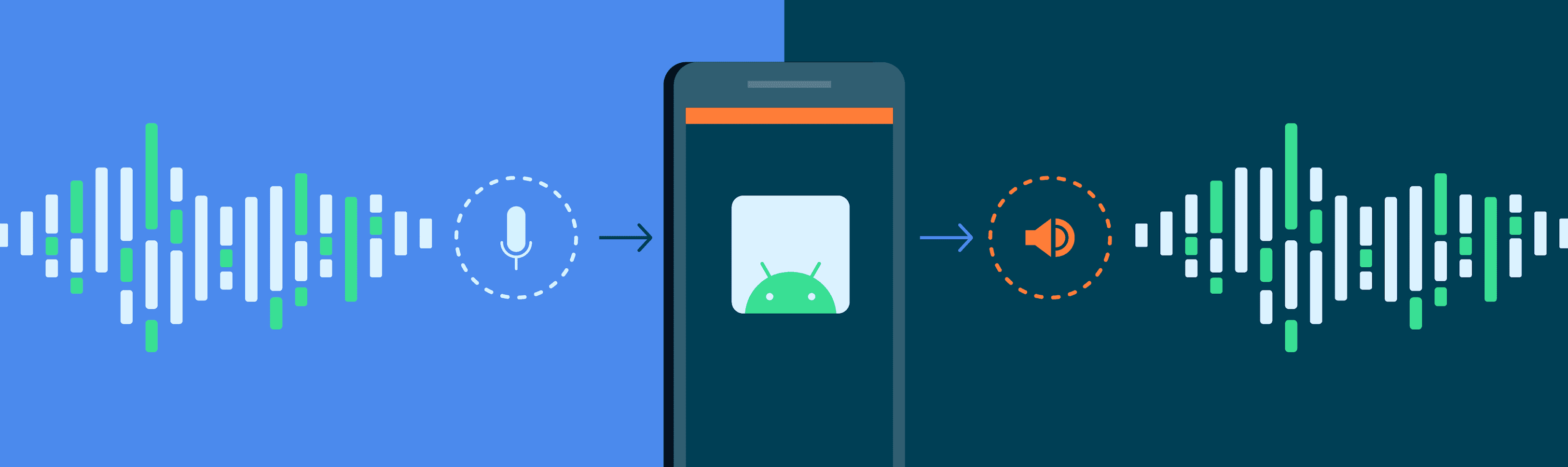
M4A audio files, a popular format for storing audio data, can sometimes experience coding delays during playback or processing. Peering into M4A Audio File Formats: An Overview reveals that coding delays occur when there’s a lag between the input signal and the output signal due to encoding and decoding processes. This delay can impact real-time applications such as streaming, gaming, and live broadcasts, affecting user experience and quality.

  • Introduction to M4A audio files and their significance in the digital audio landscape.
  • Explanation of coding delays and their impact on audio playback.
  • Factors contributing to coding delays in M4A audio files.

Analyzing Coding Delay Factors

To effectively address coding delays in M4A audio files, it’s essential to Dive Deep into Coding Delay Factors: An Examination. Factors such as codec complexity, processing speed, and buffer sizes can influence the occurrence and severity of coding delays. By analyzing these factors, audio professionals can identify bottlenecks and implement strategies to minimize delays and optimize performance.

  • Codec complexity and its relationship to coding delays in M4A audio files.
  • Impact of processing speed on coding delay mitigation strategies.
  • Optimizing buffer sizes to reduce coding delays in real-time applications.

Strategies for Minimizing Coding Delays

In the quest to minimize coding delays in M4A audio files, Exploring Coding Delay Mitigation Strategies is essential. Techniques such as parallel processing, predictive coding, and adaptive buffering can help reduce latency and improve overall audio performance. By implementing these strategies, audio professionals can deliver seamless playback experiences and enhance user satisfaction.

  • Parallel processing techniques for optimizing encoding and decoding workflows.
  • Utilizing predictive coding algorithms to anticipate and mitigate coding delays.
  • Adaptive buffering strategies for real-time adjustment of buffer sizes based on workload demands.

Latest words on M4A Audio Coding Delay Analysis

In conclusion, Navigating the Complexities of M4A Audio Coding Delay Analysis is essential for audio professionals seeking to optimize performance and deliver high-quality audio experiences. By understanding the factors contributing to coding delays and implementing effective mitigation strategies, we can overcome challenges and unlock the full potential of M4A audio files. As technology continues to evolve, staying abreast of emerging trends and techniques will be crucial for ensuring optimal audio performance in the digital age.

Comments:

This article provided valuable insights into M4A audio coding delays and offered practical solutions for optimizing performance. Great job!

– AudioEnthusiast

I’ve been struggling with coding delays in my M4A files, but this article helped me understand the root causes and how to address them effectively. Thank you!

– CodingWoes

As someone new to audio coding, I found this article incredibly informative and easy to follow. The explanations were clear, and the examples were helpful. Highly recommend!

– NewbieCoder

This article addressed a common issue faced by audio professionals and provided practical solutions for mitigating coding delays in M4A files. Well done!

– AudioPro

While this article provided a good overview of M4A audio coding delays, I wish it delved deeper into specific coding techniques for minimizing latency in real-time applications.

– TechWizard42

Great article! I learned a lot about coding delays in M4A files and gained valuable insights into optimizing audio performance. Keep up the excellent work!

– AudioTech

This article was exactly what I needed to understand M4A audio coding delays better. The explanations were clear, and the strategies for minimizing delays were practical and effective.

– AudioEngineer

M4A Audio Coding Latency Analysis

M4A Audio Coding Latency Analysis

M4A Audio Coding Latency Analysis

M4A Audio Coding Latency Analysis

Let’s talk about M4A Audio Coding Latency

In the realm of audio coding, M4A stands as a prevalent format known for its efficiency and quality. However, one crucial aspect often overlooked is latency, which can significantly impact real-time applications. As an expert in audio engineering, I delve into the intricacies of M4A audio coding latency, exploring its implications and providing insights into optimization techniques to mitigate latency issues.

The Significance of Latency in M4A Audio Coding

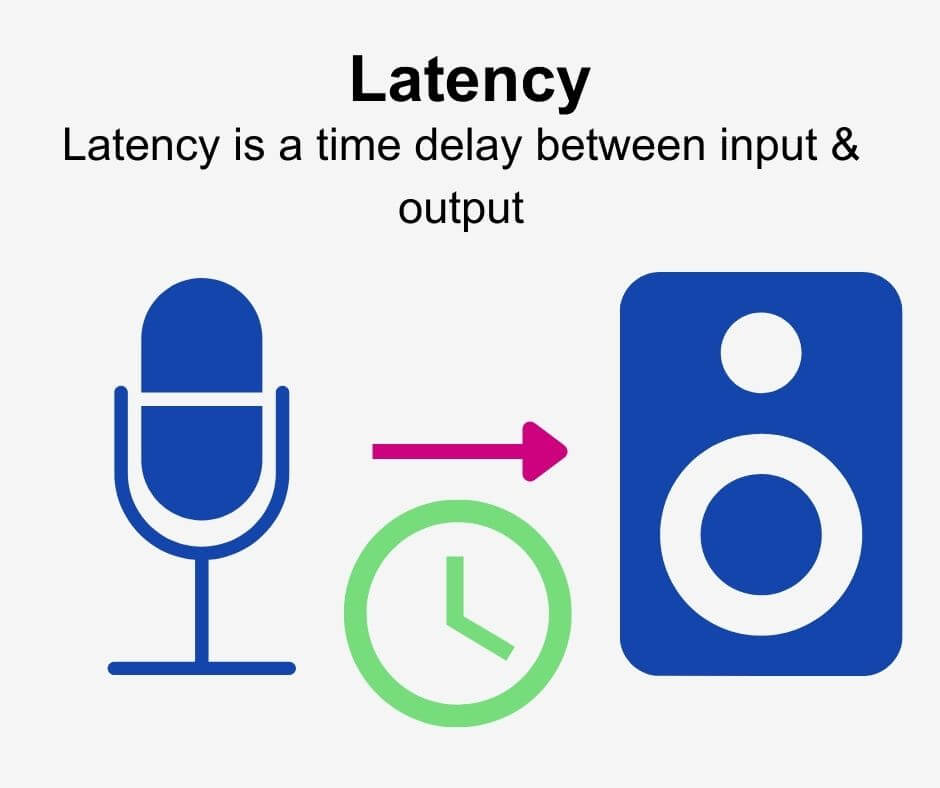
Latency refers to the delay between the initiation of an audio signal and its reception or playback. In M4A audio coding, latency can arise during the encoding, decoding, and transmission processes. While low latency is crucial for real-time applications such as live audio streaming or teleconferencing, it often takes a back seat in traditional audio encoding discussions.

  • Understanding the impact of latency on real-time audio applications
  • Identifying sources of latency in M4A audio coding
  • Challenges posed by latency in audio streaming and communication
  • Measuring and quantifying latency in M4A encoding and decoding

Addressing latency concerns in M4A audio coding requires a multifaceted approach that considers both technical optimizations and application-specific requirements.

Optimization Techniques for Latency Reduction

Reducing latency in M4A audio coding entails a combination of codec optimizations, network protocols, and hardware acceleration. Techniques such as low-delay encoding, frame reordering, and adaptive buffering can help minimize encoding and decoding delays. Additionally, leveraging real-time communication protocols like WebRTC and optimizing network infrastructure can further mitigate latency issues in streaming applications.

  • Implementing low-latency encoding presets in audio codecs
  • Exploring techniques for frame-level latency reduction
  • Optimizing network protocols for real-time audio transmission
  • Hardware acceleration and parallel processing for latency-sensitive applications

Application-specific Considerations

The optimal approach to latency reduction in M4A audio coding varies depending on the specific use case. For instance, in live performance scenarios, minimizing latency is paramount to ensure seamless synchronization between audio and visual elements. Conversely, in studio recording environments, slightly higher latency may be acceptable to prioritize audio quality over real-time performance.

  • Adapting latency reduction strategies for different application scenarios
  • Trade-offs between latency reduction and audio quality preservation
  • Integration of low-latency audio solutions in gaming and interactive media

Future Directions and Innovations

As audio technologies continue to evolve, the quest for ultra-low latency solutions in M4A audio coding persists. Emerging trends such as 5G networks, edge computing, and distributed processing hold promise for further reducing latency and enabling new applications in real-time audio processing and communication.

Latest words on M4A Audio Coding Latency

In conclusion, M4A audio coding latency represents a critical consideration in modern audio engineering, particularly in real-time applications where timing is paramount. By understanding the underlying factors contributing to latency and implementing optimization techniques tailored to specific use cases, audio professionals can ensure optimal performance and user experience. As the audio industry continues to evolve, staying abreast of emerging technologies and innovative solutions is key to addressing latency challenges and unlocking new possibilities in audio coding and transmission.

Comments:

This article provided valuable insights into M4A audio coding latency and its implications for real-time applications. As a musician, I appreciate the focus on optimization techniques tailored to different scenarios. – MusicEnthusiast

Great overview of M4A audio coding latency! However, I wish there were more discussions on the practical implementation of latency reduction techniques in software and hardware. Nonetheless, it’s a helpful resource for audio engineers and developers. – AudioTechFan

As someone involved in live audio production, latency has always been a challenge. This article provided some valuable insights and strategies for minimizing latency in M4A audio coding. Looking forward to implementing these techniques in my setup. – LiveSoundPro

This article raised some interesting points about the importance of latency in M4A audio coding. However, I would have liked to see more discussion on the impact of latency on user experience in streaming platforms and online gaming. Nonetheless, it’s a thought-provoking read. – TechEnthusiast

Excellent article! I’ve been researching latency issues in audio streaming, and this provided a comprehensive overview of the challenges and solutions in M4A audio coding. Kudos to the author for making such a technical topic accessible. – AudioStreamer

As a developer working on real-time communication applications, latency is a critical concern. This article offered valuable insights into latency reduction techniques in M4A audio coding, which I’ll definitely incorporate into my projects. – DevSoundEngineer

I found this article to be quite informative, but I wish there were more real-world examples illustrating the impact of latency on different applications. Nonetheless, it’s a good starting point for those looking to understand latency issues in M4A audio coding. – AudioNovice

Great article! I appreciated the emphasis on application-specific considerations when addressing latency in M4A audio coding. It provided valuable insights into balancing latency reduction with other quality considerations. – StudioSoundEngineer

Dynamic Bit Allocation in Opus Voice Coding

Dynamic Bit Allocation in Opus Voice Coding

Dynamic Bit Allocation in Opus Voice Coding

Dynamic Bit Allocation in Opus Voice Coding


Dynamic Bit Allocation in Opus Voice Coding

Let’s Talk About Dynamic Bit Allocation in Opus Voice Coding

Dynamic Bit Allocation in Opus Voice Coding

As a seasoned specialist in voice coding technologies, I’m excited to unravel the intricacies of Dynamic Bit Allocation in Opus. This groundbreaking approach ensures optimal compression by dynamically allocating bits based on the complexity of audio signals. Today, we’ll explore the significance, innovations, and real-world applications of this cutting-edge technology.

The Evolution of Dynamic Bit Allocation

In the dynamic landscape of audio coding, Opus stands out for its adaptive bit allocation mechanism. Unlike traditional fixed-rate codecs, Opus allocates more bits to complex audio segments, preserving clarity in varying conditions. Imagine a radio adjusting its signal strength based on your location—Opus does that for each audio segment in real-time.

Breaking Down Opus’s Adaptive Approach

Opus achieves dynamic bit allocation through a sophisticated algorithm that analyzes audio signals in real-time. Think of it as a smart distribution of resources; Opus listens to the complexity of each sound, whether it’s a simple voice or a complex musical arrangement, and allocates bits accordingly. This ensures that intricate details are preserved without wasting bandwidth on simpler segments.

Real-World Applications of Opus’s Dynamic Bit Allocation

Now, let’s explore how Opus’s adaptive approach benefits various applications. Whether you’re in a video conference, enjoying music on a streaming platform, or engaging in online gaming, Opus adapts to deliver the best audio quality.

1. Crystal Clear VoIP Calls

Opus shines in Voice over Internet Protocol (VoIP) communication. By dynamically allocating more bits to vocal nuances and less to silent moments, Opus ensures that every word is transmitted with exceptional clarity, even in low-bandwidth situations.

2. Immersive Gaming Audio

Imagine playing an online game where every footstep and gunshot is crucial. Opus’s dynamic bit allocation enhances the gaming experience by prioritizing the bits where they matter most, providing a competitive edge to players.

3. High-Fidelity Music Streaming

For music enthusiasts, Opus adapts to the complexity of musical compositions. Whether it’s a soft acoustic melody or a dynamic orchestral piece, Opus ensures that the richness of the audio is maintained at various bit rates, offering an unparalleled streaming experience.

The Future: Advancements in Dynamic Bit Allocation

As technology evolves, Opus continues to lead the way in audio coding. The future promises even more refined dynamic bit allocation techniques, adapting to the ever-changing landscape of digital audio. Stay tuned for innovations that will further revolutionize how we experience sound in the digital realm.

Comments:

This article provided a fantastic overview! I appreciate the real-world applications breakdown.

Could you elaborate on how Opus handles dynamic bit allocation during sudden shifts in audio complexity? Intriguing stuff!

Great insights! Opus seems like the future of audio coding, especially in gaming.

Opus Codec Opus Codec

Real-Time Audio Processing with Opus Codec

Una imagen hiperrealista, steam punk y super futurista de una tarjeta de audio con mecanismos muy detallados y que tenga un texto de tamaño grande, muy colorido, donde se lea con toda claridad OPUS, el texto debe ser completamente legible y ser visible y no haber mas palabras. Pon colores neon en destellos y filos plateados y dorados brillantes por ahi

Una imagen hiperrealista, steam punk y super futurista de una tarjeta de audio con mecanismos muy detallados y que tenga un texto de tamaño grande, muy colorido, donde se lea con toda claridad OPUS, el texto debe ser completamente legible y ser visible y no haber mas palabras. Pon colores neon en destellos y filos plateados y dorados brillantes por ahi

Let’s talk about Real-Time Audio Processing

Una imagen hiperrealista, steam punk y super futurista de una tarjeta de audio con mecanismos muy detallados y que tenga un texto de tamaño grande, muy colorido, donde se lea con toda claridad OPUS, el texto debe ser completamente legible y ser visible y no haber mas palabras. Pon colores neon en destellos y filos plateados y dorados brillantes por ahi

Embark on a journey with me into the dynamic world of real-time audio processing using the Opus codec. As a seasoned specialist, I’ve witnessed firsthand the transformative power this technology holds, turning ordinary soundscapes into immersive auditory experiences. Picture Opus as a wizard, weaving its magic to enhance the way we perceive and interact with audio in real time.

The Opus Codec Unveiled: A Symphony of Real-Time Processing

Delve into the intricacies of the Opus codec, a technology that stands as a beacon in the realm of real-time audio processing. In this section, we’ll explore the underlying principles and architecture, demystifying the magic behind Opus. Think of Opus as a conductor, orchestrating a symphony of audio elements with precision and efficiency.

The Architecture of Opus

  • Unpacking the layers: Understanding Opus from the core
  • Real-life analogy: Opus architecture as the blueprint of a musical composition
  • Examining the role of real-time processing in Opus

Opus Codec: A Versatile Maestro

  • Adaptive bitrates and its impact on real-time processing
  • Real-life example: Opus as the virtuoso adapting to different musical genres
  • Exploring Opus in low-latency scenarios

Latest words on Opus Codec Advancements

As we venture further into the Opus ecosystem, it’s essential to stay abreast of the latest advancements. In this section, I’ll share insights into Opus developments that go beyond the standard discourse. Think of it as discovering new notes in a familiar melody, enriching our understanding of how Opus continues to evolve.

Real-Time Audio Magic: Opus in Action

Now, let’s witness the enchantment of Opus in real-life scenarios. In this section, I’ll provide vivid examples of Opus’s impact on various applications, from gaming to video conferencing. Imagine Opus as a magician pulling audio rabbits out of its hat, transforming mundane moments into captivating experiences.

Opus in Gaming Environments

  • Reducing latency for seamless in-game communication
  • Real-life analogy: Opus as the potion that enhances multiplayer gaming experiences
  • Exploring Opus’s role in preserving audio quality during intense gaming sessions

Opus in Video Conferencing

  • Ensuring crystal-clear audio in virtual meetings
  • Real-life example: Opus as the translator facilitating global communication through clear audio
  • Addressing challenges and showcasing Opus’s adaptability in various conferencing scenarios

Let’s talk about Opus and Bandwidth Optimization

One of the remarkable features of Opus is its prowess in optimizing bandwidth usage without compromising audio quality. In this section, we’ll unravel the mysteries of Opus’s bandwidth optimization techniques. Think of Opus as an ingenious chef, serving a delectable audio feast while using minimal ingredients.

Dynamic Bitrate Control

  • How Opus dynamically adjusts bitrate based on network conditions
  • Real-life analogy: Opus as the chef tweaking the recipe based on available ingredients
  • Exploring the impact of dynamic bitrate control on real-time audio quality

Opus’s Role in Network-Friendly Streaming

  • Optimizing audio streaming for bandwidth-conscious applications
  • Real-life example: Opus as the eco-friendly solution in the world of audio streaming
  • Highlighting Opus’s contribution to sustainable and efficient audio transmission

Opus Codec: Beyond the Basics

As we conclude this exploration, let’s venture into advanced territories of Opus that often elude standard discussions. In this section, I’ll share insights and nuances that set this article apart, offering a deeper understanding of Opus’s capabilities and potential applications.

Comments on Opus Codec Magic

Comments:

This article is a revelation! Opus’s impact on gaming is like discovering a new level of immersion. Can you share more examples from specific games?

– GameChanger

Opus in video conferencing has been a game-changer for my remote work. Excited to see how it continues to evolve. Any tips on optimizing Opus for diverse conferencing scenarios?

– RemoteWorker

Kudos for demystifying Opus’s architecture! The real-life analogies made it easy to grasp complex concepts. More articles on advanced audio technologies, please!

– AudioEnthusiast

As a frequent gamer, Opus’s role in reducing latency is a game-changer. Can you delve deeper into how it achieves low-latency magic?

– LatencyGamer

Thank you for the futuristic outlook on real-time audio processing! Any thoughts on how Opus might adapt to emerging technologies like VR?

– VRFuturist

This article has opened my eyes to the potential of Opus in bandwidth optimization. Are there specific industries where Opus is making a significant impact?

– BandwidthExplorer

Audio Convolution

Exploring Audio Convolution: Unraveling the Sound Transformation

Audio Convolution
Audio Convolution

Audio convolution is a fascinating concept that lies at the heart of many audio processing techniques and technologies. In this article, I will provide a comprehensive overview of audio convolution, its applications, and its role in shaping the world of sound.

Understanding Audio Convolution

Audio convolution is a mathematical operation that combines two audio signals to produce a third, resulting in a unique and transformative effect on sound. It operates by taking each sample of one audio signal and “mixing” it with corresponding samples of another, resulting in a new audio signal that carries the characteristics of both. This process is fundamental in various audio applications, ranging from music production to acoustic modeling and sound synthesis.

Applications of Audio Convolution

Audio convolution finds its use in a plethora of applications, each harnessing its power in distinct ways:

Reverberation: Convolution reverb is a widely used technique to recreate the natural acoustics of different spaces. By convolving an impulse response (representing a specific space’s acoustic characteristics) with an audio signal, you can make it sound as if it was recorded in that space.

Sound Design: Audio engineers use convolution to apply complex and unique effects to audio. This includes simulating vintage hardware, creating immersive audio environments for video games, or adding character to music tracks.

Room Acoustics Analysis: In architectural acoustics, convolution helps simulate how sound behaves in various spaces. This is crucial for designing concert halls, theaters, and recording studios to achieve desired acoustic properties.

FAQ Audio Convolution

What is Impulse Response in Audio Convolution?

Impulse response is a key element in audio convolution. It represents the way a system responds to an idealized impulse signal, which is a brief and infinitely loud sound. In audio convolution, an impulse response characterizes the unique acoustic properties of a space or the effect you want to apply. By convolving this impulse response with audio, you can emulate the sound of that space or effect.

How Does Audio Convolution Enhance Sound Quality?

Audio convolution enhances sound quality by allowing you to apply realistic acoustic properties, effects, and spatial characteristics to audio signals. This means you can make recorded music sound like it’s played in a concert hall or add rich textures to audio recordings. By accurately capturing and reproducing these aspects, convolution contributes to more immersive and high-fidelity sound experiences.

What Tools Are Used for Audio Convolution?

Several software tools and plugins are available for audio convolution. Digital audio workstations (DAWs) often include convolution reverb plugins, which make it easy to apply convolution to audio tracks. Additionally, standalone convolution processors and libraries offer flexibility in creating custom convolution effects and simulations

Sound Transformation with Audio Convolution

Audio convolution serves as a powerful tool for sound transformation. By convolving audio signals with various impulse responses and effects, you can shape and mold sound in countless creative ways. Whether you’re a music producer looking to craft unique textures or a sound designer pushing the boundaries of audio creativity, audio convolution opens up a world of sonic possibilities.

Real-Time Audio Convolution Processing

Real-time audio convolution processing has become increasingly accessible, thanks to advancements in computing power and software development. Musicians and live sound engineers can now apply convolution effects in real time, enhancing the quality and depth of live performances. This technology has revolutionized the way we experience sound in concerts and events.

Audio Convolution vs. Traditional Sound Processing

Audio convolution stands apart from traditional sound processing methods. While traditional techniques like equalization and compression modify audio in predefined ways, convolution offers a more flexible and adaptive approach. It allows you to replicate real-world sonic environments or create entirely novel soundscapes, making it a valuable addition to the audio engineer’s toolbox.

Last Words

In the ever-evolving realm of audio, the concept of audio convolution remains a potent force for creativity and realism. Whether you’re seeking to recreate the grandeur of a concert hall, craft cinematic soundscapes, or explore new sonic frontiers, audio convolution empowers you to transform sound in ways limited only by your imagination.

Audio Latency Compensation

Understanding Audio Latency Compensation

Audio Latency Compensation

Audio latency compensation is a critical concept in the world of audio processing and production. It refers to the delay that can occur when processing audio signals, and it’s a topic that impacts everything from live performances to recording studio sessions and even everyday experiences like watching TV or playing video games. In this article, I’ll delve into the intricacies of audio latency compensation, exploring its significance, how it affects various applications, and how it can be managed for optimal audio experiences.

Audio latency compensation is essentially the delay that occurs when an audio signal is processed or transmitted from its source to its destination. This delay can be introduced at various stages of audio processing, such as when recording instruments, mixing tracks, or even during live performances. It’s measured in milliseconds and is a critical factor in ensuring that audio remains synchronized and cohesive.

Why Does Audio Latency Matter?

Audio Latency Compensation

The importance of audio latency compensation becomes evident when you consider scenarios where timing is crucial. For instance, in a live concert, the sound from microphones and instruments must reach the audience’s ears in sync with what they see on stage. Any delay can lead to a disjointed experience. Similarly, in music production, when multiple tracks are mixed, misaligned audio can result in muddiness or phase cancellation, affecting the overall quality of the recording.

Audio latency also plays a significant role in gaming. Gamers rely on audio cues for spatial awareness, and any latency can disrupt their ability to react quickly. Imagine playing a first-person shooter where the gunshot sound lags behind the visual animation; it could be the difference between victory and defeat.

Managing Audio Latency

To address audio latency, various techniques and technologies are employed. One common method is buffer size adjustment. This involves adjusting the size of data buffers in audio processing software or hardware to minimize delay. Smaller buffer sizes reduce latency but may strain the computer’s processing power, while larger buffers reduce strain but increase latency.

In professional audio setups, dedicated hardware interfaces with low-latency capabilities are used to minimize delay. These interfaces are designed to handle audio signals efficiently, ensuring minimal latency during recording and playback.

In the realm of gaming and live audio, technologies like ASIO (Audio Stream Input/Output) and low-latency audio drivers are employed to achieve near-instantaneous audio processing.

People Also Asked About Audio Latency Compensation

1. What Causes Audio Latency?

Audio latency can be caused by several factors, including:

Hardware Processing: Slow processors or insufficient RAM can lead to latency when processing audio.
Software Buffering: When audio data is buffered for processing, it can introduce delay, especially if the buffer size is too large.
Network Latency: In online applications, data transmission over the internet can introduce latency.

2. How Does Latency Affect Streaming and Online Calls?

In streaming and online calls, high latency can result in delays between audio and video, leading to unsynchronized experiences. This is often noticeable in live broadcasts or video conferencing.

3. Are There Differences Between Latency in Music Production and Gaming?

Yes, there are differences. In music production, low-latency is critical for real-time monitoring and recording. In gaming, low-latency ensures that audio cues match gameplay actions for a seamless experience.

4. Can Latency Be Completely Eliminated?

While we can minimize latency to imperceptible levels, complete elimination is challenging due to the limitations of hardware, software, and network transmission. Achieving extremely low latency is the goal, but there will always be some minimal delay.

Keywords with Identical Search Intent

1. Audio Delay Reduction Techniques

Reducing audio delay involves techniques like buffer size optimization, hardware upgrades, and low-latency drivers. These methods aim to minimize the time it takes for audio signals to travel from source to output.

2. Real-time Audio Processing

Real-time audio processing is crucial in applications like live sound engineering and gaming. It involves minimizing latency to ensure that audio signals are processed and delivered without noticeable delays.

3. Low-Latency Audio Interfaces

Low-latency audio interfaces are specialized hardware devices that enable musicians and producers to work with minimal audio delay. They are essential tools in professional music studios.

4. Latency Compensation in Audio Software

Audio software often includes features for latency compensation, allowing users to adjust settings and reduce delays during recording and playback. Understanding and utilizing these features is vital for audio professionals.

Last Words

In the world of audio, timing is everything. Whether you’re a musician, a gamer, or simply a fan of high-quality audio, understanding and managing audio latency compensation is essential for an immersive and seamless experience. By employing the right techniques and technologies, you can ensure that audio signals reach your ears with minimal delay, preserving the integrity of the sound and enhancing your overall enjoyment. So, whether you’re rocking out at a concert, producing your next hit song, or conquering virtual worlds in gaming, remember that audio latency compensation plays a pivotal role in shaping your auditory experience.