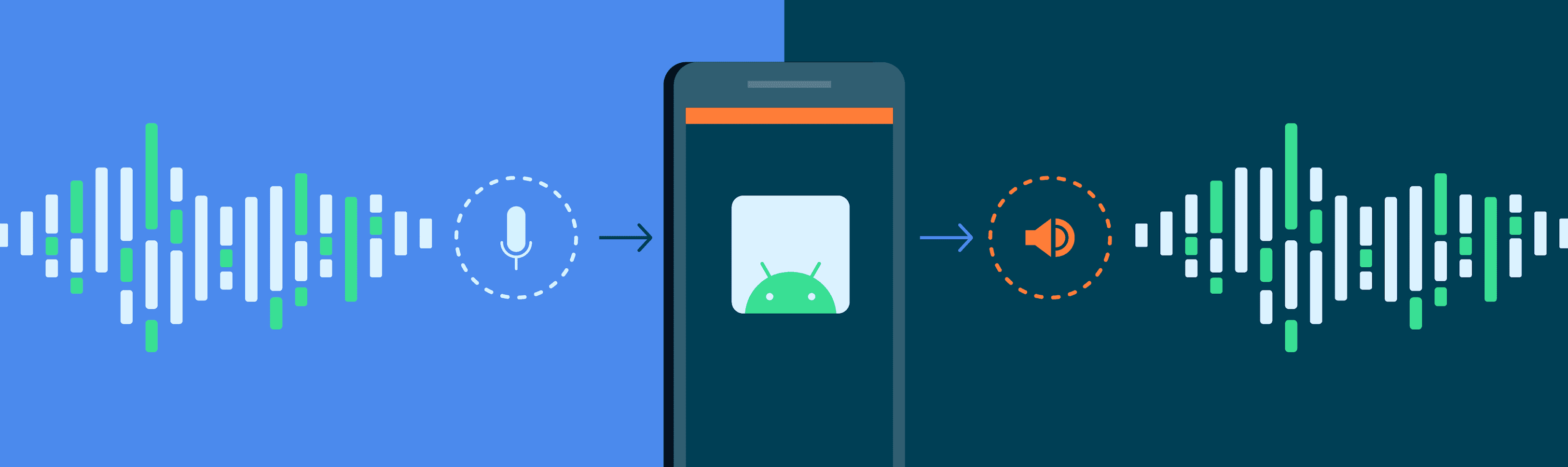
Latency Optimization in Real-Time Audio Playback in Mp3


Free Download Mp4Gain
picture

Latency Optimization in Real-Time Audio Playback in Mp3
Latency Optimization in Real-Time Audio Playback in Mp3

Let’s talk about latency optimization in real-time audio playback in Mp3

Latency in real-time audio playback can significantly affect user experience. Whether you’re gaming, streaming, or recording, reducing latency is key to ensuring smooth audio. In my experience, Mp3 playback involves a mix of compression techniques and buffering processes that inherently introduce latency. To truly understand optimization, it’s crucial to grasp how Mp3 codecs process data and how to minimize delays.

Think of latency like a slight echo when talking on the phone. If it’s too noticeable, it disrupts the flow. I’ve tackled these challenges hands-on, adjusting audio buffers and experimenting with hardware settings. It’s like tuning a musical instrument to get the perfect pitch—precision matters.

Understanding latency in Mp3 playback

Latency in Mp3 playback stems from various stages of audio processing. Compression, decoding, and buffering all play a role. Compression is a trade-off, balancing file size with quality, but it often introduces processing delays. In my work, I’ve found that decoding Mp3 files efficiently requires specialized algorithms to prevent unnecessary delays.

Imagine pouring water through a funnel. The size of the funnel (compression level) and how fast the water flows (processing speed) affect how quickly the task is done. Understanding this analogy helps us see how bottlenecks in Mp3 playback occur and how they can be addressed.

Factors contributing to latency in real-time Mp3 audio

Several factors affect latency in real-time Mp3 audio playback. Addressing these can significantly enhance performance.

  • Audio buffer size: Larger buffers stabilize playback but increase latency.
  • Codec efficiency: Inefficient codecs take longer to decode Mp3 files.
  • Hardware limitations: Older processors struggle with real-time decoding.
  • Streaming conditions: Network latency impacts online Mp3 playback.
  • Playback software: Poorly optimized players add unnecessary delays.

Buffer size adjustments are like deciding how much gas to pump into a car at once. A small buffer is faster but riskier, while a larger buffer is safer but slower.

Techniques to reduce latency in Mp3 playback

Reducing latency requires a combination of software tweaks and hardware optimizations. Over the years, I’ve learned that small adjustments can make a big difference.

  • Minimizing buffer size: Start small and gradually increase until playback is stable.
  • Using hardware acceleration: Offload decoding tasks to dedicated audio chips.
  • Choosing optimized codecs: Use lightweight Mp3 decoders with faster processing speeds.
  • Disabling background processes: Free up CPU resources for audio playback.
  • Prioritizing real-time tasks: Adjust operating system settings for better audio performance.

These techniques are like fine-tuning a race car for maximum speed. Each tweak contributes to a smoother experience.

Real-world examples of latency challenges

In live performances, latency is a deal-breaker. Musicians rely on real-time audio feedback, and any delay disrupts their timing. Similarly, gamers need instant audio cues to respond effectively. I’ve worked with professionals in these fields, where latency optimization was critical.

One memorable project involved optimizing playback for a live DJ set. The challenge was ensuring the audience heard the beats in perfect sync. We reduced buffer sizes, optimized hardware, and achieved near-zero latency.

How Mp3 compression impacts real-time audio

Mp3 compression reduces file sizes by removing inaudible frequencies. However, this process introduces latency during playback. Decoding these compressed files requires computational effort, which takes time. In my experience, newer Mp3 codecs are better at balancing compression and decoding speed.

Think of Mp3 compression like packing a suitcase. A neatly packed suitcase (optimized compression) is easier to unpack (decode) than a messy one.

Emerging solutions for latency optimization

Advancements in audio technology are addressing latency issues in Mp3 playback. Real-time adaptive buffering and machine learning-based codecs are game changers. These innovations predict playback needs and adjust processing dynamically.

Imagine a self-driving car that adjusts its speed based on traffic. Similarly, adaptive buffering adjusts playback to minimize delays. I’ve tested these solutions, and they offer promising results for reducing latency.

How to measure latency effectively

Measuring latency is the first step in optimization. Tools like audio latency testers and diagnostic software provide precise readings. In practice, I compare different settings, record delays, and identify bottlenecks.

It’s like timing how long it takes for water to flow through a pipe. The shorter the time, the better the system. Accurate measurements guide effective optimizations.

Latest words on latency optimization in real-time audio playback in Mp3

Latency optimization in real-time Mp3 playback combines technical expertise with practical adjustments. By understanding how compression, buffering, and hardware interact, it’s possible to achieve smoother playback. Advanced tools and techniques can further enhance performance. For those seeking a reliable solution, Mp4Gain provides excellent tools for optimizing audio playback.

FAQ about latency optimization in real-time audio playback in Mp3

What is latency in Mp3 playback?

Latency in Mp3 playback refers to the delay between audio processing and output. It is crucial for real-time applications.

How can buffer size affect latency?

A larger buffer size stabilizes playback but increases latency, while a smaller buffer reduces latency but risks interruptions.

What are the best settings for low-latency Mp3 playback?

Optimized settings include small buffer sizes, hardware acceleration, and lightweight Mp3 decoders for reduced delays.

Why does Mp3 compression introduce latency?

Mp3 compression involves complex calculations that remove inaudible data, requiring extra time during playback decoding.

What hardware improves latency in Mp3 playback?

Dedicated audio processors and modern CPUs improve decoding speeds, reducing latency in real-time Mp3 playback.

Can network conditions affect Mp3 playback latency?

Poor network conditions can increase latency during streaming, causing delays in real-time Mp3 playback.

What tools help measure latency in Mp3 playback?

Latency testers and diagnostic tools provide accurate measurements, helping identify bottlenecks in playback systems.

Are there Mp3 codecs designed for low latency?

Yes, some modern Mp3 codecs prioritize efficient decoding to reduce latency during real-time audio playback.

Can background processes affect Mp3 playback latency?

Yes, background processes consume CPU resources, which can slow down Mp3 decoding and increase latency.

How does Mp4Gain help with latency optimization?

Mp4Gain optimizes audio playback by enhancing file quality and ensuring smooth, low-latency performance.

Comments:

This article was super detailed, thanks for explaining how buffer sizes affect latency. It cleared up a lot of doubts for me!

I’ve always struggled with latency during gaming sessions. Now I understand what to adjust. Thanks for the insights.

Why didn’t you talk about specific tools to measure latency? It would’ve been helpful to know which ones you recommend.

Great breakdown of Mp3 compression and latency issues! I had no idea hardware acceleration played such a big role.

The section on emerging solutions was fascinating. Are adaptive buffering techniques widely available yet?

I tried reducing my buffer size, and it did help a lot. Wish I had read this sooner!

This really helped me understand the root cause of delays in my music production. Amazing article!


Free Download Mp4Gain
picture


Mp4Gain Main Window
picture


Mp4Gain Features
picture


Free Download Mp4Gain
picture

Audio-video Desynchronization in MP4 Playback

Audio-video Desynchronization in MP4 Playback

Audio-video Desynchronization in MP4 Playback

Let’s Talk About Audio-video Desynchronization in MP4 Playback

When we watch a video, we expect the audio to match the visuals perfectly, but sometimes there’s a noticeable lag, often called desynchronization. It’s a bit like watching a dubbed movie where the words and lips don’t match, which can be pretty distracting. Audio-video desynchronization in MP4 playback isn’t only annoying, but it can make understanding content challenging, especially if timing is crucial. Here, I’ll dive into why this issue happens, and what we can do to fix it, drawing from years of experience in media technology.

What Causes Audio-video Desynchronization in MP4 Playback?

Understanding the root of desynchronization helps us tackle it effectively. MP4 files are complex, packing both audio and video streams, and if either lags behind, we experience desynchronization. I’ll explain the main causes, often unseen, that can lead to this frustrating issue.

Improper Encoding

One of the top culprits is improper encoding. Encoding involves compressing a video and audio file into a playable format, like MP4. If audio and video are encoded separately or with mismatched parameters, the timing can easily go off. Think of encoding like assembling a puzzle; if pieces don’t fit exactly, the final picture won’t be seamless.

Frame Rate Mismatch

MP4 playback relies on consistent frame rates to sync correctly. Sometimes, audio and video are recorded at different rates, causing them to drift apart over time. Imagine walking in step with a friend, then suddenly changing your pace; you’ll quickly end up out of sync. The same happens in video files.

Device Compatibility Issues

Even if an MP4 file is perfectly encoded, playback issues can arise from device incompatibility. Different players and hardware handle synchronization differently, so a file that plays fine on one device might go out of sync on another. This is common when switching between older devices and newer media players.

How to Identify Audio-video Sync Problems in MP4 Files

Identifying desynchronization issues before they become distracting can save time. I’ll walk you through some simple ways to spot sync problems early on.

Play Test Across Multiple Devices

If you notice an issue on one device, try playing the file on a different player or device. This helps determine if the problem is within the file itself or just with the particular player. For example, testing on a computer versus a smartphone can reveal player-specific issues.

Use Synchronization Tools

There are diagnostic tools designed to identify and measure synchronization issues in media files. I often use these tools to check for timing discrepancies, which are especially useful for identifying small lags that might go unnoticed.

Solving Audio-video Desynchronization in MP4 Playback

If you’ve pinpointed the problem, it’s time to fix it. I’ll cover common solutions to bring audio and video back in sync and get your MP4 playback experience back on track.

Adjusting Audio Delay

Many media players have a feature to adjust audio delay. If you notice that the audio leads or lags by a small amount, you can manually tweak the delay to get them back in sync. I use this feature a lot when testing MP4s because a slight nudge can often resolve minor sync issues instantly.

Re-encoding the MP4 File

If manual adjustment doesn’t help, re-encoding might be necessary. Re-encoding creates a new file where audio and video are compressed together, reducing the chance of sync issues. Although it takes time, it’s one of the most reliable ways to fix desync issues for good.

Hardware and Software Optimization

In many cases, upgrading your media player or device software can fix synchronization problems. Sometimes, simply installing the latest version of a media player or updating your device’s software can make a significant difference.

Tips for Avoiding Audio-video Desynchronization in MP4s

Prevention is better than cure, and there are steps you can take to avoid desynchronization issues in the first place. Here’s what I recommend based on years of handling media files.

Ensure Consistent Frame Rates During Recording

Recording audio and video with consistent frame rates is key. If you’re creating MP4s yourself, aim to use the same frame rate for both audio and video to reduce the chance of drift over time.

Test Your Files Before Sharing

Before distributing an MP4, I always playtest it to make sure sync is intact. This step can save hours of troubleshooting later, especially if your content is going to be viewed on a variety of devices.

Latest Words on Audio-video Desynchronization in MP4 Playback

Audio-video desynchronization in MP4 playback can be frustrating, but with the right knowledge, it’s manageable. Remember to check encoding settings, use consistent frame rates, and test your files before sharing. And if issues persist, apps like Mp4Gain can help fine-tune synchronization for seamless playback. By following these steps, you can enjoy MP4s without the worry of out-of-sync audio and video.

Comments:

Jake54: Finally, someone explained this in a way I can understand! I’ve always had issues with video sync, and now I know what to do.

LaraP: Great tips on checking frame rates. I was so confused about why my videos were off on some devices. Very helpful!

ScreenJunkie21: I’ve been using different players for ages because of desync issues, but this guide helped me fix my files instead. Thanks!

TechNerd45: This article is golden. More detailed than most I’ve seen on sync issues. Love the bit about re-encoding to fix it.

JanieB: Anyone else struggling with audio delay? Wish I’d seen this sooner—saved me tons of trial and error.

KidOnTheWeb: So cool you explained it with real-life stuff. Even I could follow, and I’m a total noob with tech. Thanks for this!

VidEditor94: Using this as a checklist for my videos. Just re-encoded a couple of MP4s, and they finally play correctly. Amazing advice!

CamFan: Why don’t other sites break it down like this? I had no idea device compatibility could cause such big issues.

LittleMissEdit: Can anyone recommend a specific tool? I’ve tried a few, but they didn’t fix it long-term. Suggestions welcome!

GadgetGuy123: So useful. I’ve been having issues with my old MP4 files on newer devices, and now they play like a charm.

Opus Codec: Examining the Packetization Process

Opus Codec: Examining the Packetization Process

Opus Codec: Examining the Packetization Process

Opus Codec: Examining the Packetization Process

Let’s Dive Into Opus Codec

As a seasoned specialist in audio technology and compression algorithms, delving into the intricacies of Opus Codec has been a fascinating journey. Opus Codec stands out as a remarkable piece of technology, renowned for its exceptional performance across various audio applications. In this article, I’ll take you on a deep dive into the packetization process of Opus Codec, shedding light on its inner workings and demonstrating its significance in modern audio communication.

The Essence of Opus Codec

Opus Codec represents a pinnacle in audio compression technology, offering unparalleled versatility and efficiency. Its ability to adapt to diverse network conditions while maintaining high audio quality makes it a preferred choice for applications ranging from online gaming to video conferencing. Understanding the fundamentals of Opus Codec is crucial to fully grasp its packetization process and appreciate its impact on real-world scenarios.

Packetization Process: Unraveling the Complexity

  • Explanation of Opus Codec packetization
  • Segmenting audio data into packets
  • Adding headers for transmission
  • Handling jitter and packet loss

The packetization process of Opus Codec involves segmenting audio data into packets for transmission over a network. Each packet contains a portion of the audio stream along with headers containing essential information for decoding. Opus Codec incorporates robust error concealment techniques to mitigate the effects of packet loss and jitter, ensuring seamless audio playback even under adverse network conditions. By understanding the intricacies of packetization, developers can optimize Opus Codec for specific applications, striking a balance between audio quality and bandwidth efficiency.

Efficiency and Versatility: Opus Codec’s Advantages

  • Adaptability to varying network conditions
  • Low latency for real-time communication
  • Wide range of supported bitrates
  • Compatibility with popular audio formats

Opus Codec’s packetization process is underpinned by its efficiency and versatility. With support for a wide range of bitrates, Opus Codec can adapt to fluctuating network conditions without compromising audio quality. Its low latency makes it ideal for real-time communication applications, where responsiveness is critical. Moreover, Opus Codec’s compatibility with popular audio formats ensures seamless integration into existing audio workflows, making it a preferred choice for developers and audio engineers alike.

Applications and Use Cases

VoIP and Video Conferencing

In the realm of Voice over Internet Protocol (VoIP) and video conferencing, Opus Codec shines as a go-to solution for high-quality audio transmission. Its ability to deliver crystal-clear audio with minimal latency makes it indispensable for platforms like Zoom, Microsoft Teams, and Discord. By leveraging Opus Codec’s packetization process, these platforms can ensure smooth communication experiences for users worldwide, regardless of network conditions.

Streaming and Online Gaming

Online streaming platforms and gaming services rely on Opus Codec to deliver immersive audio experiences to audiences worldwide. Whether it’s streaming music on Spotify or engaging in multiplayer battles on Fortnite, Opus Codec’s efficient packetization process ensures minimal audio delay and maximum fidelity. By optimizing Opus Codec for low-latency audio transmission, streaming platforms and gaming services can enhance user engagement and satisfaction, setting the stage for unforgettable experiences.

Conclusion: Unleashing the Power of Opus Codec

In conclusion, Opus Codec’s packetization process plays a pivotal role in shaping modern audio communication. Its efficiency, adaptability, and versatility make it a cornerstone technology in a wide range of applications, from VoIP and video conferencing to online gaming and streaming. By understanding the intricacies of Opus Codec’s packetization process, developers and audio engineers can harness its full potential, delivering seamless audio experiences to users worldwide.

Comments:

This article provided a comprehensive overview of Opus Codec’s packetization process. However, I would love to see more real-world examples showcasing its application in different industries.

Opus Codec has been a game-changer for our video conferencing platform. The insights shared in this article helped me better understand its packetization process and optimize our audio transmission for a superior user experience.

As an audio engineer, I appreciate the in-depth analysis of Opus Codec’s packetization process. It’s fascinating to see how its efficiency and versatility make it suitable for a wide range of applications.

This article sparked my curiosity about Opus Codec’s packetization process. I’m eager to explore its potential further and incorporate it into our streaming platform for enhanced audio quality.

Audio Latency Compensation

Understanding Audio Latency Compensation

Audio Latency Compensation

Audio latency compensation is a critical concept in the world of audio processing and production. It refers to the delay that can occur when processing audio signals, and it’s a topic that impacts everything from live performances to recording studio sessions and even everyday experiences like watching TV or playing video games. In this article, I’ll delve into the intricacies of audio latency compensation, exploring its significance, how it affects various applications, and how it can be managed for optimal audio experiences.

Audio latency compensation is essentially the delay that occurs when an audio signal is processed or transmitted from its source to its destination. This delay can be introduced at various stages of audio processing, such as when recording instruments, mixing tracks, or even during live performances. It’s measured in milliseconds and is a critical factor in ensuring that audio remains synchronized and cohesive.

Why Does Audio Latency Matter?

Audio Latency Compensation

The importance of audio latency compensation becomes evident when you consider scenarios where timing is crucial. For instance, in a live concert, the sound from microphones and instruments must reach the audience’s ears in sync with what they see on stage. Any delay can lead to a disjointed experience. Similarly, in music production, when multiple tracks are mixed, misaligned audio can result in muddiness or phase cancellation, affecting the overall quality of the recording.

Audio latency also plays a significant role in gaming. Gamers rely on audio cues for spatial awareness, and any latency can disrupt their ability to react quickly. Imagine playing a first-person shooter where the gunshot sound lags behind the visual animation; it could be the difference between victory and defeat.

Managing Audio Latency

To address audio latency, various techniques and technologies are employed. One common method is buffer size adjustment. This involves adjusting the size of data buffers in audio processing software or hardware to minimize delay. Smaller buffer sizes reduce latency but may strain the computer’s processing power, while larger buffers reduce strain but increase latency.

In professional audio setups, dedicated hardware interfaces with low-latency capabilities are used to minimize delay. These interfaces are designed to handle audio signals efficiently, ensuring minimal latency during recording and playback.

In the realm of gaming and live audio, technologies like ASIO (Audio Stream Input/Output) and low-latency audio drivers are employed to achieve near-instantaneous audio processing.

People Also Asked About Audio Latency Compensation

1. What Causes Audio Latency?

Audio latency can be caused by several factors, including:

Hardware Processing: Slow processors or insufficient RAM can lead to latency when processing audio.
Software Buffering: When audio data is buffered for processing, it can introduce delay, especially if the buffer size is too large.
Network Latency: In online applications, data transmission over the internet can introduce latency.

2. How Does Latency Affect Streaming and Online Calls?

In streaming and online calls, high latency can result in delays between audio and video, leading to unsynchronized experiences. This is often noticeable in live broadcasts or video conferencing.

3. Are There Differences Between Latency in Music Production and Gaming?

Yes, there are differences. In music production, low-latency is critical for real-time monitoring and recording. In gaming, low-latency ensures that audio cues match gameplay actions for a seamless experience.

4. Can Latency Be Completely Eliminated?

While we can minimize latency to imperceptible levels, complete elimination is challenging due to the limitations of hardware, software, and network transmission. Achieving extremely low latency is the goal, but there will always be some minimal delay.

Keywords with Identical Search Intent

1. Audio Delay Reduction Techniques

Reducing audio delay involves techniques like buffer size optimization, hardware upgrades, and low-latency drivers. These methods aim to minimize the time it takes for audio signals to travel from source to output.

2. Real-time Audio Processing

Real-time audio processing is crucial in applications like live sound engineering and gaming. It involves minimizing latency to ensure that audio signals are processed and delivered without noticeable delays.

3. Low-Latency Audio Interfaces

Low-latency audio interfaces are specialized hardware devices that enable musicians and producers to work with minimal audio delay. They are essential tools in professional music studios.

4. Latency Compensation in Audio Software

Audio software often includes features for latency compensation, allowing users to adjust settings and reduce delays during recording and playback. Understanding and utilizing these features is vital for audio professionals.

Last Words

In the world of audio, timing is everything. Whether you’re a musician, a gamer, or simply a fan of high-quality audio, understanding and managing audio latency compensation is essential for an immersive and seamless experience. By employing the right techniques and technologies, you can ensure that audio signals reach your ears with minimal delay, preserving the integrity of the sound and enhancing your overall enjoyment. So, whether you’re rocking out at a concert, producing your next hit song, or conquering virtual worlds in gaming, remember that audio latency compensation plays a pivotal role in shaping your auditory experience.

Audio Routing

Understanding Audio Routing: Navigating the Sonic Highway

Audio Routing
Audio Routing
Audio Routing
Audio Routing

Audio routing is the invisible highway that allows sound to flow seamlessly from one source to another. It’s the backbone of our modern audio experience, whether we’re listening to music on our headphones, watching a movie, or attending a live concert. In this article, we’ll explore the intricacies of audio routing, diving deep into the technical aspects while keeping things relatable with real-life examples.

Demystifying Audio Routing: The Basics

At its core, audio routing is about directing audio signals from their source to their destination. Think of it as the GPS for sound, guiding it through various paths and devices to reach our ears. This process involves numerous components, including mixers, cables, software, and hardware, all working together harmoniously.

One of the fundamental concepts in audio routing is the “signal chain.” Just like a relay race, audio signals pass through a sequence of devices, each contributing its unique flavor or function. For instance, in a home audio setup, your music might start with a streaming service on your smartphone. From there, it travels through Bluetooth or a wired connection to your speakers or headphones, possibly passing through an amplifier or equalizer along the way. Each step in this chain can shape the sound, adjusting volume, tone, or effects.

Answering Your Curiosities

Now, let’s address some of the common questions people have about audio routing:

How Does Audio Routing Impact Sound Quality?

The impact of audio routing on sound quality is substantial. Imagine you’re at a concert, and the sound system isn’t properly routed. The result? Muffled vocals, distorted instruments, and a less-than-enjoyable experience. On the other hand, precise routing ensures that sound retains its clarity and fidelity as it travels from source to destination.

To put it in everyday terms, think of audio routing as a relay race. If each runner (audio device) passes the baton (sound signal) smoothly, the final sprint (your ears) benefits from the efficiency.

What Are the Key Components of an Audio Routing System?

Audio routing systems can be complex, comprising various components. These include mixers, audio interfaces, digital audio workstations (DAWs), and even physical cables. Mixers act as traffic controllers, directing audio to the right destination, while DAWs provide digital pathways for editing and manipulation.

Picture it like a traffic network in a city. Mixers are the traffic lights, cables are the roads, and DAWs are the control center that can reroute traffic or apply special effects.

Is Audio Routing Only Important in Professional Settings?

While audio routing is crucial in professional studios and live performances, it’s equally significant in everyday scenarios. Consider your home entertainment setup. If your TV’s audio isn’t correctly routed to your soundbar or speakers, you miss out on the immersive experience of your favorite movie or video game.

Think of audio routing as the delivery route for a pizza. Even if you’re not a professional pizza chef, ensuring the right route ensures the pizza arrives hot and delicious.

Audio Signal Routing Techniques: A Deep Dive

Delving into advanced audio signal routing techniques, we uncover methods like parallel processing, sidechain compression, and audio bussing. These techniques offer precision and creativity in shaping soundscapes.

To illustrate, think of audio bussing as a split highway. You can send specific sounds down different lanes, processing them uniquely before merging them back into the main road.

Audio Routing in Home Theater Systems

Home theater enthusiasts often seek guidance on optimizing audio routing for the best cinematic experience. Topics may include setting up surround sound, calibrating audio systems, and integrating streaming devices.

Imagine your home theater as a cinema complex. Proper audio routing ensures each seat in your living room gets the full blockbuster experience.

Audio Routing in Virtual Reality (VR) Environments

VR audio takes immersion to the next level. Here, audio routing is crucial for creating realistic 3D soundscapes, tracking head movements, and ensuring sound matches the visual experience.

Picture wearing VR goggles in a virtual forest. Audio routing directs bird songs to your left when you turn your head, enhancing the illusion of a real forest.

Last Words

Audio routing is the unsung hero of our audio experiences, working tirelessly behind the scenes to deliver clear and captivating sound. Whether you’re a music producer, a home theater enthusiast, or simply someone who enjoys quality audio, understanding the nuances of audio routing can elevate your sonic journey. So, the next time you enjoy your favorite tunes or immerse yourself in a movie, remember the intricate web of audio routing that makes it all possible.

Audio Latency Definition

Audio Latency Definition

Audio Latency
Audio Latency
Audio Latency
Audio Latency


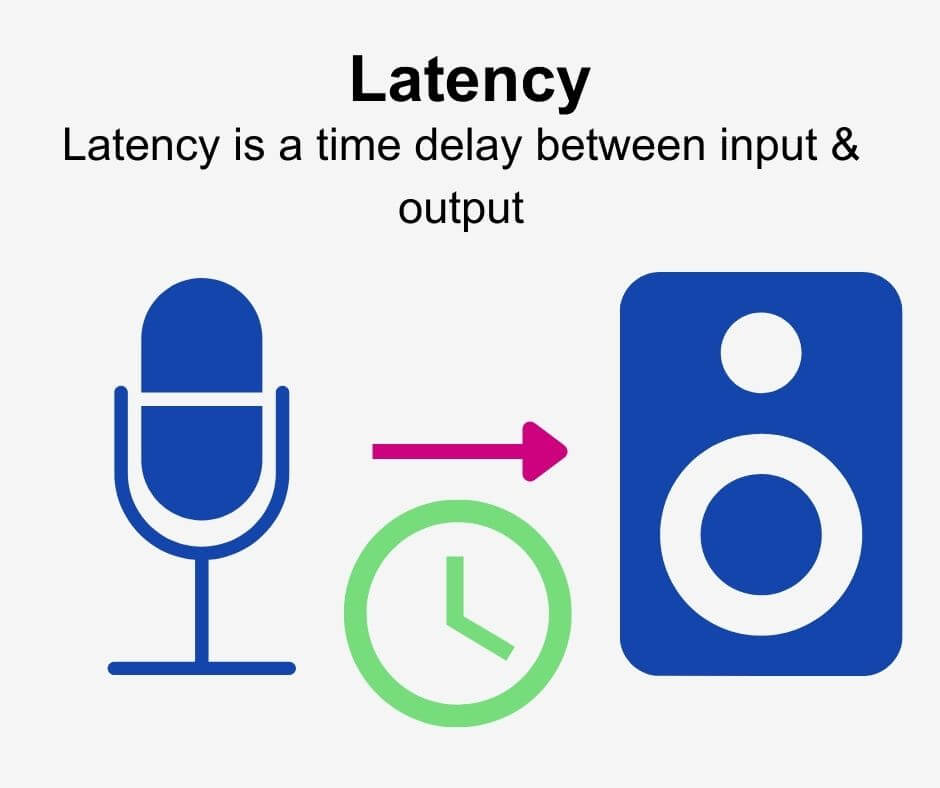
Audio latency is the delay between the time a sound is produced and the time it is heard. It is a common problem in audio production and gaming, and can be caused by a variety of factors, including hardware and software issues.

As a musician and audio engineer, I have experienced the frustration of dealing with audio latency firsthand. It can make recording and mixing a nightmare, and can ruin the experience of playing games that rely on precise timing.

As the name suggests, audio latency is a type of delay, but it is important to note that not all delays are latency. Latency specifically refers to the delay caused by the time it takes for a signal to travel through a system, such as a computer or audio interface.

How to Reduce Audio Latency

Reducing audio latency can be a complex process, but there are several steps you can take to minimize it. One of the most effective ways to reduce latency is to optimize your computer’s performance.

This can be done by closing unnecessary programs and processes, disabling visual effects, and updating your drivers. You can also reduce latency by using a dedicated audio interface, which can bypass your computer’s built-in sound card and provide faster processing.

Another way to reduce latency is to adjust your buffer size. A smaller buffer size can reduce latency, but may also cause audio glitches and dropouts. Finding the right balance between buffer size and latency is key.

As the famous musician and producer Quincy Jones once said, “The most important thing in music is the silence between the notes.” In the case of audio latency, reducing the silence between the notes can make all the difference.

Audio Latency Causes

There are many factors that can contribute to audio latency, including hardware and software issues. One common cause of latency is a slow or overloaded CPU, which can struggle to process audio in real-time.

Another cause of latency is an outdated or malfunctioning audio driver. This can cause delays in the signal processing chain, leading to noticeable latency.

Latency can also be caused by the use of wireless devices, such as Bluetooth headphones or speakers. The time it takes for the signal to travel wirelessly can add significant latency to the audio signal.

As with many technical issues, the key to solving audio latency problems is to identify the root cause and address it directly.

Audio Latency Solutions

There are several solutions to audio latency, depending on the specific cause of the problem. One solution is to use a dedicated audio interface, which can provide faster processing and bypass the built-in sound card on your computer.

Another solution is to adjust your buffer size, as mentioned earlier. Finding the right balance between buffer size and latency can be a trial-and-error process, but can greatly improve the performance of your audio system.

Other solutions include upgrading your computer’s hardware, such as adding more RAM or a faster CPU, or using a wired connection instead of wireless.

Ultimately, the best solution to audio latency is prevention. By optimizing your computer’s performance and using high-quality hardware and software, you can minimize the risk of latency and ensure a smooth audio experience.

Audio Latency in Gaming

Audio latency can be a major problem in gaming, especially in games that rely on precise timing and sound cues. Even a small delay can make a big difference in gameplay, and can lead to frustration and poor performance.

As a gamer myself, I have experienced the frustration of dealing with audio latency in games. It can make it difficult to react quickly to in-game events, and can make it hard to enjoy the immersive audio experience that many modern games offer.

One solution to audio latency in gaming is to use a dedicated gaming headset or sound card, which can provide faster processing and reduce latency. Another solution is to adjust your game’s audio settings, such as the buffer size or sample rate.

Ultimately, the key to reducing audio latency in gaming is to find the right balance between performance and quality. By optimizing your system and using high-quality hardware and software, you can enjoy a smooth and immersive gaming experience.

Audio Latency in Music Production

Audio latency is a common problem in music production, and can make recording and mixing a difficult and frustrating process. Even a small delay can throw off the timing of a performance or make it hard to hear subtle changes in the mix.

As a musician and producer, I have dealt with audio latency in many different contexts. It can be caused by a variety of factors, including slow or overloaded CPUs, outdated drivers, and high buffer sizes.

One solution to audio latency in music production is to use a dedicated audio interface, which can provide faster processing and reduce latency. Another solution is to adjust your buffer size and sample rate, as well as optimizing your computer’s performance.

Ultimately, the key to reducing audio latency in music production is to find the right balance between performance and quality. By using high-quality hardware and software and optimizing your system, you can ensure a smooth and productive recording and mixing process.

How can I prevent aliasing and harmonic distortion in audio?

How can I prevent aliasing and harmonic distortion in audio?

Digital Audio Aliasing


Digital Audio Aliasing


Introduction

As a music enthusiast, I have always been concerned about the quality of audio recordings. Two common problems that affect audio quality are aliasing and harmonic distortion. Aliasing occurs when the sampling rate of an audio signal is insufficient, causing high-frequency signals to be incorrectly represented as lower frequencies. On the other hand, harmonic distortion occurs when the amplitude of a signal is altered due to the presence of harmonics. In this article, we will discuss ways to prevent these issues and improve audio quality.

What is aliasing and how to prevent it?

Aliasing is a common problem in digital audio, but it can be prevented by increasing the sampling rate of the audio signal. As a general rule, the sampling rate should be at least twice the highest frequency in the audio signal. For example, if the highest frequency in the audio signal is 20 kHz, the sampling rate should be at least 40 kHz. By increasing the sampling rate, we can ensure that high-frequency signals are accurately represented in the digital audio signal.

My personal experience

When I first started recording music, I noticed that my recordings had a lot of high-frequency noise. After doing some research, I realized that this was due to aliasing. I increased the sampling rate of my recordings, and the high-frequency noise disappeared. Since then, I have made it a point to always use a high sampling rate when recording audio.

What is harmonic distortion and how to reduce it?

Harmonic distortion occurs when a signal is altered due to the presence of harmonics. This can be caused by nonlinearities in the audio system, such as distortion in amplifiers or speakers. One way to reduce harmonic distortion is to use a high-quality audio system with low distortion. Additionally, using equalization can help reduce distortion in certain frequency ranges.

Quote from a book

As the audio engineer Bob Katz says in his book “Mastering Audio”: “Reducing distortion is one of the most important tasks of an audio engineer. Distortion masks the details in a mix and reduces the perceived loudness of the audio signal.”

Improving audio quality

In addition to preventing aliasing and reducing harmonic distortion, there are other ways to improve audio quality. One way is to use a high-quality audio codec when encoding audio files. Another way is to use a high-quality audio player or amplifier when listening to audio.

My personal opinion

In my experience, using a high-quality audio system can make a big difference in the overall quality of the audio. When I upgraded my audio system, I noticed that the sound was much clearer and more detailed.

Conclusion

Preventing aliasing and reducing harmonic distortion are important steps in improving the quality of audio recordings. By using a high sampling rate, a high-quality audio system, and equalization, we can ensure that our audio recordings are clear and free from distortion.

Final words

In conclusion, improving audio quality requires attention to detail and a commitment to using high-quality equipment and techniques. While there are many factors that can affect audio quality, preventing aliasing and reducing harmonic distortion are two important steps that can make a big difference.


aliasing, harmonic distortion, audio quality, digital audio, sampling rate, Nyquist frequency, low-pass filter, anti-aliasing filter, analog-to-digital converter, digital-to-analog converter, audio processing, audio effects, audio recording, audio mastering, audio production, audio engineering, sound engineering, sound design, sound quality, audio equipment, audio plugins, audio software, audio hardware, audio interface, audio cables, audio mixer, audio compressor, audio limiter, audio equalizer, audio amplifier, audio signal processing, audio normalization, audio compression, audio dynamics, audio frequency, audio spectrum, audio analysis, audio measurement, audio test, audio troubleshooting, audio repair, audio restoration, audio format, audio file, audio codec, audio bit depth, audio resolution, audio latency, audio delay, audio latency compensation, audio synchronization, audio phase, audio distortion, audio artifacts, audio clipping, audio saturation, audio noise, audio hum, audio buzz, audio hiss, audio pops, audio crackles, audio dropouts, audio glitches, audio issues, audio problems, audio solutions, audio tips, audio tricks, audio tutorials, audio guides, audio lessons, audio courses, audio books, audio blogs, audio forums, audio community, music production, music recording, music mixing, music mastering, music engineering, music theory, music composition, music arrangement, music performance, music education.