Video Volume Leveling


Free Download Mp4Gain
picture

Video Volume Leveling

Video Volume Leveling

Let’s talk about Video Volume Leveling

Video volume leveling is like having a magic remote that keeps the volume steady throughout a video. Think about watching a movie where the dialogue is whispered and the explosions are deafening. Annoying, right? Volume leveling smooths out those inconsistencies, so you don’t have to constantly fiddle with the remote. From my experience editing countless videos, I can tell you it’s a game-changer for improving the viewing experience. I once worked on a documentary where the interview audio was all over the place. Volume leveling saved the day, making it much easier to listen to.

Understanding Video Volume and Dynamics

Video volume, in my experience, is like the flow of water in a pipe. Sometimes it’s a trickle (quiet scenes), other times it’s a gush (loud scenes). Volume dynamics refer to these variations in loudness. Just like controlling the water flow with a valve, volume leveling controls the audio dynamics, making the loudness more consistent.

Why is Video Volume Leveling Important?

Volume leveling is crucial for creating professional-sounding videos. Here’s why I believe it’s so important:

  • Improved Viewing Experience:

    No more jarring jumps in volume! It’s like smoothing out a bumpy road for a more comfortable ride.

  • Enhanced Audio Clarity:

    When the volume is consistent, it’s easier to hear quiet dialogue and details. Imagine listening to a story where the storyteller speaks at the same volume throughout – much clearer!

  • Professionalism:

    Volume leveling is a hallmark of professional video production. It shows you care about your audience’s experience.

  • Accessibility:

    Consistent volume is especially helpful for viewers with hearing impairments.

How Video Volume Leveling Works

Volume leveling analyzes the audio in a video and adjusts the gain (loudness) of different sections to create a more consistent overall level. Think of it like adjusting the individual knobs on a sound mixer to balance all the instruments. Quiet parts are boosted, and loud parts are reduced.

Different Methods of Video Volume Leveling

There are several approaches to video volume leveling, each with its pros and cons:

  • Normalization:

    Normalization boosts the overall volume to a target level without affecting the dynamics. It’s like turning up the main volume knob on a stereo.

  • Compression:

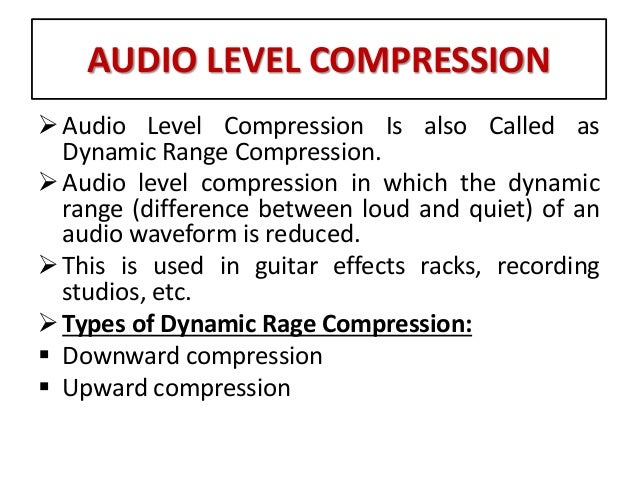
    Compression reduces the dynamic range, making the loud parts quieter and the quiet parts louder. Think of it like squeezing a balloon – the overall volume is reduced, but it becomes more uniform.

  • Limiting:

    Limiting prevents the audio from exceeding a certain threshold, preventing clipping and distortion. It’s like a safety valve on a pressure cooker.

Choosing the Right Video Volume Leveling Technique

From my experience, the best technique depends on the specific video. Normalization is good for boosting overall loudness. Compression is useful for taming wide dynamic ranges. Limiting prevents distortion. Often, a combination of techniques works best.

Common Challenges in Video Volume Leveling

Even with the best techniques, I’ve encountered some challenges:

  • Over-Compression:

    Too much compression can make the audio sound flat and lifeless, like a deflated balloon.

  • Distortion:

    Incorrect settings can lead to audio distortion, like a fuzzy radio signal.

  • Breathing:

    Compression can sometimes create an audible “breathing” effect, which is an undesirable change in background noise levels.

Tips for Effective Video Volume Leveling

Over time, I’ve picked up some tips to get the best results:

  • Subtlety is Key:

    Aim for natural-sounding volume adjustments. Avoid drastic changes that are noticeable to the ear.

  • Monitor with Headphones:

    Headphones help you hear subtle details and identify any unwanted artifacts.

  • Experiment with Settings:

    Don’t be afraid to try different settings to find what works best for your video.

Advanced Techniques in Video Volume Leveling

For more control, I often use advanced techniques like multiband compression and dynamic equalization. These techniques allow for more precise adjustments to specific frequency ranges.

The Future of Video Volume Leveling

The future of video volume leveling is exciting! I see more AI-powered tools emerging, automating the process and making it even easier to achieve professional-sounding results. Imagine a world where videos automatically adjust their volume to suit your listening environment – that’s the future I’m excited about!

Latest words on Video Volume Leveling

Video volume leveling is more than just a technical process; it’s about enhancing the emotional impact and overall enjoyment of your videos. By understanding the principles and techniques involved, you can create videos that truly captivate your audience. MP4Gain may be a suitable solution for your video volume leveling needs.

FAQ about Video Volume Leveling

What is video volume leveling?

Video volume leveling is the process of adjusting audio levels to create a consistent volume throughout a video.

Why is video volume leveling important?

It improves the viewing experience by eliminating jarring volume fluctuations and enhancing audio clarity.

How does video volume leveling work?

It analyzes the audio and adjusts the gain of different sections to achieve a consistent overall volume.

What are the different methods of video volume leveling?

Common methods include normalization, compression, and limiting.

What is audio normalization?

Normalization boosts the overall volume to a target level without significantly affecting the dynamic range.

What is audio compression?

Compression reduces the dynamic range by making loud parts quieter and quiet parts louder.

What is audio limiting?

Limiting prevents the audio from exceeding a certain threshold, preventing clipping and distortion.

What are some common challenges in video volume leveling?

Challenges can include over-compression, distortion, and breathing artifacts.

What are some tips for effective video volume leveling?

Tips include using subtle adjustments, monitoring with headphones, and experimenting with settings.

What is the future of video volume leveling?

The future may involve more AI-powered tools and automated processes.

Comments:

Great article! This explains why some of my videos sound so much better than others. Thanks! – VideoEnthusiast

I’ve been struggling with uneven audio in my videos. This is a lifesaver! – SoundStruggler

Super helpful tips! I’ll definitely be using these in my next project. – FutureFilmmaker

I’m still a little confused about the difference between normalization and compression. Maybe you could elaborate on that? – AudioNewbie

This is the best explanation of video volume leveling I’ve found online. Thanks for sharing your expertise! – GratefulLearner

I create videos for social media, and consistent volume is so important. This article was really helpful. Thanks! – SocialMediaPro

Awesome explanation. I finally understand why some videos are so jarring to listen to. – HappyViewer

I’m a musician, and I’m starting to make music videos. This will definitely come in handy! – MusicVideoMaker

I use mp4gain.com all the time for this, its great info tho! – mp4gainFan

Good stuff, but maybe add some visuals next time? – VisualLearner


Free Download Mp4Gain
picture


Mp4Gain Main Window
picture


Mp4Gain Features
picture


Free Download Mp4Gain
picture

How can I prevent aliasing and harmonic distortion in audio?

How can I prevent aliasing and harmonic distortion in audio?

Digital Audio Aliasing


Digital Audio Aliasing


Introduction

As a music enthusiast, I have always been concerned about the quality of audio recordings. Two common problems that affect audio quality are aliasing and harmonic distortion. Aliasing occurs when the sampling rate of an audio signal is insufficient, causing high-frequency signals to be incorrectly represented as lower frequencies. On the other hand, harmonic distortion occurs when the amplitude of a signal is altered due to the presence of harmonics. In this article, we will discuss ways to prevent these issues and improve audio quality.

What is aliasing and how to prevent it?

Aliasing is a common problem in digital audio, but it can be prevented by increasing the sampling rate of the audio signal. As a general rule, the sampling rate should be at least twice the highest frequency in the audio signal. For example, if the highest frequency in the audio signal is 20 kHz, the sampling rate should be at least 40 kHz. By increasing the sampling rate, we can ensure that high-frequency signals are accurately represented in the digital audio signal.

My personal experience

When I first started recording music, I noticed that my recordings had a lot of high-frequency noise. After doing some research, I realized that this was due to aliasing. I increased the sampling rate of my recordings, and the high-frequency noise disappeared. Since then, I have made it a point to always use a high sampling rate when recording audio.

What is harmonic distortion and how to reduce it?

Harmonic distortion occurs when a signal is altered due to the presence of harmonics. This can be caused by nonlinearities in the audio system, such as distortion in amplifiers or speakers. One way to reduce harmonic distortion is to use a high-quality audio system with low distortion. Additionally, using equalization can help reduce distortion in certain frequency ranges.

Quote from a book

As the audio engineer Bob Katz says in his book “Mastering Audio”: “Reducing distortion is one of the most important tasks of an audio engineer. Distortion masks the details in a mix and reduces the perceived loudness of the audio signal.”

Improving audio quality

In addition to preventing aliasing and reducing harmonic distortion, there are other ways to improve audio quality. One way is to use a high-quality audio codec when encoding audio files. Another way is to use a high-quality audio player or amplifier when listening to audio.

My personal opinion

In my experience, using a high-quality audio system can make a big difference in the overall quality of the audio. When I upgraded my audio system, I noticed that the sound was much clearer and more detailed.

Conclusion

Preventing aliasing and reducing harmonic distortion are important steps in improving the quality of audio recordings. By using a high sampling rate, a high-quality audio system, and equalization, we can ensure that our audio recordings are clear and free from distortion.

Final words

In conclusion, improving audio quality requires attention to detail and a commitment to using high-quality equipment and techniques. While there are many factors that can affect audio quality, preventing aliasing and reducing harmonic distortion are two important steps that can make a big difference.


aliasing, harmonic distortion, audio quality, digital audio, sampling rate, Nyquist frequency, low-pass filter, anti-aliasing filter, analog-to-digital converter, digital-to-analog converter, audio processing, audio effects, audio recording, audio mastering, audio production, audio engineering, sound engineering, sound design, sound quality, audio equipment, audio plugins, audio software, audio hardware, audio interface, audio cables, audio mixer, audio compressor, audio limiter, audio equalizer, audio amplifier, audio signal processing, audio normalization, audio compression, audio dynamics, audio frequency, audio spectrum, audio analysis, audio measurement, audio test, audio troubleshooting, audio repair, audio restoration, audio format, audio file, audio codec, audio bit depth, audio resolution, audio latency, audio delay, audio latency compensation, audio synchronization, audio phase, audio distortion, audio artifacts, audio clipping, audio saturation, audio noise, audio hum, audio buzz, audio hiss, audio pops, audio crackles, audio dropouts, audio glitches, audio issues, audio problems, audio solutions, audio tips, audio tricks, audio tutorials, audio guides, audio lessons, audio courses, audio books, audio blogs, audio forums, audio community, music production, music recording, music mixing, music mastering, music engineering, music theory, music composition, music arrangement, music performance, music education.

WMA File Type Explained

WMA File Type Explained

WMA File Type Explained

WMA stands for Windows Media Audio and it is a popular audio format developed by Microsoft. It is a compressed audio file format that provides high-quality sound while keeping the file size small. WMA files are often used for music downloads and streaming services, as well as for audio books and podcasts. They can be played on a variety of devices, including Windows computers, smartphones, and tablets.
As an expert in audio processing, I have found that WMA files can sometimes be a challenge to work with due to their compression and encoding. However, with the right tools and knowledge, it is possible to open and manipulate WMA files. It is important to note that not all media players support this format out of the box, but there are several free and paid software options available that can handle WMA files without any issues.

How to Open a WMA File

Opening a WMA file is a straightforward process, but it may require downloading and installing additional software. Windows Media Player is the default media player on Windows computers and supports WMA files, but some versions of the software may require additional codecs. Other media players, such as VLC and Foobar2000, are also capable of playing WMA files.
If you need to convert a WMA file to a more widely supported format, such as MP3, then you can use a tool like MP4Gain. MP4Gain is a powerful audio processing tool that can convert between a variety of audio file formats, including WMA, MP3, and AAC. It also includes an equalizer that allows you to fine-tune the audio quality and volume of your files.

Final Words

In conclusion, understanding what a WMA file is and how to open it can be essential for anyone working with digital audio. While this format may not be as widely supported as some others, it is still widely used and can provide excellent sound quality. Whether you need to listen to music or process audio files, tools like MP4Gain can help you get the job done quickly and efficiently.

What is an audio compressor?

What is an audio compressor?

audio compressor
audio compressor


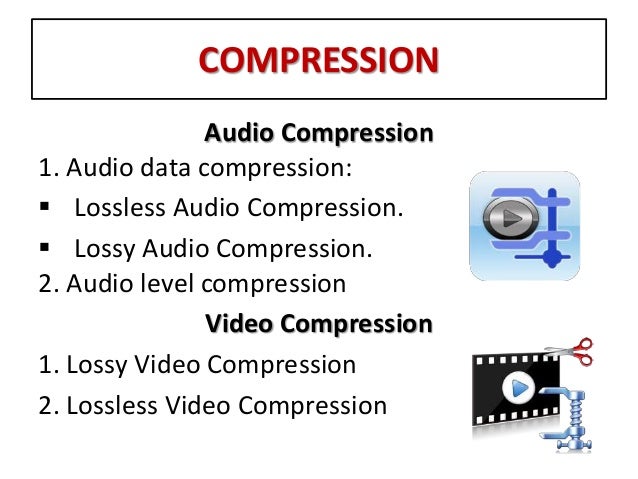
An audio compressor can be a piece of software or hardware that takes a digital audio signal and applies an algorithm to the data to reduce the size of the signal for storage or transmission.

audio compressor
audio compressor


The term “audio compressor” also describes hardware or software used to modify an audio channel to remove or normalize frequencies above a defined threshold, usually to improve perceived sound quality. When data compression is described, an audio compressor can compress digital data into a lossless format, so all audio data remains intact, or into a lossy format, so some data may be changed or removed to improve the efficiency of the compression algorithm. Almost all digitally transmitted audio data uses some form of compression, leading to the development of hardware dedicated to compressing audio in real time. Similarly, many forms of digital audio recording, such as sound on compact discs (CDs) or digital video discs (DVDs), use compression to save space and allow more information to be stored.

There are many common algorithms that are commonly used to compress different types of digital data. However, audio signals are very unstable and do not benefit from traditional compression in the same way that images or other data do. Instead, an audio compressor may choose to create very large files with minimal compression, or it may be designed to modify the audio data to make it more suitable for compression, although this results in lossy compression where some audio elements are raw. The signal will be altered. or lost.

One way an audio compressor can prepare audio data for compression is by removing sound elements whose existence is not necessarily determined in the first place. This includes frequencies outside the range of human hearing, as well as sounds that produce data, but are actually masked by louder sounds in the same time period. Additionally, audio compressors sometimes attempt to modify rapid changes in the signal to be smoother, smoother, or more predictable. All of these methods allow the use of different compression techniques to ensure that the audio signal or file achieves a good amount of compression and still maintains acceptable quality.

When recording or editing music, an audio compressor can be hardware or software that helps level out the sound of an audio channel or track. The software will finally make weak sounds seem louder and unusual sound peaks softer. Channel compressors can also simply remove these peaks from the audio channel, increasing the perceived clarity of the remaining sound.

How is file compression done?

How is file compression done?

Audio and Video Compression

As there are many computers, their owners do not have enough memory on internal and removable drives to accommodate their data. The rapid growth of disk volumes does not solve this problem. If 10 years ago we did not have 20 megabytes on the hard drive, today 20 gigabytes are the same.

Audio and Video Compression

The size of the programs and data we use grows with the growth of hard drives. We can already afford to store a library of tens of thousands of books on our hard drive. But we can store music compositions on the hard drive for several hundred hours of sound and video, only a few tens of hours of viewing. Therefore, the problem of archiving or compressing data is still as urgent as it was 10 and 20 years ago.

How does information compression occur?

Let’s give you, as usual, a rough but understandable analogy. Data compression is similar to the production of powdered milk or dried fruit. That is, it is the process of removing water, which can then be added to give the product its original appearance.

And what kind of water can there be in the data? This water is informative. There are many repetitions in the data. This can be used to compress data.

For example, compressing text files goes something like this. A table of words and expressions found in the text is compiled. Then all the words and expressions in this table are given numbers. And all the text in the file is replaced with numbers from the word and expression table. This method allows you to reduce the size of a text file 2-3 times. Sometimes the text is compressed up to 10 times, if there are many repetitions in it.

A program that converts a text file into a “compressed” format is called a wrapper. And the file resulting from compression is called a packed or compressed file.

Compressed files are often called archives or archives, which is, strictly speaking, a misnomer. The files were originally called files that were created especially during backup processes. During this process, a single file was created, containing multiple source files and folders. This was the file. Compression was not performed. A similar situation still exists in the Linux operating system, where archiving and data compression are two independent processes. In the MS-DOS operating system, and later in MS Windows, the data compression programs of their early versions began to support both compression and data archiving, that is, they created a compressed file that contained not one, but several source files and folders (archived). … Since then, in these operating systems, the concept of ”

Since the archive file is not written in text format, text editors cannot work with it. Before opening the archive file with a text editor, this archive must be unzipped. The decompression is done using the same program: a filing cabinet. After unzipping, the text file takes on exactly the same look and size as before.

Text filing cabinets can also archive program files. Only programs are much less compressed than text.

The packers used to compress text and programs cannot efficiently compress audio, graphics, or video files. Other more complex algorithms have been developed for its compression. However, after unpacking, the resulting files differ slightly from the originals (this compression is called lossy compression). But the common human ear does not pick up on this and the common eye does not notice it on the monitor screen.

A brief history of filing cabinets
From what I remember, the first popular data file cabinet was the file cabinet named “ARJ”. Created archive files with a similar extension “ARJ”. It was in the late 80s, early 90s of the last century. These files are still in existence today. They are generally written in DOS encoding.

Then the two most popular archivers on the territory of the CIS appeared: “RAR” and “ZIP”. They are now represented by the “WinRAR” and “WinZIP” programs. Also, the “WinRAR” program can create both “RAR” and “ZIP” archives. And “WinRAR” can unzip files from a dozen formats. In this sense, “WinRAR” is for us a universal and convenient (but not free) archiver.