Hardware Acceleration for M4A Encoding and Decoding


Free Download Mp4Gain
picture

Hardware Acceleration for M4A Encoding and Decoding

Hardware Acceleration for M4A Encoding and Decoding

Let’s talk about hardware acceleration for M4A encoding and decoding. Hardware acceleration uses specialized hardware to speed up M4A audio encoding and decoding, which is essential for fast audio processing. As a specialist in audio encoding, I’ve seen firsthand how much of an impact this can have on audio workflows. When your computer uses the specialized hardware to do these tasks instead of doing all of the work on the main processor, it is much more efficient, which results in faster processing and less power usage. I’ll explain how hardware acceleration works and why it’s very beneficial for M4A audio, using simple and easy-to-understand examples.

Understanding Hardware Acceleration

Hardware acceleration is like having a specialized tool for a specific job, and I’ve seen how it can make a huge difference in speed compared to using the general tools. Instead of using the main processor of the computer (the CPU) for all tasks, specialized hardware (like a GPU or a dedicated audio chip) does the processing. This can greatly reduce the workload on the CPU, making the whole process much faster. It’s like having a group of experts working together to do the job much faster, instead of relying on just one person to do it all. This is very helpful for audio encoding and decoding because they involve a lot of calculations.

Dedicated Hardware

  • Hardware acceleration uses dedicated hardware like GPUs or specific audio chips, designed to perform specific tasks very efficiently.
  • It’s like having a specialized car for racing; it goes much faster because it is designed for speed.

Reduced CPU Load

  • Hardware acceleration reduces the load on the CPU, so your computer can do other tasks smoothly while the audio is being encoded or decoded.
  • This is like having a helper who does the heavy work so you can do other things at the same time.

Increased Processing Speed

  • Hardware acceleration results in much faster encoding and decoding speeds compared to using software-based methods.
  • This can speed up your work, since the audio files are processed much faster thanks to the specialized hardware.

The Role of the CPU in M4A Processing

The CPU, or Central Processing Unit, is the main brain of your computer, and I view it as the most versatile, but not always the most efficient processor. When encoding or decoding M4A files using software methods, the CPU does all the calculations, and this can take a lot of its power. While CPUs can handle all tasks, they are usually not the fastest option for very demanding tasks, such as audio encoding and decoding, since it needs to do all of the work by itself. The CPU is a generalist that does everything but not always with the best performance.

General-Purpose Processing

  • CPUs are designed to handle a wide variety of tasks, from simple calculations to complex software applications, but they are not designed to do one thing really fast.
  • It is like having a general-purpose tool that can do many things, but it’s not the best tool for each of them.

Software-Based Encoding

  • When encoding and decoding audio in software, all the work is done on the CPU. This can be slow for complex operations.
  • Software-based encoding is very versatile, but may be very slow and power hungry compared to hardware alternatives.

Resource Bottleneck

  • When a CPU does all the encoding or decoding, it can become a bottleneck that slows down your computer.
  • The CPU has limited processing power and cannot always keep up with very demanding tasks, like audio processing.

GPUs and M4A Encoding

GPUs, or Graphics Processing Units, are designed for parallel processing, and I have seen that they are extremely efficient at tasks like audio encoding, and decoding. While they are mainly designed for graphics, GPUs can also be used for audio processing due to their ability to perform many calculations at the same time. This is very helpful for M4A encoding, since it involves a lot of similar calculations that can be done at the same time. Using GPUs for M4A encoding and decoding can greatly speed up the process.

Parallel Processing

  • GPUs can perform multiple calculations at the same time, which makes them very efficient for tasks like audio processing that require a lot of calculations.
  • It’s like having many workers doing different parts of the job at the same time, which results in much faster processing.

Offloading from CPU

  • Using the GPU for audio encoding or decoding frees up the CPU to perform other tasks, which makes the computer much more responsive.
  • This is like delegating tasks to other people, which results in less workload for you, and lets you work on other things.

Faster Encoding Times

  • GPUs can encode and decode audio much faster than CPUs, because they are designed to perform many similar calculations at the same time.
  • The speed improvements are very significant, and they can greatly reduce the encoding times.

Dedicated Audio Chips

Dedicated audio chips are specifically designed for audio processing, and I have seen how they can provide the very best results for audio tasks. These chips are optimized to encode and decode audio, with a very low latency, and very high efficiency. This means that these chips are the most efficient hardware option for audio processing. These chips can improve both speed and quality, making them the best option when these two are a concern.

Specialized for Audio

  • Dedicated audio chips are designed specifically for audio tasks, and they offer much better performance than a general-purpose processor.
  • These chips are optimized to do audio processing much faster and more accurately.

Low Latency Performance

  • These chips provide a low latency which is important for real time audio processing.
  • Low latency means less delays in processing the audio, which is important for audio tasks.

High Efficiency

  • Dedicated audio chips are designed to be very efficient, with low power consumption, and faster audio processing.
  • This makes them a good option for both portable and stationary devices, where efficiency is important.

Hardware Acceleration Benefits for M4A

Hardware acceleration provides several key benefits for M4A encoding and decoding, and from my work in the audio world I’ve seen these benefits in real world situations. These advantages include faster processing, better efficiency, and reduced power consumption. These benefits make hardware acceleration a great choice for all types of M4A audio projects. Hardware acceleration improves the overall performance, both for professional and home users.

Reduced Encoding/Decoding Times

  • Hardware acceleration significantly reduces the time to encode and decode M4A files, which allows users to process large audio files much faster.
  • This speeds up the audio workflows, which is very important when time is important.

Improved Efficiency

  • Hardware acceleration is more efficient than software based processing, and allows the CPU to focus on other tasks.
  • Hardware acceleration allows for more efficient processing, with less impact on the CPU.

Lower Power Consumption

  • Using specialized hardware consumes less power than software processing, this is very useful for portable devices where battery life is a concern.
  • Hardware acceleration is a great option to save energy and improve battery life.

How Hardware Acceleration Works in M4A

Hardware acceleration works by offloading some of the processing tasks to dedicated hardware components, and I’ve always been amazed by how this approach improves the audio performance. Instead of relying solely on the CPU, the software will use specialized units such as GPUs or dedicated audio chips, to do the audio processing tasks. This offloading process improves speed, and it reduces the burden on the main processor, making it work much faster and more efficiently. This allows the computer to work better and faster, and also saves power.

Offloading Processing

  • Hardware acceleration offloads the most demanding processing tasks to specific hardware, leaving the CPU free for other operations.
  • This method distributes the work across different specialized processing units, which improves speed and efficiency.

Direct Access to Hardware

  • Software can directly access the specialized hardware to perform encoding and decoding operations.
  • This avoids the overhead of the software processing which can be very slow and demanding.

Optimized Data Flow

  • Hardware acceleration provides an optimized data flow between the different components, making the overall process much more efficient.
  • This efficient data flow will result in a very fast and efficient encoding and decoding process.

Real-World Applications

Hardware acceleration is very useful in many real-world applications that require very fast audio processing. I’ve seen its power in various projects. For example, live audio processing benefits greatly from the reduced latency provided by hardware acceleration. When editing large audio files, the encoding and decoding process is much faster, and the time to save the files is greatly reduced. The benefits of hardware acceleration are useful in all audio situations where speed is important.

Live Audio Processing

  • Live audio processing requires very low latency and high processing speeds, and hardware acceleration makes this possible.
  • Hardware acceleration allows for real time audio processing with minimal delay.

Audio Editing

  • When working with large audio files, hardware acceleration speeds up the encoding and decoding process, which improves the overall workflow.
  • Thanks to hardware acceleration, the audio editing process is much more fluid.

Mobile Audio Devices

  • Mobile audio devices benefit greatly from hardware acceleration because of its low power consumption and high efficiency.
  • Battery life can be greatly improved with the use of hardware acceleration in portable devices.

Choosing Hardware for M4A Acceleration

Choosing the right hardware for M4A acceleration depends on specific needs and resources. In my opinion, there is not a single perfect solution, and the best hardware depends on the specific task and the required speed and quality. If speed is paramount, a good GPU may be the best choice. If the main concern is for real time audio, dedicated audio chips will be more suitable. Understanding the available options can help to make the best decision.

GPUs for M4A Processing

  • GPUs are a good choice for their parallel processing capabilities which are very helpful in speeding up M4A encoding and decoding.
  • GPUs can greatly improve processing speed, but they consume more power than other options.

Dedicated Audio Chips

  • Dedicated audio chips provide excellent performance with low latency and high efficiency, and are best for low latency applications.
  • They are a great option when the main concern is a low latency performance for audio processing tasks.

Integrated Hardware

  • Many modern devices include integrated hardware for audio processing, and these can also be a good option for those who don’t need extreme performance.
  • Integrated hardware offers a good balance between performance, power consumption and cost.

Latest words on Hardware Acceleration for M4A Encoding and Decoding

Hardware acceleration is essential for modern audio processing, particularly for M4A encoding and decoding. From my experience, it greatly enhances processing speed, efficiency, and power consumption. Using GPUs or dedicated audio chips can significantly improve the overall workflow. Tools like Mp4Gain can help you with your audio needs. Hardware acceleration is vital in our daily audio processing work, and I am sure that this technology will continue to evolve. Now, you have a good understanding of what hardware acceleration is and how it can greatly improve your audio experience.

What is hardware acceleration in audio processing?

Hardware acceleration uses specialized hardware, such as GPUs or dedicated audio chips, to speed up tasks like audio encoding and decoding. This allows to offload the work from the main CPU, making the computer work much faster and with better efficiency.

How does the CPU handle M4A encoding and decoding?

The CPU handles M4A encoding and decoding through software-based methods, performing all the calculations with its general-purpose architecture. While CPUs can do all of these tasks, they are not optimized for very demanding tasks, and can be very slow for complex audio encoding.

How do GPUs speed up M4A encoding and decoding?

GPUs speed up M4A encoding and decoding through their parallel processing capabilities, where they perform multiple calculations simultaneously. GPUs are very efficient doing this, which results in much faster processing than CPUs, and also a much more efficient workflow.

What are dedicated audio chips and how do they benefit audio tasks?

Dedicated audio chips are specifically designed for audio processing, and they provide low latency, high efficiency, and very fast audio encoding and decoding. These chips offer a much better performance than general purpose processors, like a CPU, which makes them ideal for audio processing tasks.

What are the key benefits of using hardware acceleration for M4A files?

The main benefits of hardware acceleration include faster encoding and decoding times, better processing efficiency, and lower power consumption. This helps to speed up the audio workflow, making all the audio tasks much faster. Using specialized hardware is very useful for large projects, since it saves a lot of processing time.

How does hardware acceleration offload tasks from the CPU?

Hardware acceleration offloads audio processing tasks to specialized components like GPUs or dedicated audio chips. This reduces the workload on the CPU, which then focuses on other tasks. This allows the CPU to work more efficiently, and perform other operations at the same time.

How does direct hardware access improve audio processing?

Direct hardware access allows software to use specialized hardware directly for encoding and decoding, which avoids the overhead of software processing. This process is much faster, and the software can access the full power of the specialized hardware. Direct hardware access results in faster processing times and better performance.

Why is low latency important for live audio processing?

Low latency means less delay in processing, which is essential for live audio processing applications, since any delay will be very noticeable by the users. Real-time audio requires very fast processing without any delays, and this is achieved with the right hardware and low latency performance.

How does hardware acceleration benefit mobile audio devices?

Hardware acceleration is very beneficial for mobile devices because it offers low power consumption, high efficiency, and faster processing times. This is very useful for portable devices where battery life is very important. Hardware acceleration can help extend battery life and improve the user experience in portable devices.

What is the best hardware option for M4A encoding and decoding?

The best hardware option depends on specific needs, and if speed is the main priority, a good GPU may be the best option. If low latency is more important, dedicated audio chips are better. Integrated hardware offers a good balance between power, cost, and efficiency. It’s always about the specific needs of the project and the user. There is not a single best solution.

Comments:

This article explained everything about hardware acceleration in a very easy and simple way, I didn’t understand these things before, but now I know how to improve my audio processing workflow, thanks a lot!

-AudioNewbie

Great info, man, I always wondered how some programs encode audio so fast, but now I understand it is all about hardware acceleration. I will look for software that uses this, thanks!

-TechFan

This is a great article, but I would like a more detailed explanation of the low latency part, maybe some examples of different hardware and its latency. But very good explanation!

-LatencyLover

Awesome explanation of hardware acceleration, I work with audio and I learned a lot about all of this. Very good and detailed information, thanks for sharing it!

-AudioPro

Very easy to understand explanations, I am not a tech expert, and I understood everything perfectly. Great examples, I learned a lot! Keep up the good work!

-SimpleUser

This article helped me understand how my computer can encode audio so fast, and why some programs are faster than others. Thank you for all the information, it was very helpful!

-CodeStudent

This is a great site, always with the best and most informative articles. This information about hardware acceleration was awesome, I learned a lot! Thank you guys!

-KnowledgeSeeker


Free Download Mp4Gain
picture


Mp4Gain Main Window
picture


Mp4Gain Features
picture


Free Download Mp4Gain
picture

Latency Optimization in Real-Time Audio Playback in Mp3

Latency Optimization in Real-Time Audio Playback in Mp3

Latency Optimization in Real-Time Audio Playback in Mp3

Let’s talk about latency optimization in real-time audio playback in Mp3

Latency in real-time audio playback can significantly affect user experience. Whether you’re gaming, streaming, or recording, reducing latency is key to ensuring smooth audio. In my experience, Mp3 playback involves a mix of compression techniques and buffering processes that inherently introduce latency. To truly understand optimization, it’s crucial to grasp how Mp3 codecs process data and how to minimize delays.

Think of latency like a slight echo when talking on the phone. If it’s too noticeable, it disrupts the flow. I’ve tackled these challenges hands-on, adjusting audio buffers and experimenting with hardware settings. It’s like tuning a musical instrument to get the perfect pitch—precision matters.

Understanding latency in Mp3 playback

Latency in Mp3 playback stems from various stages of audio processing. Compression, decoding, and buffering all play a role. Compression is a trade-off, balancing file size with quality, but it often introduces processing delays. In my work, I’ve found that decoding Mp3 files efficiently requires specialized algorithms to prevent unnecessary delays.

Imagine pouring water through a funnel. The size of the funnel (compression level) and how fast the water flows (processing speed) affect how quickly the task is done. Understanding this analogy helps us see how bottlenecks in Mp3 playback occur and how they can be addressed.

Factors contributing to latency in real-time Mp3 audio

Several factors affect latency in real-time Mp3 audio playback. Addressing these can significantly enhance performance.

  • Audio buffer size: Larger buffers stabilize playback but increase latency.
  • Codec efficiency: Inefficient codecs take longer to decode Mp3 files.
  • Hardware limitations: Older processors struggle with real-time decoding.
  • Streaming conditions: Network latency impacts online Mp3 playback.
  • Playback software: Poorly optimized players add unnecessary delays.

Buffer size adjustments are like deciding how much gas to pump into a car at once. A small buffer is faster but riskier, while a larger buffer is safer but slower.

Techniques to reduce latency in Mp3 playback

Reducing latency requires a combination of software tweaks and hardware optimizations. Over the years, I’ve learned that small adjustments can make a big difference.

  • Minimizing buffer size: Start small and gradually increase until playback is stable.
  • Using hardware acceleration: Offload decoding tasks to dedicated audio chips.
  • Choosing optimized codecs: Use lightweight Mp3 decoders with faster processing speeds.
  • Disabling background processes: Free up CPU resources for audio playback.
  • Prioritizing real-time tasks: Adjust operating system settings for better audio performance.

These techniques are like fine-tuning a race car for maximum speed. Each tweak contributes to a smoother experience.

Real-world examples of latency challenges

In live performances, latency is a deal-breaker. Musicians rely on real-time audio feedback, and any delay disrupts their timing. Similarly, gamers need instant audio cues to respond effectively. I’ve worked with professionals in these fields, where latency optimization was critical.

One memorable project involved optimizing playback for a live DJ set. The challenge was ensuring the audience heard the beats in perfect sync. We reduced buffer sizes, optimized hardware, and achieved near-zero latency.

How Mp3 compression impacts real-time audio

Mp3 compression reduces file sizes by removing inaudible frequencies. However, this process introduces latency during playback. Decoding these compressed files requires computational effort, which takes time. In my experience, newer Mp3 codecs are better at balancing compression and decoding speed.

Think of Mp3 compression like packing a suitcase. A neatly packed suitcase (optimized compression) is easier to unpack (decode) than a messy one.

Emerging solutions for latency optimization

Advancements in audio technology are addressing latency issues in Mp3 playback. Real-time adaptive buffering and machine learning-based codecs are game changers. These innovations predict playback needs and adjust processing dynamically.

Imagine a self-driving car that adjusts its speed based on traffic. Similarly, adaptive buffering adjusts playback to minimize delays. I’ve tested these solutions, and they offer promising results for reducing latency.

How to measure latency effectively

Measuring latency is the first step in optimization. Tools like audio latency testers and diagnostic software provide precise readings. In practice, I compare different settings, record delays, and identify bottlenecks.

It’s like timing how long it takes for water to flow through a pipe. The shorter the time, the better the system. Accurate measurements guide effective optimizations.

Latest words on latency optimization in real-time audio playback in Mp3

Latency optimization in real-time Mp3 playback combines technical expertise with practical adjustments. By understanding how compression, buffering, and hardware interact, it’s possible to achieve smoother playback. Advanced tools and techniques can further enhance performance. For those seeking a reliable solution, Mp4Gain provides excellent tools for optimizing audio playback.

FAQ about latency optimization in real-time audio playback in Mp3

What is latency in Mp3 playback?

Latency in Mp3 playback refers to the delay between audio processing and output. It is crucial for real-time applications.

How can buffer size affect latency?

A larger buffer size stabilizes playback but increases latency, while a smaller buffer reduces latency but risks interruptions.

What are the best settings for low-latency Mp3 playback?

Optimized settings include small buffer sizes, hardware acceleration, and lightweight Mp3 decoders for reduced delays.

Why does Mp3 compression introduce latency?

Mp3 compression involves complex calculations that remove inaudible data, requiring extra time during playback decoding.

What hardware improves latency in Mp3 playback?

Dedicated audio processors and modern CPUs improve decoding speeds, reducing latency in real-time Mp3 playback.

Can network conditions affect Mp3 playback latency?

Poor network conditions can increase latency during streaming, causing delays in real-time Mp3 playback.

What tools help measure latency in Mp3 playback?

Latency testers and diagnostic tools provide accurate measurements, helping identify bottlenecks in playback systems.

Are there Mp3 codecs designed for low latency?

Yes, some modern Mp3 codecs prioritize efficient decoding to reduce latency during real-time audio playback.

Can background processes affect Mp3 playback latency?

Yes, background processes consume CPU resources, which can slow down Mp3 decoding and increase latency.

How does Mp4Gain help with latency optimization?

Mp4Gain optimizes audio playback by enhancing file quality and ensuring smooth, low-latency performance.

Comments:

This article was super detailed, thanks for explaining how buffer sizes affect latency. It cleared up a lot of doubts for me!

I’ve always struggled with latency during gaming sessions. Now I understand what to adjust. Thanks for the insights.

Why didn’t you talk about specific tools to measure latency? It would’ve been helpful to know which ones you recommend.

Great breakdown of Mp3 compression and latency issues! I had no idea hardware acceleration played such a big role.

The section on emerging solutions was fascinating. Are adaptive buffering techniques widely available yet?

I tried reducing my buffer size, and it did help a lot. Wish I had read this sooner!

This really helped me understand the root cause of delays in my music production. Amazing article!

Improving AAC-LD for Low-Latency Communication

Improving AAC-LD for Low-Latency Communication

Improving AAC-LD for Low-Latency Communication

Improving AAC-LD for Low-Latency Communication

Let’s Talk About Improving AAC-LD for Low-Latency Communication

In today’s fast-paced digital world, the demand for low-latency communication is higher than ever. Whether it’s a live video conference, online gaming session, or remote collaboration, minimizing delays in audio transmission is crucial for seamless interaction. This is where Advanced Audio Coding Low Delay (AAC-LD) comes into play. As an expert in audio technology, I’ve seen firsthand the potential of AAC-LD in enabling real-time communication. However, there’s always room for improvement to meet the evolving needs of users. In this article, we’ll explore various strategies and techniques to enhance AAC-LD for low-latency communication, ensuring a smoother and more efficient user experience.

Understanding AAC-LD: The Basics

Before delving into improvements, let’s first understand the fundamentals of AAC-LD. AAC-LD is a lossy audio compression format specifically designed for low-latency applications. Unlike traditional AAC codecs, which prioritize audio quality, AAC-LD prioritizes minimizing delay while maintaining acceptable audio fidelity. This makes it ideal for real-time communication scenarios where latency is a critical factor. However, despite its effectiveness, AAC-LD is not without its limitations. Issues such as packet loss, network congestion, and compatibility challenges can impact the overall performance of AAC-LD in low-latency communication.

The Need for Low-Latency Communication

Real-Time Interaction: In applications such as video conferencing, online gaming, and live streaming, real-time interaction is essential for a seamless user experience.
Reduced Delays: High latency can lead to communication delays, resulting in disjointed conversations, gameplay disruptions, and decreased productivity.
Competitive Advantage: Companies that offer low-latency communication solutions gain a competitive edge by providing users with a smoother and more responsive experience.

Challenges with AAC-LD

Packet Loss: In network environments prone to packet loss, AAC-LD may struggle to maintain audio quality and synchronization.
Network Congestion: Heavy network traffic can cause congestion, resulting in increased latency and potential audio artifacts.
Compatibility Issues: AAC-LD may not be universally supported across all devices and platforms, limiting its usability in certain scenarios.

Improving AAC-LD for Low-Latency Communication

To address the limitations of AAC-LD and enhance its performance in low-latency communication, several strategies and techniques can be employed. From optimizing network protocols to implementing error resilience mechanisms, these improvements aim to ensure a smoother and more reliable audio transmission experience for users.

Optimized Network Protocols

UDP vs. TCP: Utilizing User Datagram Protocol (UDP) instead of Transmission Control Protocol (TCP) can reduce overhead and minimize latency in audio transmission.
Packet Prioritization: Prioritizing audio packets over other types of data can ensure timely delivery and reduce the risk of delays and packet loss.

Error Resilience Mechanisms

Forward Error Correction (FEC): Implementing FEC algorithms can proactively correct errors in audio data, reducing the impact of packet loss on audio quality.
Packet Loss Concealment (PLC): PLC techniques can help mitigate the effects of packet loss by intelligently interpolating missing audio data to maintain smooth playback.

Latest Words on Improving AAC-LD for Low-Latency Communication

In conclusion, enhancing AAC-LD for low-latency communication is essential for meeting the growing demand for real-time interaction in today’s digital landscape. By addressing challenges such as packet loss, network congestion, and compatibility issues, we can ensure a smoother and more responsive audio transmission experience for users across various applications. Through continuous innovation and optimization, AAC-LD will continue to play a pivotal role in enabling seamless communication in an increasingly interconnected world.

Comments:

This article provides valuable insights into the challenges and opportunities in improving AAC-LD for low-latency communication. As someone who relies on real-time communication for work and leisure, I appreciate the focus on optimizing audio transmission for a smoother user experience.

– TechEnthusiast123

While AAC-LD has been instrumental in enabling low-latency communication, it’s refreshing to see discussions on potential improvements to further enhance its performance. This article offers practical strategies and techniques that can make a significant difference in real-world scenarios.

– CommunicationPro456

As someone who frequently experiences audio delays during online gaming sessions, I’m glad to see experts shedding light on ways to address latency issues in AAC-LD. The suggestions provided in this article are both informative and actionable, offering hope for a smoother gaming experience in the future.

– GamerGirl789

M4A Audio Coding Latency Analysis

M4A Audio Coding Latency Analysis

M4A Audio Coding Latency Analysis

M4A Audio Coding Latency Analysis

Let’s talk about M4A Audio Coding Latency

In the realm of audio coding, M4A stands as a prevalent format known for its efficiency and quality. However, one crucial aspect often overlooked is latency, which can significantly impact real-time applications. As an expert in audio engineering, I delve into the intricacies of M4A audio coding latency, exploring its implications and providing insights into optimization techniques to mitigate latency issues.

The Significance of Latency in M4A Audio Coding

Latency refers to the delay between the initiation of an audio signal and its reception or playback. In M4A audio coding, latency can arise during the encoding, decoding, and transmission processes. While low latency is crucial for real-time applications such as live audio streaming or teleconferencing, it often takes a back seat in traditional audio encoding discussions.

  • Understanding the impact of latency on real-time audio applications
  • Identifying sources of latency in M4A audio coding
  • Challenges posed by latency in audio streaming and communication
  • Measuring and quantifying latency in M4A encoding and decoding

Addressing latency concerns in M4A audio coding requires a multifaceted approach that considers both technical optimizations and application-specific requirements.

Optimization Techniques for Latency Reduction

Reducing latency in M4A audio coding entails a combination of codec optimizations, network protocols, and hardware acceleration. Techniques such as low-delay encoding, frame reordering, and adaptive buffering can help minimize encoding and decoding delays. Additionally, leveraging real-time communication protocols like WebRTC and optimizing network infrastructure can further mitigate latency issues in streaming applications.

  • Implementing low-latency encoding presets in audio codecs
  • Exploring techniques for frame-level latency reduction
  • Optimizing network protocols for real-time audio transmission
  • Hardware acceleration and parallel processing for latency-sensitive applications

Application-specific Considerations

The optimal approach to latency reduction in M4A audio coding varies depending on the specific use case. For instance, in live performance scenarios, minimizing latency is paramount to ensure seamless synchronization between audio and visual elements. Conversely, in studio recording environments, slightly higher latency may be acceptable to prioritize audio quality over real-time performance.

  • Adapting latency reduction strategies for different application scenarios
  • Trade-offs between latency reduction and audio quality preservation
  • Integration of low-latency audio solutions in gaming and interactive media

Future Directions and Innovations

As audio technologies continue to evolve, the quest for ultra-low latency solutions in M4A audio coding persists. Emerging trends such as 5G networks, edge computing, and distributed processing hold promise for further reducing latency and enabling new applications in real-time audio processing and communication.

Latest words on M4A Audio Coding Latency

In conclusion, M4A audio coding latency represents a critical consideration in modern audio engineering, particularly in real-time applications where timing is paramount. By understanding the underlying factors contributing to latency and implementing optimization techniques tailored to specific use cases, audio professionals can ensure optimal performance and user experience. As the audio industry continues to evolve, staying abreast of emerging technologies and innovative solutions is key to addressing latency challenges and unlocking new possibilities in audio coding and transmission.

Comments:

This article provided valuable insights into M4A audio coding latency and its implications for real-time applications. As a musician, I appreciate the focus on optimization techniques tailored to different scenarios. – MusicEnthusiast

Great overview of M4A audio coding latency! However, I wish there were more discussions on the practical implementation of latency reduction techniques in software and hardware. Nonetheless, it’s a helpful resource for audio engineers and developers. – AudioTechFan

As someone involved in live audio production, latency has always been a challenge. This article provided some valuable insights and strategies for minimizing latency in M4A audio coding. Looking forward to implementing these techniques in my setup. – LiveSoundPro

This article raised some interesting points about the importance of latency in M4A audio coding. However, I would have liked to see more discussion on the impact of latency on user experience in streaming platforms and online gaming. Nonetheless, it’s a thought-provoking read. – TechEnthusiast

Excellent article! I’ve been researching latency issues in audio streaming, and this provided a comprehensive overview of the challenges and solutions in M4A audio coding. Kudos to the author for making such a technical topic accessible. – AudioStreamer

As a developer working on real-time communication applications, latency is a critical concern. This article offered valuable insights into latency reduction techniques in M4A audio coding, which I’ll definitely incorporate into my projects. – DevSoundEngineer

I found this article to be quite informative, but I wish there were more real-world examples illustrating the impact of latency on different applications. Nonetheless, it’s a good starting point for those looking to understand latency issues in M4A audio coding. – AudioNovice

Great article! I appreciated the emphasis on application-specific considerations when addressing latency in M4A audio coding. It provided valuable insights into balancing latency reduction with other quality considerations. – StudioSoundEngineer

Audio Latency Compensation

Understanding Audio Latency Compensation

Audio Latency Compensation

Audio latency compensation is a critical concept in the world of audio processing and production. It refers to the delay that can occur when processing audio signals, and it’s a topic that impacts everything from live performances to recording studio sessions and even everyday experiences like watching TV or playing video games. In this article, I’ll delve into the intricacies of audio latency compensation, exploring its significance, how it affects various applications, and how it can be managed for optimal audio experiences.

Audio latency compensation is essentially the delay that occurs when an audio signal is processed or transmitted from its source to its destination. This delay can be introduced at various stages of audio processing, such as when recording instruments, mixing tracks, or even during live performances. It’s measured in milliseconds and is a critical factor in ensuring that audio remains synchronized and cohesive.

Why Does Audio Latency Matter?

Audio Latency Compensation

The importance of audio latency compensation becomes evident when you consider scenarios where timing is crucial. For instance, in a live concert, the sound from microphones and instruments must reach the audience’s ears in sync with what they see on stage. Any delay can lead to a disjointed experience. Similarly, in music production, when multiple tracks are mixed, misaligned audio can result in muddiness or phase cancellation, affecting the overall quality of the recording.

Audio latency also plays a significant role in gaming. Gamers rely on audio cues for spatial awareness, and any latency can disrupt their ability to react quickly. Imagine playing a first-person shooter where the gunshot sound lags behind the visual animation; it could be the difference between victory and defeat.

Managing Audio Latency

To address audio latency, various techniques and technologies are employed. One common method is buffer size adjustment. This involves adjusting the size of data buffers in audio processing software or hardware to minimize delay. Smaller buffer sizes reduce latency but may strain the computer’s processing power, while larger buffers reduce strain but increase latency.

In professional audio setups, dedicated hardware interfaces with low-latency capabilities are used to minimize delay. These interfaces are designed to handle audio signals efficiently, ensuring minimal latency during recording and playback.

In the realm of gaming and live audio, technologies like ASIO (Audio Stream Input/Output) and low-latency audio drivers are employed to achieve near-instantaneous audio processing.

People Also Asked About Audio Latency Compensation

1. What Causes Audio Latency?

Audio latency can be caused by several factors, including:

Hardware Processing: Slow processors or insufficient RAM can lead to latency when processing audio.
Software Buffering: When audio data is buffered for processing, it can introduce delay, especially if the buffer size is too large.
Network Latency: In online applications, data transmission over the internet can introduce latency.

2. How Does Latency Affect Streaming and Online Calls?

In streaming and online calls, high latency can result in delays between audio and video, leading to unsynchronized experiences. This is often noticeable in live broadcasts or video conferencing.

3. Are There Differences Between Latency in Music Production and Gaming?

Yes, there are differences. In music production, low-latency is critical for real-time monitoring and recording. In gaming, low-latency ensures that audio cues match gameplay actions for a seamless experience.

4. Can Latency Be Completely Eliminated?

While we can minimize latency to imperceptible levels, complete elimination is challenging due to the limitations of hardware, software, and network transmission. Achieving extremely low latency is the goal, but there will always be some minimal delay.

Keywords with Identical Search Intent

1. Audio Delay Reduction Techniques

Reducing audio delay involves techniques like buffer size optimization, hardware upgrades, and low-latency drivers. These methods aim to minimize the time it takes for audio signals to travel from source to output.

2. Real-time Audio Processing

Real-time audio processing is crucial in applications like live sound engineering and gaming. It involves minimizing latency to ensure that audio signals are processed and delivered without noticeable delays.

3. Low-Latency Audio Interfaces

Low-latency audio interfaces are specialized hardware devices that enable musicians and producers to work with minimal audio delay. They are essential tools in professional music studios.

4. Latency Compensation in Audio Software

Audio software often includes features for latency compensation, allowing users to adjust settings and reduce delays during recording and playback. Understanding and utilizing these features is vital for audio professionals.

Last Words

In the world of audio, timing is everything. Whether you’re a musician, a gamer, or simply a fan of high-quality audio, understanding and managing audio latency compensation is essential for an immersive and seamless experience. By employing the right techniques and technologies, you can ensure that audio signals reach your ears with minimal delay, preserving the integrity of the sound and enhancing your overall enjoyment. So, whether you’re rocking out at a concert, producing your next hit song, or conquering virtual worlds in gaming, remember that audio latency compensation plays a pivotal role in shaping your auditory experience.

Audio Routing

Understanding Audio Routing: Navigating the Sonic Highway

Audio Routing
Audio Routing
Audio Routing
Audio Routing

Audio routing is the invisible highway that allows sound to flow seamlessly from one source to another. It’s the backbone of our modern audio experience, whether we’re listening to music on our headphones, watching a movie, or attending a live concert. In this article, we’ll explore the intricacies of audio routing, diving deep into the technical aspects while keeping things relatable with real-life examples.

Demystifying Audio Routing: The Basics

At its core, audio routing is about directing audio signals from their source to their destination. Think of it as the GPS for sound, guiding it through various paths and devices to reach our ears. This process involves numerous components, including mixers, cables, software, and hardware, all working together harmoniously.

One of the fundamental concepts in audio routing is the “signal chain.” Just like a relay race, audio signals pass through a sequence of devices, each contributing its unique flavor or function. For instance, in a home audio setup, your music might start with a streaming service on your smartphone. From there, it travels through Bluetooth or a wired connection to your speakers or headphones, possibly passing through an amplifier or equalizer along the way. Each step in this chain can shape the sound, adjusting volume, tone, or effects.

Answering Your Curiosities

Now, let’s address some of the common questions people have about audio routing:

How Does Audio Routing Impact Sound Quality?

The impact of audio routing on sound quality is substantial. Imagine you’re at a concert, and the sound system isn’t properly routed. The result? Muffled vocals, distorted instruments, and a less-than-enjoyable experience. On the other hand, precise routing ensures that sound retains its clarity and fidelity as it travels from source to destination.

To put it in everyday terms, think of audio routing as a relay race. If each runner (audio device) passes the baton (sound signal) smoothly, the final sprint (your ears) benefits from the efficiency.

What Are the Key Components of an Audio Routing System?

Audio routing systems can be complex, comprising various components. These include mixers, audio interfaces, digital audio workstations (DAWs), and even physical cables. Mixers act as traffic controllers, directing audio to the right destination, while DAWs provide digital pathways for editing and manipulation.

Picture it like a traffic network in a city. Mixers are the traffic lights, cables are the roads, and DAWs are the control center that can reroute traffic or apply special effects.

Is Audio Routing Only Important in Professional Settings?

While audio routing is crucial in professional studios and live performances, it’s equally significant in everyday scenarios. Consider your home entertainment setup. If your TV’s audio isn’t correctly routed to your soundbar or speakers, you miss out on the immersive experience of your favorite movie or video game.

Think of audio routing as the delivery route for a pizza. Even if you’re not a professional pizza chef, ensuring the right route ensures the pizza arrives hot and delicious.

Audio Signal Routing Techniques: A Deep Dive

Delving into advanced audio signal routing techniques, we uncover methods like parallel processing, sidechain compression, and audio bussing. These techniques offer precision and creativity in shaping soundscapes.

To illustrate, think of audio bussing as a split highway. You can send specific sounds down different lanes, processing them uniquely before merging them back into the main road.

Audio Routing in Home Theater Systems

Home theater enthusiasts often seek guidance on optimizing audio routing for the best cinematic experience. Topics may include setting up surround sound, calibrating audio systems, and integrating streaming devices.

Imagine your home theater as a cinema complex. Proper audio routing ensures each seat in your living room gets the full blockbuster experience.

Audio Routing in Virtual Reality (VR) Environments

VR audio takes immersion to the next level. Here, audio routing is crucial for creating realistic 3D soundscapes, tracking head movements, and ensuring sound matches the visual experience.

Picture wearing VR goggles in a virtual forest. Audio routing directs bird songs to your left when you turn your head, enhancing the illusion of a real forest.

Last Words

Audio routing is the unsung hero of our audio experiences, working tirelessly behind the scenes to deliver clear and captivating sound. Whether you’re a music producer, a home theater enthusiast, or simply someone who enjoys quality audio, understanding the nuances of audio routing can elevate your sonic journey. So, the next time you enjoy your favorite tunes or immerse yourself in a movie, remember the intricate web of audio routing that makes it all possible.

Boost the volume of lossless audio files

Boost the volume of lossless audio files

Boost the volume of lossless audio files

There are a few different approaches toing the volume of lossless audio files. One simple method is to use an audio editor to adjust the overall gain or amplitude of the tracks. Most audio software allows you to increaseibel for an entire file or selection. Raising it a few is usually sufficient for a subtle boost without risking clipping or distortion.

Amplify sound

Another option isify specific frequency ranges give the perception of increased volume without pushing the levels into the red example boosting low mids highs a couple dB can make quiet passages seem louder while keeping peak levels in check. You’ll want to be judicious to avoid unwanted harshness or fuzziness. Test any adjustments by switching between the original and files.

Louder audio</2>
Whetherizing an entire album oring a few choice tracks’s to listen critically and make incremental changes. Jumping the gain by 6 dB right off the bat may end up distorting the signal in certain sections. Take your time tweaking levels up or down just 1- dB a time listen closely for any clipping artifacts. You can always go additional amplification later if needed you’ve dialed it in.

Normalize volume

Many digital audio workstations include normalization features that can automatically increase or decrease the overall volume to target a level, like -1 dB FS. This helps ensure consistent loudness different tracks or albums. However, normalization alone may not enough of a volume boost for some listeners. In those cases combination of normalization followed by manual gain adjustments tends to work well.

Adjust gain

Fine- the gain structure is art and part science. As an audio engineer, I’ve found helpful over the years to visualize the waveform on the screen making level adjustments. how close certain transients are approaching 0 dB gives a visual cue for how much headroom remains.’s a process of trial and error to find the optimal balance of loudness versus potential clipping.
2>Enhance dynamics</2>
For a more sophisticated volume boost, you can use dynamic range compression to subtly enhance the perceived loudness without resorting to gain increases. A gentle mix of compression on peaks combined with upward on valleys brings up the average level while retaining the original dynamic signature. This to sound more natural than a simple amplification.

Optimize levels

Whether you’re prepping audio for streaming services or want your music collection to sound its best, taking the time to levels pays off like to an initial pass followed by rounds of selective gain adjustments, checking for clipping or distortions each step. Proper staging is key – you don’t to-process and damage the fidelity of yourless files in the process.

Balance levels

Especially when working with full album releases or multi-track recordings, maintaining a balanced mix paramount Boosting some elements too much can throw off the overall cohesion. I find it useful to A/B between the and processed versions, toggling back and forth to compare. This helps identify where adjustments may bewing the tonal balance or drawing attention away important parts of the.Loudness matching

For playlists, compilations or broadcast content, loudness matching a consistent volume between tracks without jarring changes. production tools let you analyze the integrated loudLUFS) of different files and apply normalization, compression or make-up gain to closely target a playback loudness like -16 LUFS. This results in a seamless, fatiguing-free listening experience from start to finish.

Equalize volume

Subtle EQ can also play a supporting role in optimizing levels. For example, a slight high-frequency boost bring up noise or sibilance without pushing other elements over the top. Or a touch more low-end fullness could enhance the perception of volume. It’s all about finding complementary techniques that work together harmoniously. With some trial and error, you can coax that last bit loudness from lossless files while preserving their pristine quality.
Final Words
In the end there’s right or wrong way to volume – it depends on your goals and source material. The most important things are to listen carefully, make incremental adjustments, and avoid damaging clipping at all costs lossless. Have patience and trust your ears. With some practice, you a good feel for optimizing in a natural, transparent way.

.

Audio Latency Definition

Audio Latency Definition

Audio Latency
Audio Latency
Audio Latency
Audio Latency


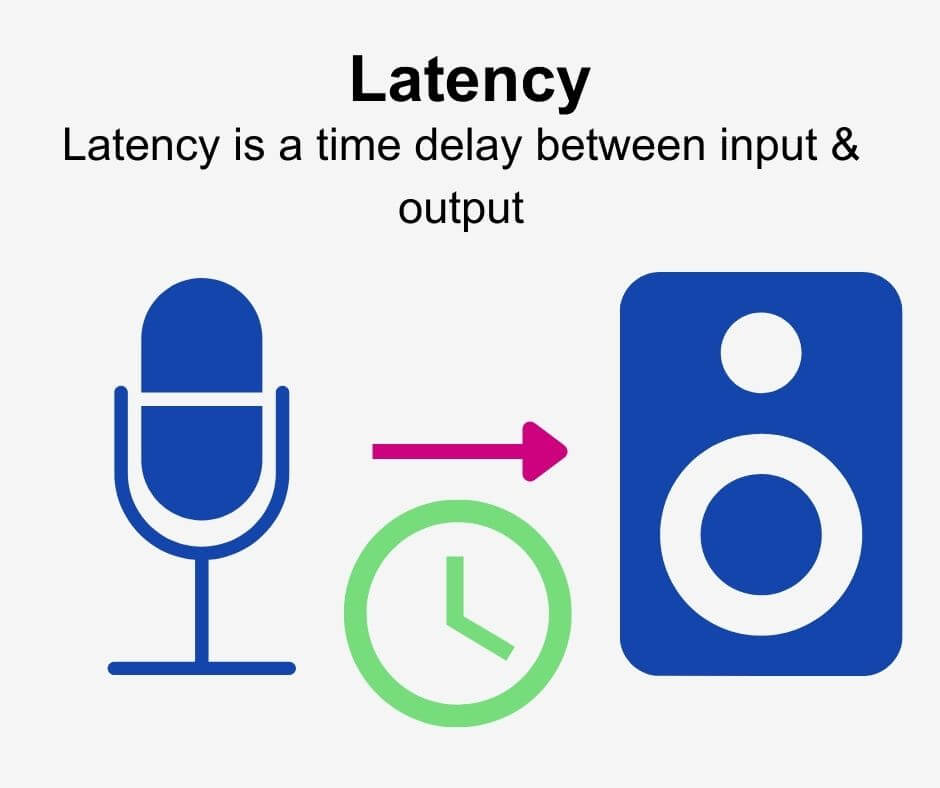
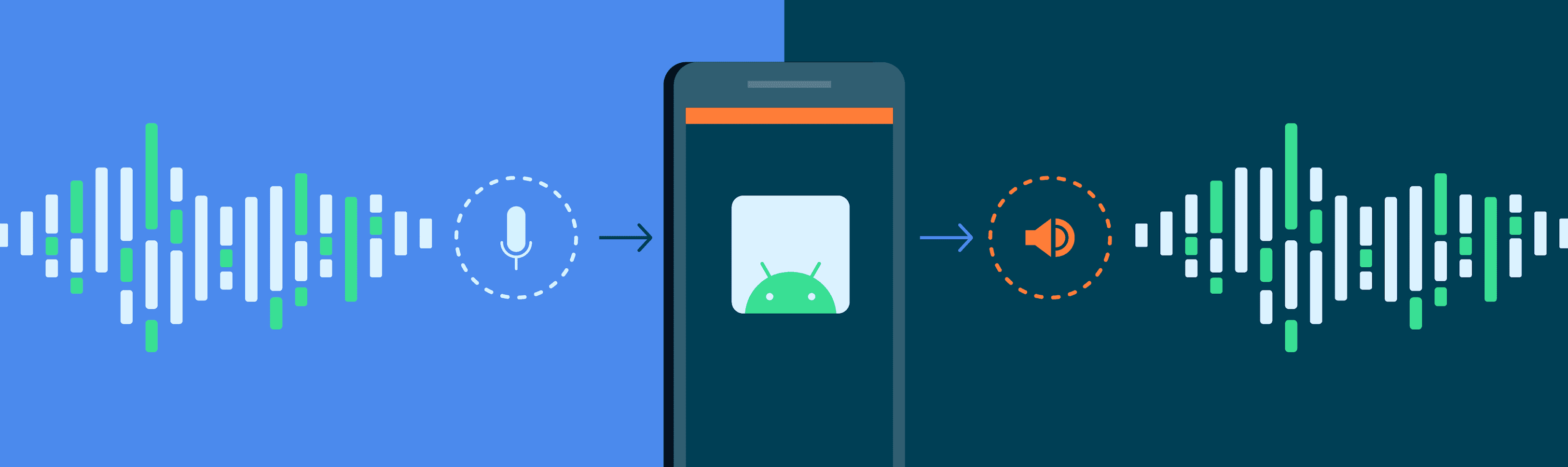
Audio latency is the delay between the time a sound is produced and the time it is heard. It is a common problem in audio production and gaming, and can be caused by a variety of factors, including hardware and software issues.

As a musician and audio engineer, I have experienced the frustration of dealing with audio latency firsthand. It can make recording and mixing a nightmare, and can ruin the experience of playing games that rely on precise timing.

As the name suggests, audio latency is a type of delay, but it is important to note that not all delays are latency. Latency specifically refers to the delay caused by the time it takes for a signal to travel through a system, such as a computer or audio interface.

How to Reduce Audio Latency

Reducing audio latency can be a complex process, but there are several steps you can take to minimize it. One of the most effective ways to reduce latency is to optimize your computer’s performance.

This can be done by closing unnecessary programs and processes, disabling visual effects, and updating your drivers. You can also reduce latency by using a dedicated audio interface, which can bypass your computer’s built-in sound card and provide faster processing.

Another way to reduce latency is to adjust your buffer size. A smaller buffer size can reduce latency, but may also cause audio glitches and dropouts. Finding the right balance between buffer size and latency is key.

As the famous musician and producer Quincy Jones once said, “The most important thing in music is the silence between the notes.” In the case of audio latency, reducing the silence between the notes can make all the difference.

Audio Latency Causes

There are many factors that can contribute to audio latency, including hardware and software issues. One common cause of latency is a slow or overloaded CPU, which can struggle to process audio in real-time.

Another cause of latency is an outdated or malfunctioning audio driver. This can cause delays in the signal processing chain, leading to noticeable latency.

Latency can also be caused by the use of wireless devices, such as Bluetooth headphones or speakers. The time it takes for the signal to travel wirelessly can add significant latency to the audio signal.

As with many technical issues, the key to solving audio latency problems is to identify the root cause and address it directly.

Audio Latency Solutions

There are several solutions to audio latency, depending on the specific cause of the problem. One solution is to use a dedicated audio interface, which can provide faster processing and bypass the built-in sound card on your computer.

Another solution is to adjust your buffer size, as mentioned earlier. Finding the right balance between buffer size and latency can be a trial-and-error process, but can greatly improve the performance of your audio system.

Other solutions include upgrading your computer’s hardware, such as adding more RAM or a faster CPU, or using a wired connection instead of wireless.

Ultimately, the best solution to audio latency is prevention. By optimizing your computer’s performance and using high-quality hardware and software, you can minimize the risk of latency and ensure a smooth audio experience.

Audio Latency in Gaming

Audio latency can be a major problem in gaming, especially in games that rely on precise timing and sound cues. Even a small delay can make a big difference in gameplay, and can lead to frustration and poor performance.

As a gamer myself, I have experienced the frustration of dealing with audio latency in games. It can make it difficult to react quickly to in-game events, and can make it hard to enjoy the immersive audio experience that many modern games offer.

One solution to audio latency in gaming is to use a dedicated gaming headset or sound card, which can provide faster processing and reduce latency. Another solution is to adjust your game’s audio settings, such as the buffer size or sample rate.

Ultimately, the key to reducing audio latency in gaming is to find the right balance between performance and quality. By optimizing your system and using high-quality hardware and software, you can enjoy a smooth and immersive gaming experience.

Audio Latency in Music Production

Audio latency is a common problem in music production, and can make recording and mixing a difficult and frustrating process. Even a small delay can throw off the timing of a performance or make it hard to hear subtle changes in the mix.

As a musician and producer, I have dealt with audio latency in many different contexts. It can be caused by a variety of factors, including slow or overloaded CPUs, outdated drivers, and high buffer sizes.

One solution to audio latency in music production is to use a dedicated audio interface, which can provide faster processing and reduce latency. Another solution is to adjust your buffer size and sample rate, as well as optimizing your computer’s performance.

Ultimately, the key to reducing audio latency in music production is to find the right balance between performance and quality. By using high-quality hardware and software and optimizing your system, you can ensure a smooth and productive recording and mixing process.

How can I prevent aliasing and harmonic distortion in audio?

How can I prevent aliasing and harmonic distortion in audio?

Digital Audio Aliasing


Digital Audio Aliasing


Introduction

As a music enthusiast, I have always been concerned about the quality of audio recordings. Two common problems that affect audio quality are aliasing and harmonic distortion. Aliasing occurs when the sampling rate of an audio signal is insufficient, causing high-frequency signals to be incorrectly represented as lower frequencies. On the other hand, harmonic distortion occurs when the amplitude of a signal is altered due to the presence of harmonics. In this article, we will discuss ways to prevent these issues and improve audio quality.

What is aliasing and how to prevent it?

Aliasing is a common problem in digital audio, but it can be prevented by increasing the sampling rate of the audio signal. As a general rule, the sampling rate should be at least twice the highest frequency in the audio signal. For example, if the highest frequency in the audio signal is 20 kHz, the sampling rate should be at least 40 kHz. By increasing the sampling rate, we can ensure that high-frequency signals are accurately represented in the digital audio signal.

My personal experience

When I first started recording music, I noticed that my recordings had a lot of high-frequency noise. After doing some research, I realized that this was due to aliasing. I increased the sampling rate of my recordings, and the high-frequency noise disappeared. Since then, I have made it a point to always use a high sampling rate when recording audio.

What is harmonic distortion and how to reduce it?

Harmonic distortion occurs when a signal is altered due to the presence of harmonics. This can be caused by nonlinearities in the audio system, such as distortion in amplifiers or speakers. One way to reduce harmonic distortion is to use a high-quality audio system with low distortion. Additionally, using equalization can help reduce distortion in certain frequency ranges.

Quote from a book

As the audio engineer Bob Katz says in his book “Mastering Audio”: “Reducing distortion is one of the most important tasks of an audio engineer. Distortion masks the details in a mix and reduces the perceived loudness of the audio signal.”

Improving audio quality

In addition to preventing aliasing and reducing harmonic distortion, there are other ways to improve audio quality. One way is to use a high-quality audio codec when encoding audio files. Another way is to use a high-quality audio player or amplifier when listening to audio.

My personal opinion

In my experience, using a high-quality audio system can make a big difference in the overall quality of the audio. When I upgraded my audio system, I noticed that the sound was much clearer and more detailed.

Conclusion

Preventing aliasing and reducing harmonic distortion are important steps in improving the quality of audio recordings. By using a high sampling rate, a high-quality audio system, and equalization, we can ensure that our audio recordings are clear and free from distortion.

Final words

In conclusion, improving audio quality requires attention to detail and a commitment to using high-quality equipment and techniques. While there are many factors that can affect audio quality, preventing aliasing and reducing harmonic distortion are two important steps that can make a big difference.


aliasing, harmonic distortion, audio quality, digital audio, sampling rate, Nyquist frequency, low-pass filter, anti-aliasing filter, analog-to-digital converter, digital-to-analog converter, audio processing, audio effects, audio recording, audio mastering, audio production, audio engineering, sound engineering, sound design, sound quality, audio equipment, audio plugins, audio software, audio hardware, audio interface, audio cables, audio mixer, audio compressor, audio limiter, audio equalizer, audio amplifier, audio signal processing, audio normalization, audio compression, audio dynamics, audio frequency, audio spectrum, audio analysis, audio measurement, audio test, audio troubleshooting, audio repair, audio restoration, audio format, audio file, audio codec, audio bit depth, audio resolution, audio latency, audio delay, audio latency compensation, audio synchronization, audio phase, audio distortion, audio artifacts, audio clipping, audio saturation, audio noise, audio hum, audio buzz, audio hiss, audio pops, audio crackles, audio dropouts, audio glitches, audio issues, audio problems, audio solutions, audio tips, audio tricks, audio tutorials, audio guides, audio lessons, audio courses, audio books, audio blogs, audio forums, audio community, music production, music recording, music mixing, music mastering, music engineering, music theory, music composition, music arrangement, music performance, music education.