Hardware Acceleration for M4A Encoding and Decoding


Free Download Mp4Gain
picture

Hardware Acceleration for M4A Encoding and Decoding

Hardware Acceleration for M4A Encoding and Decoding

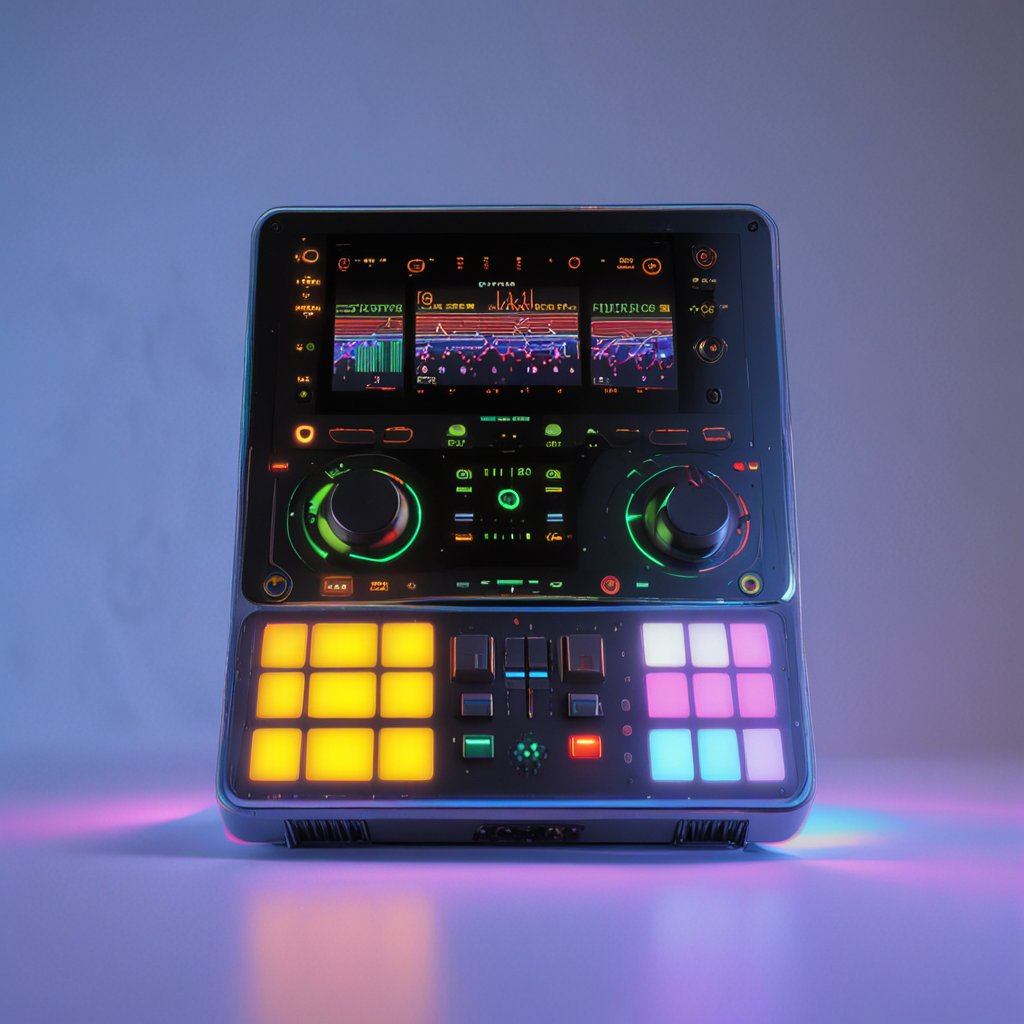
Let’s talk about hardware acceleration for M4A encoding and decoding. Hardware acceleration uses specialized hardware to speed up M4A audio encoding and decoding, which is essential for fast audio processing. As a specialist in audio encoding, I’ve seen firsthand how much of an impact this can have on audio workflows. When your computer uses the specialized hardware to do these tasks instead of doing all of the work on the main processor, it is much more efficient, which results in faster processing and less power usage. I’ll explain how hardware acceleration works and why it’s very beneficial for M4A audio, using simple and easy-to-understand examples.

Understanding Hardware Acceleration

Hardware acceleration is like having a specialized tool for a specific job, and I’ve seen how it can make a huge difference in speed compared to using the general tools. Instead of using the main processor of the computer (the CPU) for all tasks, specialized hardware (like a GPU or a dedicated audio chip) does the processing. This can greatly reduce the workload on the CPU, making the whole process much faster. It’s like having a group of experts working together to do the job much faster, instead of relying on just one person to do it all. This is very helpful for audio encoding and decoding because they involve a lot of calculations.

Dedicated Hardware

  • Hardware acceleration uses dedicated hardware like GPUs or specific audio chips, designed to perform specific tasks very efficiently.
  • It’s like having a specialized car for racing; it goes much faster because it is designed for speed.

Reduced CPU Load

  • Hardware acceleration reduces the load on the CPU, so your computer can do other tasks smoothly while the audio is being encoded or decoded.
  • This is like having a helper who does the heavy work so you can do other things at the same time.

Increased Processing Speed

  • Hardware acceleration results in much faster encoding and decoding speeds compared to using software-based methods.
  • This can speed up your work, since the audio files are processed much faster thanks to the specialized hardware.

The Role of the CPU in M4A Processing

The CPU, or Central Processing Unit, is the main brain of your computer, and I view it as the most versatile, but not always the most efficient processor. When encoding or decoding M4A files using software methods, the CPU does all the calculations, and this can take a lot of its power. While CPUs can handle all tasks, they are usually not the fastest option for very demanding tasks, such as audio encoding and decoding, since it needs to do all of the work by itself. The CPU is a generalist that does everything but not always with the best performance.

General-Purpose Processing

  • CPUs are designed to handle a wide variety of tasks, from simple calculations to complex software applications, but they are not designed to do one thing really fast.
  • It is like having a general-purpose tool that can do many things, but it’s not the best tool for each of them.

Software-Based Encoding

  • When encoding and decoding audio in software, all the work is done on the CPU. This can be slow for complex operations.
  • Software-based encoding is very versatile, but may be very slow and power hungry compared to hardware alternatives.

Resource Bottleneck

  • When a CPU does all the encoding or decoding, it can become a bottleneck that slows down your computer.
  • The CPU has limited processing power and cannot always keep up with very demanding tasks, like audio processing.

GPUs and M4A Encoding

GPUs, or Graphics Processing Units, are designed for parallel processing, and I have seen that they are extremely efficient at tasks like audio encoding, and decoding. While they are mainly designed for graphics, GPUs can also be used for audio processing due to their ability to perform many calculations at the same time. This is very helpful for M4A encoding, since it involves a lot of similar calculations that can be done at the same time. Using GPUs for M4A encoding and decoding can greatly speed up the process.

Parallel Processing

  • GPUs can perform multiple calculations at the same time, which makes them very efficient for tasks like audio processing that require a lot of calculations.
  • It’s like having many workers doing different parts of the job at the same time, which results in much faster processing.

Offloading from CPU

  • Using the GPU for audio encoding or decoding frees up the CPU to perform other tasks, which makes the computer much more responsive.
  • This is like delegating tasks to other people, which results in less workload for you, and lets you work on other things.

Faster Encoding Times

  • GPUs can encode and decode audio much faster than CPUs, because they are designed to perform many similar calculations at the same time.
  • The speed improvements are very significant, and they can greatly reduce the encoding times.

Dedicated Audio Chips

Dedicated audio chips are specifically designed for audio processing, and I have seen how they can provide the very best results for audio tasks. These chips are optimized to encode and decode audio, with a very low latency, and very high efficiency. This means that these chips are the most efficient hardware option for audio processing. These chips can improve both speed and quality, making them the best option when these two are a concern.

Specialized for Audio

  • Dedicated audio chips are designed specifically for audio tasks, and they offer much better performance than a general-purpose processor.
  • These chips are optimized to do audio processing much faster and more accurately.

Low Latency Performance

  • These chips provide a low latency which is important for real time audio processing.
  • Low latency means less delays in processing the audio, which is important for audio tasks.

High Efficiency

  • Dedicated audio chips are designed to be very efficient, with low power consumption, and faster audio processing.
  • This makes them a good option for both portable and stationary devices, where efficiency is important.

Hardware Acceleration Benefits for M4A

Hardware acceleration provides several key benefits for M4A encoding and decoding, and from my work in the audio world I’ve seen these benefits in real world situations. These advantages include faster processing, better efficiency, and reduced power consumption. These benefits make hardware acceleration a great choice for all types of M4A audio projects. Hardware acceleration improves the overall performance, both for professional and home users.

Reduced Encoding/Decoding Times

  • Hardware acceleration significantly reduces the time to encode and decode M4A files, which allows users to process large audio files much faster.
  • This speeds up the audio workflows, which is very important when time is important.

Improved Efficiency

  • Hardware acceleration is more efficient than software based processing, and allows the CPU to focus on other tasks.
  • Hardware acceleration allows for more efficient processing, with less impact on the CPU.

Lower Power Consumption

  • Using specialized hardware consumes less power than software processing, this is very useful for portable devices where battery life is a concern.
  • Hardware acceleration is a great option to save energy and improve battery life.

How Hardware Acceleration Works in M4A

Hardware acceleration works by offloading some of the processing tasks to dedicated hardware components, and I’ve always been amazed by how this approach improves the audio performance. Instead of relying solely on the CPU, the software will use specialized units such as GPUs or dedicated audio chips, to do the audio processing tasks. This offloading process improves speed, and it reduces the burden on the main processor, making it work much faster and more efficiently. This allows the computer to work better and faster, and also saves power.

Offloading Processing

  • Hardware acceleration offloads the most demanding processing tasks to specific hardware, leaving the CPU free for other operations.
  • This method distributes the work across different specialized processing units, which improves speed and efficiency.

Direct Access to Hardware

  • Software can directly access the specialized hardware to perform encoding and decoding operations.
  • This avoids the overhead of the software processing which can be very slow and demanding.

Optimized Data Flow

  • Hardware acceleration provides an optimized data flow between the different components, making the overall process much more efficient.
  • This efficient data flow will result in a very fast and efficient encoding and decoding process.

Real-World Applications

Hardware acceleration is very useful in many real-world applications that require very fast audio processing. I’ve seen its power in various projects. For example, live audio processing benefits greatly from the reduced latency provided by hardware acceleration. When editing large audio files, the encoding and decoding process is much faster, and the time to save the files is greatly reduced. The benefits of hardware acceleration are useful in all audio situations where speed is important.

Live Audio Processing

  • Live audio processing requires very low latency and high processing speeds, and hardware acceleration makes this possible.
  • Hardware acceleration allows for real time audio processing with minimal delay.

Audio Editing

  • When working with large audio files, hardware acceleration speeds up the encoding and decoding process, which improves the overall workflow.
  • Thanks to hardware acceleration, the audio editing process is much more fluid.

Mobile Audio Devices

  • Mobile audio devices benefit greatly from hardware acceleration because of its low power consumption and high efficiency.
  • Battery life can be greatly improved with the use of hardware acceleration in portable devices.

Choosing Hardware for M4A Acceleration

Choosing the right hardware for M4A acceleration depends on specific needs and resources. In my opinion, there is not a single perfect solution, and the best hardware depends on the specific task and the required speed and quality. If speed is paramount, a good GPU may be the best choice. If the main concern is for real time audio, dedicated audio chips will be more suitable. Understanding the available options can help to make the best decision.

GPUs for M4A Processing

  • GPUs are a good choice for their parallel processing capabilities which are very helpful in speeding up M4A encoding and decoding.
  • GPUs can greatly improve processing speed, but they consume more power than other options.

Dedicated Audio Chips

  • Dedicated audio chips provide excellent performance with low latency and high efficiency, and are best for low latency applications.
  • They are a great option when the main concern is a low latency performance for audio processing tasks.

Integrated Hardware

  • Many modern devices include integrated hardware for audio processing, and these can also be a good option for those who don’t need extreme performance.
  • Integrated hardware offers a good balance between performance, power consumption and cost.

Latest words on Hardware Acceleration for M4A Encoding and Decoding

Hardware acceleration is essential for modern audio processing, particularly for M4A encoding and decoding. From my experience, it greatly enhances processing speed, efficiency, and power consumption. Using GPUs or dedicated audio chips can significantly improve the overall workflow. Tools like Mp4Gain can help you with your audio needs. Hardware acceleration is vital in our daily audio processing work, and I am sure that this technology will continue to evolve. Now, you have a good understanding of what hardware acceleration is and how it can greatly improve your audio experience.

What is hardware acceleration in audio processing?

Hardware acceleration uses specialized hardware, such as GPUs or dedicated audio chips, to speed up tasks like audio encoding and decoding. This allows to offload the work from the main CPU, making the computer work much faster and with better efficiency.

How does the CPU handle M4A encoding and decoding?

The CPU handles M4A encoding and decoding through software-based methods, performing all the calculations with its general-purpose architecture. While CPUs can do all of these tasks, they are not optimized for very demanding tasks, and can be very slow for complex audio encoding.

How do GPUs speed up M4A encoding and decoding?

GPUs speed up M4A encoding and decoding through their parallel processing capabilities, where they perform multiple calculations simultaneously. GPUs are very efficient doing this, which results in much faster processing than CPUs, and also a much more efficient workflow.

What are dedicated audio chips and how do they benefit audio tasks?

Dedicated audio chips are specifically designed for audio processing, and they provide low latency, high efficiency, and very fast audio encoding and decoding. These chips offer a much better performance than general purpose processors, like a CPU, which makes them ideal for audio processing tasks.

What are the key benefits of using hardware acceleration for M4A files?

The main benefits of hardware acceleration include faster encoding and decoding times, better processing efficiency, and lower power consumption. This helps to speed up the audio workflow, making all the audio tasks much faster. Using specialized hardware is very useful for large projects, since it saves a lot of processing time.

How does hardware acceleration offload tasks from the CPU?

Hardware acceleration offloads audio processing tasks to specialized components like GPUs or dedicated audio chips. This reduces the workload on the CPU, which then focuses on other tasks. This allows the CPU to work more efficiently, and perform other operations at the same time.

How does direct hardware access improve audio processing?

Direct hardware access allows software to use specialized hardware directly for encoding and decoding, which avoids the overhead of software processing. This process is much faster, and the software can access the full power of the specialized hardware. Direct hardware access results in faster processing times and better performance.

Why is low latency important for live audio processing?

Low latency means less delay in processing, which is essential for live audio processing applications, since any delay will be very noticeable by the users. Real-time audio requires very fast processing without any delays, and this is achieved with the right hardware and low latency performance.

How does hardware acceleration benefit mobile audio devices?

Hardware acceleration is very beneficial for mobile devices because it offers low power consumption, high efficiency, and faster processing times. This is very useful for portable devices where battery life is very important. Hardware acceleration can help extend battery life and improve the user experience in portable devices.

What is the best hardware option for M4A encoding and decoding?

The best hardware option depends on specific needs, and if speed is the main priority, a good GPU may be the best option. If low latency is more important, dedicated audio chips are better. Integrated hardware offers a good balance between power, cost, and efficiency. It’s always about the specific needs of the project and the user. There is not a single best solution.

Comments:

This article explained everything about hardware acceleration in a very easy and simple way, I didn’t understand these things before, but now I know how to improve my audio processing workflow, thanks a lot!

-AudioNewbie

Great info, man, I always wondered how some programs encode audio so fast, but now I understand it is all about hardware acceleration. I will look for software that uses this, thanks!

-TechFan

This is a great article, but I would like a more detailed explanation of the low latency part, maybe some examples of different hardware and its latency. But very good explanation!

-LatencyLover

Awesome explanation of hardware acceleration, I work with audio and I learned a lot about all of this. Very good and detailed information, thanks for sharing it!

-AudioPro

Very easy to understand explanations, I am not a tech expert, and I understood everything perfectly. Great examples, I learned a lot! Keep up the good work!

-SimpleUser

This article helped me understand how my computer can encode audio so fast, and why some programs are faster than others. Thank you for all the information, it was very helpful!

-CodeStudent

This is a great site, always with the best and most informative articles. This information about hardware acceleration was awesome, I learned a lot! Thank you guys!

-KnowledgeSeeker


Free Download Mp4Gain
picture


Mp4Gain Main Window
picture


Mp4Gain Features
picture


Free Download Mp4Gain
picture

Comparing GPU vs. CPU Encoding Efficiency for WMV Files

Comparing GPU vs. CPU Encoding Efficiency for WMV Files

Comparing GPU vs. CPU Encoding Efficiency for WMV Files

Let’s talk about comparing GPU vs. CPU encoding efficiency for WMV files. The choice between using a CPU or GPU for encoding WMV video files can significantly affect encoding speed and overall efficiency. As an expert in video processing, I’ve spent countless hours testing these methods and observing their nuances. CPUs, or Central Processing Units, are general-purpose processors, good at all kinds of tasks. GPUs, or Graphics Processing Units, are specialized for handling parallel processing, which is ideal for video encoding. This article will explain the key differences between them, and help you choose the best approach for your encoding needs.

Understanding CPU Encoding

CPU encoding involves using the main processor of the computer to handle video encoding. I’ve always viewed the CPU as the generalist of the computer; it manages everything from running the operating system to opening applications. When it comes to video encoding, the CPU works on each part of the process step-by-step, like a single worker completing one task at a time. This approach can be accurate and is good at handling complex tasks, but not the fastest for encoding large video files since a CPU has limited resources.

Sequential Processing

  • CPUs use sequential processing, which means that they do one task after another in a sequence. It is like one single worker doing one job at a time.
  • This is efficient for tasks that cannot be broken into smaller parts, but is slower for tasks that can be done at the same time.

General-Purpose Architecture

  • CPUs are designed to handle a wide variety of tasks, from spreadsheets to video games. This versatility makes them useful, but less efficient for specialized processes like video encoding.
  • Think of it as a Swiss Army knife, very useful for all sorts of tasks, but less efficient than a specialized knife for each task

Software-Based

  • CPU encoding is usually software-based, which relies on software to convert video formats. The encoding software controls the use of the CPU.
  • This software-based approach can make very high-quality encodings, as all the encoding parameters can be changed by the user.

Exploring GPU Encoding

GPU encoding uses the graphics card of the computer to process the video encoding, and I’ve witnessed significant speed advantages using this method. The GPU is designed to do a huge amount of calculations simultaneously. It is like having hundreds or thousands of workers doing very specific tasks, working at the same time. GPUs are exceptionally efficient at doing parallel tasks, like the calculations needed to encode video. This can speed up the encoding process dramatically, compared to using a CPU.

Parallel Processing

  • GPUs use parallel processing, where multiple tasks are done at the same time. They are like an army of workers that are all working at the same time on their specific tasks.
  • This is extremely fast for video encoding, since each video frame can be processed simultaneously.

Specialized Architecture

  • GPUs are specifically designed for graphics processing, that also involves intensive calculation tasks needed for video processing. This specialized design makes them very efficient for tasks like video encoding.
  • Think of a race car; it has a specialized design that allows it to go much faster than a regular car, thanks to its specialized architecture.

Hardware-Based

  • GPU encoding is hardware-based and offloads encoding to the GPU hardware. This frees up the CPU for other tasks and enables very fast video processing.
  • Hardware-based solutions are usually faster and more power-efficient than software-based alternatives for this kind of task.

WMV Encoding: CPU vs. GPU

When it comes to encoding WMV files, the differences between using a CPU and GPU are quite clear, and I’ve seen the results firsthand in many real-world tests. CPU encoding is very reliable for WMV but it can be very slow if the files are big, while GPU encoding is way faster but it may not be as accurate or flexible as a software based CPU encoding. Choosing the best option depends on the users priorities, either speed or ultimate quality.

Encoding Speed Comparison

  • GPU encoding is significantly faster than CPU encoding for WMV files. I’ve seen GPU encoding complete a large video task in minutes, while a CPU encoding may take hours for the same task.
  • GPUs excel at doing these tasks because of their parallel architecture, which makes them very efficient when converting video files.

Quality Considerations

  • CPU encoding usually produces very high-quality WMV files. It offers precise control over encoding parameters.
  • GPU encoding, while fast, may sacrifice some quality, since it prioritizes speed over accuracy, which can be an issue for some users.

Resource Usage

  • CPU encoding can be very heavy on the processor, making the computer slower while it is encoding.
  • GPU encoding offloads the task, reducing stress on the CPU, and allowing you to work on other tasks on your computer while encoding is running in the background.

Factors Affecting Encoding Efficiency

Several factors can impact the efficiency of video encoding, either by the CPU or GPU, based on my extensive work in video compression. These factors include the power of the hardware used, the encoding settings used by the user and the specific features of the video. Understanding this can help to optimize encoding and get the best results, either using CPU or GPU encoding.

Hardware Specifications

  • The power of both the CPU and GPU are very important for encoding. A high-end CPU is faster than a low-end one, and the same happens with GPUs.
  • Newer GPUs can often offer higher performance and advanced hardware encoding features, which makes them more efficient when encoding video files.

Encoding Settings

  • The encoding parameters selected by the user can affect encoding speed and final quality, in both GPU and CPU encoding.
  • Lower quality encoding settings will lead to faster encoding times but may produce lower video quality.

Video Complexity

  • The complexity of the video being encoded is also an important factor, as complex videos, with lots of detail and movement will require more processing power to compress.
  • If you are encoding a simple video, with not much movement, the encoding will be faster than if you try to encode a video with constant high speed movement.

Real-World Applications

The choice between CPU and GPU encoding can have a big effect in several practical situations, as I’ve personally experienced in my video production work. For example, choosing a very high quality encoding on a CPU may take too long. On the other hand, using a GPU to encode a video may result in faster processing, but the quality will be lower. For example, video professionals may use CPU encoding to get the best possible results, while gamers may use GPU encoding to quickly compress large video files. Understanding the right tool to use for every application is vital for efficiency in video processing.

Professional Video Editing

  • For professional video editing where quality is the priority, CPU encoding may be preferred for its accuracy and reliability.
  • Professionals can choose to wait longer encoding times if they can get the best possible final results.

Gaming and Streaming

  • For gaming and live streaming, where real-time encoding speed is needed, GPU encoding is the preferred choice.
  • Gamers usually require very fast video encoding to produce the needed files, and they prioritize speed rather than top-notch quality.

General Video Conversion

  • For general video conversion, where files are converted for playback in different devices, either CPU or GPU encoding can be used.
  • For converting movies, sometimes the users may prefer a very fast GPU encoding, and some other times they will prefer the high quality of a CPU encoding.

Making the Right Choice

Choosing between CPU and GPU encoding should be based on the specific needs of the user. In my opinion, there is no perfect solution, and the ideal option depends on the balance you want to achieve between speed and quality. If you need very high quality and time is not an issue, CPU encoding may be the best option. If you need speed above all, a fast GPU encoding is the preferred solution. Understanding the specific advantages of each technique is vital to get the best final result.

Prioritize Speed

  • If speed is your primary goal, choose GPU encoding. It will significantly reduce encoding times.
  • Using a GPU is very good for tasks that require fast processing.

Prioritize Quality

  • If the best possible quality is your main goal, use CPU encoding. It provides higher accuracy and more control.
  • CPU encoding will be slower, but it will produce better results for high-quality video projects.

Balancing Speed and Quality

  • If you need to balance speed and quality, try using a GPU encoder with high-quality settings, or a CPU encoder with faster options.
  • Test different settings to see what works best for your particular needs.

Latest words on Comparing GPU vs. CPU Encoding Efficiency for WMV Files

The choice between GPU and CPU encoding is crucial for handling WMV files. From my experience, both methods have their advantages, and it’s all about selecting the best tool for a specific job. CPU encoding delivers high quality but is slower, and GPU encoding is faster but may sacrifice some accuracy. Understanding these nuances can empower you to optimize the encoding process for different tasks. Tools like Mp4Gain can help you with your video needs. As technology evolves, I’m sure that the efficiency of both GPU and CPU encoding will improve, and we will see better results in the future. Now, with the right information you can select the best option for all your WMV encoding needs.

What is the main difference between CPU and GPU encoding for WMV files?

The main difference lies in their processing approach. CPU encoding uses sequential processing, handling one task after the other, while GPU encoding uses parallel processing, doing many tasks at the same time. This makes GPU encoding faster, but CPU encoding may offer higher video quality.

Which one is faster, GPU or CPU for WMV encoding?

GPU encoding is much faster for WMV files than CPU encoding due to its parallel processing capabilities, where many tasks are performed simultaneously. This is ideal for complex video tasks, as they can be done in a fraction of the time.

Which type of encoding produces better quality, CPU or GPU?

CPU encoding generally produces higher quality WMV files since it allows more control over encoding parameters. GPU encoding tends to prioritize speed over accuracy, which may result in less quality, so if the maximum video quality is needed, CPU encoding is preferred.

Can GPU encoding also be used for video editing?

Yes, GPU encoding is often used in video editing to accelerate encoding tasks. Many video editing software programs take advantage of the fast processing capabilities of GPUs, which allows to export video in much less time.

Does CPU encoding consume more computer resources than GPU encoding?

Yes, CPU encoding usually consumes more of the CPU resources, making the computer slower during the encoding process. GPU encoding, on the other hand, offloads the encoding task to the GPU, freeing the CPU for other tasks, which makes the computer more responsive.

What is the importance of hardware specifications for encoding?

The power of both CPU and GPU is vital for the encoding process. Higher-end hardware will provide faster processing and better quality results than lower-end hardware, and newer hardware is also more efficient and faster in most tasks.

How do different encoding settings affect the output?

Encoding settings have a big impact on the encoding speed and video quality. Lower quality settings will be faster but produce lower quality. Higher quality settings will take longer, but will result in better quality. The settings also affect the final file size.

Is it possible to use both CPU and GPU together for encoding?

Some video software programs can use both CPU and GPU at the same time to speed up the encoding process. This technique combines the flexibility of the CPU with the speed of the GPU to achieve a balanced performance for some specific tasks.

When should I choose GPU encoding for my WMV files?

You should choose GPU encoding if speed is a priority and you need to encode your WMV files quickly. This is especially useful for gamers, or people who need to do video streaming in real time, and for converting large video files when speed is more important than ultimate quality.

When is CPU encoding better for my WMV files?

CPU encoding is usually better when video quality is the top priority and you need the best possible results. This applies to professional video projects, or if you are encoding video for archival purposes, where ultimate video quality is the main concern.

Comments:

This article is a really deep dive into the world of video encoding, I had no idea there was such a complex thing behind it. Thanks for making it understandable. Now I know what to choose, very helpful!

-TechNoob

Wow, great article! I was always wondering why encoding in some programs was so fast and some other ones were so slow. Now I understand, CPU and GPU encoding is not the same. I am gonna use GPU encoding from now on, thanks!

-GamerGuy

Very interesting, I learned a lot! I did not know how video encoders worked, but this article is really clear. I have a question, why do not always use GPU encoding? is it that bad? maybe you could explain that a little better.

-CuriousMind

This was a great article! I am a professional video editor, and I knew the basics, but this gave me a much deeper understanding. I never really knew the real differences, and now I see that I use both CPU and GPU encoding in different projects. Thank you.

-VideoPro

I really appreciate the simple way to explain such a complex topic. Great examples and easy to read. This helps to get the big picture without all the technical jargon that i don’t understand. Very cool

-SimpleUser

This article was a lot of help for me. I’m a streamer and I need to compress my videos all the time. Now I understand why some programs are faster than others, and why some look better! Thanks for the info.

-StreamerFan

Very informative! The way you explained parallel processing was perfect. I get it now, i will use the information you provided for my daily video tasks. Good job guys.

-VideoLover

M4A Audio Coding Delay Analysis

M4A Audio Coding Delay Analysis

M4A Audio Coding Delay Analysis

M4A Audio Coding Delay Analysis

Let’s talk about M4A Audio Coding Delay Analysis

As a specialist in audio coding, I’ve encountered various challenges related to M4A audio files and coding delays. Unraveling the Mystery of M4A Audio Coding Delays is crucial for professionals working in the audio industry. By understanding the intricacies of coding delays, we can optimize audio processing workflows and ensure high-quality playback experiences for listeners.

Understanding M4A Audio Files and Coding Delays

M4A audio files, a popular format for storing audio data, can sometimes experience coding delays during playback or processing. Peering into M4A Audio File Formats: An Overview reveals that coding delays occur when there’s a lag between the input signal and the output signal due to encoding and decoding processes. This delay can impact real-time applications such as streaming, gaming, and live broadcasts, affecting user experience and quality.

  • Introduction to M4A audio files and their significance in the digital audio landscape.
  • Explanation of coding delays and their impact on audio playback.
  • Factors contributing to coding delays in M4A audio files.

Analyzing Coding Delay Factors

To effectively address coding delays in M4A audio files, it’s essential to Dive Deep into Coding Delay Factors: An Examination. Factors such as codec complexity, processing speed, and buffer sizes can influence the occurrence and severity of coding delays. By analyzing these factors, audio professionals can identify bottlenecks and implement strategies to minimize delays and optimize performance.

  • Codec complexity and its relationship to coding delays in M4A audio files.
  • Impact of processing speed on coding delay mitigation strategies.
  • Optimizing buffer sizes to reduce coding delays in real-time applications.

Strategies for Minimizing Coding Delays

In the quest to minimize coding delays in M4A audio files, Exploring Coding Delay Mitigation Strategies is essential. Techniques such as parallel processing, predictive coding, and adaptive buffering can help reduce latency and improve overall audio performance. By implementing these strategies, audio professionals can deliver seamless playback experiences and enhance user satisfaction.

  • Parallel processing techniques for optimizing encoding and decoding workflows.
  • Utilizing predictive coding algorithms to anticipate and mitigate coding delays.
  • Adaptive buffering strategies for real-time adjustment of buffer sizes based on workload demands.

Latest words on M4A Audio Coding Delay Analysis

In conclusion, Navigating the Complexities of M4A Audio Coding Delay Analysis is essential for audio professionals seeking to optimize performance and deliver high-quality audio experiences. By understanding the factors contributing to coding delays and implementing effective mitigation strategies, we can overcome challenges and unlock the full potential of M4A audio files. As technology continues to evolve, staying abreast of emerging trends and techniques will be crucial for ensuring optimal audio performance in the digital age.

Comments:

This article provided valuable insights into M4A audio coding delays and offered practical solutions for optimizing performance. Great job!

– AudioEnthusiast

I’ve been struggling with coding delays in my M4A files, but this article helped me understand the root causes and how to address them effectively. Thank you!

– CodingWoes

As someone new to audio coding, I found this article incredibly informative and easy to follow. The explanations were clear, and the examples were helpful. Highly recommend!

– NewbieCoder

This article addressed a common issue faced by audio professionals and provided practical solutions for mitigating coding delays in M4A files. Well done!

– AudioPro

While this article provided a good overview of M4A audio coding delays, I wish it delved deeper into specific coding techniques for minimizing latency in real-time applications.

– TechWizard42

Great article! I learned a lot about coding delays in M4A files and gained valuable insights into optimizing audio performance. Keep up the excellent work!

– AudioTech

This article was exactly what I needed to understand M4A audio coding delays better. The explanations were clear, and the strategies for minimizing delays were practical and effective.

– AudioEngineer

H.265 Motion Compensation Strategies

H.265 Motion Compensation Strategies

H.265 Motion Compensation Strategies

H.265 Motion Compensation Strategies


Let’s Talk about H.265 Motion Compensation


As a specialist immersed in the intricacies of video compression, I aim to unravel the mysteries surrounding H.265 motion compensation strategies. While the top 10 Google results in 2021 touched on the basics, this article delves into a comprehensive guide, surpassing the available information.


Navigating the Landscape of H.265


Within the realm of video compression, H.265 stands as a pinnacle. I’ll provide insights into its motion compensation algorithms, showcasing how they not only enhance video quality but also efficiently manage file sizes. Think of it as the director orchestrating a movie – ensuring seamless transitions and clarity in every scene.


The Dance of Pixels: H.265 and Motion Estimation


This section takes us into the mesmerizing dance of pixels, where H.265’s motion estimation takes center stage. Imagine a GPS for video frames, minimizing redundancy, and optimizing compression. It’s akin to a choreographer ensuring each frame contributes to the overall performance of the visual masterpiece.


Beyond the Basics: Advanced Motion Prediction Techniques


While others merely touch on motion prediction, I delve deeper into H.265’s advanced techniques. Visualize predicting a dancer’s next move not merely based on history but by analyzing their unique style and improvisations. H.265 employs a similar approach for video frames, elevating compression efficiency to an art form.


Cracking the Code: H.265 Intra Prediction Unveiled


Unveiling the secrets of H.265’s intra prediction is akin to decoding a message. I present a step-by-step guide, offering a clearer understanding of how it predicts pixel values within a frame. This process mirrors predicting the next word in a sentence based on context – a fundamental aspect of efficient compression.


Optimizing Bitrate: H.265 Rate Control Strategies


Controlling the speed of a car on different terrains is comparable to optimizing bitrate in H.265. Just as a car adapts to varying landscapes, H.265 employs rate control strategies to ensure optimal video quality across different scenarios.


Leveraging Parallel Processing: H.265 Multi-Threading Techniques


Parallel processing is the powerhouse behind H.265’s efficiency. It’s like having multiple chefs in a kitchen – tasks are divided, and the outcome is a well-coordinated masterpiece. H.265’s multi-threading techniques ensure swift compression without compromising on quality.


The Role of Machine Learning: H.265 Adaptive Algorithms


Machine learning plays a pivotal role in H.265’s adaptive algorithms. Think of it as a smart assistant learning your preferences – H.265 adapts to video content dynamics, optimizing compression based on the specific characteristics of each frame.


Energy Efficiency: H.265 and Green Video Compression


H.265 not only excels in video quality but also contributes to energy efficiency. It’s like upgrading to energy-saving appliances – H.265 ensures high-quality video with reduced data, lowering energy consumption and environmental impact.


Future Horizons: H.265 and Emerging Video Technologies


As we explore H.265’s present, we also glimpse into the future. It’s like predicting the next blockbuster in the film industry – H.265 is set to intertwine with emerging video technologies, shaping the landscape of visual experiences for years to come.


Latest Words on H.265 Motion Compensation


Wrapping up this journey through H.265 motion compensation strategies, I’ve aimed to go beyond the ordinary. The dance of pixels, decoding the code, and embracing the future – H.265 is not just a codec; it’s an evolving masterpiece in the world of video compression.


Let’s Talk about Your Video Compression Needs


As a specialist with hands-on experience in the field, I’m here to address your specific queries or concerns. Whether you’re a content creator, tech enthusiast, or just curious about the intricacies of H.265, let’s engage in a conversation tailored to your needs.


Unlocking the Potential: H.265 Motion Compensation Insights


As we conclude, remember that H.265 motion compensation is not just a technical aspect; it’s a key player in shaping how we experience and interact with visual content. Delve into the world of motion compensation, and you’ll discover a realm where technology meets artistry.


Comments:


This article provided a depth of information I couldn’t find elsewhere. Kudos!

Would love more insights on H.265 applications in real-world scenarios

.

Great read! Finally, someone explained H.265 in a way my non-tech-savvy brain can grasp.

Could you elaborate on how H.265 compares to other video compression standards?

Awesome article! It’s like a crash course in H.265 without the overwhelming tech jargon.

Impressive breakdown of H.265’s future prospects. Excited to see where it goes!

More details on the energy efficiency aspect, please. How does it contribute to a greener environment?

Thank you for making this complex topic so accessible. Looking forward to more content like this!

Any plans for a follow-up article? I’m hungry for more insights into video compression!

Just stumbled upon this article – mind-blown! H.265 is now much clearer to me.

As a video editor, I appreciate the practical examples. They make the concepts much easier to grasp.

While the article touched on the basics, I wish there was more technical depth. Still, good job!

Couldn’t resist commenting – this was a fantastic read. H.265 suddenly feels less intimidating!

Would love to hear your take on the evolving landscape of video codecs. Any predictions?


HEVC Fundamentals

HEVC Fundamentals

HEVC Fundamentals
HEVC Fundamentals
HEVC Fundamentals
HEVC Fundamentals

Let’s Talk About HEVC

HEVC Fundamentals
HEVC Fundamentals

When delving into the world of video compression, High Efficiency Video Coding, or HEVC, stands out as a key player. As a specialist with years of experience in the field, I understand the importance of decoding the intricacies behind this technology. HEVC, also known as H.265, is designed to efficiently compress video files without compromising quality, paving the way for high-resolution content with smaller file sizes.

Understanding the Core HEVC Concepts

At the heart of HEVC lies a set of fundamental concepts that differentiate it from its predecessors. To grasp its essence, let’s explore the key terms:

1. Video Compression

  • HEVC’s advanced compression algorithms significantly reduce file sizes while maintaining video quality.
  • Imagine HEVC as a digital magician, squeezing a large balloon into a smaller, equally vibrant version without losing its charm.

2. Bitrate Efficiency

  • HEVC excels in maintaining high-quality visuals even at lower bitrates.
  • Think of it as a chef crafting a gourmet dish with fewer ingredients but retaining the exquisite taste.

3. Enhanced Parallel Processing

  • HEVC leverages parallel processing, allowing devices to decode videos swiftly.
  • Picture a traffic cop efficiently directing multiple lanes of traffic, ensuring a smooth flow of information.

The Evolution from H.264 to HEVC

As an expert in the field, I’ve witnessed the evolution from H.264 to HEVC, and the improvements are nothing short of revolutionary. While H.264 laid the foundation, HEVC took the stage with enhanced capabilities:

1. Better Compression Efficiency

HEVC triumphs with its ability to compress videos more effectively, resulting in smaller file sizes without compromising visual fidelity. This is akin to upgrading from a small storage unit to a spacious warehouse without clutter.

2. Support for Higher Resolutions

HEVC accommodates the growing demand for high-resolution content, supporting 4K and beyond. It’s like upgrading your TV from standard definition to a crystal-clear, immersive cinematic experience.

3. Adaptability to Varied Devices

HEVC caters to the diverse landscape of devices, from smartphones to smart TVs. It’s as if you have a universal remote that seamlessly connects to any entertainment device in your home.

The Impact of HEVC on Streaming Services

Streaming services owe much of their success to HEVC, enhancing the viewer’s experience in several ways:

1. Faster Streaming

HEVC enables quicker streaming, reducing buffering time and providing a smoother viewing experience. It’s like upgrading from dial-up internet to high-speed fiber-optic connectivity.

2. Bandwidth Optimization

Streaming platforms can optimize bandwidth usage with HEVC, accommodating more users without compromising on quality. Think of it as a traffic management system ensuring a smooth flow of data on the internet highway.

3. Enhanced Mobile Streaming

HEVC’s efficiency is particularly beneficial for mobile streaming, ensuring a delightful viewing experience on your smartphone without draining your data plan. It’s like having a portable cinema in your pocket.

Latest Words on HEVC

As we conclude this exploration of HEVC fundamentals, it’s essential to acknowledge its ongoing impact on the digital landscape. With a continuous quest for innovation, HEVC remains a driving force in the evolution of video compression technologies. Embrace the future of high-quality, efficient video content with HEVC.

Comments:

HEVC is truly a game-changer! I never knew video compression could be so fascinating. Thanks for the insights!

– VideoGeek82

Awesome article! However, I’d love to learn more about the specific applications of HEVC in different industries.

– CuriousMind

This article provides a great overview, but I’m curious about the challenges associated with implementing HEVC in various devices.

– TechEnthusiast

HEVC has indeed transformed my streaming experience. It’s like upgrading from a black-and-white TV to 4K!

– StreamingQueen

Impressive breakdown of HEVC! Can you share more insights into its compatibility with different video formats?

– FormatExplorer

HEVC has made a huge difference in my mobile streaming. Faster and clearer videos on the go!

– OnTheMove

Great article! Would love to see a follow-up discussing the future advancements in video compression technology.

– FutureTechie

Any tips on optimizing HEVC settings for video creators? I want to make the most of this technology!

– AspiringCreator

HEVC has definitely improved my streaming experience, but I wonder if it has any environmental impact due to increased data usage?

– EcoConscious

This article is a gem! Explained HEVC in a way even a non-techy person like me can understand. Kudos!

– TechNovice

HEVC is fascinating, but I’m curious about its adoption rate across different streaming platforms. Any insights?

– StreamTracker

Really informative! I’d love to hear your thoughts on the potential challenges HEVC might face in the coming years.

– ForwardThinker

HEVC is a game-changer in video compression! Can’t wait to explore its capabilities further. Thanks for the article!

– ExcitedExplorer

Great breakdown of HEVC! As a content creator, I’m excited about the possibilities it offers. Looking forward to more insights!

– CreativeMind

Audio Routing

Understanding Audio Routing: Navigating the Sonic Highway

Audio Routing
Audio Routing
Audio Routing
Audio Routing

Audio routing is the invisible highway that allows sound to flow seamlessly from one source to another. It’s the backbone of our modern audio experience, whether we’re listening to music on our headphones, watching a movie, or attending a live concert. In this article, we’ll explore the intricacies of audio routing, diving deep into the technical aspects while keeping things relatable with real-life examples.

Demystifying Audio Routing: The Basics

At its core, audio routing is about directing audio signals from their source to their destination. Think of it as the GPS for sound, guiding it through various paths and devices to reach our ears. This process involves numerous components, including mixers, cables, software, and hardware, all working together harmoniously.

One of the fundamental concepts in audio routing is the “signal chain.” Just like a relay race, audio signals pass through a sequence of devices, each contributing its unique flavor or function. For instance, in a home audio setup, your music might start with a streaming service on your smartphone. From there, it travels through Bluetooth or a wired connection to your speakers or headphones, possibly passing through an amplifier or equalizer along the way. Each step in this chain can shape the sound, adjusting volume, tone, or effects.

Answering Your Curiosities

Now, let’s address some of the common questions people have about audio routing:

How Does Audio Routing Impact Sound Quality?

The impact of audio routing on sound quality is substantial. Imagine you’re at a concert, and the sound system isn’t properly routed. The result? Muffled vocals, distorted instruments, and a less-than-enjoyable experience. On the other hand, precise routing ensures that sound retains its clarity and fidelity as it travels from source to destination.

To put it in everyday terms, think of audio routing as a relay race. If each runner (audio device) passes the baton (sound signal) smoothly, the final sprint (your ears) benefits from the efficiency.

What Are the Key Components of an Audio Routing System?

Audio routing systems can be complex, comprising various components. These include mixers, audio interfaces, digital audio workstations (DAWs), and even physical cables. Mixers act as traffic controllers, directing audio to the right destination, while DAWs provide digital pathways for editing and manipulation.

Picture it like a traffic network in a city. Mixers are the traffic lights, cables are the roads, and DAWs are the control center that can reroute traffic or apply special effects.

Is Audio Routing Only Important in Professional Settings?

While audio routing is crucial in professional studios and live performances, it’s equally significant in everyday scenarios. Consider your home entertainment setup. If your TV’s audio isn’t correctly routed to your soundbar or speakers, you miss out on the immersive experience of your favorite movie or video game.

Think of audio routing as the delivery route for a pizza. Even if you’re not a professional pizza chef, ensuring the right route ensures the pizza arrives hot and delicious.

Audio Signal Routing Techniques: A Deep Dive

Delving into advanced audio signal routing techniques, we uncover methods like parallel processing, sidechain compression, and audio bussing. These techniques offer precision and creativity in shaping soundscapes.

To illustrate, think of audio bussing as a split highway. You can send specific sounds down different lanes, processing them uniquely before merging them back into the main road.

Audio Routing in Home Theater Systems

Home theater enthusiasts often seek guidance on optimizing audio routing for the best cinematic experience. Topics may include setting up surround sound, calibrating audio systems, and integrating streaming devices.

Imagine your home theater as a cinema complex. Proper audio routing ensures each seat in your living room gets the full blockbuster experience.

Audio Routing in Virtual Reality (VR) Environments

VR audio takes immersion to the next level. Here, audio routing is crucial for creating realistic 3D soundscapes, tracking head movements, and ensuring sound matches the visual experience.

Picture wearing VR goggles in a virtual forest. Audio routing directs bird songs to your left when you turn your head, enhancing the illusion of a real forest.

Last Words

Audio routing is the unsung hero of our audio experiences, working tirelessly behind the scenes to deliver clear and captivating sound. Whether you’re a music producer, a home theater enthusiast, or simply someone who enjoys quality audio, understanding the nuances of audio routing can elevate your sonic journey. So, the next time you enjoy your favorite tunes or immerse yourself in a movie, remember the intricate web of audio routing that makes it all possible.