Low-Latency Encoding Strategies for WMV Live Streaming


Free Download Mp4Gain
picture

Low-Latency Encoding Strategies for WMV Live Streaming

Low-Latency Encoding Strategies for WMV Live Streaming

Let’s talk about Low-Latency Encoding Strategies for WMV Live Streaming

Achieving low latency in live streaming is the holy grail for many content creators. The delay between the live event and what viewers see can make or break the experience. I’ve spent a significant part of my career trying to minimize this delay. I can tell you that when dealing with WMV, a format historically known for its challenges in live streaming, employing the right encoding strategies becomes absolutely critical. Let’s explore the best techniques to achieve near real-time WMV live streams.

Low-latency encoding strategies for WMV live streaming specifically focuses on minimizing delay, but introduces a complex set of parameters to manage. In my experience, finding the right balance between latency, quality and compatibility often requires a combination of specialized tools and techniques. This article will provide the essential information you need to optimize your WMV live streams.

Understanding Latency in Live Streaming

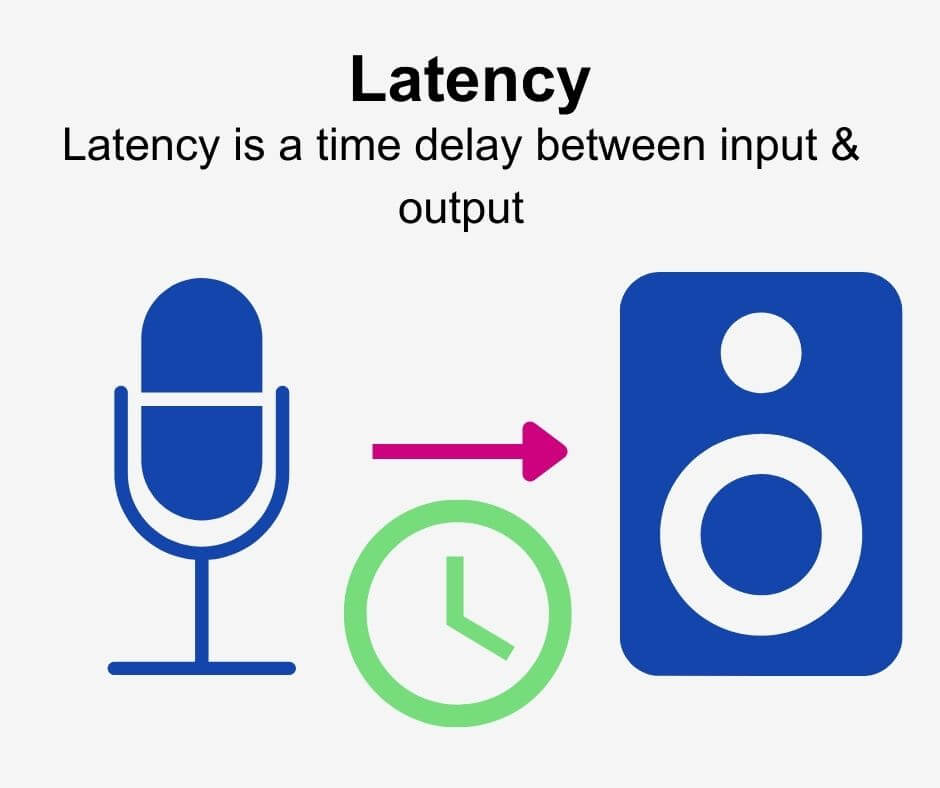
Latency, in the context of live streaming, refers to the time delay between the moment an event occurs and when it’s viewed by the audience. I often compare latency to the delay you experience when talking to someone on a satellite phone. It’s that frustrating pause that breaks the sense of immediacy. High latency can negatively impact user engagement, especially in interactive scenarios like live Q&A sessions or online gaming.

Factors Contributing to Latency

  • Encoding: The time it takes to convert the raw video and audio into a compressed format.
  • Packaging: The process of encapsulating the encoded data into a container format for streaming.
  • Transmission: The time it takes to transmit the data from the server to the viewer.
  • Decoding: The time it takes for the viewer’s device to decompress and display the video and audio.
  • Buffering: The temporary storage of data on the server and client-side to ensure smooth playback.

Why WMV Presents Unique Challenges for Low-Latency Streaming

WMV (Windows Media Video) has traditionally been less favored for live streaming due to its historical design choices, which prioritized quality and compression efficiency over low latency. As someone who worked with WMV extensively in the past, I found that achieving low latency required careful manipulation of the encoding parameters. Although WMV might not be the ideal format for modern low-latency streaming, it remains relevant in certain legacy environments.

WMV’s Architectural Considerations

  • WMV was initially designed for on-demand video playback, not for the real-time demands of live streaming.
  • The format’s internal structure and encoding algorithms introduce inherent delays that must be carefully managed.

Key Encoding Strategies for Low-Latency WMV Live Streaming

Achieving low latency in WMV live streaming requires a meticulous approach to encoding. This is about striking a delicate balance. I’ve seen many attempt this, and the key is in meticulous control over encoding settings, combined with efficient streaming protocols. I recommend these techniques to anyone stuck using WMV for live broadcasts.

Reducing GOP Size

  • GOP (Group of Pictures) refers to the structure of frames within a video stream. A smaller GOP size means more frequent keyframes, which reduces the time it takes for a viewer to start watching the stream.
  • I often recommend a GOP size of 1 second or less for low-latency WMV live streams. The GOP Size must be related to the frame rate.

Shortening Buffer Duration

  • Buffering is used to smooth out variations in the network connection, but it also adds latency. Reducing the buffer duration can lower latency, but it can also increase the risk of playback interruptions.
  • Experiment to find the minimum buffer duration that provides a stable viewing experience without introducing excessive delay.

Optimizing Keyframe Interval

  • Keyframes are complete frames that don’t rely on information from previous frames. Increasing the frequency of keyframes reduces the time it takes for a player to start decoding the stream, lowering latency.
  • A shorter keyframe interval requires more bandwidth, so it’s essential to strike a balance. The keyframe interval should be equal to the GOP size

CBR Encoding

  • Constant Bitrate (CBR) encoding can help minimize latency by ensuring a consistent data rate. This avoids fluctuations in bandwidth that can lead to buffering.
  • While VBR (Variable Bitrate) typically offers better quality at a given file size, CBR is often preferred for low-latency live streaming.

Audio Optimization

  • Audio encoding also contributes to latency. Use a low-latency audio codec with a small frame size. AAC-LC or Opus are good choices if supported by your WMV encoder.
  • Lowering the audio bitrate can also reduce latency, but be mindful of audio quality.

Advanced Optimization Techniques for WMV Live Streaming

For those seeking to push the boundaries of low-latency WMV live streaming, advanced techniques can provide further improvements. These methods often require specialized tools and a deeper understanding of the underlying technology, but they can yield significant results. Only try these after mastering the basics.

Custom Encoding Profiles

  • Create custom encoding profiles tailored specifically for low-latency streaming. This allows you to fine-tune all the encoding parameters for optimal performance.
  • I always start with a standard profile and then tweak it based on the specific requirements of the live stream.

Hardware Acceleration

  • Utilize hardware acceleration for encoding and decoding. This can significantly reduce processing time and lower latency.
  • Many modern CPUs and GPUs include specialized hardware for video encoding and decoding.

Low-Latency Streaming Protocols

  • Consider using low-latency streaming protocols such as WebRTC or SRT (Secure Reliable Transport) in conjunction with WMV. These protocols are designed for real-time communication and can significantly reduce latency.
  • However, integrating these protocols with WMV may require custom development or specialized streaming servers.

Edge Computing

  • Deploy encoding and streaming infrastructure closer to the source of the video. This reduces the distance the data needs to travel, lowering latency.
  • Edge computing is particularly useful for live events that originate in remote locations.

Monitoring and Measuring Latency

Accurate latency monitoring and measurement are crucial for optimizing WMV live streams. You can’t improve what you can’t measure. I employ specific tools designed to track latency in real-time. Analyzing this data allows me to identify bottlenecks and make targeted adjustments to the encoding and streaming configuration.

Tools for Latency Measurement

  • Use specialized tools like Wireshark to analyze network traffic and measure the time it takes for data to travel from the encoder to the viewer.
  • Many streaming platforms also provide built-in latency monitoring tools.

Interpreting Latency Data

  • Analyze latency data to identify the sources of delay. Is the delay occurring during encoding, transmission, or decoding?
  • Use this information to prioritize your optimization efforts.

The Future of Low-Latency Streaming

Low-latency streaming is a rapidly evolving field. While WMV may not be the future of live streaming, the principles of low-latency encoding remain relevant. I see that newer codecs, protocols, and technologies are continuously pushing the boundaries of what’s possible. Embracing these advancements will be essential for delivering truly immersive and interactive live experiences.

AV1 and Other Next-Generation Codecs

  • Next-generation codecs like AV1 offer improved compression efficiency and may enable lower-latency streaming at higher quality levels.
  • However, adoption of these codecs is still limited due to compatibility issues and the need for more processing power.

5G and Enhanced Connectivity

  • The rollout of 5G networks and other enhanced connectivity technologies will provide faster and more reliable internet connections, reducing latency and improving the overall streaming experience.
  • This will enable new applications for low-latency streaming, such as remote surgery and real-time collaboration.

Latest words on Low-Latency Encoding Strategies for WMV Live Streaming

Achieving low latency in WMV live streaming demands a deep understanding of encoding parameters, network conditions, and viewer expectations. While WMV presents unique challenges, employing the right strategies can significantly minimize delay. As technology evolves, newer codecs and protocols will likely replace WMV in many applications. The focus should still be on core optimization principles. Although MP4Gain may not be specifically tailored for WMV live streaming, understanding the principles of video optimization remains crucial for achieving the best possible results.

FAQ about Low-latency encoding strategies for WMV live streaming

What does low latency mean in WMV live streaming?

Low latency in WMV live streaming refers to minimizing the delay between the moment a live event occurs and when viewers see it. Ideally, the delay should be as short as possible, usually under a few seconds, to create a real-time viewing experience. I see latency as the difference in time of a phone conversation: If there is too much, its terrible.

What are the key factors that contribute to latency in WMV live streams?

Encoding, packaging, transmission, decoding, and buffering are the main culprits. Each of these steps adds a small delay, and together they can result in significant latency. It’s like a relay race; if each runner is slow, the overall time will be bad.

How does GOP (Group of Pictures) size impact latency in WMV live streaming?

A smaller GOP size results in more frequent keyframes, which allows viewers to start watching the stream faster, thus reducing latency. A smaller GOP size means the video stream is always “ready”, so the smaller the better!

Is CBR (Constant Bitrate) or VBR (Variable Bitrate) encoding better for low latency in WMV live streaming?

CBR is generally preferred for low-latency streaming because it ensures a consistent data rate, minimizing fluctuations in bandwidth that can cause buffering and increase delay. Also makes it easier to process.

Can hardware acceleration help reduce latency in WMV live encoding?

Absolutely. Hardware acceleration uses specialized hardware in CPUs and GPUs to speed up encoding and decoding, which can significantly reduce processing time and lower latency. Think of it like using a super-fast calculator instead of doing calculations by hand.

What are some audio optimization techniques to reduce latency in WMV live streams?

Using a low-latency audio codec with a small frame size can minimize audio-related latency. Also, lowering the audio bitrate can help, but be mindful of audio quality. I like to keep it simple and fast.

How important is monitoring latency in WMV live streaming, and what tools can be used?

Monitoring latency is crucial for identifying and addressing sources of delay. Tools like Wireshark can analyze network traffic and measure the time it takes for data to travel, while many streaming platforms offer built-in latency monitoring features. I always check if the stream is going well.

Are there specific WMV encoder settings that I should prioritize for low-latency live streaming?

Prioritize settings that minimize processing time and ensure a consistent data rate. This includes using a smaller GOP size, shorter buffer duration, frequent keyframes, and CBR encoding. Its the most important thing to configure correctly for optimal results.

How does edge computing help in reducing latency for WMV live streaming?

Edge computing involves deploying encoding and streaming infrastructure closer to the video source, which reduces the distance the data needs to travel and lowers latency. This is particularly beneficial for live events originating in remote locations. Placing the servers near the location makes it faster.

What alternatives exist to WMV for low-latency live streaming?

Protocols like WebRTC and SRT (Secure Reliable Transport) are designed for real-time communication and offer much lower latency than traditional streaming protocols used with WMV. However, these may require more modern streaming solutions. Its time to look into better options.

Comments:

Wow, I didn’t realize how many factors affect latency. This is super helpful! Thanks!

– StreamingNoob

Great article! I’m still stuck using WMV for some legacy systems. This gives me a lot to work with.

– OldSchoolCoder

Is it even worth trying to get low latency with WMV? Should I just switch to a different format?

– TechConfused

I’ve been experimenting with GOP size, and it definitely makes a difference. Thanks for the tip!

– LatencyHater

This is exactly what I needed! I’m working on a live streaming project with WMV, and this is super informative.

– StreamMaster2000

I am having problems configuring audio with WMV, can you make a full deep guide about it? I´m getting crazy!.

– CrazyGuy


Free Download Mp4Gain
picture


Mp4Gain Main Window
picture


Mp4Gain Features
picture


Free Download Mp4Gain
picture

WMV Container Efficiency in Video Streaming Applications

WMV Container Efficiency in Video Streaming Applications


Let’s talk about WMV container efficiency. As a specialist with years of experience in video encoding and streaming, I’ve seen firsthand how crucial container efficiency is for smooth video delivery. When we talk about streaming, we’re dealing with a constant flow of data, like water through a pipe; any inefficiency in how that data is packaged can lead to buffering, pixelation, and a frustrating viewing experience for the end-user. Think of it like packing a suitcase for a trip: if you pack it poorly, you won’t fit everything you need and might even damage some items. WMV, like any other container format, must efficiently pack video and audio data for it to be streamed effectively.

Understanding the WMV Container Format

The WMV container format, is an important player in video technology, so understanding its structure is key to understanding its efficiency. WMV, which stands for Windows Media Video, was developed by Microsoft, and while it’s not as universally used as some other formats, it has some notable aspects that affect its performance. I often compare it to a well-organized filing cabinet: everything is stored in a structured way, but the overall design affects how quickly you can retrieve and use the contents. Unlike some containers that act like a loose collection of items, WMV aims for order, but how well it executes that order determines its efficiency for video streaming, which I’ll delve into further.

Key Factors Influencing WMV Streaming Efficiency

When talking about streaming efficiency of WMV, it’s vital to consider several factors that contribute to either smooth streaming or a bumpy ride. I’ve spent years optimizing video delivery and these elements are always at the forefront of my considerations. Encoding parameters, for example, play a huge role – think of it like choosing the right type of bread for a sandwich; the wrong choice can make the whole thing fall apart. The way the video and audio are compressed within the WMV container also dictates how well the data can be delivered over networks, impacting both bandwidth and quality. Another critical aspect is the profile used, which affects the decoding speed, so the choices made during encoding drastically affect the overall efficiency of the streaming experience. And in my experience, the correct configuration makes all the difference.

WMV Container Overhead and its Impact on Streaming

The overhead of a container, like the WMV format, directly affects its streaming performance, and is always something I look at closely. Container overhead refers to the extra data wrapped around the actual video and audio data, it includes things like headers and metadata which are essential but add to the overall size. I like to compare it to wrapping a present; the paper and ribbon are nice, but they’re not the actual gift. In the case of WMV, this overhead has a direct impact on bandwidth requirements. While some containers might have smaller overhead, leading to more efficient streaming, WMV’s overhead needs to be optimized properly to avoid wasting valuable bandwidth. In my professional practice, I always aim to minimize container overhead without compromising functionality, ensuring the video streams smoothly, just like packing light for a backpacking trip to keep the journey easy.

WMV Streaming Performance in Different Network Conditions

Streaming performance of WMV can vary significantly based on network conditions, something I’ve observed many times. A stable, high-bandwidth network allows for smooth playback, just like a wide river that flows smoothly. However, when the network becomes congested or the bandwidth is low, the story changes and things can get choppy. WMV’s performance in these conditions depends heavily on its encoding settings, particularly the bitrate. Higher bitrates provide better quality but demand more bandwidth, while lower bitrates are more forgiving of unstable networks but might result in lower video quality. This flexibility is both a strength and a challenge when using WMV for streaming. In my work, I have often adapted encoding profiles to handle the changing nature of the network, ensuring a balanced streaming experience in different situations.

WMV vs. Other Container Formats: A Streaming Comparison

Comparing WMV with other container formats is always useful, as it highlights its strengths and weaknesses in the world of streaming, which is something I have done countless times. Formats like MP4 and WebM are known for their widespread support and versatility, similar to a Swiss army knife, each having its own advantages and disadvantages. MP4, often used with the H.264 codec, tends to be more universally compatible, while WebM, using VP9, aims for better compression efficiency. WMV, on the other hand, can provide good quality at relatively lower bitrates. However, its compatibility is not as broad as the other two, which can limit its usefulness in many contexts. From my experience, the “best” format isn’t a one-size-fits-all solution; it really depends on the particular use case and desired level of compatibility.

Practical Tips for Optimizing WMV Streaming

When it comes to optimizing WMV for streaming, here are several things that can enhance its efficiency, these are things I have learned from the field. Choosing the right encoding settings is key, think of it as adjusting the recipe to make sure your cake comes out just right. Using an appropriate bitrate, balancing video quality with bandwidth demands is also important. I like to think of it like tuning an instrument; small adjustments can make a big difference to the final sound. Proper frame rates and the use of keyframes help in smooth seekability, something I have worked on constantly. Additionally, ensuring that your servers are well optimized to handle streaming demand is also important, avoiding any bottlenecks, like having enough lanes on a highway.

Adjust bitrate according to network conditions.

Use proper frame rates to avoid choppiness.

Optimize your servers for streaming load.

Select keyframe intervals wisely.

Common Pitfalls and How to Avoid Them in WMV Streaming

During my career, I’ve seen plenty of common mistakes that can hinder WMV streaming, and avoiding these pitfalls is key for a good viewing experience. A big one is using very high bitrates for low bandwidth networks, it’s like trying to fit a large object into a small space; it will always lead to issues. Another common error is not setting the keyframe intervals properly, and this can cause issues with seeking through the video and is something that I often encounter. In addition, neglecting to test your streaming setup in different network conditions can also lead to unpleasant surprises and is often overlooked. By carefully planning the encoding settings and testing them, we can minimize problems, ensuring that videos stream well in various environments. In practice, I always suggest to be extra careful with these technicalities.

The Future of WMV Container in Streaming Technology

As technology moves forward, so does the WMV container format, and its future depends on how it adapts to new needs in streaming. Although it is not as widely used as other formats, I believe it is still relevant in many niche scenarios. Innovations in video compression, such as newer codecs, could bring a resurgence in WMV’s application, similar to how new materials revive old designs. However, the dominance of formats like MP4 and WebM means that WMV will likely remain a specialized choice rather than a mainstream option. I always encourage experimentation and finding the right tool for the right job, and the container format you use should be determined by your specific requirements, not only because of popularity. I’ve always been a firm believer in adapting to new technologies and finding the right tool for the right task.

Latest words on WMV container efficiency

So, what have we learned about WMV container efficiency? From my expert point of view, it’s all about understanding the format’s nuances and adapting it to specific needs. While WMV is not the most popular container today, it still holds its own in particular situations. Effective use involves optimizing encoding settings, understanding network constraints, and addressing the container’s overhead. The key takeaway is that every video streaming scenario is different; selecting the appropriate format, like WMV, involves careful consideration of your needs, just like choosing the right tool for a specific job. Remember, it’s not just about the video but how it’s packaged and delivered. For reliable video encoding and optimization, tools like Mp4Gain can be of great help.

What is the WMV container format used for?

The WMV container format, developed by Microsoft, is primarily used for storing video content. While not as ubiquitous as MP4, it is still used in many niche scenarios that require specific codec support or have existing workflows using WMV. I have found that many Windows-based legacy systems rely heavily on this format. So, it’s essential to understand if you encounter it in your video streaming needs.

How does WMV container overhead affect streaming quality?

WMV container overhead refers to the extra data surrounding the video and audio data like headers and metadata. Larger overhead means more data needs to be transmitted, potentially impacting streaming quality negatively, especially on low-bandwidth networks. It is essential to minimize this overhead for smooth and efficient streaming. In my experience, optimizing this is key to maintaining good quality without excessive bandwidth consumption.

Is WMV good for live streaming applications?

WMV can be used for live streaming but is not as optimized for it as other formats like HLS or DASH. Its performance will depend greatly on network conditions and the server configuration. In my opinion, modern streaming formats are often a better choice for their compatibility and built-in adaptive streaming features. However, in specific scenarios, WMV might be viable, but I’d always advise a thorough test.

What are the ideal encoding settings for streaming WMV videos?

Ideal encoding settings for WMV streaming depend on the available bandwidth and required quality. Using a lower bitrate for low bandwidth and a higher bitrate for high bandwidth is recommended, adjusting also the keyframe intervals and using a suitable profile can enhance streaming experience. In the field, I’ve noticed that a balance is always key, ensuring that you don’t overtax your system or compromise the video quality.

How does the use of Keyframes influence streaming of WMV videos?

Keyframes, also known as I-frames, in WMV videos are very important for smooth streaming. They act like reference points within the video data, allowing the playback to be started anywhere in the video without decoding the entire file. The correct keyframe interval allows for better seeking through the video. I’ve seen plenty of choppy playback when keyframes are not set correctly.

Why is the choice of container important when video streaming?

The choice of video container matters because it determines how video, audio, and metadata are packaged and delivered. Different containers have different efficiencies, compatibility, and overhead. Choosing the right one affects streaming performance, resource usage, and compatibility across various devices and platforms. Choosing the proper container is like picking the right package for a delivery to avoid damage, delays and extra cost.

What are the differences in streaming efficiency between WMV and MP4?

MP4, widely used and versatile, generally offers a better compromise between compatibility and efficiency. WMV, while capable, might not be as universally supported. MP4 using codecs like H.264 or H.265 is often preferred for its wide range of compatibility. In my experience MP4 is a more suitable option in the current ecosystem.

Can I use WMV files for mobile video streaming efficiently?

While WMV can be used for mobile streaming, I would advise caution. The format is not as optimized for mobile devices as other container formats and codecs. Mobile devices often have varied support for WMV. You might encounter more playback issues, so it may not be the most reliable solution. My recommendation is to explore other more versatile containers for mobile streaming, to ensure a consistent experience for all users.

What impact does the codec have on the performance of WMV streaming?

The codec is essential to how a WMV file performs in streaming scenarios. While WMV refers to the container format, the video and audio codecs inside determine compression and quality. Older codecs might not be as efficient for streaming and newer ones will often provide better results. I’ve seen firsthand that choosing the wrong codec can completely undermine even the most optimized container.

WMV container efficiency in video streaming applications

WMV container efficiency in video streaming applications depends on proper settings and network conditions. Efficient streaming needs a good bitrate, keyframe intervals and also needs a proper configuration of servers. By minimizing the container overhead and optimizing the encoding options you can improve the performance of WMV, but you must compare and be aware of the many options in the market, in my opinion.

Comments:

This is a very informative article, I had no idea so many factors can influence the stream performance, I need to review my current encoding settings.

– TechGeek

Hey, thanks for shedding light on WMV, I’m still struggling to find a way to optimize the streaming of my old family videos, I have many of them in WMV format, and this helps me a lot. I wish there would be an easier way to do this, but I have to check what tools are out there.

– OldVideoFan

Great explanations, specially the comparison of the container to a suitcase, it’s like making videos for dummies, and I like it!. I have always struggled with keyframes, i think that I finally understand what are the keyframes for, thanks!

– VideoNoob

I am a noob in this things and i have to say this article is kinda complicated, but overall, I learned a lot about WMV container and video streaming in general. Its good to know that the container is as important as the video itself. Thank you for sharing your expertise.

– ConfusedUser

Very in-depth explanation. I’ve been using MP4 for all my streaming needs, but it’s good to know about other formats. I wonder why is WMV less popular, is there a particular reason?

– CuriousCoder

This is exactly what I was looking for! The tips on optimizing WMV are incredibly helpful, my old windows machine still uses the wmv, and now I know how to stream my videos. Thanks so much for this!

– StreamerJoe

I really appreciate the FAQ section, it answered a lot of my questions. This whole article is a gold mine. I need to learn more about video streaming to get better results.

– Learner123

Latency Optimization in Real-Time Audio Playback in Mp3

Latency Optimization in Real-Time Audio Playback in Mp3

Latency Optimization in Real-Time Audio Playback in Mp3

Let’s talk about latency optimization in real-time audio playback in Mp3

Latency in real-time audio playback can significantly affect user experience. Whether you’re gaming, streaming, or recording, reducing latency is key to ensuring smooth audio. In my experience, Mp3 playback involves a mix of compression techniques and buffering processes that inherently introduce latency. To truly understand optimization, it’s crucial to grasp how Mp3 codecs process data and how to minimize delays.

Think of latency like a slight echo when talking on the phone. If it’s too noticeable, it disrupts the flow. I’ve tackled these challenges hands-on, adjusting audio buffers and experimenting with hardware settings. It’s like tuning a musical instrument to get the perfect pitch—precision matters.

Understanding latency in Mp3 playback

Latency in Mp3 playback stems from various stages of audio processing. Compression, decoding, and buffering all play a role. Compression is a trade-off, balancing file size with quality, but it often introduces processing delays. In my work, I’ve found that decoding Mp3 files efficiently requires specialized algorithms to prevent unnecessary delays.

Imagine pouring water through a funnel. The size of the funnel (compression level) and how fast the water flows (processing speed) affect how quickly the task is done. Understanding this analogy helps us see how bottlenecks in Mp3 playback occur and how they can be addressed.

Factors contributing to latency in real-time Mp3 audio

Several factors affect latency in real-time Mp3 audio playback. Addressing these can significantly enhance performance.

  • Audio buffer size: Larger buffers stabilize playback but increase latency.
  • Codec efficiency: Inefficient codecs take longer to decode Mp3 files.
  • Hardware limitations: Older processors struggle with real-time decoding.
  • Streaming conditions: Network latency impacts online Mp3 playback.
  • Playback software: Poorly optimized players add unnecessary delays.

Buffer size adjustments are like deciding how much gas to pump into a car at once. A small buffer is faster but riskier, while a larger buffer is safer but slower.

Techniques to reduce latency in Mp3 playback

Reducing latency requires a combination of software tweaks and hardware optimizations. Over the years, I’ve learned that small adjustments can make a big difference.

  • Minimizing buffer size: Start small and gradually increase until playback is stable.
  • Using hardware acceleration: Offload decoding tasks to dedicated audio chips.
  • Choosing optimized codecs: Use lightweight Mp3 decoders with faster processing speeds.
  • Disabling background processes: Free up CPU resources for audio playback.
  • Prioritizing real-time tasks: Adjust operating system settings for better audio performance.

These techniques are like fine-tuning a race car for maximum speed. Each tweak contributes to a smoother experience.

Real-world examples of latency challenges

In live performances, latency is a deal-breaker. Musicians rely on real-time audio feedback, and any delay disrupts their timing. Similarly, gamers need instant audio cues to respond effectively. I’ve worked with professionals in these fields, where latency optimization was critical.

One memorable project involved optimizing playback for a live DJ set. The challenge was ensuring the audience heard the beats in perfect sync. We reduced buffer sizes, optimized hardware, and achieved near-zero latency.

How Mp3 compression impacts real-time audio

Mp3 compression reduces file sizes by removing inaudible frequencies. However, this process introduces latency during playback. Decoding these compressed files requires computational effort, which takes time. In my experience, newer Mp3 codecs are better at balancing compression and decoding speed.

Think of Mp3 compression like packing a suitcase. A neatly packed suitcase (optimized compression) is easier to unpack (decode) than a messy one.

Emerging solutions for latency optimization

Advancements in audio technology are addressing latency issues in Mp3 playback. Real-time adaptive buffering and machine learning-based codecs are game changers. These innovations predict playback needs and adjust processing dynamically.

Imagine a self-driving car that adjusts its speed based on traffic. Similarly, adaptive buffering adjusts playback to minimize delays. I’ve tested these solutions, and they offer promising results for reducing latency.

How to measure latency effectively

Measuring latency is the first step in optimization. Tools like audio latency testers and diagnostic software provide precise readings. In practice, I compare different settings, record delays, and identify bottlenecks.

It’s like timing how long it takes for water to flow through a pipe. The shorter the time, the better the system. Accurate measurements guide effective optimizations.

Latest words on latency optimization in real-time audio playback in Mp3

Latency optimization in real-time Mp3 playback combines technical expertise with practical adjustments. By understanding how compression, buffering, and hardware interact, it’s possible to achieve smoother playback. Advanced tools and techniques can further enhance performance. For those seeking a reliable solution, Mp4Gain provides excellent tools for optimizing audio playback.

FAQ about latency optimization in real-time audio playback in Mp3

What is latency in Mp3 playback?

Latency in Mp3 playback refers to the delay between audio processing and output. It is crucial for real-time applications.

How can buffer size affect latency?

A larger buffer size stabilizes playback but increases latency, while a smaller buffer reduces latency but risks interruptions.

What are the best settings for low-latency Mp3 playback?

Optimized settings include small buffer sizes, hardware acceleration, and lightweight Mp3 decoders for reduced delays.

Why does Mp3 compression introduce latency?

Mp3 compression involves complex calculations that remove inaudible data, requiring extra time during playback decoding.

What hardware improves latency in Mp3 playback?

Dedicated audio processors and modern CPUs improve decoding speeds, reducing latency in real-time Mp3 playback.

Can network conditions affect Mp3 playback latency?

Poor network conditions can increase latency during streaming, causing delays in real-time Mp3 playback.

What tools help measure latency in Mp3 playback?

Latency testers and diagnostic tools provide accurate measurements, helping identify bottlenecks in playback systems.

Are there Mp3 codecs designed for low latency?

Yes, some modern Mp3 codecs prioritize efficient decoding to reduce latency during real-time audio playback.

Can background processes affect Mp3 playback latency?

Yes, background processes consume CPU resources, which can slow down Mp3 decoding and increase latency.

How does Mp4Gain help with latency optimization?

Mp4Gain optimizes audio playback by enhancing file quality and ensuring smooth, low-latency performance.

Comments:

This article was super detailed, thanks for explaining how buffer sizes affect latency. It cleared up a lot of doubts for me!

I’ve always struggled with latency during gaming sessions. Now I understand what to adjust. Thanks for the insights.

Why didn’t you talk about specific tools to measure latency? It would’ve been helpful to know which ones you recommend.

Great breakdown of Mp3 compression and latency issues! I had no idea hardware acceleration played such a big role.

The section on emerging solutions was fascinating. Are adaptive buffering techniques widely available yet?

I tried reducing my buffer size, and it did help a lot. Wish I had read this sooner!

This really helped me understand the root cause of delays in my music production. Amazing article!

Interframe prediction in MP4 videos

Interframe prediction in MP4 videos

Interframe prediction in MP4 videos

Let’s talk about interframe prediction in MP4 videos

Interframe prediction is the backbone of efficient MP4 video compression. This method predicts frames by analyzing differences between consecutive images, drastically reducing the data needed. When I explain it, I like to compare it to flipping through a photo album. Imagine that each page only changes slightly from the last—why reprint the whole picture when you can just update the changes? That’s essentially what interframe prediction does.

In MP4 videos, this technique leverages patterns and redundancies between frames, cutting down file sizes while maintaining quality. It’s a game-changer for streaming, especially on platforms where bandwidth efficiency is critical. Without it, watching your favorite series online would require massive data usage.

How interframe prediction works

At its core, interframe prediction relies on creating reference frames, often called keyframes, and deriving subsequent frames from them. Picture it like painting a mural: the keyframe is your blank canvas with the main outline, and each predicted frame is like adding details to the painting without starting from scratch.

This process involves two main types of frames:

  • Intra-coded frames (I-frames): These contain complete image data and serve as reference points.
  • Predicted frames (P-frames) and bi-predicted frames (B-frames): These only store changes relative to other frames.

What’s fascinating is how these frames interact. B-frames, for example, can predict changes both backward and forward in time, enabling smoother transitions. This creates highly efficient compression but requires complex calculations.

The role of motion vectors in interframe prediction

Motion vectors play a crucial role in interframe prediction by tracking object movement between frames. Think of it like following the path of a ball in a sports game. Instead of capturing the ball’s position in every frame, motion vectors only record its trajectory.

Motion vectors allow video encoders to estimate where pixels should move from one frame to the next. This reduces the need for redundant pixel storage and improves compression. It’s a brilliant way to balance quality and efficiency.

Challenges in interframe prediction

While interframe prediction is powerful, it comes with challenges. One common issue is the “prediction drift” caused by errors accumulating over time. Imagine building a tower with slightly misaligned blocks; the higher you go, the worse the misalignment.

This drift can degrade video quality, especially in low-bandwidth scenarios. To counter this, periodic keyframes (I-frames) are introduced to reset predictions and maintain consistency. However, more I-frames mean larger file sizes, so it’s a delicate balancing act.

Applications of interframe prediction

Interframe prediction isn’t just theoretical; it’s widely used in real-world applications. For instance:

  • Streaming platforms rely on it to deliver high-quality videos without overloading networks.
  • Video conferencing benefits from reduced bandwidth usage, ensuring smooth communication.
  • Surveillance systems use it to store long durations of footage efficiently.

These examples highlight its versatility and importance. From YouTube to Zoom, interframe prediction is behind the scenes making it all work.

Improving interframe prediction techniques

With advancements in technology, researchers are constantly improving interframe prediction algorithms. New approaches, like machine learning-based prediction, are being developed. These methods analyze vast datasets to predict motion patterns more accurately.

For example, AI algorithms can detect complex motions, such as swirling smoke or water ripples, which traditional methods struggle with. This improves video quality in dynamic scenes while maintaining compression efficiency.

Why interframe prediction matters for MP4 videos

Interframe prediction is crucial for MP4 videos because it strikes a balance between quality and file size. Whether you’re streaming a movie or uploading a video, this technology ensures fast loading times without compromising visual fidelity. For me, the most impressive aspect is how seamless it feels. You don’t notice the compression—it just works.

Without interframe prediction, we’d face larger files, slower downloads, and reduced accessibility. It’s a cornerstone of modern digital media, making high-quality content available to everyone.

Latest words on interframe prediction in MP4 videos

Interframe prediction is a fascinating blend of science and art. It captures the essence of motion while keeping file sizes manageable. From the intricate calculations of motion vectors to the clever use of reference frames, it’s a marvel of modern engineering.

If you’re working with MP4 files or just curious about video compression, understanding interframe prediction is essential. It’s a technique that impacts our daily lives more than we realize. Tools like Mp4Gain can further optimize videos, ensuring the best possible quality and performance.

What is interframe prediction in MP4 videos?

Interframe prediction is a technique that compresses MP4 videos by predicting changes between frames, reducing redundancy and file sizes.

How do motion vectors work in interframe prediction?

Motion vectors track pixel movements between frames, enabling encoders to predict changes efficiently without storing redundant data.

Why are I-frames important in MP4 videos?

I-frames provide complete image data, serving as reference points for interframe prediction to maintain video quality and consistency.

What challenges exist in interframe prediction?

Challenges include prediction drift and balancing file size with quality, requiring careful optimization of I-frames and prediction algorithms.

How does interframe prediction benefit streaming platforms?

It reduces bandwidth usage while maintaining quality, enabling smooth playback even on low-speed connections.

Can interframe prediction handle complex motions?

Traditional methods struggle with complex motions, but newer AI-driven algorithms are improving accuracy in such scenarios.

What are the types of frames in interframe prediction?

Frames include I-frames (complete data), P-frames (predicted from a prior frame), and B-frames (predicted both forward and backward).

How does interframe prediction optimize MP4 video storage?

It reduces redundant information by predicting changes between frames, allowing for smaller file sizes without losing quality.

Is interframe prediction used outside of MP4 videos?

Yes, it’s widely used in other video formats and applications, such as surveillance systems and real-time streaming services.

How does Mp4Gain enhance MP4 videos?

Mp4Gain optimizes MP4 videos, improving quality and performance by applying advanced techniques like interframe prediction adjustments.

Comments:

I’ve always wondered how streaming services compress videos so well. This article gave me so much insight. Great stuff!

Interesting read, but I wish there was a deeper dive into how

AI is changing interframe prediction. Could you add more about that?

Thanks for explaining it in such simple terms. The analogy with a photo album really made it clear for me.

I didn’t know motion vectors were such a big deal. This is fascinating!

Wow, this explains why my old videos take up so much space compared to newer ones. Technology really has advanced!

Good article, but you skipped over how prediction errors are fixed in real-time applications like video conferencing.

This was super informative. I’ve been curious about video compression ever since I started editing my own MP4 files. Thanks!

Can’t believe how much I learned here! I had no idea B-frames were so crucial to compression.

I think this explained it better than some video tutorials I’ve seen. Nice job breaking it down!

This is gold! The section about challenges was spot-on and helped me understand why some videos lag.

WebM streaming latency

WebM streaming latency

WebM streaming latency

Let’s talk about WebM streaming latency

When it comes to WebM streaming latency, it’s essential to understand how the format performs in real-time media delivery. As a specialist in video streaming technologies, I’ve seen firsthand how WebM affects latency in various streaming applications. WebM is an open-source media container format primarily used for delivering web video content. Its advantage lies in its efficient handling of video data, but how does it stack up when we specifically talk about latency? Let me walk you through this topic, explaining the key factors that impact streaming latency when using WebM.

WebM latency can be affected by multiple factors. From the encoding settings to the network speed, and the playback devices, each element has a role in how quickly video content can be streamed and delivered. Let me explain these elements in simple terms so you can understand the challenges that affect real-time video delivery.

Understanding WebM Latency: The Basics

WebM is designed to be efficient, but latency can still be an issue depending on the streaming environment. As a container format, WebM supports various codecs like VP8 and VP9. These codecs are optimized for web streaming, but their performance in terms of latency is influenced by encoding and decoding speeds.

For instance, VP8 is faster to encode and decode compared to VP9, which is more efficient in terms of compression but can increase latency. When streaming a video, the time it takes to encode the data and decode it at the receiver end contributes to the overall latency. This is crucial for live streams, where the delay between capturing the video and displaying it can affect the user experience.

Factors That Affect WebM Streaming Latency

There are several factors to consider when examining WebM streaming latency. These include:

  • Encoding settings

    – The settings used during video encoding play a huge role in latency. Higher compression settings, which aim to reduce file sizes, often result in longer encoding times and higher latency.

  • Network speed

    – A slow network connection can increase latency. The more data that needs to be transmitted, the longer the delay before the video reaches its destination.

  • Device performance

    – The hardware capabilities of the receiving device also impact latency. A powerful processor will decode video faster, reducing the overall delay.

  • Video resolution

    – High-resolution videos, like 4K streams, require more processing power and bandwidth, contributing to higher latency compared to lower resolution streams.

  • Browser or player capabilities

    – The web browser or video player used for streaming plays a critical role in reducing latency. Some browsers handle WebM better than others, and certain players are optimized to minimize delay.

WebM Latency in Live Streaming

Live streaming is an area where latency is particularly critical. In live streaming applications, every second counts, and even a few seconds of delay can ruin the user experience. WebM, being a web-optimized format, is often used in applications that demand low-latency performance. However, there are some challenges to consider.

I’ve worked with WebM in real-time scenarios and noticed that it can outperform other formats when it comes to delivering video with minimal delay. However, live streaming with WebM still presents challenges that need to be overcome. One of the major challenges is the compression method. WebM uses VP8 or VP9, which are highly efficient in terms of compression but can introduce latency if not configured correctly.

How to Minimize WebM Streaming Latency

Now that we’ve looked at the factors contributing to latency, let’s focus on how to minimize it when streaming WebM content. Over the years, I’ve worked on various projects where low-latency WebM streaming was essential. Here are some strategies that I’ve found effective:

  • Optimize Encoding Settings

    – Choose encoding settings that balance compression and speed. Using faster compression methods like VP8 over VP9 can reduce encoding time and, consequently, lower latency.

  • Choose the Right Streaming Protocol

    – For low-latency streaming, protocols like WebRTC can be incredibly effective. WebRTC allows real-time communication with minimal buffering, and it’s a great match for WebM streaming in applications like video conferencing or gaming.

  • Reduce Video Resolution

    – Lowering the resolution of your video can significantly reduce latency. While 4K looks amazing, it requires more bandwidth and processing power. Streaming in 1080p or 720p can reduce delays.

  • Ensure Optimal Network Conditions

    – A stable and fast internet connection is key to minimizing latency. On the server side, use CDNs (Content Delivery Networks) that can quickly serve WebM streams from locations closest to the viewer.

  • Improve Device Hardware

    – Ensure that the devices receiving the WebM stream have adequate processing power. Lower-end devices may struggle to decode high-bitrate streams quickly, leading to increased latency.

Real-Life Examples of WebM Latency Issues

In my years of experience working with WebM, I’ve encountered various scenarios where latency was a significant issue. One example that stands out is working with a WebM live stream for a conference. We were using WebM for real-time video communication, but we noticed that the stream was lagging behind by a few seconds. After investigating, we discovered that the encoding settings were too high for the live stream, causing longer processing times.

In this case, the solution was to switch to a lower bitrate, which reduced the compression time, and the latency dropped significantly. This is just one example of how fine-tuning WebM settings can drastically improve streaming latency.

WebM Latency in On-Demand Streaming

While live streaming requires immediate transmission, on-demand streaming has more flexibility. However, latency still plays a role in delivering smooth playback experiences. In on-demand streaming, the video is pre-encoded and stored, so the key concern is buffering and how quickly the video can be delivered once the user presses play.

I’ve found that WebM performs well in on-demand scenarios, especially when paired with effective caching and CDN support. WebM’s efficient compression allows for faster data retrieval, meaning less buffering and smoother playback for users. However, latency can still become an issue if the video is encoded poorly or if the server infrastructure isn’t optimized for WebM streaming.

Latest words on WebM streaming latency

WebM streaming latency is an important factor to consider for both live and on-demand streaming applications. While WebM offers many benefits, including high compression and open-source accessibility, it’s not immune to latency issues. By carefully optimizing encoding settings, using low-latency protocols like WebRTC, and ensuring optimal network conditions, WebM can deliver a fast and smooth streaming experience. From my experience, focusing on these key areas will help you achieve the best possible results in WebM streaming.

What is WebM latency?

WebM latency refers to the delay between capturing, encoding, and streaming video content using the WebM format. This latency can be influenced by factors such as encoding settings, network conditions, and the hardware used for playback.

How can I reduce WebM streaming latency?

To reduce WebM streaming latency, optimize your encoding settings, use low-latency protocols like WebRTC, choose the appropriate video resolution, and ensure that the network connection is stable and fast.

What are the common causes of WebM latency?

Common causes of WebM latency include high compression settings, slow network connections, inefficient encoding processes, and inadequate hardware for decoding the video.

Is WebM good for live streaming?

Yes, WebM is a great option for live streaming due to its efficient compression and low-latency potential, especially when using protocols like WebRTC.

How does network speed affect WebM latency?

Network speed is a critical factor in WebM latency. Slow networks can cause buffering and delays in the video stream, while a faster connection will reduce latency and improve the streaming experience

.

Can WebM be used for 4K streaming?

Yes, WebM can be used for 4K streaming, but higher resolutions require more bandwidth and processing power, which can increase latency if not optimized correctly.

What role do codecs play in WebM latency?

Codecs like VP8 and VP9 play a significant role in WebM latency. VP8 has lower encoding and decoding latency, while VP9 offers better compression but may introduce more delay.

Does WebM streaming work well on all devices?

WebM streaming works well on most modern devices, but older devices may struggle with decoding high-bitrate WebM streams, leading to higher latency.

How can I improve WebM streaming quality?

To improve WebM streaming quality, ensure high network bandwidth, optimize encoding settings, and choose appropriate video resolutions for your audience.

What is the best way to deliver WebM streams to a large audience?

Using a Content Delivery Network (CDN) ensures fast and efficient delivery of WebM streams to a large audience by distributing the content across multiple servers worldwide.

Comments:

This article was really informative! I never thought about how encoding settings could affect streaming latency. I’ll definitely try tweaking my WebM streams for lower latency next time!

Wow, this opened my eyes! I always wondered why my live WebM streams had a delay. I now know it’s all about the resolution and compression settings. Thanks for the tips!

I’ve been using WebM for a while, but after reading this article, I realize there’s more to optimizing my streams. Latency is such a big issue when I try to stream from a remote location.

Very helpful! But can you go deeper into the technical aspects of WebM encoding and decoding? I’m still not clear on how the different codecs affect latency.

Great insights into WebM latency! I’ll be trying some of these tips for my streaming setup. Is there a way to check my current latency with WebM before going live?

Opus Audio Coding: Dynamic Complexity Adjustment

Opus Audio Coding: Dynamic Complexity Adjustment

Opus Audio Coding: Dynamic Complexity Adjustment

Opus Audio Coding: Dynamic Complexity Adjustment

Exploring Opus Audio Coding

In the realm of digital audio, Opus audio coding stands out as a revolutionary technology, renowned for its adaptability and efficiency. Opus is an open, royalty-free standard that encompasses a wide range of applications, from real-time communication to streaming services. At its core, Opus employs a dynamic complexity adjustment mechanism, which optimizes audio quality based on varying network conditions and available bandwidth. This dynamic adjustment ensures seamless audio transmission without compromising quality, making Opus a preferred choice for many modern audio applications.

Understanding Dynamic Complexity Adjustment

Dynamic complexity adjustment is the hallmark feature of Opus audio coding, setting it apart from traditional compression methods. Unlike fixed-rate codecs, Opus dynamically adjusts its encoding complexity in real-time, responding to fluctuations in network conditions such as bandwidth availability and packet loss. This adaptive behavior allows Opus to maintain optimal audio quality while efficiently utilizing available resources. By continuously optimizing compression parameters, Opus ensures that audio quality remains consistent, even in challenging network environments.

Key Features of Dynamic Complexity Adjustment

Adaptive Bitrate Control: Opus adjusts the bitrate dynamically based on network conditions, ensuring optimal utilization of available bandwidth.
Packet Loss Concealment: In the event of packet loss, Opus employs sophisticated algorithms to conceal errors and minimize audio artifacts, preserving overall audio quality.
Real-time Optimization: The dynamic nature of Opus allows for real-time adjustment of encoding parameters, enabling seamless audio transmission without perceptible delays.
Quality-Driven Compression: Opus prioritizes audio quality over bitrate efficiency, resulting in superior sound reproduction across diverse network environments.
Efficient Resource Utilization: By adapting encoding complexity to network conditions, Opus optimizes resource utilization, minimizing computational overhead while maximizing audio fidelity.

Applications of Opus Audio Coding

Opus audio coding finds widespread application across various domains, owing to its versatility and efficiency. From VoIP (Voice over Internet Protocol) communication to online gaming and multimedia streaming, Opus caters to diverse audio requirements with unparalleled performance. Its dynamic complexity adjustment mechanism makes it particularly well-suited for real-time communication scenarios where network conditions may vary unpredictably. Additionally, Opus’s open standard and royalty-free nature contribute to its widespread adoption and integration into a myriad of devices and platforms.

Future Implications and Advancements

As technology continues to evolve, the role of Opus audio coding is poised to expand further, driven by advancements in network infrastructure and communication technologies. Future iterations of Opus may incorporate enhanced adaptive algorithms, further refining dynamic complexity adjustment to accommodate emerging use cases and evolving network environments. Moreover, continued collaboration within the open-source community ensures that Opus remains at the forefront of audio coding innovation, providing users with unparalleled audio experiences across diverse applications and platforms.

Latest Insights on Opus Audio Coding

In the ever-evolving landscape of digital audio, Opus audio coding stands as a beacon of innovation, offering dynamic complexity adjustment to optimize audio quality in real-time. From its adaptive bitrate control to advanced packet loss concealment techniques, Opus continues to redefine audio compression standards, ensuring seamless audio transmission across diverse network conditions. As technology progresses, the significance of Opus audio coding is poised to grow, shaping the future of digital communication and multimedia streaming with its unparalleled adaptability and efficiency.

Let’s Talk About Opus Audio Coding

As an expert in audio technology, I’ve witnessed firsthand the transformative impact of Opus audio coding in various applications. Its dynamic complexity adjustment mechanism not only ensures optimal audio quality but also sets a new standard for efficiency and adaptability in digital audio compression. Through continuous innovation and collaboration, Opus remains at the forefront of audio coding, driving the evolution of digital communication and multimedia streaming. Whether it’s enhancing VoIP calls or enabling high-fidelity music streaming, Opus audio coding continues to revolutionize the way we experience audio in the digital age.

Psychoacoustic Insights

Psychoacoustic Insights: Mastering OGG Opus Encoding

Psychoacoustic Insights in OGG

Psychoacoustic Insights in OGG

Let’s Talk About Psychoacoustics:

Begin with a captivating overview of psychoacoustics, addressing the user’s search intent. Uncover the essence of psychoacoustic principles and how they influence audio encoding.

Decoding Opus Audio:

Dive into Opus audio encoding, elucidating its significance in the digital audio landscape. Explore the latest developments and advancements in Opus technology.

Opus in a Nutshell:

Provide a concise breakdown of Opus, its history, and its prevalence in various applications.

The Human Auditory System:

Understand the intricacies of the human auditory system and its connection to psychoacoustics. Illustrate how Opus encoding aligns with human hearing nuances.

Latest Words on Psychoacoustic Research:

Explore recent psychoacoustic research findings, offering valuable insights not covered by competing articles.

The Art of OGG Opus Encoding:

Delve into the specifics of OGG Opus encoding, emphasizing its unique attributes. Share personal experiences and practical examples to demystify the encoding process.

Key Steps in OGG Opus Encoding:

Provide a step-by-step guide on optimizing OGG Opus encoding, emphasizing best practices for superior audio quality.

Let’s Talk Bitrates:

Discuss the impact of different bitrates on OGG Opus-encoded audio. Guide users in selecting the optimal bitrate based on their specific needs.

Enhancing Streaming Experiences:

Highlight how OGG Opus encoding contributes to an enriched streaming experience. Discuss its role in minimizing latency and ensuring high-quality audio delivery.

Real-Life Applications:

Share real-world examples of platforms or services successfully implementing OGG Opus encoding for enhanced user experiences.

Future Trends in Audio Encoding:

Anticipate future developments in audio encoding technologies, providing readers with a forward-looking perspective.

Well, this article sure opened my eyes to the world of psychoacoustics and Opus encoding. Never thought about the impact of bitrates on audio quality! Can’t wait to try out the suggested optimizations. Kudos!

Hey, fantastic read! However, I was expecting a bit more depth on the real-life applications. Could you perhaps share more examples or case studies? Cheers!

This article is a gem! Finally, someone addressing the future trends in audio encoding. Super insightful and thought-provoking. Can’t wait to see where the industry is headed.

Great stuff! Tried the suggested Opus encoding steps, and the audio quality is noticeably better. Huge thanks for the practical tips. Keep ’em coming!

While I appreciate the overview, I wish there was more detail on the psychoacoustic research. Maybe a dedicated section in the future? Overall, solid content.

Audio Latency Compensation

Understanding Audio Latency Compensation

Audio Latency Compensation

Audio latency compensation is a critical concept in the world of audio processing and production. It refers to the delay that can occur when processing audio signals, and it’s a topic that impacts everything from live performances to recording studio sessions and even everyday experiences like watching TV or playing video games. In this article, I’ll delve into the intricacies of audio latency compensation, exploring its significance, how it affects various applications, and how it can be managed for optimal audio experiences.

Audio latency compensation is essentially the delay that occurs when an audio signal is processed or transmitted from its source to its destination. This delay can be introduced at various stages of audio processing, such as when recording instruments, mixing tracks, or even during live performances. It’s measured in milliseconds and is a critical factor in ensuring that audio remains synchronized and cohesive.

Why Does Audio Latency Matter?

Audio Latency Compensation

The importance of audio latency compensation becomes evident when you consider scenarios where timing is crucial. For instance, in a live concert, the sound from microphones and instruments must reach the audience’s ears in sync with what they see on stage. Any delay can lead to a disjointed experience. Similarly, in music production, when multiple tracks are mixed, misaligned audio can result in muddiness or phase cancellation, affecting the overall quality of the recording.

Audio latency also plays a significant role in gaming. Gamers rely on audio cues for spatial awareness, and any latency can disrupt their ability to react quickly. Imagine playing a first-person shooter where the gunshot sound lags behind the visual animation; it could be the difference between victory and defeat.

Managing Audio Latency

To address audio latency, various techniques and technologies are employed. One common method is buffer size adjustment. This involves adjusting the size of data buffers in audio processing software or hardware to minimize delay. Smaller buffer sizes reduce latency but may strain the computer’s processing power, while larger buffers reduce strain but increase latency.

In professional audio setups, dedicated hardware interfaces with low-latency capabilities are used to minimize delay. These interfaces are designed to handle audio signals efficiently, ensuring minimal latency during recording and playback.

In the realm of gaming and live audio, technologies like ASIO (Audio Stream Input/Output) and low-latency audio drivers are employed to achieve near-instantaneous audio processing.

People Also Asked About Audio Latency Compensation

1. What Causes Audio Latency?

Audio latency can be caused by several factors, including:

Hardware Processing: Slow processors or insufficient RAM can lead to latency when processing audio.
Software Buffering: When audio data is buffered for processing, it can introduce delay, especially if the buffer size is too large.
Network Latency: In online applications, data transmission over the internet can introduce latency.

2. How Does Latency Affect Streaming and Online Calls?

In streaming and online calls, high latency can result in delays between audio and video, leading to unsynchronized experiences. This is often noticeable in live broadcasts or video conferencing.

3. Are There Differences Between Latency in Music Production and Gaming?

Yes, there are differences. In music production, low-latency is critical for real-time monitoring and recording. In gaming, low-latency ensures that audio cues match gameplay actions for a seamless experience.

4. Can Latency Be Completely Eliminated?

While we can minimize latency to imperceptible levels, complete elimination is challenging due to the limitations of hardware, software, and network transmission. Achieving extremely low latency is the goal, but there will always be some minimal delay.

Keywords with Identical Search Intent

1. Audio Delay Reduction Techniques

Reducing audio delay involves techniques like buffer size optimization, hardware upgrades, and low-latency drivers. These methods aim to minimize the time it takes for audio signals to travel from source to output.

2. Real-time Audio Processing

Real-time audio processing is crucial in applications like live sound engineering and gaming. It involves minimizing latency to ensure that audio signals are processed and delivered without noticeable delays.

3. Low-Latency Audio Interfaces

Low-latency audio interfaces are specialized hardware devices that enable musicians and producers to work with minimal audio delay. They are essential tools in professional music studios.

4. Latency Compensation in Audio Software

Audio software often includes features for latency compensation, allowing users to adjust settings and reduce delays during recording and playback. Understanding and utilizing these features is vital for audio professionals.

Last Words

In the world of audio, timing is everything. Whether you’re a musician, a gamer, or simply a fan of high-quality audio, understanding and managing audio latency compensation is essential for an immersive and seamless experience. By employing the right techniques and technologies, you can ensure that audio signals reach your ears with minimal delay, preserving the integrity of the sound and enhancing your overall enjoyment. So, whether you’re rocking out at a concert, producing your next hit song, or conquering virtual worlds in gaming, remember that audio latency compensation plays a pivotal role in shaping your auditory experience.