Interframe prediction in MP4 videos


Free Download Mp4Gain
picture

Interframe prediction in MP4 videos

Interframe prediction in MP4 videos

Let’s talk about interframe prediction in MP4 videos

Interframe prediction is the backbone of efficient MP4 video compression. This method predicts frames by analyzing differences between consecutive images, drastically reducing the data needed. When I explain it, I like to compare it to flipping through a photo album. Imagine that each page only changes slightly from the last—why reprint the whole picture when you can just update the changes? That’s essentially what interframe prediction does.

In MP4 videos, this technique leverages patterns and redundancies between frames, cutting down file sizes while maintaining quality. It’s a game-changer for streaming, especially on platforms where bandwidth efficiency is critical. Without it, watching your favorite series online would require massive data usage.

How interframe prediction works

At its core, interframe prediction relies on creating reference frames, often called keyframes, and deriving subsequent frames from them. Picture it like painting a mural: the keyframe is your blank canvas with the main outline, and each predicted frame is like adding details to the painting without starting from scratch.

This process involves two main types of frames:

  • Intra-coded frames (I-frames): These contain complete image data and serve as reference points.
  • Predicted frames (P-frames) and bi-predicted frames (B-frames): These only store changes relative to other frames.

What’s fascinating is how these frames interact. B-frames, for example, can predict changes both backward and forward in time, enabling smoother transitions. This creates highly efficient compression but requires complex calculations.

The role of motion vectors in interframe prediction

Motion vectors play a crucial role in interframe prediction by tracking object movement between frames. Think of it like following the path of a ball in a sports game. Instead of capturing the ball’s position in every frame, motion vectors only record its trajectory.

Motion vectors allow video encoders to estimate where pixels should move from one frame to the next. This reduces the need for redundant pixel storage and improves compression. It’s a brilliant way to balance quality and efficiency.

Challenges in interframe prediction

While interframe prediction is powerful, it comes with challenges. One common issue is the “prediction drift” caused by errors accumulating over time. Imagine building a tower with slightly misaligned blocks; the higher you go, the worse the misalignment.

This drift can degrade video quality, especially in low-bandwidth scenarios. To counter this, periodic keyframes (I-frames) are introduced to reset predictions and maintain consistency. However, more I-frames mean larger file sizes, so it’s a delicate balancing act.

Applications of interframe prediction

Interframe prediction isn’t just theoretical; it’s widely used in real-world applications. For instance:

  • Streaming platforms rely on it to deliver high-quality videos without overloading networks.
  • Video conferencing benefits from reduced bandwidth usage, ensuring smooth communication.
  • Surveillance systems use it to store long durations of footage efficiently.

These examples highlight its versatility and importance. From YouTube to Zoom, interframe prediction is behind the scenes making it all work.

Improving interframe prediction techniques

With advancements in technology, researchers are constantly improving interframe prediction algorithms. New approaches, like machine learning-based prediction, are being developed. These methods analyze vast datasets to predict motion patterns more accurately.

For example, AI algorithms can detect complex motions, such as swirling smoke or water ripples, which traditional methods struggle with. This improves video quality in dynamic scenes while maintaining compression efficiency.

Why interframe prediction matters for MP4 videos

Interframe prediction is crucial for MP4 videos because it strikes a balance between quality and file size. Whether you’re streaming a movie or uploading a video, this technology ensures fast loading times without compromising visual fidelity. For me, the most impressive aspect is how seamless it feels. You don’t notice the compression—it just works.

Without interframe prediction, we’d face larger files, slower downloads, and reduced accessibility. It’s a cornerstone of modern digital media, making high-quality content available to everyone.

Latest words on interframe prediction in MP4 videos

Interframe prediction is a fascinating blend of science and art. It captures the essence of motion while keeping file sizes manageable. From the intricate calculations of motion vectors to the clever use of reference frames, it’s a marvel of modern engineering.

If you’re working with MP4 files or just curious about video compression, understanding interframe prediction is essential. It’s a technique that impacts our daily lives more than we realize. Tools like Mp4Gain can further optimize videos, ensuring the best possible quality and performance.

What is interframe prediction in MP4 videos?

Interframe prediction is a technique that compresses MP4 videos by predicting changes between frames, reducing redundancy and file sizes.

How do motion vectors work in interframe prediction?

Motion vectors track pixel movements between frames, enabling encoders to predict changes efficiently without storing redundant data.

Why are I-frames important in MP4 videos?

I-frames provide complete image data, serving as reference points for interframe prediction to maintain video quality and consistency.

What challenges exist in interframe prediction?

Challenges include prediction drift and balancing file size with quality, requiring careful optimization of I-frames and prediction algorithms.

How does interframe prediction benefit streaming platforms?

It reduces bandwidth usage while maintaining quality, enabling smooth playback even on low-speed connections.

Can interframe prediction handle complex motions?

Traditional methods struggle with complex motions, but newer AI-driven algorithms are improving accuracy in such scenarios.

What are the types of frames in interframe prediction?

Frames include I-frames (complete data), P-frames (predicted from a prior frame), and B-frames (predicted both forward and backward).

How does interframe prediction optimize MP4 video storage?

It reduces redundant information by predicting changes between frames, allowing for smaller file sizes without losing quality.

Is interframe prediction used outside of MP4 videos?

Yes, it’s widely used in other video formats and applications, such as surveillance systems and real-time streaming services.

How does Mp4Gain enhance MP4 videos?

Mp4Gain optimizes MP4 videos, improving quality and performance by applying advanced techniques like interframe prediction adjustments.

Comments:

I’ve always wondered how streaming services compress videos so well. This article gave me so much insight. Great stuff!

Interesting read, but I wish there was a deeper dive into how

AI is changing interframe prediction. Could you add more about that?

Thanks for explaining it in such simple terms. The analogy with a photo album really made it clear for me.

I didn’t know motion vectors were such a big deal. This is fascinating!

Wow, this explains why my old videos take up so much space compared to newer ones. Technology really has advanced!

Good article, but you skipped over how prediction errors are fixed in real-time applications like video conferencing.

This was super informative. I’ve been curious about video compression ever since I started editing my own MP4 files. Thanks!

Can’t believe how much I learned here! I had no idea B-frames were so crucial to compression.

I think this explained it better than some video tutorials I’ve seen. Nice job breaking it down!

This is gold! The section about challenges was spot-on and helped me understand why some videos lag.


Free Download Mp4Gain
picture


Mp4Gain Main Window
picture


Mp4Gain Features
picture


Free Download Mp4Gain
picture

H.264/AVC Video Encoding for MP4

H.264/AVC Video Encoding for MP4

H.264/AVC Video Encoding for MP4

Let’s talk about H.264/AVC video encoding for MP4

H.264/AVC is the backbone of modern video streaming and storage. It’s like the Swiss Army knife of video compression, striking a balance between file size and quality. If you’ve ever wondered how platforms like YouTube or Netflix stream high-quality videos so seamlessly, the answer lies in H.264 encoding. My experience in video editing taught me early on that this codec is indispensable for MP4 files, offering efficiency unmatched by older formats.

What is H.264/AVC and why is it essential?

H.264, also known as Advanced Video Coding (AVC), is a standard for video compression. It uses predictive algorithms to reduce file sizes without sacrificing quality. Imagine folding a large blanket into a compact shape—it’s all about making it smaller while keeping the essential details intact. Compared to older codecs, H.264 offers:

  • Smaller file sizes with higher quality
  • Wide compatibility across devices and platforms
  • Support for resolutions up to 4K and beyond

How does H.264 achieve high-quality compression?

H.264 relies on techniques like motion compensation and spatial prediction. Think of it like assembling a puzzle. The codec predicts parts of the image based on what’s already encoded, filling in the gaps efficiently. This minimizes redundant data, ensuring optimal storage and playback. From my perspective, it’s fascinating to see how this prediction works even in complex scenes like moving water or fireworks.

Key benefits of using H.264 for MP4

H.264 isn’t just another codec; it’s a game-changer for MP4 videos. Whether you’re a professional editor or a casual user, its advantages are clear:

  • Reduced bandwidth requirements for streaming
  • Consistent playback on older and newer devices
  • Enhanced video quality at lower bitrates
  • Support for multiple profiles and levels to suit various needs

Understanding the profiles and levels of H.264

H.264 profiles are like different modes of operation, designed for various use cases. For example, the Baseline profile works well for video calls, while the High profile is ideal for Blu-ray discs and streaming. Levels, on the other hand, define the codec’s limitations, such as resolution and bitrate. In my work, understanding these settings has been crucial for optimizing videos for different platforms.

Challenges and limitations of H.264

While H.264 is powerful, it’s not without challenges. One common issue is the computational demand during encoding. It’s like running a marathon—your system needs to be prepared for the workload. Additionally, licensing fees can be a concern for developers and companies. However, for most users, these drawbacks are minor compared to its benefits.

H.264 vs. newer codecs like H.265/HEVC

H.264 has a successor: H.265/HEVC. The newer codec offers even better compression, reducing file sizes by nearly 50%. However, it comes at a cost—higher computational requirements and limited compatibility. From my experience, H.264 remains the best choice for MP4 videos when compatibility and ease of use are priorities.

Best practices for encoding MP4 with H.264

Encoding with H.264 can feel like fine-tuning a musical instrument. To achieve the best results, consider these practices:

  • Choose the right bitrate for your content
  • Use two-pass encoding for higher efficiency
  • Select an appropriate resolution and frame rate

Real-life applications of H.264 in MP4

H.264 is everywhere, from smartphones to cinema. It powers online courses, video games, and surveillance systems. Recently, I worked on a project involving drone footage. The videos were stunning but massive in size. By using H.264, we reduced file sizes significantly without losing quality, making it easier to share and edit.

Latest words on H.264/AVC video encoding for MP4

H.264 continues to be the gold standard for MP4 videos. Its balance of quality, efficiency, and compatibility makes it indispensable for content creators and viewers alike. While newer codecs may offer better compression, H.264’s reliability ensures its place in the industry for years to come. For anyone looking to optimize their video files, tools like Mp4Gain can simplify the process while maintaining top-notch quality.

Frequently Asked Questions about H.264/AVC Video Encoding for MP4

What is H.264/AVC video encoding?

H.264, also known as AVC (Advanced Video Coding), is a widely used video compression standard that provides high-quality video at relatively low bitrates. It is commonly used for video streaming, video conferencing, and in formats like MP4. The algorithm reduces the size of video files while maintaining good visual quality, making it ideal for use in modern digital video applications.

Why is H.264/AVC popular for MP4 video encoding?

H.264 is popular for MP4 encoding because it strikes an excellent balance between compression efficiency and video quality. It allows high-definition video content to be stored and transmitted in smaller file sizes, which is ideal for online streaming and storage on devices with limited space. Its widespread support across devices and platforms makes it the default encoding choice for MP4 files.

What are the benefits of using H.264/AVC for MP4 encoding?

Using H.264 for MP4 encoding provides several benefits:

  • Efficient compression, reducing file size while maintaining good quality.
  • Compatibility with a wide range of devices, players, and platforms.
  • Support for various video resolutions, including HD and 4K.
  • Low processing power requirements for decoding, making it ideal for streaming and mobile devices.

What are the limitations of H.264/AVC video encoding?

While H.264 is efficient, it does have some limitations:

  • It is not as efficient as newer codecs like HEVC (H.265), which offer better compression at similar or improved quality.
  • Encoding in H.264 can be slower, especially at higher bitrates or resolutions, requiring more processing power.
  • Although widely supported, some older devices may struggle with H.264 playback, especially at high resolutions.

How does H.264/AVC differ from other video codecs?

H.264/AVC is one of the most popular video compression formats, but it differs from other codecs like VP9 and HEVC in several ways:

  • H.264 is widely compatible with older devices and systems, while HEVC and VP9 are better suited for newer platforms and offer improved compression efficiency.
  • HEVC is more efficient than H.264 at higher resolutions, such as 4K, providing similar or better quality at lower bitrates.
  • VP9, developed by Google, is an open-source alternative to HEVC but may have less widespread support.

What is the best bitrate for H.264 video encoding in MP4?

The best bitrate for H.264 video encoding depends on the video resolution, frame rate, and desired quality. For example:

  • For 1080p videos at 30fps, a bitrate between 4,000-8,000 kbps provides a good balance of quality and file size.
  • For 4K videos at 30fps, a bitrate of 15,000-25,000 kbps is ideal.
  • For lower resolutions like 720p, 2,500-4,000 kbps is typically sufficient.

Comments:

Thanks for the detailed info! I always wondered why my videos looked so good after encoding with H.264. This article explained it perfectly.

Wow, didn’t know H.264 was so versatile. Can you write more about profiles and levels? That part was a bit confusing for me.

This helped me understand why my drone videos were taking so long to upload. Time to optimize with H.264!

Honestly, I think newer codecs like HEVC are better, but this article makes a strong case for H.264. Great read!

Had no idea H.264 was used in video calls too! That’s pretty cool. Great job breaking it down.

Love how this article explains technical stuff with simple examples. The puzzle analogy really helped me understand compression.

I’ve been using H.264 for years, but I never thought about its profiles and levels. Learned something new today!

This is so helpful! I’m starting a YouTube channel and needed to know how to make my videos load faster. H.264 seems perfect for that.

It’s amazing how much smaller my files got after using H.264. Wish I knew this trick earlier for my work presentations.

Good stuff, but I think you could have gone a bit deeper on the drawbacks. Encoding times can be really annoying!

Does this codec work well for 4K videos? I’ve been having trouble with playback stuttering on older devices.

Great article, but what about HDR videos? Does H.264 handle them well or should I look for alternatives?

Finally, an article that explains H.264 in simple terms! Most guides are too technical for regular folks like me. Thanks!

This article convinced me to stick with H.264 for my MP4 files. Compatibility is too important to overlook.

Any tips on reducing encoding times without sacrificing quality? I feel like my system struggles with H.264 sometimes.

Enhancing Video Quality: Bitrate and Codec

Enhancing Video Quality: Bitrate and Codec

Enhancing Video Quality: Bitrate and Codec


When it comes to video quality, there are two main factors that you need to consider: bitrate and codec.

Bitrate

Bitrate is the amount of data that is used to encode a video file. A higher bitrate will result in a higher quality video, but it will also result in a larger file size.

The ideal bitrate for a video will depend on a number of factors, including the resolution of the video, the frame rate, and the type of content. For example, a high-resolution video with a high frame rate will require a higher bitrate than a low-resolution video with a low frame rate.

If you are concerned about file size, you can try reducing the bitrate of your video. However, keep in mind that this will also reduce the quality of the video.

Codec

A codec is a type of software that is used to encode and decode video files. There are many different codecs available, and each one has its own strengths and weaknesses.

Some of the most popular codecs include:

H.264: This is a widely used codec that offers good quality and compatibility.
MPEG-4: This is another popular codec that is known for its good quality.
VP9: This is a newer codec that offers better quality than H.264 and MPEG-4, but it is not as widely supported.
When choosing a codec, you need to consider the following factors:

The quality of the video that you want to create
The compatibility of the codec with your devices and software
The file size of the video that you want to create

Conclusion

Bitrate and codec are two important factors that you need to consider when enhancing video quality. By understanding these factors, you can create high-quality videos that are also small in file size.

Here are some additional tips for enhancing video quality:

Use a high-quality camera
Shoot in good lighting conditions
Edit your videos carefully
Optimize your videos for the web
By following these tips, you can create videos that are both high-quality and visually appealing.

Latest Video Codec Trends

Latest Video Codec Trends

Video Codec
Video Codec
Video Codec
Video Codec

Video Codecs: What They Are and Why They Matter

Video codecs are essential in video compression and playback. They are algorithms that encode and decode digital video data, compressing it for efficient storage and transmission. Without video codecs, it would be impossible to store or stream high-quality video content.

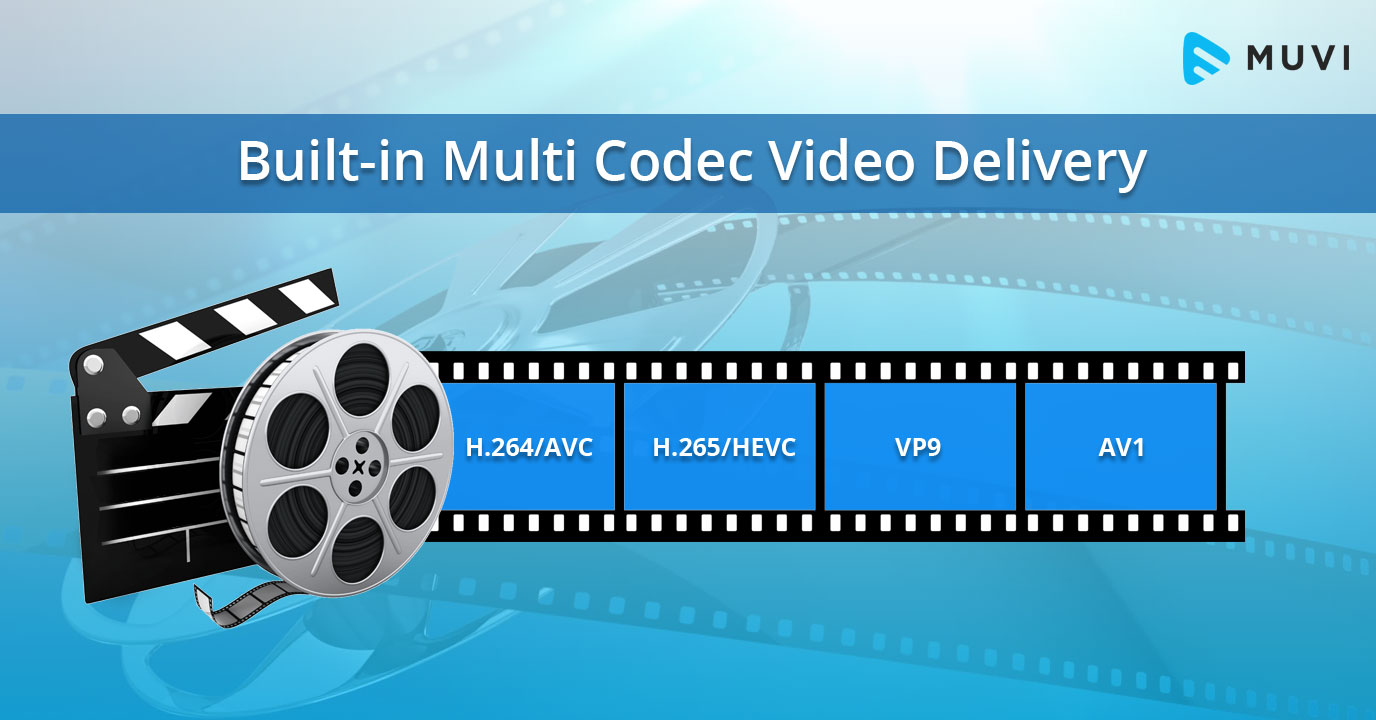
The most popular video codecs today are H.265, VP9, and AV1. H.265, also known as HEVC (High-Efficiency Video Coding), is a codec that offers the same quality as its predecessor (H.264) at half the bitrate. VP9, developed by Google, is an open-source codec that offers better compression efficiency than H.264. Finally, AV1 is a royalty-free codec developed by the Alliance for Open Media, offering even better compression efficiency than VP9.

As video content continues to evolve, so too do video codecs. It’s essential to stay up-to-date with the latest codec trends to ensure your video content is of the highest quality.

Quote: “Video is a powerful tool that can change the world. When you compress video, you’re taking that power and making it more accessible to everyone.” – Kevin Systrom

Latest Video Formats: What You Need to Know

Video formats determine how video data is stored and transmitted. They are also essential in determining playback quality and compatibility. With the advent of 4K and HDR content, new video formats have emerged to meet the demands of high-quality video content.

The most popular video formats today are MP4, AVI, and WMV. MP4 is the most widely used video format, supporting both high-quality video and audio. AVI is an older format but still widely used, while WMV is a proprietary format developed by Microsoft.

Newer video formats like MKV and WEBM offer better compression efficiency and support for 4K and HDR content. MKV, in particular, is an open-source format that offers support for multiple video, audio, and subtitle streams. WEBM, developed by Google, is a royalty-free format that supports high-quality video with a small file size.

Keeping up-to-date with the latest video formats is crucial for ensuring compatibility with modern devices and delivering high-quality video content.

Quote: “Video technology is driving the evolution of the internet.” – Bob Iger

How to Optimize Your Video Content

Optimizing your video content involves choosing the right codec and format for your needs, as well as ensuring your content is of the highest quality. This includes proper encoding settings, resolution, and aspect ratio.

When choosing a codec, consider factors like compression efficiency, compatibility, and licensing costs. For example, H.265 may offer the best compression efficiency, but licensing costs may be prohibitive for some businesses. Similarly, choosing the right format involves considering factors like playback quality, compatibility, and support for modern features like 4K and HDR.

Finally, ensuring your content is of the highest quality involves proper encoding settings, resolution, and aspect ratio. It’s essential to balance quality with file size, ensuring your content is optimized for both playback and streaming.

Quote: “Quality is not an act, it’s a habit.” – Aristotle

Final Words

Video codecs and formats are essential in delivering high-quality video content. Staying up-to-date with the latest trends is crucial for ensuring compatibility with modern devices and delivering the best possible viewing experience.

Codecs and Their Importance in Video Production

Codecs and Their Importance in Video Production

Video Codecs
Video Codecs
Video Codecs
Video Codecs


“A codec is a way of encoding and decoding video or audio data so that it can be transmitted, stored and played back efficiently,” says John Watkinson in his book The Art of Digital Video. In essence, a video codec is a software or hardware that compresses and decompresses video data. This process helps to reduce the size of video files, which makes them easier to store, transmit and stream over the internet.

The Function of Video Codecs

“Codecs are used to compress video data to reduce the amount of data that needs to be stored or transmitted,” explains Brian Nadel in his article on Techradar. He adds that codecs “also help to maintain the quality of the video by minimizing any loss of data during compression.” This is done by removing redundant information and compressing the remaining data without affecting the quality of the video.

The Different Types of Video Codecs

“There are two main types of codecs: lossy and lossless,” notes Larry Jordan in his article on Digital Media Net. Lossy codecs, such as H.264 and MPEG-4, compress video data by permanently discarding some of the information in the video. While lossy codecs result in smaller file sizes, they may also compromise the quality of the video. On the other hand, lossless codecs, such as Apple ProRes and Avid DNxHD, preserve all the information in the video, resulting in higher quality videos but larger file sizes.

Choosing the Right Video Codec

“When choosing a video codec, you must consider the final use of the video,” advises Richard Harrington in his book Video Made on a Mac. For instance, if you are creating a video for the internet, you may want to use a codec that results in a small file size without compromising the quality of the video. On the other hand, if you are producing a video for broadcast, you may want to use a lossless codec that maintains the quality of the video but results in a larger file size.

The Advantages of Video Codecs

“Video codecs are essential in modern video production because they help to compress video data, reducing storage space requirements and making video transmission over the internet much faster and smoother,” states Jeff Strong in his article on Lifewire. By compressing video data, codecs also make it possible to store and transmit high-quality videos without consuming excessive amounts of bandwidth.

The Disadvantages of Video Codecs

“Video codecs may also result in a loss of data, which can affect the quality of the video,” cautions Chris Stevens in his article on Adorama. Furthermore, some codecs may not be compatible with certain software or hardware, which can result in compatibility issues when editing or playing back videos. It is therefore essential to choose the right codec that meets your specific needs and requirements.

Final Words

In conclusion, video codecs play an essential role in modern video production, enabling efficient storage, transmission, and playback of video data. By understanding the different types of codecs and their respective advantages and disadvantages, you can choose the right codec for your specific needs and ensure that your videos are of the highest quality while being optimized for storage and transmission.