WebM vs H.264 encoding


Free Download Mp4Gain
picture

WebM vs H.264 encoding

WebM vs H.264 encoding

Let’s talk about WebM vs H.264 encoding

When it comes to video encoding formats, WebM and H.264 are often compared. As someone who has worked extensively with video encoding technologies, I can tell you that the differences between these two formats are crucial for both content creators and viewers. Understanding WebM and H.264 helps you make informed decisions about the quality, performance, and compatibility of your videos. Let’s dive deep into the factors that set them apart and why one might be better suited to your needs than the other.

The WebM format, developed by Google, is known for its open-source nature, making it a popular choice for web video streaming, especially in HTML5 environments. H.264, on the other hand, is a video compression standard that’s been widely adopted in a range of devices and platforms, from web browsers to Blu-ray players. Both formats have their strengths and weaknesses, but knowing when and why to use each one is essential.

Key differences in video quality

When comparing WebM to H.264, the first thing to consider is video quality. From my experience, the quality of a video can vary significantly depending on the codec used, the compression method, and the bitrate. WebM uses the VP8 and VP9 codecs, while H.264 utilizes the AVC codec. Both codecs are capable of compressing video to relatively small file sizes without sacrificing too much quality, but they handle compression differently.

– **WebM with VP8** typically provides slightly lower quality compared to H.264 at the same bitrate. This can result in some visible artifacts like blurring, especially in fast-moving scenes. However, VP8 is often seen as more efficient for real-time video streaming, especially in web applications.
– **WebM with VP9**, the more recent codec, offers better quality and compression efficiency than VP8, and in some cases, it competes closely with H.264, offering a more comparable experience in terms of visual quality. However, VP9 requires more computational power for encoding and decoding, which may be a limiting factor for lower-end devices.
– **H.264**, on the other hand, has been the gold standard for a long time and is well-known for delivering high-quality video at relatively low bitrates. It’s widely supported by hardware encoders, which makes it more efficient in real-world applications.

Benefits of WebM in video quality

  • WebM with VP9 can deliver similar or better quality than H.264 at lower bitrates, making it an attractive choice for streaming content.
  • VP9 supports 4K resolution, allowing for high-quality video playback on platforms that support it.
  • WebM has the potential for better quality on modern browsers that support hardware acceleration for VP9.

Benefits of H.264 in video quality

  • H.264 is highly optimized and efficient, ensuring excellent video quality even on low-end devices.
  • It offers a proven track record in terms of maintaining quality while keeping file sizes relatively small.
  • H.264 is compatible with nearly every device, operating system, and video player, providing seamless playback on a wide range of hardware.

Performance and efficiency

When it comes to video encoding performance, WebM and H.264 each have their own strengths. One of the key aspects I always focus on is how well a format handles compression and decoding without consuming too much processing power.

– **WebM**, especially when encoded with VP9, is known for its high compression efficiency. While this leads to smaller file sizes, it also means that the decoding process can be more demanding on the CPU, which may not be ideal for all devices. However, modern hardware accelerates VP9 decoding, meaning you can get excellent performance on more powerful systems or in browser environments.
– **H.264**, on the other hand, is better optimized for performance and efficiency across a wider range of devices. Since H.264 is supported by virtually all hardware decoders, including smartphones, tablets, and set-top boxes, it’s often a more reliable choice when it comes to performance. The format also performs well in terms of encoding speed, which makes it a favorite for streaming services and broadcasters.

WebM and performance benefits

  • WebM’s VP9 codec can provide excellent video quality at lower bitrates, making it ideal for streaming over limited bandwidth.
  • WebM is supported by modern web browsers, making it a great choice for online platforms that prioritize efficiency and open-source technology.
  • VP9 can provide better compression for videos with higher resolution and frame rates, offering a future-proof solution for higher-quality video streaming.

H.264 performance advantages

  • H.264 is optimized for both encoding and decoding, making it ideal for use in hardware devices, from smartphones to streaming boxes.
  • It is well-supported by a wide range of software, including video editing tools, media players, and streaming platforms.
  • H.264 provides a balanced trade-off between compression, quality, and computational demands, which is why it has become the default codec for video streaming platforms.

Device and browser compatibility

If you’ve ever tried playing a video on a device only to find that it doesn’t support the format, you know how crucial compatibility is. One of the biggest differences between WebM and H.264 lies in their compatibility across devices and browsers.

– **WebM** is well-supported in most modern browsers like Chrome, Firefox, and Edge. However, it is not natively supported by Apple’s Safari browser, which limits its adoption on macOS and iOS devices. This can be a significant drawback for WebM, especially for content creators who need broad compatibility.
– **H.264** has virtually universal support. It works on virtually every device, from the latest smartphones to older TVs and Blu-ray players. This wide compatibility is one reason why H.264 remains the dominant choice for video encoding.

WebM compatibility advantages

  • WebM works seamlessly in most modern browsers, particularly for video streaming platforms that focus on web-based delivery.
  • WebM is ideal for open-source projects and platforms that require a free, royalty-free format for distribution.
  • WebM’s increasing support in mobile and smart TV devices further increases its adoption in certain markets.

H.264 compatibility advantages

  • H.264 offers exceptional cross-platform compatibility, making it suitable for nearly every video-related application.
  • Most video players, editing software, and streaming platforms support H.264, ensuring a smooth experience for users and content creators alike.
  • H.264 works on virtually all devices, from smartphones to laptops, game consoles, and even older hardware.

Licensing and cost considerations

Licensing and associated costs can be a major factor when choosing between WebM and H.264, especially for commercial use. This is an aspect I’ve had to consider as a content creator multiple times.

– **WebM** is free and open-source, meaning there are no licensing fees for using it in software or distributing it in videos. This makes WebM a great choice for developers, open-source projects, and individuals looking to avoid licensing restrictions.
– **H.264** is a patented codec, and while it is free for personal use, commercial distributors often have to pay licensing fees to MPEG LA, the organization that manages the H.264 patent pool. This can add significant costs for businesses, especially if they are distributing large volumes of video.

WebM licensing advantages

  • WebM’s open-source nature makes it a cost-effective solution for businesses and developers.
  • No royalty fees are required for commercial use, which reduces barriers for content creators.
  • WebM is particularly attractive for platforms and applications looking to avoid complex licensing issues.

H.264 licensing considerations

  • H.264 can incur licensing fees for commercial distribution, especially when used in streaming services or large-scale video delivery systems.
  • Despite the licensing fees, H.264 remains a popular choice because of its ubiquity and high quality.
  • The patent licensing system for H.264 is well-established, providing clear guidelines for businesses on how to comply.

Latest words on WebM vs H.264 encoding

In conclusion, the choice between WebM and H.264 encoding largely depends on your priorities. If you’re looking for high quality, broad compatibility, and optimal performance across various devices, H.264 is likely the better choice. However, if you need a royalty-free, open-source solution with excellent video quality for web applications, WebM with VP9 is a strong contender. Both formats have their unique strengths, and the right choice depends on your specific use case.

WebM is great for modern web applications, especially those targeting a more tech-savvy audience, while H.264 remains the gold standard for compatibility and consistent performance. Both formats are important, and understanding when to use each will make you a more efficient content creator or developer.

Frequently Asked Questions

What is the difference between WebM and H.264?

WebM is an open-source video format using VP8 or VP9 codecs, while H.264 is a widely-used codec supported by almost all devices. WebM offers free, royalty-free usage, but H.264 provides better compatibility and performance across a broader range of platforms.

Which is better for streaming: WebM or H.264?

For streaming, WebM with VP9 can provide better compression and smaller file sizes for high-quality video at lower bitrates. However, H.264 is more universally compatible, ensuring smooth playback across virtually all devices, making it ideal for streaming on a wider range of platforms.

Is WebM supported by all browsers?

WebM is supported by modern browsers like Chrome, Firefox, and Edge, but it is not natively supported by Apple’s Safari. This can limit its compatibility on Apple devices, which may require alternative formats like H.264 for broader compatibility.

Can WebM and H.264 be used together?

Yes, both formats can be used together. In fact, many websites use H.264 for broader device compatibility while offering WebM as an alternative for browsers that support it. This ensures that all users get an optimal experience regardless of their device or browser choice.

Which format offers better video quality, WebM or H.264?

H.264 is known for delivering excellent video quality at lower bitrates and is generally considered more optimized for quality retention. WebM, especially with VP9, can offer competitive quality, but it may require more processing power and may not always outperform H.264 in terms of visual fidelity at the same bitrate.

Does WebM support 4K video?

Yes, WebM supports 4K resolution, especially when using the VP9 codec. VP9 is designed to handle high-definition and 4K video content efficiently, offering better quality at lower bitrates compared to older codecs like H.264, although it may require more processing power.

Is H.264 free to use?

H.264 is not entirely free to use, as it is patented and requires licensing fees for commercial use. While personal usage may be free, businesses or services that distribute content encoded with H.264 must pay licensing fees to the MPEG LA consortium, which manages the codec’s patent pool.

Can I convert videos from WebM to H.264?

Yes, you can easily convert WebM videos to H.264 using various video conversion tools. This process allows you to maintain compatibility with devices and platforms that do not support WebM, while also offering the high-quality compression benefits of the H.264 codec.

Comments:

I’ve been using WebM for my streaming site and it’s great for avoiding licensing fees. But I still need to encode everything in H.264 for

certain devices. It’s a pain sometimes but worth it.

This article really helped me understand the difference between WebM and H.264. I didn’t realize how important codec choice was for streaming efficiency. Thanks for the insights!

I think H.264 is still better for most people, especially if they want their videos to work everywhere. WebM is good, but not everyone supports it yet.

I’m starting a video-based app, and after reading this, I think WebM with VP9 might be the right choice for me. I want to avoid licensing costs and keep things smooth for my users.

The licensing thing is a huge downside of H.264. I didn’t realize how expensive it could get for larger scale distributions. WebM looks like the better option for many startups.


Free Download Mp4Gain
picture


Mp4Gain Main Window
picture


Mp4Gain Features
picture


Free Download Mp4Gain
picture

H.264/AVC Video Encoding for MP4

H.264/AVC Video Encoding for MP4

H.264/AVC Video Encoding for MP4

Let’s talk about H.264/AVC video encoding for MP4

H.264/AVC is the backbone of modern video streaming and storage. It’s like the Swiss Army knife of video compression, striking a balance between file size and quality. If you’ve ever wondered how platforms like YouTube or Netflix stream high-quality videos so seamlessly, the answer lies in H.264 encoding. My experience in video editing taught me early on that this codec is indispensable for MP4 files, offering efficiency unmatched by older formats.

What is H.264/AVC and why is it essential?

H.264, also known as Advanced Video Coding (AVC), is a standard for video compression. It uses predictive algorithms to reduce file sizes without sacrificing quality. Imagine folding a large blanket into a compact shape—it’s all about making it smaller while keeping the essential details intact. Compared to older codecs, H.264 offers:

  • Smaller file sizes with higher quality
  • Wide compatibility across devices and platforms
  • Support for resolutions up to 4K and beyond

How does H.264 achieve high-quality compression?

H.264 relies on techniques like motion compensation and spatial prediction. Think of it like assembling a puzzle. The codec predicts parts of the image based on what’s already encoded, filling in the gaps efficiently. This minimizes redundant data, ensuring optimal storage and playback. From my perspective, it’s fascinating to see how this prediction works even in complex scenes like moving water or fireworks.

Key benefits of using H.264 for MP4

H.264 isn’t just another codec; it’s a game-changer for MP4 videos. Whether you’re a professional editor or a casual user, its advantages are clear:

  • Reduced bandwidth requirements for streaming
  • Consistent playback on older and newer devices
  • Enhanced video quality at lower bitrates
  • Support for multiple profiles and levels to suit various needs

Understanding the profiles and levels of H.264

H.264 profiles are like different modes of operation, designed for various use cases. For example, the Baseline profile works well for video calls, while the High profile is ideal for Blu-ray discs and streaming. Levels, on the other hand, define the codec’s limitations, such as resolution and bitrate. In my work, understanding these settings has been crucial for optimizing videos for different platforms.

Challenges and limitations of H.264

While H.264 is powerful, it’s not without challenges. One common issue is the computational demand during encoding. It’s like running a marathon—your system needs to be prepared for the workload. Additionally, licensing fees can be a concern for developers and companies. However, for most users, these drawbacks are minor compared to its benefits.

H.264 vs. newer codecs like H.265/HEVC

H.264 has a successor: H.265/HEVC. The newer codec offers even better compression, reducing file sizes by nearly 50%. However, it comes at a cost—higher computational requirements and limited compatibility. From my experience, H.264 remains the best choice for MP4 videos when compatibility and ease of use are priorities.

Best practices for encoding MP4 with H.264

Encoding with H.264 can feel like fine-tuning a musical instrument. To achieve the best results, consider these practices:

  • Choose the right bitrate for your content
  • Use two-pass encoding for higher efficiency
  • Select an appropriate resolution and frame rate

Real-life applications of H.264 in MP4

H.264 is everywhere, from smartphones to cinema. It powers online courses, video games, and surveillance systems. Recently, I worked on a project involving drone footage. The videos were stunning but massive in size. By using H.264, we reduced file sizes significantly without losing quality, making it easier to share and edit.

Latest words on H.264/AVC video encoding for MP4

H.264 continues to be the gold standard for MP4 videos. Its balance of quality, efficiency, and compatibility makes it indispensable for content creators and viewers alike. While newer codecs may offer better compression, H.264’s reliability ensures its place in the industry for years to come. For anyone looking to optimize their video files, tools like Mp4Gain can simplify the process while maintaining top-notch quality.

Frequently Asked Questions about H.264/AVC Video Encoding for MP4

What is H.264/AVC video encoding?

H.264, also known as AVC (Advanced Video Coding), is a widely used video compression standard that provides high-quality video at relatively low bitrates. It is commonly used for video streaming, video conferencing, and in formats like MP4. The algorithm reduces the size of video files while maintaining good visual quality, making it ideal for use in modern digital video applications.

Why is H.264/AVC popular for MP4 video encoding?

H.264 is popular for MP4 encoding because it strikes an excellent balance between compression efficiency and video quality. It allows high-definition video content to be stored and transmitted in smaller file sizes, which is ideal for online streaming and storage on devices with limited space. Its widespread support across devices and platforms makes it the default encoding choice for MP4 files.

What are the benefits of using H.264/AVC for MP4 encoding?

Using H.264 for MP4 encoding provides several benefits:

  • Efficient compression, reducing file size while maintaining good quality.
  • Compatibility with a wide range of devices, players, and platforms.
  • Support for various video resolutions, including HD and 4K.
  • Low processing power requirements for decoding, making it ideal for streaming and mobile devices.

What are the limitations of H.264/AVC video encoding?

While H.264 is efficient, it does have some limitations:

  • It is not as efficient as newer codecs like HEVC (H.265), which offer better compression at similar or improved quality.
  • Encoding in H.264 can be slower, especially at higher bitrates or resolutions, requiring more processing power.
  • Although widely supported, some older devices may struggle with H.264 playback, especially at high resolutions.

How does H.264/AVC differ from other video codecs?

H.264/AVC is one of the most popular video compression formats, but it differs from other codecs like VP9 and HEVC in several ways:

  • H.264 is widely compatible with older devices and systems, while HEVC and VP9 are better suited for newer platforms and offer improved compression efficiency.
  • HEVC is more efficient than H.264 at higher resolutions, such as 4K, providing similar or better quality at lower bitrates.
  • VP9, developed by Google, is an open-source alternative to HEVC but may have less widespread support.

What is the best bitrate for H.264 video encoding in MP4?

The best bitrate for H.264 video encoding depends on the video resolution, frame rate, and desired quality. For example:

  • For 1080p videos at 30fps, a bitrate between 4,000-8,000 kbps provides a good balance of quality and file size.
  • For 4K videos at 30fps, a bitrate of 15,000-25,000 kbps is ideal.
  • For lower resolutions like 720p, 2,500-4,000 kbps is typically sufficient.

Comments:

Thanks for the detailed info! I always wondered why my videos looked so good after encoding with H.264. This article explained it perfectly.

Wow, didn’t know H.264 was so versatile. Can you write more about profiles and levels? That part was a bit confusing for me.

This helped me understand why my drone videos were taking so long to upload. Time to optimize with H.264!

Honestly, I think newer codecs like HEVC are better, but this article makes a strong case for H.264. Great read!

Had no idea H.264 was used in video calls too! That’s pretty cool. Great job breaking it down.

Love how this article explains technical stuff with simple examples. The puzzle analogy really helped me understand compression.

I’ve been using H.264 for years, but I never thought about its profiles and levels. Learned something new today!

This is so helpful! I’m starting a YouTube channel and needed to know how to make my videos load faster. H.264 seems perfect for that.

It’s amazing how much smaller my files got after using H.264. Wish I knew this trick earlier for my work presentations.

Good stuff, but I think you could have gone a bit deeper on the drawbacks. Encoding times can be really annoying!

Does this codec work well for 4K videos? I’ve been having trouble with playback stuttering on older devices.

Great article, but what about HDR videos? Does H.264 handle them well or should I look for alternatives?

Finally, an article that explains H.264 in simple terms! Most guides are too technical for regular folks like me. Thanks!

This article convinced me to stick with H.264 for my MP4 files. Compatibility is too important to overlook.

Any tips on reducing encoding times without sacrificing quality? I feel like my system struggles with H.264 sometimes.

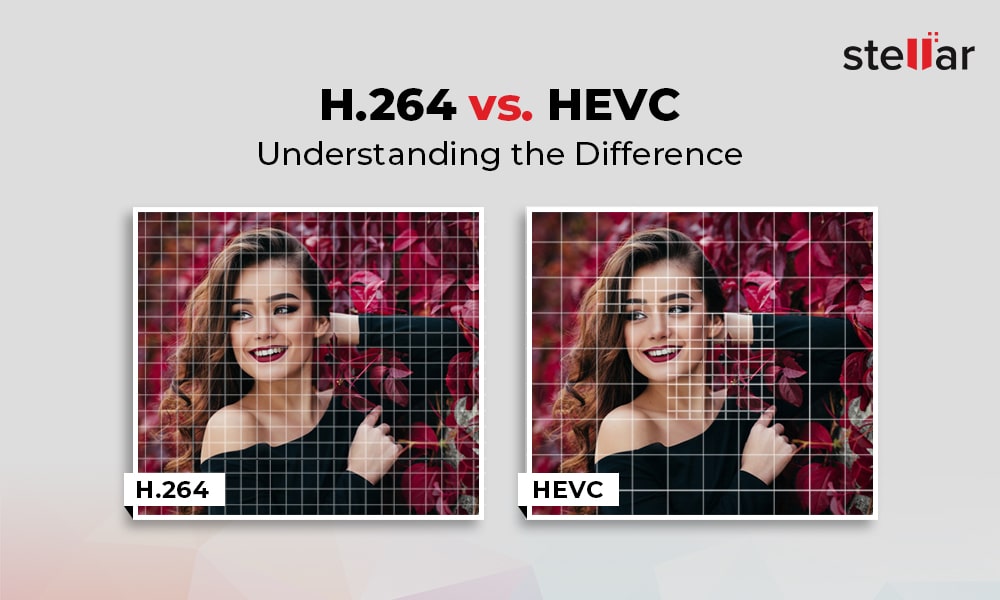
H.264 vs H.265: Which Video Codec is Better?

H.264 vs H.265: Which Video Codec is Better?

H.264 vs H.265
H.264 vs H.265

The world of video codecs can be a complicated and confusing one, but two of the most important codecs in use today are H.264 and H.265. In this article, we will compare these two codecs in detail, examining their histories, technical specifications, performance, and use cases to determine which one is better for different applications.

H.264 vs H.265
H.264 vs H.265

History of H.264 and H.265

First introduced in 2003, H.264 quickly became the industry standard for video compression, thanks to its high compression efficiency and broad compatibility. Its widespread adoption made it the most widely used video codec in the world for many years, until the release of H.265 in 2013. H.265, also known as High Efficiency Video Coding (HEVC), was designed to provide even greater compression efficiency and improved video quality, making it an attractive alternative to H.264 for many use cases.

Technical Specifications

The key technical difference between H.264 and H.265 is their compression efficiency. H.265 is able to achieve significantly higher compression rates than H.264, meaning that it can deliver higher quality video at lower bitrates. In addition, H.265 supports higher resolutions and frame rates, making it better suited to modern video applications. However, H.264 has broader compatibility with older devices and software, and is often more easily implemented in legacy systems.

Both codecs use similar encoding and decoding processes, but H.265 includes some additional features and optimizations to improve compression efficiency and video quality. For example, H.265 includes support for larger block sizes, which allows it to more accurately represent complex image structures and textures, leading to higher quality video.

Performance and Quality Comparison

When it comes to comparing the performance and quality of H.264 and H.265, the results can vary depending on the specific use case and testing methodology. However, in general, H.265 is considered to offer superior video quality at lower bitrates than H.264. This is particularly true for high-resolution and high-fps video, where the higher compression efficiency of H.265 allows it to deliver smoother, clearer video. However, H.264 may still be preferable in certain cases, such as streaming to older devices or for applications with lower bandwidth availability.

Applications and Use Cases

H.264 and H.265 are both used in a wide variety of applications, including video streaming, video conferencing, and video surveillance. In general, H.264 is still more widely supported in legacy systems and devices, making it a more common choice for many applications. However, H.265 is becoming increasingly popular in new applications and systems, thanks to its improved video quality and compression efficiency. Some specific use cases where H.265 may be preferable include high-resolution and high-fps video, mobile streaming, and surveillance applications where storage and bandwidth are limited.

Advantages of H.265

H.265 has several advantages over its predecessor, H.264. The most significant ones are:

Better Compression

H.265 uses more advanced compression techniques, which enable it to achieve better compression rates than H.264. This means that H.265 can deliver the same video quality as H.264 with less data. This is particularly important for video streaming, where bandwidth is often limited.

Support for Higher Resolutions

H.265 supports resolutions up to 8K, while H.264 only supports resolutions up to 4K. This makes H.265 more future-proof and suitable for applications that require high-resolution video, such as virtual reality or surveillance.

Improved Parallel Processing

H.265 is designed to take advantage of multi-core CPUs and GPUs, which makes it faster and more efficient than H.264. This is particularly important for real-time applications, such as video conferencing or live streaming.

H.264 vs. H.265: Which One is Better?

So, which one is better? The answer is not straightforward, as it depends on the specific use case.

H.264 is Still Widely Used

H.264 is still the most widely used video codec, as it is supported by almost all devices and software. This means that if you want your videos to be compatible with as many devices as possible, H.264 is still a safe choice.

H.265 is More Efficient

However, if you are looking for better compression and support for higher resolutions, H.265 is the better choice. It is also more efficient in terms of processing power, which can be a significant advantage in certain applications.

The Future of Video Codec

In any case, it is clear that H.265 is the future of video codec. As more and more devices support it, and more content is encoded in H.265, it will become the new standard for video compression.

Conclusion

In conclusion, both H.264 and H.265 have their advantages and disadvantages. H.264 is still the most widely used video codec and is compatible with almost all devices and software. On the other hand, H.265 offers better compression, support for higher resolutions, and improved processing efficiency. As technology advances and more devices support H.265, it will become the new standard for video compression.

3D, HD, 1080p, 1080i, Blue-Ray, DVD … Everything you need to know about video

3D, HD, 1080p, 1080i, Blue-Ray, DVD … Everything you need to know about video

video quality

Part 1. Video quality

video quality

How do we celebrate the new year? That’s it, on the table! However, television is usually the most integral part of this table. New Years greetings, favorite shows, movies, shows, concerts, without this, the New Year would not be the holiday we are used to.

But the vacation itself lasts only one night, and there are many more vacations and weekends. And how else to decorate the cold days of the week in January that we spend at home, if not watching good movies in high quality? No way! What do we do when we want to see a movie? We turn on the TV … But there they impose a program on us, what if nothing relevant and interesting comes at the moment?

So a video player of any kind or a computer, in combination with the Internet or various discs, comes to our rescue. But, we already said that downloading from the internet is illegal. And time goes by, for example, you can’t download a 3D movie in such a modern format from the Internet. You’ll need a special monitor, special glasses, and for the sake of a movie, you really don’t want to pump out 30 gigabytes. What to do? And how do we understand what and how we see ourselves? How to get the most out of your film?

Or how not to spoil the impression of a canvas that has just been published, which has already been seen, but which you did not like at all due to the quality of the image? And it is not surprising, because this copy was filmed in an underground cinema, on a cheap video camera with shaking hands …

Everything can be solved! For the last time this year, I will open your eyes to the accessible, simple, but often hidden from the eyes of a normal man on the street!

Let go of ignorance. What is video quality?

Today, in 2012, already a year, let’s not mention the subject of videotapes. They have already outlived their own. Let’s see what video quality it is in general. What does it consist of? As measured? Various parameters:

Source. It is the most important. Without a high quality source you can do whatever you want with the video, record it wherever and however you want, it can’t be of better quality anymore. Worse please, but in the opposite direction, never. A simple example: take a movie from a DVD with 10 of them and burn it in Blue-Ray. Will the quality of this change? No…

Under the good quality source, or rather the one from which the countdown comes, we take the film edited in the film studio in the way it was assembled on the editing table in the final version. This is the source of all kinds of licenses and the video quality standard. Everything else can only be WORSE.

Resolution. No, not to see a movie! Video resolution measured in horizontal and vertical pixels. Have you often noticed that licensed DVD movies still look awfully “blurry” on modern “flat” TVs? And the television itself doesn’t look as “sharp” and “bright” as it used to? Many even complain that they bought expensive equipment, but everything has gotten even worse … And few people think that this process is roughly comparable to driving a Zaporozhets, buying a Mercedes, pumping gas from the first tank to the second tank and Undisguised surprise that this “gasoline” is enough for Mercedes for a very short time. Of course, Mercedes needs to fill its own full tank, not a full tank of Zaporozhets!

Do you remember the source? Therefore, it is already insufficient for comfortable viewing. Because standard television has a slightly worse transmission format than DVD. But even this is not enough for a clear display! So what kind of permissions are there?

480p: TV broadcast format. The letter p is responsible for the parameter of displaying the entire image at once, that is, at 24 frames per second, all the pixels in each frame are displayed. The resolution is 640×480 pixels (width x height ratio).

576p: widescreen DVD format, resolution 720X576.

720p – the youngest of the HD formats (high definition, high quality), most often used in games on modern XBOX360 and SONY PLAY STATION 3 consoles. Some modern TV channels also broadcast on it, so the picture looks a lot best. It has a resolution of 1024X768.

1080i: The format designated in technology as HD-Ready (not to be confused with Full-HD!). The letter i is responsible for the interlaced display method. That is, out of 24 (this is just an example, modern video has 60 frames per second), half of the frames will show all pixels across a line, in odd order, and the other half in even order. With this clever method, we have a high resolution, but in fact, although it is not noticeable with the naked eye, we get 12 frames per second, instead of 24. The resolution here is 1920X1080 pixels.