H.264 vs H.265: Which Video Codec is Better?

The world of video codecs can be a complicated and confusing one, but two of the most important codecs in use today are H.264 and H.265. In this article, we will compare these two codecs in detail, examining their histories, technical specifications, performance, and use cases to determine which one is better for different applications.
History of H.264 and H.265
First introduced in 2003, H.264 quickly became the industry standard for video compression, thanks to its high compression efficiency and broad compatibility. Its widespread adoption made it the most widely used video codec in the world for many years, until the release of H.265 in 2013. H.265, also known as High Efficiency Video Coding (HEVC), was designed to provide even greater compression efficiency and improved video quality, making it an attractive alternative to H.264 for many use cases.
Technical Specifications
The key technical difference between H.264 and H.265 is their compression efficiency. H.265 is able to achieve significantly higher compression rates than H.264, meaning that it can deliver higher quality video at lower bitrates. In addition, H.265 supports higher resolutions and frame rates, making it better suited to modern video applications. However, H.264 has broader compatibility with older devices and software, and is often more easily implemented in legacy systems.
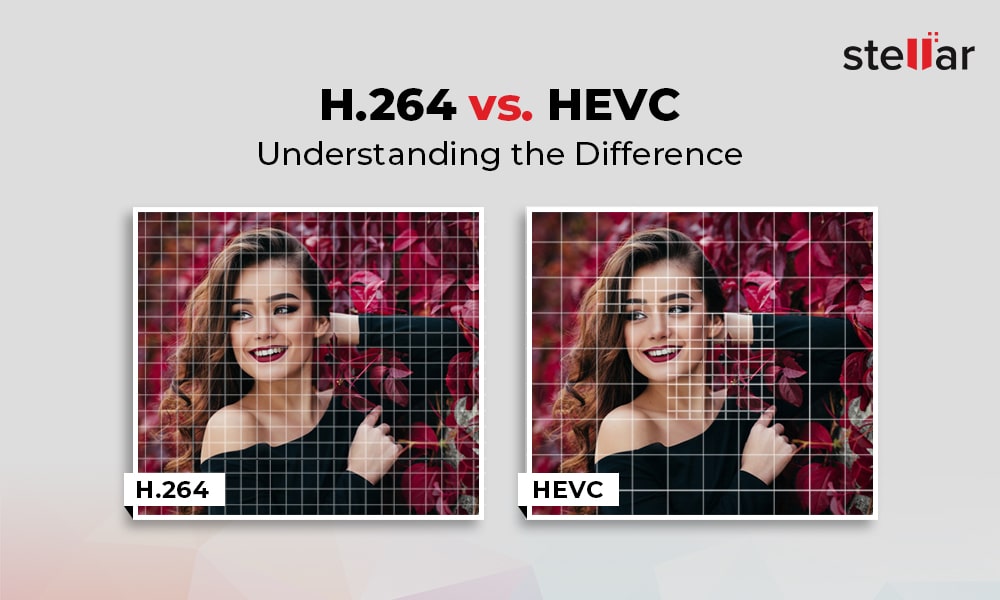
Both codecs use similar encoding and decoding processes, but H.265 includes some additional features and optimizations to improve compression efficiency and video quality. For example, H.265 includes support for larger block sizes, which allows it to more accurately represent complex image structures and textures, leading to higher quality video.
Performance and Quality Comparison
When it comes to comparing the performance and quality of H.264 and H.265, the results can vary depending on the specific use case and testing methodology. However, in general, H.265 is considered to offer superior video quality at lower bitrates than H.264. This is particularly true for high-resolution and high-fps video, where the higher compression efficiency of H.265 allows it to deliver smoother, clearer video. However, H.264 may still be preferable in certain cases, such as streaming to older devices or for applications with lower bandwidth availability.
Applications and Use Cases
H.264 and H.265 are both used in a wide variety of applications, including video streaming, video conferencing, and video surveillance. In general, H.264 is still more widely supported in legacy systems and devices, making it a more common choice for many applications. However, H.265 is becoming increasingly popular in new applications and systems, thanks to its improved video quality and compression efficiency. Some specific use cases where H.265 may be preferable include high-resolution and high-fps video, mobile streaming, and surveillance applications where storage and bandwidth are limited.
Advantages of H.265
H.265 has several advantages over its predecessor, H.264. The most significant ones are:
Better Compression
H.265 uses more advanced compression techniques, which enable it to achieve better compression rates than H.264. This means that H.265 can deliver the same video quality as H.264 with less data. This is particularly important for video streaming, where bandwidth is often limited.
Support for Higher Resolutions
H.265 supports resolutions up to 8K, while H.264 only supports resolutions up to 4K. This makes H.265 more future-proof and suitable for applications that require high-resolution video, such as virtual reality or surveillance.
Improved Parallel Processing
H.265 is designed to take advantage of multi-core CPUs and GPUs, which makes it faster and more efficient than H.264. This is particularly important for real-time applications, such as video conferencing or live streaming.
H.264 vs. H.265: Which One is Better?
So, which one is better? The answer is not straightforward, as it depends on the specific use case.
H.264 is Still Widely Used
H.264 is still the most widely used video codec, as it is supported by almost all devices and software. This means that if you want your videos to be compatible with as many devices as possible, H.264 is still a safe choice.
H.265 is More Efficient
However, if you are looking for better compression and support for higher resolutions, H.265 is the better choice. It is also more efficient in terms of processing power, which can be a significant advantage in certain applications.
The Future of Video Codec
In any case, it is clear that H.265 is the future of video codec. As more and more devices support it, and more content is encoded in H.265, it will become the new standard for video compression.
Conclusion
In conclusion, both H.264 and H.265 have their advantages and disadvantages. H.264 is still the most widely used video codec and is compatible with almost all devices and software. On the other hand, H.265 offers better compression, support for higher resolutions, and improved processing efficiency. As technology advances and more devices support H.265, it will become the new standard for video compression.