Enhancing Video Quality: Bitrate and Codec


Free Download Mp4Gain
picture

Enhancing Video Quality: Bitrate and Codec

Enhancing Video Quality: Bitrate and Codec


When it comes to video quality, there are two main factors that you need to consider: bitrate and codec.

Bitrate

Bitrate is the amount of data that is used to encode a video file. A higher bitrate will result in a higher quality video, but it will also result in a larger file size.

The ideal bitrate for a video will depend on a number of factors, including the resolution of the video, the frame rate, and the type of content. For example, a high-resolution video with a high frame rate will require a higher bitrate than a low-resolution video with a low frame rate.

If you are concerned about file size, you can try reducing the bitrate of your video. However, keep in mind that this will also reduce the quality of the video.

Codec

A codec is a type of software that is used to encode and decode video files. There are many different codecs available, and each one has its own strengths and weaknesses.

Some of the most popular codecs include:

H.264: This is a widely used codec that offers good quality and compatibility.
MPEG-4: This is another popular codec that is known for its good quality.
VP9: This is a newer codec that offers better quality than H.264 and MPEG-4, but it is not as widely supported.
When choosing a codec, you need to consider the following factors:

The quality of the video that you want to create
The compatibility of the codec with your devices and software
The file size of the video that you want to create

Conclusion

Bitrate and codec are two important factors that you need to consider when enhancing video quality. By understanding these factors, you can create high-quality videos that are also small in file size.

Here are some additional tips for enhancing video quality:

Use a high-quality camera
Shoot in good lighting conditions
Edit your videos carefully
Optimize your videos for the web
By following these tips, you can create videos that are both high-quality and visually appealing.


Free Download Mp4Gain
picture


Mp4Gain Main Window
picture


Mp4Gain Features
picture


Free Download Mp4Gain
picture

Latest Video Codec Trends

Latest Video Codec Trends

Video Codec
Video Codec
Video Codec
Video Codec

Video Codecs: What They Are and Why They Matter

Video codecs are essential in video compression and playback. They are algorithms that encode and decode digital video data, compressing it for efficient storage and transmission. Without video codecs, it would be impossible to store or stream high-quality video content.

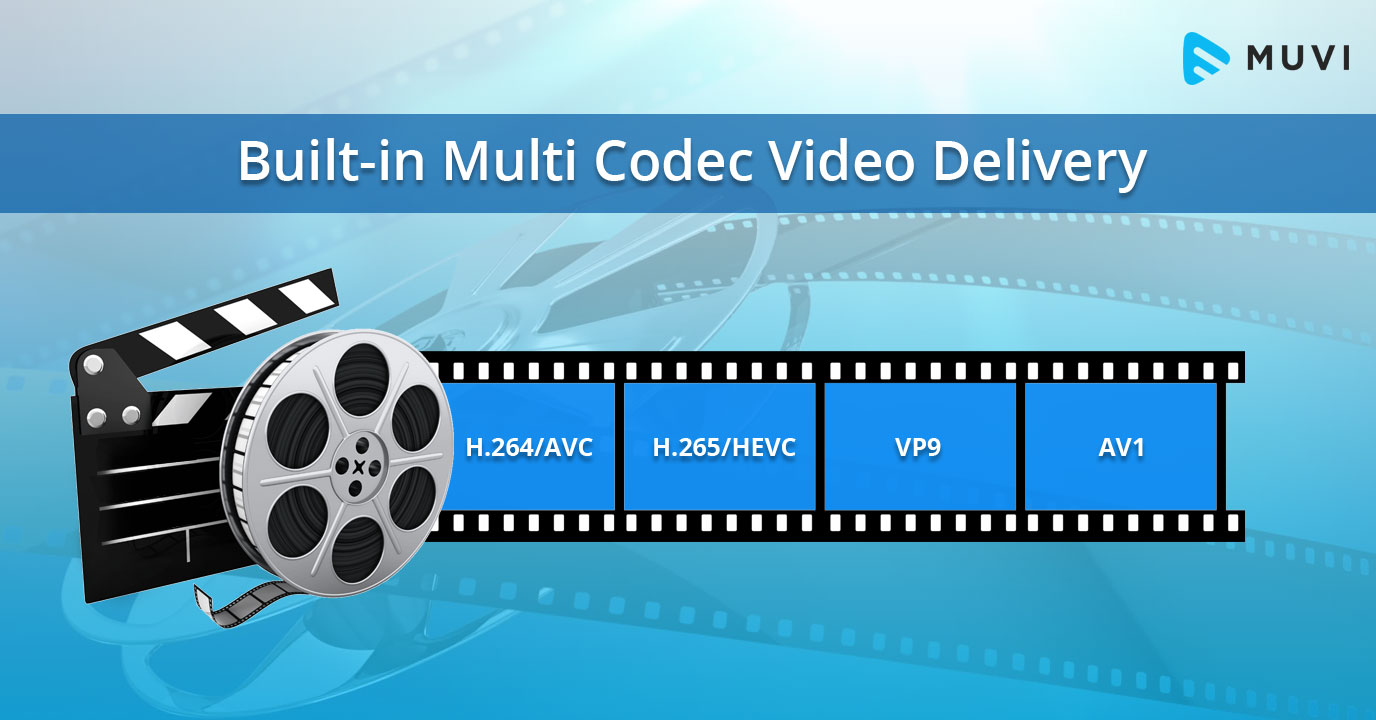
The most popular video codecs today are H.265, VP9, and AV1. H.265, also known as HEVC (High-Efficiency Video Coding), is a codec that offers the same quality as its predecessor (H.264) at half the bitrate. VP9, developed by Google, is an open-source codec that offers better compression efficiency than H.264. Finally, AV1 is a royalty-free codec developed by the Alliance for Open Media, offering even better compression efficiency than VP9.

As video content continues to evolve, so too do video codecs. It’s essential to stay up-to-date with the latest codec trends to ensure your video content is of the highest quality.

Quote: “Video is a powerful tool that can change the world. When you compress video, you’re taking that power and making it more accessible to everyone.” – Kevin Systrom

Latest Video Formats: What You Need to Know

Video formats determine how video data is stored and transmitted. They are also essential in determining playback quality and compatibility. With the advent of 4K and HDR content, new video formats have emerged to meet the demands of high-quality video content.

The most popular video formats today are MP4, AVI, and WMV. MP4 is the most widely used video format, supporting both high-quality video and audio. AVI is an older format but still widely used, while WMV is a proprietary format developed by Microsoft.

Newer video formats like MKV and WEBM offer better compression efficiency and support for 4K and HDR content. MKV, in particular, is an open-source format that offers support for multiple video, audio, and subtitle streams. WEBM, developed by Google, is a royalty-free format that supports high-quality video with a small file size.

Keeping up-to-date with the latest video formats is crucial for ensuring compatibility with modern devices and delivering high-quality video content.

Quote: “Video technology is driving the evolution of the internet.” – Bob Iger

How to Optimize Your Video Content

Optimizing your video content involves choosing the right codec and format for your needs, as well as ensuring your content is of the highest quality. This includes proper encoding settings, resolution, and aspect ratio.

When choosing a codec, consider factors like compression efficiency, compatibility, and licensing costs. For example, H.265 may offer the best compression efficiency, but licensing costs may be prohibitive for some businesses. Similarly, choosing the right format involves considering factors like playback quality, compatibility, and support for modern features like 4K and HDR.

Finally, ensuring your content is of the highest quality involves proper encoding settings, resolution, and aspect ratio. It’s essential to balance quality with file size, ensuring your content is optimized for both playback and streaming.

Quote: “Quality is not an act, it’s a habit.” – Aristotle

Final Words

Video codecs and formats are essential in delivering high-quality video content. Staying up-to-date with the latest trends is crucial for ensuring compatibility with modern devices and delivering the best possible viewing experience.

Codecs and Their Importance in Video Production

Codecs and Their Importance in Video Production

Video Codecs
Video Codecs
Video Codecs
Video Codecs


“A codec is a way of encoding and decoding video or audio data so that it can be transmitted, stored and played back efficiently,” says John Watkinson in his book The Art of Digital Video. In essence, a video codec is a software or hardware that compresses and decompresses video data. This process helps to reduce the size of video files, which makes them easier to store, transmit and stream over the internet.

The Function of Video Codecs

“Codecs are used to compress video data to reduce the amount of data that needs to be stored or transmitted,” explains Brian Nadel in his article on Techradar. He adds that codecs “also help to maintain the quality of the video by minimizing any loss of data during compression.” This is done by removing redundant information and compressing the remaining data without affecting the quality of the video.

The Different Types of Video Codecs

“There are two main types of codecs: lossy and lossless,” notes Larry Jordan in his article on Digital Media Net. Lossy codecs, such as H.264 and MPEG-4, compress video data by permanently discarding some of the information in the video. While lossy codecs result in smaller file sizes, they may also compromise the quality of the video. On the other hand, lossless codecs, such as Apple ProRes and Avid DNxHD, preserve all the information in the video, resulting in higher quality videos but larger file sizes.

Choosing the Right Video Codec

“When choosing a video codec, you must consider the final use of the video,” advises Richard Harrington in his book Video Made on a Mac. For instance, if you are creating a video for the internet, you may want to use a codec that results in a small file size without compromising the quality of the video. On the other hand, if you are producing a video for broadcast, you may want to use a lossless codec that maintains the quality of the video but results in a larger file size.

The Advantages of Video Codecs

“Video codecs are essential in modern video production because they help to compress video data, reducing storage space requirements and making video transmission over the internet much faster and smoother,” states Jeff Strong in his article on Lifewire. By compressing video data, codecs also make it possible to store and transmit high-quality videos without consuming excessive amounts of bandwidth.

The Disadvantages of Video Codecs

“Video codecs may also result in a loss of data, which can affect the quality of the video,” cautions Chris Stevens in his article on Adorama. Furthermore, some codecs may not be compatible with certain software or hardware, which can result in compatibility issues when editing or playing back videos. It is therefore essential to choose the right codec that meets your specific needs and requirements.

Final Words

In conclusion, video codecs play an essential role in modern video production, enabling efficient storage, transmission, and playback of video data. By understanding the different types of codecs and their respective advantages and disadvantages, you can choose the right codec for your specific needs and ensure that your videos are of the highest quality while being optimized for storage and transmission.

Video formats and compression codecs for video editing

To understand the basics of video editing, one must consider display frame theory. For this reason, we will often use a fitting comparison in the guide: that of motion pictures and the frames that make up the film.

Video Editing

What is a video format?

We all know that you need a screen, a projector, and a movie to get a movie projection. A sequence of images is printed on the film, translucent as the negatives of the photographs, which in the projection modify the light beam of the projector, allowing only certain parts to pass through, which will generate an image on the screen. Film flows, projected images change rapidly, and a motion effect is obtained.

Let’s go back to digital video.

Let’s say we have a series of images that reproduce a movement (we will see later how the capture phase, or video capture, allows this). These images alone are not enough to show a movie on our PC. In fact, we should be able to tell the machine where these images are, what type they are, how fast they should be viewed, and in what order. For this reason, the format of a clip is defined, that is, a kind of “container”, recognizable by the PC, in which the previous information is attached, in addition to the images.
To recognize a video file format of a clip, you can access the file properties panel or observe the file extension itself (for example, AVI, MPG, QTM, etc … all video extensions).
Digital video
Each editor chooses the best video format they consider appropriate, depending on how they work, the technology they have available and the end result they want to achieve.

In fact, try to think how much a color image of about 800×600 pixels takes up. So much … too much to see 25 per second (as the theory of optics says) and save them to our HD.

What is a video codec?

This is where the codec (COmpressor DECompressor or better DECoder CODER) comes in, or the software that contains the mathematical procedure through which the images are compressed (often with loss or loss of information) to allow agile management and reproduction correct clip.
In practice, compressed video formats are obtained.

The codec is used both to capture and compress the video from an external source, and to play and process the video once it is stored on the hard drive. It could be compared to a kind of very fast Winzip that, if necessary, compresses and decompresses the images of a film.

It is useless to dwell on how a codec manages to make a noticeable decrease in the space occupied by images, reducing the loss of quality to a minimum (sometimes surprisingly!) What little indication to say which is the best video codec or the best compression Of video . The answer is always the same: it depends on what you want to achieve (and, similarly, what is the best video format is a question that has multiple answers).
The important thing is that these codecs are available to us, there are many of them and each one has peculiar characteristics that suggest its working environment.

We suggest downloading the K-Lite Codeck Pack (often also abbreviated as Klite) which contains an important collection of useful and cross-cutting codecs, tools, formats and filters.

Structure of a video format

Hardware codec and analog capture

Until recently, analog capture cards (especially M-Jpeg) were almost all equipped with a proprietary chip that allowed smooth, lossless capture as it took the computer’s processor out of compression work (it’s this chip that kept the price of the cards high).
The hardware codec is still software, but it interacts with this chip by letting the system know that it exists and that it can do the job instead of the CPU.
Without the codec installed, the card chip is useless, whereas if only the software codec is installed, the PC processor may be able to do the compression job, but this in particular cases.

Entry-level PCs are still powerful, and often analog acquisition cards only have one analog-to-digital conversion chip, while the processor does the conversion. In some cases, it is even possible to capture with very complex and elaborate software codecs like DivX or Xvid.
It is clear that choosing the hardware codec is always recommended, as in the case of the MPEG2 capture which requires a lot of resources.


Video codecs

In photography, the choice of the recording codec is quite limited: we usually fluctuate between the JPG format and the Raw format. In video, the choice is slightly wider: MPEG-1, MPEG-2, MPG-4, H264, H265, RAW, ProRes, ProRes Raw, Motion jpeg, etc.

So what are these codecs for, what uses are they designed for, and which ones should you choose?

Códecs

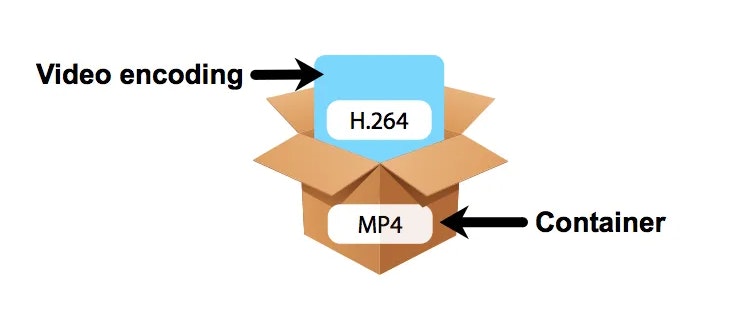
CONTAINERS AND CODECS are NOT the same!

Digital videos are contained in files. These files are called “containers”. The extension of these files often makes it possible to determine their type. The most common containers are MP4, MOV, AVI and MXF. The MXF container is generally used in professional camera series from manufacturers such as Sony or Panasonic.

These containers are “boxes” or “folders” that consist of several elements: video track, sound tracks, time code or subtitles. The purpose of the container is to synchronize all the elements it contains.

Therefore, you cannot know the codec of a video from the file extension: for example, an .avi file and a .mov file could use the same codec to encode the video track.

WHAT IS A CODEC?

A codec is a mathematical procedure consisting of algorithms used to encode and decode the image (codec). It helps define how sensor information is stored and the strategy for compressing and decompressing images.

codec

The size of a one minute 4K video file is about 50 GB. Therefore, it is easy to understand the main advantage of using a codec: compression. For the same minute of 4K recording, for example, using the H264 codec reduces the file size by a factor of about 27, or a final size of about 1.8 GB.

The more “codec” a codec is, the more complex the decoding will be and it will require a powerful machine to accomplish this task. At the same time, the higher the compression, the greater the loss of information that can make post-production difficult.

To achieve this optimization, most codecs use spatial compression: each image is compressed independently of the other images; This is known as an “intra” codec. For more compression, more complex codecs add temporary compression: we’re talking LONG GOP (GOP for “Group of Pictures” or “Long Group of Pictures”); Codecs of this type record only one full image per x images (often 12) and retain only what has changed between these images.