Why Video Encoding Profiles Matter


Free Download Mp4Gain
picture

Why Video Encoding Profiles Matter

Why Video Encoding Profiles Matter

In the world of video encoding, understanding the different profiles and their significance is crucial. These profiles determine the available encoding tools and greatly impact the quality and compatibility of your video output. By delving into the intricacies of video encoding profiles, you can optimize your video files for various playback devices and ensure an optimal viewing experience.

The Basics: Profiles and Levels Explained

To comprehend video encoding profiles, it’s essential to grasp the distinction between profiles and levels. Profiles define the encoding tools at your disposal, while levels establish the maximum resolutions, frame rates, and bitrates that can be achieved during the encoding process.

For H.264 encoding, three primary profiles exist: Baseline, Main, and High. Baseline is the most compatible profile, but it sacrifices quality. Main strikes a balance between quality and compatibility. High profile delivers superior quality but may encounter compatibility issues on certain devices.

Each profile also encompasses multiple levels. Higher levels support greater resolutions, frame rates, and bitrates. However, higher levels necessitate more processing power for decoding purposes.

Selecting the Ideal Profile and Level

Choosing the appropriate profile and level for your video encoding depends on several factors:

Target Devices: Consider the devices on which your encoded video will be played. If broad compatibility is your goal, the Baseline profile is a safe bet. However, if you’re targeting high-end devices, the High profile may deliver the best results.

Desired Quality: Determine the desired quality level for your video. If you prioritize excellent quality, the High profile is an attractive option. For a balance between quality and compatibility, the Main profile is a solid choice.

Processing Power: Evaluate the processing capabilities of the playback devices. Lower-level profiles may be necessary for devices with limited processing power to ensure smooth playback.

To illustrate these considerations, let’s explore some examples:

For smartphone playback, selecting the Baseline profile and Level 3 is suitable, offering compatibility and efficient performance.
If your video is destined for a 4K TV, opt for the Main profile and Level 5 to achieve high-quality visuals while maintaining compatibility.
Encoding videos for Blu-ray Discs necessitates the High profile and Level 6, enabling exceptional quality for an immersive viewing experience.

Mastering Video Encoding Profiles and Levels

Understanding video encoding profiles and levels is paramount for optimizing video files. By selecting the appropriate profile and level, you can ensure compatibility with target devices while meeting your desired quality standards. Remember to consider the target devices, prioritize quality, and assess processing power to make informed decisions during the encoding process.

In conclusion, video encoding profiles and levels may appear complex at first, but with a solid grasp of these concepts, you can confidently navigate the intricacies of video encoding and produce high-quality videos that cater to various playback devices.

These final words emphasize the importance of mastering video encoding profiles and levels, providing users with a comprehensive overview of the topic and inspiring confidence in their video encoding endeavors.



Free Download Mp4Gain
picture


Mp4Gain Main Window
picture


Mp4Gain Features
picture


Free Download Mp4Gain
picture

Enhancing Video Quality: Bitrate and Codec

Enhancing Video Quality: Bitrate and Codec

Enhancing Video Quality: Bitrate and Codec


When it comes to video quality, there are two main factors that you need to consider: bitrate and codec.

Bitrate

Bitrate is the amount of data that is used to encode a video file. A higher bitrate will result in a higher quality video, but it will also result in a larger file size.

The ideal bitrate for a video will depend on a number of factors, including the resolution of the video, the frame rate, and the type of content. For example, a high-resolution video with a high frame rate will require a higher bitrate than a low-resolution video with a low frame rate.

If you are concerned about file size, you can try reducing the bitrate of your video. However, keep in mind that this will also reduce the quality of the video.

Codec

A codec is a type of software that is used to encode and decode video files. There are many different codecs available, and each one has its own strengths and weaknesses.

Some of the most popular codecs include:

H.264: This is a widely used codec that offers good quality and compatibility.
MPEG-4: This is another popular codec that is known for its good quality.
VP9: This is a newer codec that offers better quality than H.264 and MPEG-4, but it is not as widely supported.
When choosing a codec, you need to consider the following factors:

The quality of the video that you want to create
The compatibility of the codec with your devices and software
The file size of the video that you want to create

Conclusion

Bitrate and codec are two important factors that you need to consider when enhancing video quality. By understanding these factors, you can create high-quality videos that are also small in file size.

Here are some additional tips for enhancing video quality:

Use a high-quality camera
Shoot in good lighting conditions
Edit your videos carefully
Optimize your videos for the web
By following these tips, you can create videos that are both high-quality and visually appealing.

Latest Video Codec Trends

Latest Video Codec Trends

Video Codec
Video Codec
Video Codec
Video Codec

Video Codecs: What They Are and Why They Matter

Video codecs are essential in video compression and playback. They are algorithms that encode and decode digital video data, compressing it for efficient storage and transmission. Without video codecs, it would be impossible to store or stream high-quality video content.

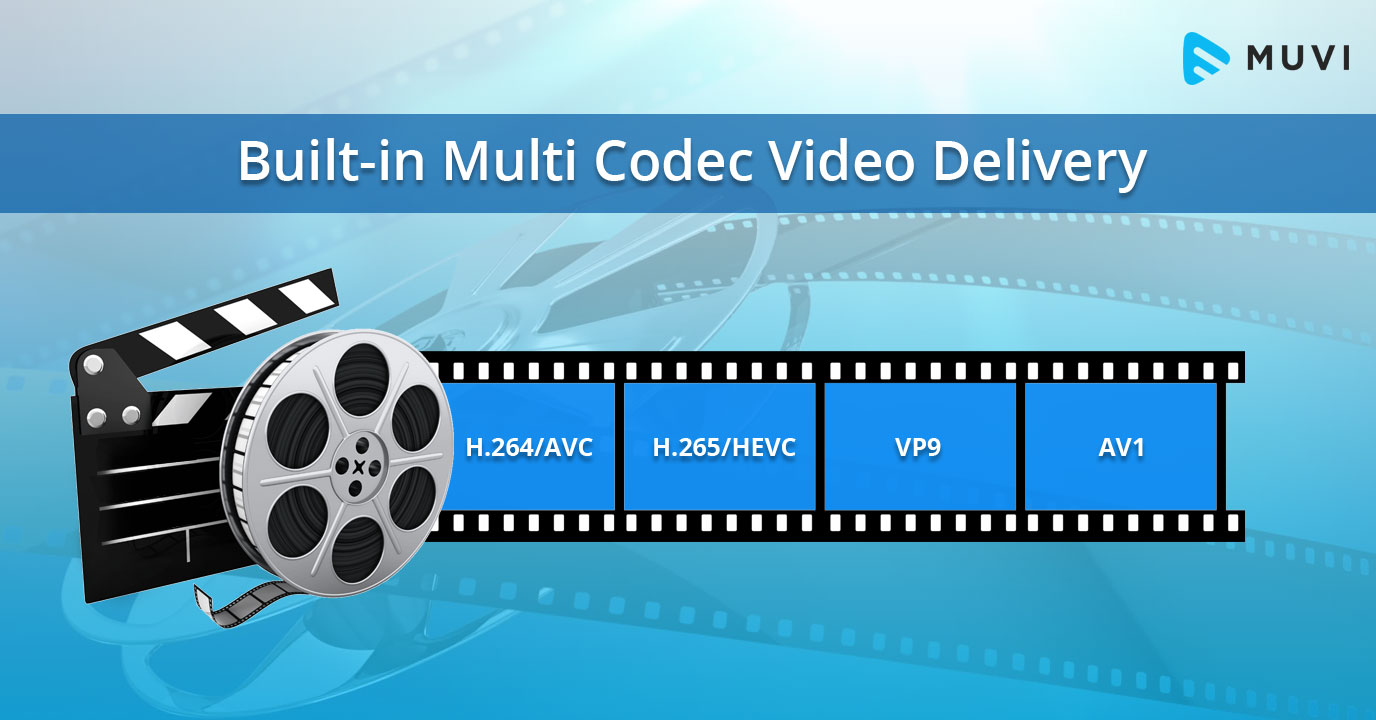
The most popular video codecs today are H.265, VP9, and AV1. H.265, also known as HEVC (High-Efficiency Video Coding), is a codec that offers the same quality as its predecessor (H.264) at half the bitrate. VP9, developed by Google, is an open-source codec that offers better compression efficiency than H.264. Finally, AV1 is a royalty-free codec developed by the Alliance for Open Media, offering even better compression efficiency than VP9.

As video content continues to evolve, so too do video codecs. It’s essential to stay up-to-date with the latest codec trends to ensure your video content is of the highest quality.

Quote: “Video is a powerful tool that can change the world. When you compress video, you’re taking that power and making it more accessible to everyone.” – Kevin Systrom

Latest Video Formats: What You Need to Know

Video formats determine how video data is stored and transmitted. They are also essential in determining playback quality and compatibility. With the advent of 4K and HDR content, new video formats have emerged to meet the demands of high-quality video content.

The most popular video formats today are MP4, AVI, and WMV. MP4 is the most widely used video format, supporting both high-quality video and audio. AVI is an older format but still widely used, while WMV is a proprietary format developed by Microsoft.

Newer video formats like MKV and WEBM offer better compression efficiency and support for 4K and HDR content. MKV, in particular, is an open-source format that offers support for multiple video, audio, and subtitle streams. WEBM, developed by Google, is a royalty-free format that supports high-quality video with a small file size.

Keeping up-to-date with the latest video formats is crucial for ensuring compatibility with modern devices and delivering high-quality video content.

Quote: “Video technology is driving the evolution of the internet.” – Bob Iger

How to Optimize Your Video Content

Optimizing your video content involves choosing the right codec and format for your needs, as well as ensuring your content is of the highest quality. This includes proper encoding settings, resolution, and aspect ratio.

When choosing a codec, consider factors like compression efficiency, compatibility, and licensing costs. For example, H.265 may offer the best compression efficiency, but licensing costs may be prohibitive for some businesses. Similarly, choosing the right format involves considering factors like playback quality, compatibility, and support for modern features like 4K and HDR.

Finally, ensuring your content is of the highest quality involves proper encoding settings, resolution, and aspect ratio. It’s essential to balance quality with file size, ensuring your content is optimized for both playback and streaming.

Quote: “Quality is not an act, it’s a habit.” – Aristotle

Final Words

Video codecs and formats are essential in delivering high-quality video content. Staying up-to-date with the latest trends is crucial for ensuring compatibility with modern devices and delivering the best possible viewing experience.

Codecs and Their Importance in Video Production

Codecs and Their Importance in Video Production

Video Codecs
Video Codecs
Video Codecs
Video Codecs


“A codec is a way of encoding and decoding video or audio data so that it can be transmitted, stored and played back efficiently,” says John Watkinson in his book The Art of Digital Video. In essence, a video codec is a software or hardware that compresses and decompresses video data. This process helps to reduce the size of video files, which makes them easier to store, transmit and stream over the internet.

The Function of Video Codecs

“Codecs are used to compress video data to reduce the amount of data that needs to be stored or transmitted,” explains Brian Nadel in his article on Techradar. He adds that codecs “also help to maintain the quality of the video by minimizing any loss of data during compression.” This is done by removing redundant information and compressing the remaining data without affecting the quality of the video.

The Different Types of Video Codecs

“There are two main types of codecs: lossy and lossless,” notes Larry Jordan in his article on Digital Media Net. Lossy codecs, such as H.264 and MPEG-4, compress video data by permanently discarding some of the information in the video. While lossy codecs result in smaller file sizes, they may also compromise the quality of the video. On the other hand, lossless codecs, such as Apple ProRes and Avid DNxHD, preserve all the information in the video, resulting in higher quality videos but larger file sizes.

Choosing the Right Video Codec

“When choosing a video codec, you must consider the final use of the video,” advises Richard Harrington in his book Video Made on a Mac. For instance, if you are creating a video for the internet, you may want to use a codec that results in a small file size without compromising the quality of the video. On the other hand, if you are producing a video for broadcast, you may want to use a lossless codec that maintains the quality of the video but results in a larger file size.

The Advantages of Video Codecs

“Video codecs are essential in modern video production because they help to compress video data, reducing storage space requirements and making video transmission over the internet much faster and smoother,” states Jeff Strong in his article on Lifewire. By compressing video data, codecs also make it possible to store and transmit high-quality videos without consuming excessive amounts of bandwidth.

The Disadvantages of Video Codecs

“Video codecs may also result in a loss of data, which can affect the quality of the video,” cautions Chris Stevens in his article on Adorama. Furthermore, some codecs may not be compatible with certain software or hardware, which can result in compatibility issues when editing or playing back videos. It is therefore essential to choose the right codec that meets your specific needs and requirements.

Final Words

In conclusion, video codecs play an essential role in modern video production, enabling efficient storage, transmission, and playback of video data. By understanding the different types of codecs and their respective advantages and disadvantages, you can choose the right codec for your specific needs and ensure that your videos are of the highest quality while being optimized for storage and transmission.

The best video encoder

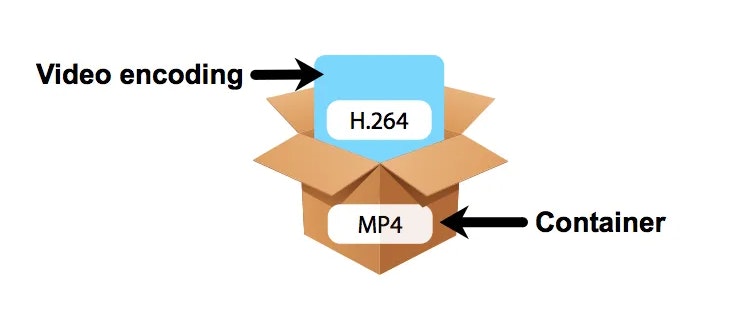
Get information on the network about the various existing video encodings: the question “what is the best format?” I have not yet found an answer. For now, to maintain a large video in HD-TV format (1080 × 720), the best seems to be the code adopted by Microsoft “h.264 / MPEG4 part10”, also called H.264 Advanced Video Coding (AVC), used on blu-ray discs. The “container”, ie the file format, can vary from .M2TS, from bluray, to .MPEG4.

video encoder

The following is a diagram of the main forms of video compression:

Divx

He is the most famous coder, the one who changed the history of online video transmission. The basic version is free, the paid version (the Pro version) adds better encoding skills (ie for those who want to create Divx with higher quality than the standard version). The latest versions add full encoding and screen support to the HDTV standard.

video formats

Xvid

The open source encoder that competes with Divx Pro. With it you can create high quality videos.

x.264 (AVC / H.264)

The H.264 / AVC encoder is the latest generation (paid) video compression encoder, which achieves the best results (intended both in terms of compression and final quality). It also comes with high definition (HD) compression, designed for TV and Blu-Ray. Unfortunately, the official version of the encoder is shareware (already used in various encoding programs, including Nero), but there is a free version (even open source) called x.264, which can be used for encoding / decoding. In some open source video editing programs, such as AviDemux, this encoder is already built-in and can be used like any other encoder (although a video created with it is currently incompatible with divx player programs). is already embedded in some media players, such as VLC or others.

MKV (Matroska and Haali splitter package)

The MKV format is not a format, but a container (like the avi). Inside it can accommodate the most different codecs, such as Xvid, Divx, H264, AAC, etc. To watch .mkv movies, which recently seem to be spreading more and more (and will become more and more, given the increase in HD 720p or 1080p video, HDTV and Blu-Ray), the Matroska package or a video player that supports this form / container inherent.

FFDShow

It is a very useful open source and filter encoder package for displaying multimedia content such as divx, xvid, mkv, h.264, ac3, etc. It is also widely used by free applications such as BD Rebuilder, RipBot, etc., requiring the operation of your presence.